display SUBARU LEGACY 2007 Owner's Manual
[x] Cancel search | Manufacturer: SUBARU, Model Year: 2007, Model line: LEGACY, Model: SUBARU LEGACY 2007Pages: 442, PDF Size: 6.32 MB
Page 155 of 442
Black plate (156,1)
北米Model "A2420BE-B" EDITED: 2006/ 7/ 26
3-34
Instruments and controls
Clock (Vehicle without Navi-
gation System)NOTE. If your vehicle is a non-turbo model
equipped with a navigation system,
refer to the separate “Operating In-
structions for Monitor System ”.
. If your vehicle is a turbo model
equipped with a navigation system,
refer to the “Clock (Vehicle with Navi-
gation System)” in the multi-informa-
tion display (turbo models) section in
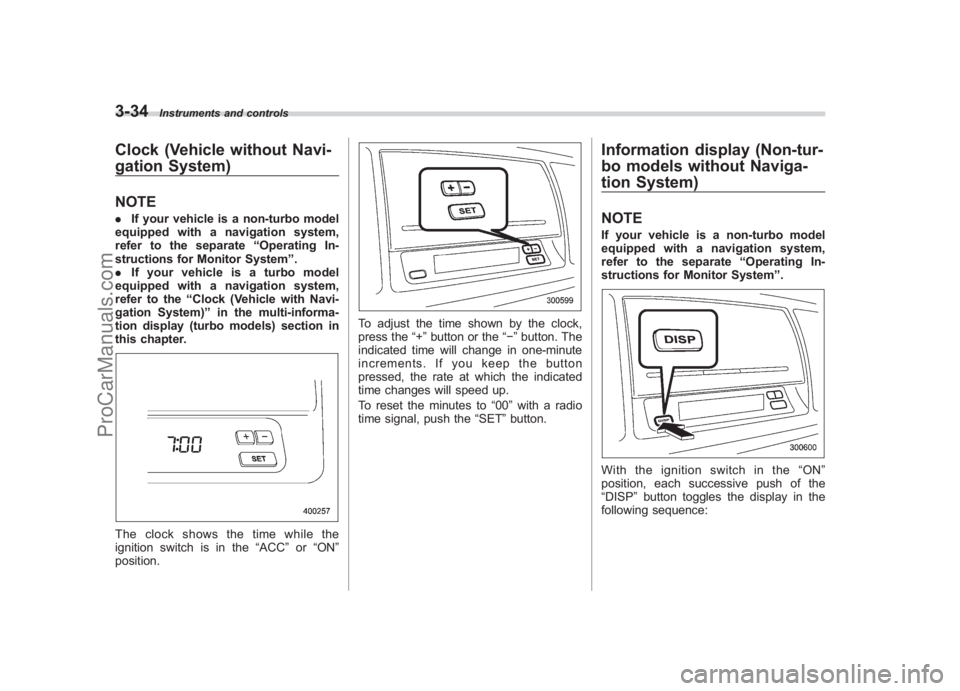
this chapter.The clock shows the time while the
ignition switch is in the “ACC”or “ON ”
position.
To adjust the time shown by the clock,
press the “+”button or the “”button. The
indicated time will change in one-minute
increments. If you keep the button
pressed, the rate at which the indicated
time changes will speed up.
To reset the minutes to “00”with a radio
time signal, push the “SET”button.
Information display (Non-tur-
bo models without Naviga-
tion System)NOTEIf your vehicle is a non-turbo model
equipped with a navigation system,
refer to the separate “Operating In-
structions for Monitor System ”.With the ignition switch in the “ON ”
position, each successive push of the
“DISP ”button toggles the display in the
following sequence:
ProCarManuals.com
Page 157 of 442
Black plate (158,1)
北米Model "A2420BE-B" EDITED: 2006/ 7/ 26
3-36
Instruments and controls
indication flashes to show that the road
surface may be frozen.
If the outside temperature drops to 37 8F
(3 8C) or lower while the display is giving
an indication other than the outside
temperature, the display switches to the
outside temperature indication and flashes
for five seconds before returning to its
original indication.
If the display is already indicating an
outside temperature of 37 8F(3 8C) or lower
when the ignition switch is turned to the
“ ON ”position, the indication does not
flash.NOTEThe outside temperature indication
may differ from the actual outside
temperature. The road surface freeze
warning indication should be treated
only as a guide. Be sure to check the
condition of the road surface before
driving.
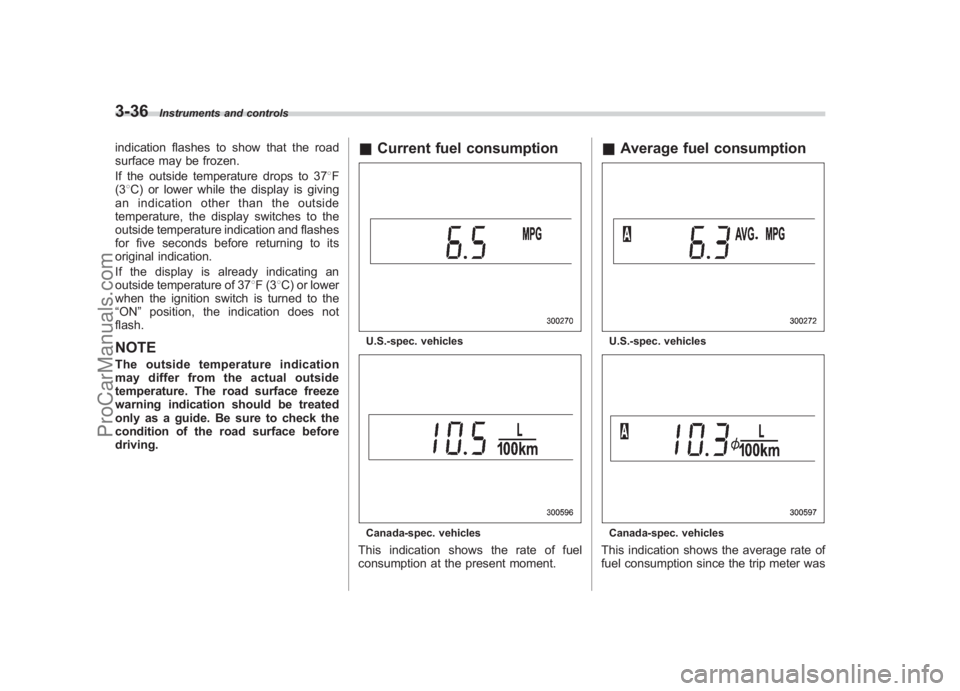
& Current fuel consumptionU.S.-spec. vehiclesCanada-spec. vehiclesThis indication shows the rate of fuel
consumption at the present moment.
&Average fuel consumptionU.S.-spec. vehiclesCanada-spec. vehiclesThis indication shows the average rate of
fuel consumption since the trip meter was
ProCarManuals.com
Page 158 of 442
Black plate (159,1)
北米Model "A2420BE-B" EDITED: 2006/ 7/ 26
last reset.
Pressing the trip knob toggles the indica-
tion between the average fuel consump-
tion corresponding to the A trip meter
indication and the average fuel consump-
tion corresponding to the B trip meter
indication.
When either of the trip meter indications is
reset, the corresponding average fuel
consumption value is also reset.NOTE. The indicated values vary in accor-
dance with changes in the vehicle ’s
running conditions. Also, the indicated
values may differ slightly from the
actual values and should thus be
treated only as a guide.
. When either trip meter indication is
reset, the average fuel consumption
corresponding to that trip meter indica-
tion is not shown until the vehicle has
subsequently covered a distance of 1
mile (or 1 km).
& Driving range on remaining
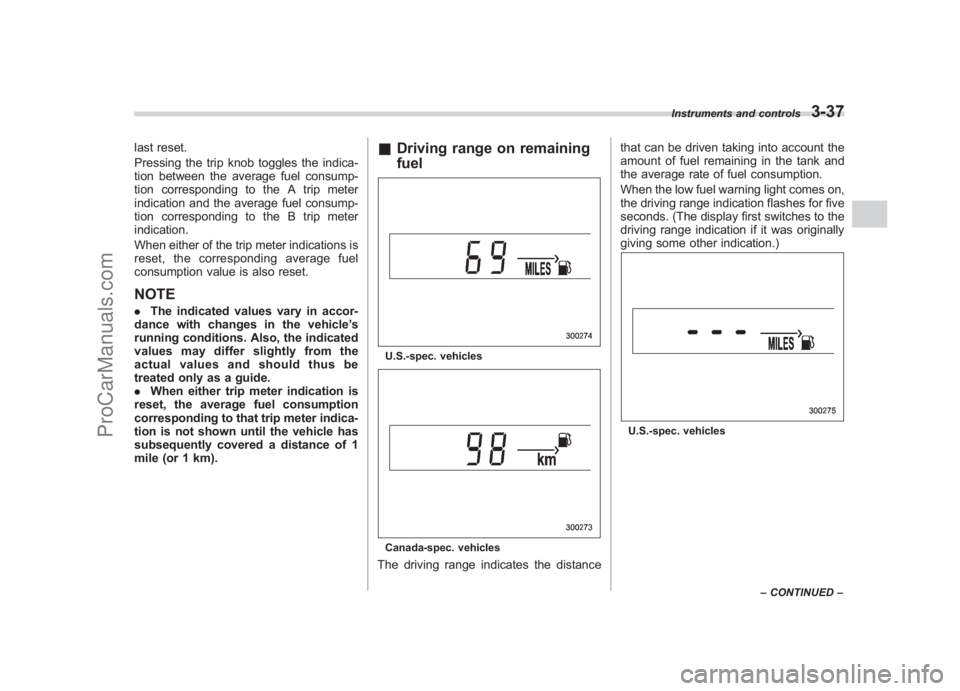
fuelU.S.-spec. vehiclesCanada-spec. vehiclesThe driving range indicates the distance that can be driven taking into account the
amount of fuel remaining in the tank and
the average rate of fuel consumption.
When the low fuel warning light comes on,
the driving range indication flashes for five
seconds. (The display first switches to the
driving range indication if it was originally
giving some other indication.)
U.S.-spec. vehicles
Instruments and controls
3-37
–
CONTINUED –
3
ProCarManuals.com
Page 159 of 442
Black plate (160,1)
北米Model "A2420BE-B" EDITED: 2006/ 7/ 26
3-38
Instruments and controls
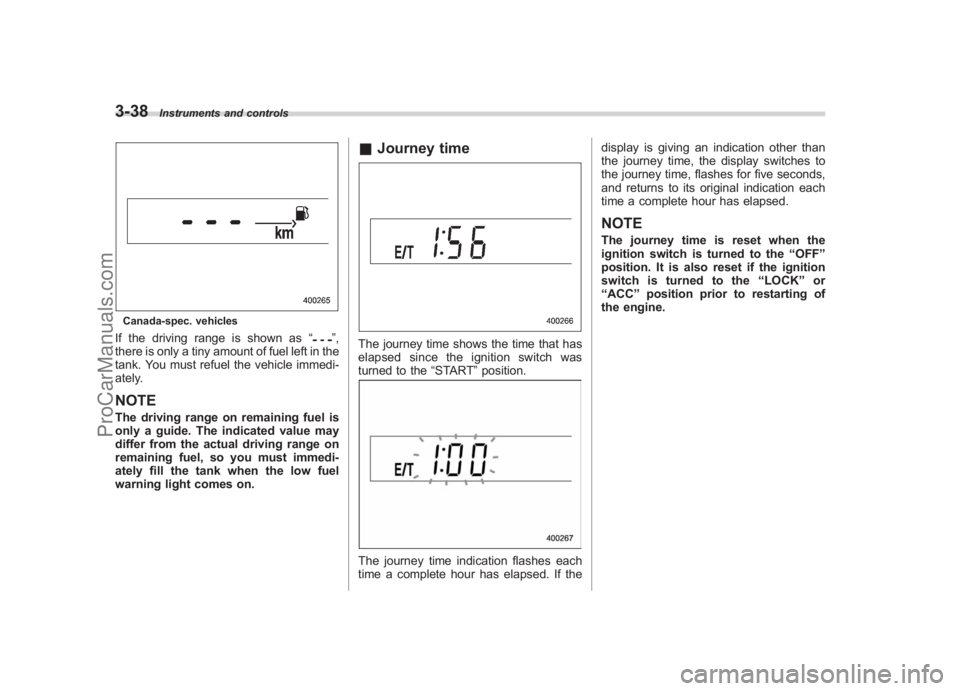
Canada-spec. vehiclesIf the driving range is shown as “
”,
there is only a tiny amount of fuel left in the
tank. You must refuel the vehicle immedi-
ately.
NOTEThe driving range on remaining fuel is
only a guide. The indicated value may
differ from the actual driving range on
remaining fuel, so you must immedi-
ately fill the tank when the low fuel
warning light comes on.
& Journey timeThe journey time shows the time that has
elapsed since the ignition switch was
turned to the “START”position.The journey time indication flashes each
time a complete hour has elapsed. If the display is giving an indication other than
the journey time, the display switches to
the journey time, flashes for five seconds,
and returns to its original indication each
time a complete hour has elapsed.
NOTEThe journey time is reset when the
ignition switch is turned to the
“OFF ”
position. It is also reset if the ignition
switch is turned to the “LOCK” or
“ ACC ”position prior to restarting of
the engine.
ProCarManuals.com
Page 162 of 442
Black plate (163,1)
北米Model "A2420BE-B" EDITED: 2006/ 7/ 26
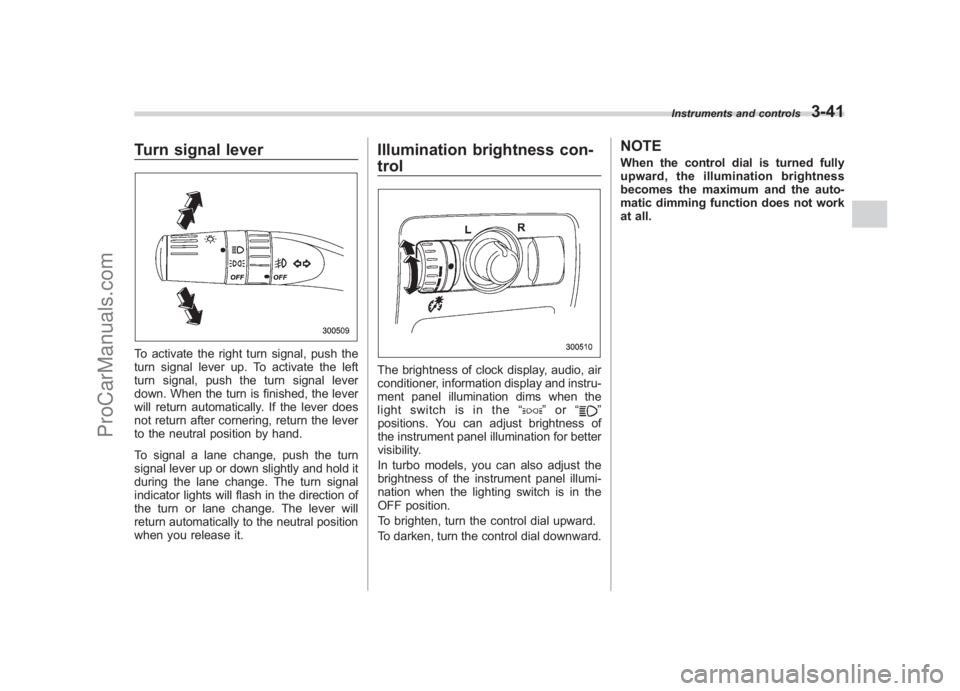
Turn signal leverTo activate the right turn signal, push the
turn signal lever up. To activate the left
turn signal, push the turn signal lever
down. When the turn is finished, the lever
will return automatically. If the lever does
not return after cornering, return the lever
to the neutral position by hand.
To signal a lane change, push the turn
signal lever up or down slightly and hold it
during the lane change. The turn signal
indicator lights will flash in the direction of
the turn or lane change. The lever will
return automatically to the neutral position
when you release it.
Illumination brightness con-
trolThe brightness of clock display, audio, air
conditioner, information display and instru-
ment panel illumination dims when the
light switch is in the “
”or “
”
positions. You can adjust brightness of
the instrument panel illumination for better
visibility.
In turbo models, you can also adjust the
brightness of the instrument panel illumi-
nation when the lighting switch is in the
OFF position.
To brighten, turn the control dial upward.
To darken, turn the control dial downward.
NOTEWhen the control dial is turned fully
upward, the illumination brightness
becomes the maximum and the auto-
matic dimming function does not work
at all.
Instruments and controls
3-41
3
ProCarManuals.com
Page 170 of 442
Black plate (171,1)
北米Model "A2420BE-B" EDITED: 2006/ 7/ 26
button, the compass display is toggled on
or off. When the compass is on, an
illuminated compass reading will appear
in the lower part of the mirror.
Even with the mirror in anti-glare mode,
the mirror surface turns bright if the
transmission is shifted into reverse. This
is to ensure good rearward visibility during
reversing.
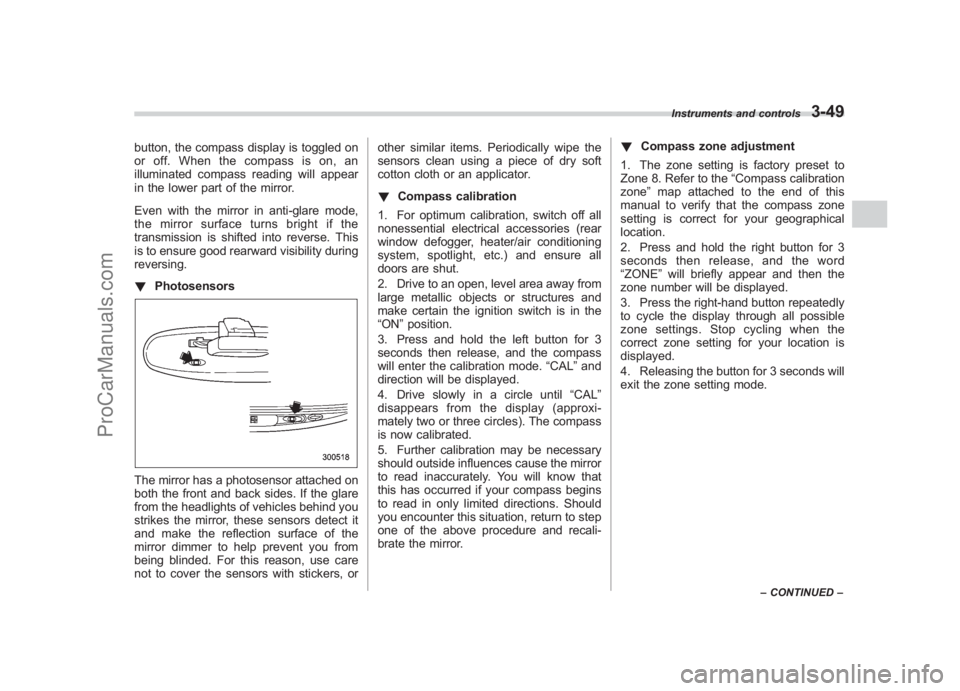
! PhotosensorsThe mirror has a photosensor attached on
both the front and back sides. If the glare
from the headlights of vehicles behind you
strikes the mirror, these sensors detect it
and make the reflection surface of the
mirror dimmer to help prevent you from
being blinded. For this reason, use care
not to cover the sensors with stickers, or other similar items. Periodically wipe the
sensors clean using a piece of dry soft
cotton cloth or an applicator.
!
Compass calibration
1. For optimum calibration, switch off all
nonessential electrical accessories (rear
window defogger, heater/air conditioning
system, spotlight, etc.) and ensure all
doors are shut.
2. Drive to an open, level area away from
large metallic objects or structures and
make certain the ignition switch is in the
“ON ”position.
3. Press and hold the left button for 3
seconds then release, and the compass
will enter the calibration mode. “CAL”and
direction will be displayed.
4. Drive slowly in a circle until “CAL”
disappears from the display (approxi-
mately two or three circles). The compass
is now calibrated.
5. Further calibration may be necessary
should outside influences cause the mirror
to read inaccurately. You will know that
this has occurred if your compass begins
to read in only limited directions. Should
you encounter this situation, return to step
one of the above procedure and recali-
brate the mirror. !
Compass zone adjustment
1. The zone setting is factory preset to
Zone 8. Refer to the “Compass calibration
zone” map attached to the end of this
manual to verify that the compass zone
setting is correct for your geographical
location.
2. Press and hold the right button for 3
seconds then release, and the word
“ZONE ”will briefly appear and then the
zone number will be displayed.
3. Press the right-hand button repeatedly
to cycle the display through all possible
zone settings. Stop cycling when the
correct zone setting for your location is
displayed.
4. Releasing the button for 3 seconds will
exit the zone setting mode.
Instruments and controls
3-49
– CONTINUED –
3
ProCarManuals.com
Page 181 of 442
Black plate (184,1)
北米Model "A2420BE-B" EDITED: 2006/ 7/ 26
4-8
Climate control
Automatic climate control
system (if equipped)NOTE. Operate the automatic climate con-
trol system when the engine is running.
. The blower fan rotates at a low
speed when the engine coolant tem-
perature is low.
For efficient defogging or dehumidify-
ing in cold weather, press the “A/C ”
button.
. Even when cooling is not necessary,
setting the temperature much lower
than the current outlet air temperature
turns on the air conditioner compres-
sor automatically and the “A/C ”indi-
cator light on the control panel comes
on.
The automatic climate control system
automatically controls outlet air tempera-
ture, fan speed, air flow distribution air-
inlet control, and air conditioner compres-
sor operation. It activates when the
“AUTO ”button is pressed, and is used to
maintain a constant, comfortable climate
within the passenger compartment.
The temperature can be set within a range
of 65 to 85 8F (18 to 32 8C).
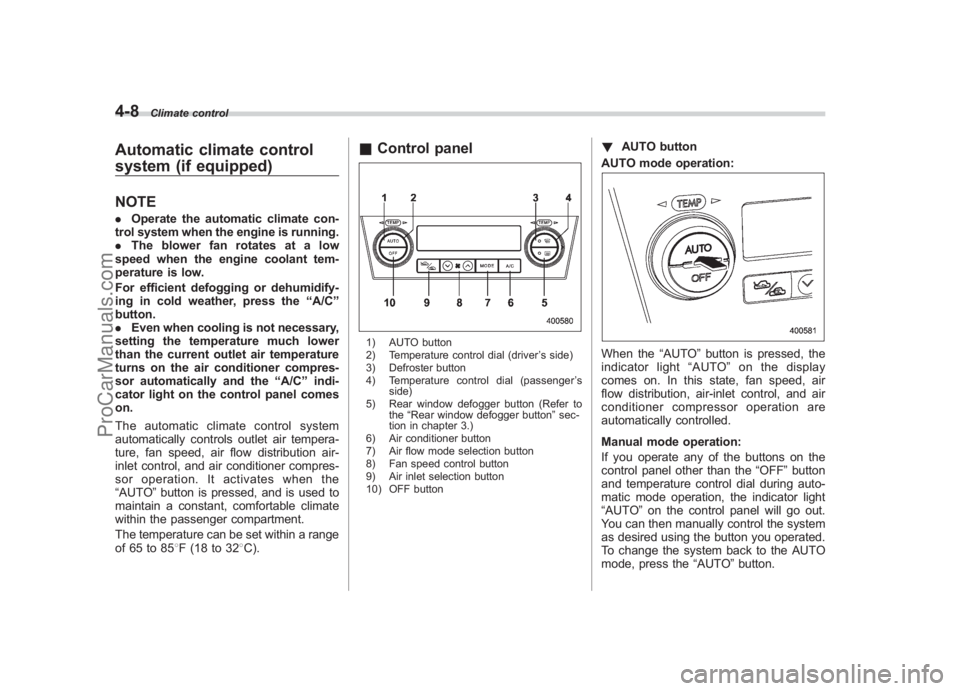
& Control panel1) AUTO button
2) Temperature control dial (driver ’s side)
3) Defroster button
4) Temperature control dial (passenger ’s
side)
5) Rear window defogger button (Refer to the“Rear window defogger button ”sec-
tion in chapter 3.)
6) Air conditioner button
7) Air flow mode selection button
8) Fan speed control button
9) Air inlet selection button
10) OFF button
! AUTO button
AUTO mode operation:When the “AUTO”button is pressed, the
indicator light “AUTO ”on the display
comes on. In this state, fan speed, air
flow distribution, air-inlet control, and air
conditioner compressor operation are
automatically controlled.
Manual mode operation:
If you operate any of the buttons on the
control panel other than the “OFF”button
and temperature control dial during auto-
matic mode operation, the indicator light
“AUTO ”on the control panel will go out.
You can then manually control the system
as desired using the button you operated.
To change the system back to the AUTO
mode, press the “AUTO”button.
ProCarManuals.com
Page 182 of 442
Black plate (185,1)
北米Model "A2420BE-B" EDITED: 2006/ 7/ 26
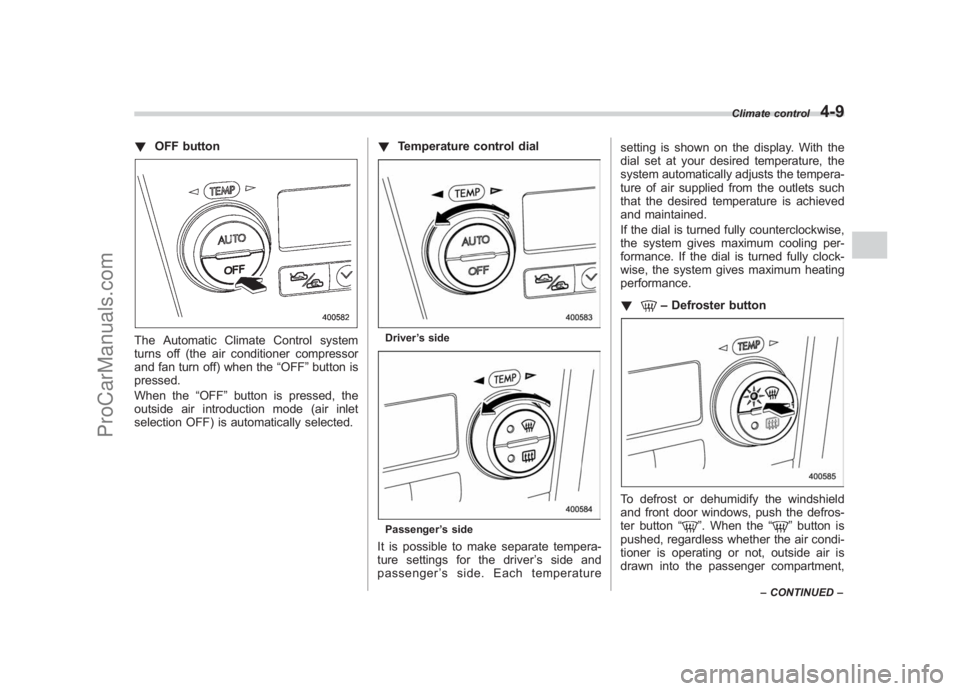
! OFF buttonThe Automatic Climate Control system
turns off (the air conditioner compressor
and fan turn off) when the “OFF”button is
pressed.
When the “OFF”button is pressed, the
outside air introduction mode (air inlet
selection OFF) is automatically selected. !
Temperature control dial
Driver ’s sidePassenger ’s sideIt is possible to make separate tempera-
ture settings for the driver ’ssideand
passenger ’s side. Each temperature setting is shown on the display. With the
dial set at your desired temperature, the
system automatically adjusts the tempera-
ture of air supplied from the outlets such
that the desired temperature is achieved
and maintained.
If the dial is turned fully counterclockwise,
the system gives maximum cooling per-
formance. If the dial is turned fully clock-
wise, the system gives maximum heating
performance.
!
–
Defroster button
To defrost or dehumidify the windshield
and front door windows, push the defros-
ter button “
”. When the “
”button is
pushed, regardless whether the air condi-
tioner is operating or not, outside air is
drawn into the passenger compartment,
Climate control
4-9
– CONTINUED –
4
ProCarManuals.com
Page 183 of 442
Black plate (186,1)
北米Model "A2420BE-B" EDITED: 2006/ 7/ 26
4-10
Climate control
the air conditioner compressor turns on,
air flow is directed towards the windshield
and front door windows, and the indicator
light on the button comes on.
After eliminating the fogging from the
windshield, return the climate control
system to the AUTO mode by pushing
the “AUTO ”button or turn off by pushing
the “OFF ”button.
Alternatively, push the “
”button again
to return the system to the setting that was
selected before you activated the defros-
ter.
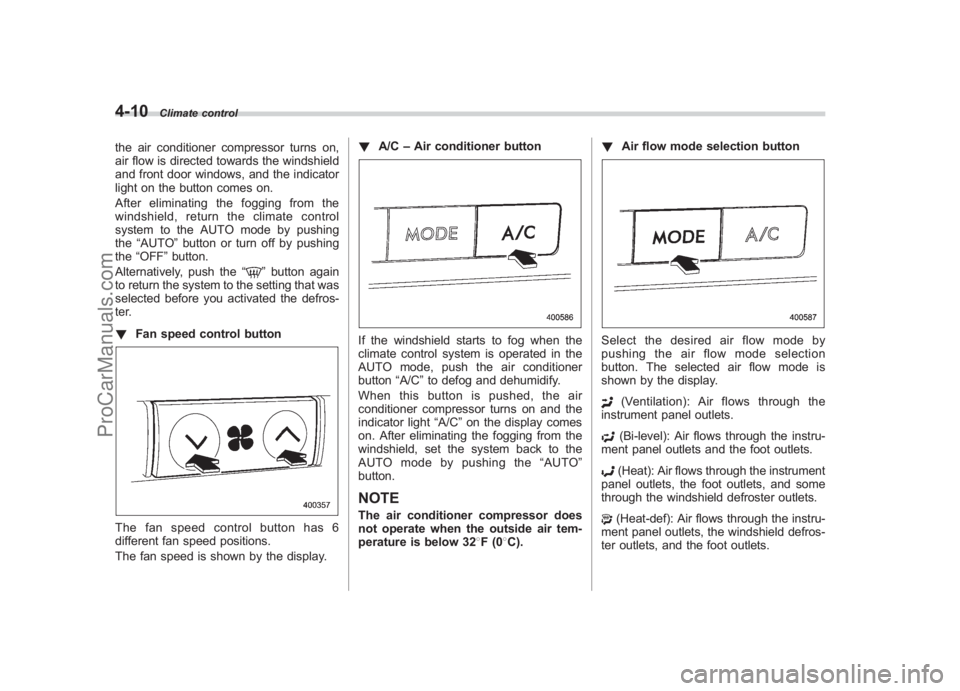
! Fan speed control button
The fan speed control button has 6
different fan speed positions.
The fan speed is shown by the display. !
A/C –Air conditioner button
If the windshield starts to fog when the
climate control system is operated in the
AUTO mode, push the air conditioner
button “A/C”to defog and dehumidify.
When this button is pushed, the air
conditioner compressor turns on and the
indicator light “A/C”on the display comes
on. After eliminating the fogging from the
windshield, set the system back to the
AUTO mode by pushing the “AUTO ”
button.NOTEThe air conditioner compressor does
not operate when the outside air tem-
perature is below 32 8F(0 8C). !
Air flow mode selection button
Select the desired air flow mode by
pushing the air flow mode selection
button. The selected air flow mode is
shown by the display.
(Ventilation): Ai r flows through the
instrument panel outlets.(Bi-level): Air flows through the instru-
ment panel outlets and the foot outlets.(Heat): Air flows through the instrument
panel outlets, the foot outlets, and some
through the windshield defroster outlets.(Heat-def): Air flows through the instru-
ment panel outlets, the windshield defros-
ter outlets, and the foot outlets.
ProCarManuals.com
Page 184 of 442
Black plate (187,1)
北米Model "A2420BE-B" EDITED: 2006/ 7/ 26
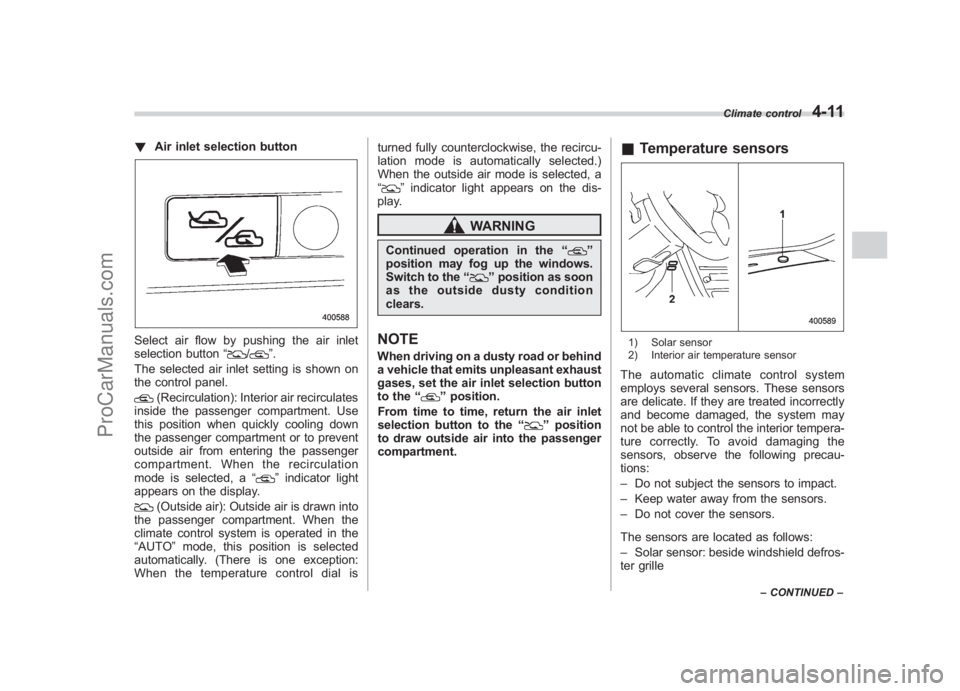
! Air inlet selection buttonSelect air flow by pushing the air inlet
selection button “
/
”.
The selected air inlet setting is shown on
the control panel.
(Recirculation): Interior air recirculates
inside the passenger compartment. Use
this position when quickly cooling down
the passenger compartment or to prevent
outside air from entering the passenger
compartment. When the recirculation
mode is selected, a “
”indicator light
appears on the display.
(Outside air): Outside air is drawn into
the passenger compartment. When the
climate control system is operated in the
“AUTO ”mode, this position is selected
automatically. (There is one exception:
When the temperature control dial is turned fully counterclockwise, the recircu-
lation mode is automatically selected.)
When the outside air mode is selected, a
“
”
indicator light appears on the dis-
play.
WARNING
Continued operation in the “
”
position may fog up the windows.
Switch to the “
”position as soon
as the outside dusty condition
clears.
NOTEWhen driving on a dusty road or behind
a vehicle that emits unpleasant exhaust
gases, set the air inlet selection button
to the “
”position.
From time to time, return the air inlet
selection button to the “
”position
to draw outside air into the passenger
compartment.
& Temperature sensors1) Solar sensor
2) Interior air temperature sensorThe automatic climate control system
employs several sensors. These sensors
are delicate. If they are treated incorrectly
and become damaged, the system may
not be able to control the interior tempera-
ture correctly. To avoid damaging the
sensors, observe the following precau-
tions:
–Do not subject the sensors to impact.
– Keep water away from the sensors.
– Do not cover the sensors.
The sensors are located as follows:
– Solar sensor: beside windshield defros-
ter grille
Climate control
4-11
– CONTINUED –
4
ProCarManuals.com