ignition SUBARU LEGACY 2016 6.G Owners Manual
[x] Cancel search | Manufacturer: SUBARU, Model Year: 2016, Model line: LEGACY, Model: SUBARU LEGACY 2016 6.GPages: 572
Page 375 of 572

!N (Neutral)
This position is for restarting a stalled
engine. In this position, the transmission is
neutral, meaning that the wheels and
transmission are not locked. Therefore,
the vehicle will roll freely, even on the
slightest incline unless the parking brake
or foot brake is applied.
Avoid coasting with the transmission in
neutral. Engine braking has no effect in
this condition.
WARNING
Do not drive the vehicle with the
select lever in the“N”(neutral)
position. Engine braking has no
effect in this condition and the risk
of an accident is consequently in-
creased.
NOTE
If the select lever is in the“N”position
when you stop the engine for parking,
you may not subsequently be able to
move it to the“R”and“P”positions. If
this happens, turn the ignition switch to
the“ON”position. You will then be able
to move the select lever to the“P”
position.!D (Drive)
This position is for normal driving. The
transmission shifts automatically and con-
tinuously into a suitable gear according to
the vehicle speed and the acceleration
you require. Also, while driving up and
down a hill, the transmission assists and
controls the driving performance and
engine braking while corresponding to
the road grade.
When more acceleration is required in“D”
position, depress the accelerator pedal
fully to the floor and hold that position. The
transmission will automatically downshift.
In this case, the transmission will operate
like a conventional automatic transmis-
sion. When you release the pedal, the
transmission will return to the original gear
position.
To use the manual mode, move the lever
from this position into the manual gate.
!While climbing a grade
When driving up a hill, undesired upshift is
prevented from taking place when the
accelerator is released. This minimizes
the chance of subsequent downshifting to
a lower gear when accelerating again.
This prevents repeated upshifting and
downshifting resulting in a smoother op-
eration of the vehicle.
NOTE
The transmission may downshift, de-
pending on the way the accelerator
pedal is depressed to accelerate the
vehicle again.
&Shift lock function
The shift lock function helps prevent the
improper operation of the select lever.
.The select lever cannot be operated
unless the ignition switch is turned to the
“ON”position and the brake pedal is
depressed.
.The select lever cannot be moved from
the“P”position to any other position
before the brake pedal is depressed.
Depress the brake pedal first, and then
operate the select lever.
.Only the“P”position allows you to turn
the key from the“ACC”position to the
“LOCK”position and remove the key from
the ignition key cylinder (models without
“keyless access with push-button start
system”).
.Only the“P”position allows you to turn
the push-button ignition switch to the
“OFF”position (models with“keyless
access with push-button start system”).
.If the ignition switch is turned to the
“LOCK”/“OFF”position while the select
lever is in the“N”position, the select lever
Starting and operating/Continuously variable transmission
–CONTINUED–7-27
Page 376 of 572
Starting and operating/Continuously variable transmission
may not be moved to the“P”position after
a period of time. Therefore, move the
select lever to the“P”position with the
brake pedal depressed soon after the
ignition switch is turned to the“LOCK”/
“OFF”position.
!Shift lock release
If the select lever cannot be operated, turn
the ignition switch back to the“ON”
position then move the select lever to the
“P”position with the select lever button
pressed and brake pedal depressed.
If the select lever does not move after
performing the above procedure, perform
the following steps.
.When the select lever cannot be
shifted from“P”to“N”:
Refer to“Shift lock release using the shift
lock release portion”F7-28.
.When the select lever cannot be
shifted from“N”to“R”,“P”:
Within 60 seconds after placing the igni-
tion switch in the“ACC”position, move the
select lever to the“P”position with the
select lever button pressed and brake
pedal depressed.
If you must perform the above procedure,
the shift lock system (or the vehicle control
system) may be malfunctioning. Contact aSUBARU dealer for an inspection as soon
as possible.
If the select lever does not move after
performing the above procedure, refer to
“Shift lock release using the shift lock
release portion”F7-28.
!Shift lock release using the shift
lock release portion
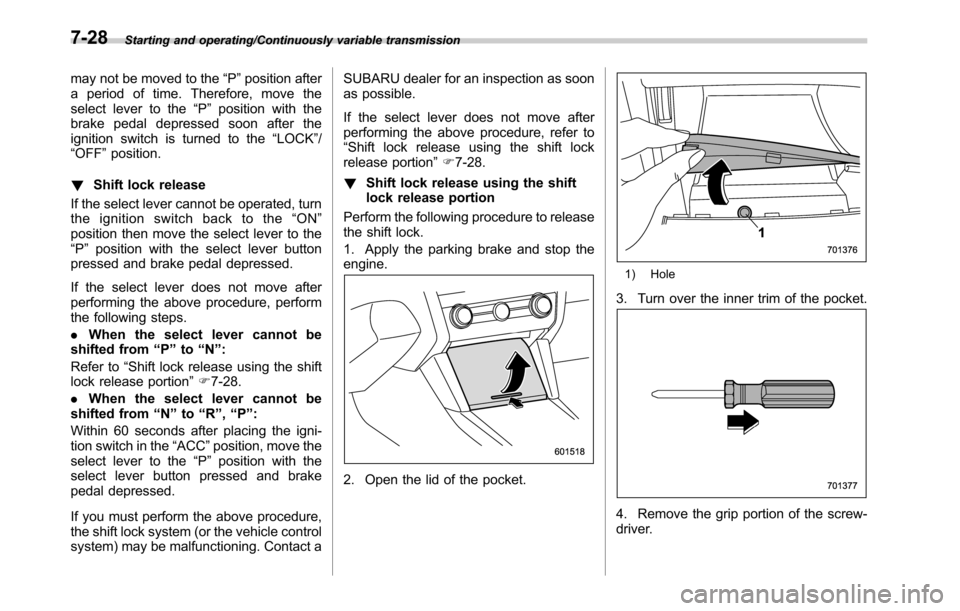
Perform the following procedure to release
the shift lock.
1. Apply the parking brake and stop the
engine.
2. Open the lid of the pocket.
1) Hole
3. Turn over the inner trim of the pocket.
4. Remove the grip portion of the screw-
driver.
7-28
Page 379 of 572
Power steering
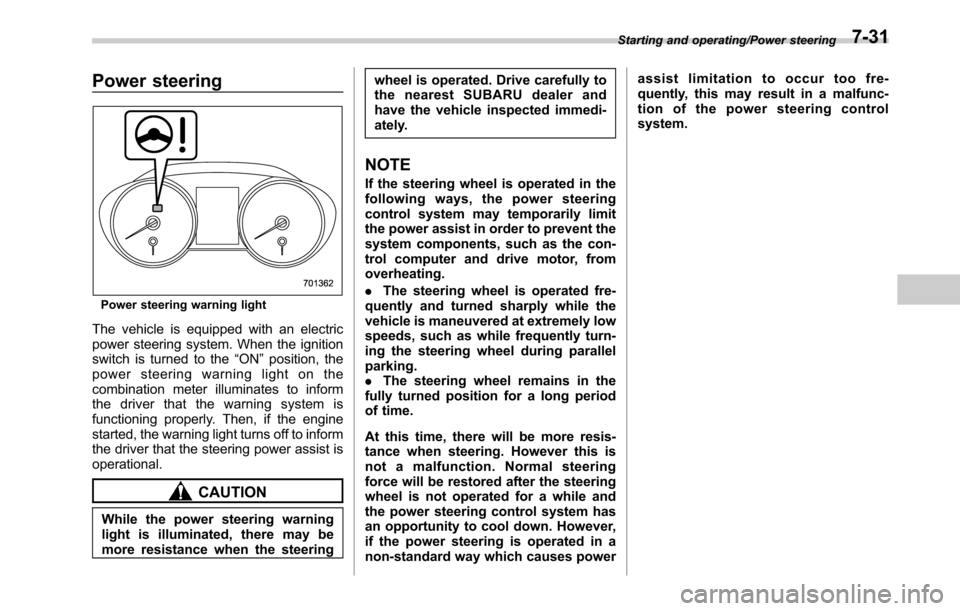
Power steering warning light
The vehicle is equipped with an electric
power steering system. When the ignition
switch is turned to the“ON”position, the
power steering warning light on the
combination meter illuminates to inform
the driver that the warning system is
functioning properly. Then, if the engine
started, the warning light turns off to inform
the driver that the steering power assist is
operational.
CAUTION
While the power steering warning
light is illuminated, there may be
more resistance when the steeringwheel is operated. Drive carefully to
the nearest SUBARU dealer and
have the vehicle inspected immedi-
ately.
NOTE
If the steering wheel is operated in the
following ways, the power steering
control system may temporarily limit
the power assist in order to prevent the
system components, such as the con-
trol computer and drive motor, from
overheating.
.The steering wheel is operated fre-
quently and turned sharply while the
vehicle is maneuvered at extremely low
speeds, such as while frequently turn-
ing the steering wheel during parallel
parking.
.The steering wheel remains in the
fully turned position for a long period
of time.
At this time, there will be more resis-
tance when steering. However this is
not a malfunction. Normal steering
force will be restored after the steering
wheel is not operated for a while and
the power steering control system has
an opportunity to cool down. However,
if the power steering is operated in a
non-standard way which causes powerassist limitation to occur too fre-
quently, this may result in a malfunc-
tion of the power steering control
system.
Starting and operating/Power steering7-31
Page 385 of 572
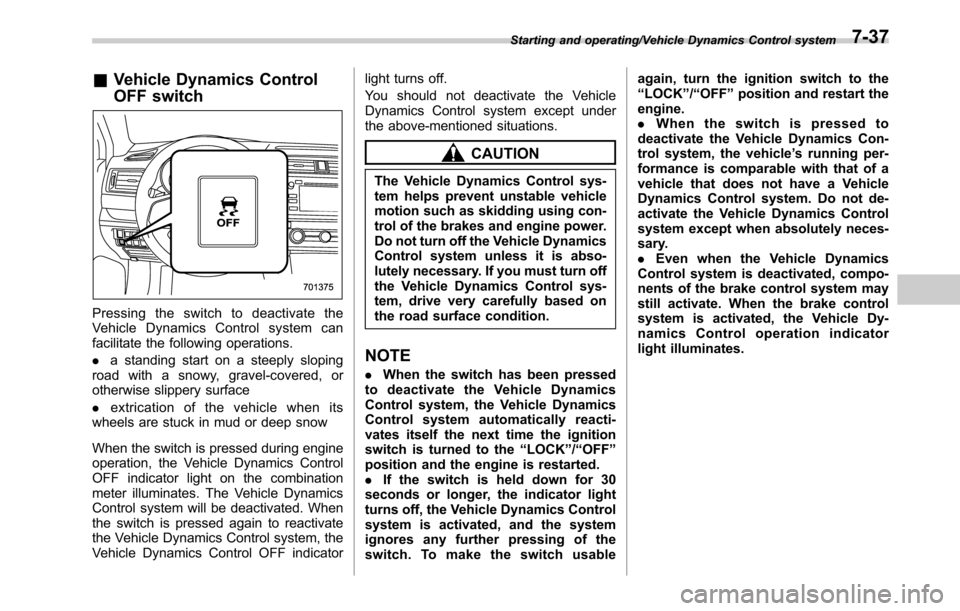
&Vehicle Dynamics Control
OFF switch
Pressingtheswitchtodeactivatethe
Vehicle Dynamics Control system can
facilitate the following operations.
.a standing start on a steeply sloping
road with a snowy, gravel-covered, or
otherwise slippery surface
.extrication of the vehicle when its
wheels are stuck in mud or deep snow
When the switch is pressed during engine
operation, the Vehicle Dynamics Control
OFF indicator light on the combination
meter illuminates. The Vehicle Dynamics
Control system will be deactivated. When
the switch is pressed again to reactivate
the Vehicle Dynamics Control system, the
Vehicle Dynamics Control OFF indicatorlight turns off.
You should not deactivate the Vehicle
Dynamics Control system except under
the above-mentioned situations.
CAUTION
The Vehicle Dynamics Control sys-
tem helps prevent unstable vehicle
motion such as skidding using con-
trol of the brakes and engine power.
Do not turn off the Vehicle Dynamics
Control system unless it is abso-
lutely necessary. If you must turn off
the Vehicle Dynamics Control sys-
tem, drive very carefully based on
the road surface condition.
NOTE
.When the switch has been pressed
to deactivate the Vehicle Dynamics
Control system, the Vehicle Dynamics
Control system automatically reacti-
vates itself the next time the ignition
switch is turned to the“LOCK”/“OFF”
position and the engine is restarted.
.If the switch is held down for 30
seconds or longer, the indicator light
turns off, the Vehicle Dynamics Control
system is activated, and the system
ignores any further pressing of the
switch. To make the switch usableagain, turn the ignition switch to the
“LOCK”/“OFF”position and restart the
engine.
.Whentheswitchispressedto
deactivate the Vehicle Dynamics Con-
trol system, the vehicle’s running per-
formance is comparable with that of a
vehicle that does not have a Vehicle
Dynamics Control system. Do not de-
activate the Vehicle Dynamics Control
system except when absolutely neces-
sary.
.Even when the Vehicle Dynamics
Control system is deactivated, compo-
nents of the brake control system may
still activate. When the brake control
system is activated, the Vehicle Dy-
namics Control operation indicator
light illuminates.
Starting and operating/Vehicle Dynamics Control system7-37
Page 391 of 572
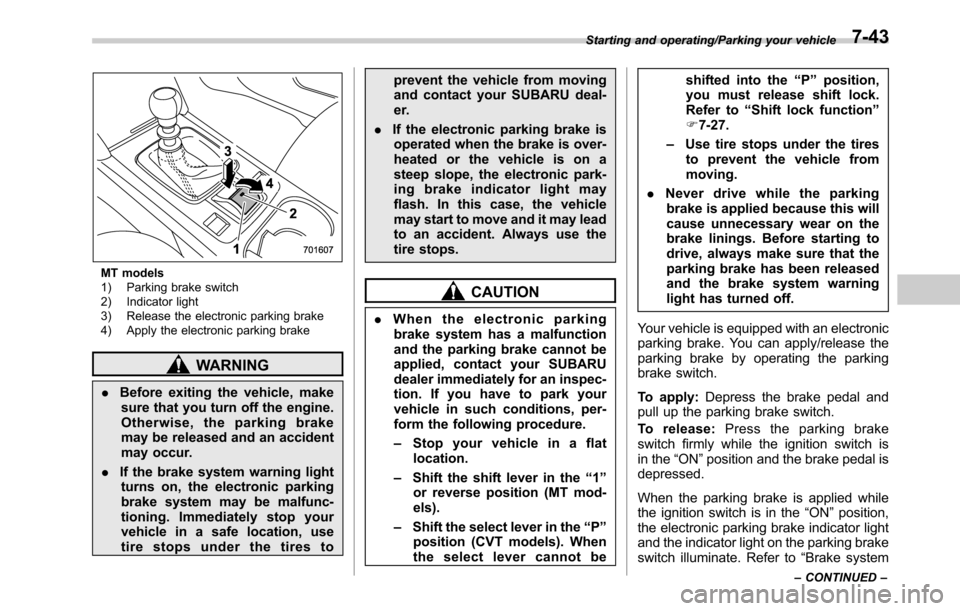
MT models
1) Parking brake switch
2) Indicator light
3) Release the electronic parking brake
4) Apply the electronic parking brake
WARNING
.Before exiting the vehicle, make
sure that you turn off the engine.
Otherwise, the parking brake
may be released and an accident
may occur.
.If the brake system warning light
turns on, the electronic parking
brake system may be malfunc-
tioning. Immediately stop your
vehicle in a safe location, use
tire stops under the tires toprevent the vehicle from moving
and contact your SUBARU deal-
er.
.If the electronic parking brake is
operated when the brake is over-
heated or the vehicle is on a
steep slope, the electronic park-
ing brake indicator light may
flash. In this case, the vehicle
may start to move and it may lead
to an accident. Always use the
tire stops.
CAUTION
.When the electronic parking
brake system has a malfunction
and the parking brake cannot be
applied, contact your SUBARU
dealer immediately for an inspec-
tion. If you have to park your
vehicle in such conditions, per-
form the following procedure.
–Stop your vehicle in a flat
location.
–Shift the shift lever in the“1”
or reverse position (MT mod-
els).
–Shift the select lever in the“P”
position (CVT models). When
the select lever cannot beshifted into the“P”position,
you must release shift lock.
Refer to“Shift lock function”
F7-27.
–Use tire stops under the tires
to prevent the vehicle from
moving.
.Never drive while the parking
brake is applied because this will
cause unnecessary wear on the
brake linings. Before starting to
drive, always make sure that the
parking brake has been released
and the brake system warning
light has turned off.
Your vehicle is equipped with an electronic
parking brake. You can apply/release the
parking brake by operating the parking
brake switch.
To apply:Depress the brake pedal and
pull up the parking brake switch.
To release:Press the parking brake
switch firmly while the ignition switch is
in the“ON”position and the brake pedal is
depressed.
When the parking brake is applied while
the ignition switch is in the“ON”position,
the electronic parking brake indicator light
and the indicator light on the parking brake
switch illuminate. Refer to“Brake system
Starting and operating/Parking your vehicle
–CONTINUED–7-43
Page 392 of 572

Starting and operating/Parking your vehicle
warning light”F3-18.
NOTE
.If the parking brake switch is
pressed with the ignition switch in the
“ACC”or“LOCK”/“OFF”position, the
parking brake is not released.
.If the parking brake switch is
pressed without depressing the brake
pedal (all models) and/or clutch pedal
(MT models), the parking brake is not
released.
.The electronic parking brake system
uses motors to apply the parking
brake. Therefore, operating sounds
from the motors will be heard when
applying or releasing the parking
brake. Make sure that the motor
sounds are heard when applying or
releasing the parking brake.
.When the electronic parking brake
system has a malfunction or the elec-
tronic parking brake operation is pro-
hibited temporarily, if the parking brake
switch is operated, a chirp sound is
heard and the electronic parking brake
indicator light flashes.
.When you cannot release the park-
ing brake due to, for example, a system
malfunction, contact your SUBARU
dealer and have your SUBARU dealer
release the parking brake.
.If the operation of the electronicparking brake switch is stopped mid-
way or performed extremely slowly, the
system may detect an error and turn on
the brake system warning light. How-
ever, this does not indicate a malfunc-
tion if the warning light turns off after
operating the switch.
.When the electronic parking brake
has not been used for a long period of
time, the electronic parking brake may
operate automatically after the ignition
switch is turned to the“LOCK”/“OFF”
position. This occurs due to checking
the proper operation of the electronic
parking brake and does not indicate a
malfunction.
.If the electronic parking brake
switch is malfunctioning and the elec-
tronic parking brake cannot be re-
leased, refer to the instructions de-
scribed in“Automatic release function
by accelerator pedal”F7-44.
After activating the EPB, you may hear
a short sound several minutes after the
indicator lamp illuminates as the sys-
tem confirms proper engagement. This
sound is different from the apply and
release sound.
This can occur:
–If the brakes are extremely hot.
–If the car is parked on a steep
incline.–If the electronic parking brake is
applied after the ignition switch is
turned OFF.
This is a normal operating sound under
any of these conditions.
!Automatic release function by ac-
celerator pedal
The electronic parking brake system has
an automatic release function. The park-
ing brake will be automatically released by
depressing the accelerator pedal. How-
ever, the automatic release function does
not operate under the following conditions.
.Any door (other than the trunk lid or
rear gate) is open.
.The driver’s seatbelt is not fastened.
.The clutch pedal is released from the
fully depressed position to partially en-
gaged position (MT models).
If the parking brake is automatically
released, the electronic parking brake
indicator light and the indicator light on
the parking brake switch turn off.
NOTE
Even if you have applied the parking
brake, the parking brake will be auto-
matically released when the accelera-
tor pedal is depressed.
7-44
Page 394 of 572
Starting and operating/Parking your vehicle
To deactivate:Press the Hill Holder
switch again.
Deactivate the Hill Holder function under
the following conditions.
.When towing a trailer
.When carrying a heavy load
.When you do not frequently use the
parking brake when stopping on an uphill
slope
NOTE
.If the Hill Holder switch is pressed
for more than 30 seconds, the Hill
Holder indicator light turns off and the
system ignores any further pressing of
the switch. To activate the switch again,
turn the ignition switch to the“LOCK”/
“OFF”position and restart the engine.
.When the Hill Holder function is
deactivated while the Hill Holder func-
tion has a malfunction, if you press the
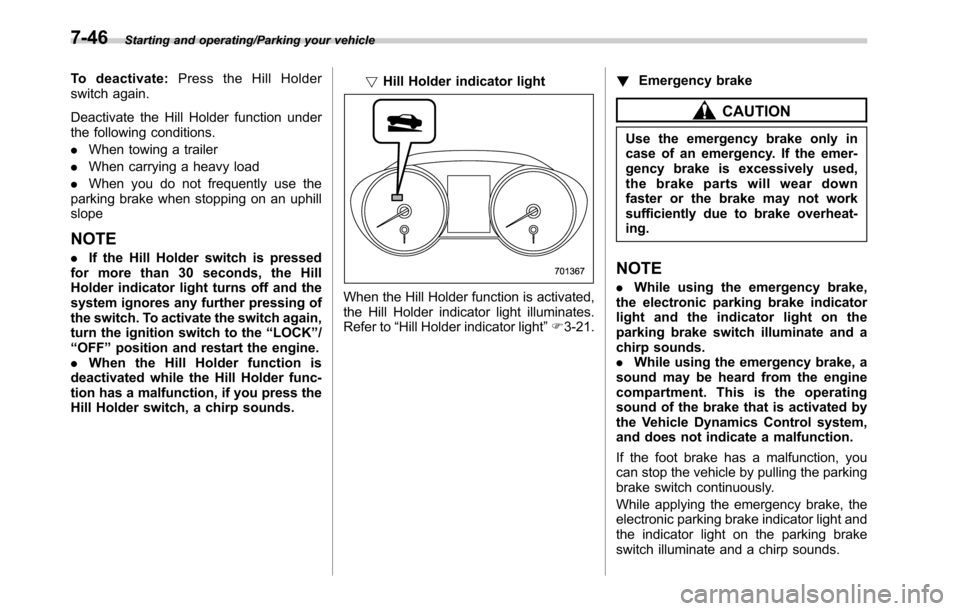
Hill Holder switch, a chirp sounds.!Hill Holder indicator light
When the Hill Holder function is activated,
the Hill Holder indicator light illuminates.
Refer to“Hill Holder indicator light”F3-21.!Emergency brake
CAUTION
Use the emergency brake only in
case of an emergency. If the emer-
gency brake is excessively used,
the brake parts will wear down
faster or the brake may not work
sufficiently due to brake overheat-
ing.
NOTE
.While using the emergency brake,
the electronic parking brake indicator
light and the indicator light on the
parking brake switch illuminate and a
chirp sounds.
.While using the emergency brake, a
sound may be heard from the engine
compartment. This is the operating
sound of the brake that is activated by
the Vehicle Dynamics Control system,
and does not indicate a malfunction.
If the foot brake has a malfunction, you
can stop the vehicle by pulling the parking
brake switch continuously.
While applying the emergency brake, the
electronic parking brake indicator light and
the indicator light on the parking brake
switch illuminate and a chirp sounds.
7-46
Page 396 of 572
Starting and operating/Hill start assist system (MT models)
Hill start assist system (MT
models)
WARNING
.The Hill start assist system is a
device only for helping the driver
to START the vehicle on an uphill
grade. To prevent accidents
when the vehicle is parked on a
slope, be sure to firmly set the
parking brake. When setting the
parking brake, make sure that the
vehicle remains stationary when
the clutch pedal and brake pedal
are released.
.Do not turn the ignition switch to
the“LOCK”/“OFF”position while
the Hill start assist system is
operating. The Hill start assist
system will be deactivated, caus-
ing an accident.
The Hill start assist system is a device to
make the following vehicle operations
easier.
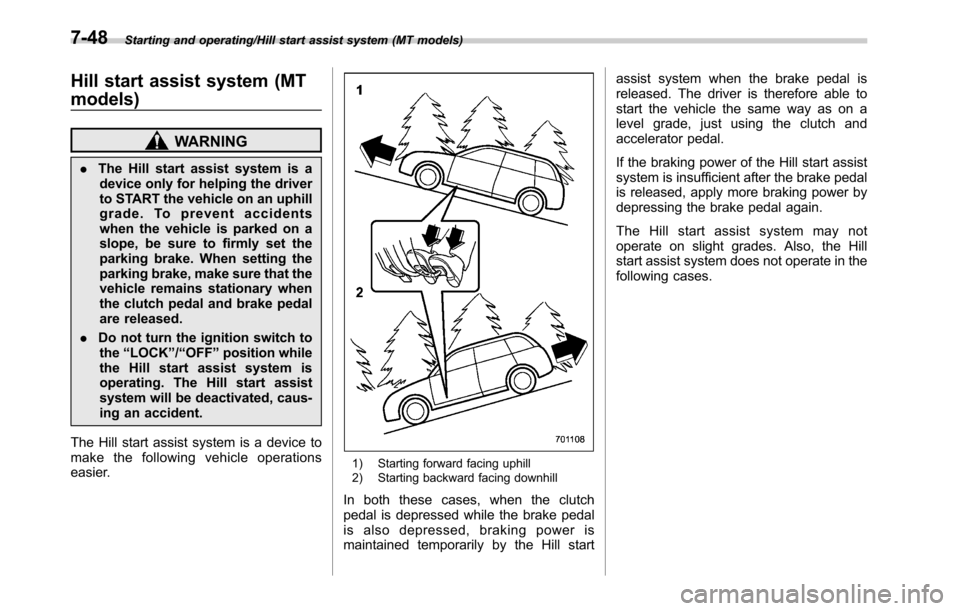
1) Starting forward facing uphill
2) Starting backward facing downhill
In both these cases, when the clutch
pedal is depressed while the brake pedal
is also depressed, braking power is
maintained temporarily by the Hill startassist system when the brake pedal is
released. The driver is therefore able to
start the vehicle the same way as on a
level grade, just using the clutch and
accelerator pedal.
If the braking power of the Hill start assist
system is insufficient after the brake pedal
is released, apply more braking power by
depressing the brake pedal again.
The Hill start assist system may not
operate on slight grades. Also, the Hill
start assist system does not operate in the
following cases.
7-48
Page 397 of 572
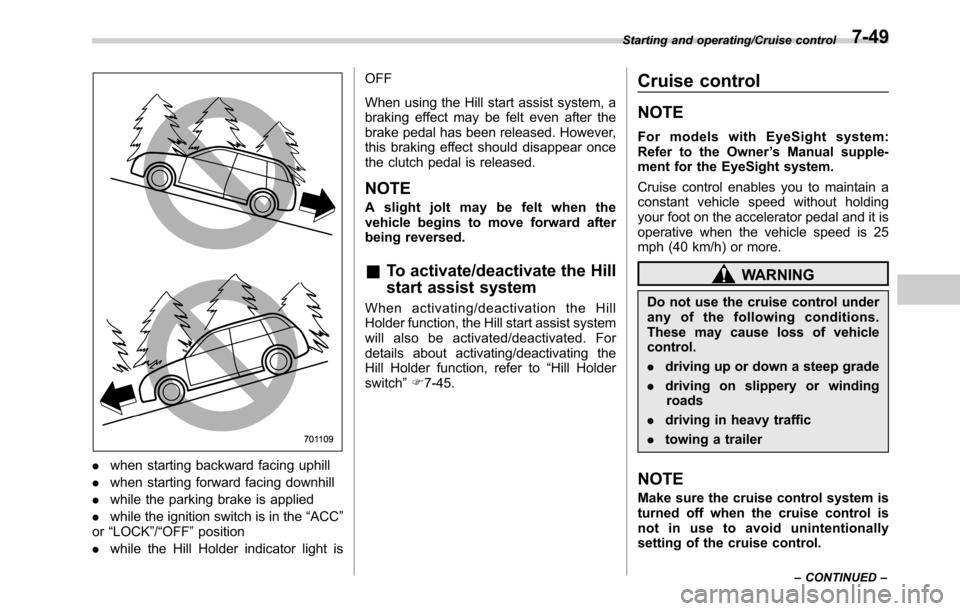
.when starting backward facing uphill
.when starting forward facing downhill
.while the parking brake is applied
.while the ignition switch is in the“ACC”
or“LOCK”/“OFF”position
.while the Hill Holder indicator light isOFF
When using the Hill start assist system, a
braking effect may be felt even after the
brake pedal has been released. However,
this braking effect should disappear once
the clutch pedal is released.
NOTE
A slight jolt may be felt when the
vehicle begins to move forward after
being reversed.
&To activate/deactivate the Hill
start assist system
When activating/deactivation the Hill
Holder function, the Hill start assist system
will also be activated/deactivated. For
details about activating/deactivating the
Hill Holder function, refer to“Hill Holder
switch”F7-45.
Cruise control
NOTE
For models with EyeSight system:
Refer to the Owner’s Manual supple-
ment for the EyeSight system.
Cruise control enables you to maintain a
constant vehicle speed without holding
your foot on the accelerator pedal and it is
operative when the vehicle speed is 25
mph (40 km/h) or more.
WARNING
Do not use the cruise control under
any of the following conditions.
These may cause loss of vehicle
control.
.driving up or down a steep grade
.driving on slippery or winding
roads
.driving in heavy traffic
.towing a trailer
NOTE
Make sure the cruise control system is
turned off when the cruise control is
not in use to avoid unintentionally
setting of the cruise control.
Starting and operating/Cruise control
–CONTINUED–7-49
Page 399 of 572
maintain the previous cruising speed.
&To temporarily cancel the
cruise control
The cruise control can be temporarily
canceled in the following ways.
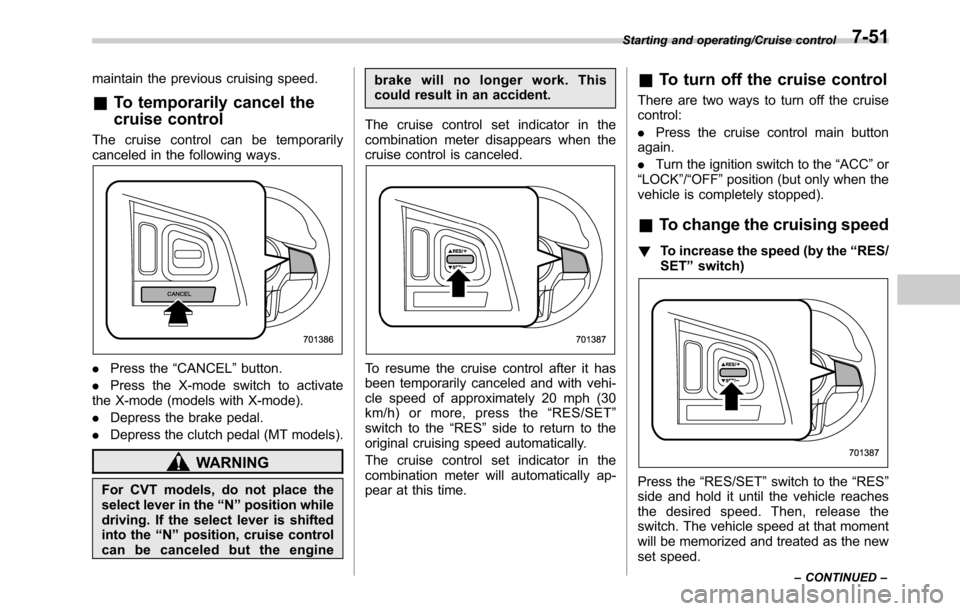
.Press the“CANCEL”button.
.Press the X-mode switch to activate
the X-mode (models with X-mode).
.Depress the brake pedal.
.Depress the clutch pedal (MT models).
WARNING
For CVT models, do not place the
select lever in the“N”position while
driving. If the select lever is shifted
into the“N”position, cruise control
can be canceled but the enginebrake will no longer work. This
could result in an accident.
The cruise control set indicator in the
combination meter disappears when the
cruise control is canceled.
To resume the cruise control after it has
been temporarily canceled and with vehi-
cle speed of approximately 20 mph (30
km/h) or more, press the“RES/SET”
switch to the“RES”side to return to the
original cruising speed automatically.
The cruise control set indicator in the
combination meter will automatically ap-
pear at this time.
&To turn off the cruise control
There are two ways to turn off the cruise
control:
.Press the cruise control main button
again.
.Turn the ignition switch to the“ACC”or
“LOCK”/“OFF”position (but only when the
vehicle is completely stopped).
&To change the cruising speed
!To increase the speed (by the“RES/
SET”switch)
Press the“RES/SET”switch to the“RES”
side and hold it until the vehicle reaches
the desired speed. Then, release the
switch. The vehicle speed at that moment
will be memorized and treated as the new
set speed.
Starting and operating/Cruise control
–CONTINUED–7-51