warning SUBARU LEGACY 2022 Getting Started Guide
[x] Cancel search | Manufacturer: SUBARU, Model Year: 2022, Model line: LEGACY, Model: SUBARU LEGACY 2022Pages: 164, PDF Size: 51.03 MB
Page 105 of 164
BLIND SPOT DETECTION (BSD) / REAR CROSS
TRAFFIC ALERT (RCTA)(if equipped)
This system uses radar sensors mounted behind the rear bumper on the left and right
sides that warn you if another vehicle is sensed in your blind spots. These functions
provide additional awareness when changing lanes or driving in reverse.
Blind Spot Detection (BSD)
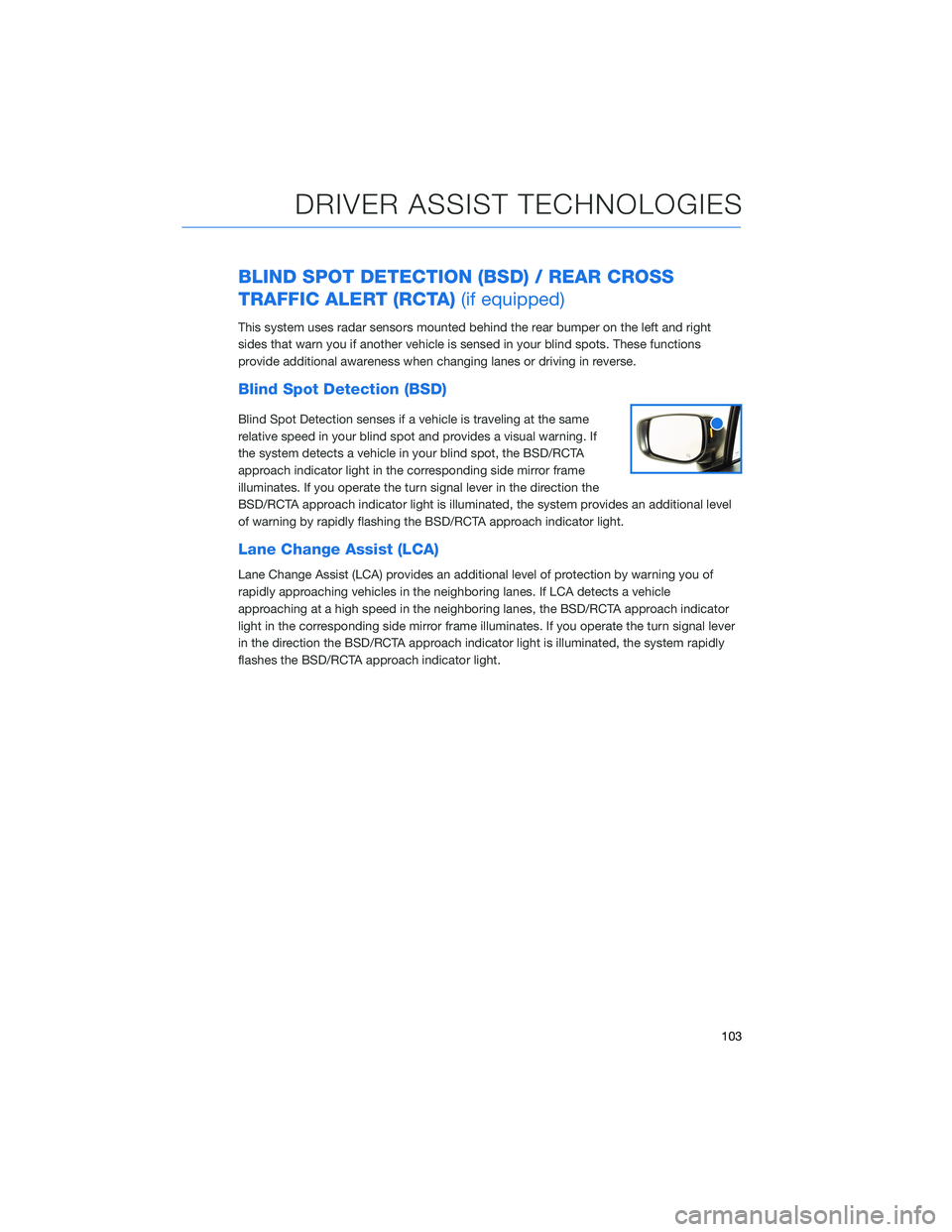
Blind Spot Detection senses if a vehicle is traveling at the same
relative speed in your blind spot and provides a visual warning. If
the system detects a vehicle in your blind spot, the BSD/RCTA
approach indicator light in the corresponding side mirror frame
illuminates. If you operate the turn signal lever in the direction the
BSD/RCTA approach indicator light is illuminated, the system provides an additional level
of warning by rapidly flashing the BSD/RCTA approach indicator light.
Lane Change Assist (LCA)
Lane Change Assist (LCA) provides an additional level of protection by warning you of
rapidly approaching vehicles in the neighboring lanes. If LCA detects a vehicle
approaching at a high speed in the neighboring lanes, the BSD/RCTA approach indicator
light in the corresponding side mirror frame illuminates. If you operate the turn signal lever
in the direction the BSD/RCTA approach indicator light is illuminated, the system rapidly
flashes the BSD/RCTA approach indicator light.
DRIVER ASSIST TECHNOLOGIES
103
Page 106 of 164
Rear Cross-Traffic Alert (RCTA)
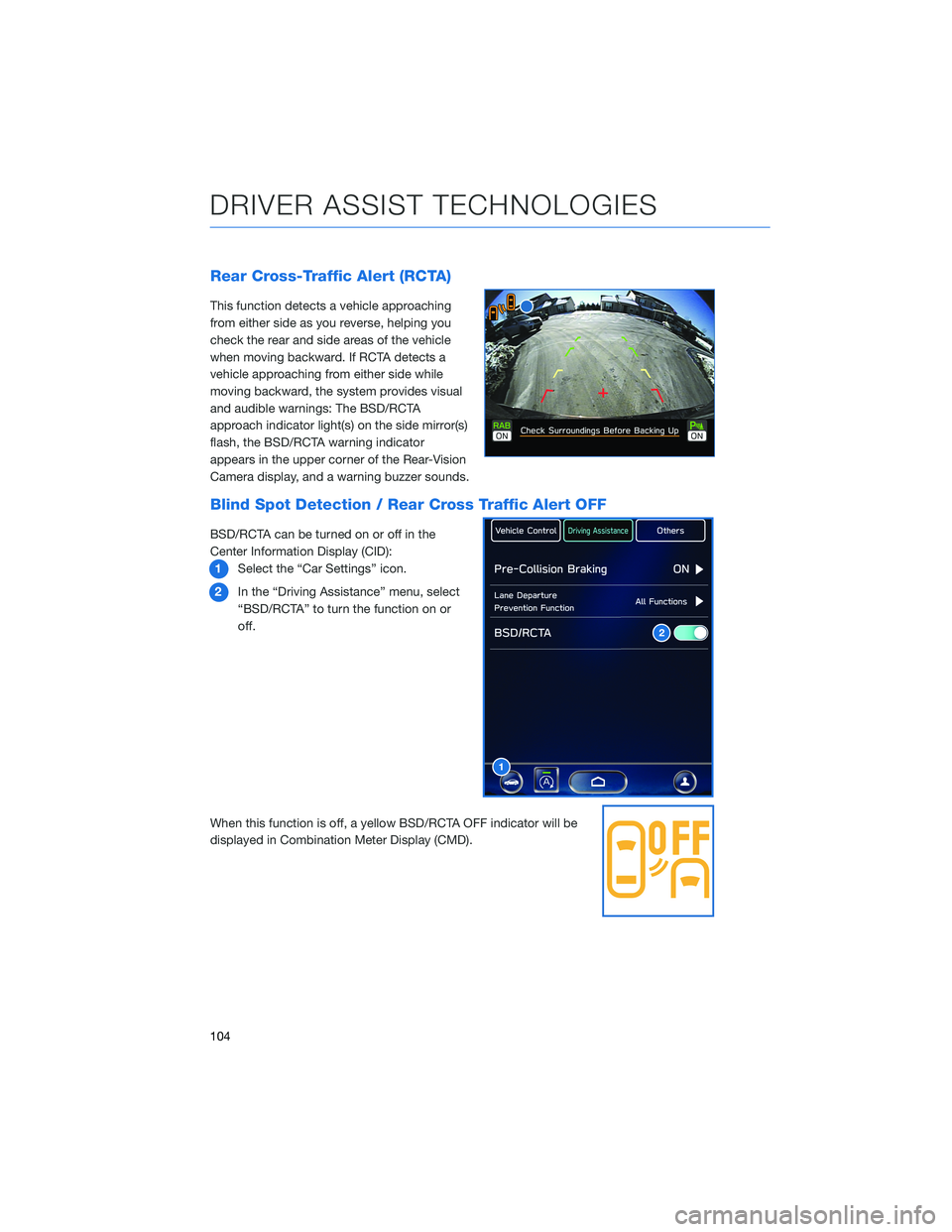
This function detects a vehicle approaching
from either side as you reverse, helping you
check the rear and side areas of the vehicle
when moving backward. If RCTA detects a
vehicle approaching from either side while
moving backward, the system provides visual
and audible warnings: The BSD/RCTA
approach indicator light(s) on the side mirror(s)
flash, the BSD/RCTA warning indicator
appears in the upper corner of the Rear-Vision
Camera display, and a warning buzzer sounds.
Blind Spot Detection / Rear Cross Traffic Alert OFF
BSD/RCTA can be turned on or off in the
Center Information Display (CID):
1Select the “Car Settings” icon.
2In the “Driving Assistance” menu, select
“BSD/RCTA” to turn the function on or
off.
When this function is off, a yellow BSD/RCTA OFF indicator will be
displayed in Combination Meter Display (CMD).
1
2
DRIVER ASSIST TECHNOLOGIES
104
Page 111 of 164
DROWSY/INATTENTIVE WARNINGS
DriverFocus®detects when the driver is possibly not paying
attention or is becoming drowsy while driving. It works whether you
are a registered user or not. The system does not provide alerts
when the turn signals are operating or when the select lever is in the
“R” position.
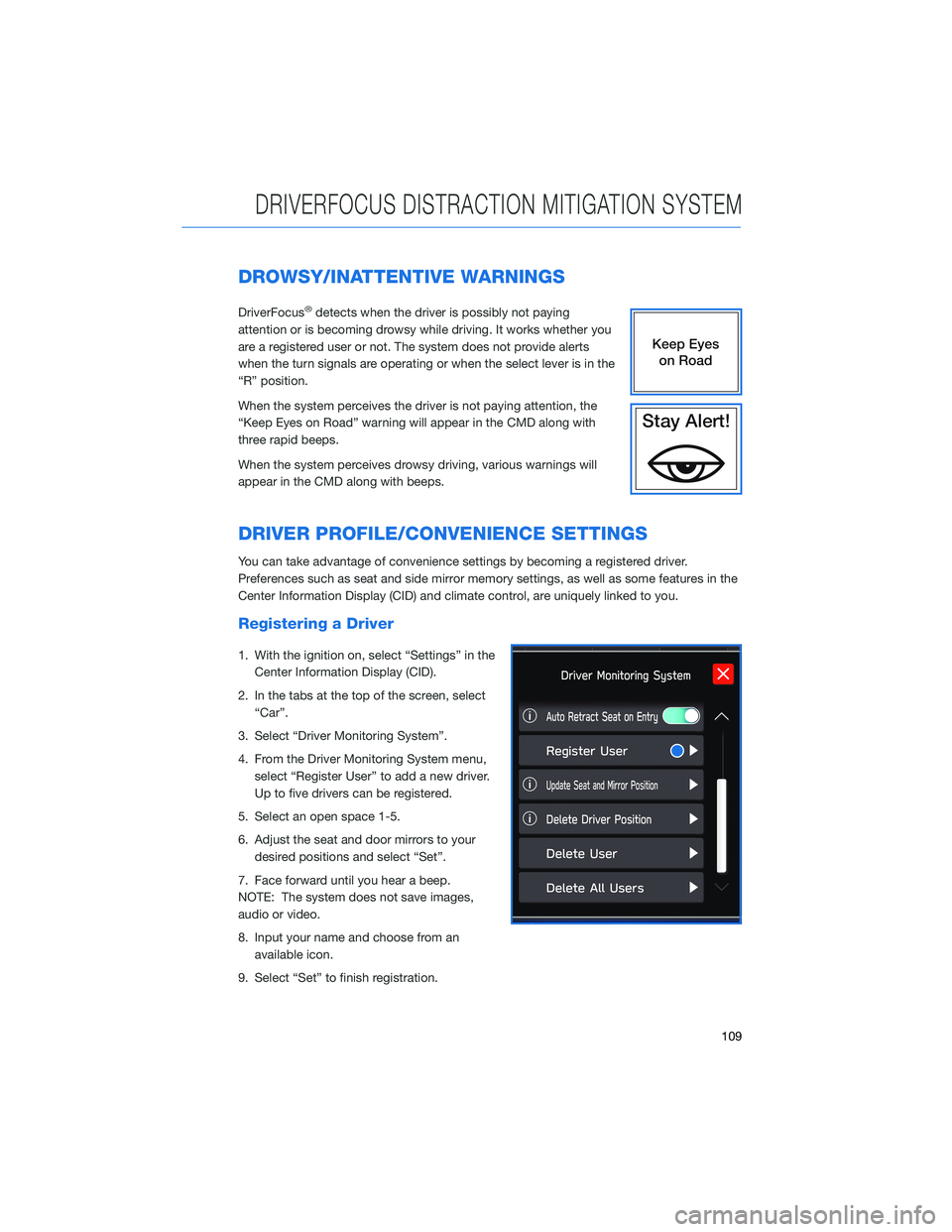
When the system perceives the driver is not paying attention, the
“Keep Eyes on Road” warning will appear in the CMD along with
three rapid beeps.
When the system perceives drowsy driving, various warnings will
appear in the CMD along with beeps.
DRIVER PROFILE/CONVENIENCE SETTINGS
You can take advantage of convenience settings by becoming a registered driver.
Preferences such as seat and side mirror memory settings, as well as some features in the
Center Information Display (CID) and climate control, are uniquely linked to you.
Registering a Driver
1. With the ignition on, select “Settings” in the
Center Information Display (CID).
2. In the tabs at the top of the screen, select
“Car”.
3. Select “Driver Monitoring System”.
4. From the Driver Monitoring System menu,
select “Register User” to add a new driver.
Up to five drivers can be registered.
5. Select an open space 1-5.
6. Adjust the seat and door mirrors to your
desired positions and select “Set”.
7. Face forward until you hear a beep.
NOTE: The system does not save images,
audio or video.
8. Input your name and choose from an
available icon.
9. Select “Set” to finish registration.
DRIVERFOCUS DISTRACTION MITIGATION SYSTEM
109
Page 156 of 164
2.4L TURBO ENGINE . . . ........ 52
2.5L ENGINE . . . . . . . . . . . . . . . . 51
A
ACCESSORY CONNECTIONS . . . . . . 29
ADDING SHORTCUTS . ......... 66
ADVANCED ADAPTIVE CRUISE
CONTROL . . . . . . . . ........ 31
ANDROID AUTO™ . . . . . . . . . . . . 127
Cables . . . . . . . . . . . . .....127
Compatible Models . . . . . . . . . . 129
Connecting an Android Phone....128
APPLE CARPLAY
®............ 129
Cables . . . . . . . . . . . . .....129
Compatible Models . . . . . . . . . . 131
Connecting an iPhone . . . . . . . . 130
AUDIO CONTROLS . . . . . . . . . . . . 30
AUTO START–STOP . . . . . . ..... 39
B
BLIND SPOT DETECTION (BSD) / REAR
CROSS TRAFFIC ALERT (RCTA) . . 103
Blind Spot Detection (BSD).....103
Blind Spot Detection / Rear Cross
Traffic Alert OFF . . . . . . . . . . . . 104
Lane Change Assist (LCA) . . . . . . 103
Rear Cross-Traffic Alert (RCTA) . . . 104
BLUETOOTH
®PAIRING . . . ...... 121
Pairing an Android Device......121
Pairing an iOS/Apple Device . . . . . 124
BUTTONS . . . . . . . . . . . . . . . . . 60
Controlling the Volume . ........60
C
CENTER CONSOLE STORAGE ..... 19
CHILD SAFETY LOCKS .......... 46
CLIMATE CONTROL . . . . . . ..... 21
11.6–Inch Automatic Climate
Control . . . . . . . . . .........22Dual 7–Inch Automatic Climate
Control . . . . . . . . . . . . . . . . . . 21
Heated Seats..............27
Heated Steering Wheel . . ......28
Rear Heated Seats . ..........28
Remote Engine Start with Climate
Control . . . . . . . . . . . . . . . . . . 27
Ventilated Seats . ...........28
CLOCK . .................. 90
COMBINATION METER . ......... 35
CREATING A DRIVER PROFILE . . . . . 68
Retrieving a Driver Profile . . . . . . . 71
D
DRIVERFOCUS
®COMPONENTS . . . 107
Camera . ................107
Center Information Display (CID) . . 108
Combination Meter Display (CMD) . 108
DRIVERFOCUS
®OVERVIEW..... 107
DRIVER MONITORING SYSTEM OFF . 111
DRIVER PROFILE/CONVENIENCE
SETTINGS............... 109
Deleting a Driver . . . . . . ......110
Recognizing a Driver . . . . . . . . . 110
Registering a Driver . . . . ......109
DRIVING THE VEHICLE . . . . . . . . . . 38
Automatic Transmission Shift Mode . 38
Paddle Shift Control Switches .....38
SI-DRIVE (if equipped).........39
DROWSY/INATTENTIVE WARNINGS . 109
E
ELECTRONIC PARKING BRAKE (EPB) . 42
Auto Vehicle Hold (AVH)........43
ENGINE OIL................ 53
ENGINE OIL CAPACITY ......... 53
ENROLLMENT............... 84
EYESIGHT
®DISCLAIMER....... 114
EYESIGHT®OVERVIEW . . . . . . . . . 91
EYESIGHT®ASSIST MONITOR
(EAM).................. 100
INDEX
154
Page 157 of 164
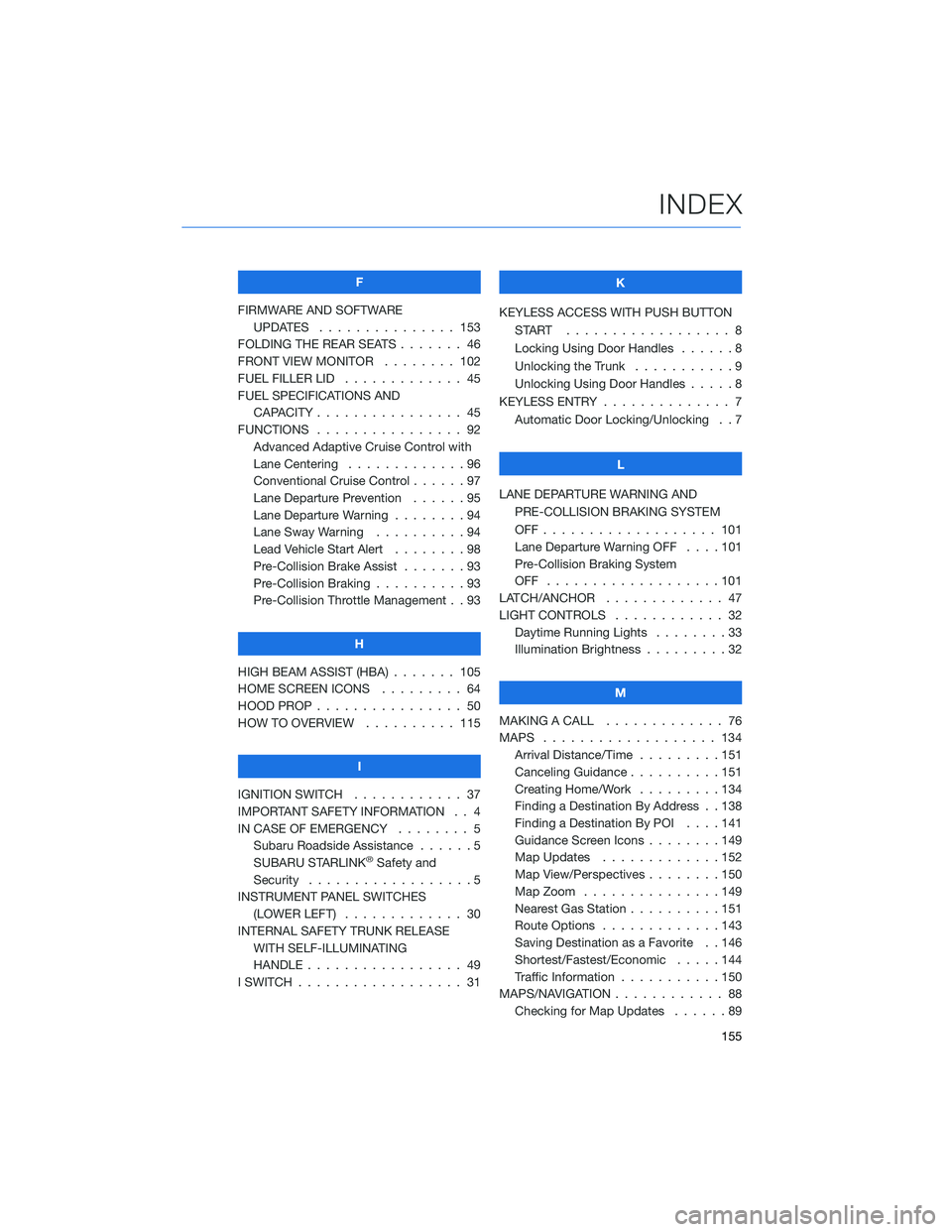
F
FIRMWARE AND SOFTWARE
UPDATES . . . ............ 153
FOLDING THE REAR SEATS....... 46
FRONT VIEW MONITOR . . . . . . . . 102
FUEL FILLER LID . . . .......... 45
FUEL SPECIFICATIONS AND
CAPACITY . . . . ............ 45
FUNCTIONS . . . . ............ 92
Advanced Adaptive Cruise Control with
Lane Centering . . . . . ........96
Conventional Cruise Control......97
Lane Departure Prevention . . . . . . 95
Lane Departure Warning . . . . . . . . 94
Lane Sway Warning..........94
Lead Vehicle Start Alert . . . . . . . . 98
Pre-Collision Brake Assist.......93
Pre-Collision Braking..........93
Pre-Collision Throttle Management . . 93
H
HIGH BEAM ASSIST (HBA) . . . . . . . 105
HOME SCREEN ICONS . . . . . . . . . 64
HOOD PROP . . . . ............ 50
HOW TO OVERVIEW .......... 115
I
IGNITION SWITCH . ........... 37
IMPORTANT SAFETY INFORMATION . . 4
IN CASE OF EMERGENCY . . . . . . . . 5
Subaru Roadside Assistance . . . . . . 5
SUBARU STARLINK
®Safety and
Security . . . . . . . . . .........5
INSTRUMENT PANEL SWITCHES
(LOWER LEFT) . . . . . . . . . . . . . 30
INTERNAL SAFETY TRUNK RELEASE
WITH SELF-ILLUMINATING
HANDLE . . . . . . ........... 49
I SWITCH . . . . . . . ........... 31K
KEYLESS ACCESS WITH PUSH BUTTON
START .................. 8
Locking Using Door Handles ......8
Unlocking the Trunk . ..........9
Unlocking Using Door Handles .....8
KEYLESS ENTRY . ............. 7
Automatic Door Locking/Unlocking . . 7
L
LANE DEPARTURE WARNING AND
PRE-COLLISION BRAKING SYSTEM
OFF................... 101
Lane Departure Warning OFF....101
Pre-Collision Braking System
OFF ...................101
LATCH/ANCHOR . . ........... 47
LIGHT CONTROLS . ........... 32
Daytime Running Lights . .......33
Illumination Brightness . ........32
M
MAKING A CALL . . . .......... 76
MAPS . . . ................ 134
Arrival Distance/Time.........151
Canceling Guidance . . ........151
Creating Home/Work.........134
Finding a Destination By Address . . 138
Finding a Destination By POI . . . . 141
Guidance Screen Icons . .......149
Map Updates .............152
Map View/Perspectives . . . .....150
Map Zoom . . . . . . . . . ......149
Nearest Gas Station ..........151
Route Options . . . . . . . ......143
Saving Destination as a Favorite . . 146
Shortest/Fastest/Economic .....144
Traffic Information . ..........150
MAPS/NAVIGATION . . . ......... 88
Checking for Map Updates......89
INDEX
155
Page 159 of 164
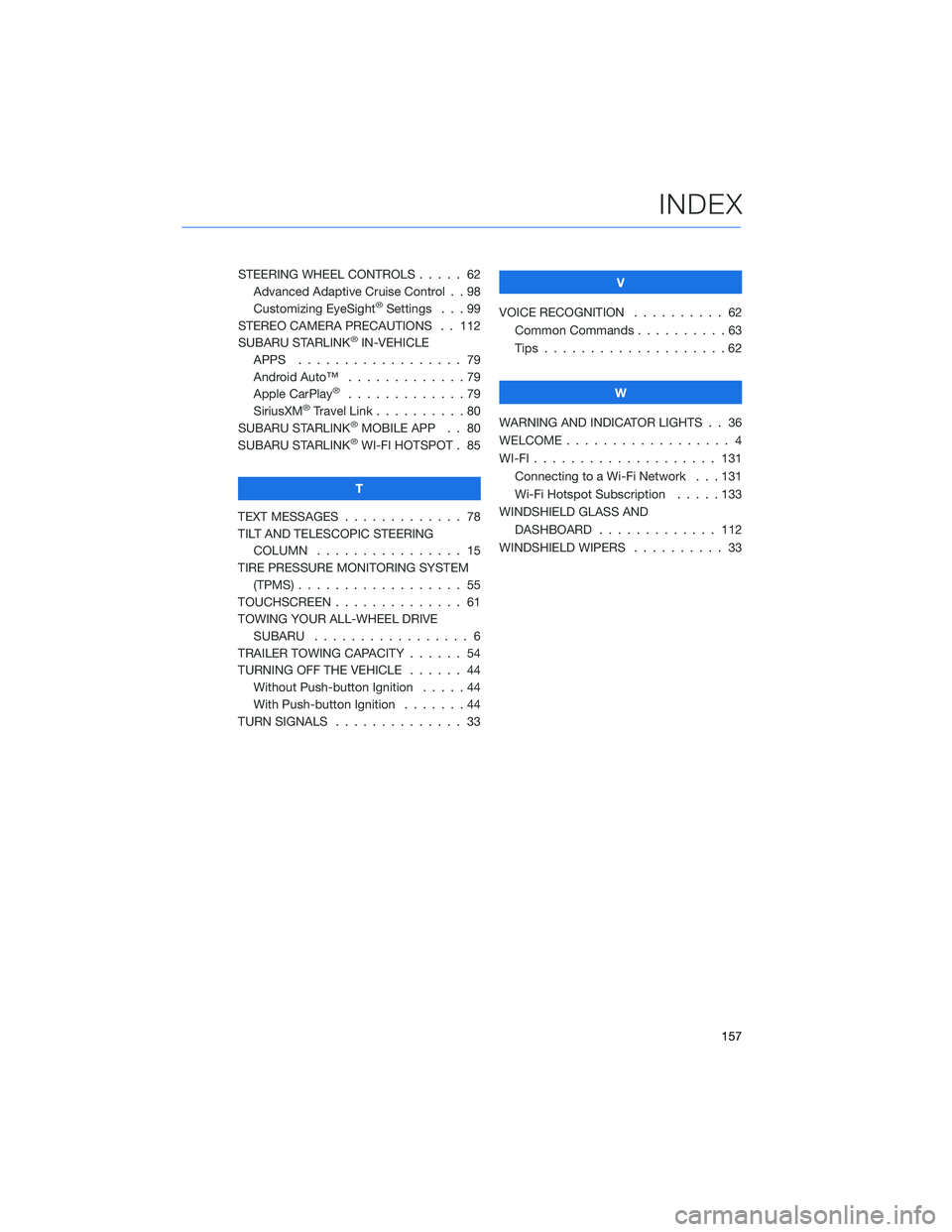
STEERING WHEEL CONTROLS..... 62
Advanced Adaptive Cruise Control . . 98
Customizing EyeSight
®Settings . . . 99
STEREO CAMERA PRECAUTIONS . . 112
SUBARU STARLINK
®IN-VEHICLE
APPS . . . . . . . ........... 79
Android Auto™ . . . ..........79
Apple CarPlay
®.............79
SiriusXM®Travel Link . . . . . . . . . . 80
SUBARU STARLINK®MOBILE APP . . 80
SUBARU STARLINK®WI-FI HOTSPOT . 85
T
TEXT MESSAGES . . . . . ........ 78
TILT AND TELESCOPIC STEERING
COLUMN . . . . . ........... 15
TIRE PRESSURE MONITORING SYSTEM
(TPMS) . . . . . . . . . . ........ 55
TOUCHSCREEN . . . . . . . . . . . . . . 61
TOWING YOUR ALL-WHEEL DRIVE
SUBARU . . . . . . . . . ........ 6
TRAILER TOWING CAPACITY . . . . . . 54
TURNING OFF THE VEHICLE...... 44
Without Push-button Ignition .....44
With Push-button Ignition.......44
TURN SIGNALS . . . . . ......... 33V
VOICE RECOGNITION.......... 62
Common Commands..........63
Tips....................62
W
WARNING AND INDICATOR LIGHTS . . 36
WELCOME . . . . . . . . . ......... 4
WI-FI . . . . ................ 131
Connecting to a Wi-Fi Network . . . 131
Wi-Fi Hotspot Subscription.....133
WINDSHIELD GLASS AND
DASHBOARD . . ........... 112
WINDSHIELD WIPERS . . . ....... 33
INDEX
157