Moonroof SUBARU OUTBACK 2005 4.G User Guide
[x] Cancel search | Manufacturer: SUBARU, Model Year: 2005, Model line: OUTBACK, Model: SUBARU OUTBACK 2005 4.GPages: 627, PDF Size: 6.42 MB
Page 321 of 627
6-4
Interior equipment
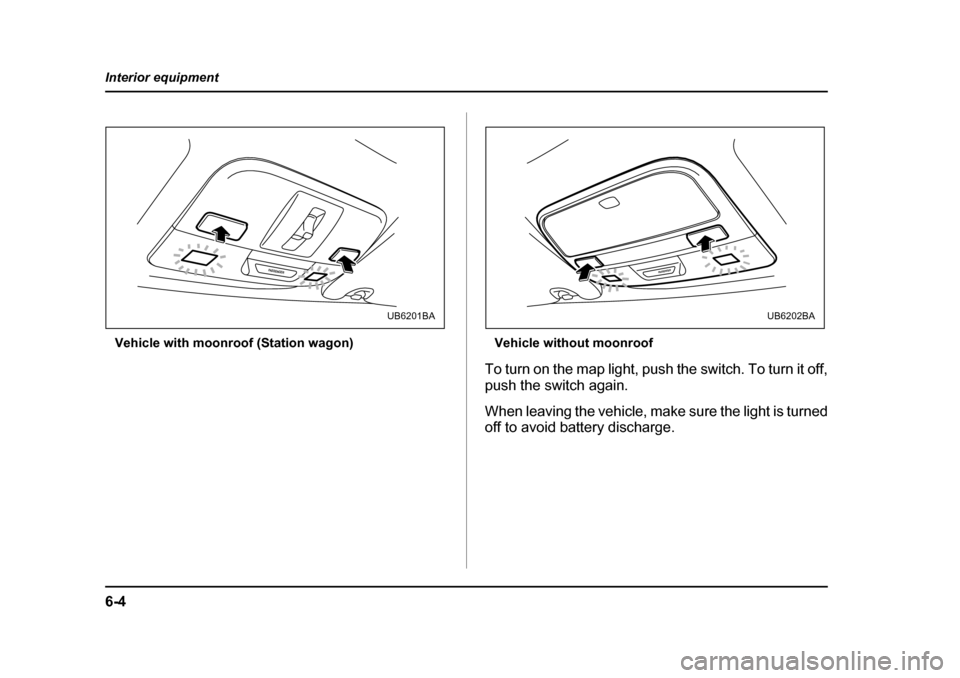
Vehicle with moonroof (Station wagon) Vehicle without moonroof
To turn on the map light, push the switch. To turn it off,
push the switch again.
When leaving the vehicle, make sure the light is turned
off to avoid battery discharge.
PASSENGER
UB6201BA
PASSENGER
UB6202BA
Page 456 of 627

9-1
9
In case of emergency
If you park your vehicle in an emergency .. 9-2
Temporary spare tire .................................... 9-3
Flat tires ......................................................... 9-5 Changing a flat tire ........................................... 9-5
Tire pressure monitoring system (TPMS) (if equipped) .................................................... 9-16
Jump starting ................................................ 9-17 How to jump start ............................................. 9-18
Engine overheating ....................................... 9-20 If steam is coming from the engine compartment .................................................. 9-20
If no steam is coming from the engine compartment .................................................. 9-20
Towing ........................................................... 9-21 Towing and tie-down hooks ............................ 9-22
Using a flat-bed truck ....................................... 9-27
Towing with all wheels on the ground ............ 9-28
Rear gate – if the rear gate cannot be unlocked ..................................................... 9-29
Moonroof – if the moonroof cannot be closed ......................................................... 9-30
Maintenance tools ......................................... 9-33 Jack .................................................................... 9-33
Jack handle ....................................................... 9-34
Other maintenance tools .................................. 9-35
Page 485 of 627
9-30
In case of emergency
Moonroof – if the moonroof cannot be
closed
If the moonroof cannot be closed with the moonroof
switch, you can close the moonroof manually.
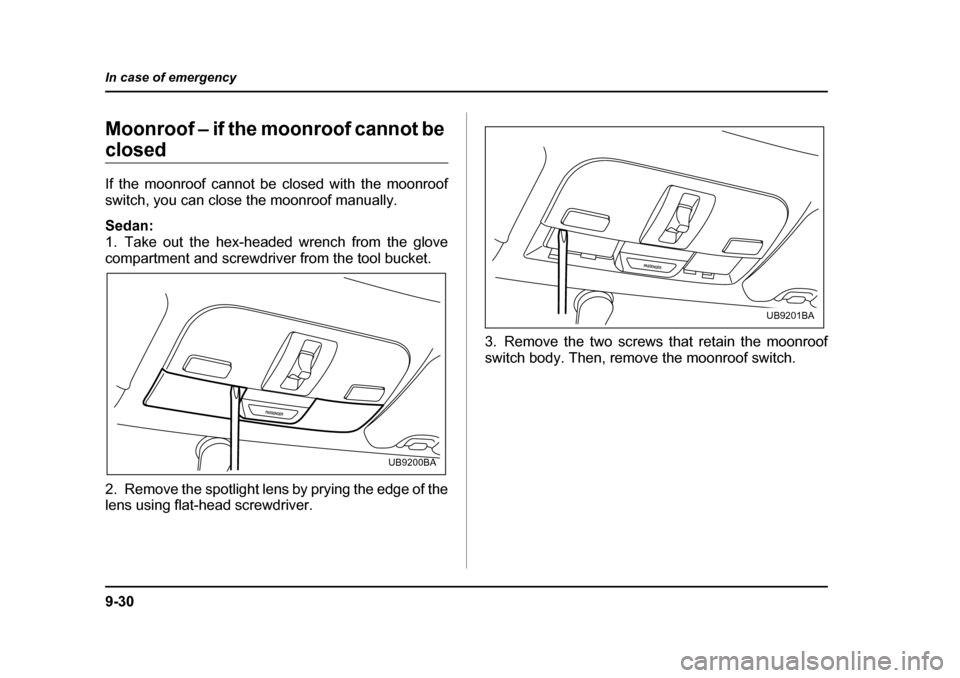
Sedan:
1. Take out the hex-headed wrench from the glove
compartment and screwdriver from the tool bucket.
2. Remove the spotlight lens by prying the edge of the
lens using flat-head screwdriver.
3. Remove the two screws that retain the moonroof
switch body. Then, remove the moonroof switch.
PASSENGER
UB9200BA
PASSENGER
UB9201BA
Page 486 of 627
9-31
In case of emergency
– CONTINUED –
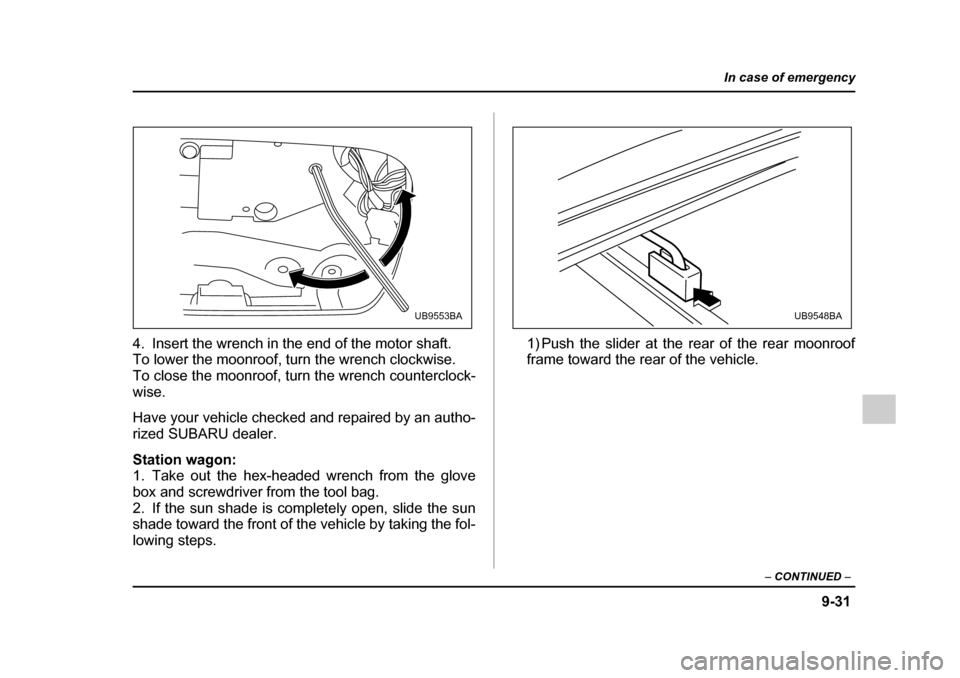
4. Insert the wrench in the end of the motor shaft.
To lower the moonroof, turn the wrench clockwise.
To close the moonroof, turn the wrench counterclock-wise.
Have your vehicle checked and repaired by an autho-
rized SUBARU dealer.
Station wagon:
1. Take out the hex-headed wrench from the glove
box and screwdriver from the tool bag.
2. If the sun shade is completely open, slide the sun
shade toward the front of the vehicle by taking the fol-
lowing steps. 1) Push the slider at the rear of the rear moonroof
frame toward the rear of the vehicle.
UB9553BAUB9548BA
Page 487 of 627
9-32
In case of emergency
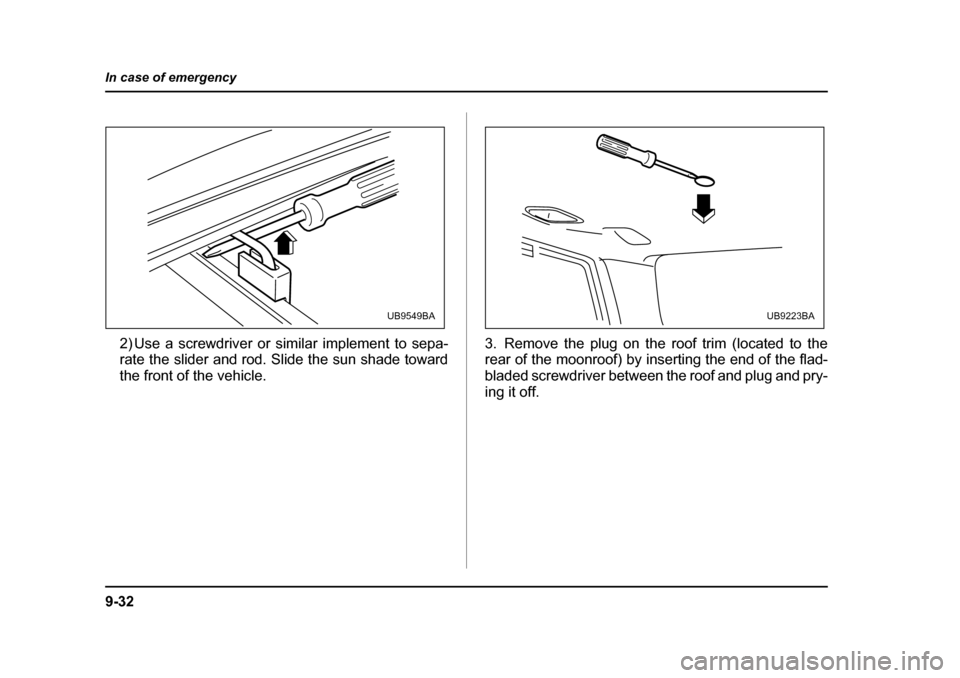
2) Use a screwdriver or similar implement to sepa-
rate the slider and rod. Slide the sun shade toward
the front of the vehicle.
3. Remove the plug on the roof trim (located to the
rear of the moonroof) by inserting the end of the flad-
bladed screwdriver between the roof and plug and pry-
ing it off.
UB9549BAUB9223BA
Page 488 of 627
9-33
In case of emergency
– CONTINUED –
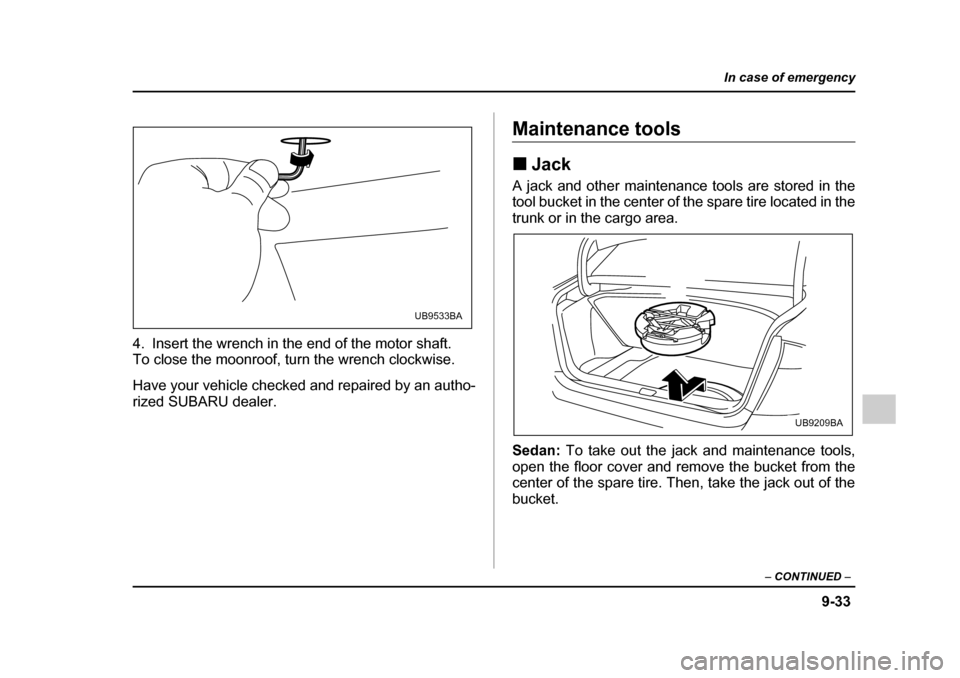
4. Insert the wrench in the end of the motor shaft.
To close the moonroof, turn the wrench clockwise.
Have your vehicle checked and repaired by an autho-
rized SUBARU dealer.
Maintenance tools !Jack
A jack and other maintenance tools are stored in the
tool bucket in the center of the spare tire located in the
trunk or in the cargo area. Sedan: To take out the jack and maintenance tools,
open the floor cover and remove the bucket from the
center of the spare tire. Then, take the jack out of the bucket.
UB9533BA
UB9209BA
Page 591 of 627
12-6
Specifications
Fuses and circuits !
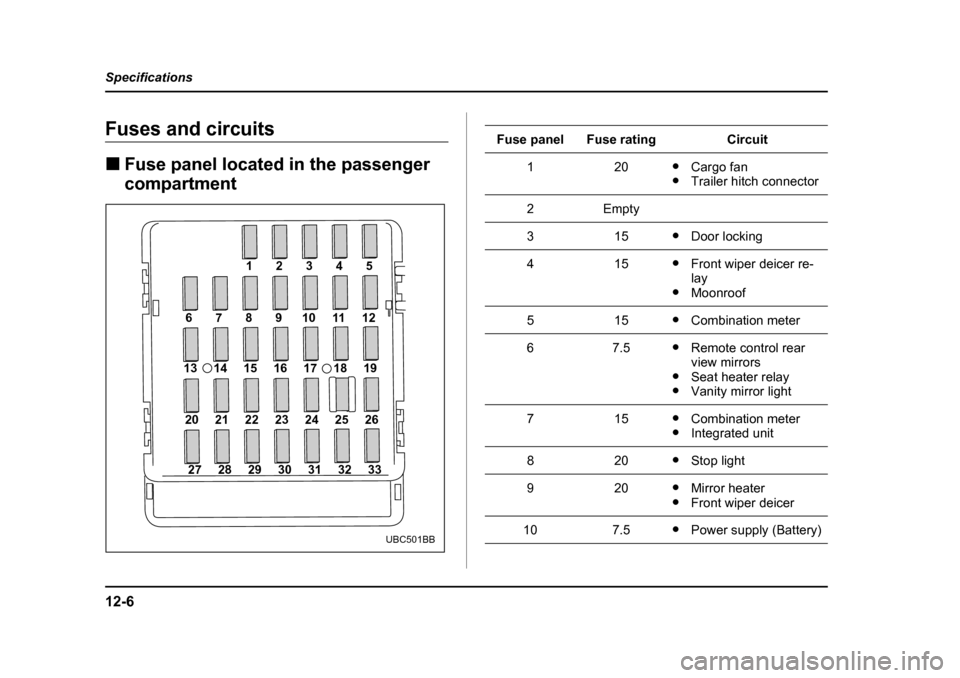
Fuse panel located in the passenger
compartment
27 28 29 30 31 32 33
20 21 22 23 24 25 26
13 14 15 16 17 18 19
6 7 8 9 10 11 12 12345
UBC501BB
Fuse panelFuse ratingCircuit
120"
Cargo fan
" Trailer hitch connector
2Empty
315"Door locking
415"Front wiper deicer re- lay
" Moonroof
515"Combination meter
67.5"Remote control rear
view mirrors
" Seat heater relay
" Vanity mirror light
715"Combination meter
" Integrated unit
820"Stop light
920"Mirror heater
" Front wiper deicer
107.5"Power supply (Battery)
Page 621 of 627

14-6
Index
K Key
Keyless entry system .................................... 2-12
Number ........................................................... 2-3
Reminder chime ............................................. 3-6
Keys .................................................................... 2-2 L
Leather seat materials ....................................... 10-6
Light Cargo area ..................................................... 6-3
Control switch ............................................... 3-44
Dome .............................................................. 6-2
Map ................................................................ 6-3
Light control switch ............................................ 3-44
Limited slip differential (LSD) ............................ 7-36
Loading your vehicle ......................................... 8-18
Low fuel warning light ...................... 3-13, 3-19, 3-30
LSD (Limited slip differential) ............................ 7-36
Lumbar support ................................................... 1-9 M
Main fuse ......................................................... 11-71
Maintenance Precautions .................................................. 11-3
Schedule ...................................................... 11-3 Seatbelt ........................................................ 1-33
Tools ............................................................. 9-33
Manual Climate control system ................................... 4-4
Mode ................................................... 7-20, 7-30
Seat ................................................................ 1-3
Transmission ................................................ 7-13
Transmission oil ......................................... 11-31
Map light ................................................... 6-3, 11-83
Maximum load limits .......................................... 8-31
Meters and gauges ........................................... 3-14
Mirrors ............................................................... 3-59
Moonroof .................................................. 2-41, 9-30 N
New vehicle break-in driving – the first 1,000 miles (1,600 km) .............................................. 8-2
O
Odometer ............................................................ 3-9
Off road driving .................................................... 8-9
Oil filter ............................................................ 11-13
Oil level Engine ........................................................ 11-12
Front differential gear (AT vehicles) ........... 11-35
Manual transmission .................................. 11-31
Rear differential .......................................... 11-37