instrument panel SUBARU OUTBACK 2005 4.G User Guide
[x] Cancel search | Manufacturer: SUBARU, Model Year: 2005, Model line: OUTBACK, Model: SUBARU OUTBACK 2005 4.GPages: 627, PDF Size: 6.42 MB
Page 217 of 627
3-46
Instruments and controls
!
Headlight flasher
Do not hold the lever in the flashing position for
more than just a few seconds.
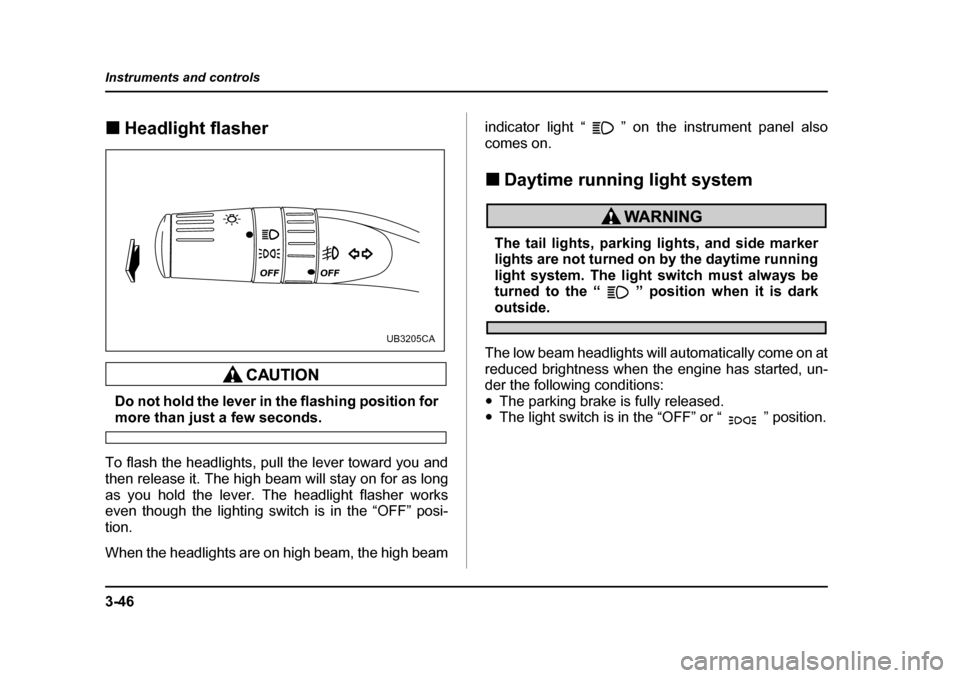
To flash the headlights, pull the lever toward you and
then release it. The high beam will stay on for as long
as you hold the lever. The headlight flasher works
even though the lighting switch is in the “OFF” posi-tion.
When the headlights are on high beam, the high beam indicator light “ ” on the instrument panel also
comes on. !
Daytime running light system
The tail lights, parking lights, and side marker
lights are not turned on by the daytime running
light system. The light switch must always be
turned to the “ ” position when it is dark
outside.
The low beam headlights will automatically come on at
reduced brightness when the engine has started, un-
der the following conditions:" The parking brake is fully released.
" The light switch is in the “OFF” or “ ” position.
UB3205CA
Page 218 of 627
3-47
Instruments and controls
– CONTINUED –
Turn signal lever
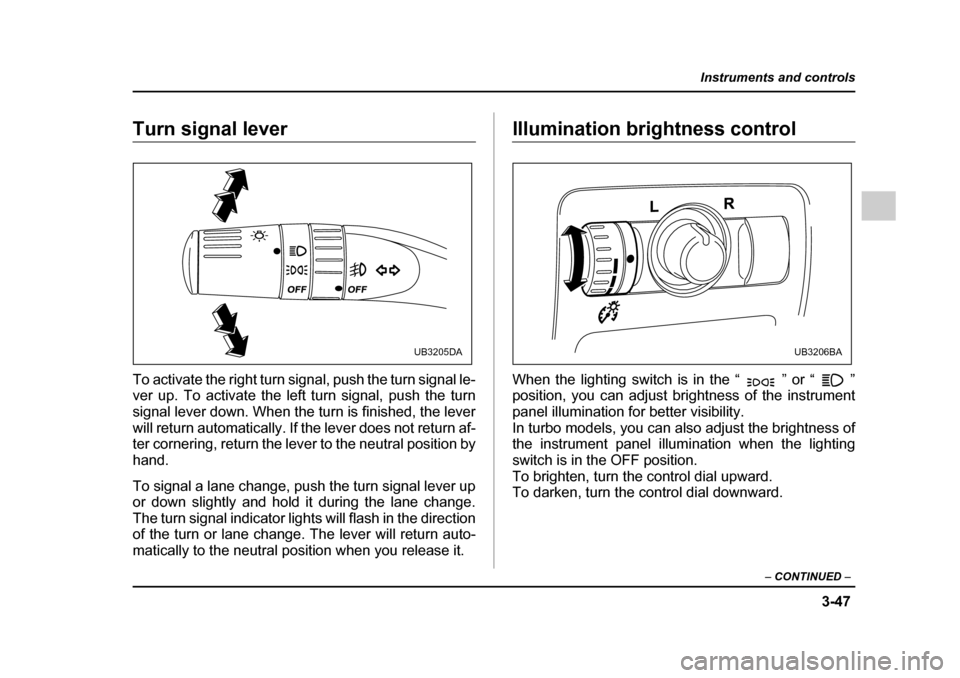
To activate the right turn signal, push the turn signal le-
ver up. To activate the left turn signal, push the turn
signal lever down. When the turn is finished, the lever
will return automatically. If the lever does not return af-
ter cornering, return the lever to the neutral position by
hand.
To signal a lane change, push the turn signal lever up
or down slightly and hold it during the lane change.
The turn signal indicator lights will flash in the direction
of the turn or lane change. The lever will return auto-
matically to the neutral position when you release it.Illumination brightness control
When the lighting switch is in the “ ” or “ ”
position, you can adjust brightness of the instrument
panel illumination for better visibility.
In turbo models, you can also adjust the brightness of
the instrument panel illumination when the lighting
switch is in the OFF position.
To brighten, turn the control dial upward.
To darken, turn the control dial downward.
UB3205DAUB3206BA
Page 219 of 627
3-48
Instruments and controls
When the control dial is turned upward or downward,
the instrument panel’s illumination brightness is indi-
cated by the trip meter. The brightness is shown in six
steps from “ ” (dimmest) to “ ” (brightest).
If the control dial is not turned for three seconds, the
trip meter returns to its original trip meter indication.
Bright switch (Night illumination dim-
ness cancellation)
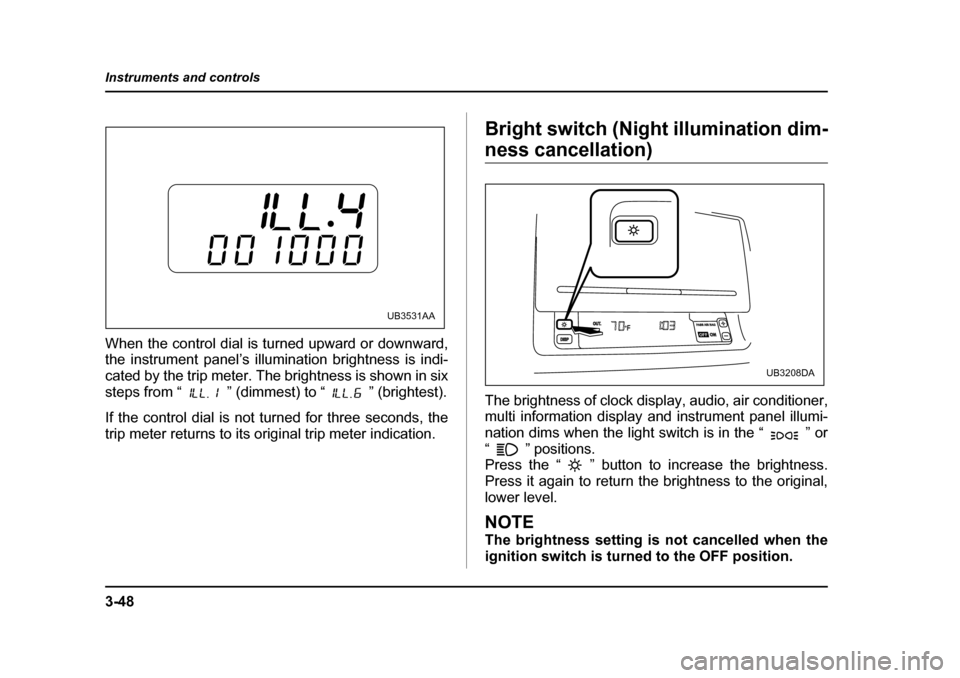
The brightness of clock display, audio, air conditioner,
multi information display and instrument panel illumi-
nation dims when the light switch is in the “ ” or
“ ” positions.
Press the “ ” button to increase the brightness.
Press it again to return the brightness to the original,
lower level.
NOTE
The brightness setting is not cancelled when the
ignition switch is turned to the OFF position.
UB3531AAPASS AIR BAGPASS AIR BAGONONOUT.DISPOFF
UB3208DA
Page 228 of 627
3-57
Instruments and controls
– CONTINUED –
Rear window defogger button
Vehicle with manual climate control system Vehicle with automatic climate control system
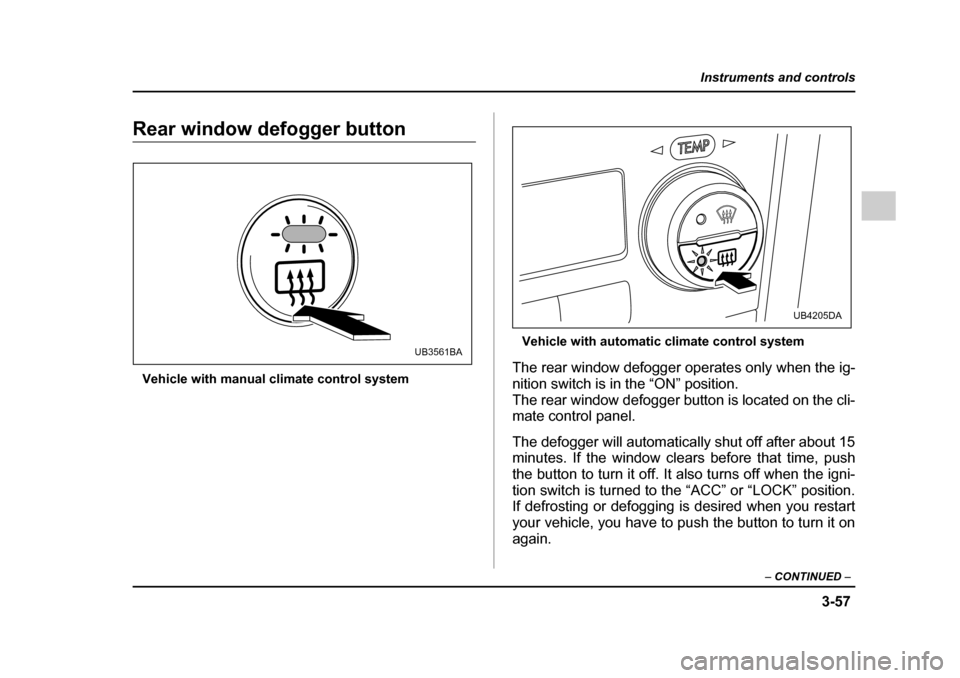
The rear window defogger operates only when the ig-
nition switch is in the “ON” position.
The rear window defogger button is located on the cli-
mate control panel.
The defogger will automatically shut off after about 15
minutes. If the window clears before that time, push
the button to turn it off. It also turns off when the igni-
tion switch is turned to the “ACC” or “LOCK” position.
If defrosting or defogging is desired when you restart
your vehicle, you have to push the button to turn it on
again.
UB3561BA
UB4205DA
Page 240 of 627
4-5
Climate control
– CONTINUED –
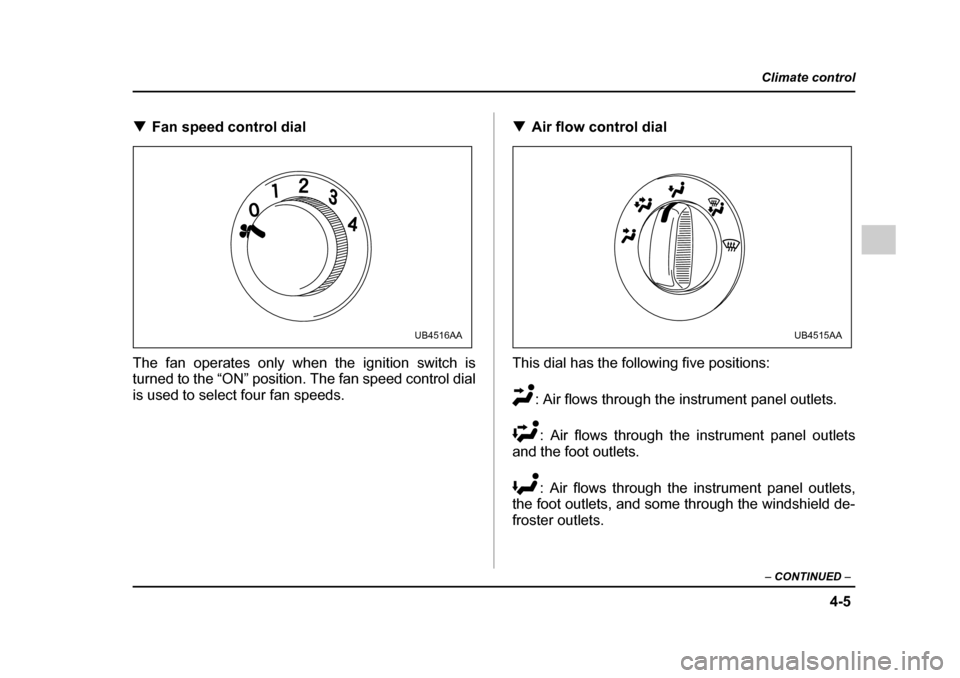
!Fan speed control dial
The fan operates only when the ignition switch is
turned to the “ON” position. The fan speed control dial
is used to select four fan speeds. !
Air flow control dial
This dial has the following five positions: : Air flows through the instrument panel outlets.: Air flows through the instrument panel outlets
and the foot outlets.
: Air flows through the instrument panel outlets,
the foot outlets, and some through the windshield de-
froster outlets.
UB4516AAUB4515AA
Page 241 of 627
4-6
Climate control
: Air flows through the instrument panel outlets,
the windshield defroster outlets, and the foot outlets.
: Air flows through the instrument panel outlets
and the windshield defroster outlets.
NOTE
In a vehicle equipped with an air conditioner, when
the dial is placed in the “ ” position or “ ”
position the air conditioner compressor automati-
cally operates to quickly defog the windshield.
However the indicator on the air conditioner but-
ton will not come on. At the same time, the air inlet
selection is automatically set to “outside air”mode.
In this state, you cannot select “recirculation”
mode by manually pressing the air inlet selectionbutton.
Also, you cannot stop the air conditioner com-
pressor by pressing the air conditioner button. !
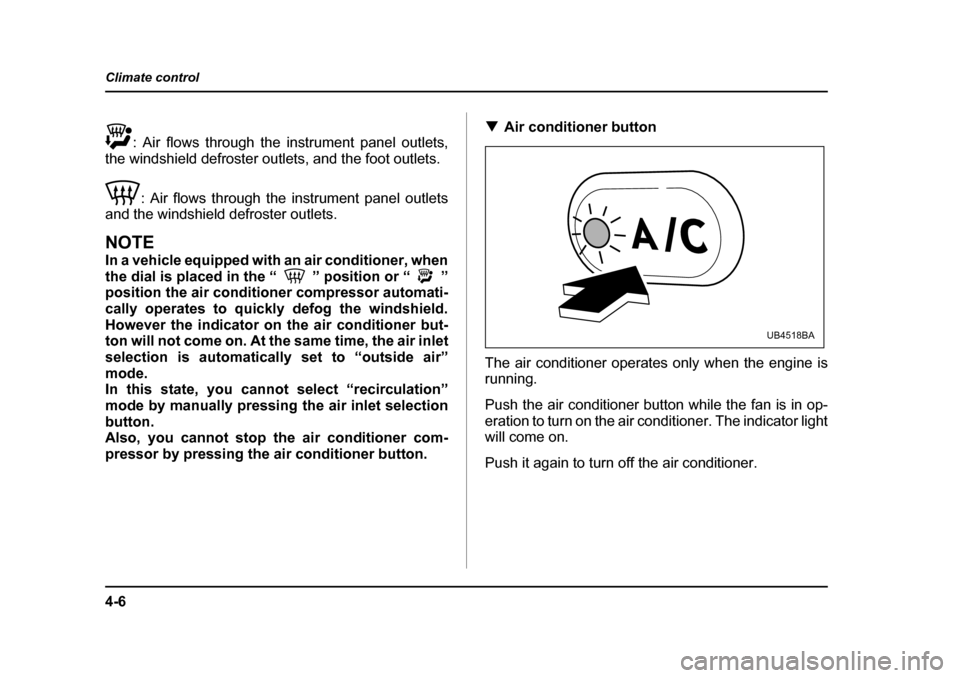
Air conditioner button
The air conditioner operates only when the engine is
running.
Push the air conditioner button while the fan is in op-
eration to turn on the air conditioner. The indicator light
will come on.
Push it again to turn off the air conditioner.
UB4518BA
Page 244 of 627
4-9
Climate control
– CONTINUED –
!Bi-level heating
This setting allows you to direct air of different temper-
atures from the instrument panel and foot outlets. The
air from the foot outlets is slightly warmer than from the
instrument panel outlets.
1. Set the air inlet selection button to the OFF posi-tion.
2. Set the air flow control dial to the “ ” position.
3. Set the temperature control dial to the desired tem-perature level.
4. Set the fan speed control dial to the desired speed.
Setting the temperature control dial fully turned to the
red area or blue area decreases the temperature dif-
ference between the air from the instrument panel out-
lets and the air from the foot outlets. ! Ventilation
To force outside air through the instrument panel out-
lets:
1. Set the air inlet selection button to the OFF posi-tion.
2. Set the air flow control dial to the “ ” position.
3. Set the temperature control dial all the way left.
4. Set the fan speed control dial to the desired speed.
When driving on a dusty road, set the air inlet control
button to the ON position.
Continued operation in the ON position may fog
up the windows. Switch to the OFF position as
soon as the outside dusty condition clears.
! Air conditioner operation
! Cooling or dehumidifying
For cooling and dehumidification of the passenger
compartment, air flows through the instrument panel
outlets:
1. Set the air inlet selection button to the OFF posi-
tion.
2. Set the air flow control dial to the “ ” position.
3. Set the air conditioner button to the “ON” position.
4. Set the temperature control dial to the blue side.
5. Set the fan speed control dial at the desired speed. ! Defrosting or defogging
To direct warm air to the windshield and front door win-
dows:
1. Set the air outlet control dial to the “ ” position.
2. Set the temperature control dial to the red side.
3. Set the fan speed control dial at the highest speed.
Page 250 of 627
4-15
Climate control
– CONTINUED –
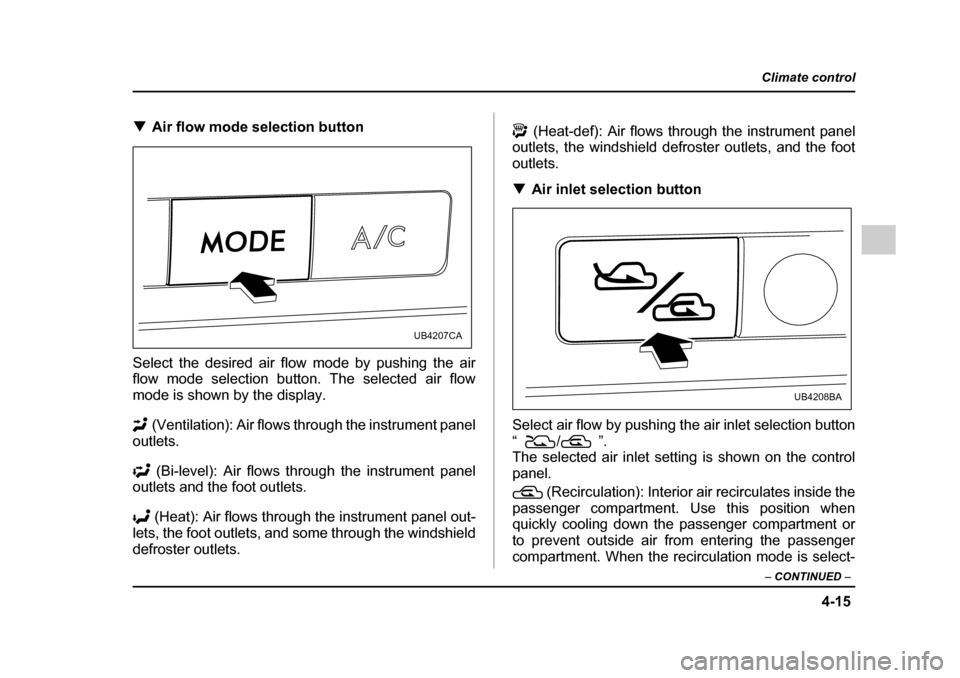
!Air flow mode selection button
Select the desired air flow mode by pushing the air
flow mode selection button. The selected air flow
mode is shown by the display. (Ventilation): Air flows through the instrument panel
outlets.
(Bi-level): Air flows through the instrument panel
outlets and the foot outlets.
(Heat): Air flows through the instrument panel out-
lets, the foot outlets, and some through the windshield
defroster outlets. (Heat-def): Air flows through the instrument panel
outlets, the windshield defroster outlets, and the foot
outlets. ! Air inlet selection button
Select air flow by pushing the air inlet selection button
“/” .
The selected air inlet setting is shown on the control
panel.
(Recirculation): Interior air recirculates inside the
passenger compartment. Use this position when
quickly cooling down the passenger compartment or
to prevent outside air from entering the passenger
compartment. When the recirculation mode is select-
UB4207CA
UB4208BA
Page 333 of 627
6-16
Interior equipment
Cigarette lighter socket
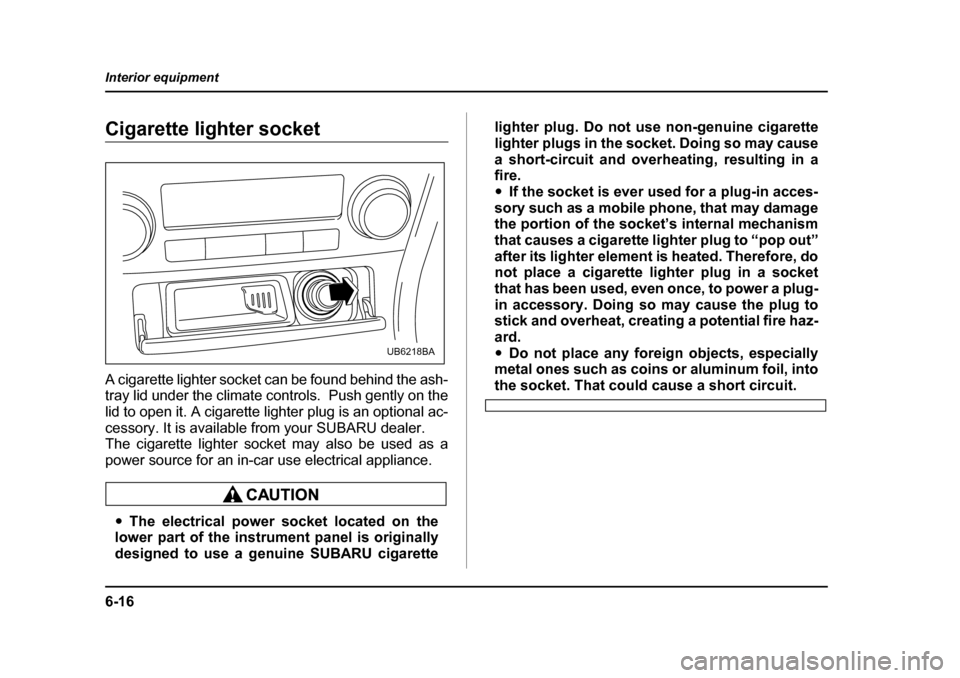
A cigarette lighter socket can be found behind the ash-
tray lid under the climate controls. Push gently on the
lid to open it. A cigarette lighter plug is an optional ac-
cessory. It is available from your SUBARU dealer.
The cigarette lighter socket may also be used as a
power source for an in-car use electrical appliance.
"
The electrical power socket located on the
lower part of the instrument panel is originally
designed to use a genuine SUBARU cigarette lighter plug. Do not use non-genuine cigarette
lighter plugs in the socket. Doing so may cause
a short-circuit and overheating, resulting in a fire. "
If the socket is ever used for a plug-in acces-
sory such as a mobile phone, that may damage
the portion of the socket’s internal mechanism
that causes a cigarette lighter plug to “pop out”
after its lighter element is heated. Therefore, do
not place a cigarette lighter plug in a socket
that has been used, even once, to power a plug-
in accessory. Doing so may cause the plug to
stick and overheat, creating a potential fire haz-
ard." Do not place any foreign objects, especially
metal ones such as coins or aluminum foil, into
the socket. That could cause a short circuit.
UB6218BA
Page 379 of 627
7-24
Starting and operating
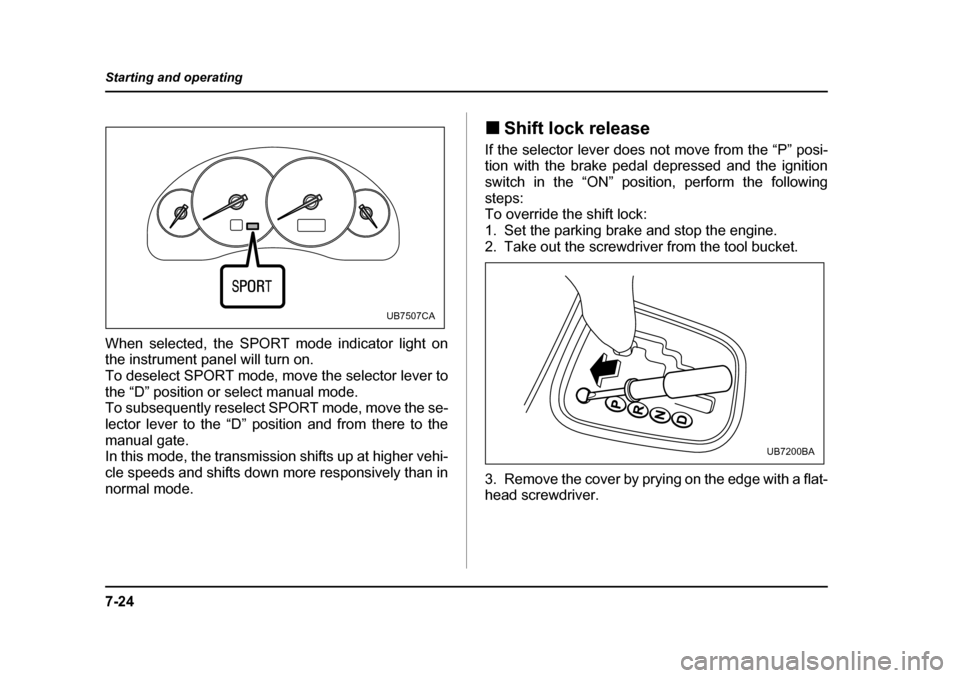
When selected, the SPORT mode indicator light on
the instrument panel will turn on.
To deselect SPORT mode, move the selector lever to
the “D” position or select manual mode.
To subsequently reselect SPORT mode, move the se-
lector lever to the “D” position and from there to the
manual gate.
In this mode, the transmission shifts up at higher vehi-
cle speeds and shifts down more responsively than in
normal mode.
!
Shift lock release
If the selector lever does not move from the “P” posi-
tion with the brake pedal depressed and the ignition
switch in the “ON” position, perform the followingsteps:
To override the shift lock:
1. Set the parking brake and stop the engine.
2. Take out the screwdriver from the tool bucket.
3. Remove the cover by prying on the edge with a flat-
head screwdriver.
UB7507CA
UB7200BA