lights SUBARU OUTBACK 2006 Owner's Guide
[x] Cancel search | Manufacturer: SUBARU, Model Year: 2006, Model line: OUTBACK, Model: SUBARU OUTBACK 2006Pages: 425, PDF Size: 10.36 MB
Page 157 of 425
3-42 Instruments and controls
when the ignition switch is in the “ON” or
“ACC” position.
1. Turn the knob to the “L” side to adjust
the left-hand mirror or to the “R” side to ad-
just the right-hand mirror.
2. Move the knob in the direction you
want to move the mirror.
3. Return the knob to the neutral position
to prevent unintentional operation.
The mirrors can also be adjusted manual-
ly.
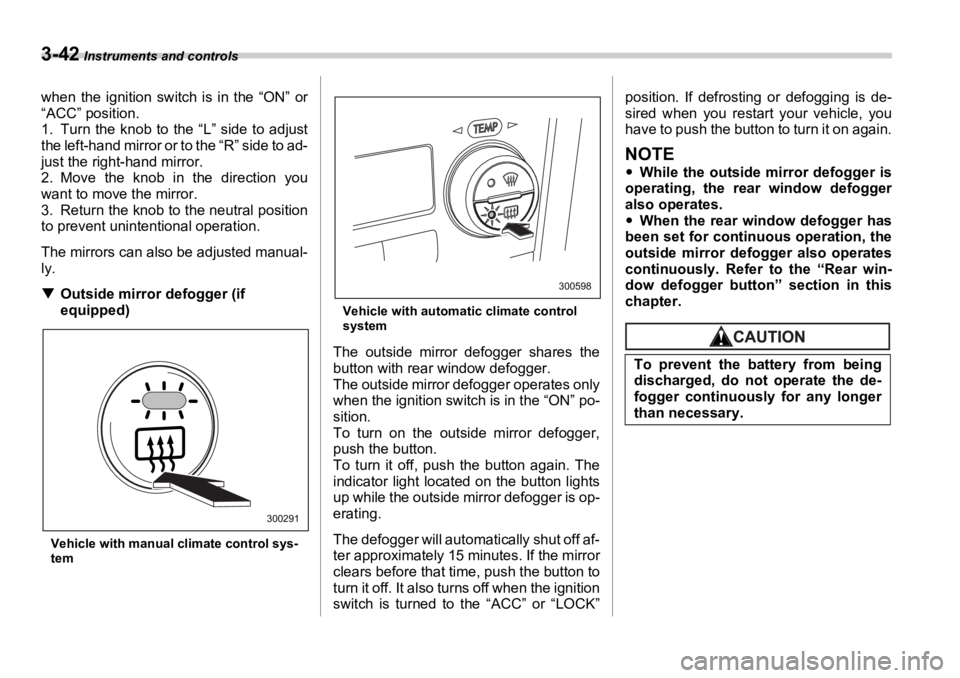
T Outside mirror defogger (if
equipped)
Vehicle with manual climate control sys-
tem Vehicle with automatic climate control
system
The outside mirror defogger shares the
button with rear window defogger.
The outside mirror defogger operates only
when the ignition switch is in the “ON” po-
sition.
To turn on the outside mirror defogger,
push the button.
To turn it off, push the button again. The
indicator light located on the button lights
up while the outside mirror defogger is op-
erating.
The defogger will automatically shut off af-
ter approximately 15 minutes. If the mirror
clears before that time, push the button to
turn it off. It also turns off when the ignition
switch is turned to the “ACC” or “LOCK” position. If defrosting or defogging is de-
sired when you restart your vehicle, you
have to push the button to turn it on again.
NOTE y While the outside mirror defogger is
operating, the rear window defogger
also operates.
y When the rear window defogger has
been set for continuous operation, the
outside mirror defogger also operates
continuously. Refer to the “Rear win-
dow defogger button” section in this
chapter.
300291 300598
To prevent the battery from being
discharged, do not operate the de-
fogger continuously for any longer
than necessary.
Page 192 of 425
Audio
5-19
– CONTINUED –peat Steps 1 and 2. The magazine will be
loaded with discs in t he ascending order
of position number.
If you do not insert any disc in 15 seconds
after you have pressed the “LOAD” but-
ton, the player will begin to play back the
first track of the last disc you have insert-
ed.
y The disc indicator steadily lights up if a
disc is already inserted in the correspond-
ing position of the magazine.
y While the player is in the loading mode,
if you press the “FM” or “AM” button, the
player will enter the standby mode. Press
the “CD” button to start playback.
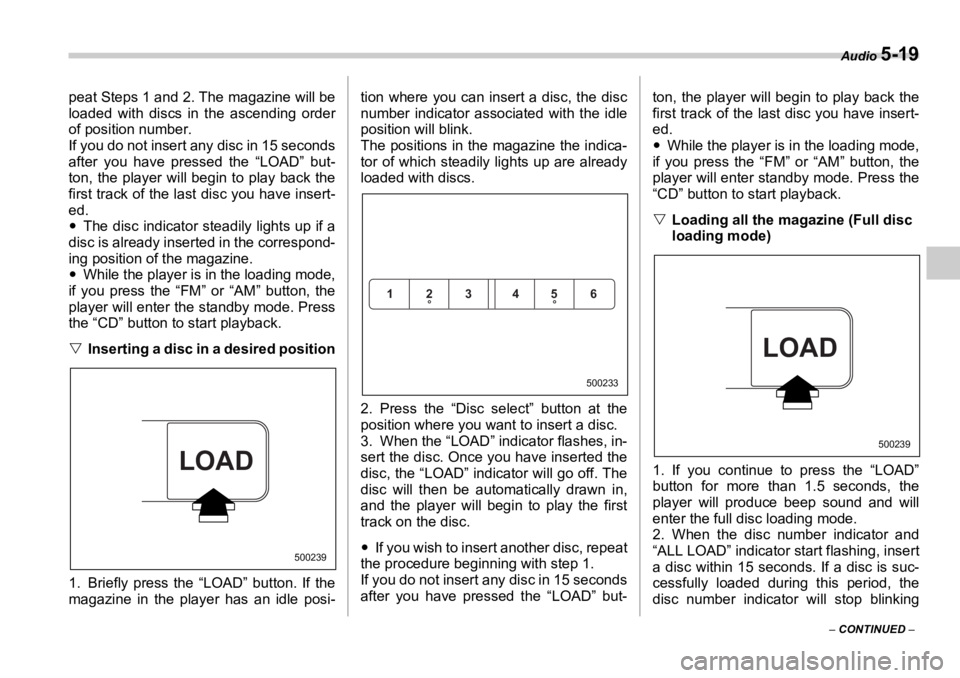
V Inserting a disc in a desired position
1. Briefly press the “LOAD” button. If the
magazine in the player has an idle posi- tion where you can insert a disc, the disc
number indicator associated with the idle
position will blink.
The positions in the magazine the indica-
tor of which steadily lights up are already
loaded with discs.
2. Press the “Disc sele ct” button at the
position where you want to insert a disc.
3. When the “LOAD” indicator flashes, in-
sert the disc. Once you have inserted the
disc, the “LOAD” indicator will go off. The
disc will then be automatically drawn in,
and the player will begin to play the first
track on the disc.
y If you wish to insert another disc, repeat
the procedure beginning with step 1.
If you do not insert any disc in 15 seconds
after you have pressed the “LOAD” but- ton, the player will begin to play back the
first track of the last disc you have insert-
ed.
y While the player is in the loading mode,
if you press the “FM” or “AM” button, the
player will enter standby mode. Press the
“CD” button to start playback.
V Loading all the magazine (Full disc
loading mode) 0
1. If you continue to press the “LOAD”
button for more than 1.5 seconds, the
player will produce beep sound and will
enter the full disc loading mode.
2. When the disc number indicator and
“ALL LOAD” indicator start flashing, insert
a disc within 15 seconds. If a disc is suc-
cessfully loaded during this period, the
disc number indicator will stop blinkingLOAD 500239 123 456
500233
LOAD 500239
Page 193 of 425
5-20 Audio
and will steadily light.
3. When the loading of a disc is complete,
the next disc number indicator will blink.
Then repeat Step 2.
4. When the magazine is filled with discs
by repeating Steps 2 and 3, the player will
start playback of t he discs, beginning with
the one inserted first.
If you fail to insert any disc during each 15-
second interval , the full disc loading mode
will be canceled, and the player will start
playback of the disc inserted first.
T How to play back a CD or make a
pause
V When there is no CD inserted:
Insert a CD by referring to “How to insert a
CD(s)”.
When a CD is loaded, the player will start
playback of the CD, beginning with the
first track. V When there are CDs loaded:
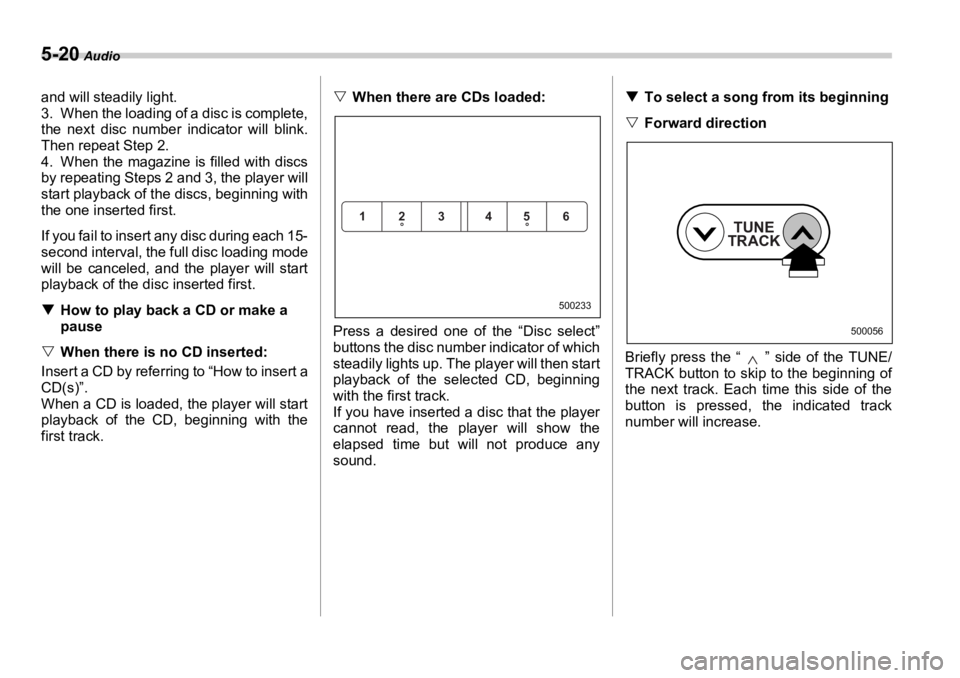
Press a desired one of the “Disc select”
buttons the disc number indicator of which
steadily lights up. The player will then start
playback of the selected CD, beginning
with the first track.
If you have inserted a disc that the player
cannot read, the pl ayer will show the
elapsed time but will not produce any
sound. T To select a song from its beginning
V Forward direction
Briefly press the “ ” side of the TUNE/
TRACK button to skip to the beginning of
the next track. Each time this side of the
button is pressed, the indicated track
number will increase.123 456 500233
TUNE
TRACK 500056
Page 205 of 425
5-32 Audio
2. When the “LOAD” indicator flashes, in-
sert the disc. Once you have inserted the
disc, the “LOAD” indicator will go off. The
disc will then be automatically drawn in,
and the player will begin to play back the
first track of the disc.
y To insert more discs in succession, re-
peat Steps 1 and 2. The magazine will be
loaded with discs in the ascending order
of position number.
If you do not insert any disc in 15 seconds
after you have pressed the “LOAD” but-
ton, the player will begin to play back the
first track of the last disc you have insert-
ed.
y The disc indicator steadily lights up if a
disc is already inserted in the correspond-
ing position of the magazine.
y While the player is in the loading mode,
if you press “FM” or “AM” button, the play-
er will enter the standby mode. Press the
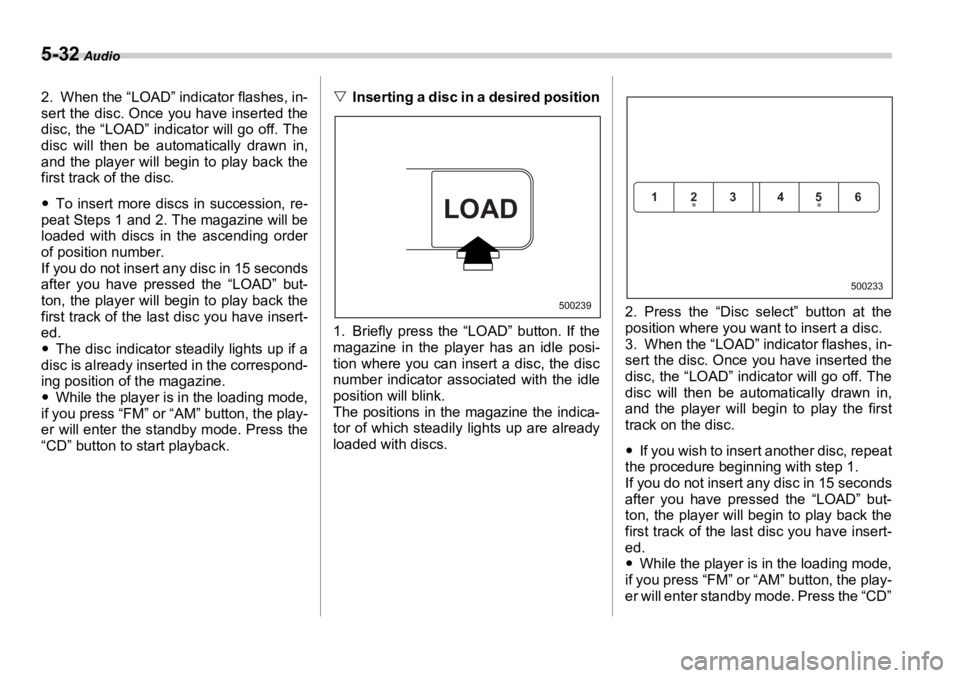
“CD” button to start playback. V Inserting a disc in a desired position 0
1. Briefly press the “LOAD” button. If the
magazine in the player has an idle posi-
tion where you can insert a disc, the disc
number indicator associated with the idle
position will blink.
The positions in the magazine the indica-
tor of which steadily lights up are already
loaded with discs. 2. Press the “Disc select” button at the
position where you want to insert a disc.
3. When the “LOAD” indicator flashes, in-
sert the disc. Once you have inserted the
disc, the “LOAD” indicator will go off. The
disc will then be automatically drawn in,
and the player will begin to play the first
track on the disc.
y If you wish to insert another disc, repeat
the procedure beginning with step 1.
If you do not insert any disc in 15 seconds
after you have pressed the “LOAD” but-
ton, the player will begin to play back the
first track of the last disc you have insert-
ed.
y While the player is in the loading mode,
if you press “FM” or “AM” button, the play-
er will enter standby mode. Press the “CD”LOAD 500239123 456 500233
Page 206 of 425
Audio
5-33
– CONTINUED –button to start playback.
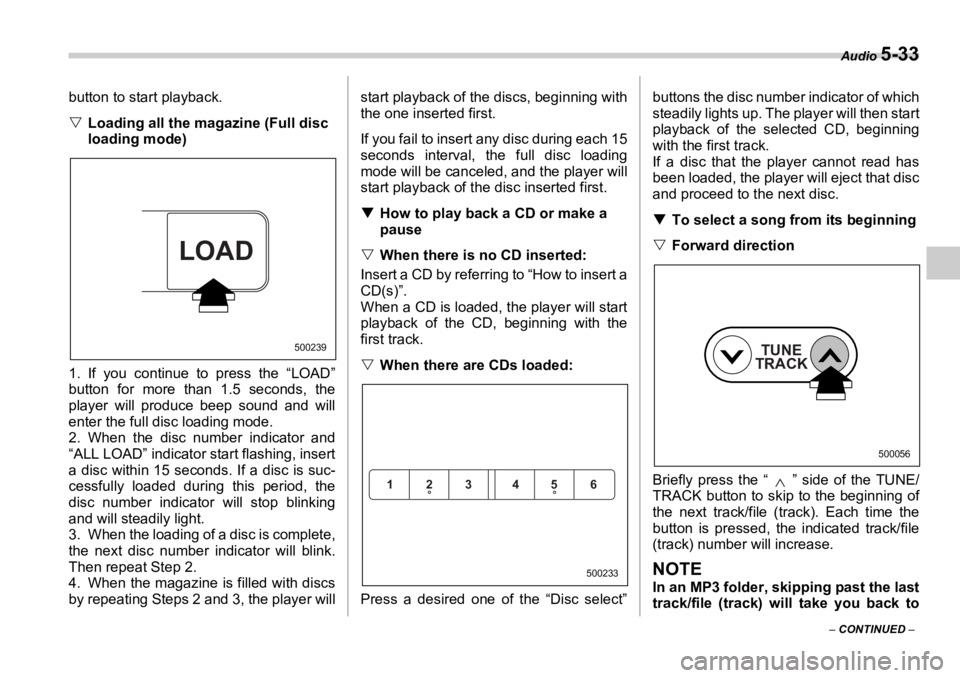
V Loading all the magazine (Full disc
loading mode) 0
1. If you continue to press the “LOAD”
button for more than 1.5 seconds, the
player will produce beep sound and will
enter the full disc loading mode.
2. When the disc number indicator and
“ALL LOAD” indicator start flashing, insert
a disc within 15 seconds. If a disc is suc-
cessfully loaded during this period, the
disc number indicator will stop blinking
and will steadily light.
3. When the loading of a disc is complete,
the next disc number indicator will blink.
Then repeat Step 2.
4. When the magazine is filled with discs
by repeating Steps 2 and 3, the player will start playback of the discs, beginning with
the one inserted first.
If you fail to insert any disc during each 15
seconds interval, the full disc loading
mode will be canceled, and the player will
start playback of the disc inserted first.
T How to play back a CD or make a
pause
V When there is no CD inserted:
Insert a CD by referring to “How to insert a
CD(s)”.
When a CD is loaded, the player will start
playback of the CD, beginning with the
first track.
V When there are CDs loaded:
Press a desired one of the “Disc select” buttons the disc number indicator of which
steadily lights up. The player will then start
playback of the selected CD, beginning
with the first track.
If a disc that the player cannot read has
been loaded, the player will eject that disc
and proceed to the next disc.
T To select a song from its beginning
V Forward direction
Briefly press the “ ” side of the TUNE/
TRACK button to skip to the beginning of
the next track/file (track). Each time the
button is pressed, t he indicated track/file
(track) number will increase.
NOTE In an MP3 folder, skipping past the last
track/file (track) will take you back toLOAD 500239
123 456
500233TUNE
TRACK 500056
Page 244 of 425
Starting and operating
7-5
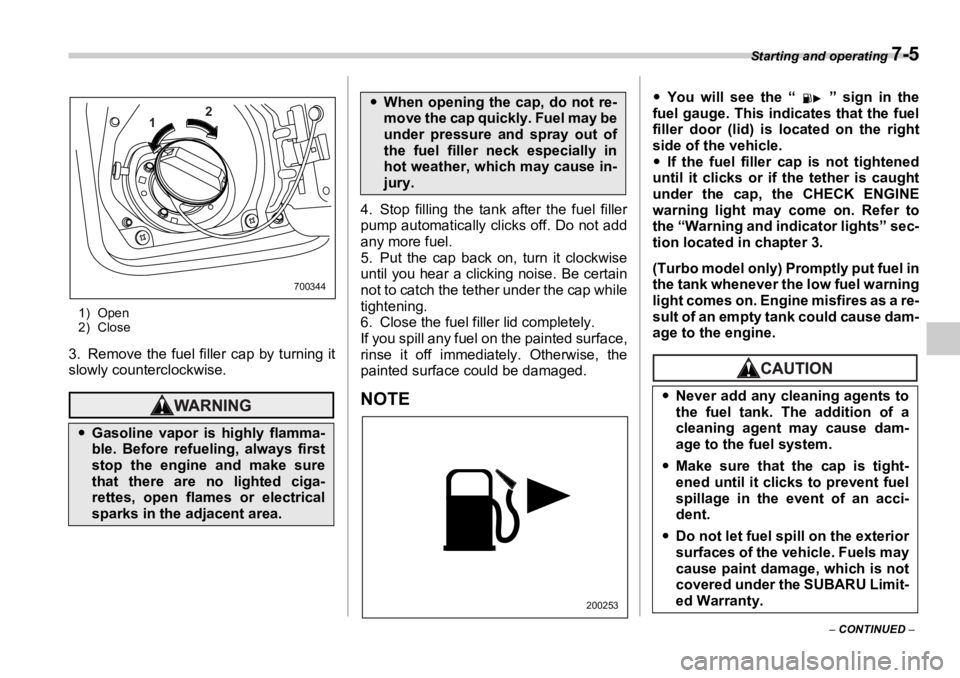
– CONTINUED –1) Open
2) Close
3. Remove the fuel filler cap by turning it
slowly counterclockwise. 4. Stop filling the tank after the fuel filler
pump automatically cl icks off. Do not add
any more fuel.
5. Put the cap back on, turn it clockwise
until you hear a clicking noise. Be certain
not to catch the tether under the cap while
tightening.
6. Close the fuel filler lid completely.
If you spill any fuel on the painted surface,
rinse it off immediately. Otherwise, the
painted surface could be damaged.
NOTE y You will see the “ ” sign in the
fuel gauge. This indicates that the fuel
filler door (lid) is located on the right
side of the vehicle.
y If the fuel filler cap is not tightened
until it clicks or if the tether is caught
under the cap, the CHECK ENGINE
warning light may come on. Refer to
the “Warning and indicator lights” sec-
tion located in chapter 3.
(Turbo model only) Promptly put fuel in
the tank whenever the low fuel warning
light comes on. Engine misfires as a re-
sult of an empty tank could cause dam-
age to the engine.
y Gasoline vapor is highly flamma-
ble. Before refueling, always first
stop the engine and make sure
that there are no lighted ciga-
rettes, open flames or electrical
sparks in the adjacent area. 1 2
700344
y When opening the cap, do not re-
move the cap quickly. Fuel may be
under pressure and spray out of
the fuel filler neck especially in
hot weather, which may cause in-
jury.
200253y Never add any cleaning agents to
the fuel tank. The addition of a
cleaning agent may cause dam-
age to the fuel system.
y Make sure that the cap is tight-
ened until it clicks to prevent fuel
spillage in the event of an acci-
dent.
y Do not let fuel sp ill on the exterior
surfaces of the vehicle. Fuels may
cause paint damage, which is not
covered under the SUBARU Limit-
ed Warranty.
Page 246 of 425
Starting and operating
7-7Under no circumstances should the rear
wheels be jacked off the ground, nor
should the driveshaft be disconnected for
state emission testing.
The EPA has issued regulations for in-
specting the On-Board Diagnostic (OBD)
system as part of the state emissions in-
spection. The OBD system is designed to
detect engine and transmission problems
that might cause vehicle emissions to ex-
ceed allowable limits. These inspections
apply to all 1996 model year and newer
passenger cars and li ght trucks. Over 30
states plus the Distr ict of Columbia have
implemented the OBD system inspection.
y The inspection of the OBD system con-
sists of a visual operational check of the
“ CHECK ENGINE ” warning light/malfunc-
tion indicator lamp (MIL) and an examina-
tion of the OBD system with an electronic
scan tool while the engine is running.
y A vehicle passes
the OBD system in-
spection if proper the “ CHECK ENGINE ”
warning light/MIL illumination is observed,
there is no stored diagnostic trouble
codes, and the OBD system readiness
monitors are complete.
y A vehicle fails
the OBD inspection if the
“ CHECK ENGINE ” warning light/MIL is
not properly operating or there is one or
more diagnostic trouble codes stored in vehicle’s computer with the “ CHECK EN-
GINE ” warning light/MIL illuminated.
y A state emission inspection may reject
(not pass or fail) a vehicle if the number of
OBD system readiness monitors “ Not
Ready ” is greater than one. Under this
condition, the vehicle operator should be
instructed to drive his/her vehicle for a few
days to set the monitors and return for an
emission re-inspection.
y Owners of rejected or failing vehicles
should contact their SUBARU Dealer for
service. Preparing to drive You should perform the following checks
and adjustments every day before you
start driving.
1. Check that all windows, mirrors, and
lights are clean and unobstructed.
2. Check the appearance and condition of
the tires. Also check tires for proper infla-
tion.
3. Look under the vehicle for any sign of
leaks.
4. Check that the hood, trunk (Sedan)
and rear gate (Station wagon) are fully
closed.
5. Check the adjustment of the seat.
6. Check the adjustment of the inside and
outside mirrors.
7. Fasten your seatbelt. Check that your
passengers have fastened their seatbelts.
8. Check the operation of the warning and
indicator lights when the ignition switch is
turned to the “ON” position.
9. Check the gauges, indicator and warn-
ing lights after starting the engine.
NOTE Engine oil, engine coolant, brake fluid,
washer fluid and other fluid levels
should be checked daily, weekly or at
fuel stops.
Page 247 of 425
7-8 Starting and operating
Starting the engine
„ Manual transmission vehicle1. Apply the parking brake.
2. Turn off unnecessary lights and acces-
sories.
3. Press the clutch pedal to the floor and
shift the shift leve r into neutral.
Hold the clutch pedal to the floor while
starting the engine. The starter motor will
only operate when the clutch pedal is
pressed fully to the floor.
4. Turn the ignition switch to the “ON” po-
sition and check the operation of the warn-
ing and indicator lights. Refer to the
“Warning and indicator lights” section
(chapter 3).
5. Turn the ignition sw itch to the “START”
position without depressing the accelera-
tor pedal. Release the key immediately af-
ter the engine has started. If the engine does not start, try the follow-
ing.
1) Turn the ignition switch to the “OFF”
position and wait for at least 10 sec-
onds. After checking that the parking
brake is firmly set, turn the ignition
switch to the “START” position while de-
pressing the accelerator pedal slightly
(approximately a quarter of the full
stroke). Release th e accelerator pedal
as soon as the engine starts.
2) If this fails to start the engine, turn the
ignition switch back to the “OFF” posi-
tion and wait for at least 10 seconds.
Then fully depress the accelerator ped-
al and turn the ignition switch to the
“START” position. If the engine starts,
quickly release the accelerator pedal.
3) If this fails to start the engine, turn the
ignition switch again to the “OFF” posi-
tion. After waiting for 10 seconds or
longer, turn the ignition switch to the
“START” position without depressing
the accelerator pedal.
4) If the engine still refuses to start, con-
tact your nearest SUBARU dealer for
assistance.
6. Confirm that all warning and indicator
lights have gone off after the engine has
started. The fuel injection system auto-
matically lowers the idle speed as the en-
gine warms up. „ Automatic transmission vehi-
cle
1. Apply the parking brake.
2. Turn off unnecessary lights and acces-
sories.
3. Shift the selector lever to the “P” or “N”
position (preferably “P” position). The
starter will only operate when the select
lever is at the “P” or “N” position.
4. Turn the ignition switch to the “ON” po-
sition and check the operation of the warn-
ing and indicator li ghts. Refer to the
“Warning and indicator lights” section
(chapter 3).
5. Turn the ignition switch to the “START”
position without depressing the accelera-
tor pedal. Release the key immediately af-
ter the engine has started.
If the engine does not start, try the follow-
ing.
1) Turn the ignition switch to the “OFF”
position and wait for at least 10 sec-Do not operate the starter motor
continuously for more than ten sec-
onds. If the engine fails to start after
operating the starte r for five to ten
seconds, wait for ten seconds or
more before trying again. If you restart the engine while the
vehicle is moving, shift the selector
lever into the “N” position. Do not
attempt to place the selector lever of
a moving vehicle into the “P” posi-
tion.
Page 248 of 425
Starting and operating
7-9
– CONTINUED –onds. After checking that the parking
brake is firmly set, turn the ignition
switch to the “START” position while de-
pressing the accelerator pedal slightly
(approximately a quarter of the full
stroke). Release the accelerator pedal
as soon as the engine starts.
2) If this fails to start the engine, turn the
ignition switch back to the “OFF” posi-
tion and wait for at least 10 seconds.
Then fully depress the accelerator ped-
al and turn the ignition switch to the
“START” position. If the engine starts,
quickly release the accelerator pedal.
3) If this fails to start the engine, turn the
ignition switch again to the “OFF” posi-
tion. After waiting for 10 seconds or
longer, turn the ignition switch to the
“START” position without depressing
the accelerator pedal.
4) If the engine still refuses to start, con-
tact your nearest SUBARU dealer for
assistance.
6. Confirm that all warning and indicator
lights have gone out after the engine has
started. The fuel in jection syst em auto-
matically lowers the idle speed as the en-
gine warms up.
While the engine is warming up, make
sure that the selector lever is at the “P” or
“N” position and that the parking brake is
applied. Stopping the engine
The ignition switch should be turned off
only when the vehicle is stopped and the
engine is idling. Manual transmission
The manual transmission is a fully syn-
chromeshed, 5-forward-speed and 1-re-
verse-speed transmission.Do not stop the engine when the ve-
hicle is moving. This will cause loss
of power to the power steering and
the brake booster, making steering
and braking more difficult. It could
also result in a ccidental activation
of the “LOCK” position on the igni-
tion switch, causing the steering
wheel to lock. Do not drive the vehicle with the
clutch disengaged (i.e., when the
clutch pedal is depressed) or with
the shift lever in the neutral posi-
tion. Engine braking has no effect in
either of these conditions and the
risk of an accident is consequently
increased.
Shift into reverse ONLY when the
vehicle has completely stopped. It
may cause damage to the transmis-
sion to try shifti ng into reverse
when the vehicle is moving.
Page 267 of 425
7-28 Starting and operating
Electronic Br ake Force Dis-
tribution (EBD) system The EBD system maximizes the effective-
ness of the brakes by allowing the rear
brakes to supply a greater proportion of
the braking force. It functions by adjusting
the distribution of brak ing force to the rear
wheels in accordance with the vehicle’s
loading condition and speed.
The EBD system is an integral part of the
ABS system and uses some of the ABS
system’s components to perform its func-
tion of optimizing the distribution of brak-
ing force. If any of the ABS components
used by the EBD function fails, the EBD
system also stops working.
When the EBD system is operating, you
may hear a chattering noise or feel a slight
vibration in the brake pedal. This is normal
and does not indicate a malfunction. „ Steps to take if EBD system
fails
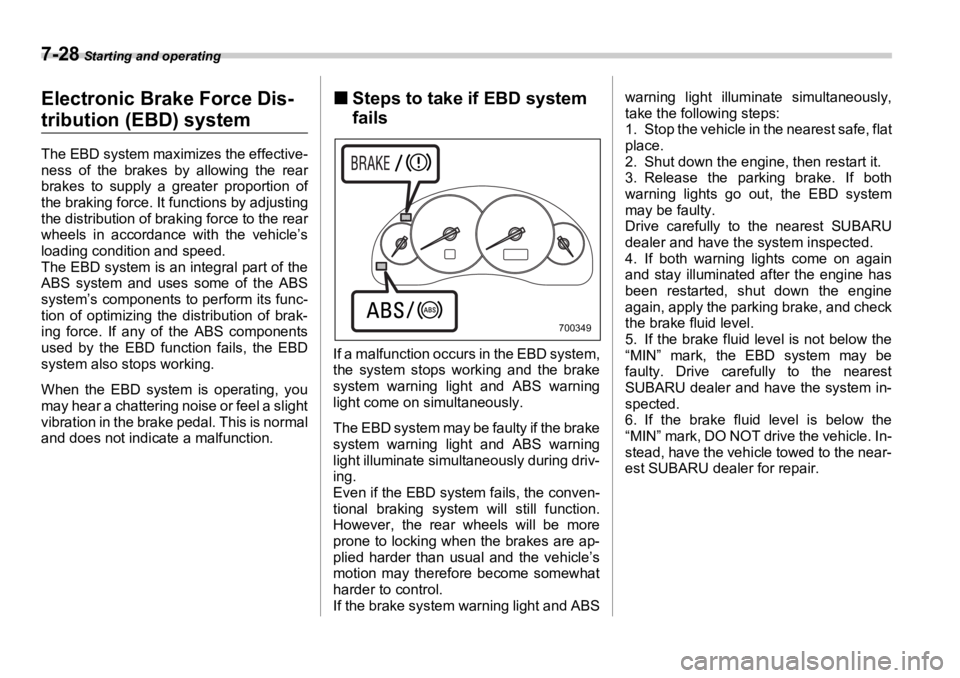
If a malfunction occu rs in the EBD system,
the system stops working and the brake
system warning light and ABS warning
light come on simultaneously.
The EBD system may be faulty if the brake
system warning light and ABS warning
light illuminate simultaneously during driv-
ing.
Even if the EBD system fails, the conven-
tional braking system will still function.
However, the rear wheels will be more
prone to locking when the brakes are ap-
plied harder than usual and the vehicle’s
motion may therefore become somewhat
harder to control.
If the brake system warning light and ABS warning light illuminate simultaneously,
take the following steps:
1. Stop the vehicle in the nearest safe, flat
place.
2. Shut down the engine, then restart it.
3. Release the parking brake. If both
warning lights go out, the EBD system
may be faulty.
Drive carefully to the nearest SUBARU
dealer and have the system inspected.
4. If both warning lights come on again
and stay illuminated after the engine has
been restarted, shut down the engine
again, apply the parking brake, and check
the brake fluid level.
5. If the brake fluid level is not below the
“MIN” mark, the EBD system may be
faulty. Drive carefully to the nearest
SUBARU dealer and have the system in-
spected.
6. If the brake fluid level is below the
“MIN” mark, DO NOT drive the vehicle. In-
stead, have the vehicle towed to the near-
est SUBARU dealer for repair. 700349