battery SUBARU OUTBACK 2009 5.G Owner's Manual
[x] Cancel search | Manufacturer: SUBARU, Model Year: 2009, Model line: OUTBACK, Model: SUBARU OUTBACK 2009 5.GPages: 447, PDF Size: 14.26 MB
Page 206 of 447
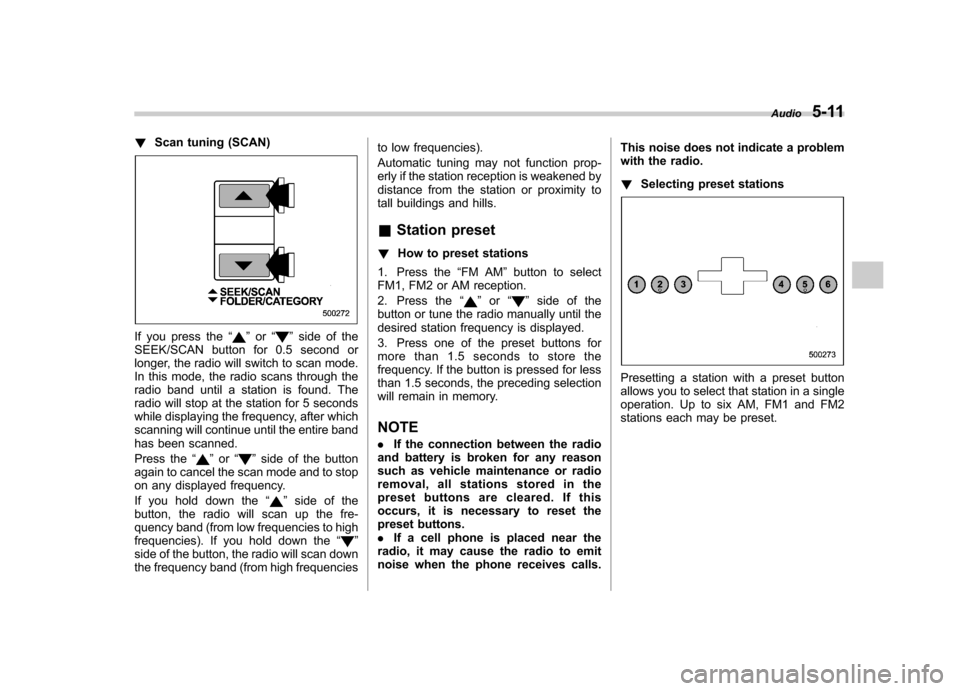
!Scan tuning (SCAN)
If you press the “”or “”side of the
SEEK/SCAN button for 0.5 second or
longer, the radio will switch to scan mode.
In this mode, the radio scans through the
radio band until a station is found. The
radio will stop at the station for 5 seconds
while displaying the frequency, after which
scanning will continue until the entire band
has been scanned.
Press the “
”or “”side of the button
again to cancel the scan mode and to stop
on any displayed frequency.
If you hold down the “
”side of the
button, the radio will scan up the fre-
quency band (from low frequencies to high
frequencies). If you hold down the “
”
side of the button, the radio will scan down
the frequency band (from high frequencies to low frequencies).
Automatic tuning may not function prop-
erly if the station reception is weakened by
distance from the station or proximity to
tall buildings and hills. &
Station preset
! How to preset stations
1. Press the “FM AM ”button to select
FM1, FM2 or AM reception.
2. Press the “
”or “”side of the
button or tune the radio manually until the
desired station frequency is displayed.
3. Press one of the preset buttons for
more than 1.5 seconds to store the
frequency. If the button is pressed for less
than 1.5 seconds, the preceding selection
will remain in memory. NOTE . If the connection between the radio
and battery is broken for any reason
such as vehicle maintenance or radio
removal, all stations stored in the
preset buttons are cleared. If this
occurs, it is necessary to reset the
preset buttons.. If a cell phone is placed near the
radio, it may cause the radio to emit
noise when the phone receives calls. This noise does not indicate a problem
with the radio. !
Selecting preset stations
Presetting a station with a preset button
allows you to select that station in a single
operation. Up to six AM, FM1 and FM2
stations each may be preset. Audio
5-11
Page 209 of 447
5-14Audio
& Channel preset
! How to preset channels
1. Press the “SAT ”button to select SAT1,
SAT2 and SAT3 reception.
2. Press the SEEK/SCAN button or the
TUNE TRACK button to select the chan-nel.
3. Press one of the preset buttons for
more than 1.5 seconds to store the
channel. If the button is pressed for less
than 1.5 seconds, the preceding selection
will remain in memory. NOTE
If the connection between the radio and
battery is broken for any reason such
as vehicle maintenance or radio re-
moval, all channels stored in the preset
buttons are cleared. If this occurs, it is
necessary to reset the preset buttons. !
Selecting preset channels
Presetting a channel with a preset button
allows you to select that channel in a
single operation. Up to six SAT1, SAT2
and SAT3 channels each may be preset. &
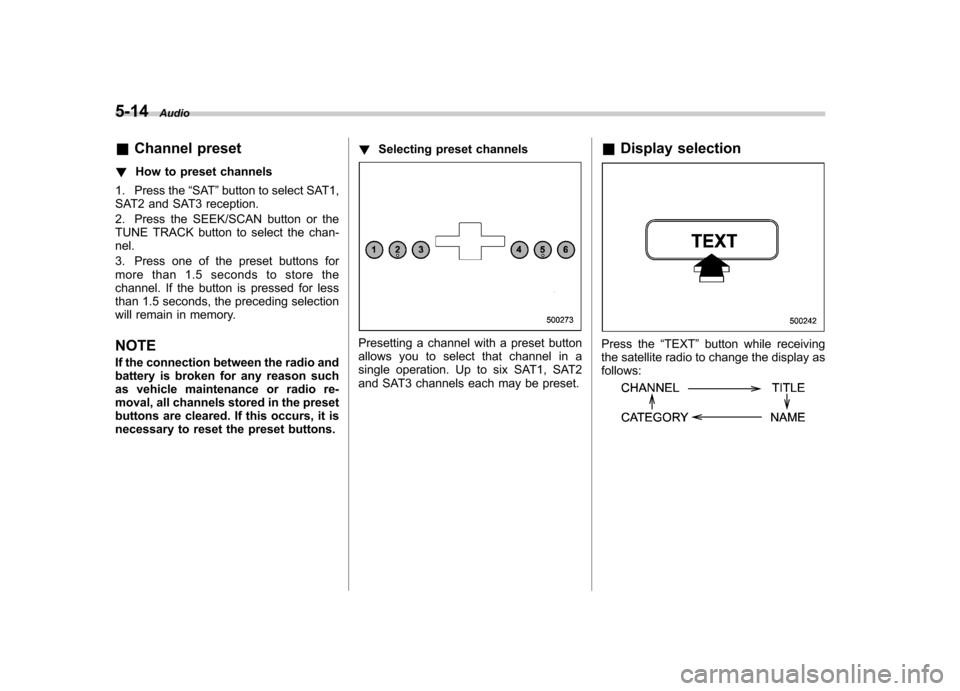
Display selectionPress the “TEXT ”button while receiving
the satellite radio to change the display as follows:
Page 225 of 447

6-2Interior equipment
Interior light
When leaving your vehicle, make sure the
light is turned off to avoid battery dis-charge. &Dome light
1) ON
2) DOOR
3) OFF
The dome light switch has three positions: ON: The light stays on continuously.
OFF: The light stays off.
DOOR: The light illuminates when any of
the doors or the rear gate (Station wagon)
is opened. The light remains on for several
seconds and gradually turns off after all
doors and the rear gate are closed. Also, the light turns off when the key is turned to the
“Acc ”or “ON ”position.
When the dome light switch is in theDOOR position, the dome light also
illuminates by use of the remote keyless
entry system.
The setting of the period for which the light
stays on can be changed as follows. . Vehicles with genuine SUBARU na-
vigation system:
The setting can be changed using the
monitor. For details, please refer to theOwner ’s Manual supplement for the moni-
tor system. Also, the setting can be
changed by a SUBARU dealer. Contact
the nearest SUBARU dealer for details. . Vehicles without genuine SUBARU
navigation system:
The setting can be changed by a
SUBARU dealer. Contact the nearest
SUBARU dealer for details. &
Cargo area light (Station wa- gon)
1) DOOR
2) OFF
3) ON
The cargo area light switch has three positions. DOOR: The light illuminates only when
the rear gate is opened.OFF: The light stays off.
ON: The light stays on continuously.
Page 226 of 447
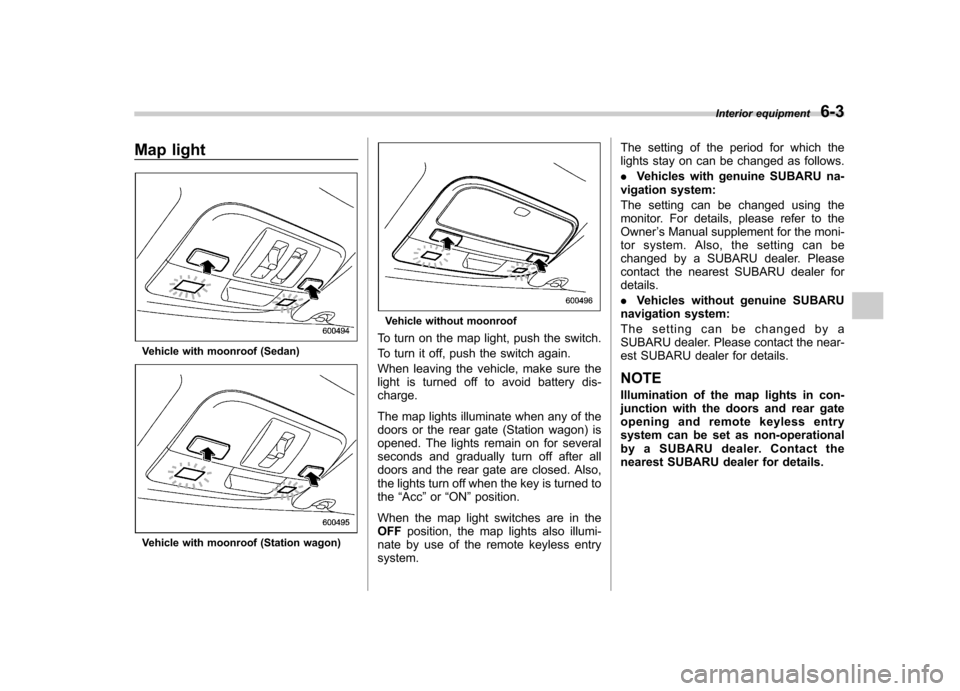
Map light
Vehicle with moonroof (Sedan)
Vehicle with moonroof (Station wagon)
Vehicle without moonroof
To turn on the map light, push the switch.
To turn it off, push the switch again.
When leaving the vehicle, make sure the
light is turned off to avoid battery dis-charge.
The map lights illuminate when any of the
doors or the rear gate (Station wagon) is
opened. The lights remain on for several
seconds and gradually turn off after all
doors and the rear gate are closed. Also,
the lights turn off when the key is turned tothe “Acc ”or “ON ”position.
When the map light switches are in theOFF position, the map lights also illumi-
nate by use of the remote keyless entrysystem. The setting of the period for which the
lights stay on can be changed as follows. .
Vehicles with genuine SUBARU na-
vigation system:
The setting can be changed using the
monitor. For details, please refer to theOwner ’s Manual supplement for the moni-
tor system. Also, the setting can be
changed by a SUBARU dealer. Please
contact the nearest SUBARU dealer fordetails. . Vehicles without genuine SUBARU
navigation system:
The setting can be changed by a
SUBARU dealer. Please contact the near-
est SUBARU dealer for details.
NOTE
Illumination of the map lights in con-
junction with the doors and rear gate
opening and remote keyless entry
system can be set as non-operational
by a SUBARU dealer. Contact the
nearest SUBARU dealer for details. Interior equipment
6-3
Page 228 of 447
&Vanity mirror with light
CAUTION
Keep the vanity mirror cover closed
while the car is being driven to avoiddazzle.
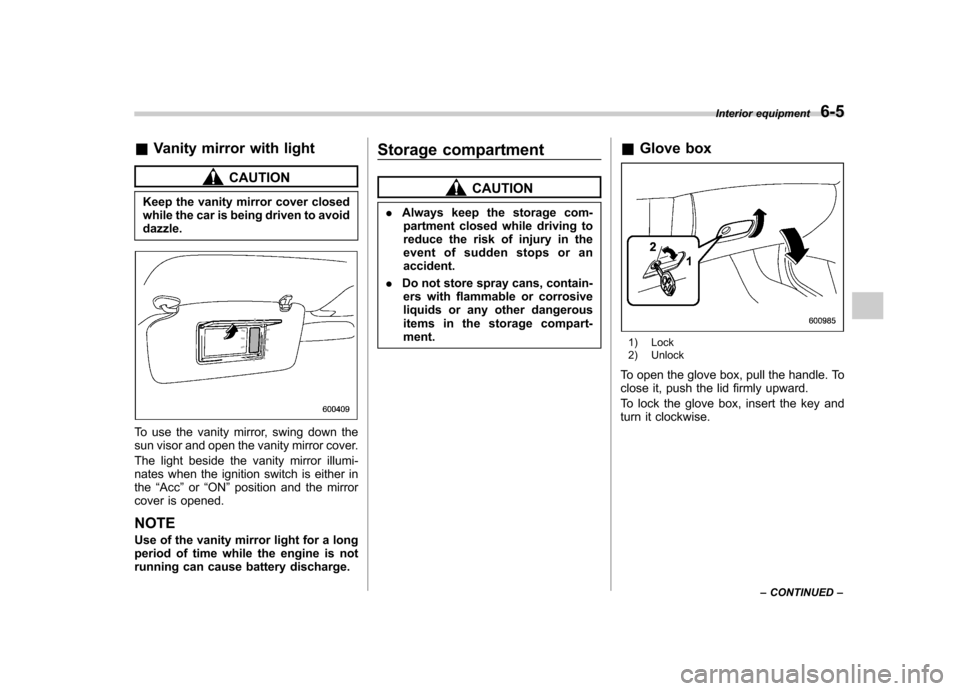
To use the vanity mirror, swing down the
sun visor and open the vanity mirror cover.
The light beside the vanity mirror illumi-
nates when the ignition switch is either inthe “Acc ”or “ON ”position and the mirror
cover is opened.
NOTE
Use of the vanity mirror light for a long
period of time while the engine is not
running can cause battery discharge. Storage compartment
CAUTION
. Always keep the storage com-
partment closed while driving to
reduce the risk of injury in the
event of sudden stops or anaccident.
. Do not store spray cans, contain-
ers with flammable or corrosive
liquids or any other dangerous
items in the storage compart-ment. &
Glove box
1) Lock
2) Unlock
To open the glove box, pull the handle. To
close it, push the lid firmly upward.
To lock the glove box, insert the key and
turn it clockwise. Interior equipment
6-5
– CONTINUED –
Page 232 of 447

&Rear passenger ’s cup holder
The rear passenger ’s cup holder is
located on the lower side of the back of
the center console. To use the cup holder,
open the lid by pulling its upper edge. Accessory power outlets
Power outlet next to the front pocket
Power outlet in the center console
Power outlet in the cargo area (if equipped)
Accessory power outlets are provided
next to the front pocket, in the center
console and in the cargo area. Electrical
power (12V DC) from the battery is
available at any of the outlets when the
ignition switch is in either the “Acc ”or “ON ”
position.
You can use an in-vehicle electrical
appliance by connecting it to an outlet.
The maximum power rating of an appli-
ance that can be connected varies among
outlets as shown in the following list. Do
not use an appliance which exceeds the
indicated wattage for each outlet. . Outlet next to the front pocket: 80W or
less. Outlets in the center console and cargo
area: 120W or less Interior equipment
6-9
– CONTINUED –
Page 233 of 447
6-10Interior equipment
When using appliances connected to two
or more outlets simultaneously, the total
power consumed by them must not
exceed 120W.
CAUTION
. Do not attempt to use a cigarette
lighter in the accessory power outlet.
. Do not place any foreign objects,
especially metal ones such as
coins or aluminum foil, into the
accessory power outlet. That
could cause a short circuit. Al-
ways put the cap on the acces-
sory power outlet when it is not
in use.
. Use only electrical appliances
which are designed for 12V DC.
The maximum power rating of an
appliance that can be connected
varies among outlets as shown in
the following list. Do not use an
appliance which exceeds the in-
dicated wattage for each outlet. – Outlet next to the front pocket:
80W or less
– Outlets in the center console
and cargo area: 120W or less
When using appliances con- nected to two or more outlets
simultaneously, the total power
consumed by them must not
exceed 120W. Overloading the
accessory power outlet can
cause a short circuit. Do not use
double adapters or more than
one electrical appliance.
. If the plug on your electric appli-
ance is either too loose or too
tight for the accessory power
outlet, this can result in a poor
contact or cause the plug to get
stuck. Only use plugs that fit
properly.
. Use of an electric appliance in the
accessory power outlet for a long
period of time while the engine is
not running can cause batterydischarge.
. Before driving your vehicle, make
sure that the plug and the cord
on your electrical appliance will
not interfere with your shifting
gears and operating the accel-
erator and brake pedals. If they
do, do not use the electrical
appliance while driving.
NOTE
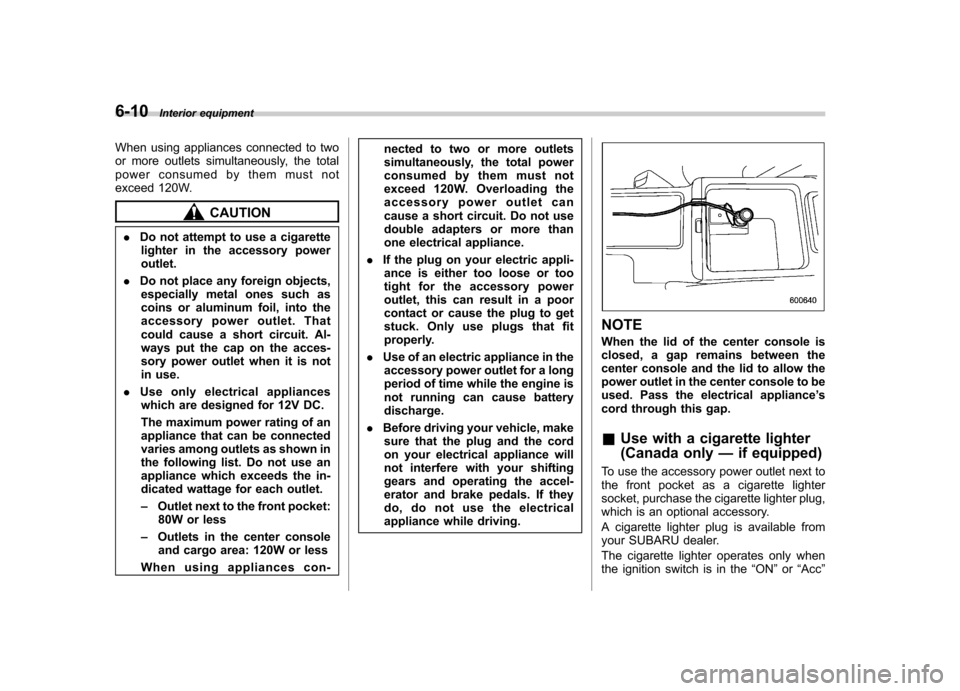
When the lid of the center console is
closed, a gap remains between the
center console and the lid to allow the
power outlet in the center console to be
used. Pass the electrical appliance ’s
cord through this gap.
& Use with a cigarette lighter
(Canada only —if equipped)
To use the accessory power outlet next to
the front pocket as a cigarette lighter
socket, purchase the cigarette lighter plug,
which is an optional accessory.
A cigarette lighter plug is available from
your SUBARU dealer.
The cigarette lighter operates only when
the ignition switch is in the “ON ”or “Acc ”
Page 243 of 447

6-20Interior equipment
NOTE . After programming your HomeLink ®
Wireless Control System for the de-
sired devices, retain the hand-held
transmitters for further programming
or device testing in the event of aproblem.. It is recommended that you insert a
new battery in the hand-held transmit-
ter of a device to ensure correctprogramming.
& Garage door opener pro-
gramming in the U.S.A.
NOTE
When programming the HomeLink ®
Wireless Control System for a garage
door opener, it is suggested that you
park the vehicle outside the garage.
1. Unplug the motor of the garage door
opener from the outlet.
2. Press and hold the two outside
HomeLink® buttons until the indicator light
begins to flash (after 20 seconds). Re-
lease both buttons. NOTE
If any of the HomeLink ®buttons are
already programmed for other devices,
skip step 2 because it clears the
memory of all the three buttons.
3. Hold the end of the garage door opener ’s hand-held transmitter between
1 and 3 inches (25 and 76 mm) away from
the HomeLink® buttons on the driver ’s
sun visor, keeping the indicator light in
view.4. Using both hands, simultaneously
push the hand-held transmitter button
and the desired HomeLink® button. DO
NOT release the buttons until step 5 has
been completed.
5. Hold down both buttons until the
HomeLink® indicator light flashes, first
slowly then rapidly. When the indicator
light flashes rapidly, both buttons may be
released. (The rapidly flashing light indi-
cates successful programming of the new
frequency signal.)
6. Press and hold the programmed but-
ton and check the HomeLink® indicator
light. If the indicator light stays on con-
tinuously, your garage door should acti-
vate and the programming is completed.
If the indicator light flashes rapidly for 2
seconds and then stays on continuously,
Page 260 of 447

7-14Starting and operating
feature ON or OFF each time.
7. To exit the remote transmitter and
feature programming mode, turn the igni-
tion switch to the “LOCK ”position, remove
the key from the ignition switch and test
operation of the remote transmitter(s) and
horn confirmation feature. & System maintenance
! Changing the remote control bat- teries
The two 3-volt lithium batteries (model
CR-1220) supplied in your remote control
should last approximately three years,
depending on usage. When the batteries
begin to weaken, you will notice a
decrease in range (distance from the
vehicle that your remote control operates).
Follow the instructions below to change
the remote control batteries.
1. Carefully pry the remote control halves
apart using a small flat-head screwdriver.2. Remove the circuit board from the
bottom half of the case and slide the white
plastic battery holder out from under the
battery tab releasing the batteries. Re-
move the old batteries and replace with
new ones. Be sure to observe the (+) sign
Page 261 of 447
on the old batteries before removing them
to ensure that the new batteries are
inserted properly (battery“+ ” should be
pointed away from the transmitter circuit
board on both batteries).
3. Carefully snap the case halves back
together, then test the remote control.
NOTE
This device complies with Part 15 of
the FCC Rules and with RSS-210 of
Industry Canada. Operation is subject
to the following two conditions: (1) This
device may not cause harmful inter-
ference, and (2) this device must
accept any interference received, in-
cluding interference that may cause
undesired operation.
Changes or modifications not ex-
pressly approved by the party respon-
sible for compliance could void theuser ’s authority to operate the equip-
ment. Manual transmission
–5
speeds
WARNING
Do not drive the vehicle with the
clutch disengaged (i.e., when the
clutch pedal is depressed) or with
the shift lever in the neutral position.
Engine braking has no effect in
either of these conditions and the
risk of an accident is consequentlyincreased.
CAUTION
Shift into reverse ONLY when the
vehicle has completely stopped. It
may cause damage to the transmis-
sion to try shifting into reverse when
the vehicle is moving.
The manual transmission is a fully syn-
chromeshed, 5-forward-speed and 1-re-
verse-speed transmission.
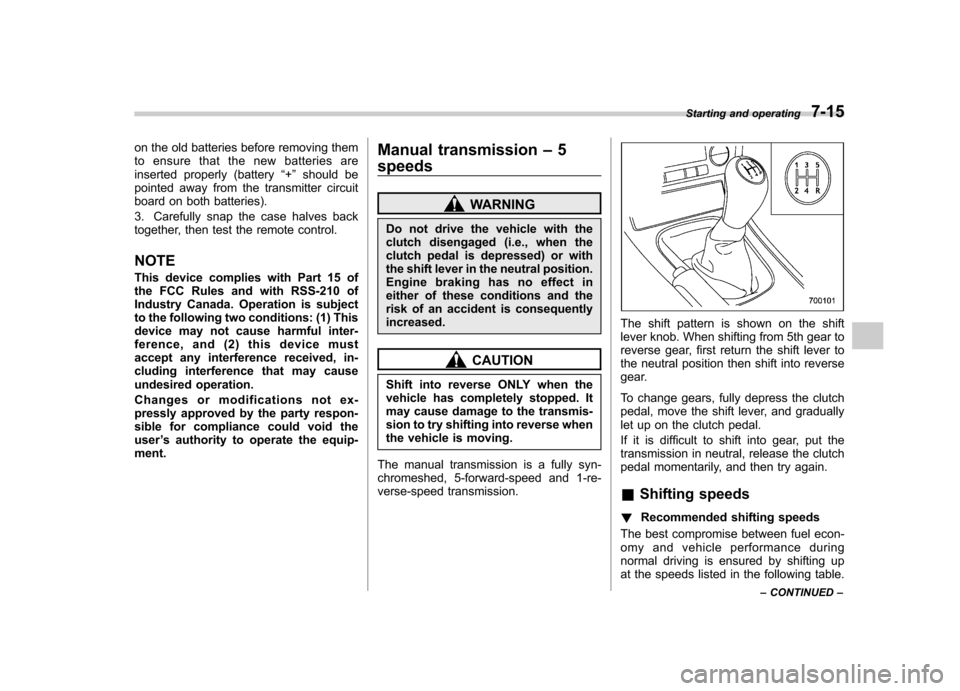
The shift pattern is shown on the shift
lever knob. When shifting from 5th gear to
reverse gear, first return the shift lever to
the neutral position then shift into reverse
gear.
To change gears, fully depress the clutch
pedal, move the shift lever, and gradually
let up on the clutch pedal.
If it is difficult to shift into gear, put the
transmission in neutral, release the clutch
pedal momentarily, and then try again. & Shifting speeds
! Recommended shifting speeds
The best compromise between fuel econ-
omy and vehicle performance during
normal driving is ensured by shifting up
at the speeds listed in the following table. Starting and operating
7-15
– CONTINUED –