display SUBARU OUTBACK 2009 5.G Owner's Manual
[x] Cancel search | Manufacturer: SUBARU, Model Year: 2009, Model line: OUTBACK, Model: SUBARU OUTBACK 2009 5.GPages: 447, PDF Size: 14.26 MB
Page 146 of 447

Driver’s information Details
Low temperature information
This message is displayed when the outside temperature is 378F(3 8C).
When this message appears on the display, be careful because the road
surface may be frozen. For details of this indication, refer to the “Outside
temperature and journey time ”section in this chapter.
Rest information
This message shows that the continuous driving time has reached 2 hours,
and a notice is displayed to take a rest. If you continue to drive the vehicle
without stopping the engine, the display is indicated after every hour that
has elapsed. For details of this indication, refer to the “
Outside temperature
and journey time ”section in this chapter. Instruments and controls
3-23
Page 147 of 447

3-24Instruments and controls
Meters and gauges (vehicle
without SI-DRIVE) NOTE
Liquid-crystal displays are used in
some of the meters and gauges in the
combination meter. You will find their
indications hard to see if you wear
polarized glasses. &Combination meter illumina- tion
When the ignition switch is turned to the “ ON ”position, the various parts of the
combination meter are illuminated in the
following sequence:
1. Combination meter dials light up.
2. Meter needles and gauge needles
each show MAX position.
3. Meter needles and gauge needles
each show MIN position.
4. Regular illumination (for driving) be- gins.
NOTE
The above sequence of operations may
not take place if you quickly turn the
ignition switch to start the engine. This
is not an abnormality. &
Canceling the function for
meter/gauge needle move-
ment upon turning on the
ignition switch
It is possible to activate or deactivate the
movement of the meter needles and
gauge needles that takes place when the
ignition switch is turned to the “ON ”
position.
Turn the ignition switch to the “Acc ”
position. With the A trip meter indication
selected, briefly press the trip knob twice.
You can now establish the activated/
deactivated setting for movement of the
meter needles and gauge needles. To
change the current setting, press the trip
knob for at least 2 seconds.
: Activated
: Deactivated
Briefly press the knob to return to the A trip
meter indication.
If you turn the ignition switch to the “ LOCK ”position, turn the ignition switch
to the “ON ”position, or open and close the
driver ’s door during the setting procedure,
the new setting will be canceled. Also, if
you do not press the trip knob for a period
of 10 seconds, the new setting will becanceled.
NOTE
It is not possible to cancel sequential
illumination of the combination meter
while sequential illumination is actually
taking place. Cancel sequential illumi-
nation when regular illumination (for
driving) has begun. & Speedometer
The speedometer shows the vehicle speed.
Page 148 of 447

&Odometer
This meter displays the odometer when
the ignition switch is in the “LOCK ”, “Acc ”
or “ON ”position.
The odometer shows the total distance
that the vehicle has been driven.
If you press the trip knob when the ignition
switch is in the “LOCK ”position, the
odometer/trip meter will light up. If you
do not press the trip knob within 10
seconds of illumination of the odometer/
trip meter, the odometer/trip meter will go
off.
Also, if you open and close the driver ’s
door within 10 seconds of illumination of
the odometer/trip meter, the odometer/trip
meter will go off. &
Double trip meterThis meter displays the two trip meters
when the ignition switch is in the “LOCK ”,
“ Acc ”or “ON ”position.
The trip meter shows the distance that the
vehicle has been driven since you last set
it to zero.
To change the mode indication, briefly
push the knob.
Each press of the knob changes the mode
indication alternately.
To set the trip meter to zero, select the A
trip or B trip meter by pushing the knob
and keep the knob pushed for more than 2seconds.
If you press the trip knob when the ignition
switch is in the “LOCK ”position, the
odometer/trip meter will light up. It is
possible to switch between the A trip
meter and B trip meter indications while
the odometer/trip meter is lit up. If you do
not press the trip knob within 10 seconds
of illumination of the odometer/trip meter,
the odometer/trip meter will go off.
Also, if you open and close the driver ’s
door within 10 seconds of illumination of
the odometer/trip meter, the odometer/trip
meter will go off.
CAUTION
To ensure safety, do not attempt to
change the function of the indicator
during driving, as an accident couldresult.
NOTE
If the connection between the combina-
tion meter and battery is broken for any
reason such as vehicle maintenance or
fuse replacement, the data recorded on
the trip meter will be lost. Instruments and controls
3-25
– CONTINUED –
Page 159 of 447
3-36Instruments and controls
what harder to control.
If the brake system warning light and ABS
warning light illuminate simultaneously,
take the following steps:
1. Stop the vehicle in the nearest safe,
flat place.
2. Shut down the engine, then restart it.
3. Release the parking brake. If both
warning lights go out, the EBD system
may be faulty.
Drive carefully to the nearest SUBARU
dealer and have the system inspected.
4. If both warning lights illuminate again
and stay illuminated after the engine has
been restarted, shut down the engine
again, apply the parking brake, and check
the brake fluid level.
5. If the brake fluid level is not below the “MIN ”mark, the EBD system may be
faulty. Drive carefully to the nearest
SUBARU dealer and have the systeminspected.
6. If the brake fluid level is below the “ MIN ”mark, DO NOT drive the vehicle.
Instead, have the vehicle towed to the
nearest SUBARU dealer for repair.
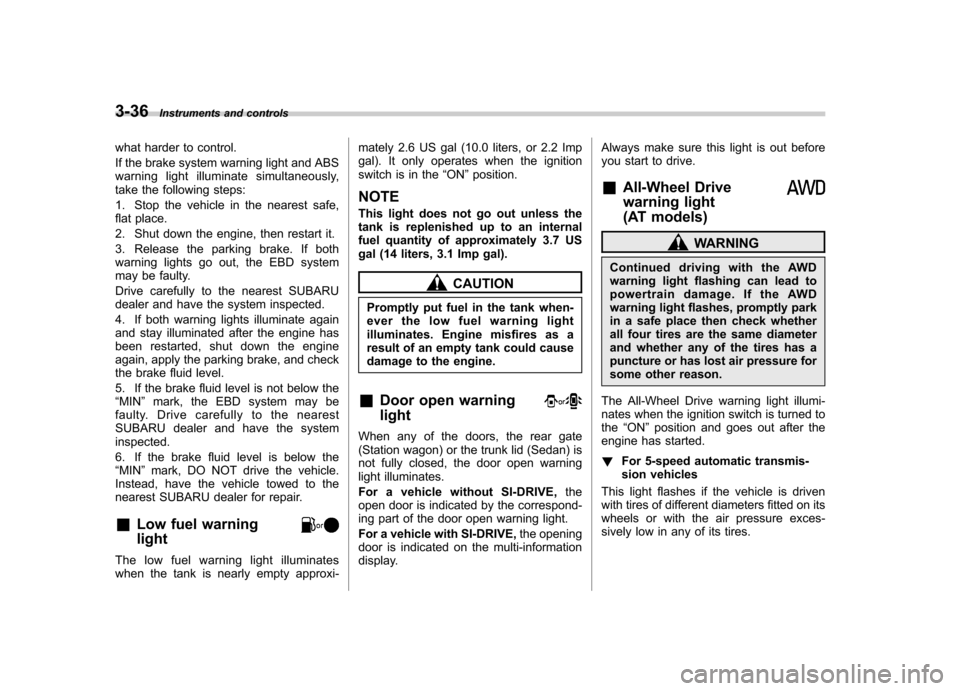
& Low fuel warning light
The low fuel warning light illuminates
when the tank is nearly empty approxi- mately 2.6 US gal (10.0 liters, or 2.2 Imp
gal). It only operates when the ignition
switch is in the
“ON ”position.
NOTE
This light does not go out unless the
tank is replenished up to an internal
fuel quantity of approximately 3.7 US
gal (14 liters, 3.1 Imp gal).
CAUTION
Promptly put fuel in the tank when-
ever the low fuel warning light
illuminates. Engine misfires as a
result of an empty tank could cause
damage to the engine.
& Door open warning light
When any of the doors, the rear gate
(Station wagon) or the trunk lid (Sedan) is
not fully closed, the door open warning
light illuminates.
For a vehicle without SI-DRIVE, the
open door is indicated by the correspond-
ing part of the door open warning light.
For a vehicle with SI-DRIVE, the opening
door is indicated on the multi-information
display. Always make sure this light is out before
you start to drive. &
All-Wheel Drive
warning light
(AT models)
WARNING
Continued driving with the AWD
warning light flashing can lead to
powertrain damage. If the AWD
warning light flashes, promptly park
in a safe place then check whether
all four tires are the same diameter
and whether any of the tires has a
puncture or has lost air pressure for
some other reason.
The All-Wheel Drive warning light illumi-
nates when the ignition switch is turned tothe “ON ”position and goes out after the
engine has started. ! For 5-speed automatic transmis-
sion vehicles
This light flashes if the vehicle is driven
with tires of different diameters fitted on its
wheels or with the air pressure exces-
sively low in any of its tires.
Page 164 of 447

Clock (vehicle without genu-
ine SUBARU navigation sys-tem) NOTE .If your vehicle is a 2.5 L non-turbo
model equipped with the genuine
SUBARU navigation system, refer to
the Owner ’s Manual supplement for the
navigation system.. If your vehicle is a turbo model or a
3.0 L model equipped with the genuine
SUBARU navigation system, refer tothe “Clock (vehicle with genuine
SUBARU navigation system) ”in the
multi-information display (vehicle with
SI-DRIVE) section in this chapter.The clock shows the time while the
ignition switch is in the “Acc ”or “ON ”
position.
To adjust the time shown by the clock,
press the “+ ” button or the “ ” button. The
indicated time will change in one-minute
increments. If you keep the button
pressed, the rate at which the indicated
time changes will speed up.
To reset the minutes to “00 ”with a radio
time signal, push the “SET ”button. Information display (2.5 L
non-turbo model without
genuine SUBARU navigationsystem) NOTE
If your vehicle is a 2.5 L non-turbo
model equipped with the genuine
SUBARU navigation system, refer to
the Owner
’s Manual supplement for the
monitor system.
With the ignition switch in the “ON ”
position, each successive push of the “ DISP ”button toggles the display in the
following sequence: Instruments and controls
3-41
– CONTINUED –
Page 166 of 447

378F(3 8C) or lower, the temperature
indication flashes to show that the road
surface may be frozen.
If the outside temperature drops to 37 8F
(3 8C) or lower while the display is giving
an indication other than the outside
temperature, the display switches to the
outside temperature indication and flashes
for 5 seconds before returning to its
original indication.
If the display is already indicating an
outside temperature of 37 8F(3 8C) or lower
when the ignition switch is turned to the“ ON ”position, the indication does not
flash.
NOTE
The outside temperature indication
may differ from the actual outside
temperature. The road surface freeze
warning indication should be treated
only as a guide. Be sure to check the
condition of the road surface beforedriving. &
Current fuel consumption
U.S.-spec. models
Canada-spec. models
This indication shows the rate of fuel
consumption at the present moment. &
Average fuel consumption
U.S.-spec. models
Canada-spec. models
This indication shows the average rate of
fuel consumption since the trip meter was Instruments and controls
3-43
– CONTINUED –
Page 167 of 447

3-44Instruments and controls
last reset.
Pressing the trip knob toggles the indica-
tion between the average fuel consump-
tion corresponding to the A trip meter
indication and the average fuel consump-
tion corresponding to the B trip meterindication.
When either of the trip meter indications is
reset, the corresponding average fuel
consumption value is also reset. NOTE . The indicated values vary in accor-
dance with changes in the vehicle ’s
running conditions. Also, the indicated
values may differ slightly from the
actual values and should thus be
treated only as a guide.. When either trip meter indication is
reset, the average fuel consumption
corresponding to that trip meter indica-
tion is not shown until the vehicle has
subsequently covered a distance of 1
mile (or 1 km). &
Driving range on remaining fuel
U.S.-spec. models
Canada-spec. models
The driving range indicates the distance that can be driven taking into account the
amount of fuel remaining in the tank and
the average rate of fuel consumption.
When the low fuel warning light illumi-
nates, the driving range indication flashes
for 5 seconds. (The display first switches
to the driving range indication if it was
originally giving some other indication.)
U.S.-spec. models
Page 168 of 447
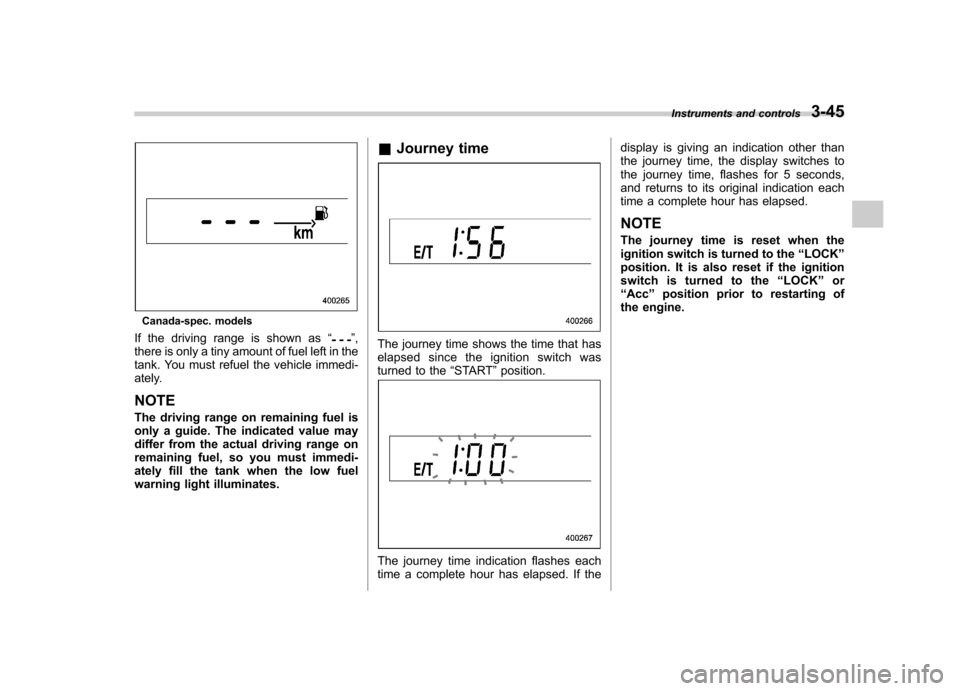
Canada-spec. models
If the driving range is shown as “
”,
there is only a tiny amount of fuel left in the
tank. You must refuel the vehicle immedi-
ately. NOTE
The driving range on remaining fuel is
only a guide. The indicated value may
differ from the actual driving range on
remaining fuel, so you must immedi-
ately fill the tank when the low fuel
warning light illuminates. &
Journey timeThe journey time shows the time that has
elapsed since the ignition switch was
turned to the “START ”position.
The journey time indication flashes each
time a complete hour has elapsed. If the display is giving an indication other than
the journey time, the display switches to
the journey time, flashes for 5 seconds,
and returns to its original indication each
time a complete hour has elapsed. NOTE
The journey time is reset when the
ignition switch is turned to the
“LOCK ”
position. It is also reset if the ignition
switch is turned to the “LOCK ”or
“ Acc ”position prior to restarting of
the engine. Instruments and controls
3-45
Page 171 of 447
3-48Instruments and controls
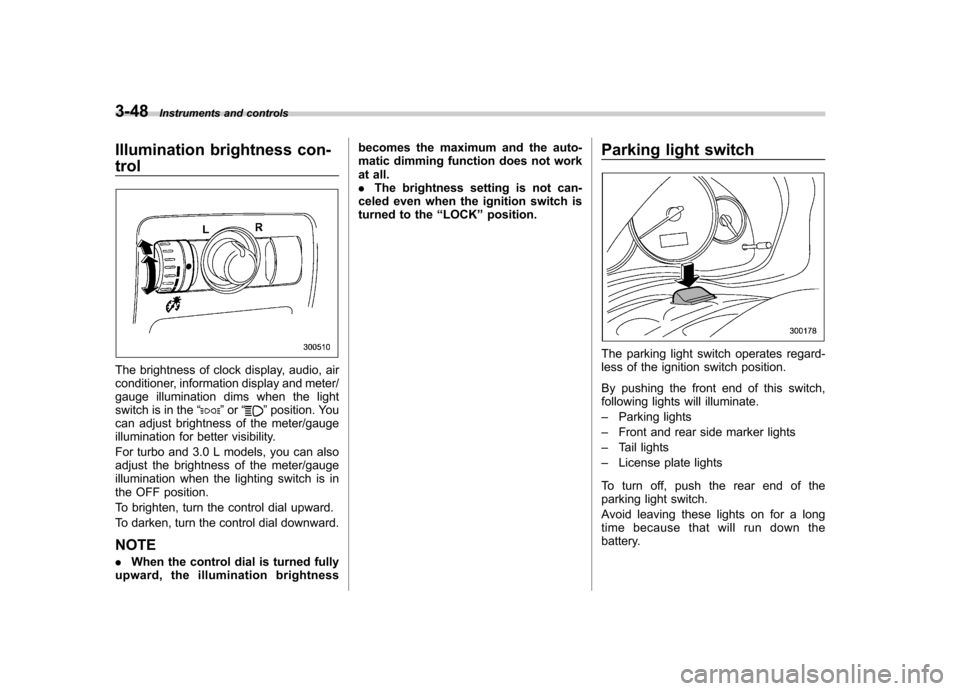
Illumination brightness con- trol
The brightness of clock display, audio, air
conditioner, information display and meter/
gauge illumination dims when the light
switch is in the “
”or “”position. You
can adjust brightness of the meter/gauge
illumination for better visibility.
For turbo and 3.0 L models, you can also
adjust the brightness of the meter/gauge
illumination when the lighting switch is in
the OFF position.
To brighten, turn the control dial upward.
To darken, turn the control dial downward. NOTE . When the control dial is turned fully
upward, the illumination brightness becomes the maximum and the auto-
matic dimming function does not work
at all..
The brightness setting is not can-
celed even when the ignition switch is
turned to the “LOCK ”position. Parking light switch
The parking light switch operates regard-
less of the ignition switch position.
By pushing the front end of this switch,
following lights will illuminate. –
Parking lights
– Front and rear side marker lights
– Tail lights
– License plate lights
To turn off, push the rear end of the
parking light switch.
Avoid leaving these lights on for a long
time because that will run down the
battery.
Page 179 of 447
3-56Instruments and controls
Mirrors
Always check that the inside and outside
mirrors are properly adjusted before you
start driving. &Inside mirror
The inside mirror has a day and night
position. Pull the tab at the bottom of the
mirror toward you for the night position.
Push it away for the day position. The
night position reduces glare from head-lights. &
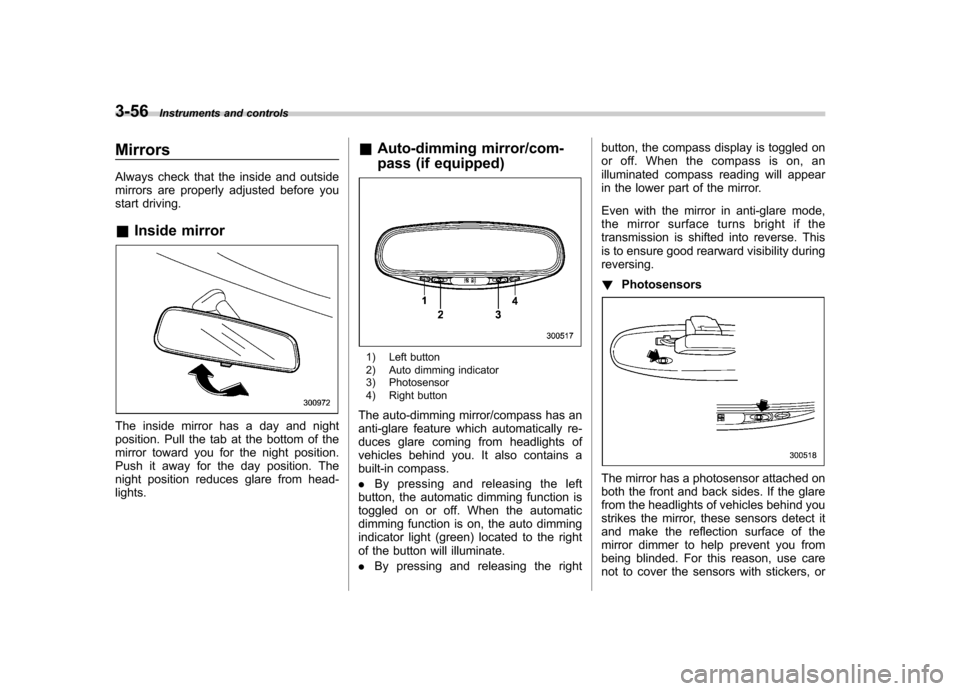
Auto-dimming mirror/com-
pass (if equipped)
1) Left button
2) Auto dimming indicator
3) Photosensor
4) Right button
The auto-dimming mirror/compass has an
anti-glare feature which automatically re-
duces glare coming from headlights of
vehicles behind you. It also contains a
built-in compass. . By pressing and releasing the left
button, the automatic dimming function is
toggled on or off. When the automatic
dimming function is on, the auto dimming
indicator light (green) located to the right
of the button will illuminate. . By pressing and releasing the right button, the compass display is toggled on
or off. When the compass is on, an
illuminated compass reading will appear
in the lower part of the mirror.
Even with the mirror in anti-glare mode,
the mirror surface turns bright if the
transmission is shifted into reverse. This
is to ensure good rearward visibility duringreversing. !
Photosensors
The mirror has a photosensor attached on
both the front and back sides. If the glare
from the headlights of vehicles behind you
strikes the mirror, these sensors detect it
and make the reflection surface of the
mirror dimmer to help prevent you from
being blinded. For this reason, use care
not to cover the sensors with stickers, or