light SUBARU OUTBACK 2010 5.G Owners Manual
[x] Cancel search | Manufacturer: SUBARU, Model Year: 2010, Model line: OUTBACK, Model: SUBARU OUTBACK 2010 5.GPages: 448, PDF Size: 7.36 MB
Page 196 of 448

5-20Audio
if you press “FM ”, “AM ”or “SAT ”button,
the player will enter standby mode. Press the “CD/AUX ”button to start playback.
! Loading all the magazine (full disc
loading mode)
1. If you continue to press the “LOAD ”
button for more than 1.5 seconds, the
player will produce beep sound and will
enter the full disc loading mode.
2. When the disc number indicator
flashes and “ALL LOAD ”indicator illumi-
nates, insert a disc within 15 seconds. If a
disc is successfully loaded during this
period, the disc number indicator will stop
blinking and will steadily light.
3. When the loading of a disc is com-
plete, the next idle disc number indicator
will blink. Then repeat step 2. 4. When the magazine is filled with discs
by repeating steps 2 and 3, the player will
start playback of the discs, beginning with
the one inserted first.
If you fail to insert any disc during each 15
seconds interval, the full disc loading
mode will be canceled, and the player will
start playback of the disc inserted first.
& How to play back a CD
NOTE
For type A audio, if a disc that the
player cannot read has been loaded,
the player will display the message “ CHECK DISC ”.
! When there is no CD inserted
Insert a CD by referring to “How to insert a
CD (type A) ”F 5-18 / “How to insert a CD
(s) (type B) ”F 5-18.
When a CD is loaded, the player will start
playback of the CD, beginning with the
first track. !
When CD is in the player (type A)/
When playing back all CDs in the
player (type B)
When the “CD/AUX ”button is pressed, the
player will start playback.
Page 197 of 448

!When selecting a CD to play (type B)
Disc select buttons
Press a desired one of the disc select
buttons the disc number indicator of which
steadily lights up. The player will then start
playback of the selected CD, beginning
with the first track. &
To select a track from its beginning
! Forward direction
Turn the “TUNE/TRACK/CH ”dial clock-
wise to skip to the beginning of the next
track/file (track). Each time the dial is
turned, the indicated track/file (track)
number will increase. NOTE
In an MP3, WMA or AAC folder, skip-
ping past the last track/file (track) will
take you back to the first track/file
(track) in the folder. !
Backward direction
Turn the “TUNE/TRACK/CH ”dial counter-
clockwise to skip to the beginning of the
current track/file (track). Each time the dial
is turned, the indicated track/file (track)
number will decrease. NOTE
In an MP3, WMA or AAC folder, skip-
ping past the first track/file (track) will
take you to the last track/file (track) in
the folder. Audio
5-21
– CONTINUED –
Page 206 of 448
5-30Audio
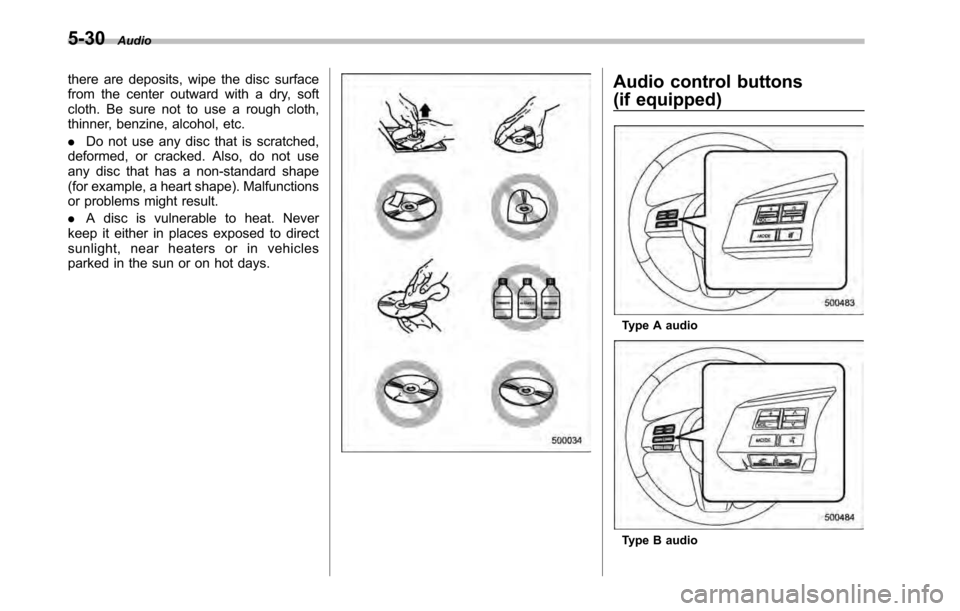
there are deposits, wipe the disc surface
from the center outward with a dry, soft
cloth. Be sure not to use a rough cloth,
thinner, benzine, alcohol, etc. .Do not use any disc that is scratched,
deformed, or cracked. Also, do not use
any disc that has a non-standard shape
(for example, a heart shape). Malfunctions
or problems might result. . A disc is vulnerable to heat. Never
keep it either in places exposed to direct
sunlight, near heaters or in vehicles
parked in the sun or on hot days.Audio control buttons
(if equipped)
Type A audio
Type B audio
Page 219 of 448

Interior light......................................................... 6-2
Dome light .......................................................... 6-2
Map light ............................................................. 6-2
Cargo area light (Outback) ................................... 6-3
Sun visors ........................................................... 6-4
Sun visor extension plate .................................... 6-4
Vanity mirror with light ........................................ 6-5
Storage compartment ......................................... 6-5
Glove box ........................................................... 6-6
Center console box ............................................. 6-6
Overhead console ............................................... 6-8
Pocket (if equipped) ............................................ 6-8
Cup holder ........................................................... 6-8
Front passenger ’s cup holder .............................. 6-9
Rear passenger ’s cup holder ............................... 6-9
Bottle holders ...................................................... 6-9
Accessory power outlets ................................... 6-10 Ashtray (if equipped)
......................................... 6-12
Coat hook ........................................................... 6-13
Shopping bag hook ........................................... 6-14
Legacy .............................................................. 6-14
Outback ............................................................ 6-14
Floor mat ............................................................ 6-14
Cargo area cover (if equipped) ......................... 6-15
Using the cover ................................................. 6-15
To remove the cover housing ... .......................... 6-16
Stowage of the cargo area cover ........................ 6-16
To install the cover housing ............................... 6-17
Convenient tie-down hooks (if equipped) ........ 6-17
Under-floor storage compartment .................... 6-18
Rear view camera (if equipped) ........................ 6-19
How to use the rear view camera ....................... 6-20
Viewing range on the screen .............................. 6-21
Help line ............................................................ 6-22 Interior equipment
6
Page 220 of 448
6-2Interior equipment
Interior light
When leaving your vehicle, make sure the
light is turned off to avoid battery dis-charge. &Dome light
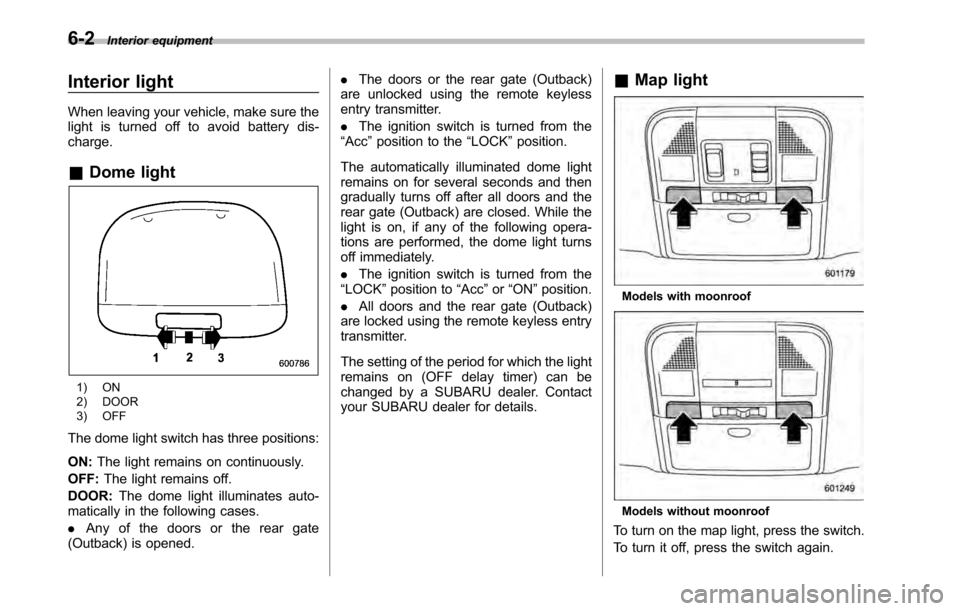
1) ON
2) DOOR
3) OFF
The dome light switch has three positions: ON: The light remains on continuously.
OFF: The light remains off.
DOOR: The dome light illuminates auto-
matically in the following cases. . Any of the doors or the rear gate
(Outback) is opened. .
The doors or the rear gate (Outback)
are unlocked using the remote keyless
entry transmitter. . The ignition switch is turned from the
“ Acc ”position to the “LOCK ”position.
The automatically illuminated dome light
remains on for several seconds and then
gradually turns off after all doors and the
rear gate (Outback) are closed. While the
light is on, if any of the following opera-
tions are performed, the dome light turns
off immediately. . The ignition switch is turned from the
“ LOCK ”position to “Acc ”or “ON ”position.
. All doors and the rear gate (Outback)
are locked using the remote keyless entry
transmitter.
The setting of the period for which the light
remains on (OFF delay timer) can be
changed by a SUBARU dealer. Contact
your SUBARU dealer for details. &
Map light
Models with moonroof
Models without moonroof
To turn on the map light, press the switch.
To turn it off, press the switch again.
Page 221 of 448
When leaving the vehicle, make sure the
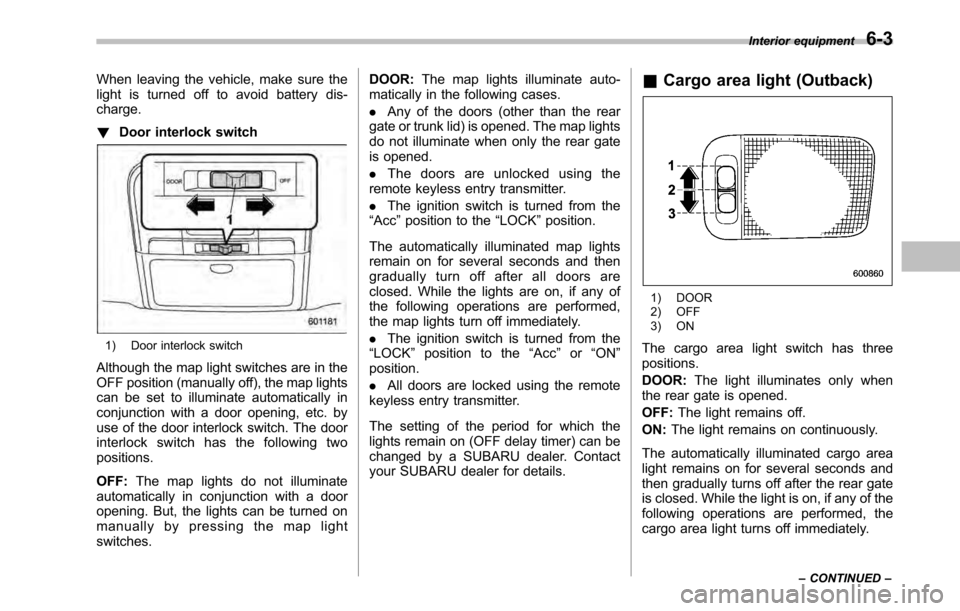
light is turned off to avoid battery dis-charge. !Door interlock switch
1) Door interlock switch
Although the map light switches are in the
OFF position (manually off), the map lights
can be set to illuminate automatically in
conjunction with a door opening, etc. by
use of the door interlock switch. The door
interlock switch has the following twopositions. OFF: The map lights do not illuminate
automatically in conjunction with a door
opening. But, the lights can be turned on
manually by pressing the map lightswitches. DOOR:
The map lights illuminate auto-
matically in the following cases. . Any of the doors (other than the rear
gate or trunk lid) is opened. The map lights
do not illuminate when only the rear gate
is opened. . The doors are unlocked using the
remote keyless entry transmitter.. The ignition switch is turned from the
“ Acc ”position to the “LOCK ”position.
The automatically illuminated map lights
remain on for several seconds and then
gradually turn off after all doors are
closed. While the lights are on, if any of
the following operations are performed,
the map lights turn off immediately. . The ignition switch is turned from the
“ LOCK ”position to the “Acc ”or “ON ”
position. . All doors are locked using the remote
keyless entry transmitter.
The setting of the period for which the
lights remain on (OFF delay timer) can be
changed by a SUBARU dealer. Contact
your SUBARU dealer for details. &
Cargo area light (Outback)
1) DOOR
2) OFF
3) ON
The cargo area light switch has three positions. DOOR: The light illuminates only when
the rear gate is opened.OFF: The light remains off.
ON: The light remains on continuously.
The automatically illuminated cargo area
light remains on for several seconds and
then gradually turns off after the rear gate
is closed. While the light is on, if any of the
following operations are performed, the
cargo area light turns off immediately. Interior equipment
6-3
– CONTINUED –
Page 222 of 448
6-4Interior equipment
.The ignition switch is turned from the
“ LOCK ”position to the “Acc ”or “ON ”
position. . The rear gate is locked using the
remote keyless entry transmitter.
The setting of the period for which the
lights remain on (OFF delay timer) can be
changed by a SUBARU dealer. Contact
your SUBARU dealer for details. Sun visors
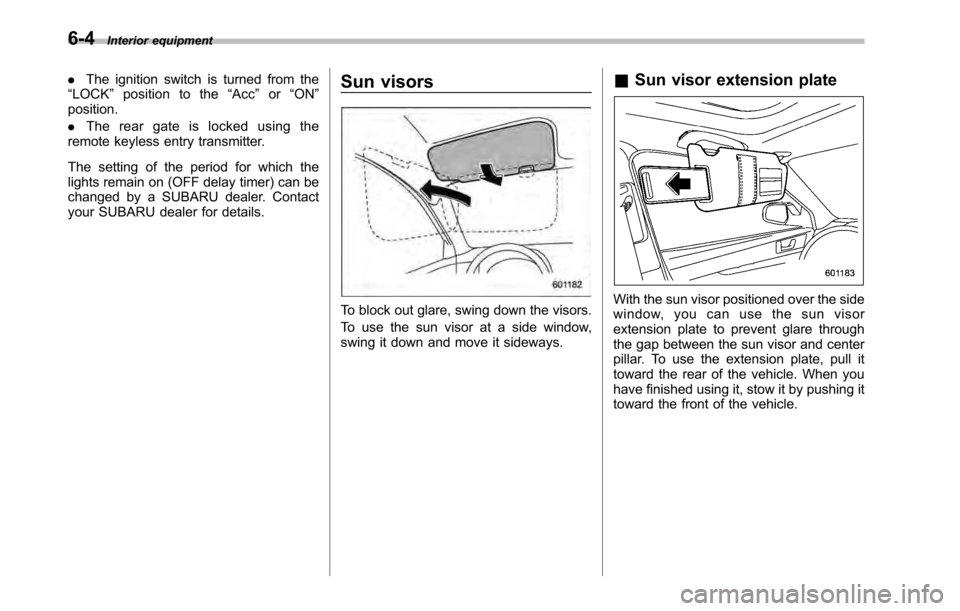
To block out glare, swing down the visors.
To use the sun visor at a side window,
swing it down and move it sideways.&
Sun visor extension plateWith the sun visor positioned over the side
window, you can use the sun visor
extension plate to prevent glare through
the gap between the sun visor and center
pillar. To use the extension plate, pull it
toward the rear of the vehicle. When you
have finished using it, stow it by pushing it
toward the front of the vehicle.
Page 223 of 448
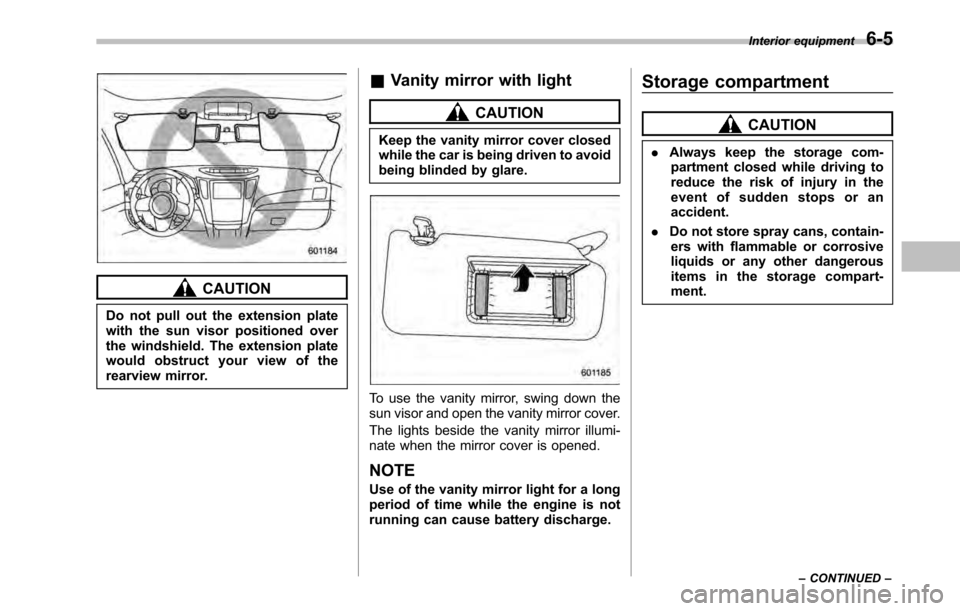
CAUTION
Do not pull out the extension plate
with the sun visor positioned over
the windshield. The extension plate
would obstruct your view of the
rearview mirror. &
Vanity mirror with light
CAUTION
Keep the vanity mirror cover closed
while the car is being driven to avoid
being blinded by glare.
To use the vanity mirror, swing down the
sun visor and open the vanity mirror cover.
The lights beside the vanity mirror illumi-
nate when the mirror cover is opened. NOTE
Use of the vanity mirror light for a long
period of time while the engine is not
running can cause battery discharge. Storage compartment
CAUTION
. Always keep the storage com-
partment closed while driving to
reduce the risk of injury in the
event of sudden stops or anaccident.
. Do not store spray cans, contain-
ers with flammable or corrosive
liquids or any other dangerous
items in the storage compart-ment. Interior equipment
6-5
– CONTINUED –
Page 226 of 448
6-8Interior equipment
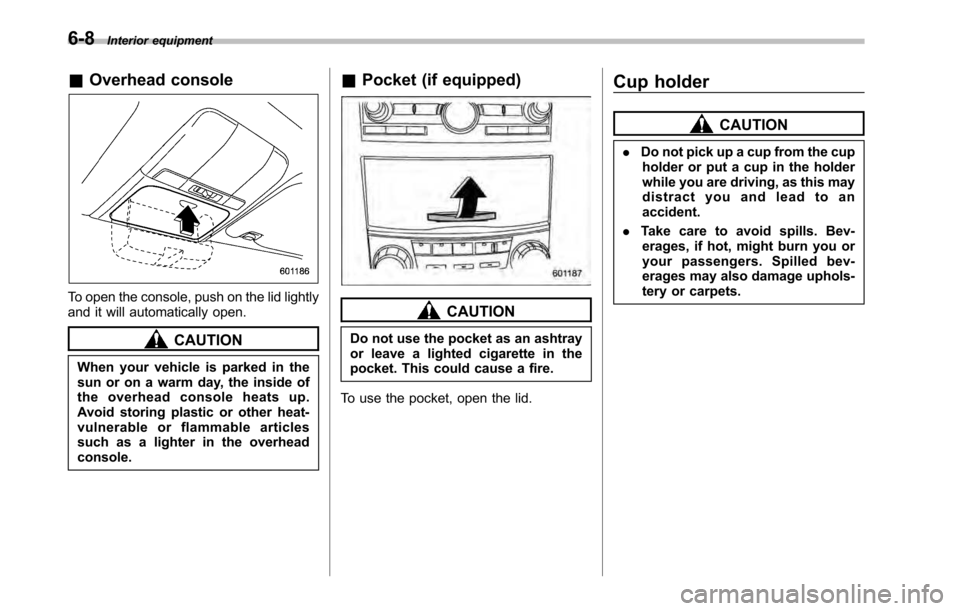
&Overhead console
To open the console, push on the lid lightly
and it will automatically open.
CAUTION
When your vehicle is parked in the
sun or on a warm day, the inside of
the overhead console heats up.
Avoid storing plastic or other heat-
vulnerable or flammable articles
such as a lighter in the overheadconsole. &
Pocket (if equipped)
CAUTION
Do not use the pocket as an ashtray
or leave a lighted cigarette in the
pocket. This could cause a fire.
To use the pocket, open the lid. Cup holder
CAUTION
. Do not pick up a cup from the cup
holder or put a cup in the holder
while you are driving, as this may
distract you and lead to anaccident.
. Take care to avoid spills. Bev-
erages, if hot, might burn you or
your passengers. Spilled bev-
erages may also damage uphols-
tery or carpets.
Page 229 of 448

CAUTION
. Do not attempt to use a cigarette
lighter in the accessory power outlet.
. Do not place any foreign objects,
especially metal ones such as
coins or aluminum foil, into the
accessory power outlet. That
could cause a short circuit. Al-
ways put the cap on the acces-
sory power outlet when it is not
in use.
. Use only electrical appliances
which are designed for 12V DC.
The maximum power rating of an
appliance that can be connected
is 120W. Do not use an appliance
which exceeds the indicated wat-
tage for each outlet.
When using appliances con-
nected to two or more outlets
simultaneously, the total power
consumed by them must not
exceed 120W. Overloading the
accessory power outlet can
cause a short circuit. Do not use
double adapters or more than
one electrical appliance.
. If the plug on your electric appli-
ance is either too loose or too tight for the accessory power
outlet, this can result in a poor
contact or cause the plug to get
stuck. Only use plugs that fit
properly.
. Use of an electric appliance in the
accessory power outlet for a long
period of time while the engine is
not running can cause batterydischarge.
. Before driving your vehicle, make
sure that the plug and the cord
on your electrical appliance will
not interfere with your shifting
gears and operating the accel-
erator and brake pedals. If they
do, do not use the electrical
appliance while driving.
Upper compartment
Lower compartment
NOTE
When the lid of the center console is
closed, a gap remains between the
center console and the lid to allow the Interior equipment
6-11
– CONTINUED –