change time SUBARU OUTBACK 2012 5.G User Guide
[x] Cancel search | Manufacturer: SUBARU, Model Year: 2012, Model line: OUTBACK, Model: SUBARU OUTBACK 2012 5.GPages: 474, PDF Size: 17.45 MB
Page 142 of 474
&Cruise control indica-
tor light
This light illuminates when the “CRUISE ”
main switch is pressed to activate the
cruise control function. NOTE . If you press the main switch button
while turning the ignition switch “ON ”,
the cruise control function is deacti-
vated and the “CRUISE ”indicator light
flashes. To reactivate the cruise control
function, turn the ignition switch back
to the “Acc ”or “LOCK ”position, and
then turn it again to the “ON ”position.
. If this indicator light and the CHECK
ENGINE warning light/malfunction in-
dicator light flash simultaneously dur-
ing driving, have the vehicle checked
by your nearest SUBARU dealer.
& Cruise control set in-
dicator light
This light illuminates when vehicle speed
has been set to use the cruise controlfunction. &
Headlight indicator light
This indicator light illuminates under the
following conditions. .when the light switch is turned to the
“
” or “”position
. when the light switch is in the “AUTO ”
position and the headlights illuminate automatically & Front fog light indicator
light (if equipped)
This indicator light illuminates while the
front fog lights are illuminated. Clock NOTE
Your SUBARU dealer can change the
settings of activating/deactivating the
automatic adjustment of the clock by
the GPS (Global Positioning System)
(for models with the genuine SUBARU
navigation system). Contact your
SUBARU dealer for details.
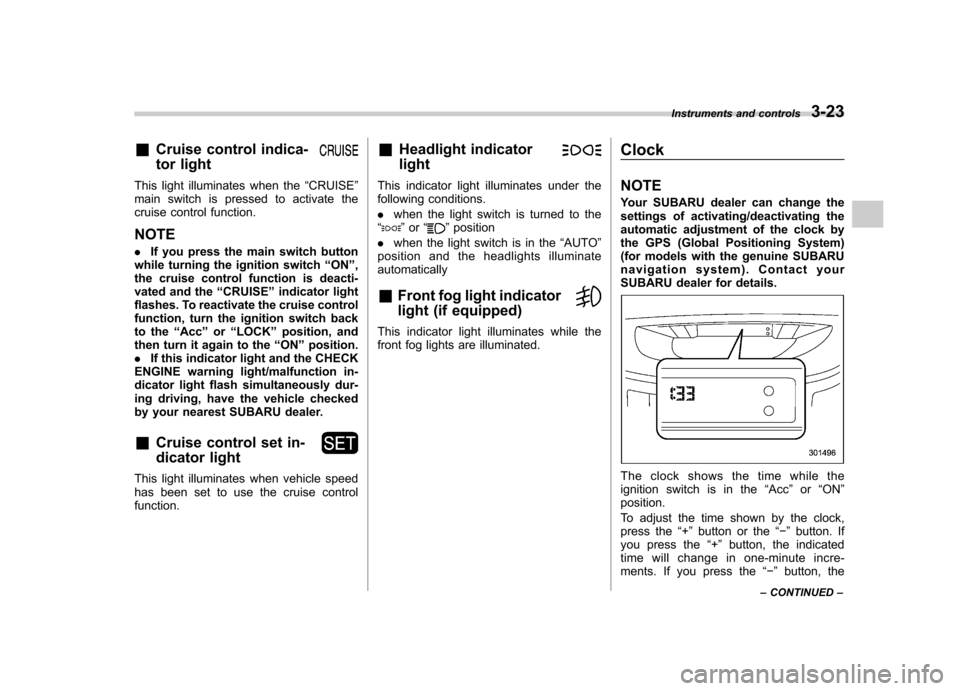
The clock shows the time while the
ignition switch is in the
“Acc ”or “ON ”
position.
To adjust the time shown by the clock,
press the “+ ” button or the “ ” button. If
you press the “+ ” button, the indicated
time will change in one-minute incre-
ments. If you press the “ ” button, the
Instruments and controls
3-23
– CONTINUED –
Page 143 of 474
3-24Instruments and controls
indicated time will change in one-minute
decrements. If you keep the button
pressed, the rate at which the indicated
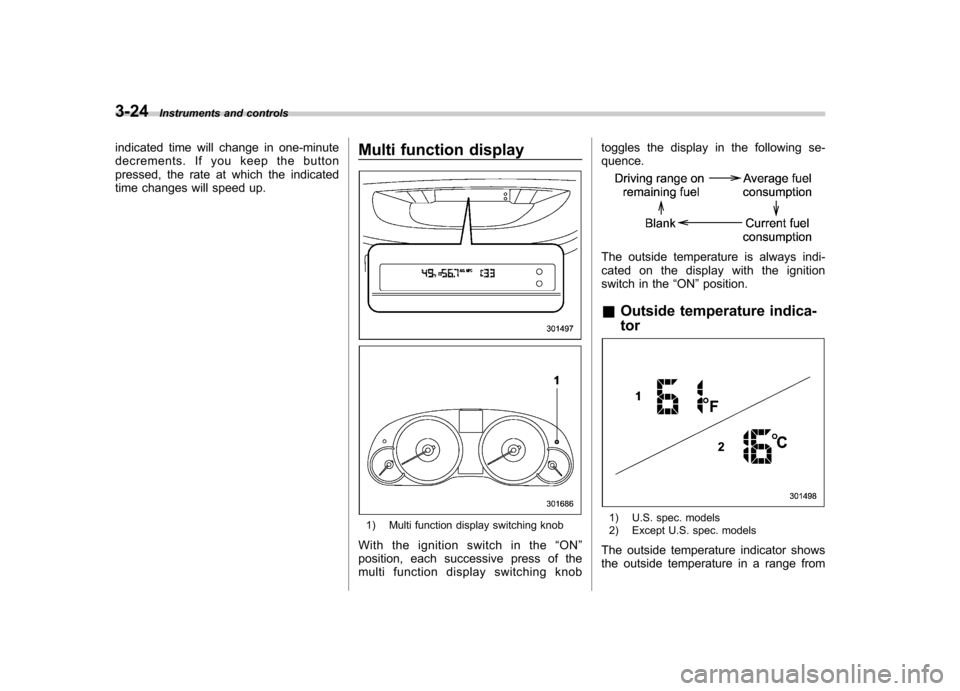
time changes will speed up. Multi function display
1) Multi function display switching knob
Withtheignitionswitchinthe “ON ”
position, each successive press of the
multi function display switching knob toggles the display in the following se-quence.
The outside temperature is always indi-
cated on the display with the ignition
switch in the
“ON ”position.
& Outside temperature indica- tor
1) U.S. spec. models
2) Except U.S. spec. models
The outside temperature indicator shows
the outside temperature in a range from
Page 146 of 474
Light control switch
The light control switch only operates
when the key is inserted into the ignitionswitch.
Regardless of the position of the light
control switch, the illuminated lights are
turned off when the key is removed from
the ignition switch. NOTE .Even if the key is removed from the
ignition switch, the lights can be illu-
minated by operating the light control
switch position from “OFF ”to “
”
and/or “”.
. If the driver ’s door is opened while
the lights are illuminated and the key is
removed from the ignition switch, the
chirp sound informs the driver that the
lights are illuminated.
CAUTION
. Use of any lights for a long period
of time while the engine is not
running can cause the battery todischarge.
. Before leaving the vehicle, make
sure that the light control switch
is turned to the “OFF ”position. If
the vehicle is left unattended for a long time with the light control
switch set to a position otherthan
“OFF ”, the battery may be
discharged.
& Headlights
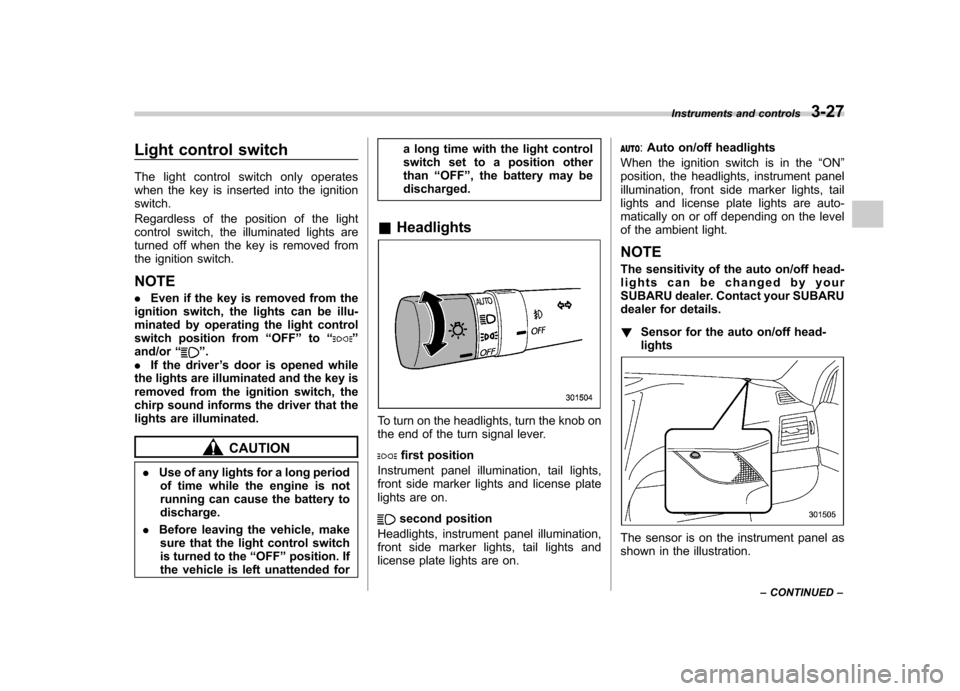
To turn on the headlights, turn the knob on
the end of the turn signal lever.
first position
Instrument panel illumination, tail lights,
front side marker lights and license plate
lights are on.
second position
Headlights, instrument panel illumination,
front side marker lights, tail lights and
license plate lights are on.
: Auto on/off headlights
When the ignition switch is in the “ON ”
position, the headlights, instrument panel
illumination, front side marker lights, tail
lights and license plate lights are auto-
matically on or off depending on the level
of the ambient light. NOTE
The sensitivity of the auto on/off head-
lights can be changed by your
SUBARU dealer. Contact your SUBARU
dealer for details. ! Sensor for the auto on/off head- lights
The sensor is on the instrument panel as
shown in the illustration. Instruments and controls
3-27
– CONTINUED –
Page 147 of 474
3-28Instruments and controls
CAUTION
If any object is placed on or near the
sensor, the sensor may not detect
the level of the ambient light cor-
rectly and the auto on/off headlights
may not operate properly.
& High/low beam change (dimmer)
To change from low beam to high beam,
push the turn signal lever forward. When
the headlights are on high beam, the high
beam indicator light “
”on the combina-
tion meter is also on.
To switch back to low beam, pull the lever
back to the detent position. &
Headlight flasher
CAUTION
Do not hold the lever in the flashing
position for more than just a fewseconds.
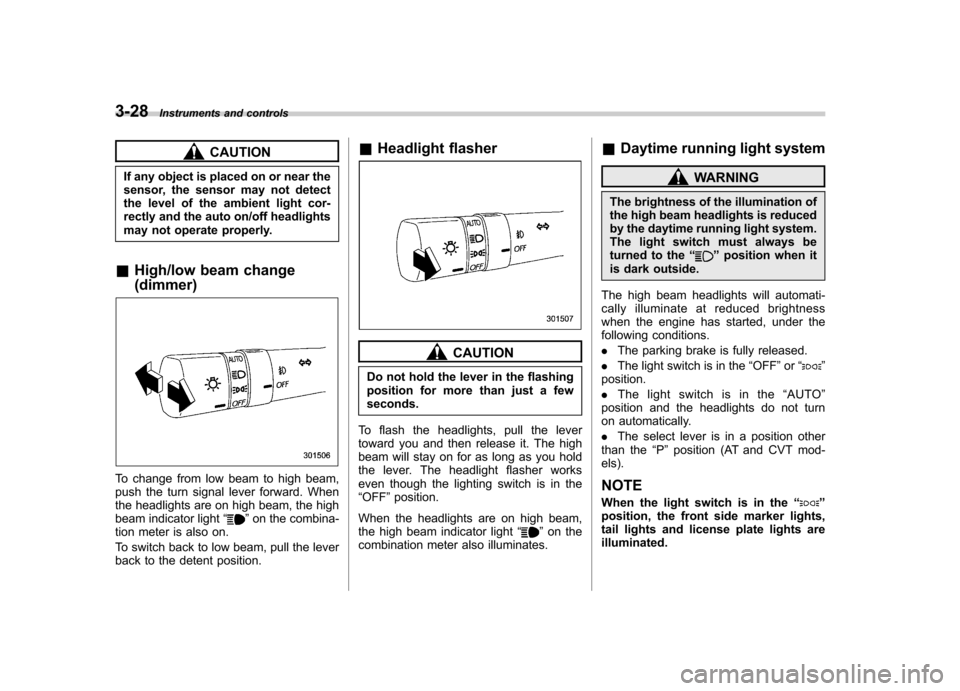
To flash the headlights, pull the lever
toward you and then release it. The high
beam will stay on for as long as you hold
the lever. The headlight flasher works
even though the lighting switch is in the“ OFF ”position.
When the headlights are on high beam,
the high beam indicator light “
”on the
combination meter also illuminates. &
Daytime running light system
WARNING
The brightness of the illumination of
the high beam headlights is reduced
by the daytime running light system.
The light switch must always be
turned to the “
”position when it
is dark outside.
The high beam headlights will automati-
cally illuminate at reduced brightness
when the engine has started, under the
following conditions. . The parking brake is fully released.
. The light switch is in the “OFF ”or “
”
position. . The light switch is in the “AUTO ”
position and the headlights do not turn
on automatically. . The select lever is in a position other
than the “P ” position (AT and CVT mod-
els).
NOTE
When the light switch is in the “
”
position, the front side marker lights,
tail lights and license plate lights areilluminated.
Page 157 of 474
3-38Instruments and controls
If the ignition switch is turned to the “OFF ”
position, the display setting returns to the
on mode as a default setting the next time
the ignition switch is turned to the “ON ”
position. ! Language mode change
The language mode of the captions on the
rear view image display is selectable in
English or French in the following ways.
1. Press and hold the power button for 6
to 12 seconds while the transmission is inthe “R ” (reverse) position, and then
release it. The display will enter the
language selection mode.
2. Briefly press the power button to
toggle the captions on the display in
English or French.
3. By releasing the power button for 5
seconds, the display blinks one time to
show that the language mode is selected. ! Non-operational mode
The rear view image display can be set as
non-operational. After setting the display
to the non-operational mode, the display
does not show the rear view image even if
the ignition switch is reset (turning the
ignition switch to the “ON ”position after
turning it to the “OFF ”position).
To set the display to the non-operational mode, press and hold the power button for
12 to 15 seconds while the transmission is
in the
“R ” (reverse) position, and then
release it. The display is now in the non-
operational mode. After the display has
been set to the non-operational mode, the
function indicator will illuminate in orange
whilethetransmissionisinthe “R ”
(reverse) position.
To return the display to the operational
mode, press and hold the power button for
12 to 15 seconds again.
For precautions about the rear view
camera and the rear view image, refer to“ Rear view camera ”F 6-19.
! Electronic compass display
By briefly pressing the compass button,
the compass display is toggled on or off.
When the compass display is on, an
illuminated compass reading will appear
on the mirror.
Using the electronic compass properly,
the following compass zone adjustment
and compass calibration will be neces-
sary. !
Compass zone adjustment
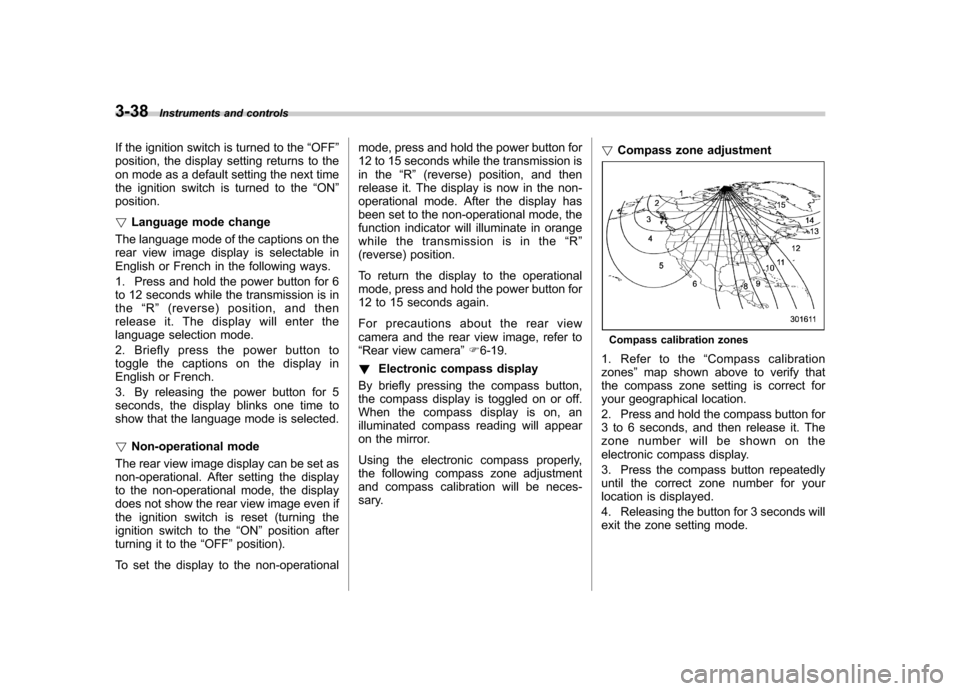
Compass calibration zones
1. Refer to the “Compass calibration
zones ”map shown above to verify that
the compass zone setting is correct for
your geographical location.
2. Press and hold the compass button for
3 to 6 seconds, and then release it. The
zone number will be shown on the
electronic compass display.
3. Press the compass button repeatedly
until the correct zone number for your
location is displayed.
4. Releasing the button for 3 seconds will
exit the zone setting mode.
Page 180 of 474
heated interior. This results in quicker
cooling by the air conditioner. Keep the
windows closed during the operation of
the air conditioner for maximum cooling
efficiency. &Lubrication oil circulation in
the refrigerant circuit
Operate the air conditioner compressor at
a low engine speed (at idle or low driving
speeds) a few minutes each month during
the off-season to circulate its oil. & Checking air conditioning
system before summer sea-son
Check the air conditioner unit for refriger-
ant leaks, hose conditions, and proper
operation each spring. Have the air con-
ditioning system checked by your
SUBARU dealer. & Cooling and dehumidifying in
high humidity and low tem-
perature weather condition
Under certain weather conditions (high
relative humidity, low temperatures, etc.) a
small amount of water vapor emission
from the air outlets may be noticed. This
condition is normal and does not indicate
any problem with the air conditioning system.
& Air conditioner compressor
shut-off when engine is
heavily loaded
To improve acceleration and gas mileage,
the air conditioner compressor is designed
to temporarily shut off during air condi-
tioner operation whenever the accelerator
is fully depressed such as during rapid
acceleration or when driving on a steepupgrade. & Refrigerant for your climate
control system
Your air conditioner uses ozone friendly
refrigerant HFC134a. Therefore, the meth-
od of adding, changing or checking the
refrigerant is different from the method for
CFC12 (freon). Consult your SUBARU
dealer for service. Repairs needed as a
result of using the wrong refrigerant are
not covered under warranty. Air filtration system
Your vehicle
’s air conditioning system is
equipped with an air filtration system.
Replace the air filter element according
to the replacement schedule shown in the
following table. This schedule should be
followed to maintain the filter ’sdust
collection ability. Under extremely dusty
conditions, the filter should be replaced
more frequently. Have your filter checked
or replaced by your SUBARU dealer. For
replacement, use only a genuine
SUBARU air filter kit.
Replacement schedule: Every 15 months or 15,000 miles (24,000
km) whichever comes first
CAUTION
Contact your SUBARU dealer if the
following occurs, even if it is not yet
time to change the filter. . Reduction of the airflow through
the vents.
. Windshield gets easily fogged or
misted. Climate control
4-9
– CONTINUED –
Page 195 of 474
5-12Audio
FM/AM radio operation
Press the “FM ”or “AM ”button (type A and
B audio)/ “FM/AM ”button (type C audio)
when the radio is off to turn on the radio.
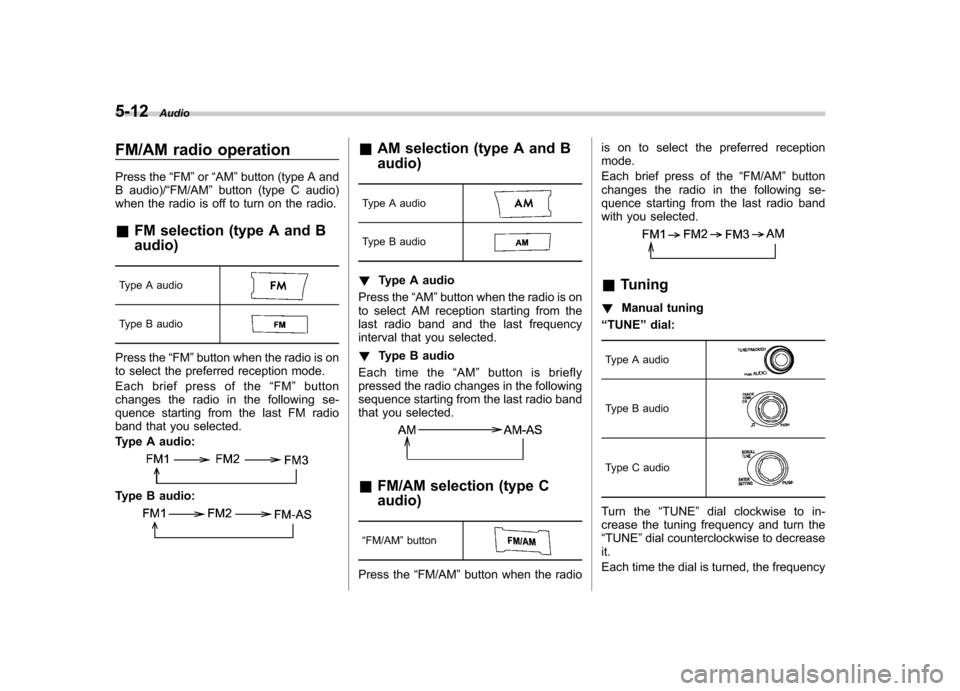
& FM selection (type A and B audio)
Type A audio
Type B audio
Press the “FM ”button when the radio is on
to select the preferred reception mode.
Each brief press of the “FM ”button
changes the radio in the following se-
quence starting from the last FM radio
band that you selected.
Type A audio:
Type B audio:
& AM selection (type A and B audio)
Type A audio
Type B audio
! Type A audio
Press the “AM ”button when the radio is on
to select AM reception starting from the
last radio band and the last frequency
interval that you selected. ! Type B audio
Each time the “AM ”button is briefly
pressed the radio changes in the following
sequence starting from the last radio band
that you selected.
& FM/AM selection (type C audio)
“ FM/AM ”button
Press the “FM/AM ”button when the radio is on to select the preferred reception mode.
Each brief press of the
“FM/AM ”button
changes the radio in the following se-
quence starting from the last radio band
with you selected.
& Tuning
! Manual tuning
“ TUNE ”dial:
Type A audio
Type B audio
Type C audio
Turn the “TUNE ”dial clockwise to in-
crease the tuning frequency and turn the “ TUNE ”dial counterclockwise to decrease
it.
Each time the dial is turned, the frequency
Page 197 of 474
5-14Audio
erly if the station reception is weakened by
distance from the station or proximity to
tall buildings and hills. !PTY (Program type) group tuning
(only FM reception) (type A and Baudio)
Type A audio
Type B audio
Press the “PTY/CAT ”button to change to
the PTY selection mode. At this time, the
PTY group that you are currently listening
to will be displayed for 10 seconds. In PTY
selection mode, “PTY SEL ”is displayed
on the screen. !
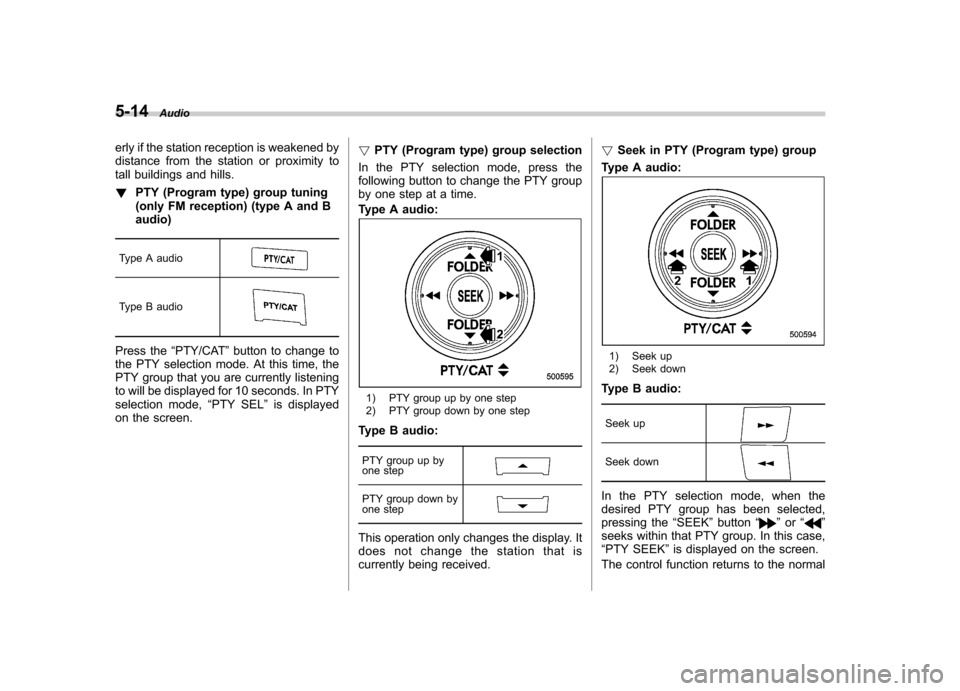
PTY (Program type) group selection
In the PTY selection mode, press the
following button to change the PTY group
by one step at a time.
Type A audio:
1) PTY group up by one step
2) PTY group down by one step
Type B audio:
PTY group up by
one step
PTY group down by
one step
This operation only changes the display. It
does not change the station that is
currently being received. !
Seek in PTY (Program type) group
Type A audio:
1) Seek up
2) Seek down
Type B audio:
Seek up
Seek down
In the PTY selection mode, when the
desired PTY group has been selected,
pressing the “SEEK ”button “
”or “”
seeks within that PTY group. In this case, “ PTY SEEK ”is displayed on the screen.
The control function returns to the normal
Page 207 of 474
5-24Audio
MP3: .Based on MPEG 1, 2 and 2.5 Layer 3
(type A and B audio). Based on MPEG 1, 2 and 2.5 Layer 2
and 3 (type C audio). Sampling rate (kHz): 48, 44.1, 32, 24,
22.05, 16, 12, 11.025, 8. Bit rate (kbps): 8 to 320 (type A and B
audio). Bit rate (kbps): 32 to 320 (type C audio)
. Supports variable bit rates
WMA (type B audio):. Based on Windows Media Audio 9
. Sampling rate (kHz): 48, 44.1, 32
. Bit rate (kbps): 32 to 192
WMA (type C audio): . Based on Windows Media Audio 7, 8
and 9 . Sampling rate (kHz): 48, 44.1, 32
. Bit rate (kbps): 32 to 192
AAC (type B audio):. Based on MPEG4 AAC
. Sampling rate (kHz): 48, 44.1, 32, 24,
22.05, 16, 12, 11.025, 8. Bit rate (kbps): 24 to 320
. Number of channels: 1 to 2ch AAC (type C audio):.
Based on MPEG2 AAC and MPEG4
AAC. Sampling rate (kHz): 48, 44.1, 32, 24,
22.05, 16, 12, 11.025, 8. Bit rate (kbps): 24 to 320
. Number of channels: 1 to 2ch
& How to insert a CD
While the ignition switch is in the “Acc ”or
“ ON ”position, hold a disc with a finger in
the center hole while gripping the edge of
the disc, then insert it in to the slot (with
the label side up) and the player will
automatically pull the disc into position.
NOTE
DO NOT INSERT TWO DISCS INTO THE
DISC INSERTION SLOT AT A TIME. & How to play back a CD
! When there is no CD inserted
Insert a CD by referring to “How to insert a
CD ”F 5-24.
When a CD is loaded, the player will start
playback of the CD, beginning with the
first track. !
When CD is in the player (type A)
When the
button is pressed, the
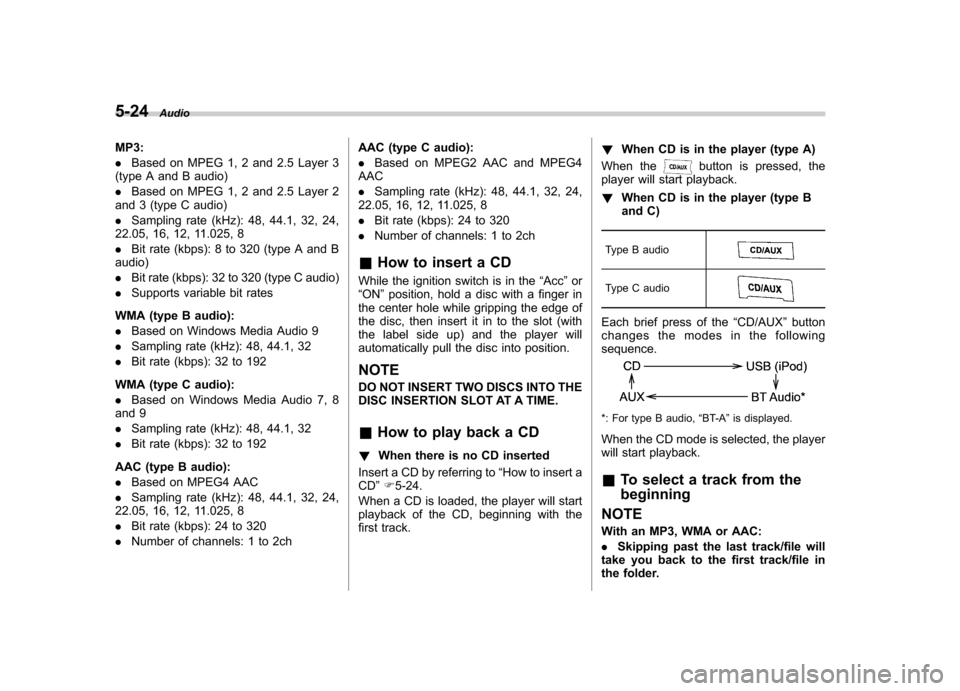
player will start playback. ! When CD is in the player (type B
and C)
Type B audio
Type C audio
Each brief press of the “CD/AUX ”button
changes the modes in the following sequence.
*: For type B audio, “BT-A ”is displayed.
When the CD mode is selected, the player
will start playback. & To select a track from the beginning
NOTE
With an MP3, WMA or AAC: . Skipping past the last track/file will
take you back to the first track/file in
the folder.
Page 209 of 474
5-26Audio
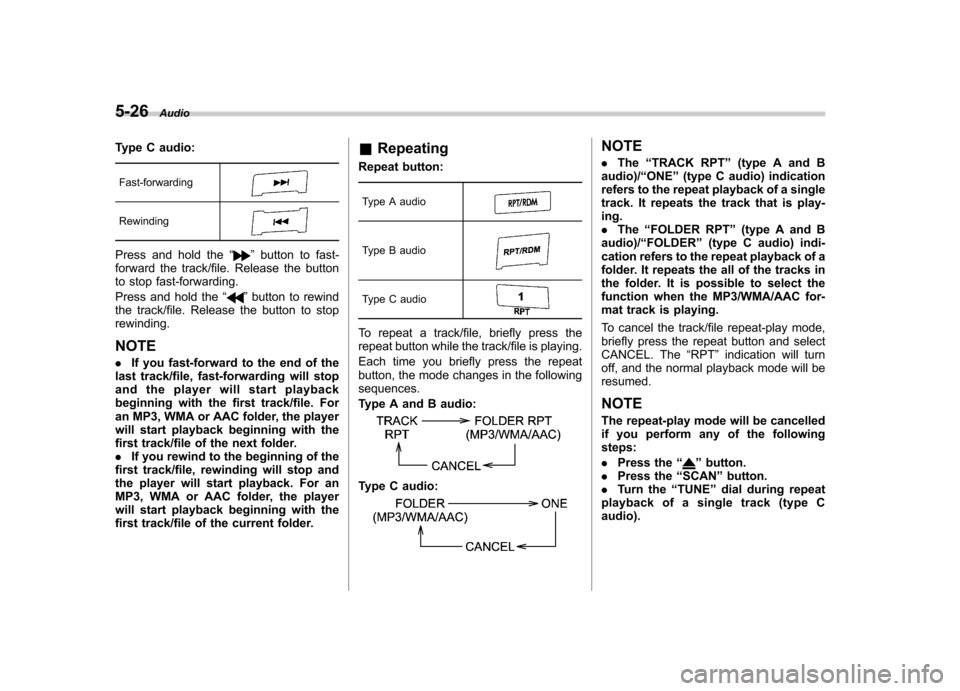
Type C audio:
Fast-forwarding
Rewinding
Press and hold the “”button to fast-
forward the track/file. Release the button
to stop fast-forwarding.
Press and hold the “
”button to rewind
the track/file. Release the button to stop rewinding.
NOTE . If you fast-forward to the end of the
last track/file, fast-forwarding will stop
and the player will start playback
beginning with the first track/file. For
an MP3, WMA or AAC folder, the player
will start playback beginning with the
first track/file of the next folder.. If you rewind to the beginning of the
first track/file, rewinding will stop and
the player will start playback. For an
MP3, WMA or AAC folder, the player
will start playback beginning with the
first track/file of the current folder. &
Repeating
Repeat button:
Type A audio
Type B audio
Type C audio
To repeat a track/file, briefly press the
repeat button while the track/file is playing.
Each time you briefly press the repeat
button, the mode changes in the followingsequences.
Type A and B audio:
Type C audio:
NOTE . The “TRACK RPT ”(type A and B
audio)/ “ONE ”(type C audio) indication
refers to the repeat playback of a single
track. It repeats the track that is play-ing.. The “FOLDER RPT ”(type A and B
audio)/ “FOLDER ”(type C audio) indi-
cation refers to the repeat playback of a
folder. It repeats the all of the tracks in
the folder. It is possible to select the
function when the MP3/WMA/AAC for-
mat track is playing.
To cancel the track/file repeat-play mode,
briefly press the repeat button and select
CANCEL. The “RPT ”indication will turn
off, and the normal playback mode will beresumed.
NOTE
The repeat-play mode will be cancelled
if you perform any of the followingsteps: . Press the “
”button.
. Press the “SCAN ”button.
. Turn the “TUNE ”dial during repeat
playback of a single track (type C audio).