aim SUBARU OUTBACK 2022 Getting Started Guide
[x] Cancel search | Manufacturer: SUBARU, Model Year: 2022, Model line: OUTBACK, Model: SUBARU OUTBACK 2022Pages: 172, PDF Size: 58.6 MB
Page 5 of 172
DRIVER ASSIST
TECHNOLOGIES
REAR-VISION CAMERA......111
FRONT VIEW MONITOR.....112
BLIND SPOT DETECTION (BSD) /
REAR CROSS TRAFFIC ALERT
(RCTA)...................113
HIGH BEAM ASSIST (HBA)...114
STEERING RESPONSIVE
HEADLIGHTS (SRH).........115
REVERSE AUTOMATIC BRAKING
(RAB)....................115
DRIVERFOCUS DISTRACTION
MITIGATION SYSTEM
DRIVERFOCUS®OVERVIEW . . . 116
DRIVERFOCUS®
COMPONENTS.............116
DROWSY/INATTENTIVE
WARNINGS................118
DRIVER PROFILE/CONVENIENCE
SETTINGS.................118
DRIVER MONITORING
SYSTEM OFF..............120
CARE AND LIMITATIONS
STEREO CAMERA
PRECAUTIONS.............121
WINDSHIELD GLASS AND
DASHBOARD..............121
FRONT VIEW
OUTBACK.................122
EYESIGHT DISCLAIMER
EYESIGHT®DISCLAIMER....123
HOW TO APPENDIX
HOW TO OVERVIEW.........124
SETTING THE CLOCK.......124
MEMORY HEIGHT..........128
MEMORY DRIVER’S SEAT....130
BLUETOOTH
®PAIRING......131
ANDROID AUTO™..........137
APPLE CARPLAY
®..........139
WI-FI.....................141
MAPS....................144
FIRMWARE AND SOFTWARE
UPDATES.................164
INDEX.....................165
TABLE OF CONTENTS
3
Page 7 of 172
IN CASE OF EMERGENCY
SUBARU STARLINK®Safety and Security(subscription required)
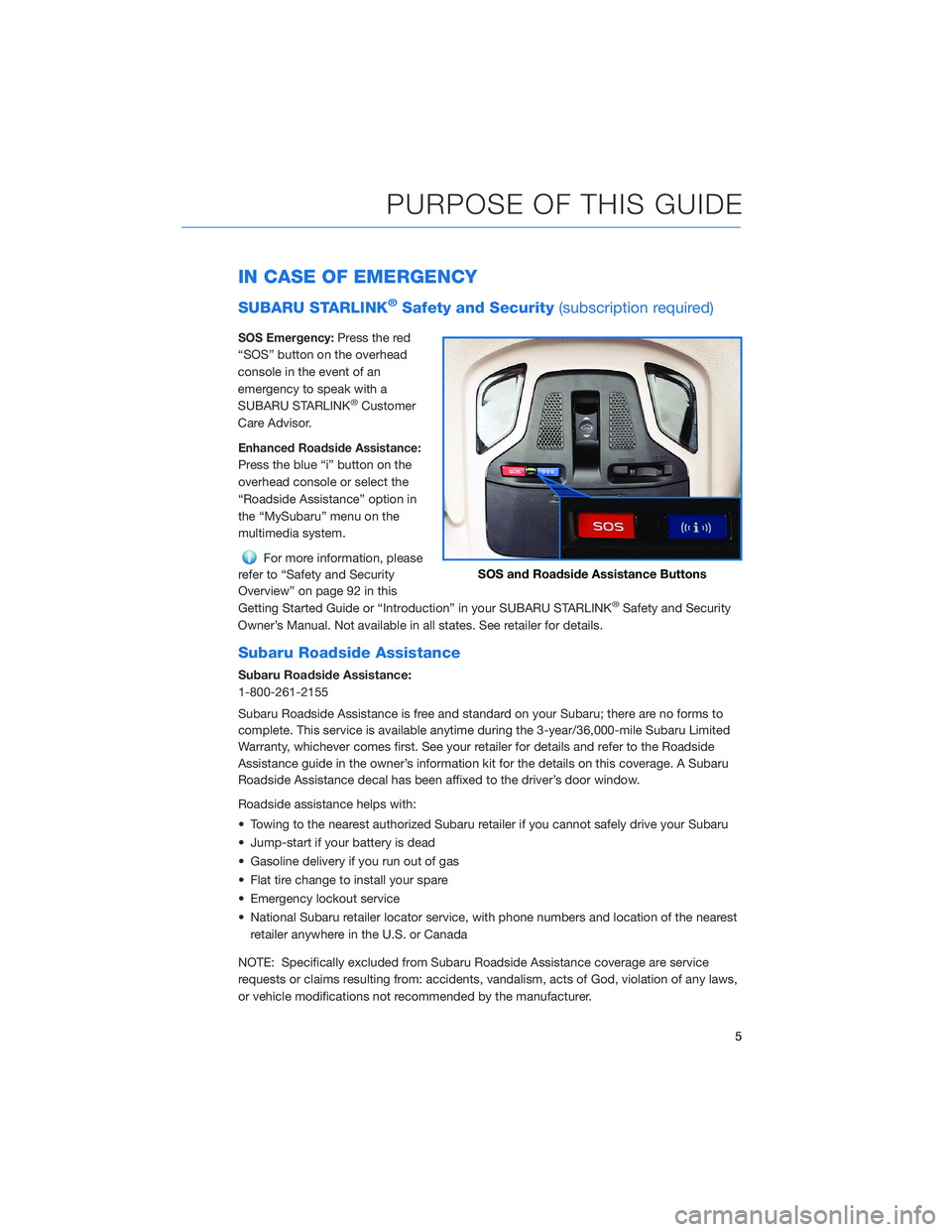
SOS Emergency:Press the red
“SOS” button on the overhead
console in the event of an
emergency to speak with a
SUBARU STARLINK
®Customer
Care Advisor.
Enhanced Roadside Assistance:
Press the blue “i” button on the
overhead console or select the
“Roadside Assistance” option in
the “MySubaru” menu on the
multimedia system.
For more information, please
refer to “Safety and Security
Overview” on page 92 in this
Getting Started Guide or “Introduction” in your SUBARU STARLINK
®Safety and Security
Owner’s Manual. Not available in all states. See retailer for details.
Subaru Roadside Assistance
Subaru Roadside Assistance:
1-800-261-2155
Subaru Roadside Assistance is free and standard on your Subaru; there are no forms to
complete. This service is available anytime during the 3-year/36,000-mile Subaru Limited
Warranty, whichever comes first. See your retailer for details and refer to the Roadside
Assistance guide in the owner’s information kit for the details on this coverage. A Subaru
Roadside Assistance decal has been affixed to the driver’s door window.
Roadside assistance helps with:
• Towing to the nearest authorized Subaru retailer if you cannot safely drive your Subaru
• Jump-start if your battery is dead
• Gasoline delivery if you run out of gas
• Flat tire change to install your spare
• Emergency lockout service
• National Subaru retailer locator service, with phone numbers and location of the nearest
retailer anywhere in the U.S. or Canada
NOTE: Specifically excluded from Subaru Roadside Assistance coverage are service
requests or claims resulting from: accidents, vandalism, acts of God, violation of any laws,
or vehicle modifications not recommended by the manufacturer.
SOS and Roadside Assistance Buttons
PURPOSE OF THIS GUIDE
5
Page 117 of 172
STEERING RESPONSIVE HEADLIGHTS (SRH)
The Steering Responsive Headlights (SRH) system aims the headlight beams in the
direction you are steering, improving visibility at corners and intersections when driving at
night. You can turn the SRH system on or off in the Center Information Display through the
“Car Settings” icon.
REVERSE AUTOMATIC BRAKING (RAB)(if equipped)
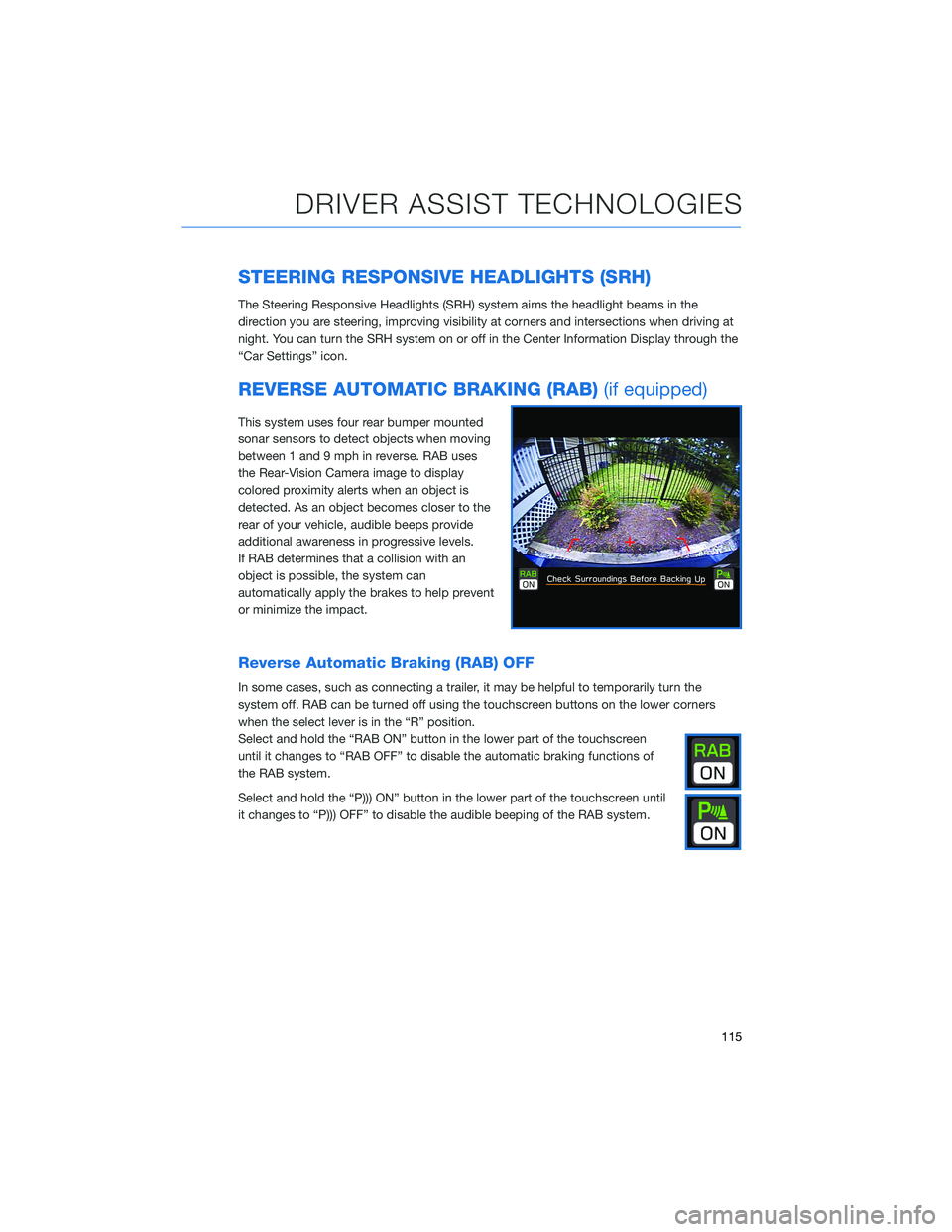
This system uses four rear bumper mounted
sonar sensors to detect objects when moving
between 1 and 9 mph in reverse. RAB uses
the Rear-Vision Camera image to display
colored proximity alerts when an object is
detected. As an object becomes closer to the
rear of your vehicle, audible beeps provide
additional awareness in progressive levels.
If RAB determines that a collision with an
object is possible, the system can
automatically apply the brakes to help prevent
or minimize the impact.
Reverse Automatic Braking (RAB) OFF
In some cases, such as connecting a trailer, it may be helpful to temporarily turn the
system off. RAB can be turned off using the touchscreen buttons on the lower corners
when the select lever is in the “R” position.
Select and hold the “RAB ON” button in the lower part of the touchscreen
until it changes to “RAB OFF” to disable the automatic braking functions of
the RAB system.
Select and hold the “P))) ON” button in the lower part of the touchscreen until
it changes to “P))) OFF” to disable the audible beeping of the RAB system.
DRIVER ASSIST TECHNOLOGIES
115
Page 125 of 172
EYESIGHT®DISCLAIMER
EyeSight®is a driver assist technology which may not operate optimally under all driving
conditions. The driver is always responsible for safe and attentive driving. System
effectiveness depends on many factors such as vehicle maintenance, weather and road
conditions. See Owner’s Manual for complete details on system operations and limitations.
The Pre-Collision Braking system is designed to provide automatic braking that either
prevents a collision or reduces the severity of a frontal impact.
The Pre-Collision Throttle Management system is designed to reduce acceleration and
minimize the severity of certain frontal impacts.
Advanced Adaptive Cruise Control and Brake Light Recognition are designed to assist the
driver and are not substitutes for safe and attentive driving.
Lane Centering function operates only when used in conjunction with Advanced Adaptive
Cruise Control.
Lane Departure Prevention operates only when the lane markings are visible, and system
effectiveness depends on many factors.
Blind-Spot Detection, Lane Change Assist and Rear Cross Traffic Alert are systems
designed to assist the driver by monitoring the rear and side areas of the vehicle during a
lane change or reversing and are not a substitute for safe and attentive driving.
The Reverse Automatic Braking System is not a substitute for safe and attentive driving.
System effectiveness depends on many factors, such as vehicle maintenance, weather
and road conditions. Always exercise caution and use vehicle mirrors and the Rear-Vision
Camera when backing up. See Owner’s Manual for complete details on system operation
and limitations.
The Driver Focus Distraction Mitigation System is a driver recognition technology designed
to alert drivers if their attention to the road wavers or if the driver’s face appears to turn
away. The driver is always responsible for safe and attentive driving. System effectiveness
may be affected by articles of clothing worn on the head or face. See Owner’s Manual for
complete details on system operation and limitations.
EYESIGHT DISCLAIMER
123
Page 167 of 172
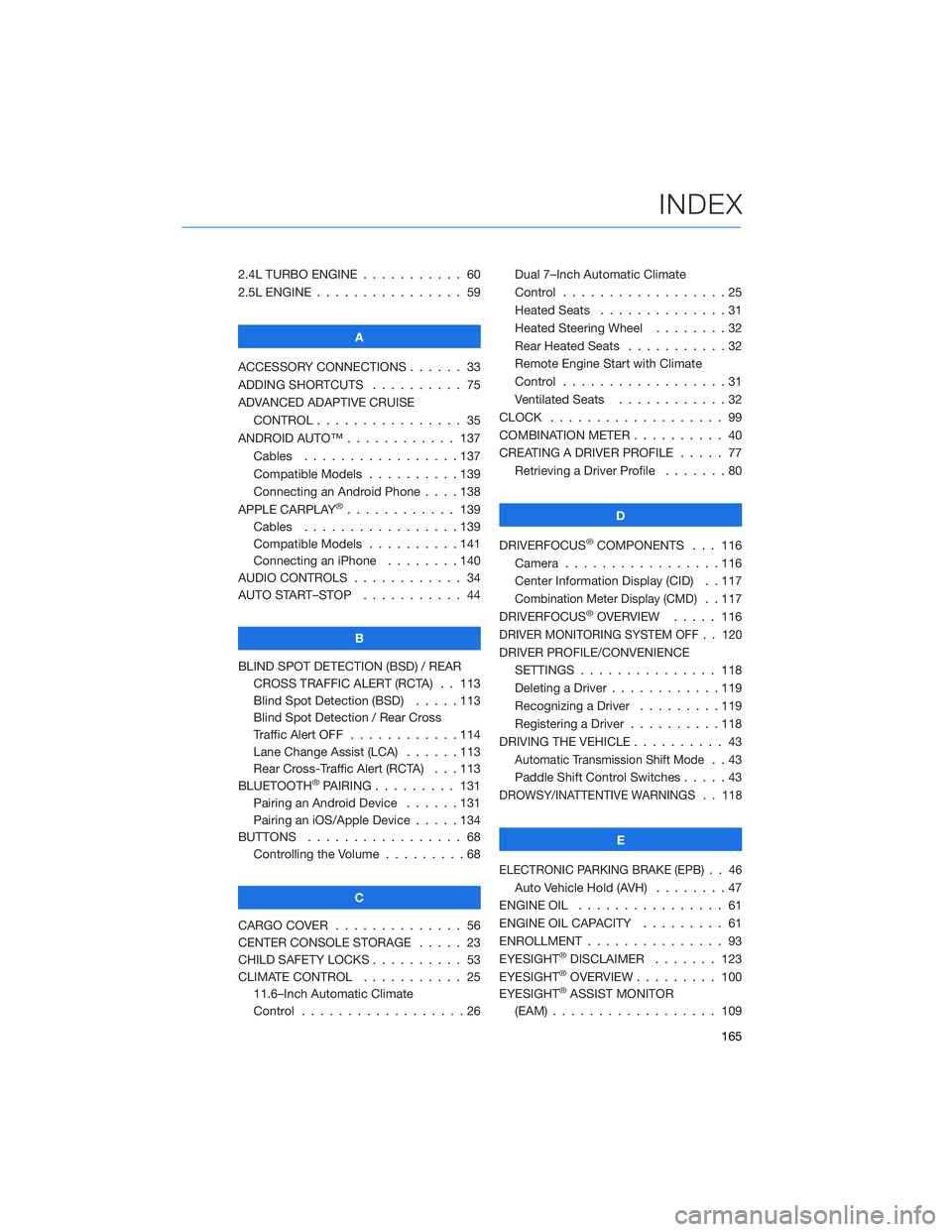
2.4L TURBO ENGINE ........... 60
2.5L ENGINE . . . . . . .......... 59
A
ACCESSORY CONNECTIONS . . . . . . 33
ADDING SHORTCUTS . . . . ...... 75
ADVANCED ADAPTIVE CRUISE
CONTROL . . . . . ........... 35
ANDROID AUTO™ . . . . . ....... 137
Cables . . . . . . . ..........137
Compatible Models ..........139
Connecting an Android Phone....138
APPLE CARPLAY
®............ 139
Cables . . . . . . . ..........139
Compatible Models ..........141
Connecting an iPhone . . . .....140
AUDIO CONTROLS ............ 34
AUTO START–STOP . . . . . . . . . . . 44
B
BLIND SPOT DETECTION (BSD) / REAR
CROSS TRAFFIC ALERT (RCTA) . . 113
Blind Spot Detection (BSD) . . . . . 113
Blind Spot Detection / Rear Cross
Traffic Alert OFF . . . . ........114
Lane Change Assist (LCA)......113
Rear Cross-Traffic Alert (RCTA) . . . 113
BLUETOOTH
®PAIRING . . ....... 131
Pairing an Android Device . . . . . . 131
Pairing an iOS/Apple Device . . . . . 134
BUTTONS . . . . ............. 68
Controlling the Volume . . . . . . . . . 68
C
CARGO COVER . . . . . . . . ...... 56
CENTER CONSOLE STORAGE ..... 23
CHILD SAFETY LOCKS.......... 53
CLIMATE CONTROL........... 25
11.6–Inch Automatic Climate
Control . . . . . . . . . . . . . . . . . . 26Dual 7–Inch Automatic Climate
Control . . . . . . . . . . . . . . . . . . 25
Heated Seats . .............31
Heated Steering Wheel . .......32
Rear Heated Seats...........32
Remote Engine Start with Climate
Control . . . . . . . . . . . . . . . . . . 31
Ventilated Seats . . . . . . . . . . . . 32
CLOCK . . ................. 99
COMBINATION METER .......... 40
CREATING A DRIVER PROFILE ..... 77
Retrieving a Driver Profile.......80
D
DRIVERFOCUS
®COMPONENTS . . . 116
Camera . ................116
Center Information Display (CID) . . 117
Combination Meter Display (CMD). . 117
DRIVERFOCUS®OVERVIEW..... 116
DRIVER MONITORING SYSTEM OFF . . 120
DRIVER PROFILE/CONVENIENCE
SETTINGS ............... 118
Deleting a Driver . . ..........119
Recognizing a Driver.........119
Registering a Driver . . . . . . . . . . 118
DRIVING THE VEHICLE . . . ....... 43
Automatic Transmission Shift Mode..43
Paddle Shift Control Switches.....43
DROWSY/INATTENTIVE WARNINGS . . 118
E
ELECTRONIC PARKING BRAKE (EPB) . . 46
Auto Vehicle Hold (AVH) . . ......47
ENGINE OIL . . .............. 61
ENGINE OIL CAPACITY......... 61
ENROLLMENT . . . . . . ......... 93
EYESIGHT
®DISCLAIMER . . ..... 123
EYESIGHT®OVERVIEW . . . . . . . . . 100
EYESIGHT®ASSIST MONITOR
(EAM) . . . . . . . ........... 109
INDEX
165