AC power outlet SUBARU SOLTERRA 2023 User Guide
[x] Cancel search | Manufacturer: SUBARU, Model Year: 2023, Model line: SOLTERRA, Model: SUBARU SOLTERRA 2023Pages: 628, PDF Size: 11.91 MB
Page 133 of 628
1332-2. Charging
Owners Manual_USA_M42C01_en
2
Electric Vehicle system
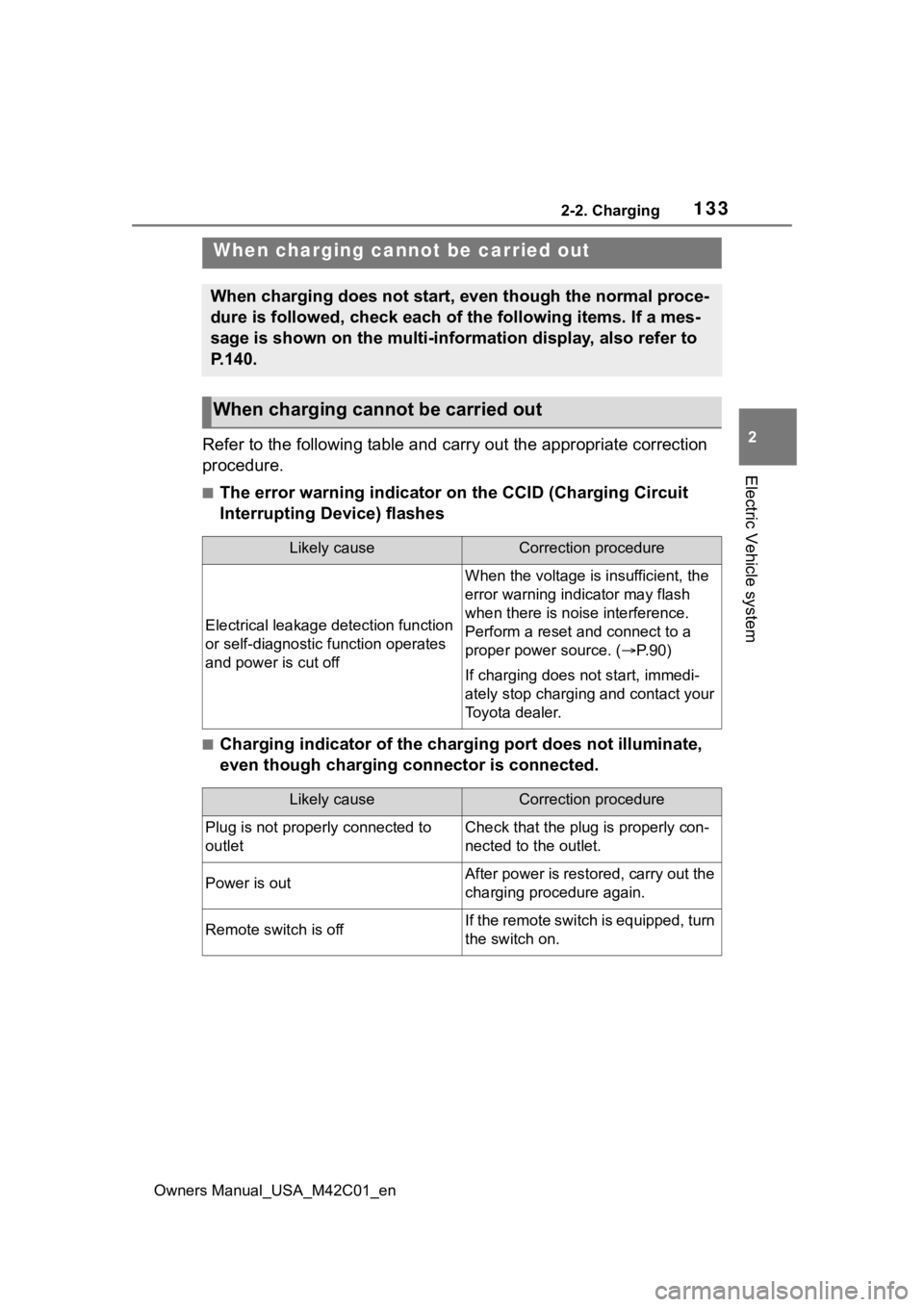
Refer to the following table and carry out the appropriate correction
procedure.
■The error warning indicator on the CCID (Charging Circuit
Interrupting Device) flashes
■Charging indicator of the charging port does not illuminate,
even though charging connector is connected.
When charging canno t be carried out
When charging does not start, even though the normal proce-
dure is followed, check each of the following items. If a mes-
sage is shown on the multi-information display, also refer to
P.140.
When charging cannot be carried out
Likely causeCorrection procedure
Electrical leakage detection function
or self-diagnostic function operates
and power is cut off
When the voltage is insufficient, the
error warning indi cator may flash
when there is noise interference.
Perform a reset and connect to a
proper power source. ( P. 9 0 )
If charging does not start, immedi-
ately stop charging and contact your
Toyota dealer.
Likely causeCorrection procedure
Plug is not properly connected to
outletCheck that the plug is properly con-
nected to the outlet.
Power is outAfter power is restored, carry out the
charging procedure again.
Remote switch is offIf the remote switch is equipped, turn
the switch on.
Page 134 of 628
1342-2. Charging
Owners Manual_USA_M42C01_en
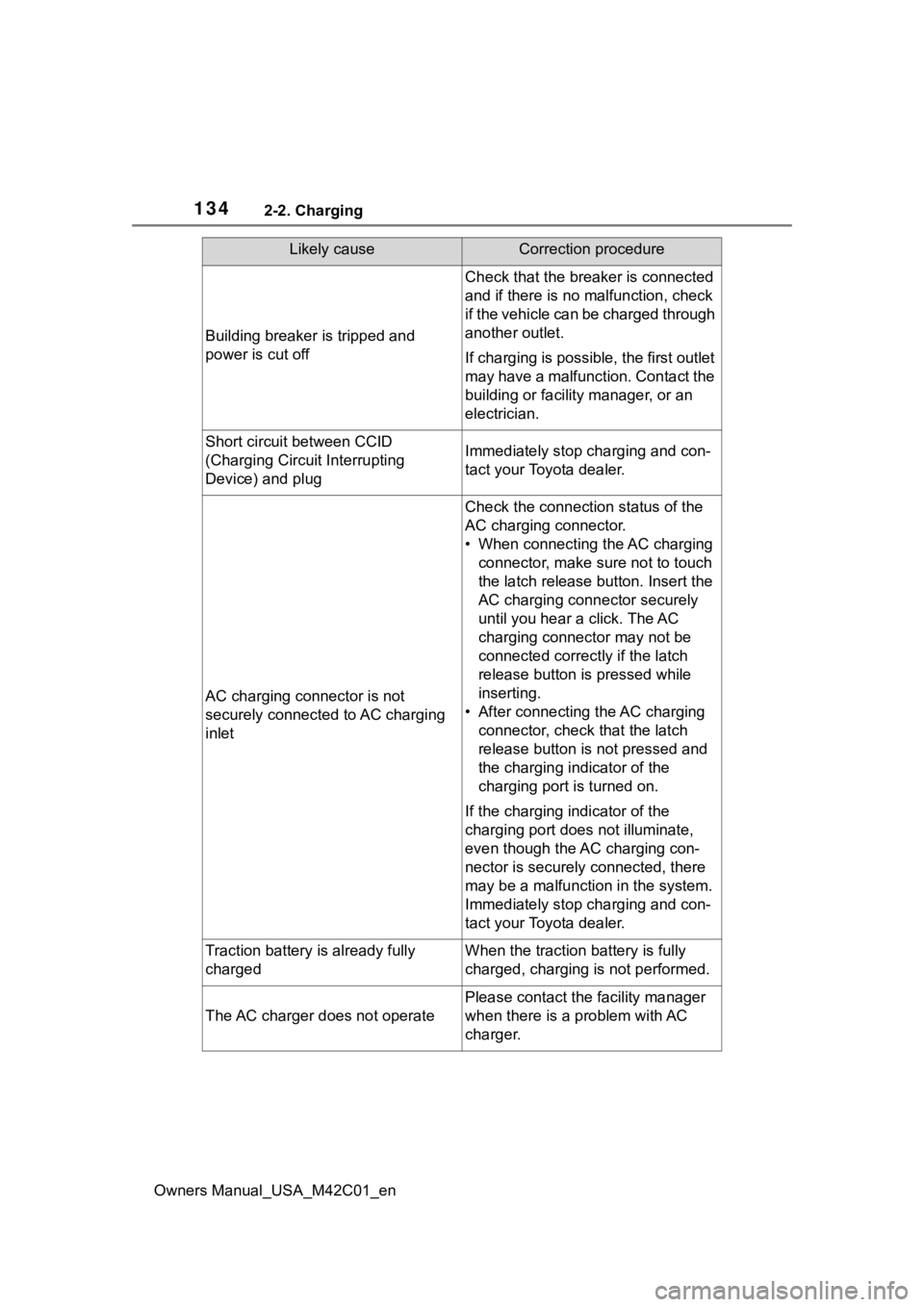
Building breaker is tripped and
power is cut off
Check that the breaker is connected
and if there is no malfunction, check
if the vehicle can be charged through
another outlet.
If charging is possible, the first outlet
may have a malfunction. Contact the
building or facilit y manager, or an
electrician.
Short circuit between CCID
(Charging Circuit Interrupting
Device) and plugImmediately stop charging and con-
tact your Toyota dealer.
AC charging connector is not
securely connected to AC charging
inlet
Check the connection status of the
AC charging connector.
• When connecting the AC charging connector, make sure not to touch
the latch release button. Insert the
AC charging connector securely
until you hear a click. The AC
charging connector may not be
connected correctly if the latch
release button is pressed while
inserting.
• After connecting the AC charging connector, check that the latch
release button is not pressed and
the charging indicator of the
charging port is turned on.
If the charging indicator of the
charging port does not illuminate,
even though the AC charging con-
nector is securely connected, there
may be a malfunction in the system.
Immediately stop charging and con-
tact your Toyota dealer.
Traction battery is already fully
chargedWhen the traction battery is fully
charged, charging is not performed.
The AC charger does not operate
Please contact the facility manager
when there is a problem with AC
charger.
Likely causeCorrection procedure
Page 142 of 628
1422-2. Charging
Owners Manual_USA_M42C01_en
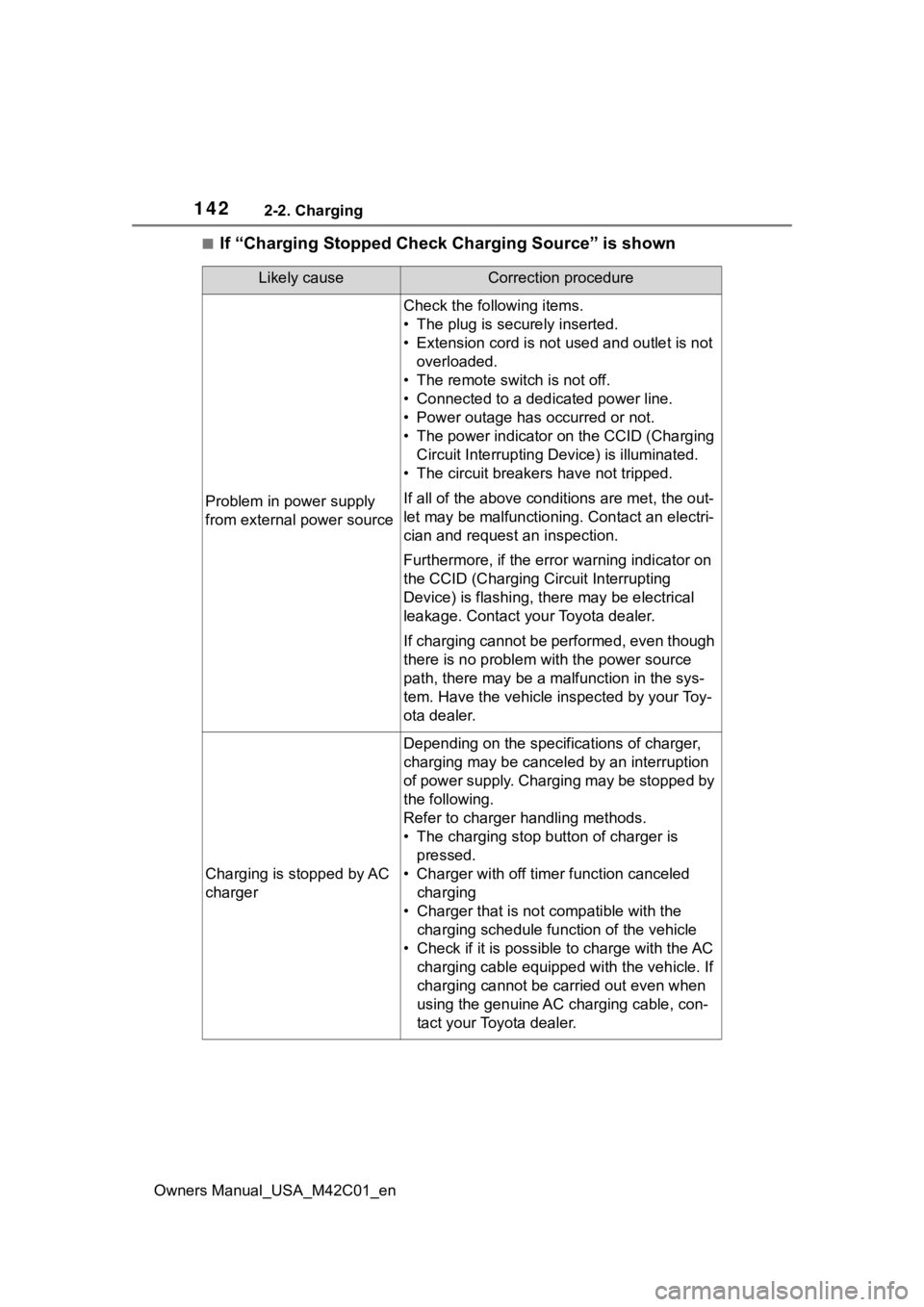
■If “Charging Stopped Check Charging Source” is shown
Likely causeCorrection procedure
Problem in power supply
from external power source
Check the following items.
• The plug is securely inserted.
• Extension cord is not used and outlet is not overloaded.
• The remote switch is not off.
• Connected to a dedicated power line.
• Power outage has occurred or not.
• The power indicator on the CCID (Charging Circuit Interrupting D evice) is illuminated.
• The circuit breakers have not tripped.
If all of the above condit ions are met, the out-
let may be malfunctioni ng. Contact an electri-
cian and request an inspection.
Furthermore, if the error warning indicator on
the CCID (Charging Circuit Interrupting
Device) is flash ing, there may be electrical
leakage. Contact your Toyota dealer.
If charging cannot be performed, even though
there is no problem with the power source
path, there may be a malfunction in the sys-
tem. Have the vehicle inspected by your Toy-
ota dealer.
Charging is stopped by AC
charger
Depending on the specifications of charger,
charging may be canceled by an interruption
of power supply. Charging may be stopped by
the following.
Refer to charger handling methods.
• The charging stop bu tton of charger is
pressed.
• Charger with off timer function canceled charging
• Charger that is not compatible with the charging schedule function of the vehicle
• Check if it is possible to charge with the AC charging cable equipped with the vehicle. If
charging cannot be carried out even when
using the genuine AC charging cable, con-
tact your Toyota dealer.
Page 404 of 628
4046-1. Using the air conditioning system and defogger
Owners Manual_USA_M42C01_en
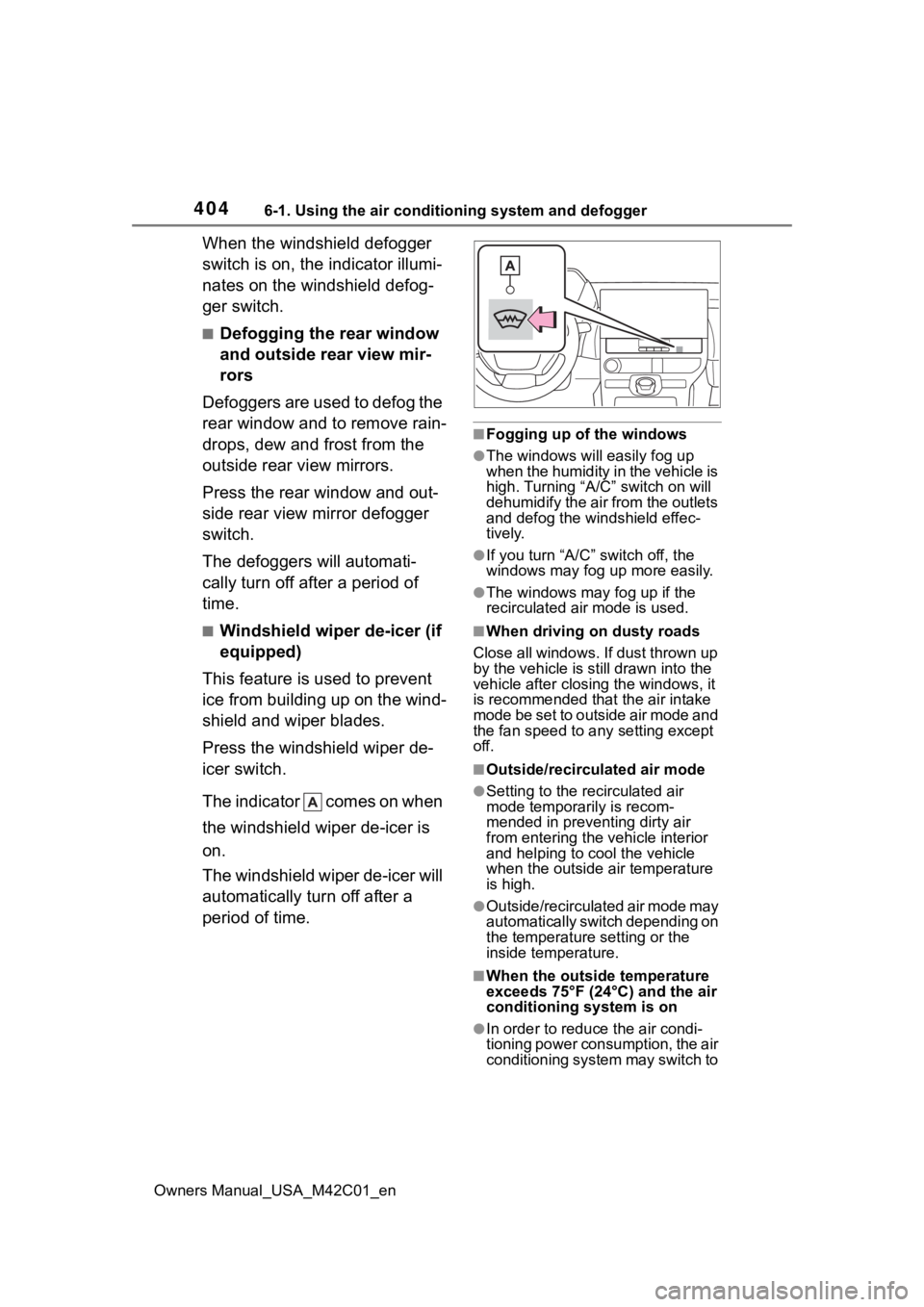
When the windshield defogger
switch is on, the indicator illumi-
nates on the windshield defog-
ger switch.
■Defogging the rear window
and outside rear view mir-
rors
Defoggers are used to defog the
rear window and to remove rain-
drops, dew and frost from the
outside rear view mirrors.
Press the rear window and out-
side rear view mirror defogger
switch.
The defoggers will automati-
cally turn off after a period of
time.
■Windshield wiper de-icer (if
equipped)
This feature is used to prevent
ice from building up on the wind-
shield and wiper blades.
Press the windshield wiper de-
icer switch.
The indicator comes on when
the windshield wiper de-icer is
on.
The windshield wiper de-icer will
automatically turn off after a
period of time.
■Fogging up of the windows
●The windows will easily fog up
when the humidity in the vehicle is
high. Turning “A/C” switch on will
dehumidify the air from the outlets
and defog the windshield effec-
tively.
●If you turn “A/C” switch off, the
windows may fog up more easily.
●The windows may fog up if the
recirculated air mode is used.
■When driving on dusty roads
Close all windows. If dust thrown up
by the vehicle is still drawn into the
vehicle after closing the windows, it
is recommended that the air intake
mode be set to outside air mode and
the fan speed to a ny setting except
off.
■Outside/recirculated air mode
●Setting to the recirculated air
mode temporarily is recom-
mended in preventing dirty air
from entering the vehicle interior
and helping to c ool the vehicle
when the outside air temperature
is high.
●Outside/recirculated air mode may
automatically switch depending on
the temperature setting or the
inside temperature.
■When the outside temperature
exceeds 75°F (24°C) and the air
conditioning system is on
●In order to reduce the air condi-
tioning power consumption, the air
conditioning system may switch to
Page 428 of 628
4286-4. Using the other interior features
Owners Manual_USA_M42C01_en
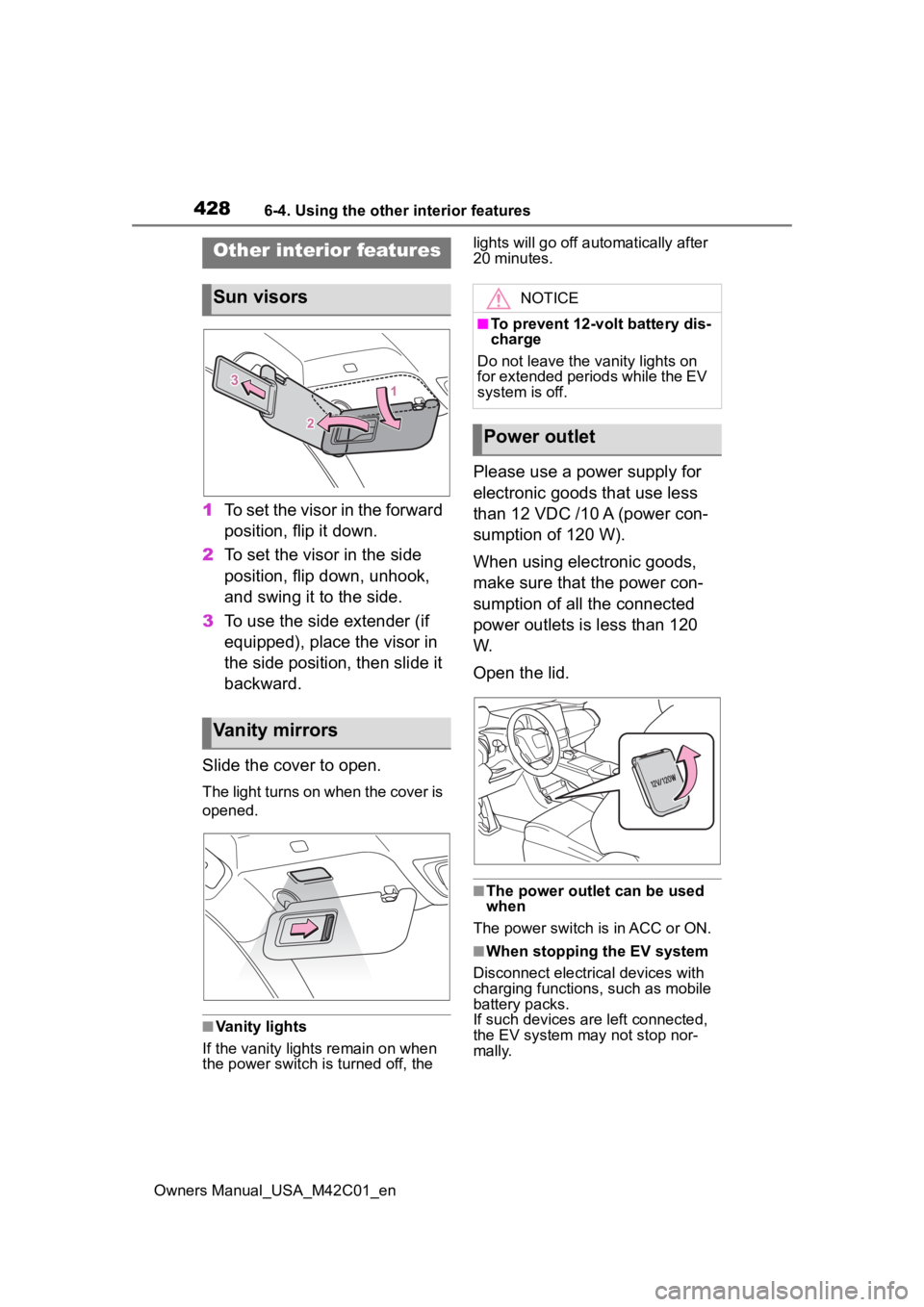
1To set the visor in the forward
position, flip it down.
2 To set the visor in the side
position, flip down, unhook,
and swing it to the side.
3 To use the side extender (if
equipped), place the visor in
the side position, then slide it
backward.
Slide the cover to open.
The light turns on when the cover is
opened.
■Vanity lights
If the vanity light s remain on when
the power switch is turned off, the lights will go off automatically after
20 minutes.
Please use a power supply for
electronic goods that use less
than 12 VDC /10 A (power con-
sumption of 120 W).
When using electronic goods,
make sure that the power con-
sumption of all the connected
power outlets is less than 120
W.
Open the lid.
■The power outlet can be used
when
The power switch is in ACC or ON.
■When stopping the EV system
Disconnect electrical devices with
charging functions, such as mobile
battery packs.
If such devices are left connected,
the EV system may not stop nor-
mally.
Other interior features
Sun visors
Vanity mirrors
NOTICE
■To prevent 12-volt battery dis-
charge
Do not leave the vanity lights on
for extended periods while the EV
system is off.
Power outlet
Page 429 of 628
4296-4. Using the other interior features
Owners Manual_USA_M42C01_en
6
Interior features
The USB Type-C charging ports
are used to supply 3 A of elec-
tricity at 5 V to external devices.
The USB Type-C charging ports
are for charging only. They are
not designed for data transfer or
other purposes. Depending on the external
device, it may not charge prop-
erly. Refer to the manual
included with the device before
using a USB charging port.
Refer to “MULTIMEDIA
OWNER’S MANUAL” for USB
Type-A information.
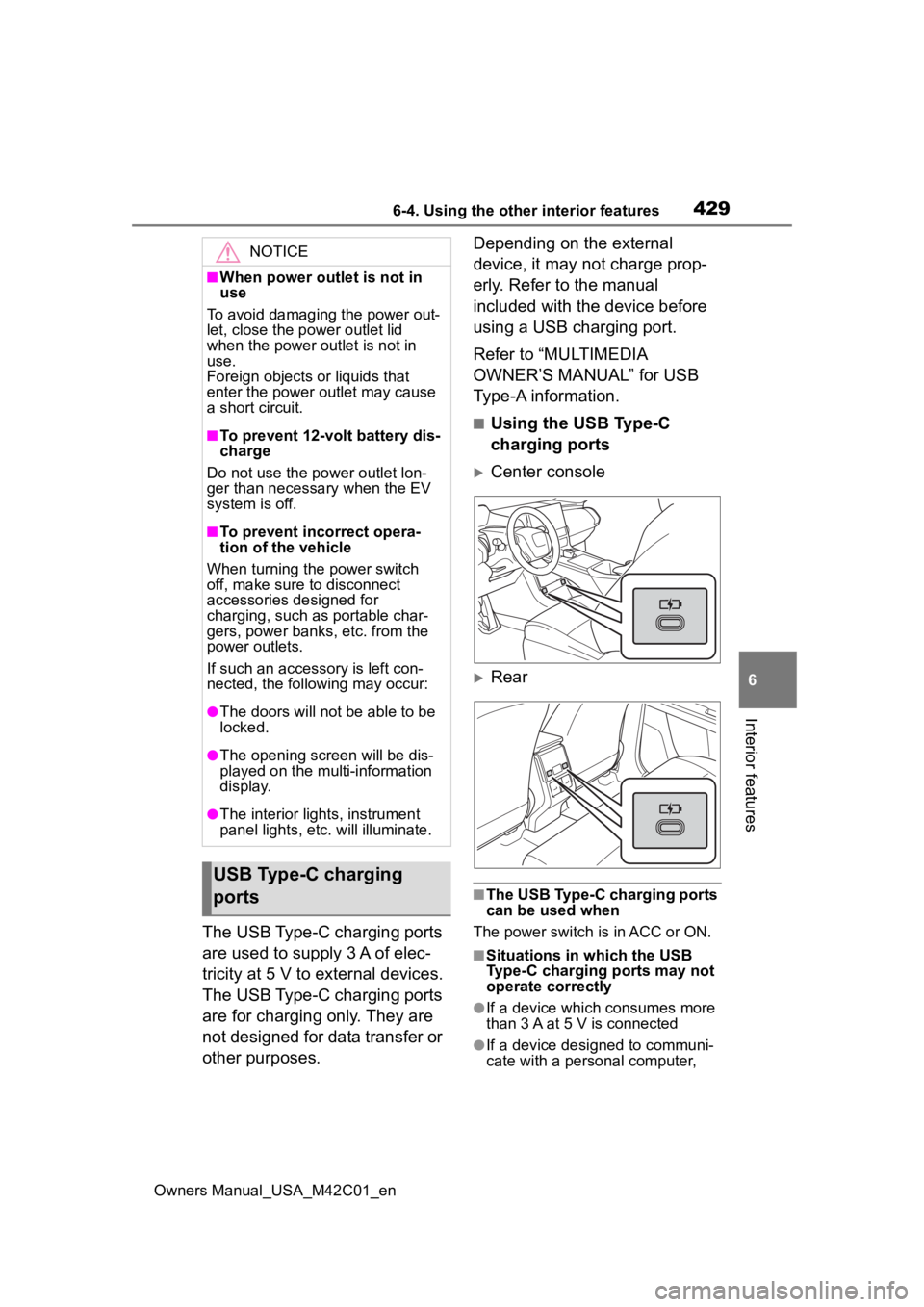
■Using the USB Type-C
charging ports
Center console
Rear
■The USB Type-C charging ports
can be used when
The power switch is in ACC or ON.
■Situations in which the USB
Type-C charging ports may not
operate correctly
●If a device which consumes more
than 3 A at 5 V is connected
●If a device designed to communi-
cate with a personal computer,
NOTICE
■When power outlet is not in
use
To avoid damaging the power out-
let, close the p ower outlet lid
when the power outlet is not in
use.
Foreign objects or liquids that
enter the power outlet may cause
a short circuit.
■To prevent 12-volt battery dis-
charge
Do not use the power outlet lon-
ger than necessary when the EV
system is off.
■To prevent incorrect opera-
tion of the vehicle
When turning the power switch
off, make sure to disconnect
accessories designed for
charging, such as portable char-
gers, power banks, etc. from the
power outlets.
If such an accessory is left con-
nected, the following may occur:
●The doors will not be able to be
locked.
●The opening scr een will be dis-
played on the multi-information
display.
●The interior lights, instrument
panel lights, etc. will illuminate.
USB Type-C charging
ports
Page 532 of 628
5328-2. Steps to take in an emergency
Owners Manual_USA_M42C01_en
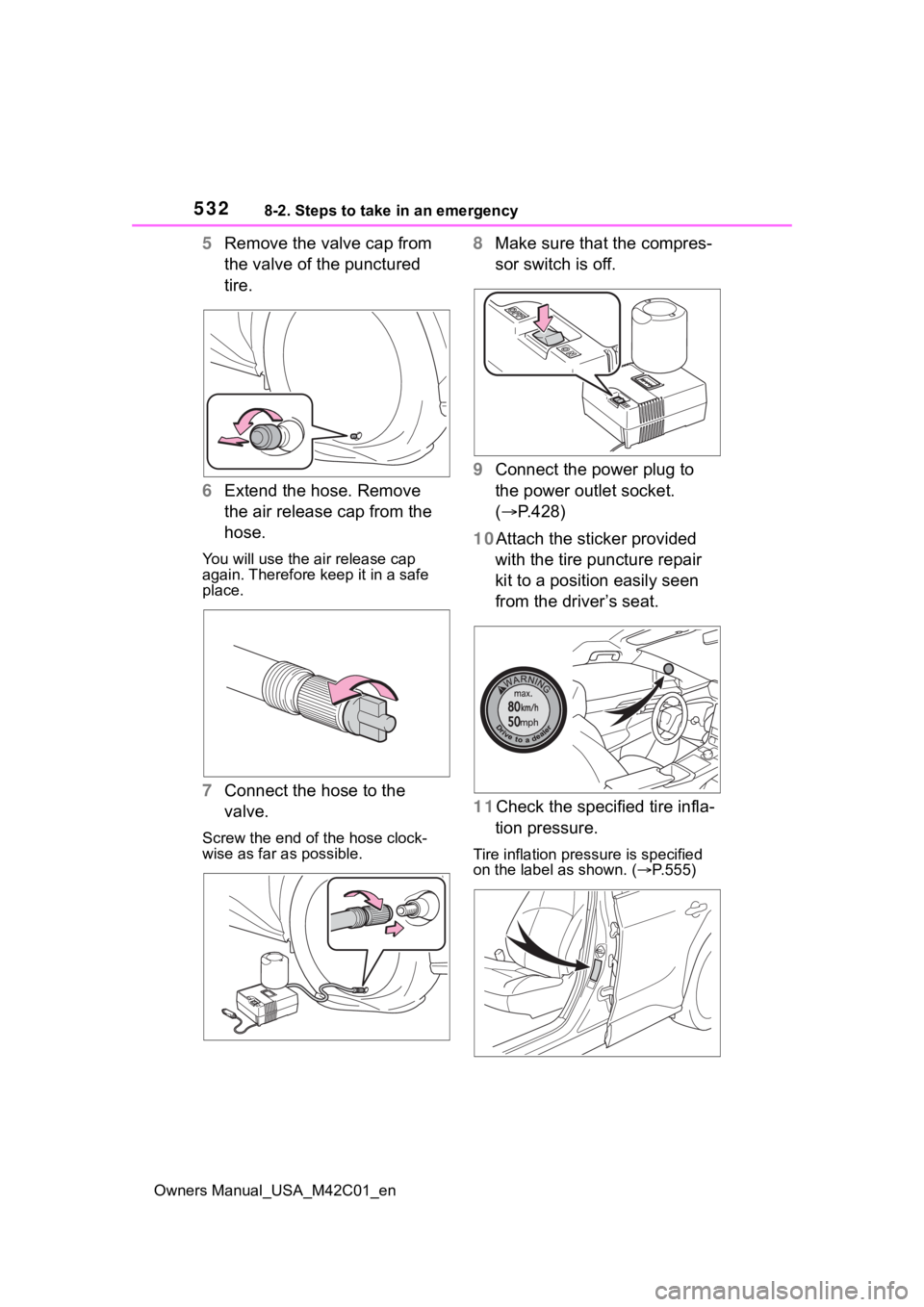
5Remove the valve cap from
the valve of the punctured
tire.
6 Extend the hose. Remove
the air release cap from the
hose.
You will use the air release cap
again. Therefore keep it in a safe
place.
7Connect the hose to the
valve.
Screw the end of the hose clock-
wise as far as possible.
8Make sure that the compres-
sor switch is off.
9 Connect the power plug to
the power outlet socket.
( P.428)
10Attach the sticker provided with the tire puncture repair
kit to a position easily seen
from the driver’s seat.
11Check the specified tire infla- tion pressure.
Tire inflation pressure is specified
on the label as shown. ( P.555)
Page 533 of 628
5338-2. Steps to take in an emergency
Owners Manual_USA_M42C01_en
8
When trouble arises
12 Start the EV system.
( P.231)
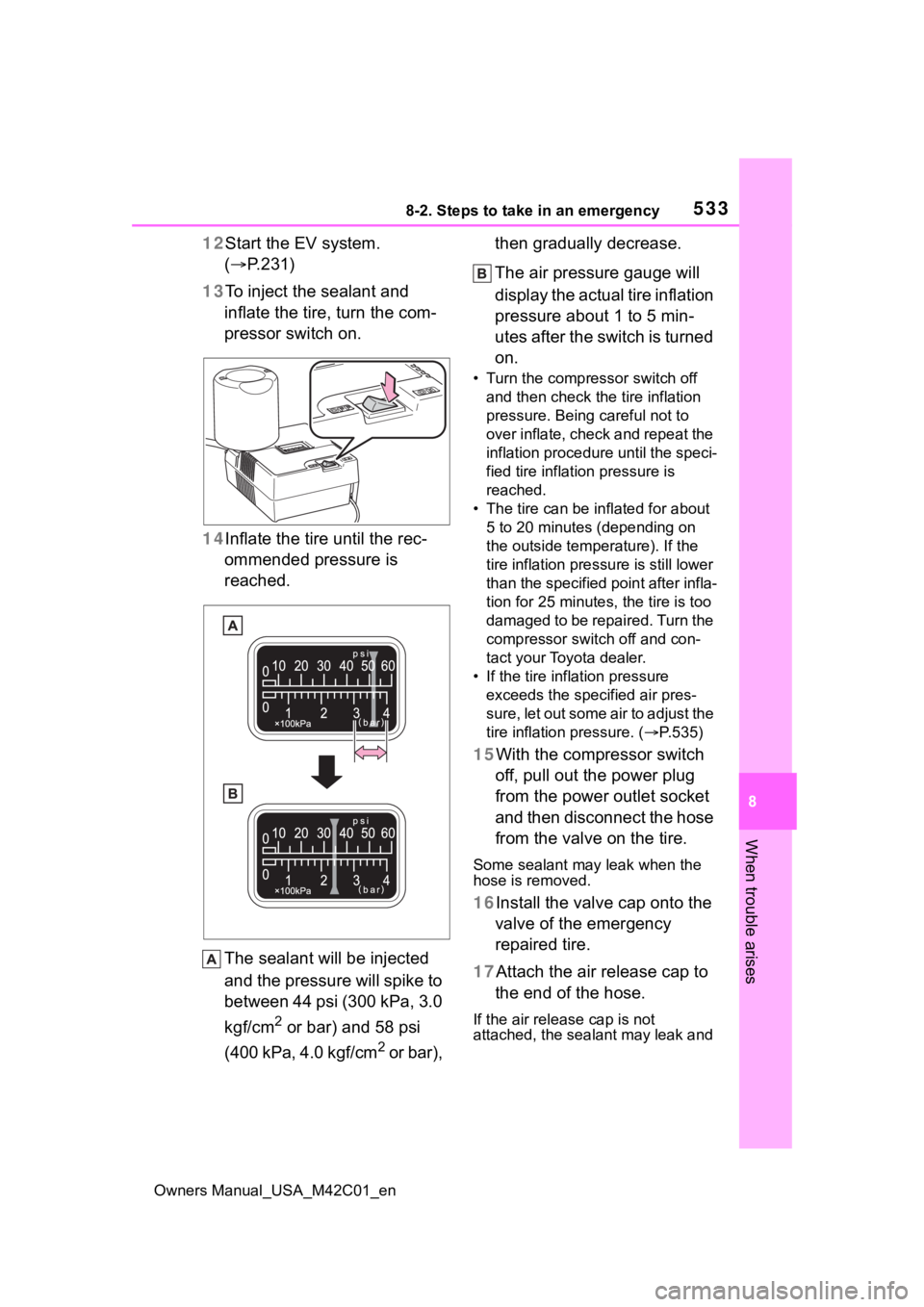
13 To inject the sealant and
inflate the tire, turn the com-
pressor switch on.
14 Inflate the tire until the rec-
ommended pressure is
reached.
The sealant will be injected
and the pressure will spike to
between 44 psi (300 kPa, 3.0
kgf/cm
2 or bar) and 58 psi
(400 kPa, 4.0 kgf/cm
2 or bar), then gradually decrease.
The air pressure gauge will
display the actual tire inflation
pressure about 1 to 5 min-
utes after the switch is turned
on.
• Turn the compressor switch off
and then check the tire inflation
pressure. Being careful not to
over inflate, check and repeat the
inflation procedure until the speci-
fied tire inflation pressure is
reached.
• The tire can be in flated for about
5 to 20 minutes (depending on
the outside temperature). If the
tire inflation press ure is still lower
than the specified point after infla-
tion for 25 minutes, the tire is too
damaged to be repaired. Turn the
compressor switch off and con-
tact your Toyota dealer.
• If the tire inflation pressure exceeds the spec ified air pres-
sure, let out some air to adjust the
tire inflation pressure. ( P.535)
15With the compressor switch
off, pull out the power plug
from the power outlet socket
and then disconnect the hose
from the valve on the tire.
Some sealant may leak when the
hose is removed.
16Install the valve cap onto the valve of the emergency
repaired tire.
17Attach the air release cap to the end of the hose.
If the air release cap is not
attached, the sealant may leak and
Page 606 of 628
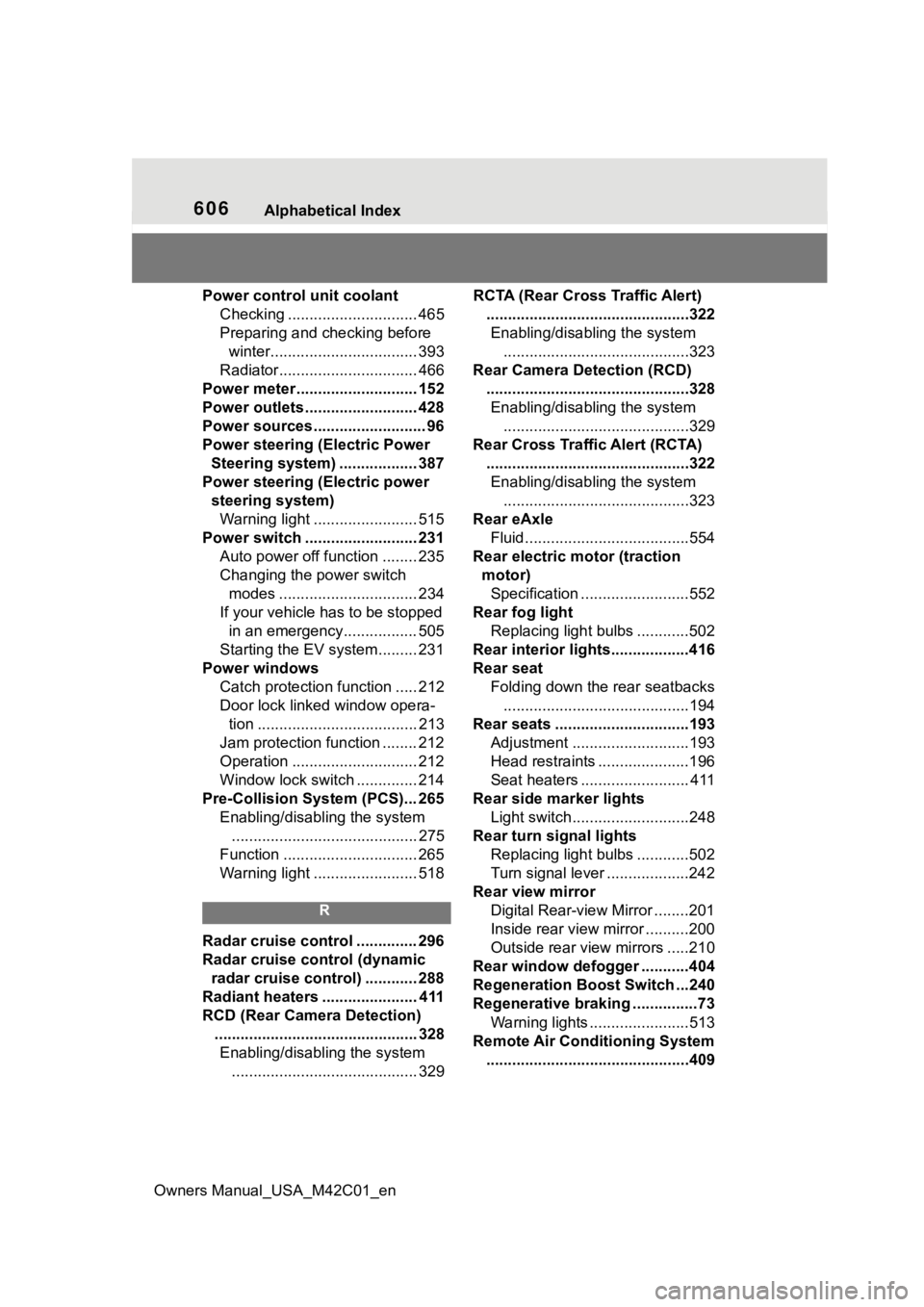
606Alphabetical Index
Owners Manual_USA_M42C01_en
Power control unit coolant Checking .............................. 465
Preparing and c hecking before
winter.................................. 393
Radiator................................ 466
Power meter ............................ 152
Power outlets .......................... 428
Power sources .......................... 96
Power steering (Electric Power Steering system) .................. 387
Power steering (Electric power steering system)Warning light ........................ 515
Power switch .......................... 231 Auto power off function ........ 235
Changing the power switch modes ................................ 234
If your vehicle has to be stopped in an emergency................. 505
Starting the EV system......... 231
Power windows Catch protection function ..... 212
Door lock linked window opera-tion ..................................... 213
Jam protection function ........ 212
Operation ............................. 212
Window lock switch .............. 214
Pre-Collision System (PCS)... 265 Enabling/disabling the system........................................... 275
Function ............................... 265
Warning light ........................ 518
R
Radar cruise control .............. 296
Radar cruise control (dynamic radar cruise control) ............ 288
Radiant heaters ...................... 411
RCD (Rear Camera Detection) ............................................... 328Enabling/disabling the system ........................................... 329 RCTA (Rear Cross Traffic Alert)
...............................................322Enabling/disabling the system ...........................................323
Rear Camera Detection (RCD) ...............................................328Enabling/disabling the system ...........................................329
Rear Cross Traffic Alert (RCTA) ...............................................322Enabling/disabling the system ...........................................323
Rear eAxle Fluid......................................554
Rear electric motor (traction motor)Specification .........................552
Rear fog light Replacing light bulbs ............502
Rear interior lights..................416
Rear seat Folding down the rear seatbacks...........................................194
Rear seats ...............................193 Adjustment ...........................193
Head restraints .....................196
Seat heaters ......................... 411
Rear side marker lights Light switch...........................248
Rear turn signal lights Replacing light bulbs ............502
Turn signal lever ...................242
Rear view mirror Digital Rear-view Mirror ........201
Inside rear view mirror ..........200
Outside rear view mirrors .....210
Rear window defogger ...........404
Regeneration Boost Switch ...240
Regenerative braking ...............73 Warning lights .......................513
Remote Air Conditioning System ...............................................409