brakes SUBARU SOLTERRA 2023 User Guide
[x] Cancel search | Manufacturer: SUBARU, Model Year: 2023, Model line: SOLTERRA, Model: SUBARU SOLTERRA 2023Pages: 628, PDF Size: 11.91 MB
Page 294 of 628
2945-4. Using the driving support systems
Owners Manual_USA_M42C01_enoperated
●When the vehicle is stopped by
system control on a steep incline
●When any of the following are
detected while the vehicle is
stopped by system control:
• The driver’s seat belt is unfas-
tened
• The driver’s door is opened
• Approximately 3 minutes have elapsed since the vehicle was
stopped
The parking brake may be actived
automatically.
The shift position may automatically
change to P. ( P.238)
●Situations in whic h some or all of
the functions of the system cannot
operate: P. 2 6 4
■Dynamic radar cruise control
system warning messages and
buzzers
For safe use: P.259
■Preceding vehicles that the sen-
sor may not detect correctly
In the following situations, depend-
ing on the conditions, if the system
cannot provide sufficient decelera-
tion or accelerati on is necessary,
operate the brake pedal or accelera-
tor pedal.
As the sensor may not be able to
correctly detect these types of vehi-
cles, the approach warning
( P.294) may not operate.
●When a vehicle cuts in front of
your vehicle or changes lanes
away from your vehicle extremely
slowly or quickly
●When changing lanes
●When a preceding vehicle is driv-
ing at a low speed
●When a vehicle i s stopped in the
same lane as the vehicle
●When a motorcycle is traveling in
the same lane as the vehicle
■Conditions under which the
system may not operate cor-
rectly
In the following situations, operate
the brake pedal (or accelerator
pedal, depending on the situation)
as necessary.
As the sensor may not be able to
correctly detect a vehicle, the sys-
tem may not operate properly.
●When a preceding vehicle brakes
suddenly
●When changing lanes at low
speeds, such as in a traffic jam
In situations where the vehicle
approaches a preceding vehicle
and the system cannot provide
sufficient deceleration, such as
if a vehicle cuts in front of the
vehicle, a warning display will
flash and a buzzer will sound to
alert the driver. Depress the
brake pedal to ensure appropri-
ate vehicle-to-vehicle distance.
■Warnings may not occur
when
In the following situations, the
warning may not operate even
though the vehicle-to-vehicle
distance is short.
When the preceding vehicle is
traveling at the same speed
or faster than your vehicle
When the preceding vehicle is
traveling at an extremely low
speed
Immediately after the vehicle
speed has been set
Approach warning
Page 314 of 628
3145-4. Using the driving support systems
Owners Manual_USA_M42C01_en
■Objects which the system may
not be properly detected
The shape of the object may pre-
vent the sensor from detecting it.
Pay particular attention to the follow-
ing objects:
●Wires, fences, ropes, etc.
●Cotton, snow and other materials
that absorb sound waves
●Sharply-angled objects
●Low objects
●Tall objects with upper sections
projecting outwards in the direc-
tion of your vehicle
People may not be detected if they
are wearing certain types of cloth-
ing.
■Situations in which the system
may not operate properly
Certain vehicle conditions and the
surrounding environment may affect
the ability of a sensor to correctly
detect objects. Particular instances
where this may occur are listed
below.
●There is dirt, snow, water drops or
ice on a sensor. (Cleaning the
sensors will resolve this problem.)
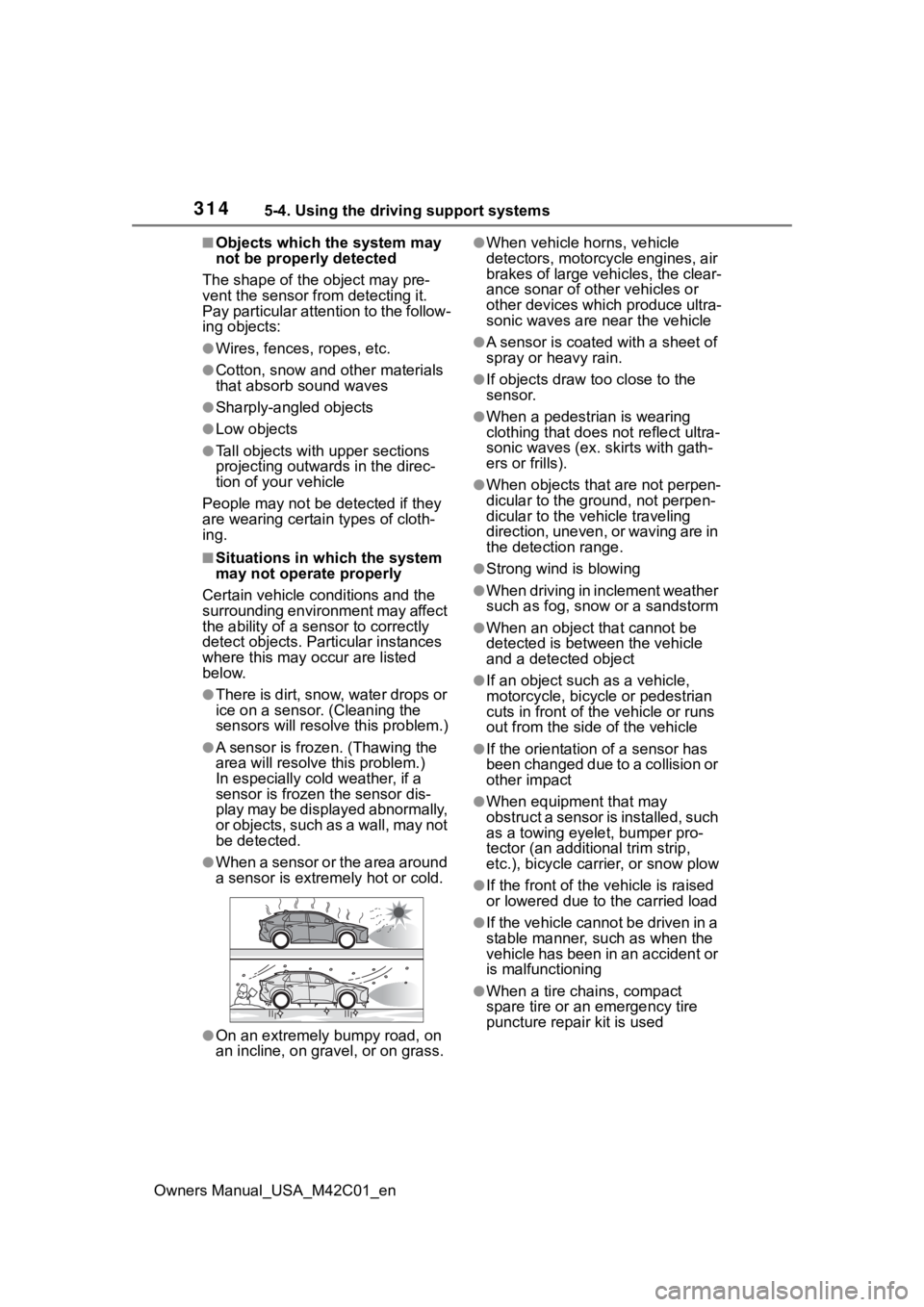
●A sensor is frozen. (Thawing the
area will resolve this problem.)
In especially cold weather, if a
sensor is frozen the sensor dis-
play may be displayed abnormally,
or objects, such as a wall, may not
be detected.
●When a sensor or the area around
a sensor is extremely hot or cold.
●On an extremely bumpy road, on
an incline, on gravel, or on grass.
●When vehicle horns, vehicle
detectors, motorcycle engines, air
brakes of large vehicles, the clear-
ance sonar of ot her vehicles or
other devices which produce ultra-
sonic waves are near the vehicle
●A sensor is coated with a sheet of
spray or heavy rain.
●If objects draw too close to the
sensor.
●When a pedestrian is wearing
clothing that does not reflect ultra-
sonic waves (ex. skirts with gath-
ers or frills).
●When objects that are not perpen-
dicular to the ground, not perpen-
dicular to the vehicle traveling
direction, uneven, or waving are in
the detection range.
●Strong wind is blowing
●When driving in inclement weather
such as fog, snow or a sandstorm
●When an object that cannot be
detected is between the vehicle
and a detected object
●If an object such as a vehicle,
motorcycle, bicycle or pedestrian
cuts in front of the vehicle or runs
out from the side of the vehicle
●If the orientation of a sensor has
been changed due to a collision or
other impact
●When equipment that may
obstruct a sensor is installed, such
as a towing eyelet, bumper pro-
tector (an additional trim strip,
etc.), bicycle car rier, or snow plow
●If the front of the v ehicle is raised
or lowered due to the carried load
●If the vehicle cannot be driven in a
stable manner, such as when the
vehicle has been in an accident or
is malfunctioning
●When a tire chains, compact
spare tire or an emergency tire
puncture repair kit is used
Page 315 of 628
3155-4. Using the driving support systems
Owners Manual_USA_M42C01_en
5
Driving
■Situations in which the system
may operate even if there is no
possibility of a collision
In some situations, such as the fol-
lowing, the system may operate
even though there is no possibility of
a collision.
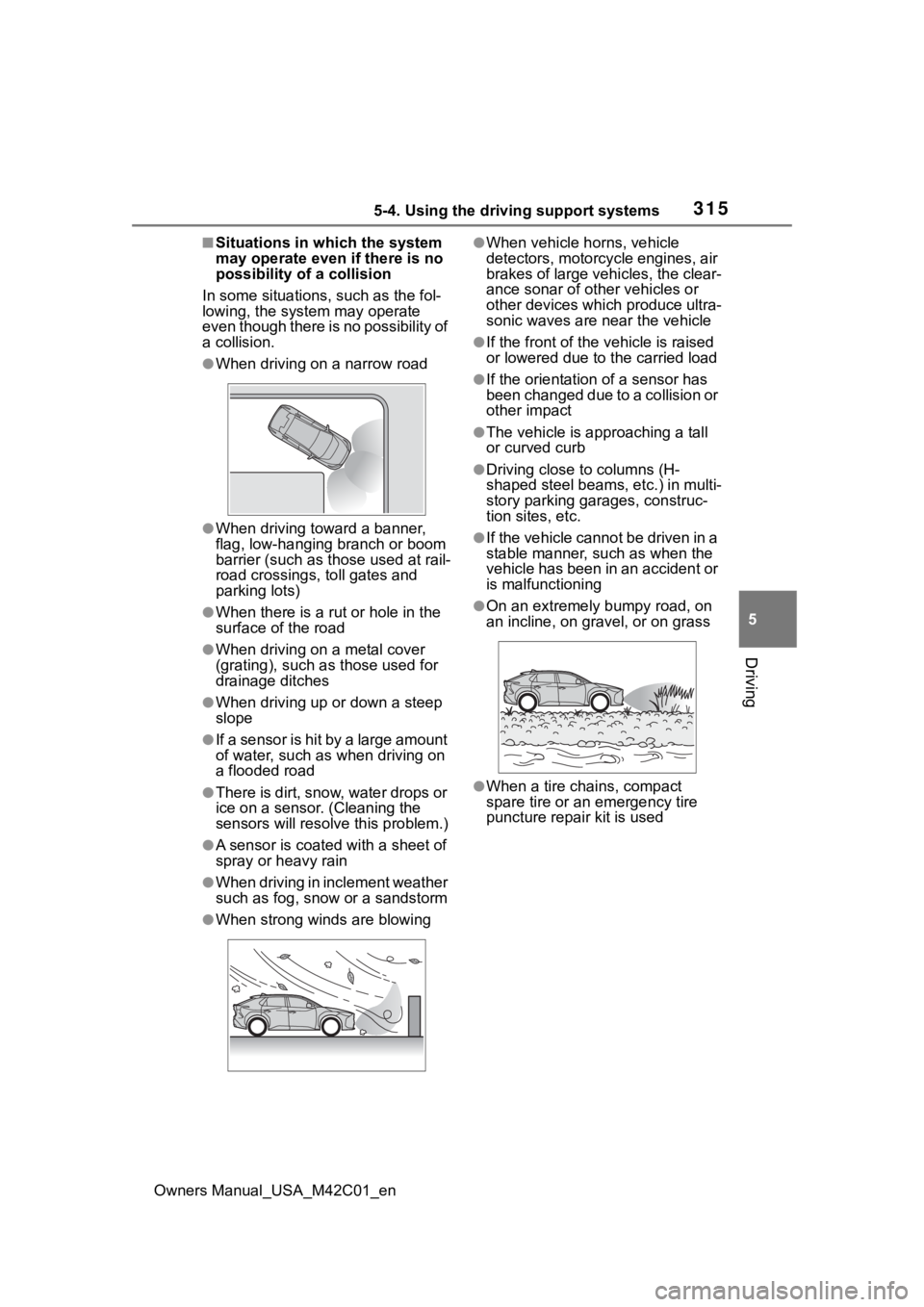
●When driving on a narrow road
●When driving toward a banner,
flag, low-hanging branch or boom
barrier (such as those used at rail-
road crossings, toll gates and
parking lots)
●When there is a rut or hole in the
surface of the road
●When driving on a metal cover
(grating), such as those used for
drainage ditches
●When driving up or down a steep
slope
●If a sensor is hit by a large amount
of water, such as when driving on
a flooded road
●There is dirt, snow, water drops or
ice on a sensor. (Cleaning the
sensors will resolve this problem.)
●A sensor is coated with a sheet of
spray or heavy rain
●When driving in inclement weather
such as fog, snow or a sandstorm
●When strong winds are blowing
●When vehicle horns, vehicle
detectors, motorcycle engines, air
brakes of large vehicles, the clear-
ance sonar of ot her vehicles or
other devices which produce ultra-
sonic waves are near the vehicle
●If the front of the v ehicle is raised
or lowered due to the carried load
●If the orientation of a sensor has
been changed due to a collision or
other impact
●The vehicle is approaching a tall
or curved curb
●Driving close to columns (H-
shaped steel beams, etc.) in multi-
story parking garages, construc-
tion sites, etc.
●If the vehicle cannot be driven in a
stable manner, such as when the
vehicle has been in an accident or
is malfunctioning
●On an extremely bumpy road, on
an incline, on gravel, or on grass
●When a tire chains, compact
spare tire or an emergency tire
puncture repair kit is used
Page 331 of 628
3315-4. Using the driving support systems
Owners Manual_USA_M42C01_en
5
Driving
leaves on the road
• Metal covers (gratings), such as those used for drainage ditches
• Objects reflected in a puddle or on a wet road surface
• Shadows on the road
●In some situations, such as the
following, the rear camera detec-
tion function may operate even
though there are no pedestrians in
the detection area.
• When backing up toward the road- side or a bump on the road
• When backing up toward an
incline/decline
• If the rear of the vehicle is raised or lowered due to the carried load
• If a bumper protector, such as an additional trim strip, is installed to
the rear bumper
• If the orientation of the rear cam- era has been changed
• If a towing eyelet is installed to the
rear of the vehicle
• When water is flowing over the rear camera lens
• When the rear camera is obscured (dirt, snow, ice, etc., are
attached) or scratched
• If there is a flashing light in the detection area, such as the emer-
gency flashers of another vehicle
• When a tire chains or an emer- gency tire puncture repair kit is
used
●Situations in which the rear cam-
era detection function may be diffi-
cult to notice
• The buzzer may be difficult to hear if the surrounding area is noisy,
the volume of the audio system
volume is high, the air condition-
ing system is being used, etc.
• If the temperature in the cabin is extremely high or low, the audio
system screen may not operate
correctly.
*: If equipped
■Static Objects Front and
Rear of the Vehicle (if
equipped)
P.336
■Moving Vehicles Rear of the
Vehicle (if equipped)
P.339
PKSB (Parking Sup-
port Brake)*
The Parking Support Brake
system consists of the fol-
lowing functions that oper-
ate when driving at a low
speed or backing up, such
as when parking. When the
system determines that the
probability of a collision
with a detected object or
pedestrian is high, a warn-
ing operates to urge the
driver to take evasive
action. If the system deter-
mines that the possibility of
a collision with a detected
object or pedestrian is
extremely high, the brakes
are automatically applied to
help avoid the collision or
help reduce the impact of
the collision.
PKSB (Parking Support
Brake) system
Page 334 of 628
3345-4. Using the driving support systems
Owners Manual_USA_M42C01_enstronger-than-normal brake opera-
tion is necessary.
Multimedia display: “BRAKE!”
Multi-information
display: “BRAKE!”
Driving assist information indicator:
Not illuminated
Buzzer: Short beep
Brake control is operating
The system determ ined that emer-
gency braking is necessary.
Multimedia display: “BRAKE!”
Multi-information display: “BRAKE!”
Driving assist information indicator:
Not illuminated
Buzzer: Short beep
Vehicle stopped by system
operation
The vehicle has been stopped by
brake control operation.
Multimedia display: “Press Brake
Pedal”
Multi-information display: “Acceler-
ator Pedal is Pressed Press Brake
Pedal” (If the accelerator pedal is
not depressed, “Press Brake Pedal”
will be displayed.)
Driving assist information indicator:
Illuminated
Buzzer: Sounds repeatedly
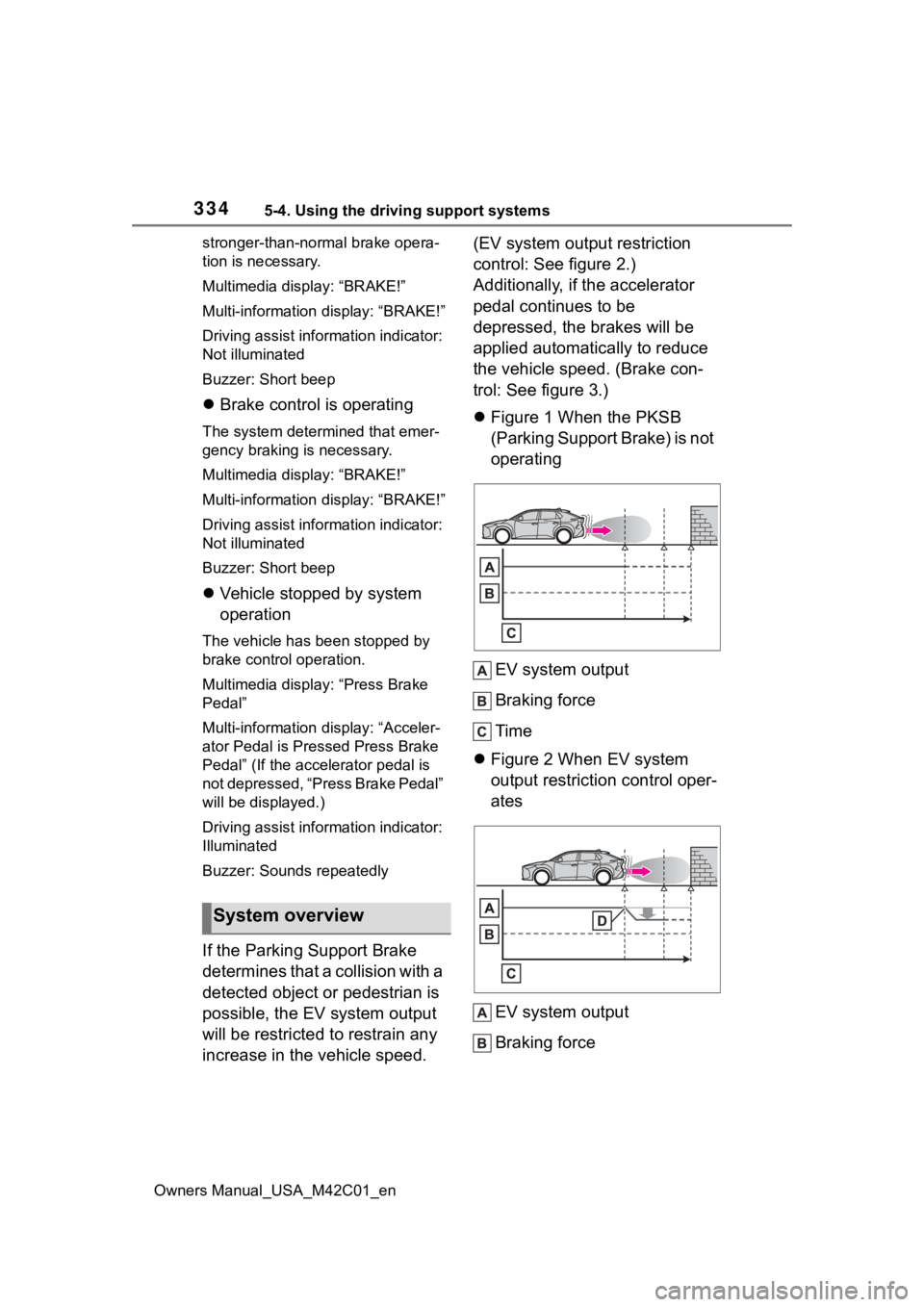
If the Parking Support Brake
determines that a collision with a
detected object or pedestrian is
possible, the EV system output
will be restricted to restrain any
increase in the vehicle speed. (EV system output restriction
control: See figure 2.)
Additionally, if the accelerator
pedal continues to be
depressed, the brakes will be
applied automatically to reduce
the vehicle speed. (Brake con-
trol: See figure 3.)
Figure 1 When the PKSB
(Parking Support Brake) is not
operating
EV system output
Braking force
Time
Figure 2 When EV system
output restriction control oper-
ates
EV system output
Braking force
System overview
Page 340 of 628
3405-4. Using the driving support systems
Owners Manual_USA_M42C01_en
●Brake control
• The Parking Support Brake is dis- abled.
• Approximately 2 seconds have elapsed since the vehicle was
stopped by brake control.
• The brake pedal is depressed after the vehicle is stopped by
brake control.
• A vehicle is no longer approaching from the right or left at the rear of
the vehicle.
■Detection range
The detection area of the moving
vehicles rear of the vehicle differs
from the detection area of the RCTA
function ( P.324). Therefore, even
if the RCTA function detects a vehi-
cle and provides an alert, the mov-
ing vehicles rear of the vehicle may
not start operating.
■RCTA buzzer
Regardless of weather the RCTA
function is on o r off, if the PKSB
(Parking Support Brake) system is
not disabled, when the brake control
operates, the buzze r will sounds to
alert the driver.
■Situations in which the system
may not operate properly
P. 3 2 5
■Situations in which the system
may operate even if there is no
possibility of a collision
P. 3 2 6
*: If equipped
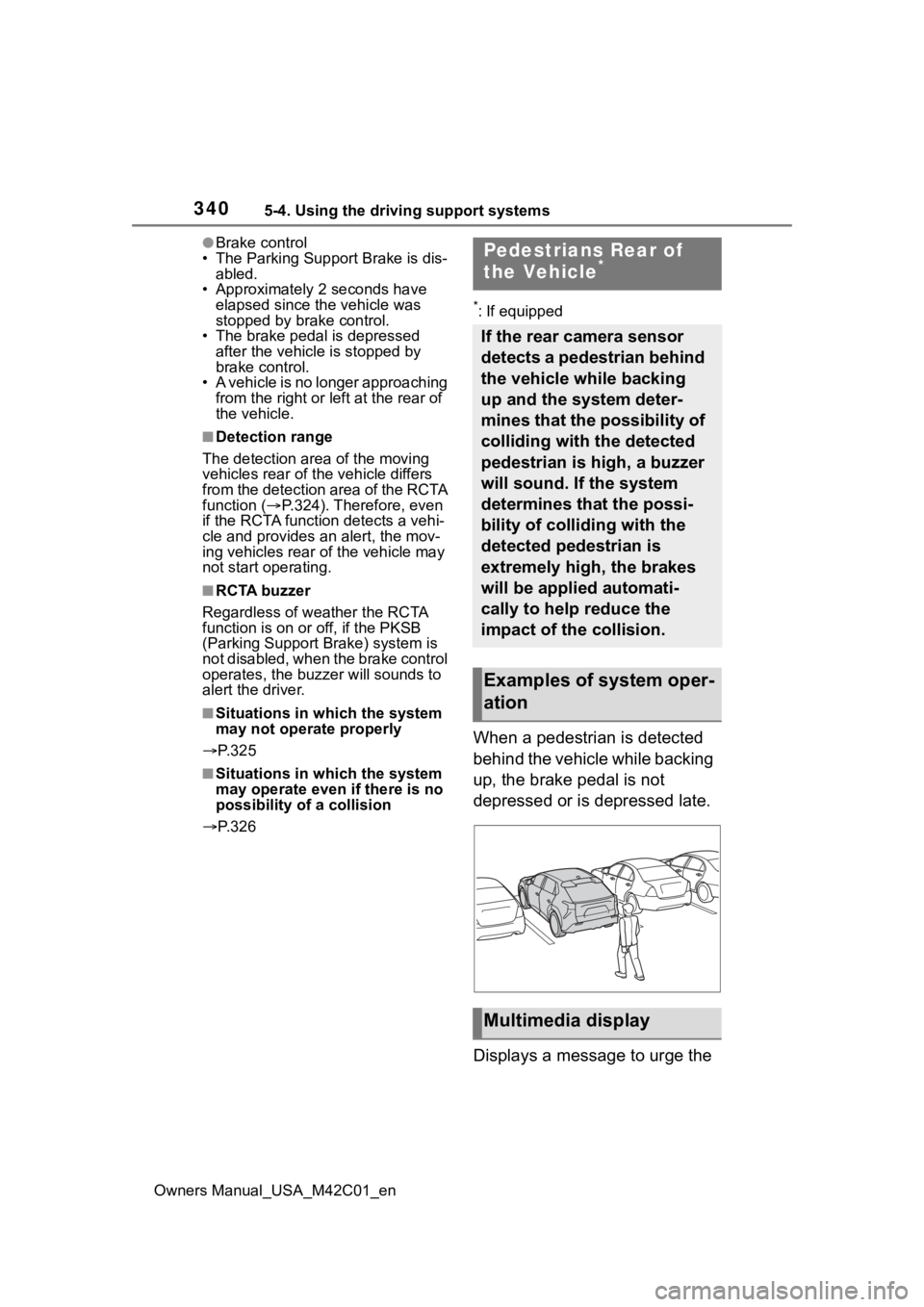
When a pedestrian is detected
behind the vehicle while backing
up, the brake pedal is not
depressed or is depressed late.
Displays a message to urge the
Pedestrians Rear of
the Vehicle*
If the rear camera sensor
detects a pedestrian behind
the vehicle while backing
up and the system deter-
mines that the possibility of
colliding with the detected
pedestrian is high, a buzzer
will sound. If the system
determines that the possi-
bility of colliding with the
detected pedestrian is
extremely high, the brakes
will be applied automati-
cally to help reduce the
impact of the collision.
Examples of system oper-
ation
Multimedia display
Page 382 of 628
3825-4. Using the driving support systems
Owners Manual_USA_M42C01_en
*: If equipped
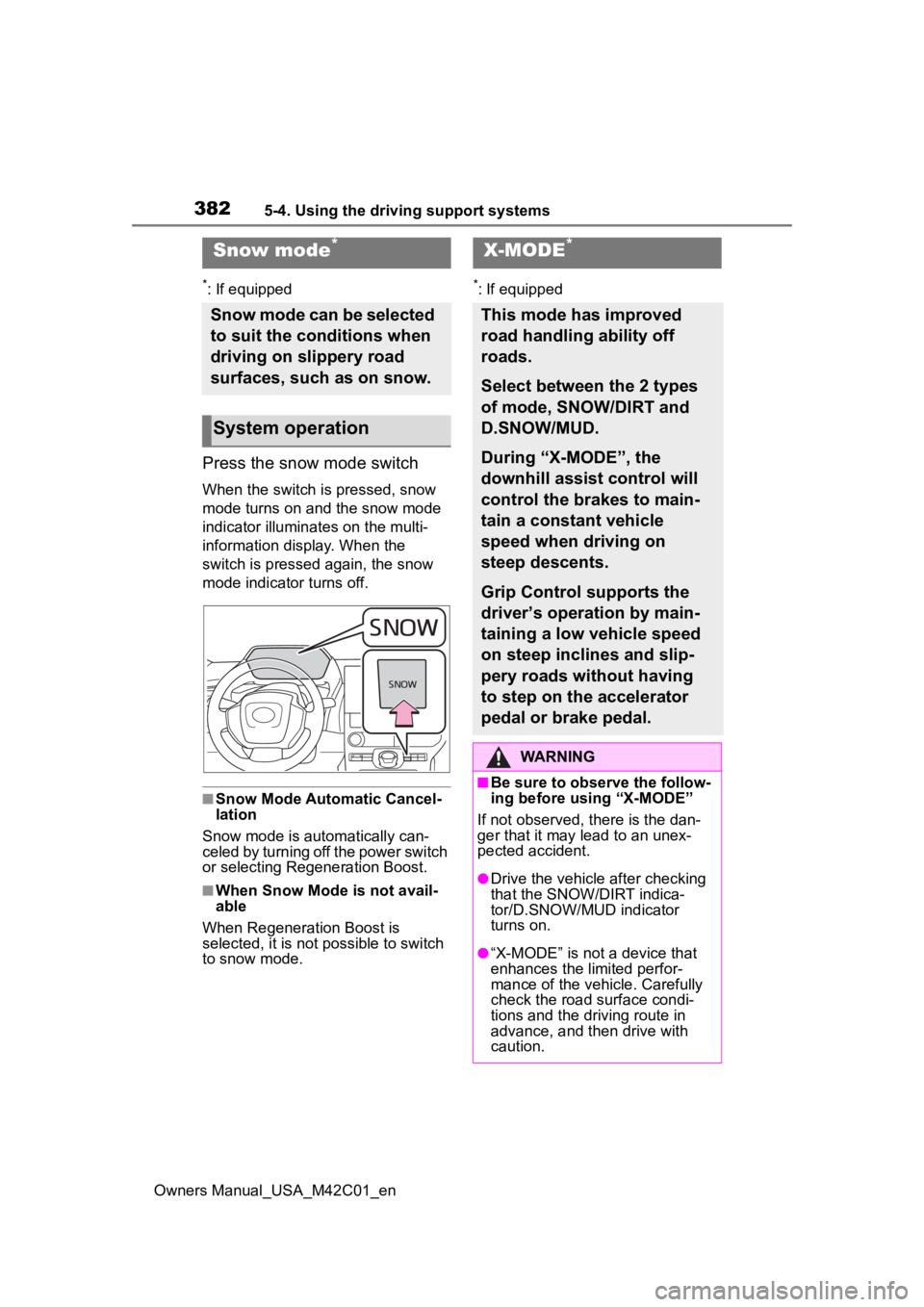
Press the snow mode switch
When the switch is pressed, snow
mode turns on and the snow mode
indicator illuminates on the multi-
information display. When the
switch is pressed again, the snow
mode indicator turns off.
■Snow Mode Automatic Cancel-
lation
Snow mode is automatically can-
celed by turning off the power switch
or selecting Regeneration Boost.
■When Snow Mode is not avail-
able
When Regeneration Boost is
selected, it is not possible to switch
to snow mode.
*: If equipped
Snow mode*
Snow mode can be selected
to suit the conditions when
driving on slippery road
surfaces, such as on snow.
System operation
X-MODE*
This mode has improved
road handling ability off
roads.
Select between the 2 types
of mode, SNOW/DIRT and
D.SNOW/MUD.
During “X-MODE”, the
downhill assist control will
control the brakes to main-
tain a constant vehicle
speed when driving on
steep descents.
Grip Control supports the
driver’s operation by main-
taining a low vehicle speed
on steep inclines and slip-
pery roads without having
to step on the accelerator
pedal or brake pedal.
WARNING
■Be sure to observe the follow-
ing before using “X-MODE”
If not observed, there is the dan-
ger that it may lead to an unex-
pected accident.
●Drive the vehicle after checking
that the SNOW/DIRT indica-
tor/D.SNOW/MUD indicator
turns on.
●“X-MODE” is not a device that
enhances the limited perfor-
mance of the vehicle. Carefully
check the road surface condi-
tions and the dri ving route in
advance, and th en drive with
caution.
Page 386 of 628
3865-4. Using the driving support systems
Owners Manual_USA_M42C01_enDrive carefully when releasing Grip
Control while driving.
■Grip Control Operations Condi-
tions
• When in “X-MODE”
• When the shift position is in D
• When the parking brake has been released
• When the driver side door is closed
• When the vehicle is stopped by stepping on the brake or the vehi-
cle speed is approximately 2 to 6
mph [2 to 10 km/h]
■Automatic Releasing the Grip
Control
In case of any of the following, the
Grip Control is released.
• When the vehicle is stopped by stepping on the brake pedal
• When the vehicle speed exceeds more than 13 mph (20 km/h)
• When the shift position in a posi- tion other than D
• When the parking brake is oper- ated
• When the driver side door is opened
• ABS/VSC is activated.
• When brake control and output suppression by the driving support
device are activated (example:
Pre-Collision S ystem, Parking
Support Brake (If equipped))
• When the system determines it cannot continue i n the current
environment
• When the power switch is turned OFF
■When Grip Control is not avail-
able
In the following conditions, Grip
Control is not available.
• When the brake system or EV system is malfunctioning
• After the EV system is started and until the vehicle has been running
for a while
■Brake hold system
The brake hold system turns OFF
when the Grip Control is being used.
Press the brake pedal firmly and
operate the switch.
When using the brake hold system
again, turn ON the brake hold sys-
tem after releasing the Grip Control.
NOTICE
■Long term usage
If used continuously for a long
periods of time, the temperature
of the brakes may rise the system
may temporarily stop.
■Operation noises and vibra-
tions
• Operating noise may be heard from motor room, however this
is not a malfunction.
• When the brake pedal is depressed, it may become
harder than usual or it may feel
different from normal, but this is
not a malfunction.
■When the operation indicator
does not turn on in the meter
even after operating the
switch
The system may not be working
properly. Have the vehicle
inspected at your Toyota dealer.
Page 387 of 628
3875-4. Using the driving support systems
Owners Manual_USA_M42C01_en
5
Driving
■ECB (Electronically Con-
trolled Brake System)
The electronically controlled
system generates braking force
corresponding to the brake
operation
■ABS (Anti-lock Brake Sys-
tem)
Helps to prevent wheel lock
when the brakes are applied
suddenly, or if the brakes are
applied while driving on a slip-
pery road surface
■Brake assist
Generates an increased level of
braking force after the brake
pedal is depressed when the
system detects a panic stop sit-
uation
■VSC (Vehicle Stability Con-
trol)
Helps the driver to control skid-
ding when swerving suddenly or
turning on slippery road sur-
faces.
■Trailer Sway Control
Helps the driver to control trailer
sway by selectively applying
brake pressure for individual
wheels and reducing driving
torque when trailer sway is
detected.
■TRAC (Traction Control)
Helps to maintain drive power
and prevent the drive wheels
from spinning when starting the
vehicle or accelerating on slip-
pery roads
■Active Cornering Assist
(ACA)
Helps to prevent the vehicle
from drifting to the outer side by
performing inner wheel brake
control when attempting to
accelerate while turning
■Hill-start assist control
Helps to reduce the backward
movement of the vehicle when
starting on an uphill
■EPS (Electric Power Steer-
ing)
Employs an electric motor to
reduce the amount of effort
needed to turn the steering
wheel.
Driving assist systems
To keep driving safety and
performance, the following
systems operate automati-
cally in response to various
driving situations. Be
aware, however, that these
systems are supplementary
and should not be relied
upon too heavily when
operating the vehicle.
Summary of the driving
assist systems
Page 388 of 628
3885-4. Using the driving support systems
Owners Manual_USA_M42C01_en
■The Secondary Collision
Brake
When the SRS airbag sensor
detects a collision and the sys-
tem operates, the brakes and
brake lights are automatically
controlled to reduce the vehicle
speed and help reduce the pos-
sibility of further damage due to
a secondary collision.
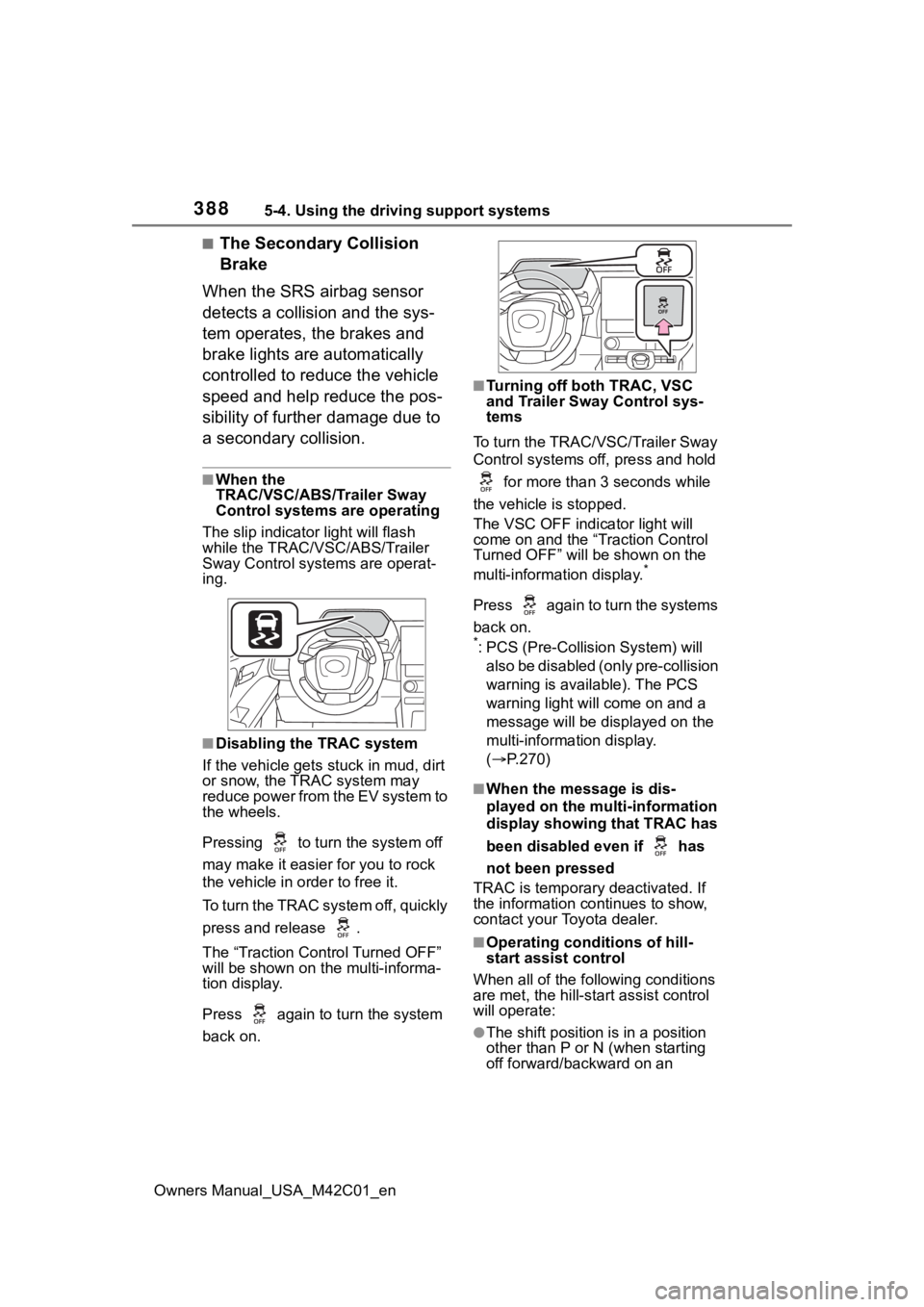
■When the
TRAC/VSC/ABS/Trailer Sway
Control systems are operating
The slip indicator light will flash
while the TRAC/VSC/ABS/Trailer
Sway Control systems are operat-
ing.
■Disabling the TRAC system
If the vehicle gets stuck in mud, dirt
or snow, the TRAC system may
reduce power from the EV system to
the wheels.
Pressing to turn the system off
may make it easier for you to rock
the vehicle in order to free it.
To turn the TRAC system off, quickly
press and release .
The “Traction Control Turned OFF”
will be shown on the multi-informa-
tion display.
Press again to t urn the system
back on.
■Turning off both TRAC, VSC
and Trailer Sway Control sys-
tems
To turn the TRAC/VSC/Trailer Sway
Control systems off, press and hold for more than 3 seconds while
the vehicle is stopped.
The VSC OFF indicator light will
come on and the “Traction Control
Turned OFF” will be shown on the
multi-information display.
*
Press again to turn the systems
back on.
*: PCS (Pre-Collision System) will also be disabled (only pre-collision
warning is available). The PCS
warning light will come on and a
message will be disp layed on the
multi-information display.
( P.270)
■When the message is dis-
played on the multi-information
display showing that TRAC has
been disabled even if has
not been pressed
TRAC is temporary deactivated. If
the information continues to show,
contact your Toyota dealer.
■Operating conditions of hill-
start assist control
When all of the fo llowing conditions
are met, the hill-star t assist control
will operate:
●The shift position is in a position
other than P or N (when starting
off forward/backward on an