audio SUBARU SOLTERRA 2023 Owner's Manual
[x] Cancel search | Manufacturer: SUBARU, Model Year: 2023, Model line: SOLTERRA, Model: SUBARU SOLTERRA 2023Pages: 628, PDF Size: 11.91 MB
Page 331 of 628
3315-4. Using the driving support systems
Owners Manual_USA_M42C01_en
5
Driving
leaves on the road
• Metal covers (gratings), such as those used for drainage ditches
• Objects reflected in a puddle or on a wet road surface
• Shadows on the road
●In some situations, such as the
following, the rear camera detec-
tion function may operate even
though there are no pedestrians in
the detection area.
• When backing up toward the road- side or a bump on the road
• When backing up toward an
incline/decline
• If the rear of the vehicle is raised or lowered due to the carried load
• If a bumper protector, such as an additional trim strip, is installed to
the rear bumper
• If the orientation of the rear cam- era has been changed
• If a towing eyelet is installed to the
rear of the vehicle
• When water is flowing over the rear camera lens
• When the rear camera is obscured (dirt, snow, ice, etc., are
attached) or scratched
• If there is a flashing light in the detection area, such as the emer-
gency flashers of another vehicle
• When a tire chains or an emer- gency tire puncture repair kit is
used
●Situations in which the rear cam-
era detection function may be diffi-
cult to notice
• The buzzer may be difficult to hear if the surrounding area is noisy,
the volume of the audio system
volume is high, the air condition-
ing system is being used, etc.
• If the temperature in the cabin is extremely high or low, the audio
system screen may not operate
correctly.
*: If equipped
■Static Objects Front and
Rear of the Vehicle (if
equipped)
P.336
■Moving Vehicles Rear of the
Vehicle (if equipped)
P.339
PKSB (Parking Sup-
port Brake)*
The Parking Support Brake
system consists of the fol-
lowing functions that oper-
ate when driving at a low
speed or backing up, such
as when parking. When the
system determines that the
probability of a collision
with a detected object or
pedestrian is high, a warn-
ing operates to urge the
driver to take evasive
action. If the system deter-
mines that the possibility of
a collision with a detected
object or pedestrian is
extremely high, the brakes
are automatically applied to
help avoid the collision or
help reduce the impact of
the collision.
PKSB (Parking Support
Brake) system
Page 452 of 628
4527-1. Maintenance and care
Owners Manual_USA_M42C01_enage to the IR prote
ctive coating,
observe the following:
●If the windows are dirty, gently
wipe them with a cloth soaked in
water or lukewarm water as soon
as possible.
●If the windows are very dirty, do
not open and close them repeat-
edly.
WARNING
■Water in the vehicle
●Do not splash or spill liquid in
the vehicle.
Doing so may cause the electri-
cal components, etc., to mal-
function or catch fire.
●Do not get any of the SRS com-
ponents or wiring in the vehicle
interior wet.
( P.35)
An electrical malfunction may
cause the airbags to deploy or
not function properly, resulting
in death or serious injury.
●Vehicles with wireless charger:
Do not let the wireless charger
( P.430) get wet. Failure to do
so may cause the charger to
become hot and cause burns or
could cause electric shock
resulting in death or serious
injury.
■Cleaning the interior (espe-
cially instrument panel)
Do not use a polis h wax or polish
cleaner. The instrument panel
may reflect off the windshield,
obstructing the dr iver’s view and
leading to an accident, resulting in
death or serious injury.
NOTICE
■Cleaning detergents
●Do not use the following types
of detergent, as they may dis-
color the vehicle interior or
cause streaks or damage to
painted surfaces:
• Non-seat portions: Organic sub- stances such as benzene or
gasoline, alkaline or acidic solu-
tions, dye, and bleach
• Seats: Alkaline or acidic solu- tions, such as th inner, benzene,
and alcohol
●Do not use a polish wax or pol-
ish cleaner. The instrument
panel’s or other interior part’s
painted surface may be dam-
aged.
■Water on the floor
Do not wash the v ehicle floor with
water.
Vehicle systems such as the
audio system may be damaged if
water comes into contact with
electrical components such as the
audio system above or under the
floor of the vehicle. Water may
also cause the body to rust.
■When cleaning the inside of
the windshield
Do not allow glass cleaner to con-
tact the lens. Also, do not touch
the lens. ( P.259)
■Cleaning the inside of the rear
window
●Do not use a gla ss cleaner to
clean the rear window, as this
may cause damage to the rear
window defogger heater wires.
Use a cloth dampened with
lukewarm water to gently wipe
the window clean. Wipe the win-
dow in strokes running parallel
to the heater wires.
Page 519 of 628
5198-2. Steps to take in an emergency
Owners Manual_USA_M42C01_en
8
When trouble arises
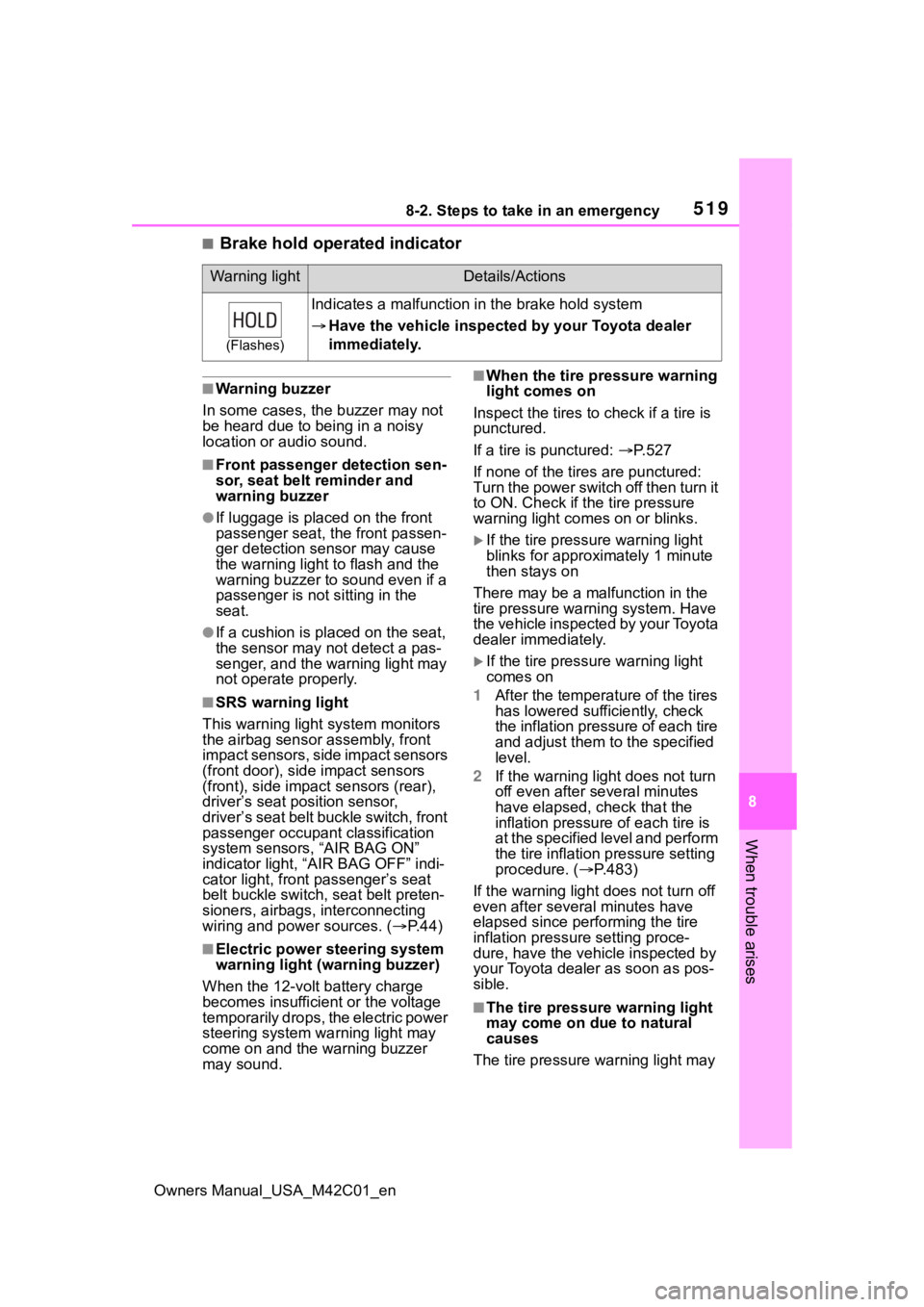
■Brake hold operated indicator
■Warning buzzer
In some cases, the buzzer may not
be heard due to being in a noisy
location or audio sound.
■Front passenger detection sen-
sor, seat belt reminder and
warning buzzer
●If luggage is placed on the front
passenger seat, the front passen-
ger detection sensor may cause
the warning light to flash and the
warning buzzer to sound even if a
passenger is not sitting in the
seat.
●If a cushion is placed on the seat,
the sensor may n ot detect a pas-
senger, and the warning light may
not operate properly.
■SRS warning light
This warning light system monitors
the airbag sensor assembly, front
impact sensors, side impact sensors
(front door), side impact sensors
(front), side impact sensors (rear),
driver’s seat position sensor,
driver’s seat belt buckle switch, front
passenger occupant classification
system sensors, “AIR BAG ON”
indicator light, “AIR BAG OFF” indi-
cator light, front passenger’s seat
belt buckle switch, seat belt preten-
sioners, airbags, interconnecting
wiring and power sources. ( P.44)
■Electric power steering system
warning light (warning buzzer)
When the 12-volt battery charge
becomes insufficien t or the voltage
temporarily drops, the electric power
steering system warning light may
come on and the warning buzzer
may sound.
■When the tire pressure warning
light comes on
Inspect the tires to check if a tire is
punctured.
If a tire is punctured: P. 5 2 7
If none of the tires are punctured:
Turn the power switch off then turn it
to ON. Check if th e tire pressure
warning light com es on or blinks.
If the tire pressure warning light
blinks for approximately 1 minute
then stays on
There may be a malfunction in the
tire pressure warning system. Have
the vehicle inspected by your Toyota
dealer immediately.
If the tire pressur e warning light
comes on
1 After the temperature of the tires
has lowered sufficiently, check
the inflation pressure of each tire
and adjust them to the specified
level.
2 If the warning light does not turn
off even after several minutes
have elapsed, check that the
inflation pressure of each tire is
at the specified level and perform
the tire inflation pressure setting
procedure. ( P.483)
If the warning light d oes not turn off
even after several minutes have
elapsed since performing the tire
inflation pressure setting proce-
dure, have the vehicle inspected by
your Toyota dealer as soon as pos-
sible.
■The tire pressure warning light
may come on due to natural
causes
The tire pressure warning light may
Warning lightDetails/Actions
(Flashes)
Indicates a malfunction in the brake hold system
Have the vehicle inspecte d by your Toyota dealer
immediately.
Page 522 of 628
5228-2. Steps to take in an emergency
Owners Manual_USA_M42C01_en
■Warning messages
The warning messages explained
below may differ from the actual
messages according to operation
conditions and vehicle specifica-
tions.
■Warning buzzer
In some cases, the buzzer may not
be heard due to being in a noisy
location or audio sound.
■If “EV system stopped Steering
power low” is displayed
This message is displayed if the EV
system is stopped while driving. When steering wheel operations are
heavier than usual, grip the steering
wheel firmly and
operate it using
more force than usual.
■If “EV system overheated Out-
put power reduced” is dis-
played
This message may be displayed
when driving under severe operat-
ing conditions. (For example, when
driving up a l ong steep hill.)
Handling method: P. 5 4 5
■If “Shift System Malfunction
Shifting Unavailable Drive to a
Safe Place and Stop” or “Shift
System Malfunction Driving
Unavailable” is displayed
There is a malfunc tion in the shift
control system. Have the vehicle
inspected by your Toyota dealer
immediately.
■If “Shift is in N Release acceler-
ator before shifting” is dis-
played
The accelerator pedal has been
depressed when the shift position is
in N.
Release the accelerator pedal and
shift the shift position to D or R.
■If “Press brake when vehicle is
stopped EV system may over-
heat” is displayed
The message may be displayed
when the accelerator pedal is
depressed to hold the vehicle while
the vehicle is stopped on an incline,
etc. The EV system may overheat.
Release the accelerator pedal and
depress the brake pedal.
■If “Auto Power Off To Conserve
Battery” is displayed
Power was turned off due to the
automatic power off function. Next
time when starting the EV system,
operate the EV system for approxi-
mately 5 minutes t o recharge the
12-volt battery.
If a war ning message
is displayed
The multi-information dis-
play shows warnings of
system malfunctions, incor-
rectly performed opera-
tions, and messages that
indicate a need for mainte-
nance. When a message is
shown, perform the correc-
tion procedure appropriate
to the message.
If a warning message is dis-
played again after the
appropriate actions have
been performed, contact
your Toyota dealer.
Additionally, if a warning
light comes on or flashes at
the same time that a warn-
ing message is displayed,
take the appropriate correc-
tive action for the warning
light. ( P.513)
Page 543 of 628
5438-2. Steps to take in an emergency
Owners Manual_USA_M42C01_en
8
When trouble arises
6 Open and close any of the
doors of your vehicle with the
power switch OFF.
7 Maintain the engine speed of
the second vehicle and start
the EV system of your vehi-
cle by turning the power
switch to ON.
8 Make sure the “READY” indi-
cator comes on. If the indica-
tor light does not come on,
contact your Toyota dealer.
9 Once the EV system has
started, remove the jumper
cables in the exact reverse
order from which they were
connected.
10 Close the positive (+) battery
terminal cover.
Once the EV system starts,
have the vehicle inspected at
your Toyota dealer as soon as
possible.
■Starting the EV system when
the 12-volt battery is dis-
charged
The EV system cannot be started by
push-starting.
■To prevent 12-volt battery dis-
charge
●Turn off the headlights, the air
conditioning system, the audio
system, etc. while the EV system
is off.
●Turn off any unnecessary electri-
cal components when the vehicle
is running at a low speed for an
extended period, such as in heavy
traffic.
■Charging the 12-volt battery
The electricity stored in the 12-volt
battery will discha rge gradually even
when the vehicle i s not in use, due
to natural dischar ge and the drain-
ing effects of certain electrical appli-
ances. If the vehicle is left for a long
time, the 12-volt battery may dis-
charge, and the EV system may be
unable to start. (The 12-volt battery
recharges automatically while the
EV system is operating.)
■When the 12-volt battery is
removed or discharged
●Information stored in the ECU is
cleared. When the 12-volt battery
is depleted, have the vehicle
inspected at your Toyota dealer.
●In some cases, it may not be pos-
sible to unlock the doors using the
smart key system when the 12-
volt battery is discharged. Use the
wireless remote c ontrol or the
mechanical key to lock or unlock
the doors.
●The EV system may not start on
the first attempt a fter the 12-volt
battery has recharged but will start
normally after the second attempt.
This is not a malfunction.
●The power switch mode is memo-
rized by the vehicle. When the 12-
volt battery is reconnected, the
system will return to the mode it
was in before the 12-volt battery
was discharged. Before discon-
necting the 12-volt battery, turn
the power switch off.
If you are unsure what mode the
power switch was in before the
12-volt battery discharged, be
especially careful when recon-
necting the 12-volt battery.
●If the 12-volt battery discharges, it
may not be possible to shift the
shift position to o ther positions. In
this case, the vehicle cannot be
towed without lifting both front
wheels because the front wheels
will be locked.
●The power back door (if equipped)
Page 568 of 628
5689-2. Customization
Owners Manual_USA_M42C01_en
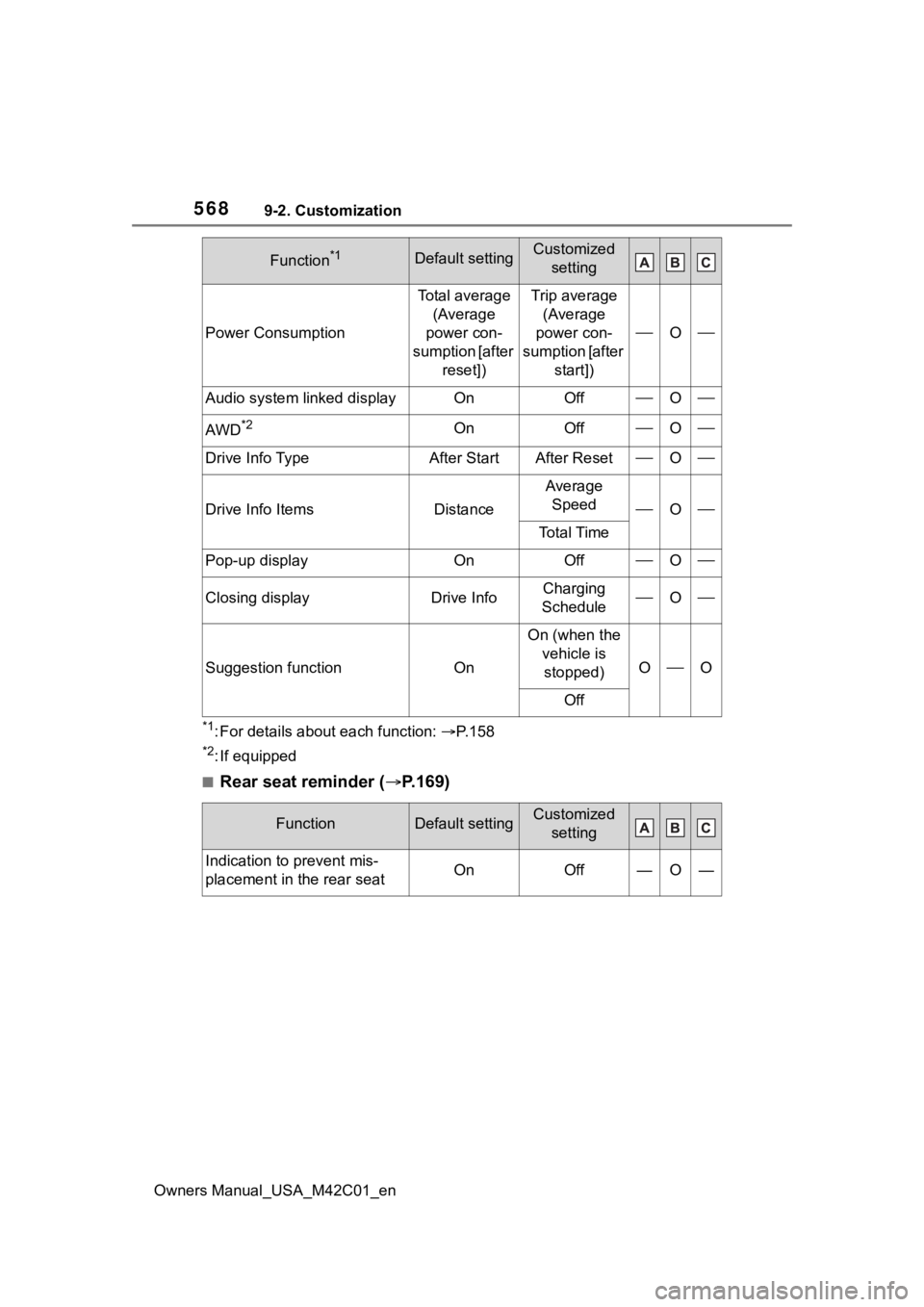
*1: For details about each function: P. 1 5 8
*2: If equipped
■Rear seat reminder ( P.169)
Power Consumption
Total average
(Average
power con-
sumption [after reset])Trip average (Average
power con-
sumption [after start])
O
Audio system linked displayOnOffO
AWD*2OnOffO
Drive Info TypeAfter StartAfter ResetO
Drive Info ItemsDistance
Average Speed
O
To t a l T i m e
Pop-up displayOnOffO
Closing displayDrive InfoCharging
ScheduleO
Suggestion functionOn
On (when the vehicle is stopped)
OO
Off
FunctionDefault settingCustomized setting
Indication to prevent mis-
placement in the rear seatOnOff—O—
Function*1Default settingCustomized setting
Page 597 of 628
Owners Manual_USA_M42C01_en
597Alphabetical Index
Alphabetical Index
A
A/C ........................................... 402Air conditioning filter ............. 494
Automatic air conditioning sys-tem ..................................... 402
Front seat concentrated airflow mode (S-FLOW) ................. 408
My Room Mode .................... 129
Remote Air Conditioning System ........................................... 409
“SYNC”mode ........................ 406
ABS (Anti-lock Brake System) ............................................... 387Function ............................... 387
Warning light ........................ 514
AC charging ............................ 105
AC charging cable .................... 87 CCID (Charging Circuit Interrupt-ing Device) ........................... 89
If the AC charging connector cannot be unlocked .............. 95
Indicator ................................. 90
Maintenance........................... 92
Safety functions...................... 89
ACA (Active Cornering Assist) ............................................... 387
Acoustic Vehicle Alerting Sys- tem ........................................... 74
Active Cornering Assist (ACA) ............................................... 387
Air conditioning filter ............. 494
Air conditioning system Air conditioning filter ............. 494
Automatic air conditioning sys-tem ..................................... 402
Front seat concentrated airflow mode (S-FLOW) ................. 408
Remote Air Conditioning System ........................................... 409
“SYNC” mode ....................... 406
Airbags ...................................... 34 Airbag operating conditions ....36
Airbag precautions for your child
.............................................39
Correct driving posture ...........27
Curtain shield airbag operating conditions .............................37
Curtain shield air bag precautions
.............................................39
Front passenger occupant clas- sification system ...................44
General airbag precautions ....39
Locations of airbags ...............34
Modification and disposal of air- bags......................................42
Side airbag operating conditions .............................................37
Side airbag precautions..........39
Side and curtain shield airbags operating conditions .............37
Side and curtain shield airbags precautions ...........................39
SRS airbag instructions for Canadian owners ...............583
SRS airbags ...........................34
SRS warning light .................514
Alarm .........................................69 Alarm ......................................69
Warning buzzer ....................513
ALL AUTO (“ECO”) control....400
Anchor brackets ... ..............52, 61
Antenna (smart key system)..187
Anti-lock Brake System (ABS) Warning light.........................514
Anti-lock brake system (ABS)387 Function................................387
Approach warning ..................294
Armrest ......... ......................... ..437
Assist grips .............................438
Audio system-linked display .157
Automatic air conditioning sys- tem .........................................402Air conditioning filter .............494
Page 604 of 628
604Alphabetical Index
Owners Manual_USA_M42C01_en
L
Lane Departure A lert (LDA) ... 281
Operation ............................. 281
Warning lights....................... 516
Lane Tracing Assist (LTA)...... 276 Operation ............................. 276
Warning lights....................... 516
Language (multi-information dis- play) ............................... 158, 567
LATCH anchors ........................ 59
LDA (Lane Departure Alert) ... 281 Operation ............................. 281
Warning lights....................... 516
Lever Auxiliary catch lever ............. 462
Hood lock release lever........ 462
Turn signal lever ................... 242
Wiper lever ........................... 253
License plate lights Light switch .......................... 248
Replacing light bulbs ............ 502
Light bulbs Replacing ............................. 502
Lights Automatic High Beam (AHB) 250
Emergency flasher switch .... 504
Headlight switch ................... 248
Interior light list ..................... 415
Interior lights......................... 416
Luggage compartment light 174, 178
Personal lights...................... 417
Replacing light bulbs ............ 502
Turn signal lever ................... 242
Vanity lights .......................... 428
Load capacity ......................... 228
Locking and unlocking the AC charging c onnector................ 93
LTA (Lane Tracing Assist) ...... 276 Operation ............................. 276
Warning lights....................... 516 Luggage compartment light 174,
178
Luggage cover ........................423
M
Maintenance AC charging cable ..................92
Do-it-yourself maintenance ..460
General maintenance ...........456
Maintenance data .................550
Maintenance requirements ...455
Menu icons ..............................156
Meter Clock ....................................152
Indicators ..............................149
Instrument panel light control155
Meter control switches..........156
Meters ..................................152
Multi-information display.......155
Settings ........................158, 566
Units .....................................567
Warning lights .......................513
Warning message.................522
Mirrors Digital Rear-view Mirror ........201
Inside rear view mirror ..........200
Outside rear view mirror defog-gers ....................................404
Outside rear view mirrors .....210
Vanity mirrors........................428
Motor Compartment........................465
Multi-information display .......155
Audio system-linked display .157
Charging101, 121, 129, 131, 140
Clock ....................................154
Convenience Services (Sugges- tion function) .......................567
Cruise control .......................297
Driving information display ...157
Driving support system informa- tion display .........................157
Page 611 of 628
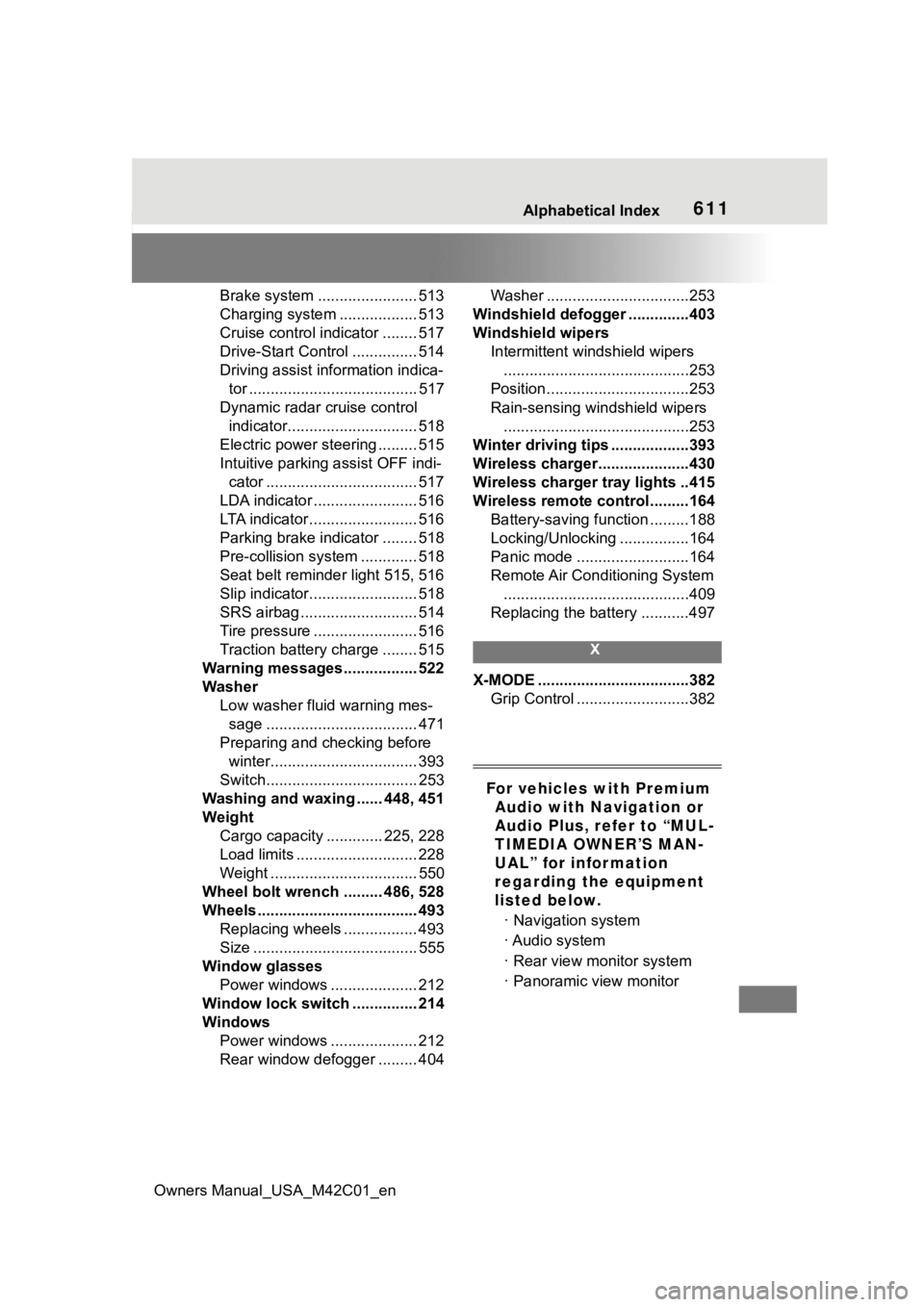
Owners Manual_USA_M42C01_en
Alphabetical Index611
Brake system ....................... 513
Charging system .................. 513
Cruise control indicator ........ 517
Drive-Start Control ............... 514
Driving assist information indica-tor ....................................... 517
Dynamic radar cruise control indicator.............................. 518
Electric power steering ......... 515
Intuitive parking assist OFF indi- cator ................................... 517
LDA indicator ........................ 516
LTA indicator ......................... 516
Parking brake indicator ........ 518
Pre-collision system ............. 518
Seat belt reminder light 515, 516
Slip indicator......................... 518
SRS airbag ........................... 514
Tire pressure ........................ 516
Traction battery charge ........ 515
Warning messages................. 522
Washer Low washer fluid warning mes-sage ................................... 471
Preparing and c hecking before
winter.................................. 393
Switch................................... 253
Washing and waxing ...... 448, 451
Weight Cargo capacity ............. 225, 228
Load limits ............................ 228
Weight .................................. 550
Wheel bolt wrench ......... 486, 528
Wheels ..................................... 493 Replacing wheels ................. 493
Size ...................................... 555
Window glasses Power windows .................... 212
Window lock switch ............... 214
Windows Power windows .................... 212
Rear window defogger ......... 404 Washer .................................253
Windshield defogger ..............403
Windshield wipers Intermittent windshield wipers...........................................253
Position.................................253
Rain-sensing windshield wipers ...........................................253
Winter driving tips ..................393
Wireless charger.....................430
Wireless charger tray lights ..415
Wireless remote control.........164 Battery-saving function .........188
Locking/Unlocking ................164
Panic mode ..........................164
Remote Air Conditioning System...........................................409
Replacing the battery ...........497
X
X-MODE ...................................382 Grip Control ..........................382
For vehicles with Premium Audio with Navigation or
Audio Plus, refer to “MUL-
TIMEDIA OWNER’S MAN-
UAL” for information
regarding the equipment
listed below.
· Navigation system
· Audio system
· Rear view monitor system
· Panoramic view monitor