change language SUBARU SOLTERRA 2023 Owners Manual
[x] Cancel search | Manufacturer: SUBARU, Model Year: 2023, Model line: SOLTERRA, Model: SUBARU SOLTERRA 2023Pages: 628, PDF Size: 11.91 MB
Page 158 of 628

1583-1. Instrument cluster
Owners Manual_USA_M42C01_en
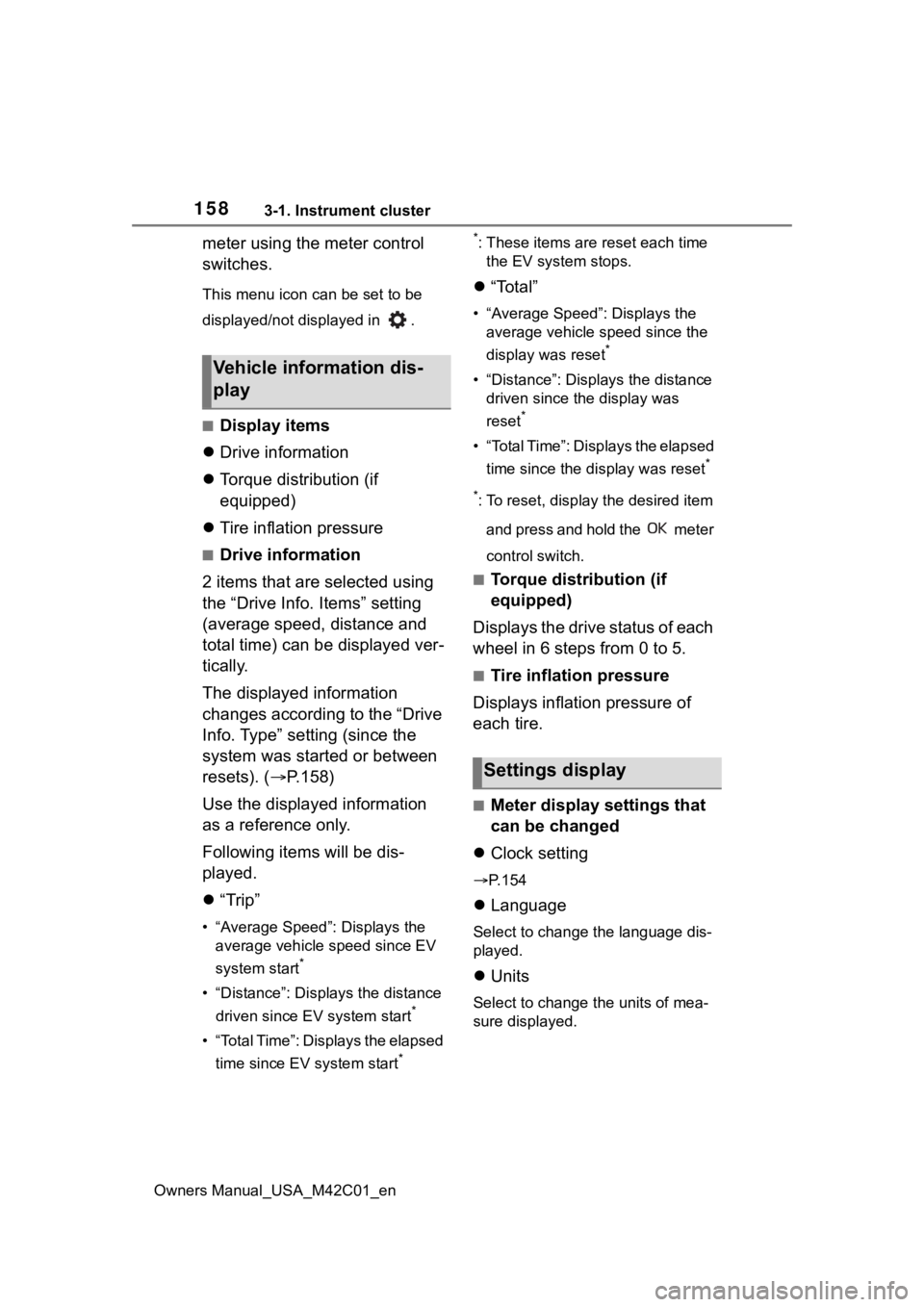
meter using the meter control
switches.
This menu icon can be set to be
displayed/not displayed in .
â– Display items
ï¬ Drive information
ï¬ Torque distribution (if
equipped)
ï¬ Tire inflation pressure
â– Drive information
2 items that are selected using
the “Drive Info. Items†setting
(average speed, distance and
total time) can be displayed ver-
tically.
The displayed information
changes according to the “Drive
Info. Type†setting (since the
system was started or between
resets). (ï‚® P.158)
Use the displayed information
as a reference only.
Following items will be dis-
played.
ï¬ â€œTripâ€
• “Average Speedâ€: Displays the
average vehicle speed since EV
system start
*
• “Distanceâ€: Displ ays the distance
driven since EV system start
*
• “Total Timeâ€: Displays the elapsed time since EV system start
* *
: These items are r
eset each time
the EV system stops.
ï¬ â€œTotalâ€
• “Average Speedâ€: Displays the
average vehicle speed since the
display was reset
*
• “Distanceâ€: Displ ays the distance
driven since the display was
reset
*
• “Total Timeâ€: Displays the elapsed
time since the display was reset
*
*
: To reset, display the desired item and press and hold the meter
control switch.
â– Torque distribution (if
equipped)
Displays the drive status of each
wheel in 6 steps from 0 to 5.
â– Tire inflation pressure
Displays inflation pressure of
each tire.
â– Meter display settings that
can be changed
ï¬ Clock setting
ï‚®P.154
ï¬ Language
Select to change the language dis-
played.
ï¬Units
Select to change the units of mea-
sure displayed.
Vehicle information dis-
play
Settings display
Page 567 of 628

5679-2. Customization
Owners Manual_USA_M42C01_en
9
Vehicle specifications
Settings that can be changed using the multimedia system
Settings that can be changed using the multi-information displa y
Settings that can be changed by your Toyota dealer
Definition of symbols: O = Available, – =Not available
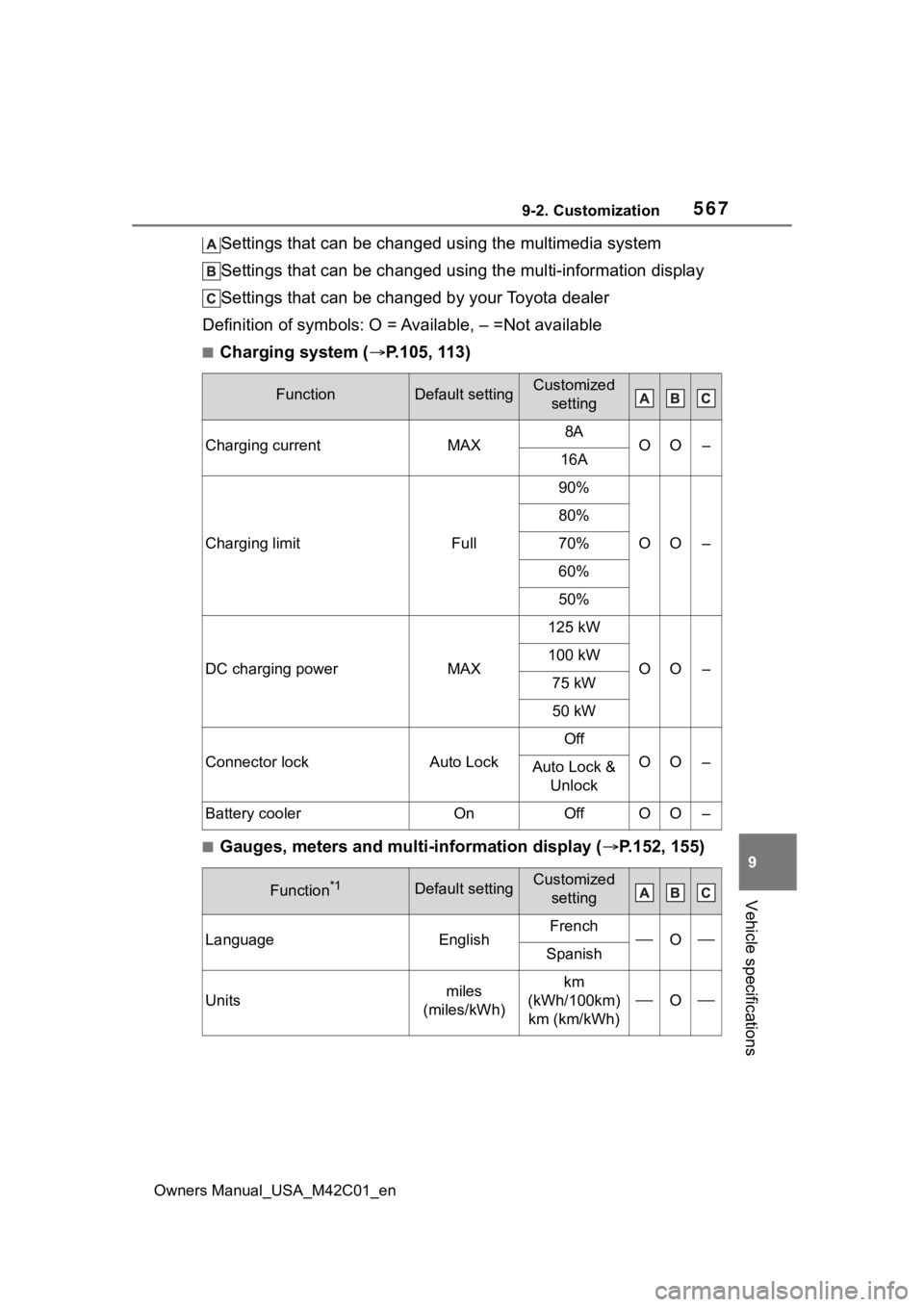
â– Charging system ( ï‚®P.105, 113)
â– Gauges, meters and multi-information display ( ï‚®P.152, 155)
FunctionDefault settingCustomized
setting
Charging currentMAX8AOO–16A
Charging limitFull
90%
OO–
80%
70%
60%
50%
DC charging powerMAX
125 kW
OO–100 kW
75 kW
50 kW
Connector lockAuto Lock
Off
OO–Auto Lock & Unlock
Battery coolerOnOffOO–
Function*1Default settingCustomized setting
LanguageEnglishFrenchOSpanish
Unitsmiles
(miles/kWh)km
(kWh/100km) km (km/kWh)
O