charge level SUBARU SOLTERRA 2023 Owners Manual
[x] Cancel search | Manufacturer: SUBARU, Model Year: 2023, Model line: SOLTERRA, Model: SUBARU SOLTERRA 2023Pages: 628, PDF Size: 11.91 MB
Page 74 of 628
742-1. Electric vehicle system
Owners Manual_USA_M42C01_en
■Charging the traction battery
Be sure to maintain the traction bat-
tery charge level suitable for your
driving needs.
If the traction battery fully dis-
charges, the vehicle cannot be
driven at all. When the battery
becomes low, charge it as soon as
possible.
■If the traction battery becomes
low
●If the traction battery becomes
low, the traction battery charge
warning light comes on or flashes
and a message will be displayed
on the multi-information display.
( P.515)
●If the traction batte ry is completely
discharged, the EV system cannot
be started and dri ving will not be
possible. When the traction bat-
tery becomes low, charge it as
soon as possible.
■Sounds and vibrations specific
to an battery electric vehicle
Because there is no engine sound
or vibration, it is easy to mistake the
battery electric vehi cle for being off
when it is actually still running, as
indicated by the “READY” indicator
being illuminated. F or safety, make
sure to always shift the shift position
to P and apply the parking brake
when parked.
Before and after the EV system is
started, the following sounds and
vibrations may occur. However,
these sounds and/o r vibrations are
not signs of malfunctions:
●The brake system operation
sound may be heard from the
front of the vehicle when the
driver’s door is opened.
●Motor sounds may be heard from
the motor compartment or lug-
gage compartment.
●Electrical relay sounds may be
heard from the motor compart-
ment when the EV system starts or stops.
●Relay operating sounds such as a
snap or soft clank will be emitted
from the traction b
attery in the fol-
lowing situations:
• When the EV system is started or stopped
• When charging starts or com-
pletes
• When the vehicle is driven the first time after the traction battery has
been charged using DC charging
●Sounds may be heard due to
regenerative braking when the
brake pedal is depressed or as
the accelerator pedal is released.
●Cooling fan operating sounds
from the radiator.
●The operation sound of the air
conditioning system (air condition-
ing compressor, blower motor).
■Maintenance, repair, recycling,
and disposal
Contact your Toyota dealer regard-
ing maintenance, repair, recycling
and disposal. Do n ot dispose of the
vehicle yourself.
A sound which changes in
accordance with the driving
speed, will be played in order to
warn people nearby of the vehi-
cle’s approach. This sound may
be heard inside the vehicle. The
sound will stop when the vehicle
speed exceeds approximately
23 mph (37 km/h).
■Acoustic Vehicle Alerting Sys-
tem
In the following cases, the Acoustic
Vehicle Alerting System may be dif-
ficult for surrounding people to hear.
Acoustic Vehicle Alerting
System
Page 80 of 628
802-1. Electric vehicle system
Owners Manual_USA_M42C01_en
When a certain level of impact is
detected by the impact sensors,
the emergency shut off system turns off the EV system and
blocks the high voltage current.
If the emergency shut off system
activates, your vehicle will not
restart. To restart the EV sys-
tem, contact your Toyota dealer.
A message is automatically dis-
played when a malfunction
occurs in the EV system or an
improper operation is attempted.
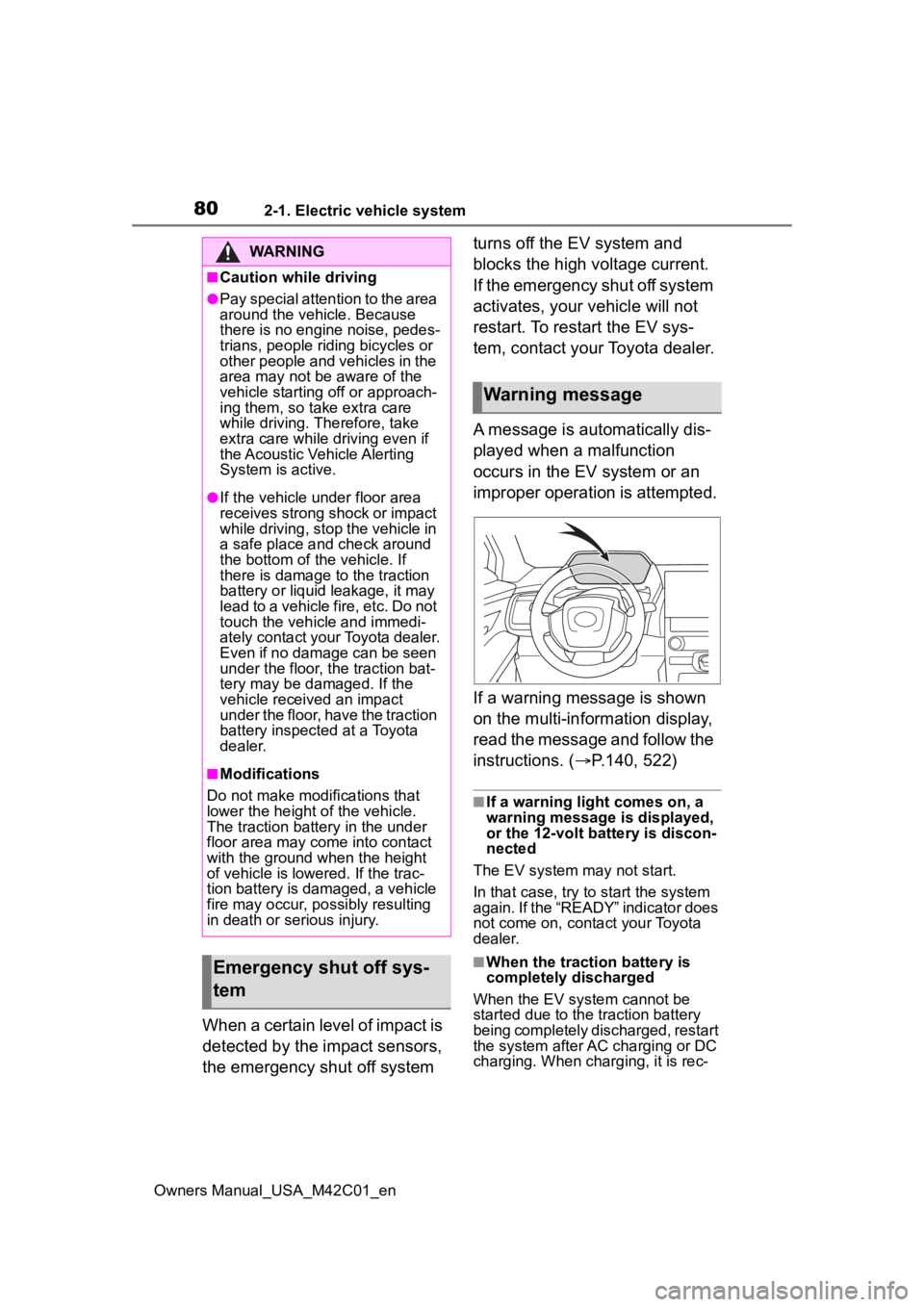
If a warning message is shown
on the multi-information display,
read the message and follow the
instructions. (
P.140, 522)
■If a warning light comes on, a
warning message is displayed,
or the 12-volt battery is discon-
nected
The EV system may not start.
In that case, try to start the system
again. If the “READY” indicator does
not come on, contact your Toyota
dealer.
■When the traction battery is
completely discharged
When the EV system cannot be
started due to the traction battery
being completely discharged, restart
the system after AC charging or DC
charging. When charging, it is rec-
WARNING
■Caution while driving
●Pay special attention to the area
around the vehicle. Because
there is no engine noise, pedes-
trians, people riding bicycles or
other people and vehicles in the
area may not be aware of the
vehicle starting off or approach-
ing them, so take extra care
while driving. Therefore, take
extra care while driving even if
the Acoustic Vehicle Alerting
System is active.
●If the vehicle under floor area
receives strong shock or impact
while driving, stop the vehicle in
a safe place and check around
the bottom of the vehicle. If
there is damage to the traction
battery or liquid leakage, it may
lead to a vehicle fire, etc. Do not
touch the vehicle and immedi-
ately contact your Toyota dealer.
Even if no damage can be seen
under the floor, the traction bat-
tery may be damaged. If the
vehicle received an impact
under the floor, have the traction
battery inspected at a Toyota
dealer.
■Modifications
Do not make modifications that
lower the height of the vehicle.
The traction battery in the under
floor area may come into contact
with the ground when the height
of vehicle is lowered. If the trac-
tion battery is damaged, a vehicle
fire may occur, possibly resulting
in death or serious injury.
Emergency shut off sys-
tem
Warning message
Page 83 of 628
832-1. Electric vehicle system
Owners Manual_USA_M42C01_en
2
Electric Vehicle system
Improper tire inflation pressure
can cause poor electricity con-
sumption.
Also, as snow tires can cause
large amounts of friction, their
use on dry roads will lead to
poor electricity consumption.
Use tires that are appropriate for
the season.
Carrying heavy luggage will lead
to poor electricity consumption.
Avoid carrying unnecessary lug-
gage. A value for which a sufficient
level of driving performance can
be provided is estimated based
on the remaining charge of the
traction battery, the state of the
traction battery, the outside tem-
perature, etc., and is displayed
on the multi-information display.
(
P.152)
When the outside temperature
is low, the traction battery output
may be decreased, causing the
possible driving distance to be
shorter. However, this is not a
malfunction. Charge the trac-
tion battery earlier than usual.
Possible driving distance varies
significantly depending on how
the vehicle is driven, road condi-
tions, the weather, the outside
temperature, usage conditions
of electrical components and the
Luggage
Driving range
The driving range dis-
played on the multi-informa-
tion display, etc., shows the
reference distance that driv-
ing is possible, and the
actual distance that can be
driven may differ from that
displayed.
Displayed value
Tips for extending the
driving range
Page 100 of 628
1002-2. Charging
Owners Manual_USA_M42C01_enminate when the tr
action battery
cooler is on standby or operating.
●When the charge level of the trac-
tion battery is low, the traction bat-
tery cooler may n ot operate, even
if the temperature of the traction
battery is high.
●When the following conditions are
met while the trac tion battery
cooler is operating, the cooling
operation will stop.
• The hood is opened
• The power switch is turned to ACC or ON.
• The shift position is changed to any position other than P
• The Remote Air Conditioning Sys- tem is operated ( P.409)
• The remaining charge of the trac-
tion battery drops below a certain
amount
●The traction battery cooler oper-
ates using power s upplied by the
traction battery and an external
power source.
• While the traction battery cooler is
operating, the charge of the trac-
tion battery will increase and
decrease within a certain range,
and will not increase as during AC
charging.
• When the traction battery cooler operates, charger will recognize it
as the battery being charged. If
this function ope rates while a
charger which charges a charging
fee is connected to the vehicle,
AC charging fees will apply.
■Changing of the traction battery
cooler setting
Setting can be changed on the
multi-information display.
Use the meter control switches
( P.156) and select “Vehicle Set-
tings”, “Charging Se ttings”, “Battery
Cooler”, and change the setting.
When selecting to off, the traction
battery output may be restricted
depending on the driving situation.
To enable the use of battery
electric vehicle, we recommend
systematically charging the
vehicle.
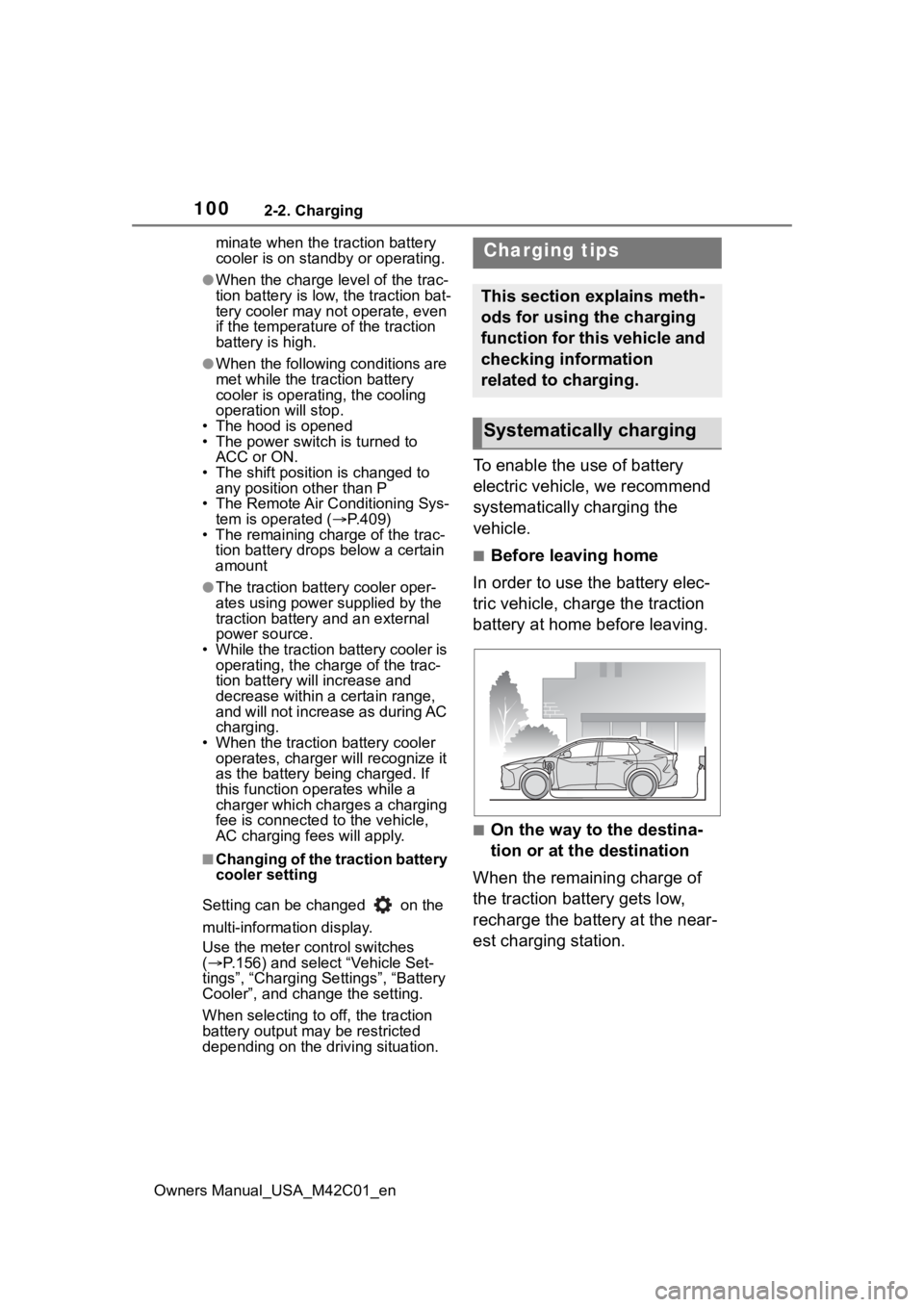
■Before leaving home
In order to use the battery elec-
tric vehicle, charge the traction
battery at home before leaving.
■On the way to the destina-
tion or at the destination
When the remaining charge of
the traction battery gets low,
recharge the battery at the near-
est charging station.
Charging tips
This section explains meth-
ods for using the charging
function for this vehicle and
checking information
related to charging.
Systematically charging
Page 112 of 628
1122-2. Charging
Owners Manual_USA_M42C01_en
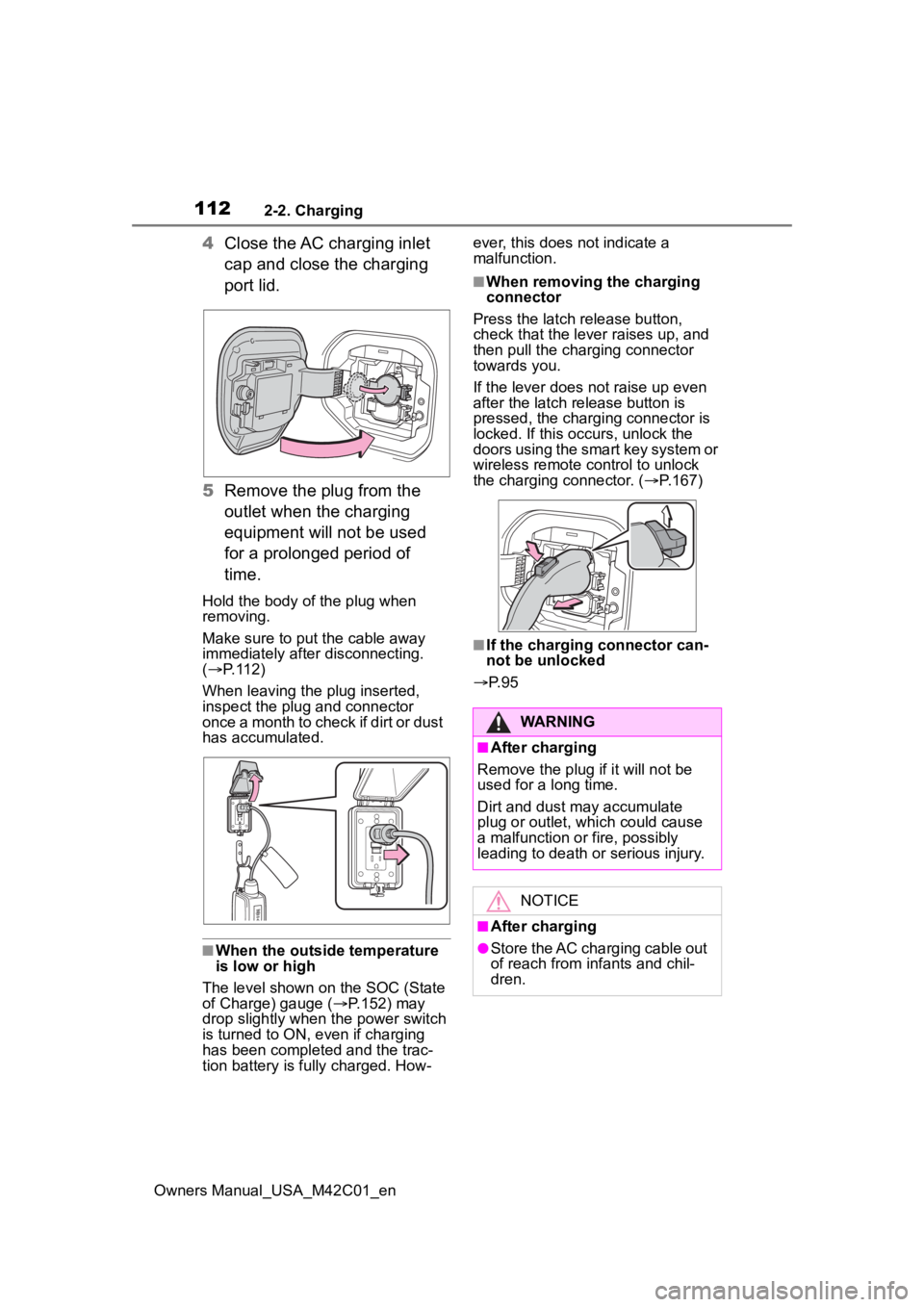
4Close the AC charging inlet
cap and close the charging
port lid.
5 Remove the plug from the
outlet when the charging
equipment will not be used
for a prolonged period of
time.
Hold the body of the plug when
removing.
Make sure to put the cable away
immediately afte r disconnecting.
( P. 1 1 2 )
When leaving the plug inserted,
inspect the plug and connector
once a month to check if dirt or dust
has accumulated.
■When the outside temperature
is low or high
The level shown on the SOC (State
of Charge) gauge ( P.152) may
drop slightly when the power switch
is turned to ON, e ven if charging
has been completed and the trac-
tion battery is fully charged. How- ever, this does not indicate a
malfunction.
■When removing the charging
connector
Press the latch release button,
check that the lever raises up, and
then pull the charging connector
towards you.
If the lever does not raise up even
after the latch release button is
pressed, the charging connector is
locked. If this occurs, unlock the
doors using the smart key system or
wireless remote control to unlock
the charging connector. ( P.167)
■If the charging connector can-
not be unlocked
P. 9 5
WARNING
■After charging
Remove the plug if it will not be
used for a long time.
Dirt and dust may accumulate
plug or outlet, which could cause
a malfunction or fire, possibly
leading to death or serious injury.
NOTICE
■After charging
●Store the AC charging cable out
of reach from infants and chil-
dren.
Page 118 of 628
1182-2. Charging
Owners Manual_USA_M42C01_en
■If the DC charging connector
cannot be unlocked
P. 9 5
■After DC charging
Even if the traction battery is
charged to the upper limit value that
is set, the level of charge displayed
on the DC charger may be lower
than the actual one.
■Calendar settings
Charging schedule is performed
according to the date and time
shown on the multi-information dis-
play. Refer to the “Settings display”
( P.158)
If the calendar settings check
screen is displayed when an
attempt was made to register a
charge schedule, check that the cor-
rect date is set. If it is incorrect, be
sure to correct it.
If the calendar information is wrong,
the charging schedule function will
not operate normally.
When registering the charging
schedule, the following settings
can be changed.
■Select the charging mode
One of the two following
charging modes can be
selected.
“Start”
Starts charging at the set time
*
and finishes charging when fully
charged.
“Start-Stop”
AC charging is performed
NOTICE
■Caution after DC charging
●Be sure to attach the DC
charging inlet cap to the DC
charging inlet and then close
the charging port lid after
removing the DC charging con-
nector from the inlet. If the DC
charging inlet cap is not closed,
foreign materials may get into
the inlet and the EV system may
be malfunctioning.
Using the charging
schedule function
AC charging can be carried
out at the desired time by
registering the charging
schedule.
Settings of the charging
schedule function
Page 131 of 628
1312-2. Charging
Owners Manual_USA_M42C01_en
2
Electric Vehicle system
traction battery may be consumed.
In this case, charging may be per- formed again.
■Warning message display
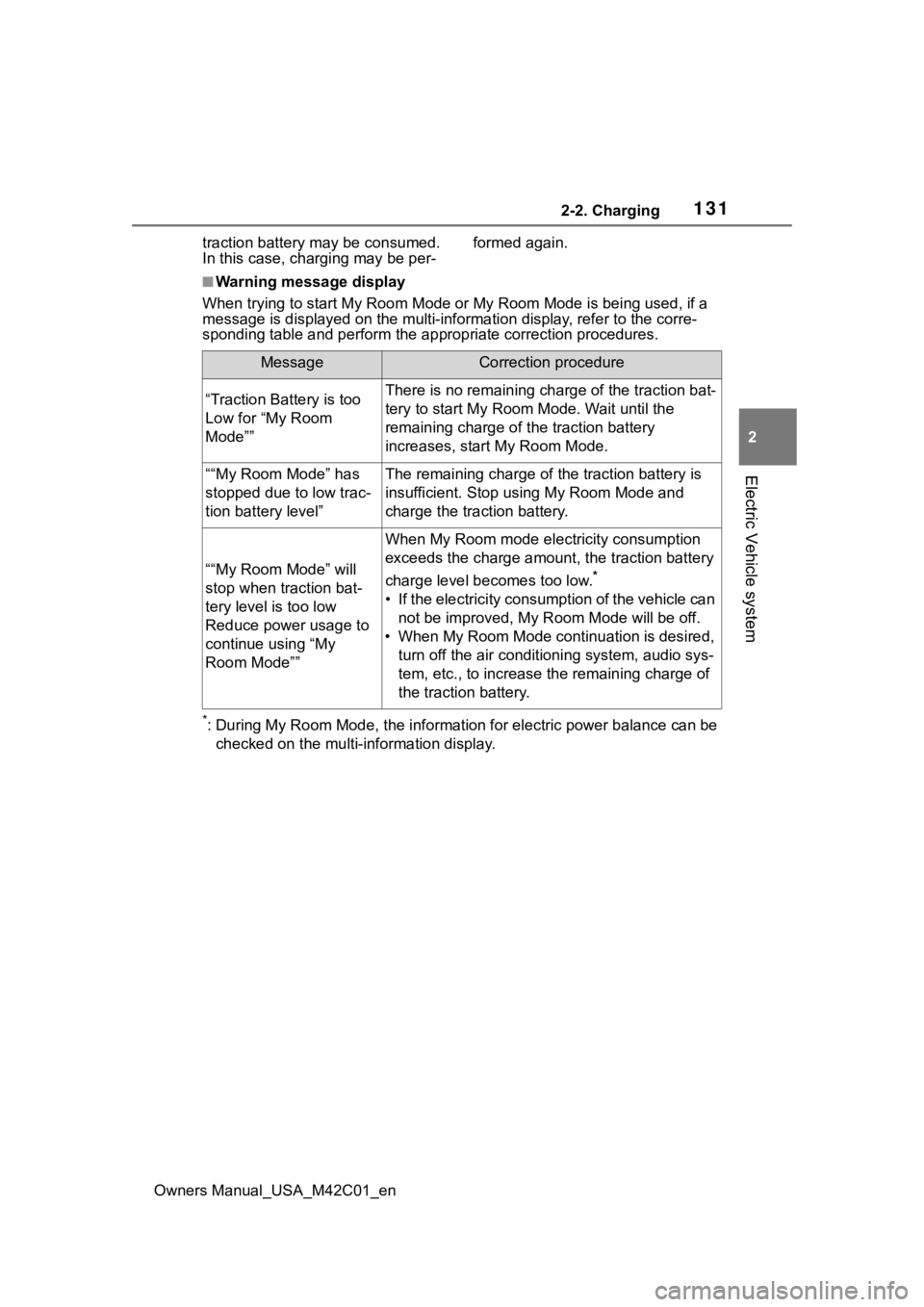
When trying to start My Room Mode or My Room Mode is being used , if a
message is displayed on the multi -information display, refer to the corre-
sponding table and perform the app ropriate correction procedures.
*: During My Room Mode, the informa tion for electric power balance can be
checked on the multi-information display.
MessageCorrection procedure
“Traction Battery is too
Low for “My Room
Mode””There is no remaining charge of the traction bat-
tery to start M y Room Mode. Wait until the
remaining charge of the traction battery
increases, start My Room Mode.
““My Room Mode” has
stopped due to low trac-
tion battery level”The remaining charge of the traction battery is
insufficient. Stop using My Room Mode and
charge the traction battery.
““My Room Mode” will
stop when traction bat-
tery level is too low
Reduce power usage to
continue using “My
Room Mode””
When My Room mode electricity consumption
exceeds the charge amount, the traction battery
charge level becomes too low.
*
• If the electricity consumption of the vehicle can not be improved, My R oom Mode will be off.
• When My Room Mode continuation is desired, turn off the air conditioning system, audio sys-
tem, etc., to increase t he remaining charge of
the traction battery.
Page 152 of 628
1523-1. Instrument cluster
Owners Manual_USA_M42C01_en
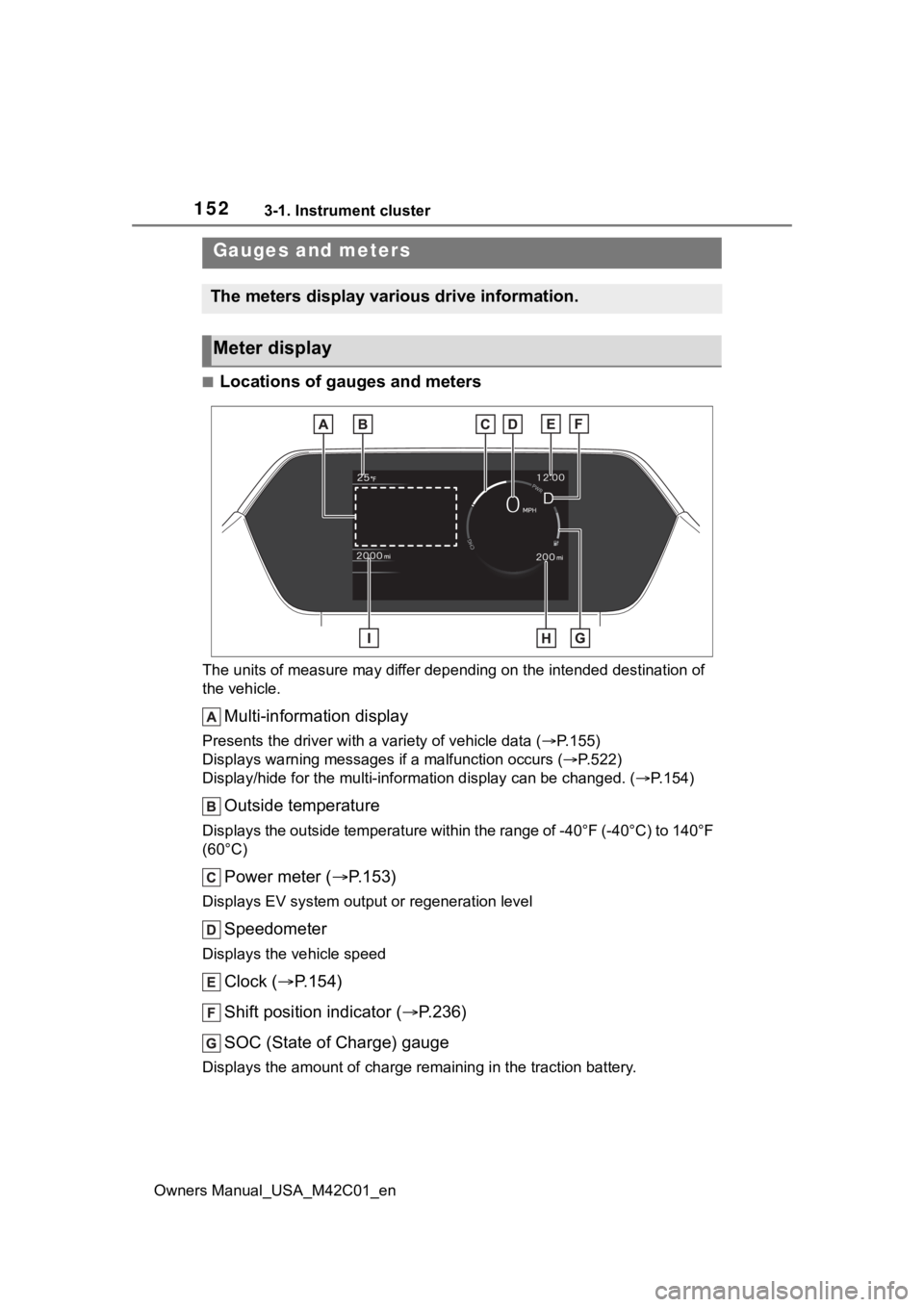
■Locations of gauges and meters
The units of measure may differ depending on the intended destination of
the vehicle.
Multi-information display
Presents the driver with a variety of vehicle data (P.155)
Displays warning messages if a malfunction occurs (P.522)
Display/hide for the mu lti-information display can be changed. ( P.154)
Outside temperature
Displays the outside temperature within the range of -40°F (-40 °C) to 140°F
(60°C)
Power meter ( P.153)
Displays EV system output or regeneration level
Speedometer
Displays the vehicle speed
Clock ( P.154)
Shift position indicator ( P.236)
SOC (State of Charge) gauge
Displays the amount of charge rem aining in the traction battery.
Gauges and meters
The meters display various drive information.
Meter display
Page 166 of 628

1664-1. Key information
Owners Manual_USA_M42C01_en
key of the vehicle if traveling
to a location with unreliable
communications.
If the smartphone battery is
depleted, the smartphone
cannot be used as Digital Key.
If the battery level is low, be
sure to charge the smart-
phone prior to going out.
The Digital Key system is
related to the Smart key sys-
tem. If the Smart key system
has been deactivated in the
vehicle customization setting,
the Digital Key will also be
disabled.
Depending on the radio wave
environment, the Digital Key
may not be able to be used.
P. 1 8 8
When transferring vehicle
ownership, make sure to
delete the Digital Keys.
If the vehicle is not operated
for 14 days or more, the Digi-
tal Key will not connect auto-
matically. Therefore, it may
take some time before the
system operates after a door
handle is touched.
A part of the services may be
stopped for a certain period of
time due to server mainte-
nance. However, registered
Digital Keys can be used
during the maintenance.
A smartphone with the Digital
Key App enabled will be able to lock and unlock the doors,
start the EV system and per-
form any other operations as
same as the electronic key of
the vehicle. Be especially
careful not to lose the smart-
phone or allow it to be stolen.
If the smartphone is lost or
stolen, contact your Toyota
dealer immediately.
When taking your vehicle to a
Toyota dealer for an inspec-
tion or repairs, make sure to
bring an electronic key.
Page 249 of 628
2495-3. Operating the lights and wipers
Owners Manual_USA_M42C01_en
5
Driving
■Automatic light off system
●When the headlights are on: The
lights turn off 30 seconds after the
power switch is turned to ACC or
OFF and a door is opened and
closed. (The lights turn off immedi-
ately if on the key is
pressed after all the doors are
closed.)
●When only the tail lights are on:
The tail lights tu rn off automati-
cally if the power switch is turned
to ACC or OFF and the driver’s
door is opened.
To turn the lights on again, turn the
power switch to ON, or turn the light
switch to the or position
once and then back to or
position.
■Light reminder buzzer
A buzzer sounds when the power
switch is turned to ACC or OFF and
the driver’s door is opened while the
lights are turned on.
■Automatic headlight leveling
system
The level of the headlights is auto-
matically adjusted according to the
number of passengers and the load-
ing condition of the vehicle to
ensure that the headlights do not
interfere with other road users.
■Windshield wiper linked head-
light illumination
When driving during daytime with
the headlight switch turned to , if the windshield wipers are used, the
headlights will turn o
n automatically
after several seconds to help
enhance the visibility of your vehi-
cle.
■12-volt battery-saving function
In order to prevent the 12-volt bat-
tery of the vehicle from discharging,
if the headlights and/or tail lights are
on when the power switch is turned
to OFF, the battery saving function
will operate and au tomatically turn
off all the lights af ter approximately
20 minutes.
When any of the following are per-
formed, the 12-volt battery-saving
function is canceled once and then
reactivated. All the lights will turn off
automatically 20 minutes after the
12-volt battery-saving function has
been reactivated:
●When the headlight switch is oper-
ated
●When a door is opened or closed
■If “Headlight System Malfunc-
tion Visit Your Dealer” is dis-
played on the multi-information
display
The system may be malfunctioning.
Have the vehicle inspected by your
Toyota dealer.
■Customization
Settings (e.g. light sensor sensitiv-
ity) can be changed.
(Customizable features: P.572)
NOTICE
■To prevent 12-volt battery dis-
charge
Do not leave the lights on longer
than necessary when the EV sys-
tem is not operating.