flat tire SUBARU SOLTERRA 2023 Owners Manual
[x] Cancel search | Manufacturer: SUBARU, Model Year: 2023, Model line: SOLTERRA, Model: SUBARU SOLTERRA 2023Pages: 628, PDF Size: 11.91 MB
Page 1 of 628
1
2
3
4
5
6
7
8
9
10
Owners Manual_USA_M42C01_en
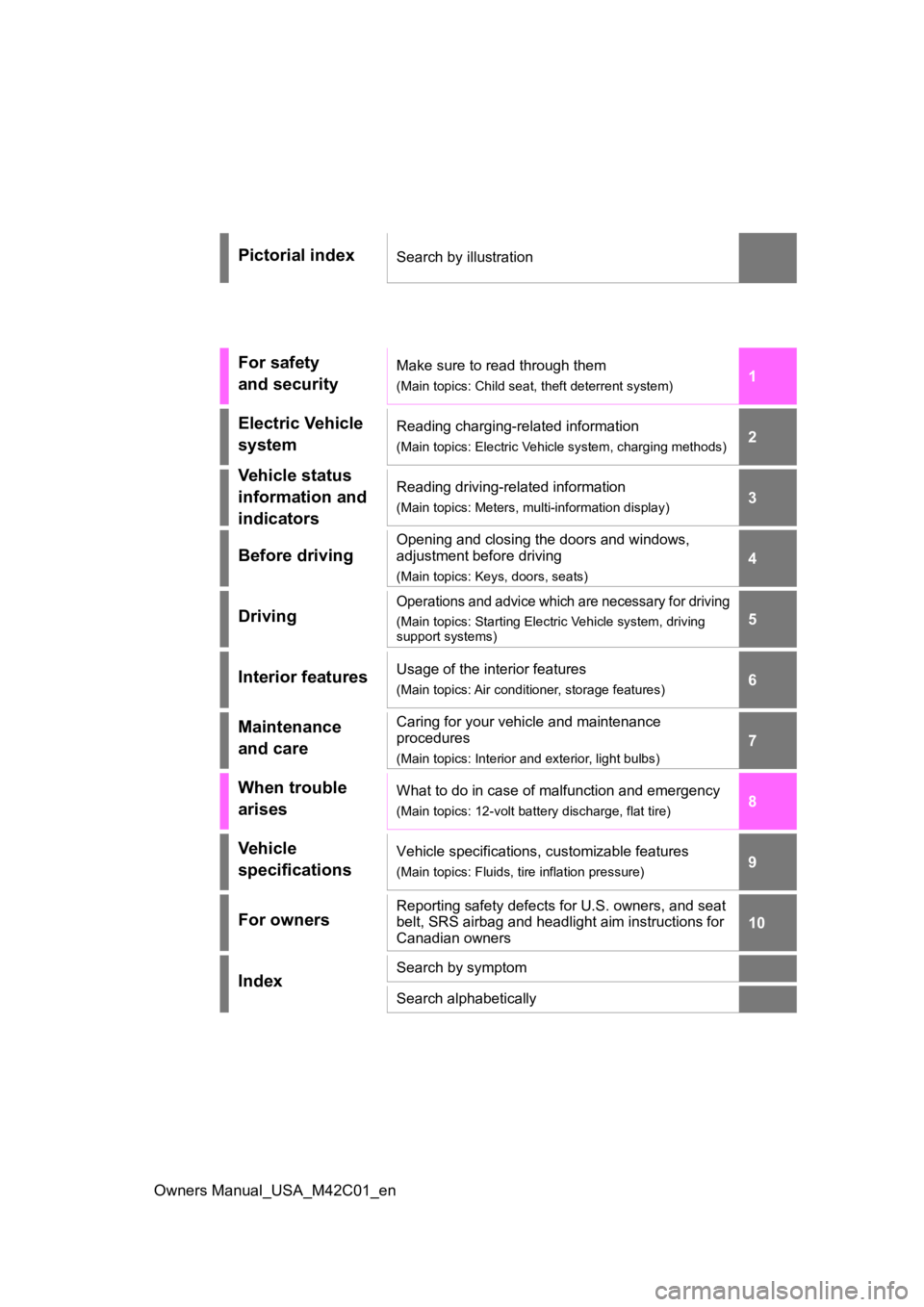
Pictorial indexSearch by illustration
For safety
and securityMake sure to read through them
(Main topics: Child seat, theft deterrent system)
Electric Vehicle
systemReading charging-related information
(Main topics: Electric Vehicle system, charging methods)
Vehicle status
information and
indicatorsReading driving-related information
(Main topics: Meters, multi-information display)
Before driving
Opening and closing the doors and windows,
adjustment before driving
(Main topics: Keys, doors, seats)
Driving
Operations and advice which are necessary for driving
(Main topics: Starting Elect ric Vehicle system, driving
support systems)
Interior featuresUsage of the interior features
(Main topics: Air conditioner, storage features)
Maintenance
and careCaring for your vehicle and maintenance
procedures
(Main topics: Interior and exterior, light bulbs)
When trouble
arisesWhat to do in case of malfunction and emergency
(Main topics: 12-volt battery discharge, flat tire)
Vehicle
specificationsVehicle specifications, customizable features
(Main topics: Fluids, tire inflation pressure)
For ownersReporting safety defects for U.S. owners, and seat
belt, SRS airbag and headlight aim instructions for
Canadian owners
IndexSearch by symptom
Search alphabetically
Page 5 of 628
5TABLE OF CONTENTS
Owners Manual_USA_M42C01_en
1
2
3
4
5
6
8 7
9
10
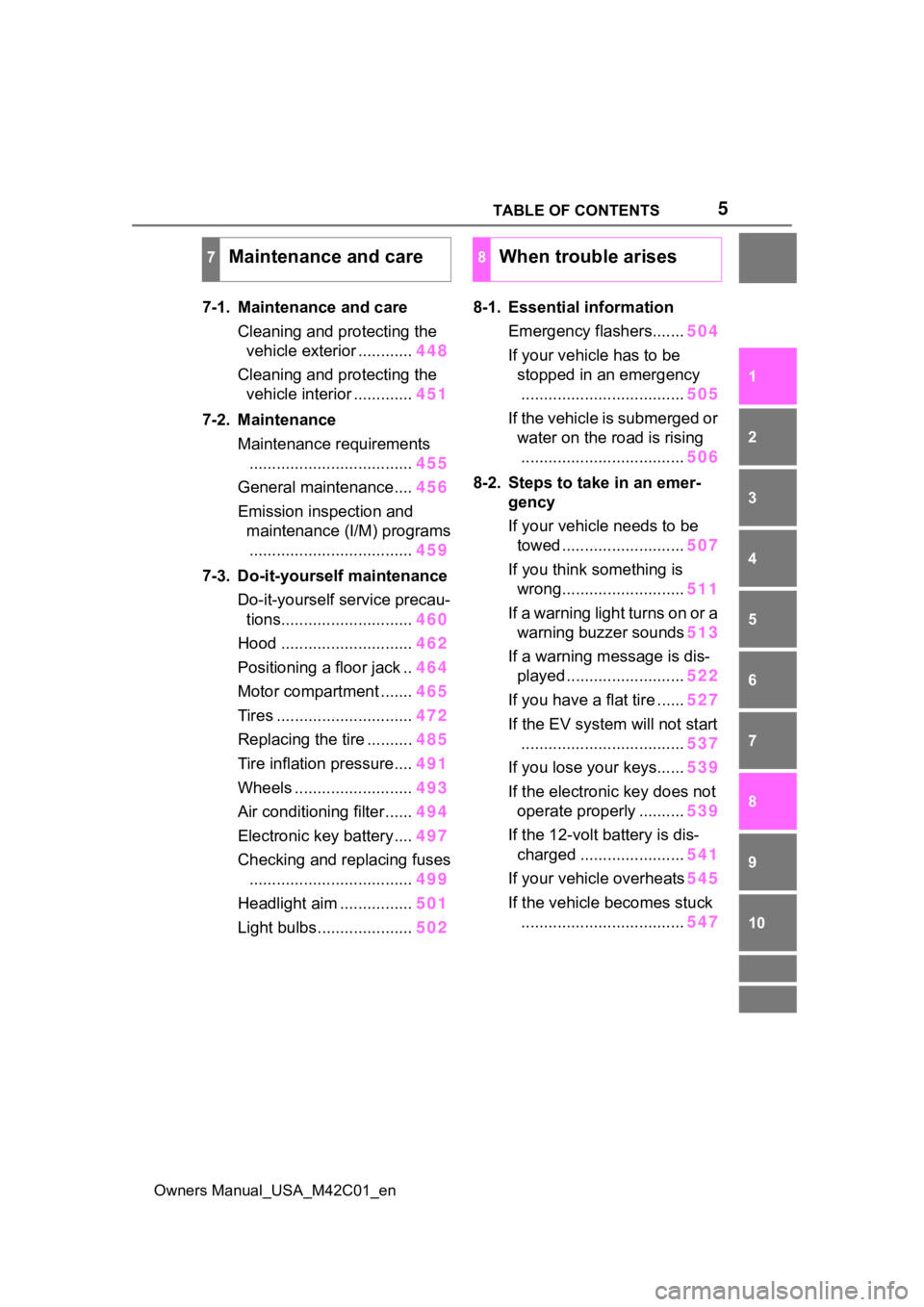
7-1. Maintenance and care Cleaning and protecting the vehicle exterior ............ 448
Cleaning and protecting the vehicle interior ............. 451
7-2. Maintenance Maintenance requirements.................................... 455
General maintenance.... 456
Emission inspection and maintenance (I/M) programs.................................... 459
7-3. Do-it-yourself maintenance Do-it-yourself service precau-tions............................. 460
Hood ............................. 462
Positioning a floor jack .. 464
Motor compartment ....... 465
Tires .............................. 472
Replacing the tire .......... 485
Tire inflation pressure.... 491
Wheels ......... .................493
Air conditioning filter ...... 494
Electronic key battery.... 497
Checking and replacing fuses .................................... 499
Headlight aim ................ 501
Light bulbs..................... 5028-1. Essential information
Emergency flashers....... 504
If your vehicle has to be stopped in an emergency.................................... 505
If the vehicle is submerged or water on the road is rising.................................... 506
8-2. Steps to take in an emer- gency
If your vehicle needs to be towed ........................... 507
If you think something is wrong........................... 511
If a warning light turns on or a warning buzzer sounds 513
If a warning message is dis- played .......................... 522
If you have a flat tire ...... 527
If the EV system will not start
.................................... 537
If you lose your keys...... 539
If the electronic key does not operate properly .......... 539
If the 12-volt battery is dis- charged ....................... 541
If your vehicle overheats 545
If the vehicle becomes stuck .................................... 547
7Maintenance and care8When trouble arises
Page 15 of 628
15Pictorial index
Owners Manual_USA_M42C01_en
Precautions against winter season .............................. ........ P.393
To prevent freezing (windshield wiper de-icer)
*.................... P.404
Precautions against car wash
(Rain-sensing windshield wipers)
*....................................... P.449
Charging port .................................................. ..................... P.85
Charging method ................................................ ................... P.98
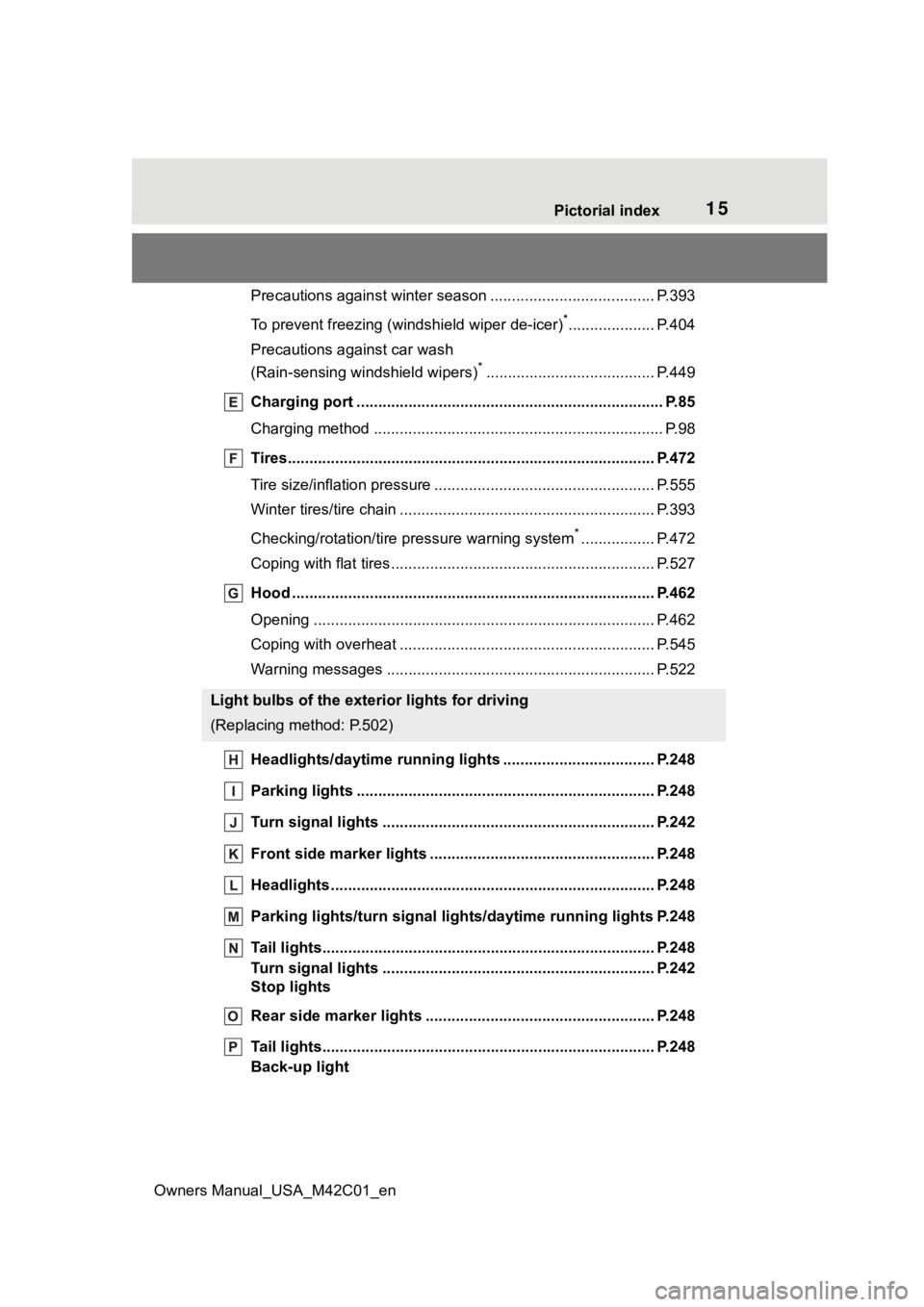
Tires.......................................................... ........................... P.472
Tire size/inflation pressure ................................... ................ P.555
Winter tires/tire chain ........................................ ................... P.393
Checking/rotation/tire pressure warning system
*................. P.472
Coping with flat tires......................................... .................... P.527
Hood ........................................................... ......................... P.462
Opening ............................................................................... P.462
Coping with overheat ........................................... ................ P.545
Warning messages ............................................... ............... P.522
Headlights/daytime running lights .............................. ..... P.248
Parking lights ................................................. .................... P.248
Turn signal lights ............................................. .................. P.242
Front side marker lights ....................................... ............. P.248
Headlights..................................................... ...................... P.248
Parking lights/turn signal ligh ts/daytime running lights P.248
Tail lights.................................................... ......................... P.248
Turn signal lights ............................................. .................. P.242
Stop lights
Rear side marker lights ........................................ ............. P.248
Tail lights.................................................... ......................... P.248
Back-up light
Light bulbs of the exterior lights for driving
(Replacing method: P.502)
Page 67 of 628
671-3. Emergency assistance
Owners Manual_USA_M42C01_en
1
For safety and security
the road, push the “SOS” button
to reach the Safety Connect
response center. The answer-
ing agent will determine your
vehicle’s location, assess the
emergency, and dispatch the
necessary assistance required.
If you accidentally press the “SOS”
button, tell the response-center
agent that you are not experiencing
an emergency.
■Enhanced Roadside Assis-
tance
Enhanced Roadside Assistance
adds GPS data to the already
included warranty-based Toyota
roadside service.
Subscribers can press the
“SOS” button to reach a Safety
Connect response-center agent,
who can help with a wide range
of needs, such as: towing, flat
tire, fuel delivery, etc. For a
description of the Enhanced
Roadside Assistance services
and their limitations, please see
the Safety Connect Terms and
Conditions, which are available
at Toyota.com.
Important! Read this informa-
tion about exposure to radio fre-
quency signals before using
Safety Connect;
The Safety Connect system
installed in your vehicle is a low- power radio transmitter and
receiver. It receives and also
sends out radio frequency (RF)
signals.
In August 1996, the Federal
Communications Commission
(FCC) adopted RF exposure
guidelines with safety levels for
mobile wireless phones. Those
guidelines are consistent with
the safety standards previously
set by the following U.S. and
international standards bodies.
ANSI (American National
Standards Institute) C95.1
[1992]
NCRP (National Council on
Radiation Protection and
Measurement) Report 86
[1986]
ICNIRP (International Com-
mission on Non-Ionizing Radi-
ation Protection) [1996]
Those standards were based on
comprehensive and periodic
evaluations of the relevant sci-
entific literature. Over 120 scien-
tists, engineers, and physicians
from universities, and govern-
ment health agencies and
industries reviewed the avail-
able body of research to
develop the ANSI Standard
(C95.1).
The design of Safety Connect
complies with the FCC guide-
lines in addition to those stan-
dards.
Safety information for
Safety Connect
Page 82 of 628
822-1. Electric vehicle system
Owners Manual_USA_M42C01_en
battery cannot be charged. Also,
when using the air conditioning
system, etc., the traction battery
electricity is consumed.
(P.237)
Repeated acceleration and
deceleration due to traffic con-
gestion, long waits at traffic
lights, and driving on steep
inclines will lead to poor electric-
ity consumption. In order to
avoid those situations as much
as possible, check traffic reports
before leaving. If the vehicle is
driven in traffic congestion, gen-
tly release the brake pedal to
allow the vehicle to move for-
ward slightly, avoid overuse of
the accelerator pedal. Doing so
can help minimize unnecessary
electricity consumption.
Make sure to operate the brakes
gently and a timely manner. A
greater amount of electrical
energy can be regenerated
when slowing down.
Control and maintain the vehicle
at a constant speed. Before
stopping at a toll booth or simi-
lar, allow plenty of time to release the accelerator and gen-
tly apply the brakes. A greater
amount of electrical energy can
be regenerated when slowing
down.
Use the air conditioning only
when necessary. Doing so
can help reduce excessive
electricity consumption.
In summer: When the ambient tem-
perature is high, use the recircu-
lated air mode. Doing so will help to
reduce the burden on the air condi-
tioning system and reduce electric-
ity consumption as well.
In winter: Exce ssive or unneces-
sary heating should be avoided.
Also, electricity consumption can
be improved by avoiding overuse of
the heater.
When using the Remote Air
Conditioning System
( P.409) while the AC
charging cable is connected
to the vehicle, electricity con-
sumption immediately after
starting off will be reduced
because air conditioning is
operated mainly using elec-
tricity from an external power
source.
Make sure to check the tire infla-
tion pressure frequently.
Delays
When braking
Highway (or freeways)
driving
Air conditioning
Checking tire inflation
pressure
Page 83 of 628
832-1. Electric vehicle system
Owners Manual_USA_M42C01_en
2
Electric Vehicle system
Improper tire inflation pressure
can cause poor electricity con-
sumption.
Also, as snow tires can cause
large amounts of friction, their
use on dry roads will lead to
poor electricity consumption.
Use tires that are appropriate for
the season.
Carrying heavy luggage will lead
to poor electricity consumption.
Avoid carrying unnecessary lug-
gage. A value for which a sufficient
level of driving performance can
be provided is estimated based
on the remaining charge of the
traction battery, the state of the
traction battery, the outside tem-
perature, etc., and is displayed
on the multi-information display.
(
P.152)
When the outside temperature
is low, the traction battery output
may be decreased, causing the
possible driving distance to be
shorter. However, this is not a
malfunction. Charge the trac-
tion battery earlier than usual.
Possible driving distance varies
significantly depending on how
the vehicle is driven, road condi-
tions, the weather, the outside
temperature, usage conditions
of electrical components and the
Luggage
Driving range
The driving range dis-
played on the multi-informa-
tion display, etc., shows the
reference distance that driv-
ing is possible, and the
actual distance that can be
driven may differ from that
displayed.
Displayed value
Tips for extending the
driving range
Page 158 of 628
1583-1. Instrument cluster
Owners Manual_USA_M42C01_en
meter using the meter control
switches.
This menu icon can be set to be
displayed/not displayed in .
■Display items
Drive information
Torque distribution (if
equipped)
Tire inflation pressure
■Drive information
2 items that are selected using
the “Drive Info. Items” setting
(average speed, distance and
total time) can be displayed ver-
tically.
The displayed information
changes according to the “Drive
Info. Type” setting (since the
system was started or between
resets). ( P.158)
Use the displayed information
as a reference only.
Following items will be dis-
played.
“Trip”
• “Average Speed”: Displays the
average vehicle speed since EV
system start
*
• “Distance”: Displ ays the distance
driven since EV system start
*
• “Total Time”: Displays the elapsed time since EV system start
* *
: These items are r
eset each time
the EV system stops.
“Total”
• “Average Speed”: Displays the
average vehicle speed since the
display was reset
*
• “Distance”: Displ ays the distance
driven since the display was
reset
*
• “Total Time”: Displays the elapsed
time since the display was reset
*
*
: To reset, display the desired item and press and hold the meter
control switch.
■Torque distribution (if
equipped)
Displays the drive status of each
wheel in 6 steps from 0 to 5.
■Tire inflation pressure
Displays inflation pressure of
each tire.
■Meter display settings that
can be changed
Clock setting
P.154
Language
Select to change the language dis-
played.
Units
Select to change the units of mea-
sure displayed.
Vehicle information dis-
play
Settings display
Page 224 of 628
2245-1. Before driving
Owners Manual_USA_M42C01_en
When the following unusual
NOTICE
■When driving the vehicle
●Do not depress t he accelerator
and brake pedals at the same
time during drivin g, as this may
restrain the EV system output.
●Do not use the accelerator
pedal or depress the accelera-
tor and brake pedals at the
same time to hold the vehicle on
a hill.
■Avoiding damage to vehicle
parts
●Do not turn the steering wheel
fully in either direction and hold
it there for an extended period
of time.
Doing so may damage the
power steering motor.
●When driving over bumps in the
road, drive as slowly as possible
to avoid damagi ng the wheels,
underside of the vehicle, etc.
■If you get a flat tire while driv-
ing
A flat or damaged tire may cause
the following situations. Hold the
steering wheel firmly and gradu-
ally depress the brake pedal to
slow down the vehicle.
●It may be difficult to control your
vehicle.
●The vehicle will make abnormal
sounds or vibrations.
●The vehicle will lean abnor-
mally.
Information on what to do in case
of a flat tire ( P.527)
■When encountering flooded
roads
Do not drive on a road that has
flooded after heavy rain, etc.
Doing so may cause the following
serious damage to the vehicle:
●Short in electrical components
●Traction battery caused by
water immersion
In the event that you drive on a
flooded road and the vehicle is
flooded, be sure to have your Toy-
ota dealer check the following:
●Brake function
●Changes in quantity and quality
of transmission fluid, etc.
●Lubricant condition for the bear-
ings and suspension joints
(where possible), and the func-
tion of all joints, bearings, etc.
●Components connected to the
traction battery.
If the shift control system is dam-
aged by flooding, it may not be
possible to shift the shift position
to P, or from P to other positions.
In this case, contact your Toyota
dealer.
■When parking the vehicle
Always set the parking brake, and
shift the shift position to P. Failure
to do so may cause the vehicle to
move or the vehicle may acceler-
ate suddenly if t he accelerator
pedal is accidentally depressed.
■When involved in a minor
accident
Damage to the traction battery or
battery peripheral components
could cause malfunctions. Even if
it is a minor accident, have the
vehicle inspected by your Toyota
dealer.
Sudden start restraint
control (Drive-Start Con-
trol [DSC])
Page 259 of 628
2595-4. Using the driving support systems
Owners Manual_USA_M42C01_en
5
Driving
Toyota Safety Sense
3.0
The Toyota Safety Sense 3.0
consists of the driving
assist systems and contrib-
utes to a safe and comfort-
able driving experience:
WARNING
■Toyota Safety Sense 3.0
The Toyota Safety Sense 3.0
operates under the assumption
that the driver will drive safely,
and is designed to help reduce
the impact to the occupants in a
collision and assist the driver
under normal driving conditions.
As there is a limit to the degree of
recognition accuracy and control
performance that this system can
provide, do not ov erly rely on this
system. The driver is solely
responsible for paying attention to
the vehicle’s surroundings and
driving safely.
■For safe use
●Do not overly rely on this sys-
tem. The driver is solely respon-
sible for paying attention to the
vehicle’s surroundings and driv-
ing safely. This system may not
operate in all situations and pro-
vided assistance is limited.
Over-reliance on this system to
drive the vehicle safely may
lead to an accident resulting in
death or serious injury.
●Do not attempt to test the oper-
ation of the system, as it may
not operate properly, possibly
leading to an accident.
●If attention is necessary while
performing driving operations or
a system malfunction occurs, a
warning message or warning
buzzer will be operated. If a
warning message is displayed
on the display, follow the
instructions displayed.
●Depending on external noise,
the volume of the audio system,
etc. it may be difficult to hear the
warning buzzer. Also, depend-
ing on the road conditions, it
may be difficult to recognize the
operation of the system.
■When it is necessary to dis-
able the system
In the following si tuations, make
sure to disable the system.
Failure to do so may lead to the
system not operating properly,
possibly leading to an accident
resulting in death o r serious injury.
●When the vehicle is tilted due to
being overloaded or having a
flat tire
●When driving at extremely high
speeds
●When towing another vehicle
●When the vehicle is being trans-
ported by a truck, ship, train,
etc.
●When the vehicle is raised on a
lift and the tires are allowed to
rotate freely
●When inspecting the vehicle
using a drum tester such as a
chassis dynamometer or speed-
ometer tester, or when using an
on vehicle wheel balancer
●When the vehicle is driven in a
sporty manner or off-road
●When using an automatic car
wash
Page 260 of 628
2605-4. Using the driving support systems
Owners Manual_USA_M42C01_en
■AHB (Automatic High
Beam)
P.250
■PCS (Pre-Collision System)
P.265
■LTA (Lane Tracing Assist)
P.276
■LDA (Lane Departure Alert)
P.281
■RSA (Road Sign Assist)
P.286
■Dynamic radar cruise con-
trol
P.288
■Emergency Driving Stop
System
P.299
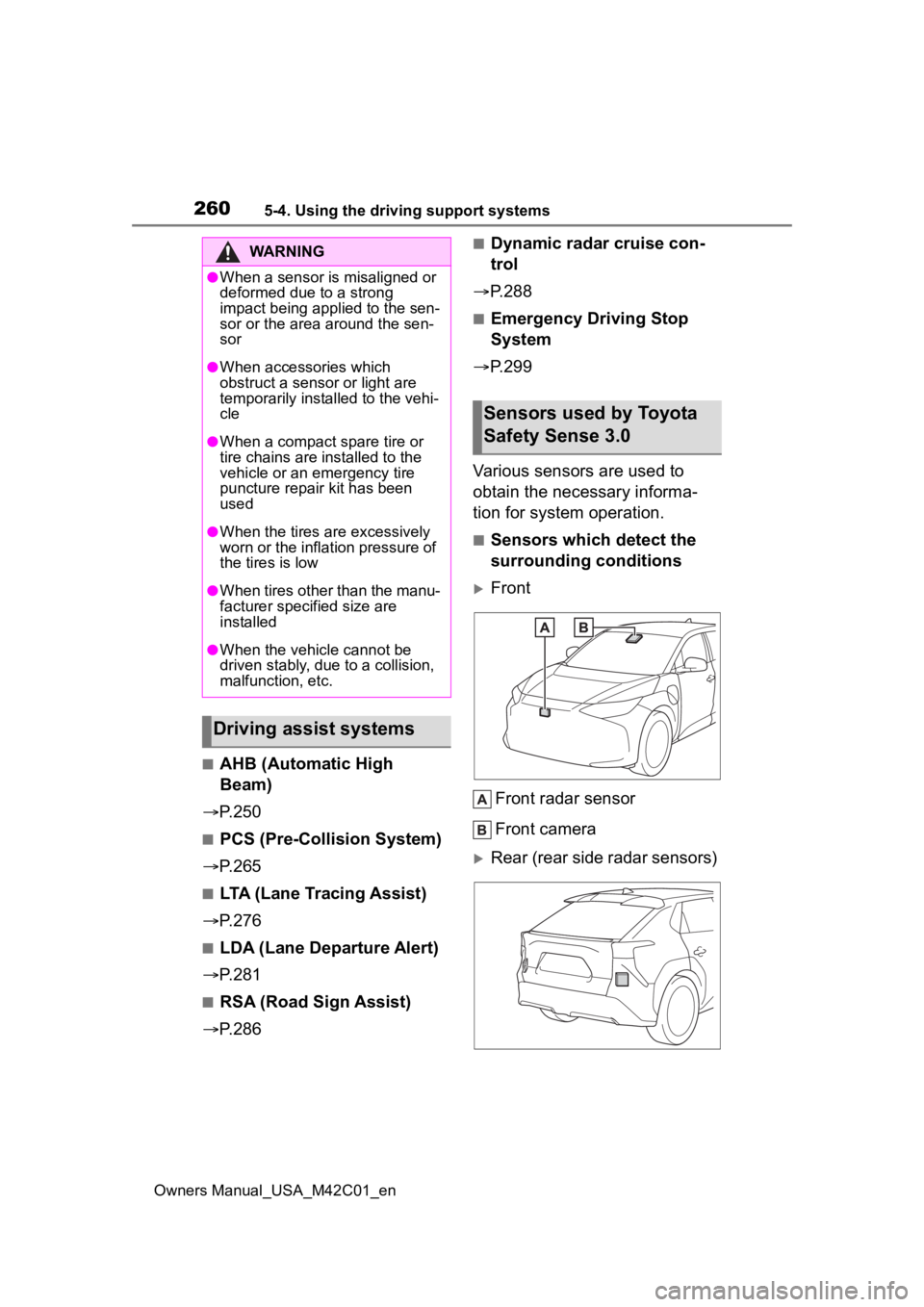
Various sensors are used to
obtain the necessary informa-
tion for system operation.
■Sensors which detect the
surrounding conditions
Front
Front radar sensor
Front camera
Rear (rear side radar sensors)
WARNING
●When a sensor is misaligned or
deformed due to a strong
impact being applied to the sen-
sor or the area around the sen-
sor
●When accessories which
obstruct a sensor or light are
temporarily installed to the vehi-
cle
●When a compact spare tire or
tire chains are installed to the
vehicle or an emergency tire
puncture repair kit has been
used
●When the tires are excessively
worn or the inflation pressure of
the tires is low
●When tires other than the manu-
facturer specified size are
installed
●When the vehicle cannot be
driven stably, due to a collision,
malfunction, etc.
Driving assist systems
Sensors used by Toyota
Safety Sense 3.0