heater SUBARU SOLTERRA 2023 Owners Manual
[x] Cancel search | Manufacturer: SUBARU, Model Year: 2023, Model line: SOLTERRA, Model: SUBARU SOLTERRA 2023Pages: 628, PDF Size: 11.91 MB
Page 4 of 628
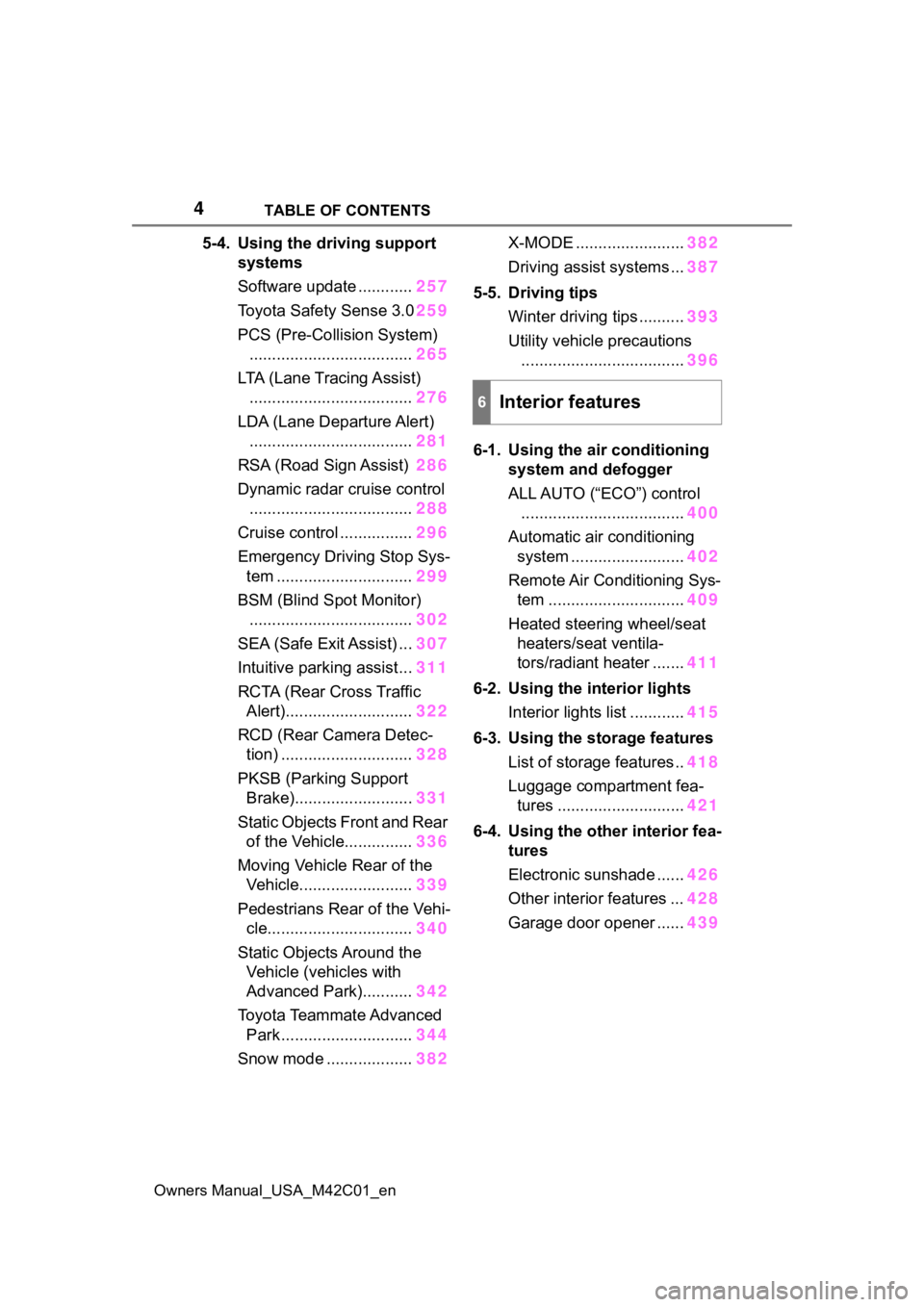
4TABLE OF CONTENTS
Owners Manual_USA_M42C01_en
5-4. Using the driving support
systems
Software update ............ 257
Toyota Safety Sense 3.0 259
PCS (Pre-Collision System) .................................... 265
LTA (Lane Tracing Assist) .................................... 276
LDA (Lane Departure Alert) .................................... 281
RSA (Road Sign Assist) 286
Dynamic radar cruise control .................................... 288
Cruise control ................ 296
Emergency Driving Stop Sys- tem .............................. 299
BSM (Blind Spot Monitor) .................................... 302
SEA (Safe Exit Assist) ... 307
Intuitive parking assist... 311
RCTA (Rear Cross Traffic Alert)............................ 322
RCD (Rear Camera Detec- tion) ............................. 328
PKSB (Parking Support Brake).......................... 331
Static Objects Front and Rear of the Vehicle............... 336
Moving Vehicle Rear of the Vehicle......................... 339
Pedestrians Rear of the Vehi- cle................................ 340
Static Objects Around the Vehicle (vehicles with
Advanced Park)........... 342
Toyota Teammate Advanced Park ............................. 344
Snow mode ................... 382X-MODE ........................
382
Driving assist systems ... 387
5-5. Driving tips Winter driving tips .......... 393
Utility vehicle precautions .................................... 396
6-1. Using the ai r conditioning
system and defogger
ALL AUTO (“ECO”) control .................................... 400
Automatic air conditioning system ......................... 402
Remote Air Conditioning Sys- tem .............................. 409
Heated steering wheel/seat heaters/seat ventila-
tors/radiant heater ....... 411
6-2. Using the interior lights Interior lights list ............ 415
6-3. Using the storage features List of storage features .. 418
Luggage compartment fea- tures ............................ 421
6-4. Using the other interior fea- tures
Electronic sunshade ...... 426
Other interior features ... 428
Garage door opener ...... 439
6Interior features
Page 22 of 628
22Pictorial index
Owners Manual_USA_M42C01_en
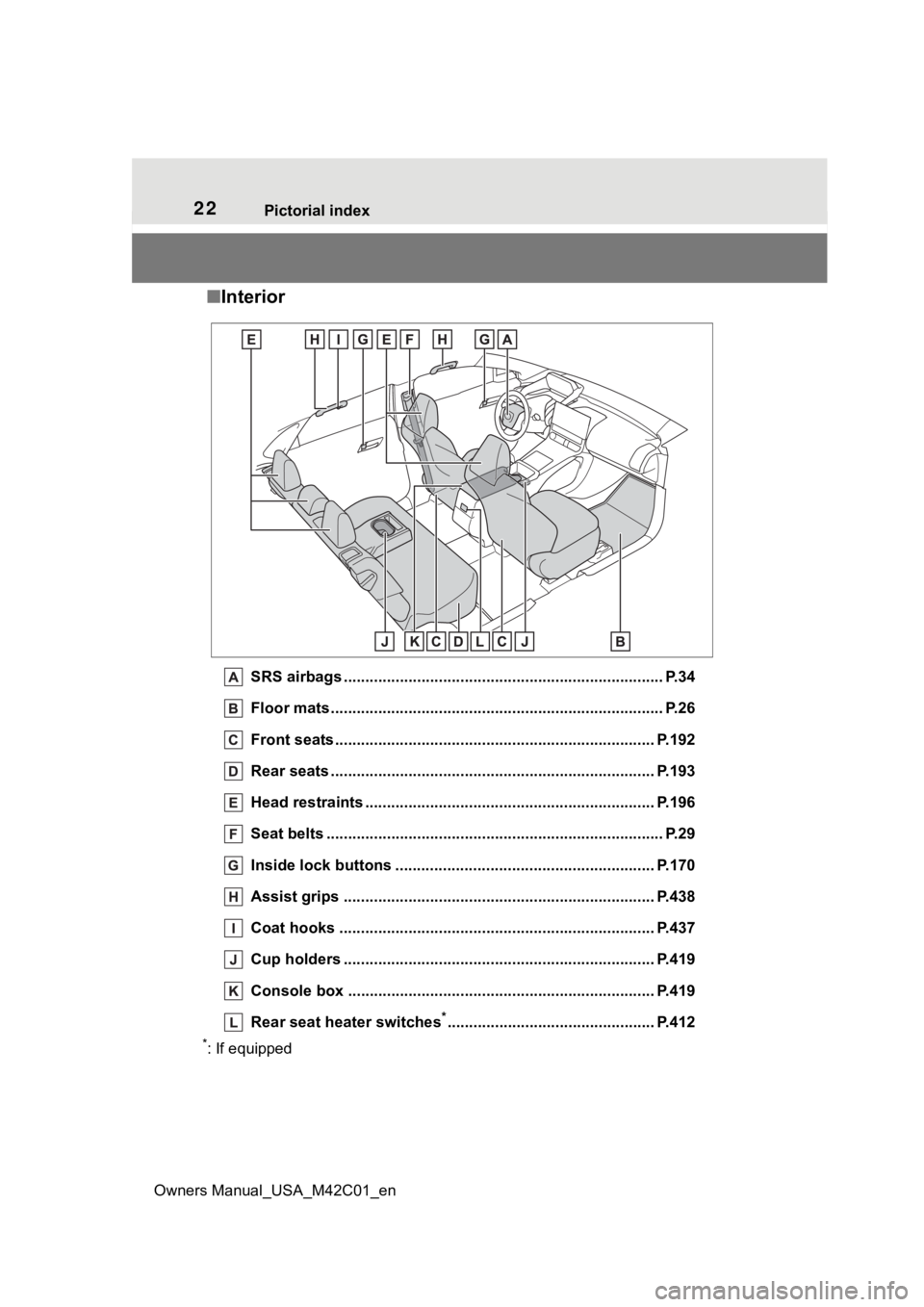
■ Interior
SRS airbags .................................................... ...................... P.34
Floor mats..................................................... ........................ P.26
Front seats .................................................... ...................... P.192
Rear seats ..................................................... ...................... P.193
Head restraints ................................................ ................... P.196
Seat belts ..................................................... ......................... P.29
Inside lock buttons ............................................ ................ P.170
Assist grips ................................................... ..................... P.438
Coat hooks ..................................................... .................... P.437
Cup holders .................................................... .................... P.419
Console box ....................................................................... P.419
Rear seat heater switches
*................................................ P.412
*: If equipped
Page 82 of 628
822-1. Electric vehicle system
Owners Manual_USA_M42C01_en
battery cannot be charged. Also,
when using the air conditioning
system, etc., the traction battery
electricity is consumed.
(P.237)
Repeated acceleration and
deceleration due to traffic con-
gestion, long waits at traffic
lights, and driving on steep
inclines will lead to poor electric-
ity consumption. In order to
avoid those situations as much
as possible, check traffic reports
before leaving. If the vehicle is
driven in traffic congestion, gen-
tly release the brake pedal to
allow the vehicle to move for-
ward slightly, avoid overuse of
the accelerator pedal. Doing so
can help minimize unnecessary
electricity consumption.
Make sure to operate the brakes
gently and a timely manner. A
greater amount of electrical
energy can be regenerated
when slowing down.
Control and maintain the vehicle
at a constant speed. Before
stopping at a toll booth or simi-
lar, allow plenty of time to release the accelerator and gen-
tly apply the brakes. A greater
amount of electrical energy can
be regenerated when slowing
down.
Use the air conditioning only
when necessary. Doing so
can help reduce excessive
electricity consumption.
In summer: When the ambient tem-
perature is high, use the recircu-
lated air mode. Doing so will help to
reduce the burden on the air condi-
tioning system and reduce electric-
ity consumption as well.
In winter: Exce ssive or unneces-
sary heating should be avoided.
Also, electricity consumption can
be improved by avoiding overuse of
the heater.
When using the Remote Air
Conditioning System
( P.409) while the AC
charging cable is connected
to the vehicle, electricity con-
sumption immediately after
starting off will be reduced
because air conditioning is
operated mainly using elec-
tricity from an external power
source.
Make sure to check the tire infla-
tion pressure frequently.
Delays
When braking
Highway (or freeways)
driving
Air conditioning
Checking tire inflation
pressure
Page 87 of 628
872-2. Charging
Owners Manual_USA_M42C01_en
2
Electric Vehicle system
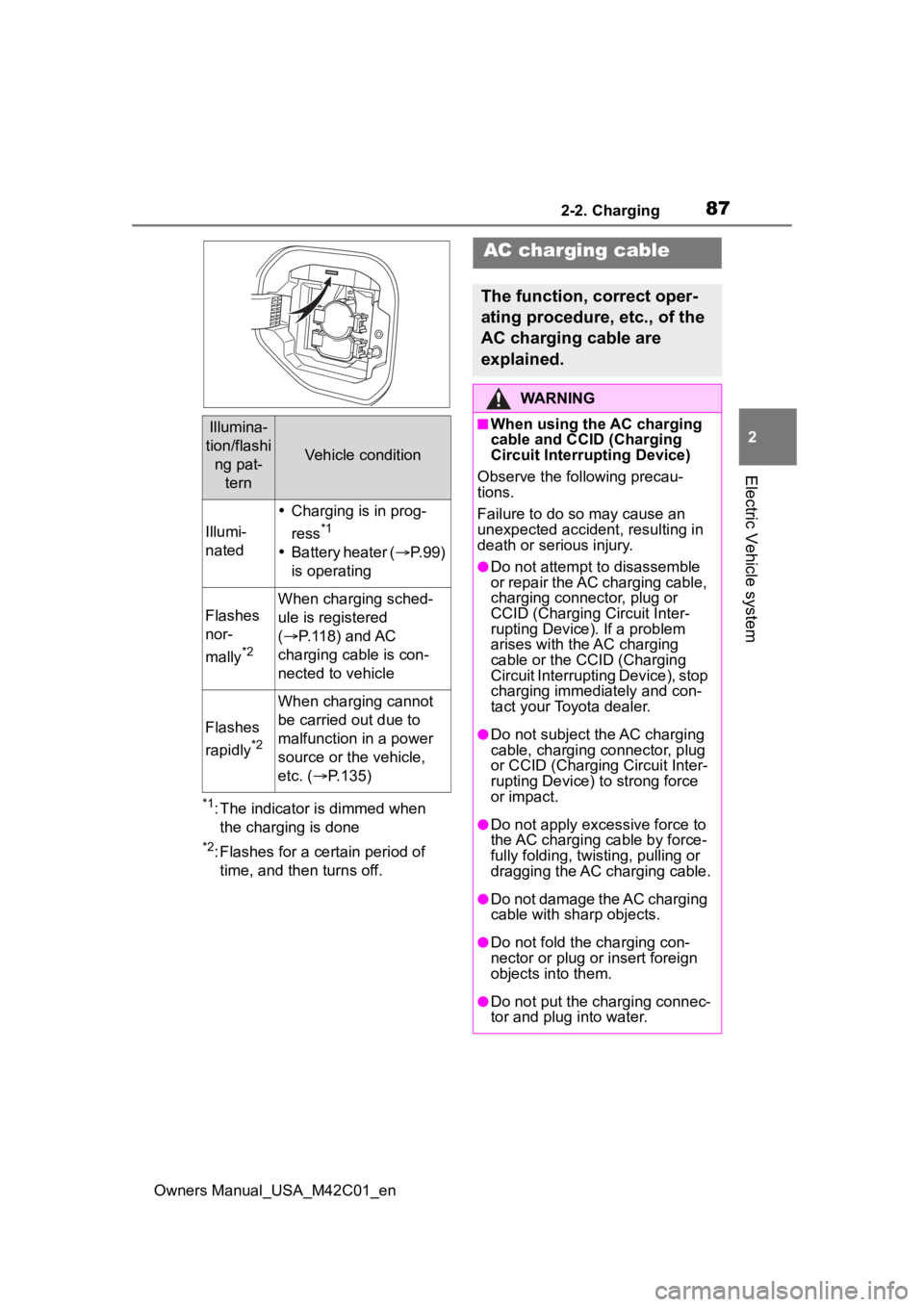
*1: The indicator is dimmed when the charging is done
*2: Flashes for a certain period of time, and then turns off.
Illumina-
tion/flashi ng pat- tern
Vehicle condition
Illumi-
nated
Charging is in prog-
ress
*1
Battery heater ( P.99)
is operating
Flashes
nor-
mally
*2
When charging sched-
ule is registered
( P.118) and AC
charging cable is con-
nected to vehicle
Flashes
rapidly
*2
When charging cannot
be carried out due to
malfunction in a power
source or the vehicle,
etc. ( P.135)
AC charging cable
The function, correct oper-
ating procedure, etc., of the
AC charging cable are
explained.
WARNING
■When using the AC charging
cable and CCID (Charging
Circuit Interrupting Device)
Observe the following precau-
tions.
Failure to do so may cause an
unexpected accident, resulting in
death or serious injury.
●Do not attempt to disassemble
or repair the AC charging cable,
charging connector, plug or
CCID (Charging Circuit Inter-
rupting Device). If a problem
arises with the AC charging
cable or the CCID (Charging
Circuit Interruptin g Device), stop
charging immediately and con-
tact your Toyota dealer.
●Do not subject the AC charging
cable, charging connector, plug
or CCID (Charging Circuit Inter-
rupting Device) to strong force
or impact.
●Do not apply excessive force to
the AC charging cable by force-
fully folding, twisting, pulling or
dragging the AC charging cable.
●Do not damage the AC charging
cable with sharp objects.
●Do not fold the charging con-
nector or plug or insert foreign
objects into them.
●Do not put the charging connec-
tor and plug into water.
Page 98 of 628
982-2. Charging
Owners Manual_USA_M42C01_en
■AC charging (P.105)
This is a charging method used
when charging from an AC out-
let with the AC charging cable or
charging that uses AC charger.
By setting charging schedule, it is
also possible to charge at the
desired date and time. ( P. 1 1 8 )
■DC charging ( P.113)
This is a charging method that
uses a DC charger that com-
plies with SAE J 1772. The trac-
tion battery can be charged in a
shorter time than AC charging.
SAE is an abbreviation for an
industrial standard issued by the
Society of Automotive Engi-
neers.
This vehicle is equipped with
several functions that are linked
with charging.
■My Room Mode ( P.129)
When the charging cable is con-
nected to the vehicle, electrical
components such as the air con-
ditioning system and audio sys-
WARNING
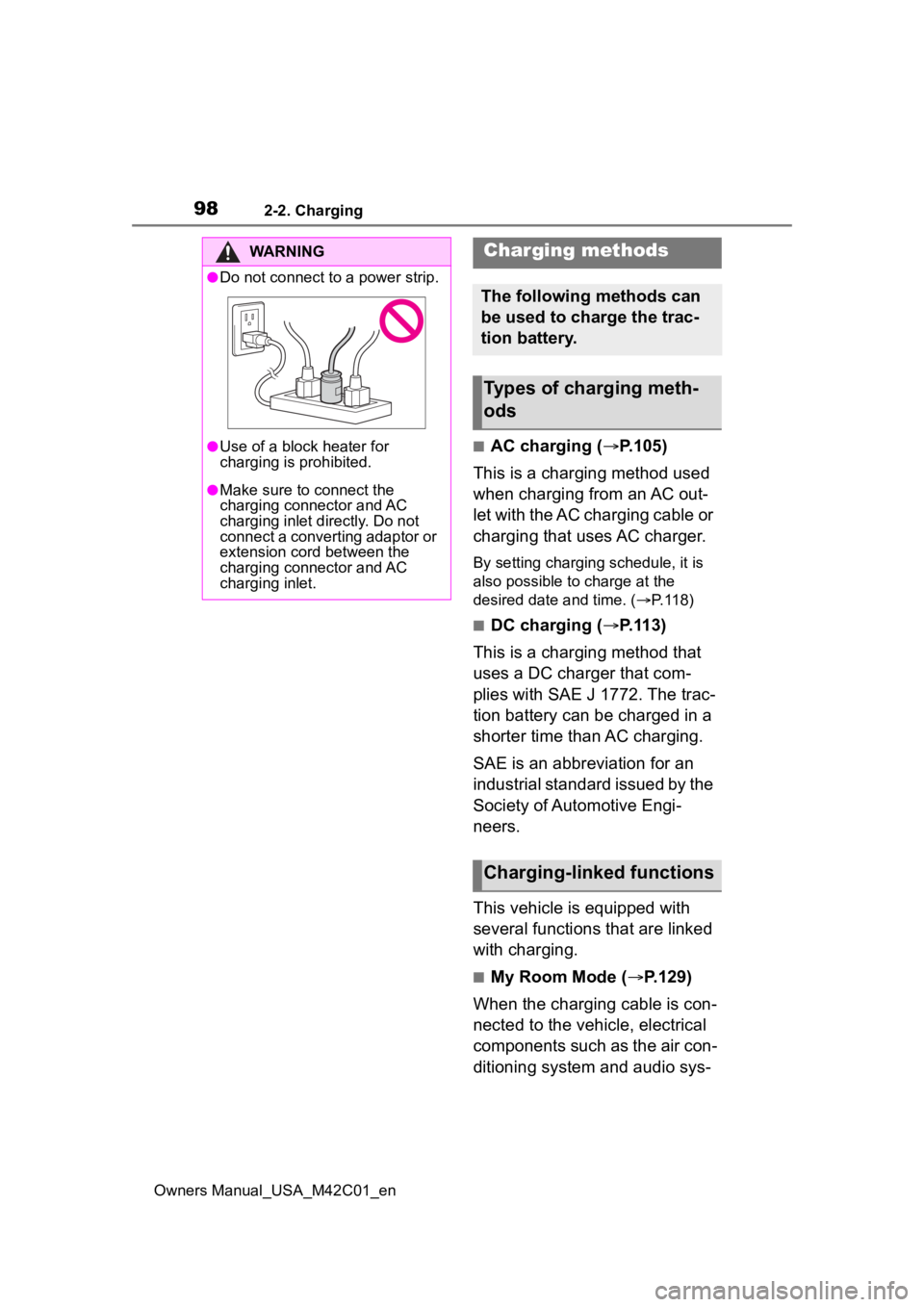
●Do not connect to a power strip.
●Use of a block heater for
charging is prohibited.
●Make sure to connect the
charging connector and AC
charging inlet directly. Do not
connect a converting adaptor or
extension cord between the
charging connector and AC
charging inlet.
Charging methods
The following methods can
be used to charge the trac-
tion battery.
Types of charging meth-
ods
Charging-linked functions
Page 99 of 628
992-2. Charging
Owners Manual_USA_M42C01_en
2
Electric Vehicle system
tem can be used by the power
supply from an external power
source
*.
*: Depending on the situation, elec-
tricity of the traction battery may
be consumed.
■Traction battery heater
When the outside temperature
is low and the charging cable is
connected to the vehicle, this
function automatically warms
the traction battery until it
reaches or exceeds a certain
temperature.
The operation of this function
is stopped automatically when
the charging cable is discon-
nected or if the charging cable
is left connected to the vehicle
for approximately 3 days.
When the charging schedule
is used ( P.118), this func-
tion will operate according to
the schedule settings.
■Traction battery warming
control
This control operates after the
charging cable remains con-
nected to the vehicle for approx-
imately 3 days and the traction
battery heater automatically
stops. It automatically insulates
the traction battery in extremely
low temperatures.
This control stops 31 days
after the charging cable is
connected, even if it is still
connected to the vehicle.
When this control operates,
charging schedule settings
are ignored and charging
starts immediately.
■Traction battery cooler
When the traction battery is hot
and the AC charging cable is
connected to the vehicle, this
function cools the traction bat-
tery to protect it.
The function may operate when
continuously driving at high
speeds such as driving on high-
ways or freeways, or during DC
charging.
■Using My Room Mode during
DC charging
P.130
■Traction battery heater
●Traction battery heater may oper-
ate when charging is not being
performed.
●When Traction battery heater is
operating, the charging indicator
will illuminate.
●When Traction battery heater is
operating during charging, the
charging may take longer than
normal.
●The remaining charge of the trac-
tion battery declines when the
traction battery hea ter operates, it
might be necessary to recharge
the traction battery again in order
to supplement the remaining
charge.
■Traction battery cooler
●For AC charging: Traction battery
cooler settings can be changed on
the multi-information display.
( P.100)
●The AC charging indicator will illu-
Page 104 of 628
1042-2. Charging
Owners Manual_USA_M42C01_en
●Avoid frequent DC charging
Also, if the capacit y of the traction
battery capacity reduces, the dis-
tance that can be driven decreases.
However, vehicle performance does
not significantly become worse.
■When the remaining charge of
the traction battery is low after
charging
In the following situations, the
remaining charge of the traction bat-
tery after charging completes may
be less than normal in order to pro-
tect the traction bat tery (the driving
range after the battery is fully
charged may be shorter).
*
●Charging is perf ormed when the
outside temperature is low or high
●Charging is perf ormed immedi-
ately after high-l oad driving or in
extreme heat
In any other situati on, if the remain-
ing charge of the traction battery is
significantly lower than normal after
charging completes, have the vehi-
cle inspected by your Toyota dealer.
*: When this occurs, even if the remaining charge display of the
traction battery shows that it is
fully charged, the remaining
charge rapidly decreases faster
than normal.
■When the charging amount sent
to the traction battery
decreases
When the amount of power supplied
by the charger is low or operation of
the battery heater, etc., reduces the
charging power sent to the traction
battery, the charging amount sent to
the traction battery may decrease.
■Certification
This device complies with Part 15 of
the FCC Rules. Operation is subject
to the following two conditions:
(1) this device may not cause harm- ful interference, and (2) this device
must accept any interference
received, including interference that
may cause undesired operation.
■Charging time may increase
In the following situ ations, charging
time may become longer than nor-
mal:
●In very hot or very cold tempera-
tures.
●When the traction battery
becomes hot, such as immedi-
ately after high-load driving.
●The vehicle is consuming a lot of
electricity, for e xample, when the
headlights are on, etc.
●When using “My Room Mode”.
( P.129)
●There is a power outage during
charging.
●There is an interruption in the
electrical supply.
●There is a drop in the voltage of
external power source.
●The charge in the 12-volt battery
is low, for example due to the
vehicle being left unused for a
long period of time.
●When the upper limit of charging
current is changed in the charging
current setting of the vehicle
( P.108)
●When the battery heater operates.
( P. 9 9 )
●When the “Battery Cooler” is oper-
ated before charging. ( P. 9 9 )
●When the plug generates heat
due to a loose outlet connection,
etc.
●When adjusting the power supply
with the charger.
●When frequently and repeatedly
using DC charging.
●When selecting “DC charging
power” setting other than “MAX”.
●When the temperature of
charging-related parts is high.
Page 120 of 628
1202-2. Charging
Owners Manual_USA_M42C01_enschedule, connect the AC
charging connector
The charging start time is deter-
mined based on the charging
schedule at the t ime that the AC
charging connector was connected.
●Connect the AC charging connec-
tor before the start time
When the charging mode is set to
“Start”, if you connect the AC
charging connector after the set
start time, the next charging sched-
ule will be referenced.
When the charging mode is “Start-
Stop”, if you connect the AC
charging connector after the start
time, charging will start immediately
and charging will be performed until
the stop time.
●After connecting the AC charging
connector, check that the charging
indicator of the charging port
flashes ( P. 8 6 )
●Do not use an ou tlet that has a
power cut off function (including a
timer function)
Use an outlet that constantly sup-
plies electricity. For outlets where
the power is cut off due to a timer
function, etc., charging may not be
carried out accord ing to plan if the
power is cut off during the set time.
■When the AC charging connec-
tor remains connected to the
vehicle
●When the charging mode is set to
“Start”, even if multiple consecu-
tive charging schedules are regis-
tered, the next charge will not be
carried out according to the
charging schedule until the AC
charging connector is removed
and reconnected after charging
completes. Also, when the traction
battery is fully charged, charging
according to the charging sched- ule will not be carried out.
●If the charging stop time is
reached before t
he traction bat-
tery is fully cha rged and the
charging mode is set to “Start-
Stop”, the nearest charging
schedule after the stop time is
updated as the next charging
schedule, and charging is
repeated until the battery is fully
charged.
■Smartphone-linked operation
After applying to Toyota App, it is
possible to use the smartphone
application to change charging
schedule settings.
For details about Toyota Apps, refer
to http://www.toyota.com/
connected-services in the United
States and http://www.toy-
ota.ca/connected in Canada.
■When charging schedules are
ignored
When the following operations are
performed while the charging
schedule is on standby, charging
schedule is temporarily canceled
and charging is started.
●When the Remote Air Condition-
ing System ( P.409) is operated
●When turning “My Room Mode”
on ( P.129)
●When turning “Charge Now” on
( P.124, 128)
●When an operation that temporar-
ily cancel charging using the
charging schedule ( P.107)
■Battery heater ( P.99)/“Battery
Cooler” ( P. 9 9 )
Depending on the temperature of
the traction battery , the traction bat-
tery heater or traction battery cooler
may be activated and the charging
indicator may light up while the timer
is waiting for charging.
Page 141 of 628
1412-2. Charging
Owners Manual_USA_M42C01_en
2
Electric Vehicle system
*: Electricity is consumed wh en operating battery heater ( P.99), the
Remote Air Conditioning System ( P.409).
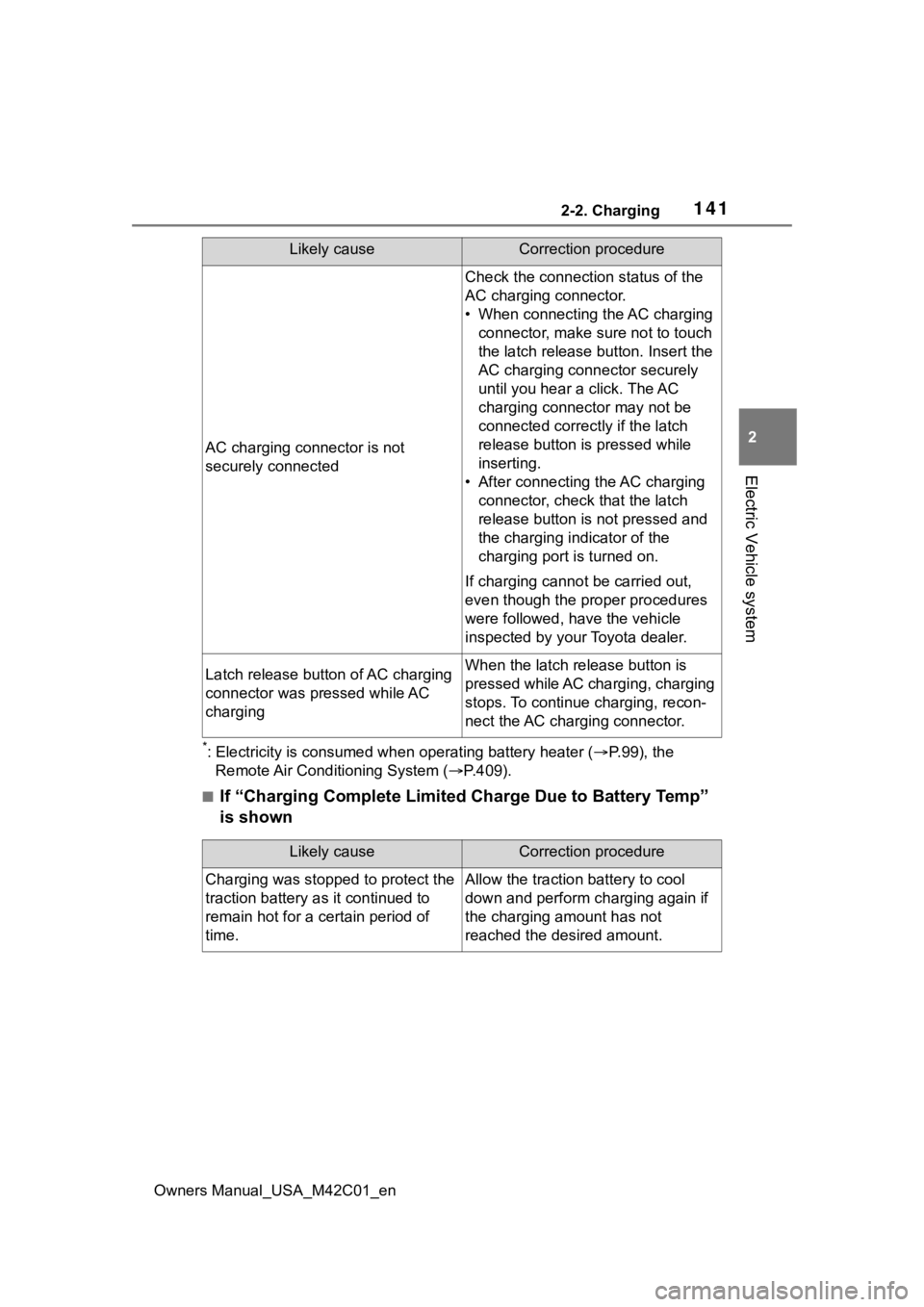
■If “Charging Complete Limited Charge Due to Battery Temp”
is shown
AC charging connector is not
securely connected
Check the connection status of the
AC charging connector.
• When connecting the AC charging
connector, make sure not to touch
the latch release button. Insert the
AC charging connector securely
until you hear a click. The AC
charging connector may not be
connected correctly if the latch
release button is pressed while
inserting.
• After connecting the AC charging connector, check that the latch
release button is not pressed and
the charging indicator of the
charging port is turned on.
If charging cannot be carried out,
even though the proper procedures
were followed, h ave the vehicle
inspected by your Toyota dealer.
Latch release button of AC charging
connector was pressed while AC
chargingWhen the latch release button is
pressed while AC charging, charging
stops. To continue charging, recon-
nect the AC charging connector.
Likely causeCorrection procedure
Likely causeCorrection procedure
Charging was stopped to protect the
traction battery as it continued to
remain hot for a certain period of
time.Allow the traction battery to cool
down and perform ch arging again if
the charging amount has not
reached the desired amount.
Page 261 of 628
2615-4. Using the driving support systems
Owners Manual_USA_M42C01_en
5
Driving
WARNING
■To prevent malfunction of the
radar sensors
Observe the following precau-
tions. Failure to do so may lead to
a radar sensor not operating prop-
erly, possibly leading to an acci-
dent resulting in death or serious
injury.
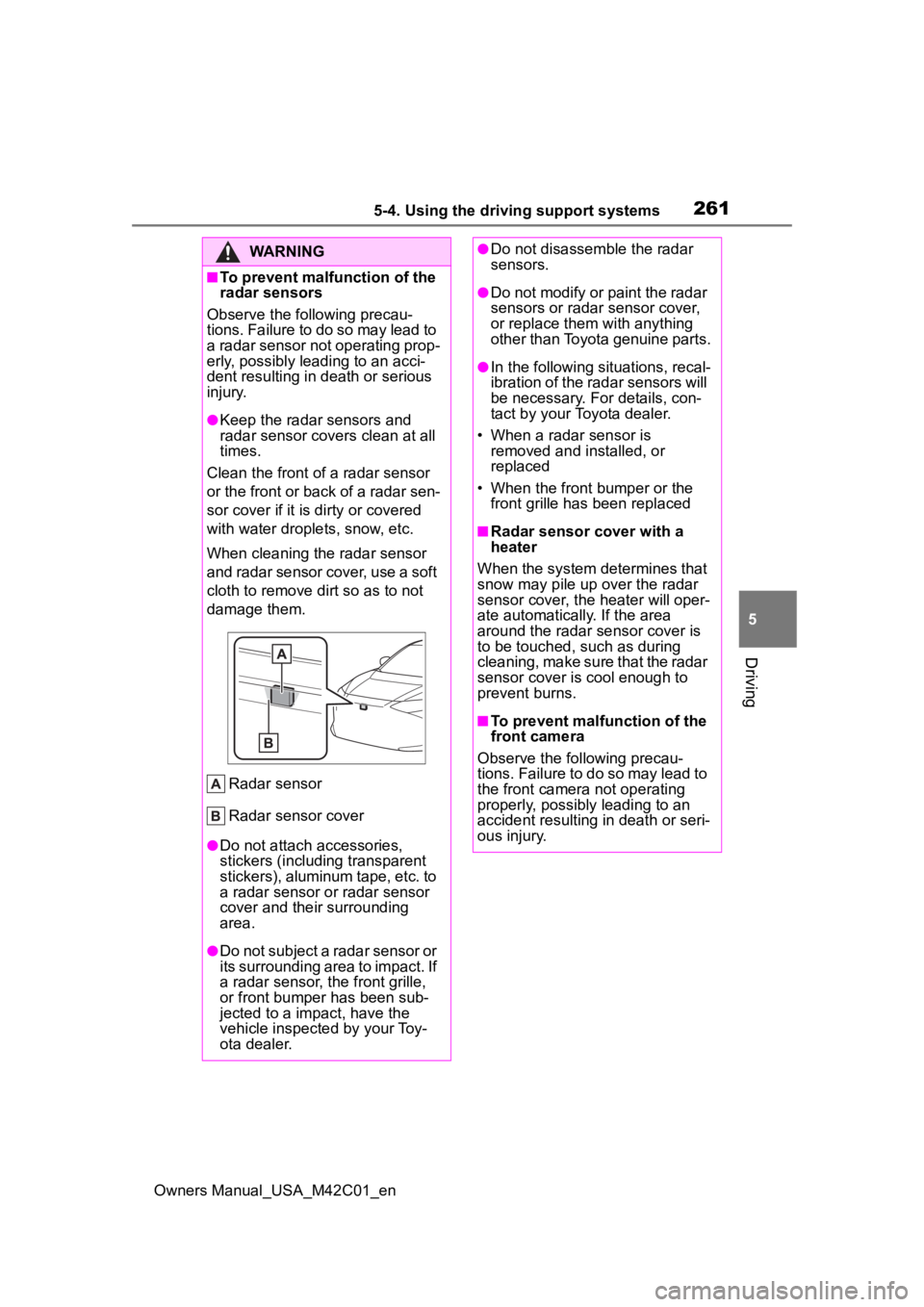
●Keep the radar sensors and
radar sensor covers clean at all
times.
Clean the front of a radar sensor
or the front or back of a radar sen-
sor cover if it is dirty or covered
with water drople ts, snow, etc.
When cleaning the radar sensor
and radar sensor cover, use a soft
cloth to remove di rt so as to not
damage them.
Radar sensor
Radar sensor cover
●Do not attach accessories,
stickers (including transparent
stickers), aluminum tape, etc. to
a radar sensor or radar sensor
cover and their surrounding
area.
●Do not subject a radar sensor or
its surrounding area to impact. If
a radar sensor, the front grille,
or front bumper has been sub-
jected to a impact, have the
vehicle inspected by your Toy-
ota dealer.
●Do not disassemble the radar
sensors.
●Do not modify or paint the radar
sensors or radar sensor cover,
or replace them with anything
other than Toyota genuine parts.
●In the following situations, recal-
ibration of the radar sensors will
be necessary. For details, con-
tact by your Toyota dealer.
• When a radar sensor is removed and installed, or
replaced
• When the front bumper or the front grille has been replaced
■Radar sensor cover with a
heater
When the system determines that
snow may pile up over the radar
sensor cover, the heater will oper-
ate automatically. If the area
around the radar sensor cover is
to be touched, such as during
cleaning, make sure that the radar
sensor cover is cool enough to
prevent burns.
■To prevent malfunction of the
front camera
Observe the following precau-
tions. Failure to do so may lead to
the front camera not operating
properly, possibly leading to an
accident resulting in death or seri-
ous injury.