lane SUBARU SOLTERRA 2023 Owners Manual
[x] Cancel search | Manufacturer: SUBARU, Model Year: 2023, Model line: SOLTERRA, Model: SUBARU SOLTERRA 2023Pages: 628, PDF Size: 11.91 MB
Page 4 of 628
4TABLE OF CONTENTS
Owners Manual_USA_M42C01_en
5-4. Using the driving support
systems
Software update ............ 257
Toyota Safety Sense 3.0 259
PCS (Pre-Collision System) .................................... 265
LTA (Lane Tracing Assist) .................................... 276
LDA (Lane Departure Alert) .................................... 281
RSA (Road Sign Assist) 286
Dynamic radar cruise control .................................... 288
Cruise control ................ 296
Emergency Driving Stop Sys- tem .............................. 299
BSM (Blind Spot Monitor) .................................... 302
SEA (Safe Exit Assist) ... 307
Intuitive parking assist... 311
RCTA (Rear Cross Traffic Alert)............................ 322
RCD (Rear Camera Detec- tion) ............................. 328
PKSB (Parking Support Brake).......................... 331
Static Objects Front and Rear of the Vehicle............... 336
Moving Vehicle Rear of the Vehicle......................... 339
Pedestrians Rear of the Vehi- cle................................ 340
Static Objects Around the Vehicle (vehicles with
Advanced Park)........... 342
Toyota Teammate Advanced Park ............................. 344
Snow mode ................... 382X-MODE ........................
382
Driving assist systems ... 387
5-5. Driving tips Winter driving tips .......... 393
Utility vehicle precautions .................................... 396
6-1. Using the ai r conditioning
system and defogger
ALL AUTO (“ECO”) control .................................... 400
Automatic air conditioning system ......................... 402
Remote Air Conditioning Sys- tem .............................. 409
Heated steering wheel/seat heaters/seat ventila-
tors/radiant heater ....... 411
6-2. Using the interior lights Interior lights list ............ 415
6-3. Using the storage features List of storage features .. 418
Luggage compartment fea- tures ............................ 421
6-4. Using the other interior fea- tures
Electronic sunshade ...... 426
Other interior features ... 428
Garage door opener ...... 439
6Interior features
Page 155 of 628
1553-1. Instrument cluster
Owners Manual_USA_M42C01_en
3
Vehicle status information and indicators
If is displayed when is
selected on the mu lti-information
display, the system may be malfunc-
tioning.
Have the vehicle inspected by your
Toyota dealer.
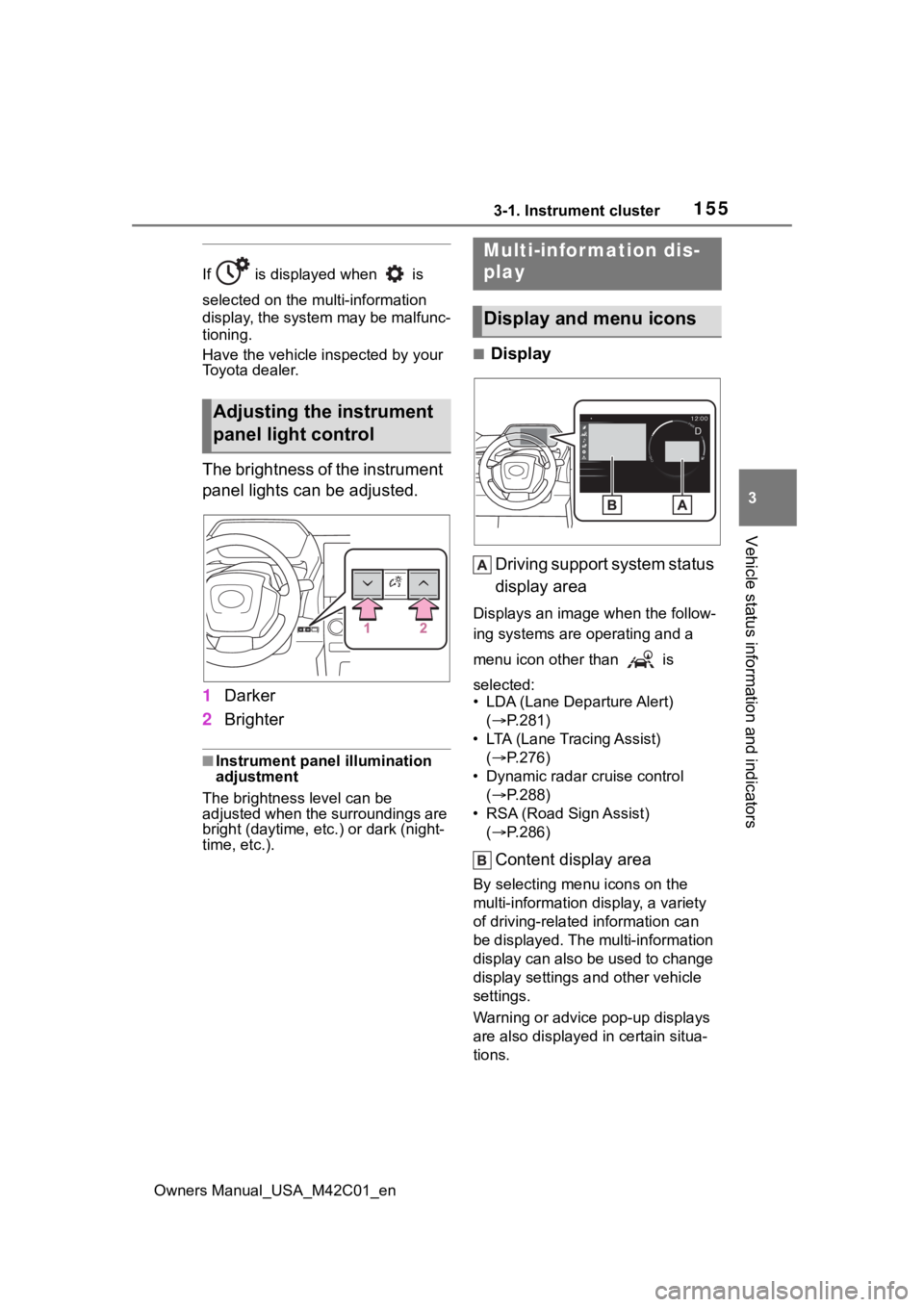
The brightness of the instrument
panel lights can be adjusted.
1 Darker
2 Brighter
■Instrument panel illumination
adjustment
The brightness level can be
adjusted when the surroundings are
bright (daytime, etc.) or dark (night-
time, etc.).
■Display
Driving support system status
display area
Displays an image when the follow-
ing systems are operating and a
menu icon other than is
selected:
• LDA (Lane Departure Alert) ( P.281)
• LTA (Lane Tracing Assist) ( P.276)
• Dynamic radar cruise control ( P.288)
• RSA (Road Sign Assist) ( P.286)
Content display area
By selecting menu icons on the
multi-information di splay, a variety
of driving-related information can
be displayed. The multi-information
display can also be used to change
display settings and other vehicle
settings.
Warning or advice pop-up displays
are also displayed in certain situa-
tions.
Adjusting the instrument
panel light control
Multi-infor mation dis-
play
Display and menu icons
Page 157 of 628
1573-1. Instrument cluster
Owners Manual_USA_M42C01_en
3
Vehicle status information and indicators
■Power consumption
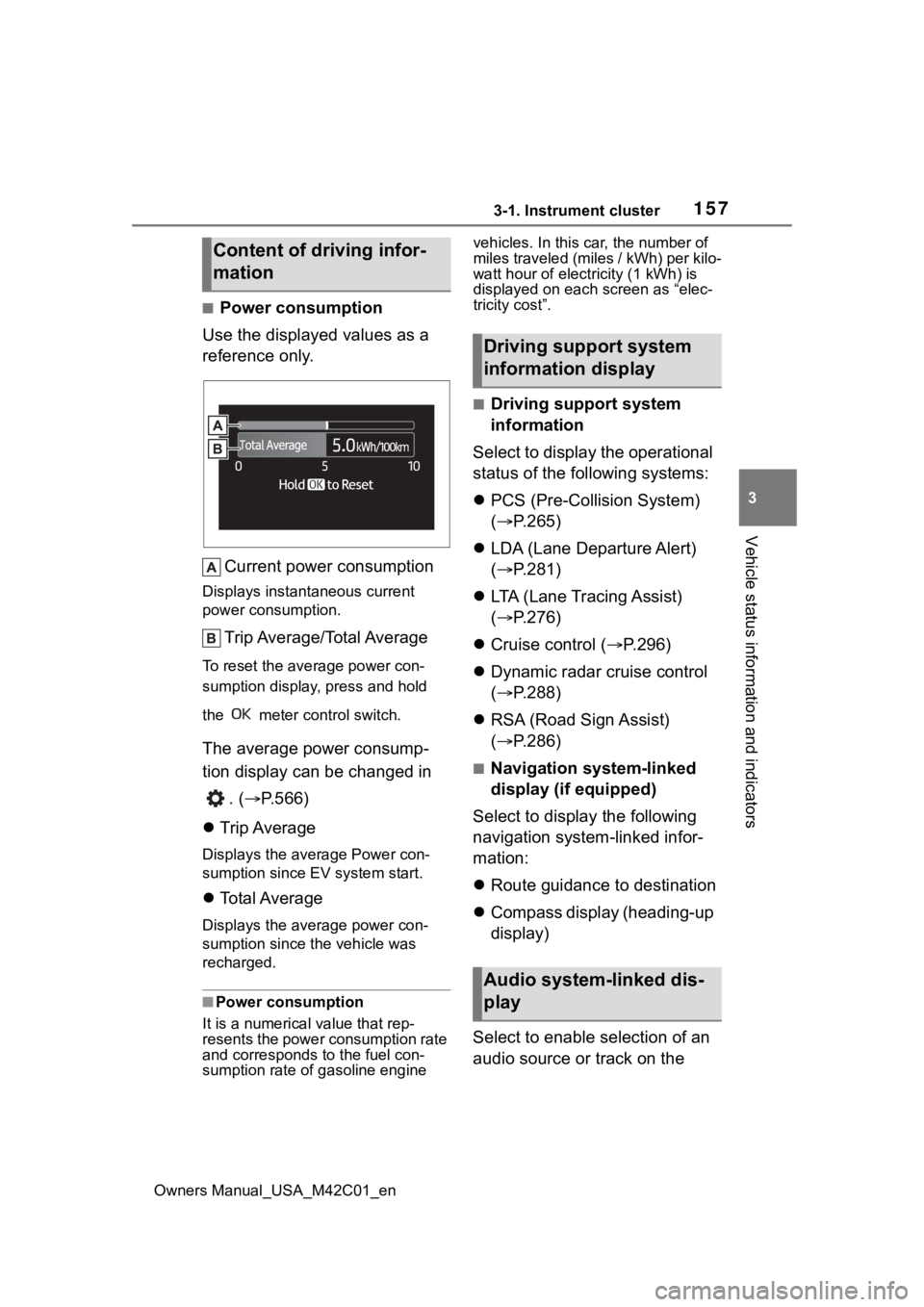
Use the displayed values as a
reference only.
Current power consumption
Displays instant aneous current
power consumption.
Trip Average/Total Average
To reset the ave rage power con-
sumption display, press and hold
the meter control switch.
The average power consump-
tion display can be changed in
. ( P.566)
Trip Average
Displays the average Power con-
sumption since EV system start.
Total Average
Displays the aver age power con-
sumption since the vehicle was
recharged.
■Power consumption
It is a numerical value that rep-
resents the power consumption rate
and corresponds to the fuel con-
sumption rate of gasoline engine vehicles. In this car, the number of
miles traveled (miles / kWh) per kilo-
watt hour of elect
ricity (1 kWh) is
displayed on each screen as “elec-
tricity cost”.
■Driving support system
information
Select to display the operational
status of the following systems:
PCS (Pre-Colli sion System)
( P.265)
LDA (Lane Departure Alert)
( P.281)
LTA (Lane Tracing Assist)
( P.276)
Cruise control ( P.296)
Dynamic radar cruise control
( P.288)
RSA (Road Sign Assist)
( P.286)
■Navigation system-linked
display (if equipped)
Select to display the following
navigation system-linked infor-
mation:
Route guidance to destination
Compass display (heading-up
display)
Select to enable selection of an
audio source or track on the
Content of driving infor-
mation
Driving support system
information display
Audio system-linked dis-
play
Page 217 of 628
217
Owners Manual_USA_M42C01_en
5
5
Driving
Driving
5-1. Before drivingDriving the vehicle....... 219
Cargo and luggage ..... 225
Vehicle load limits ....... 228
Trailer towing............... 229
Dinghy towing ............. 230
5-2. Driving procedures Power (ignition) switch 231
Transmission ............... 236
Turn signal lever.......... 242
Parking brake .............. 243
Brake Hold .................. 246
5-3. Operating the lights and wipers
Headlight switch .......... 248
AHB (Automatic High Beam)........................ 250
Windshield wipers and washer....................... 2535-4. Using the dr
iving support
systems
Software update .......... 257
Toyota Safety Sense 3.0 .................................. 259
PCS (Pre-Collision System) .................................. 265
LTA (Lane Tracing Assist) .................................. 276
LDA (Lane Departure Alert) .................................. 281
RSA (Road Sign Assist) .................................. 286
Dynamic radar cruise con- trol ............................. 288
Cruise control .............. 296
Emergency Driving Stop System ...................... 299
BSM (Blind Spot Monitor) .................................. 302
SEA (Safe Exit Assist) . 307
Intuitive parking assist . 311
RCTA (Rear Cross Traffic Alert) .......................... 322
RCD (Rear Camera Detec- tion) ........................... 328
PKSB (Parking Support Brake) ........................ 331
Static Objects Front and Rear of the Vehicle .... 336
Moving Vehicle Rear of the Vehicle ....................... 339
Page 242 of 628
2425-2. Driving procedures
Owners Manual_USA_M42C01_en
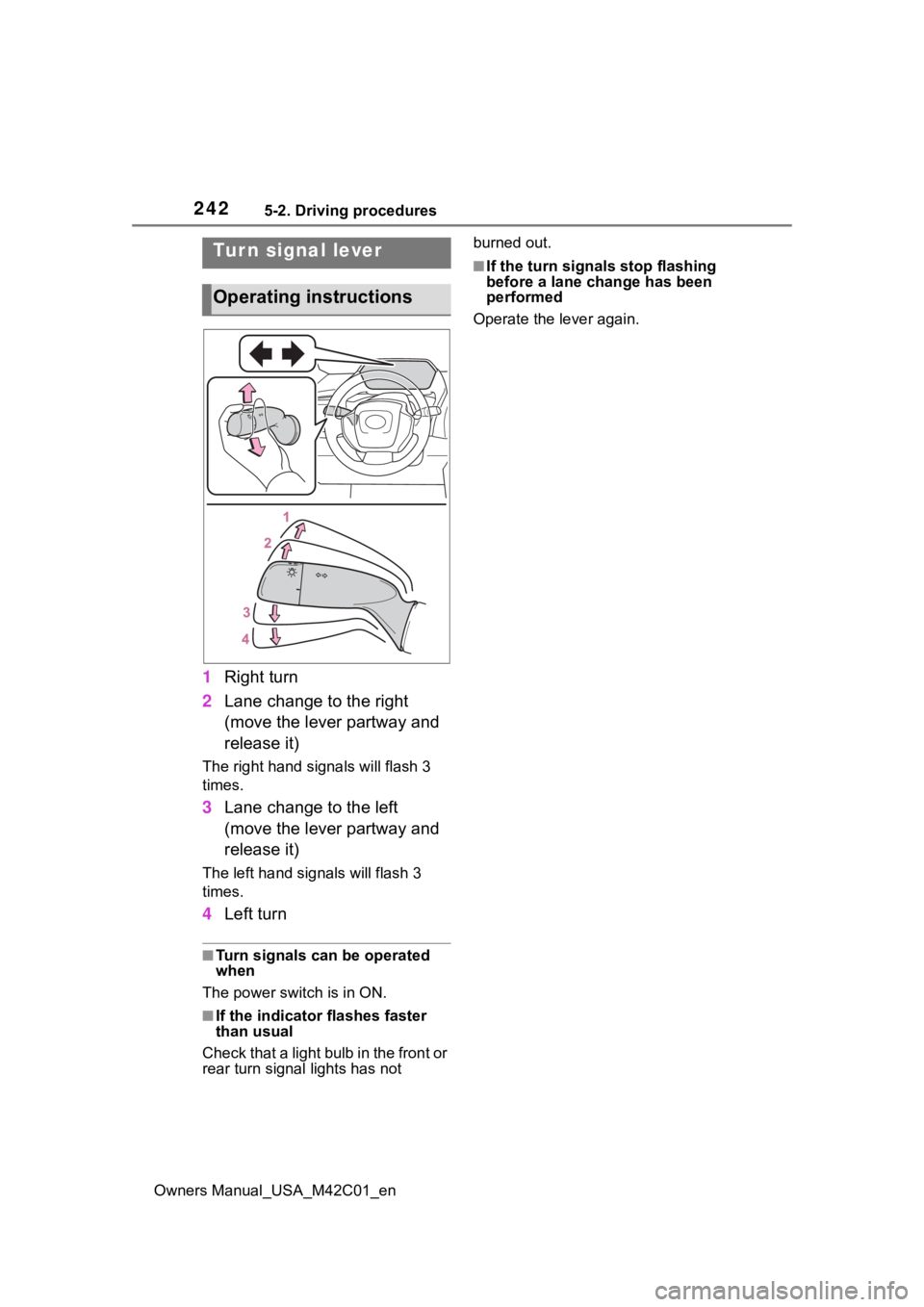
1Right turn
2 Lane change to the right
(move the lever partway and
release it)
The right hand signals will flash 3
times.
3Lane change to the left
(move the lever partway and
release it)
The left hand signals will flash 3
times.
4Left turn
■Turn signals can be operated
when
The power swit ch is in ON.
■If the indicator flashes faster
than usual
Check that a light bulb in the front or
rear turn signal lights has not burned out.
■If the turn signals stop flashing
before a lane change has been
performed
Operate the lever again.Tur n signal lever
Operating instructions
Page 251 of 628
2515-3. Operating the lights and wipers
Owners Manual_USA_M42C01_en
5
Driving
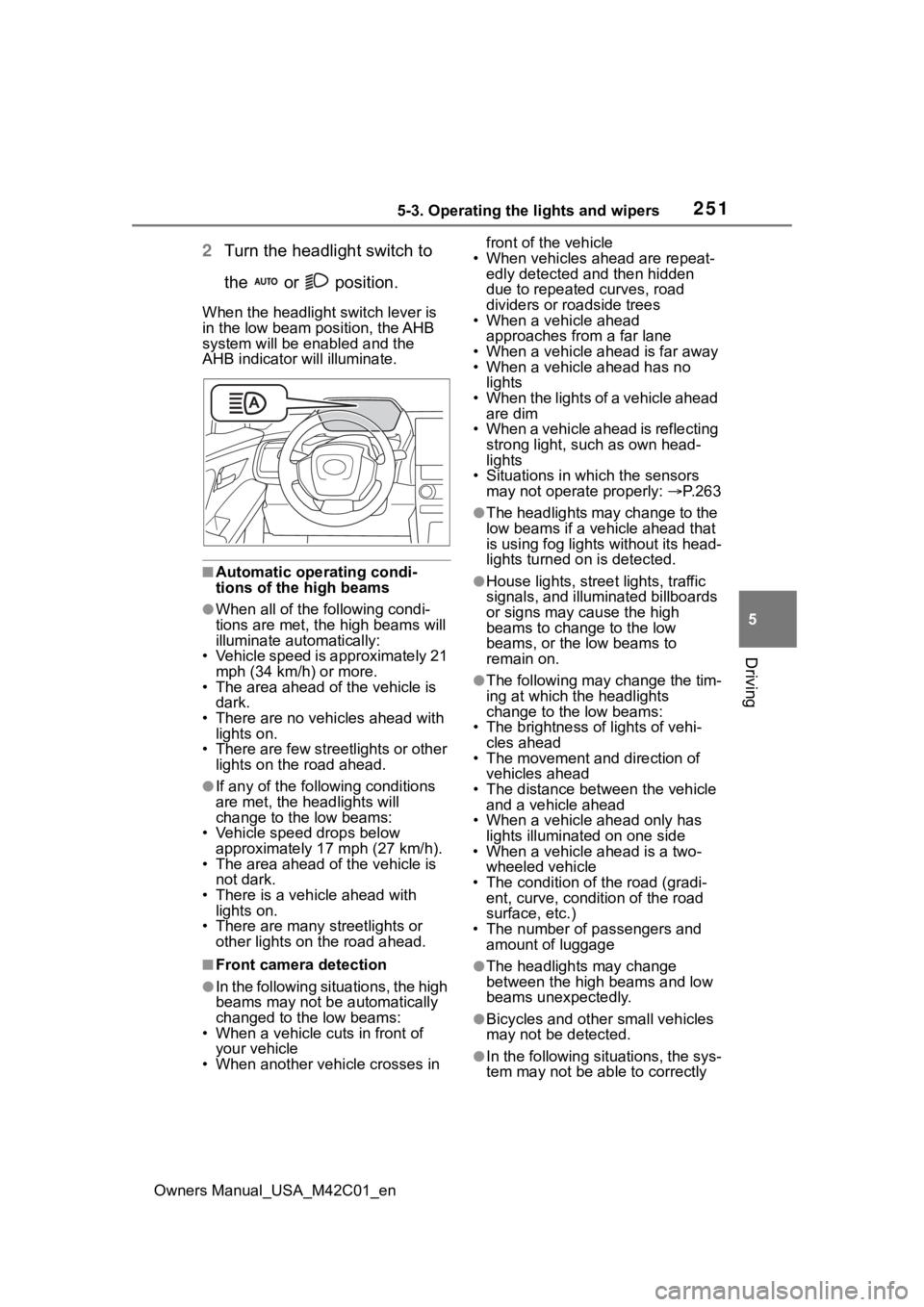
2 Turn the headlight switch to
the or position.
When the headlight switch lever is
in the low beam position, the AHB
system will be enabled and the
AHB indicator will illuminate.
■Automatic operating condi-
tions of the high beams
●When all of the following condi-
tions are met, the high beams will
illuminate automatically:
• Vehicle speed is approximately 21 mph (34 km/h) or more.
• The area ahead of the vehicle is dark.
• There are no vehicles ahead with
lights on.
• There are few streetlights or other lights on the road ahead.
●If any of the following conditions
are met, the headlights will
change to the low beams:
• Vehicle speed drops below approximately 17 mph (27 km/h).
• The area ahead of the vehicle is not dark.
• There is a vehi cle ahead with
lights on.
• There are many streetlights or other lights on the road ahead.
■Front camera detection
●In the following situations, the high
beams may not be automatically
changed to the low beams:
• When a vehicle cuts in front of your vehicle
• When another vehicle crosses in front of the vehicle
• When vehicles ahead are repeat- edly detected and then hidden
due to repeated curves, road
dividers or roadside trees
• When a vehicle ahead
approaches from a far lane
• When a vehicle ahead is far away
• When a vehicle ahead has no lights
• When the lights of a vehicle ahead are dim
• When a vehicle ahead is reflecting strong light, such as own head-
lights
• Situations in which the sensors may not operate properly: P. 2 6 3
●The headlights may change to the
low beams if a vehicle ahead that
is using fog lights without its head-
lights turned on is detected.
●House lights, street lights, traffic
signals, and illuminated billboards
or signs may cause the high
beams to change to the low
beams, or the low beams to
remain on.
●The following may change the tim-
ing at which the headlights
change to the low beams:
• The brightness o f lights of vehi-
cles ahead
• The movement and direction of
vehicles ahead
• The distance between the vehicle and a vehicle ahead
• When a vehicle ahead only has
lights illuminate d on one side
• When a vehicle ahead is a two-
wheeled vehicle
• The condition of the road (gradi- ent, curve, condition of the road
surface, etc.)
• The number of passengers and amount of luggage
●The headlights may change
between the high beams and low
beams unexpectedly.
●Bicycles and other small vehicles
may not be detected.
●In the following situations, the sys-
tem may not be able to correctly
Page 260 of 628
2605-4. Using the driving support systems
Owners Manual_USA_M42C01_en
■AHB (Automatic High
Beam)
P.250
■PCS (Pre-Collision System)
P.265
■LTA (Lane Tracing Assist)
P.276
■LDA (Lane Departure Alert)
P.281
■RSA (Road Sign Assist)
P.286
■Dynamic radar cruise con-
trol
P.288
■Emergency Driving Stop
System
P.299
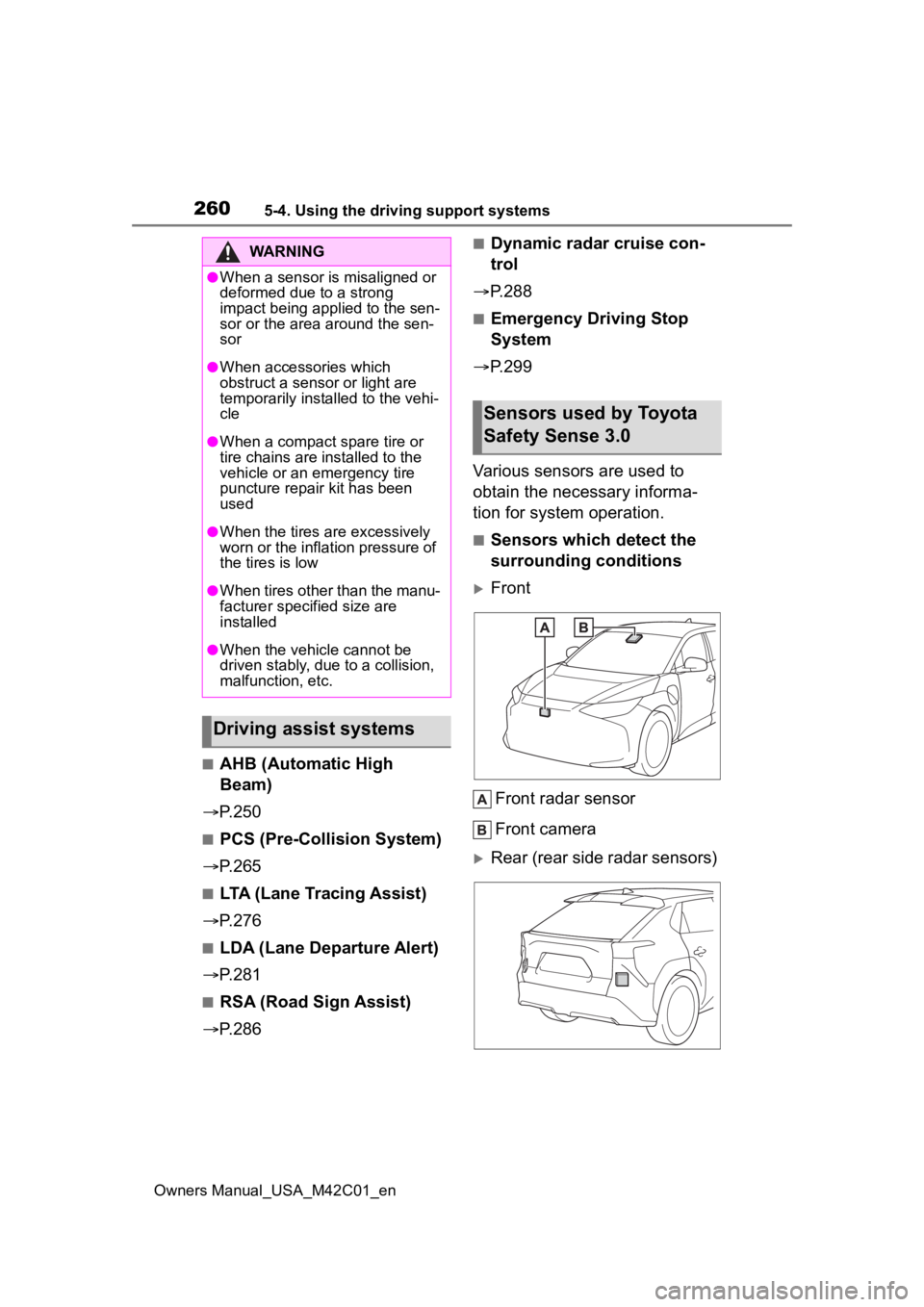
Various sensors are used to
obtain the necessary informa-
tion for system operation.
■Sensors which detect the
surrounding conditions
Front
Front radar sensor
Front camera
Rear (rear side radar sensors)
WARNING
●When a sensor is misaligned or
deformed due to a strong
impact being applied to the sen-
sor or the area around the sen-
sor
●When accessories which
obstruct a sensor or light are
temporarily installed to the vehi-
cle
●When a compact spare tire or
tire chains are installed to the
vehicle or an emergency tire
puncture repair kit has been
used
●When the tires are excessively
worn or the inflation pressure of
the tires is low
●When tires other than the manu-
facturer specified size are
installed
●When the vehicle cannot be
driven stably, due to a collision,
malfunction, etc.
Driving assist systems
Sensors used by Toyota
Safety Sense 3.0
Page 264 of 628
2645-4. Using the driving support systems
Owners Manual_USA_M42C01_en
●When a detectable vehicle is car-
rying a load which protrudes from
its cargo area
●When a detectable vehicle has lit-
tle exposed metal, such as a vehi-
cle which is parti ally covered with
cloth, etc.
●When a detectabl e vehicle is
irregularly shaped , such as a trac-
tor, sidecar, etc.
●When the distance between the
vehicle and a detectable vehicle
has become extremely short
●When a detectable vehicle is at an
angle
●When snow, mud, etc. is attached
to a detectable vehicle
●When driving on the following
kinds of roads:
• Roads with sharp curves or wind- ing roads
• Roads with chang es in grade,
such as sudden inclines or
declines
• Roads which is slo ped to the left
or right
• Roads with deep ruts
• Roads which are rough and
unmaintained
• Roads which frequently undulate
or are bumpy
●When the steering wheel is being
operated frequently or suddenly
●When the vehicle is not in a con-
stant position within a lane
●When parts related to this system,
the brakes, etc. are cold or
extremely hot, wet, etc.
●When the wheels are misaligned
●When driving on slick road sur- faces, such as when it is covered
with ice, snow, gravel, etc.
●When the course of the vehicle
differs from the
shape of a curve
●When the vehicle speed is exces-
sively high when entering a curve
●When entering/exiting a parking
lot, garage, car elevator, etc.
●When driving in a parking lot
●When driving through an area
where there are obstructions
which may contact your vehicle,
such as tall grass , tree branches,
a curtain, etc.
■Situations in which the lane
may not be detected
●When the lane is extremely wide
or narrow
●Immediately after changing lanes
or passing through an intersection
●When driving in a temporary lane
or lane regulated by construction
●When there are s tructures, pat-
terns, shadows which are similar
to lane lines in the surrounding
●When the lane lines are not clear
or driving on a wet road surface
●When a lane line is on a curb
●When driving on a bright, reflec-
tive road surface, such as con-
crete
■Situations in which some or all
of the functions of the system
cannot operate
●When a malfunction is detected in
this system or a related system,
such as the brakes, steering, etc.
●When the VSC, TRAC, or other
safety related system is operating
●When the VSC, TRAC, or other
safety related system is off
■Changes in brake operation
sound and pedal response
●When the brakes have been oper-
ated, brake operation sounds may
be heard and the brake pedal
Page 267 of 628
2675-4. Using the driving support systems
Owners Manual_USA_M42C01_en
5
Driving
“Accelerator Pedal is
Pressed”
■Pre-collision brake assist
If the system determines that
the possibility of a collision is
high and the brake operation by
the driver is insufficient, the
braking power will be increased.
■Pre-collision brake control
If the system determines that
the possibility of a collision is
extremely high, the brakes are
automatically applied to help
avoid the collision or reduce the
impact of the collision.
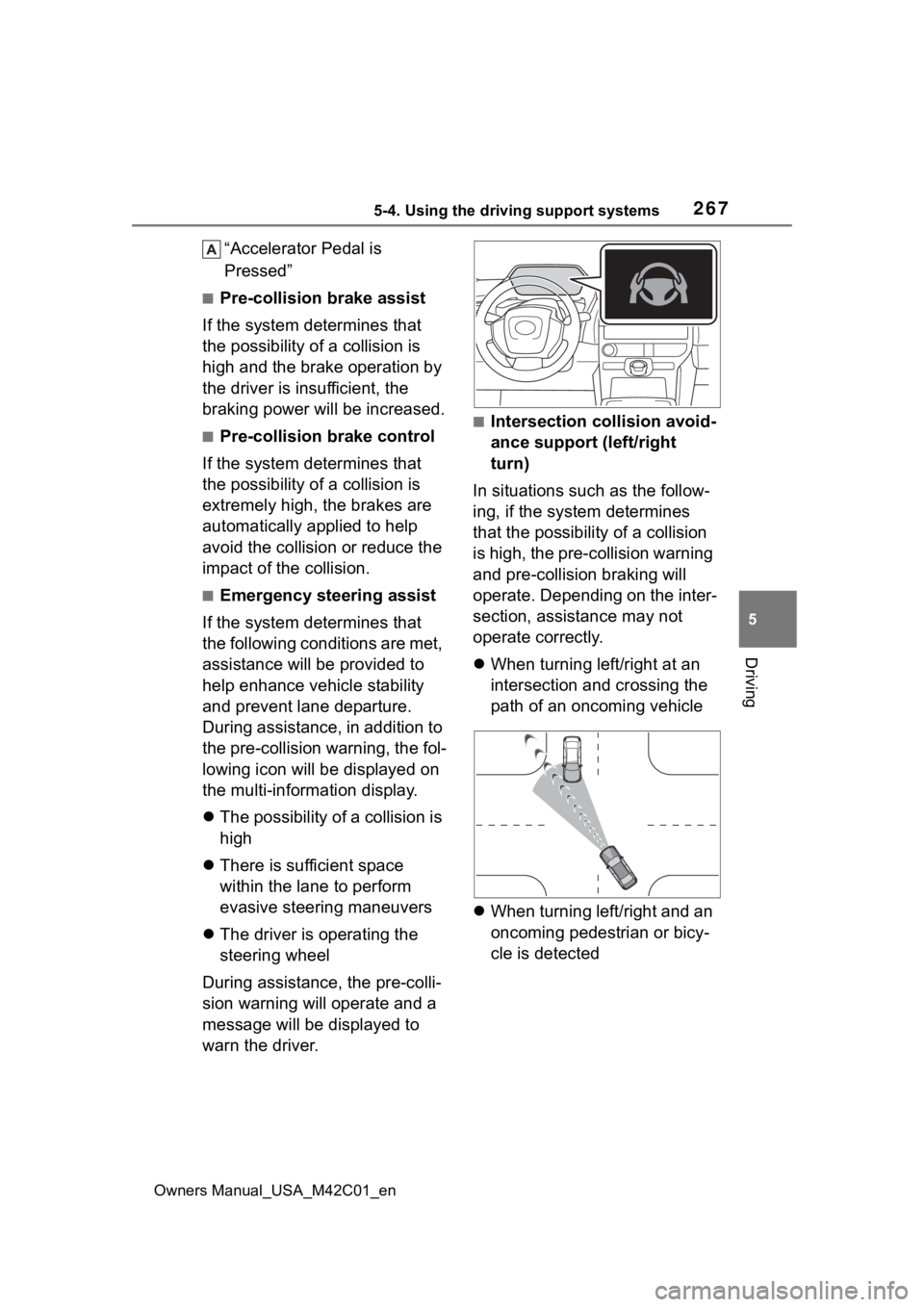
■Emergency steering assist
If the system determines that
the following conditions are met,
assistance will be provided to
help enhance vehicle stability
and prevent lane departure.
During assistance, in addition to
the pre-collision warning, the fol-
lowing icon will be displayed on
the multi-information display.
The possibility of a collision is
high
There is sufficient space
within the lane to perform
evasive steering maneuvers
The driver is operating the
steering wheel
During assistance, the pre-colli-
sion warning will operate and a
message will be displayed to
warn the driver.
■Intersection collision avoid-
ance support (left/right
turn)
In situations such as the follow-
ing, if the system determines
that the possibility of a collision
is high, the pre-collision warning
and pre-collision braking will
operate. Depending on the inter-
section, assistance may not
operate correctly.
When turning left/right at an
intersection and crossing the
path of an oncoming vehicle
When turning left/right and an
oncoming pedestrian or bicy-
cle is detected
Page 269 of 628
2695-4. Using the driving support systems
Owners Manual_USA_M42C01_en
5
Driving
WARNING
●If the brake pedal is being
depressed, the system may
determine that the driver is tak-
ing evasive action and possibly
delay the operation timing of the
pre-collision brake control.
■Acceleration Suppression at
Low Speed
If the steering wheel is being
turned, the syste m may determine
that the driver is taking evasive
action and possibly prevent the
Acceleration Suppression at Low
Speed function from operating.
■Emergency steering assist
●The emergency steering assist
will be canceled when the sys-
tem determines that lane depar-
ture prevention control has
completed.
●Depending on operations per-
formed by the driver, emer-
gency steering assist may not
operate or operation may be
canceled.
• If the accelerator pedal is depressed strongly, the steering
wheel is turned heavily, the
brake pedal is depressed, or the
turn signal lever is operated, the
system may determine that the
driver is taking evasive action
and the emergency steering
assist may not operate.
• While the emergency steering assist is operating, if the accel-
erator pedal is depressed
strongly, the st eering wheel is
turned heavily, or the brake
pedal is depressed, the system
may determine that the driver is
taking evasive action and emer-
gency steering assist operation
may be canceled.
• While the emergency steering assist is operating, if the steer-
ing wheel is held or turned in the
opposite direction of system
operation, emergency steering
assist operation will be can-
celed.