power SUBARU SOLTERRA 2023 Owners Manual
[x] Cancel search | Manufacturer: SUBARU, Model Year: 2023, Model line: SOLTERRA, Model: SUBARU SOLTERRA 2023Pages: 628, PDF Size: 11.91 MB
Page 2 of 628
2
Owners Manual_USA_M42C01_enTABLE OF CONTENTS
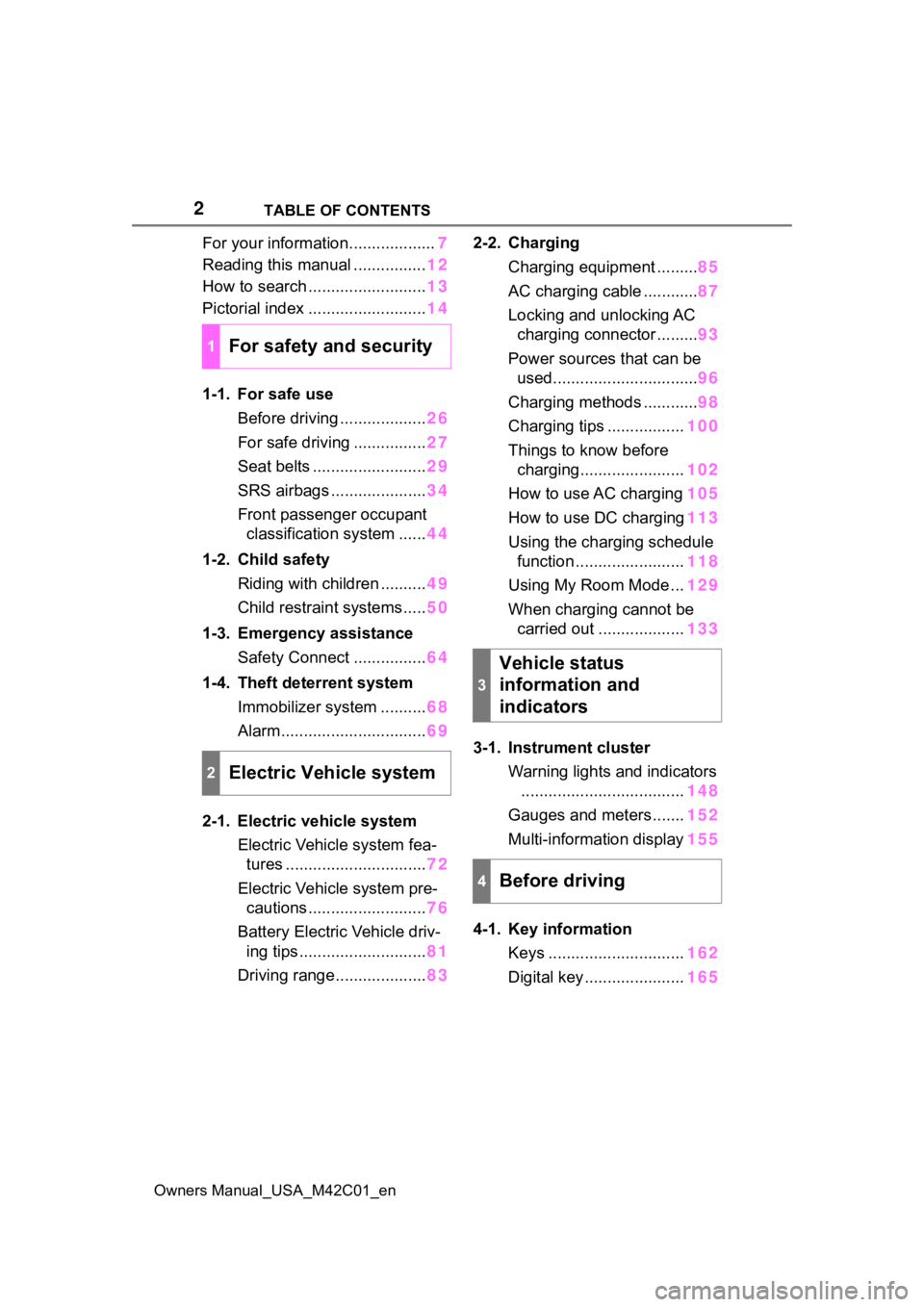
For your information...................
7
Reading this manual ................ 12
How to search .......................... 13
Pictorial index .......................... 14
1-1. For safe use Before driving ................... 26
For safe driving ................ 27
Seat belts ......................... 29
SRS airbags ..................... 34
Front passenger occupant classification system ...... 44
1-2. Child safety Riding with children .......... 49
Child restraint systems..... 50
1-3. Emergency assistance Safety Connect ................ 64
1-4. Theft deterrent system Immobilizer system .......... 68
Alarm................................ 69
2-1. Electric vehicle system Electric Vehicle system fea-tures ............................... 72
Electric Vehicle system pre- cautions .......................... 76
Battery Electric Vehicle driv- ing tips ............................ 81
Driving range.................... 832-2. Charging
Charging equipment ......... 85
AC charging cable ............ 87
Locking and unlocking AC charging connector ......... 93
Power sources that can be used................................ 96
Charging methods ............ 98
Charging tips ................. 100
Things to know before charging....................... 102
How to use AC charging 105
How to use DC charging 113
Using the charging schedule function ........................ 118
Using My Room Mode ... 129
When charging cannot be carried out ................... 133
3-1. Instrument cluster Warning lights and indicators.................................... 148
Gauges and meters ....... 152
Multi-information display 155
4-1. Key information Keys .............................. 162
Digital key ...................... 165
1For safety and security
2Electric Vehicle system
3
Vehicle status
information and
indicators
4Before driving
Page 3 of 628
3TABLE OF CONTENTS
Owners Manual_USA_M42C01_en
1
2
3
4
5
6
8 7
9
10
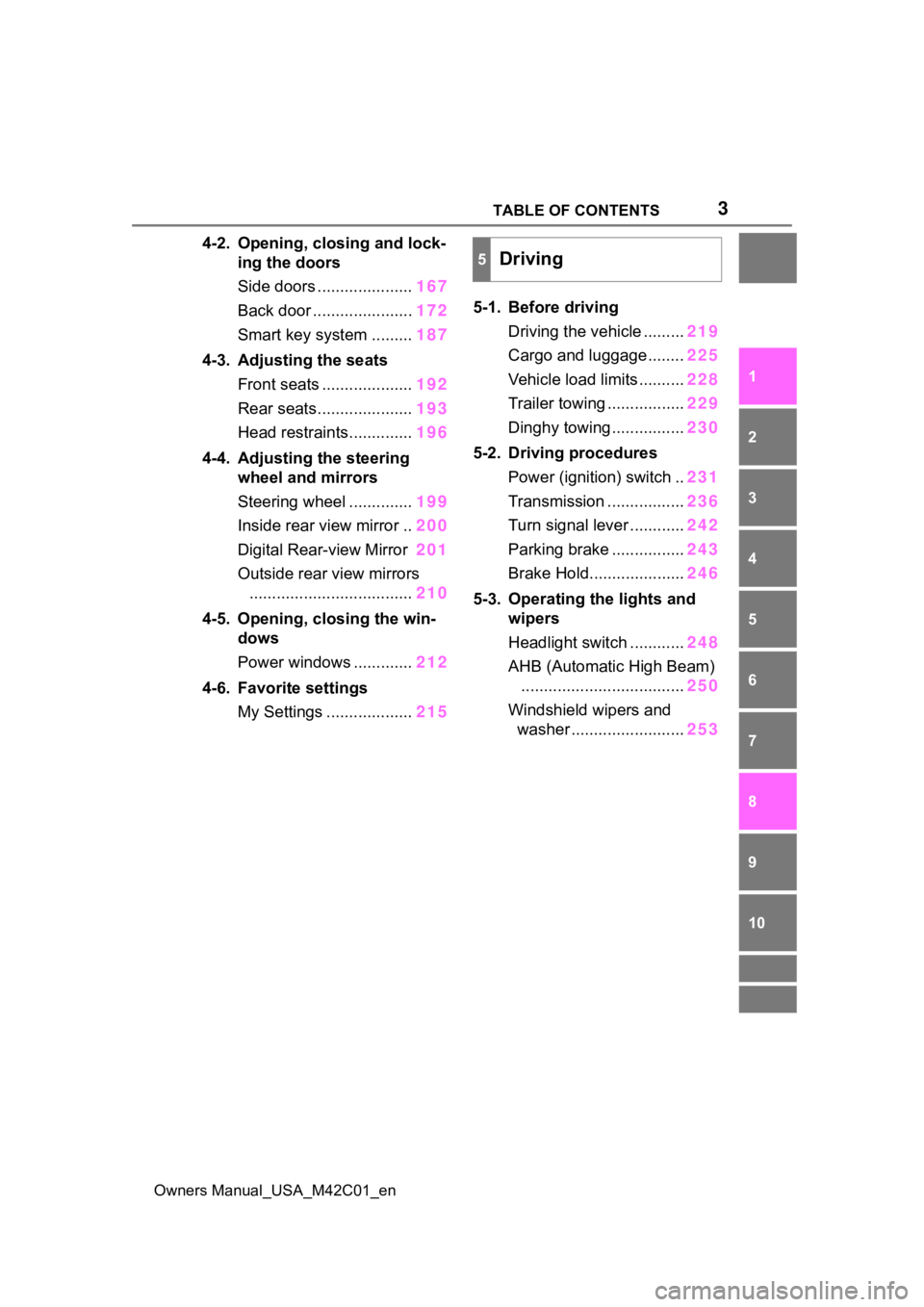
4-2. Opening, closing and lock- ing the doors
Side doors ..................... 167
Back door ...................... 172
Smart key system ......... 187
4-3. Adjusting the seats Front seats .................... 192
Rear seats..................... 193
Head restraints.............. 196
4-4. Adjusting the steering wheel and mirrors
Steering wheel .............. 199
Inside rear view mirror .. 200
Digital Rear-view Mirror 201
Outside rear view mirrors .................................... 210
4-5. Opening, closing the win- dows
Power windows ............. 212
4-6. Favorite settings My Settings ................... 2155-1. Before driving
Driving the vehicle ......... 219
Cargo and luggage ........ 225
Vehicle load limits .......... 228
Trailer towing ................. 229
Dinghy towing ................ 230
5-2. Driving procedures Power (ignition) switch .. 231
Transmission ................. 236
Turn signal lever ............ 242
Parking brake ................ 243
Brake Hold..................... 246
5-3. Operating the lights and wipers
Headlight switch ............ 248
AHB (Automatic High Beam) .................................... 250
Windshield wipers and washer ......................... 253
5Driving
Page 8 of 628
8
Owners Manual_USA_M42C01_en
Anti-lock brake system
SRS airbag system
Seat belt pretensioner system
Be sure to check with your Toy-
ota dealer for precautionary
measures or special instructions
regarding installation of a mobile
two-way radio system.
High voltage parts and cables
on the battery electric vehicles
emit approximately the same
amount of electromagnetic
waves as the conventional gas-
oline powered vehicles or home
electronic appliances despite of
their electromagnetic shielding.
Unwanted noise may occur in
the reception of the mobile two-
way radio.
The vehicle is equipped with
sophisticated computers that will
record certain data, such as:
• Engine speed/ Electric motor speed (traction motor speed)
• Accelerator status
• Brake status
• Vehicle speed
• Operation status of the driving assist systems
• Images from the cameras Your vehicle is equipped with
cameras. Contact your Toyota
dealer for the location of
recording cameras.
The recorded data varies according to the vehicle grade
level and options with which it is
equipped.
These computers do not record
conversations or sounds, and
only record images outside of
the vehicle in certain situations.
Data Transmission
Your vehicle may transmit the data
recorded in these computers to
Toyota without notification to you.
Data usage
Toyota may use the data recorded
in this computer to diagnose mal-
functions, conduct research and
development, and improve quality.
Toyota will not disclose the
recorded data to a third party
except:
• With the consen t of the vehicle
owner or with the consent of the
lessee if the vehicle is leased
• In response to an official request by the police, a court of law or a
government agency
• For use by Toyota in a lawsuit
• For research purposes where the data is not tied to a specific vehi-
cle or vehicle owner
Recorded image information
can be erased by your Toyota
dealer.
The image recording function can
be disabled. However, if the func-
tion is disabled, data from when the
system operates will not be avail-
able.
To learn more about the vehi-
cle data collected, used and
Vehicle data recording
Page 14 of 628
14Pictorial index
Owners Manual_USA_M42C01_en
Pictorial index
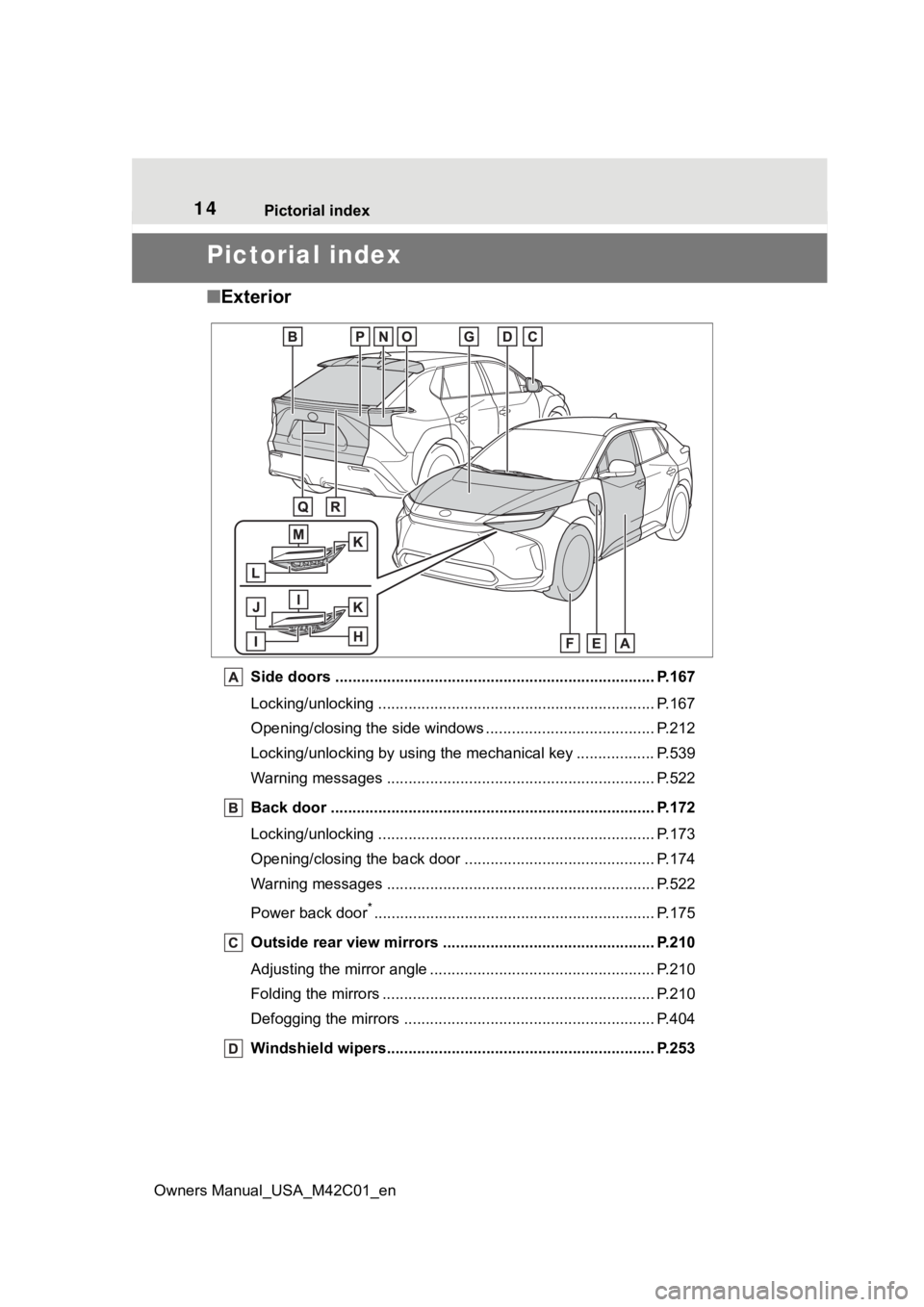
■ Exterior
Side doors ......... ................................. ................................ P.167
Locking/unlocking .............................................. .................. P.167
Opening/closing the side windows ............................... ........ P.212
Locking/unlocking by using the mechanical key .................. P. 5 3 9
Warning messages ............................................... ............... P.522
Back door ...................................................... ..................... P.172
Locking/unlocking .............................................. .................. P.173
Opening/closing the back d oor ............................................ P.174
Warning messages ............................................... ............... P.522
Power back door
*............................................................... .. P.175
Outside rear view mirrors ................................................. P.210
Adjusting the mirror angle ..................................... ............... P.210
Folding the mirrors ............................................ ................... P.210
Defogging the mirrors .......................................... ................ P.404
Windshield wipers.............................................. ................ P.253
Page 17 of 628
17Pictorial index
Owners Manual_USA_M42C01_en
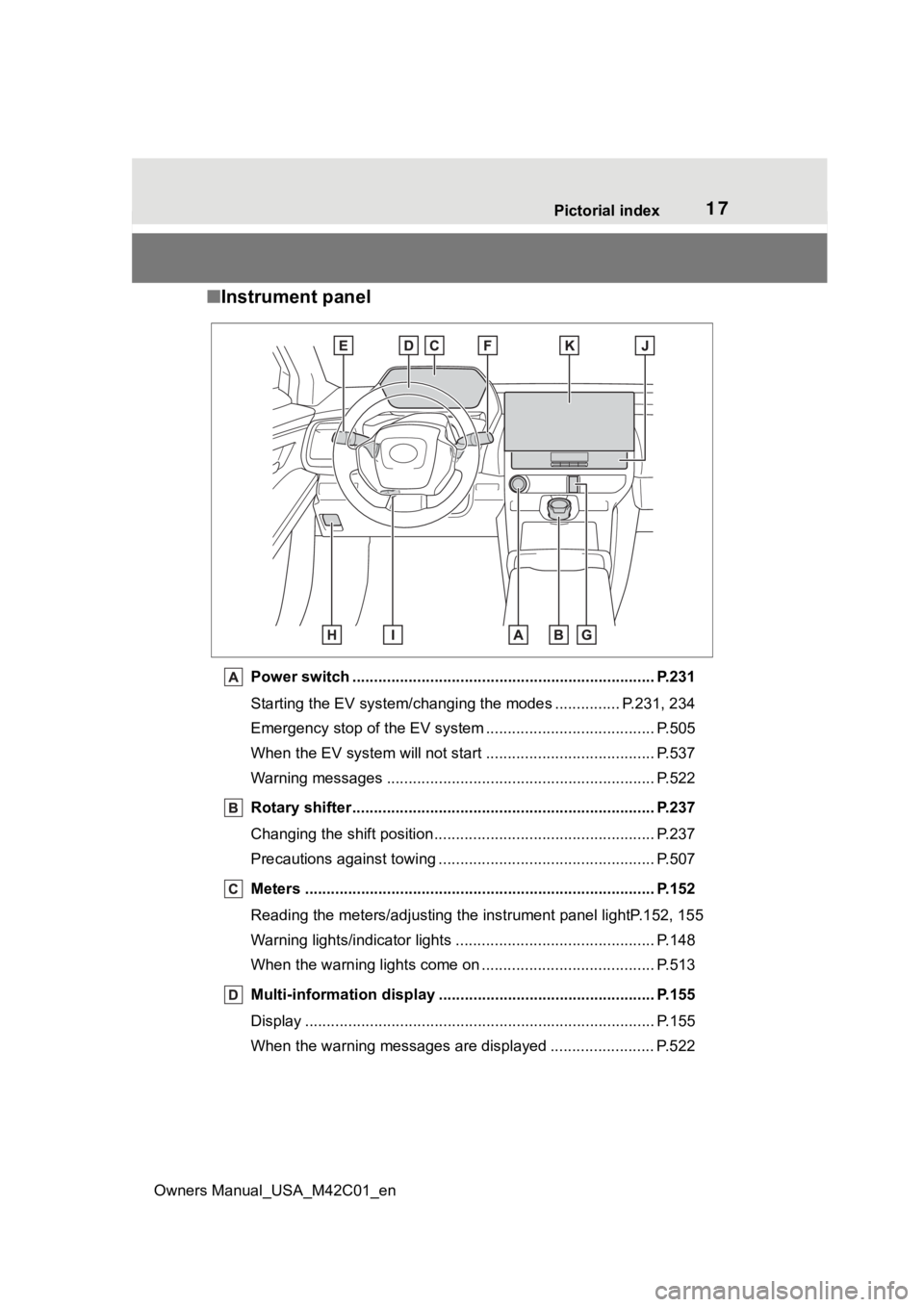
■ Instrument panel
Power switch ................................................... ................... P.231
Starting the EV system/changing the modes ............... P.231, 234
Emergency stop of the EV system ................................ ....... P.505
When the EV system will not start .............................. ......... P.537
Warning messages ............................................... ............... P.522
Rotary shifter ................................................. ..................... P.237
Changing the shift position.................................... ............... P.237
Precautions against towing ..................................... ............. P.507
Meters ................................................................................. P.152
Reading the meters/adjusting t he instrument panel lightP.152, 1 55
Warning lights/indicator lights ................................ .............. P.148
When the warning lights come on ................................ ........ P.513
Multi-information display . ................................................. P.155
Display ........................................................ ......................... P.155
When the warning messages are displayed ........................ P. 5 2 2
Page 19 of 628
19Pictorial index
Owners Manual_USA_M42C01_en
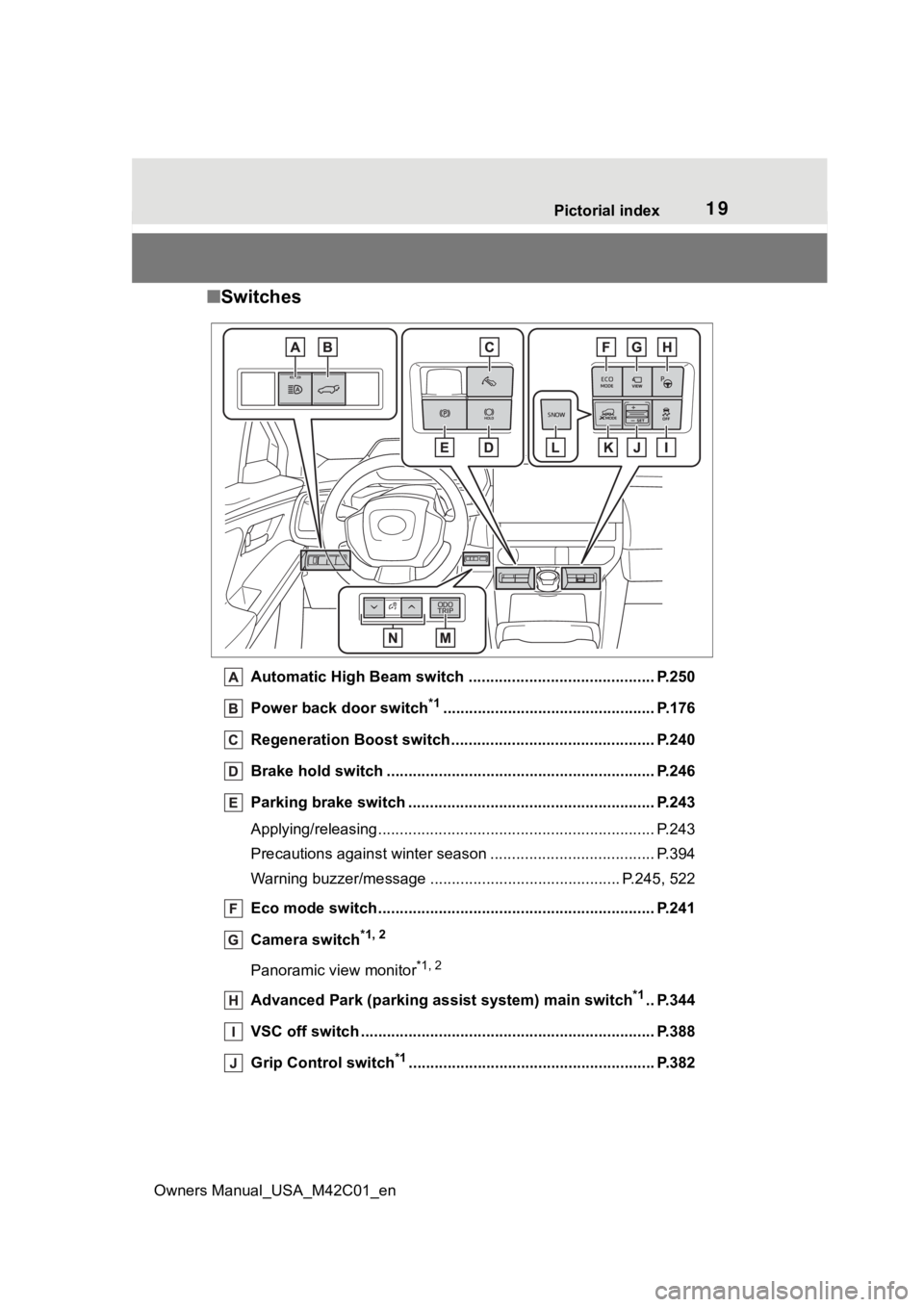
■ Switches
Automatic High Beam switch ..................................... ...... P.250
Power back door switch
*1................................................. P.176
Regeneration Boost switch ...................................... ......... P.240
Brake hold switch .............................................. ................ P.246
Parking brake switch ........................................... .............. P.243
Applying/releasing............................................. ................... P.243
Precautions against winter season .............................. ........ P.394
Warning buzzer/me ssage ......................................... ... P.245, 522
Eco mode switch ................................................ ................ P.241
Camera switch
*1, 2
Panoramic view monitor*1, 2
Advanced Park (parking assist system) main switch*1.. P.344
VSC off switch .................................................................... P.388
Grip Control switch
*1......................................................... P.382
Page 20 of 628
20Pictorial index
Owners Manual_USA_M42C01_en
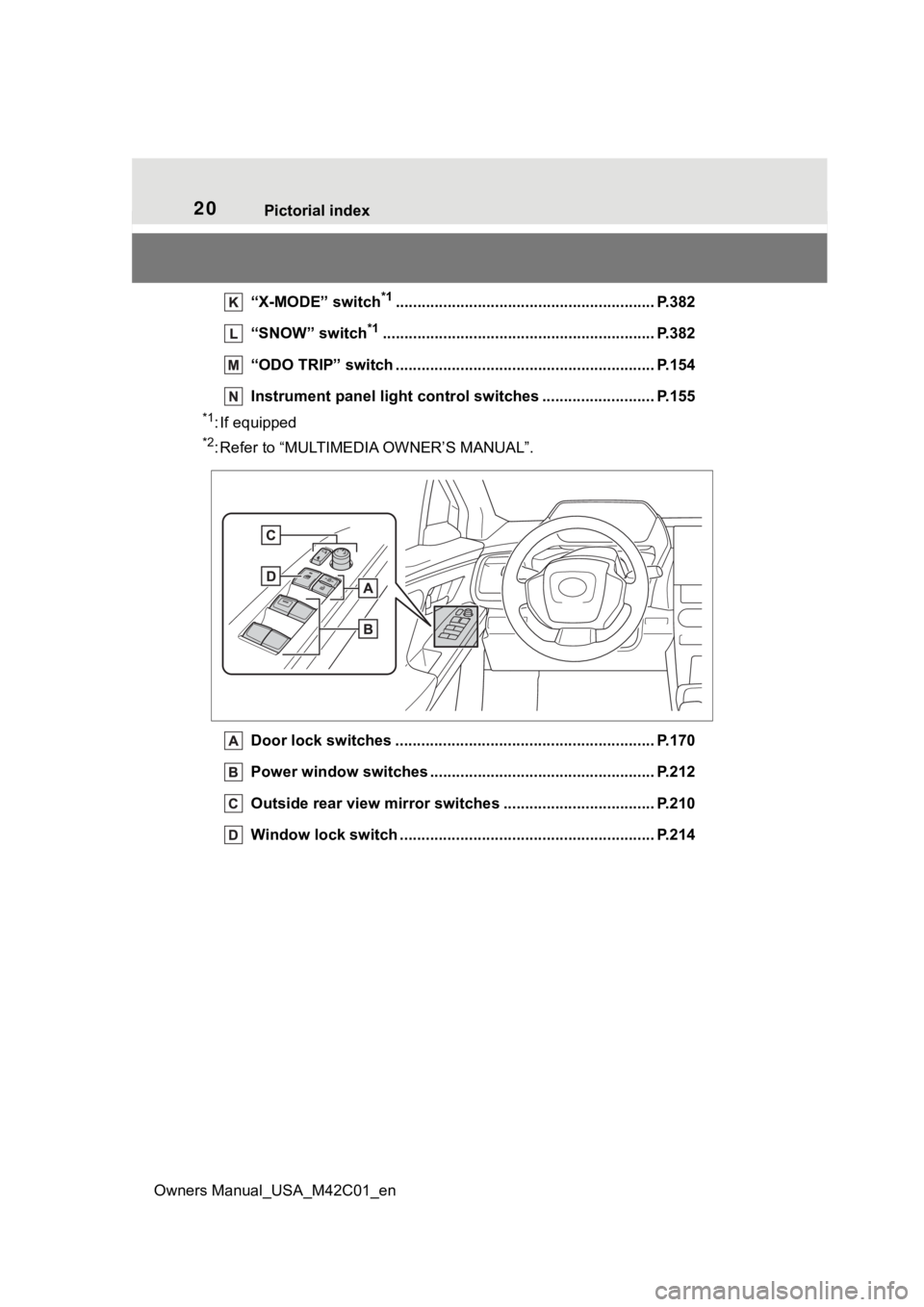
“X-MODE” switch*1............................................................ P.3 82
“SNOW” switch
*1............................................................... P. 3 8 2
“ODO TRIP” switch .............................................. .............. P.154
Instrument panel light control switches ........................ .. P.155
*1: If equipped
*2: Refer to “MULTIMEDIA OWNER’S MANUAL”.
Door lock switches ............................................................ P.170
Power window switches ....... ............................................. P.212
Outside rear view mirror swi tches ................................... P.210
Window lock switch ............................................. .............. P.214
Page 49 of 628
491-2. Child safety
Owners Manual_USA_M42C01_en
1
For safety and security
1-2.Child safety
Riding with children
Observe the following pre-
cautions when children are
in the vehicle.
Use a child restraint system
appropriate for the child,
until the child becomes
large enough to properly
wear the vehicle’s seat belt.
It is recommended that chil-
dren sit in the rear seats to
avoid accidental contact
with the steering wheel,
wiper switch, etc.
Use the rear door child-pro-
tector lock or the window
lock switch to avoid children
opening the door while driv-
ing or operating the power
window accidentally.
( P.171, 214)
Do not let small children
operate equipment which
may catch or pinch body
parts, such as the power
window, hood, back door,
seats, etc.
WARNING
■When children are in the vehi-
cle
Never leave children unattended
in the vehicle, and never allow
children to have or use the key.
Children may be able to start the
vehicle or shift the vehicle into
neutral. There is also a danger
that children ma y injure them-
selves by playing with the side
windows or other features of the
vehicle. In addition, heat build-up
or extremely cold temperatures
inside the vehicle can be fatal to
children.
Page 66 of 628
661-3. Emergency assistance
Owners Manual_USA_M42C01_en
When the power switch is turned
to ON, the red indicator light
comes on for 2 seconds then
turns off. Afterward, the green
indicator light comes on, indicat-
ing that the service is active.
The following indicator light pat-
terns indicate specific system
usage conditions:
Green indicator light on =
Active service
Green indicator light flashing
= Safety Connect call in pro-
cess
Red indicator light (except at
vehicle start-up) = System
malfunction (contact your Toy-
ota dealer)
No indicator light (off) =
Safety Connect service not
active
■Automatic Collision Notifi-
cation
In case of either airbag deploy-
ment or severe rear-end colli- sion, the system is designed to
automatically call the response
center. The responding agent
receives the vehicle’s location
and attempts to speak with the
vehicle occupants to assess the
level of emergency. If the occu-
pants are unable to communi-
cate, the agent automatically
treats the call as an emergency,
contacts the nearest emer-
gency services provider to
describe the situation, and
requests that assistance be sent
to the location.
■Stolen Vehicle Location
If your vehicle is stolen, Safety
Connect can work with local
authorities to assist them in
locating and recovering the
vehicle. After filing a police
report, call the Customer Experi-
ence Center at 1-800-331-4331
in the United States, 1-888-869-
6828 in Canada, and follow the
prompts for Safety Connect to
initiate this service.
In addition to assisting law
enforcement with recovery of a
stolen vehicle, Safety-Connect-
equipped vehicle location data
may, under certain circum-
stances, be shared with third
parties to locate your vehicle.
Further information is available
at Toyota.com.
■Emergency Assistance But-
ton (“SOS”)
In the event of an emergency on
NOTICE
■When contacting the
response center
You may be unable to contact the
response center if the network is
busy.
Safety Connect LED light
Indicators
Safety Connect services
Page 67 of 628
671-3. Emergency assistance
Owners Manual_USA_M42C01_en
1
For safety and security
the road, push the “SOS” button
to reach the Safety Connect
response center. The answer-
ing agent will determine your
vehicle’s location, assess the
emergency, and dispatch the
necessary assistance required.
If you accidentally press the “SOS”
button, tell the response-center
agent that you are not experiencing
an emergency.
■Enhanced Roadside Assis-
tance
Enhanced Roadside Assistance
adds GPS data to the already
included warranty-based Toyota
roadside service.
Subscribers can press the
“SOS” button to reach a Safety
Connect response-center agent,
who can help with a wide range
of needs, such as: towing, flat
tire, fuel delivery, etc. For a
description of the Enhanced
Roadside Assistance services
and their limitations, please see
the Safety Connect Terms and
Conditions, which are available
at Toyota.com.
Important! Read this informa-
tion about exposure to radio fre-
quency signals before using
Safety Connect;
The Safety Connect system
installed in your vehicle is a low- power radio transmitter and
receiver. It receives and also
sends out radio frequency (RF)
signals.
In August 1996, the Federal
Communications Commission
(FCC) adopted RF exposure
guidelines with safety levels for
mobile wireless phones. Those
guidelines are consistent with
the safety standards previously
set by the following U.S. and
international standards bodies.
ANSI (American National
Standards Institute) C95.1
[1992]
NCRP (National Council on
Radiation Protection and
Measurement) Report 86
[1986]
ICNIRP (International Com-
mission on Non-Ionizing Radi-
ation Protection) [1996]
Those standards were based on
comprehensive and periodic
evaluations of the relevant sci-
entific literature. Over 120 scien-
tists, engineers, and physicians
from universities, and govern-
ment health agencies and
industries reviewed the avail-
able body of research to
develop the ANSI Standard
(C95.1).
The design of Safety Connect
complies with the FCC guide-
lines in addition to those stan-
dards.
Safety information for
Safety Connect