automatic SUBARU TRIBECA 2006 1.G User Guide
[x] Cancel search | Manufacturer: SUBARU, Model Year: 2006, Model line: TRIBECA, Model: SUBARU TRIBECA 2006 1.GPages: 377, PDF Size: 5.65 MB
Page 108 of 377
Keys and doors 2-13
– CONTINUED –
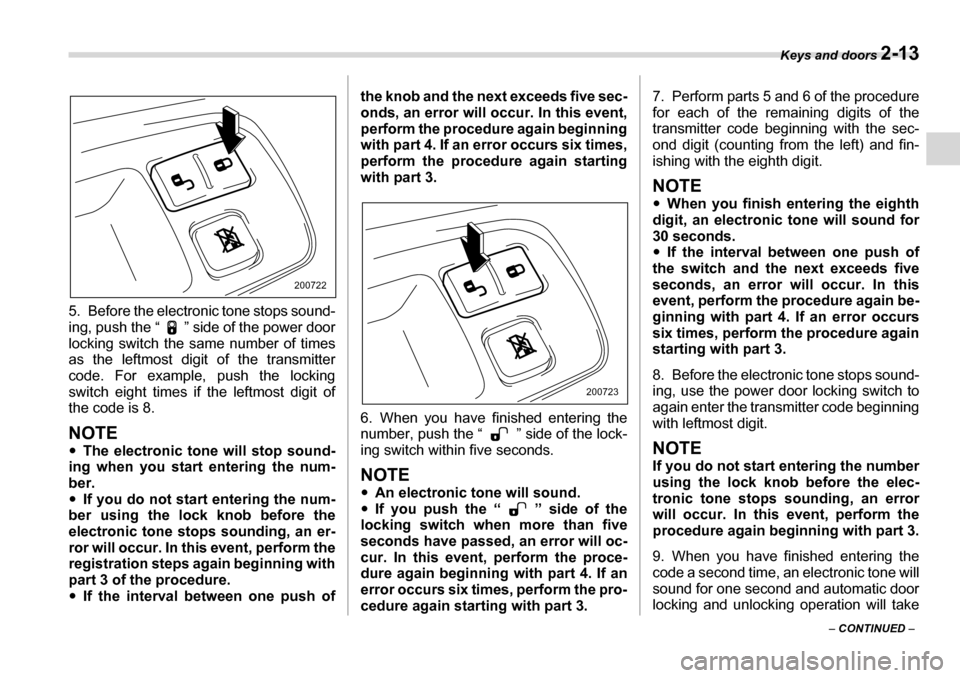
5. Before the electronic tone stops sound-
ing, push the “ ” side of the power door
locking switch the same number of times
as the leftmost digit of the transmitter
code. For example, push the locking
switch eight times if the leftmost digit of
the code is 8.
NOTE y
The electronic tone will stop sound-
ing when you start entering the num-
ber.y If you do not start entering the num-
ber using the lock knob before the
electronic tone stops sounding, an er-
ror will occur. In this event, perform the
registration steps again beginning with
part 3 of the procedure.y If the interval between one push of the knob and the next exceeds five sec-
onds, an error will occur. In this event,
perform the procedure again beginning
with part 4. If an error occurs six times,
perform the procedure again starting
with part 3.
6. When you have finished entering the
number, push the “ ” side of the lock- ing switch within five seconds.
NOTE y
An electronic tone will sound.
y If you push the “ ” side of the
locking switch when more than five
seconds have passed, an error will oc-
cur. In this event, perform the proce-
dure again beginning with part 4. If an
error occurs six times, perform the pro-
cedure again starting with part 3. 7. Perform parts 5 and 6 of the procedure
for each of the remaining digits of the
transmitter code beginning with the sec-
ond digit (counting from the left) and fin-
ishing with the eighth digit.
NOTE y
When you finish entering the eighth
digit, an electronic tone will sound for
30 seconds.y If the interval between one push of
the switch and the next exceeds five
seconds, an error will occur. In this
event, perform the procedure again be-
ginning with part 4. If an error occurs
six times, perform the procedure again
starting with part 3.
8. Before the electronic tone stops sound-
ing, use the power door locking switch to
again enter the transmitter code beginning
with leftmost digit.
NOTE
If you do not start entering the number
using the lock knob before the elec-
tronic tone stops sounding, an error
will occur. In this event, perform the
procedure again beginning with part 3.
9. When you have finished entering the
code a second time, an electronic tone will
sound for one second and automatic door
locking and unlocking operation will take
200722
200723
Page 111 of 377
2-16 Keys and doors
sound once, the turn signal lights will flash
once and the indicator lights will start
flashing rapidly. After rapid flashing for 30
seconds (standby time), the indicator
lights will then flash slowly (twice approxi-
mately every two seconds), indicating that
the system has been armed for surveil-
lance.
If any of the doors, (or the rear gate) is not
fully closed, an electronic chirp sounds
five times, the turn signal lights flash five
times to alert you that the doors (or the
rear gate) are not properly closed. When
you close the door, the system will auto-
matically arm and doors will automatically
lock. TTo arm the system using power
door locking switches
1. Close all windows.
2. Remove the key from the ignitionswitch.
3. Open the doors and get out of the vehi- cle.
4. Make sure that the engine hood is
locked.
5. Close the doors and the rear gate but
leave only the driver’s door or the front
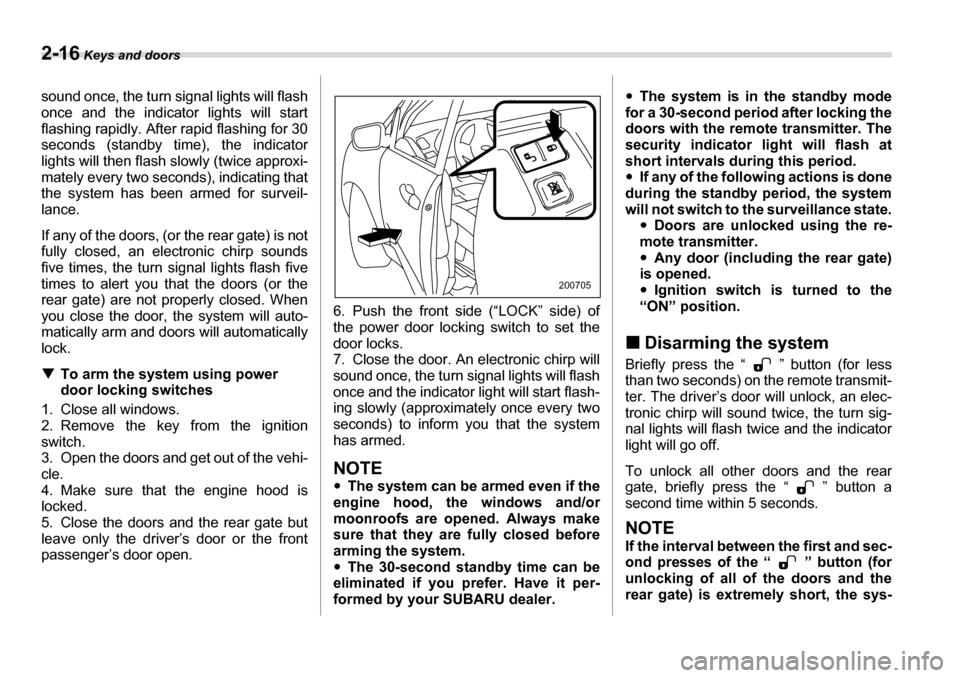
passenger’s door open. 6. Push the front side (“LOCK” side) of
the power door locking switch to set the
door locks.
7. Close the door. An electronic chirp will
sound once, the turn signal lights will flash
once and the indicator light will start flash-
ing slowly (approximately once every two seconds) to inform you that the system has armed.
NOTE y
The system can be armed even if the
engine hood, the windows and/or
moonroofs are opened. Always make
sure that they are fully closed before
arming the system.y The 30-second standby time can be
eliminated if you prefer. Have it per-
formed by your SUBARU dealer. y
The system is in the standby mode
for a 30-second period after locking the
doors with the remote transmitter. The
security indicator light will flash at
short intervals during this period. y If any of the following actions is done
during the standby period, the system
will not switch to the surveillance state. yDoors are unlocked using the re-
mote transmitter.y Any door (including the rear gate)
is opened. y Ignition switch is turned to the
“ON” position.
„ Disarming the system
Briefly press the “ ” button (for less
than two seconds) on the remote transmit-
ter. The driver’s door will unlock, an elec-
tronic chirp will sound twice, the turn sig-
nal lights will flash twice and the indicator
light will go off.
To unlock all other doors and the rear
gate, briefly press the “ ” button a
second time within 5 seconds.
NOTE
If the interval between the first and sec-
ond presses of the “ ” button (for
unlocking of all of the doors and the
rear gate) is extremely short, the sys-
200705
Page 112 of 377
Keys and doors 2-17
– CONTINUED –
tem may not respond. T
Emergency disarming
If you cannot disarm the system using the
transmitter (i.e. the transmitter is lost, bro-
ken or the transmitter battery is too weak),
you can disarm the system without using the transmitter.
The system can be disarmed if you turn
the ignition switch from the “LOCK” to the
“ON” position with a registered key. „ Valet mode
When you choose the valet mode, the
alarm system does not operate. In valet
mode, the remote transmitter is used only
for locking and unlocking the doors and
rear gate and panic activation.
To enter the valet mode, change the set-
ting of your vehicle’s alarm system for de-
activation mode. (Refer to “Activating and
deactivating the alarm system” in this sec-
tion.) The security indicator light will con-
tinue to flash once every three seconds in-
dicating that the system is in the valet
mode.
To exit valet mode, change the setting of
your vehicle’s alarm system for activation
mode. (Refer to “Activating and deactivat-
ing the alarm system” in this section.) „
Passive arming
When passive arming mode has been
programmed by the dealer, arming of the
system is automatically accomplished
without using the remote transmitter. Note
that in this mode, DOORS MUST BE MANUALLY LOCKED. T To enter the passive mode
If you wish to program the passive arming
mode, have it done by your SUBARU
dealer. T Arming the system
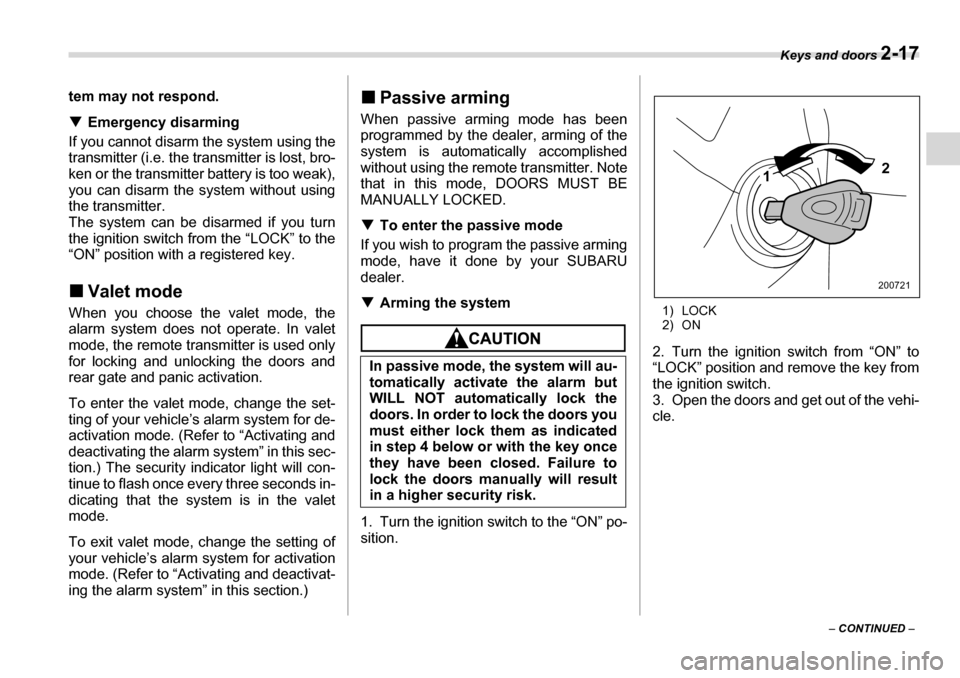
1. Turn the ignition switch to the “ON” po- sition. 1) LOCK
2) ON
2. Turn the ignition switch from “ON” to
“LOCK” position and remove the key from
the ignition switch.
3. Open the doors and get out of the vehi- cle.
In passive mode, the system will au-
tomatically activate the alarm but
WILL NOT automatically lock the
doors. In order to lock the doors you
must either lock them as indicated
in step 4 below or with the key once
they have been closed. Failure to
lock the doors manually will result
in a higher security risk.
2
1
200721
Page 115 of 377
2-20 Keys and doors
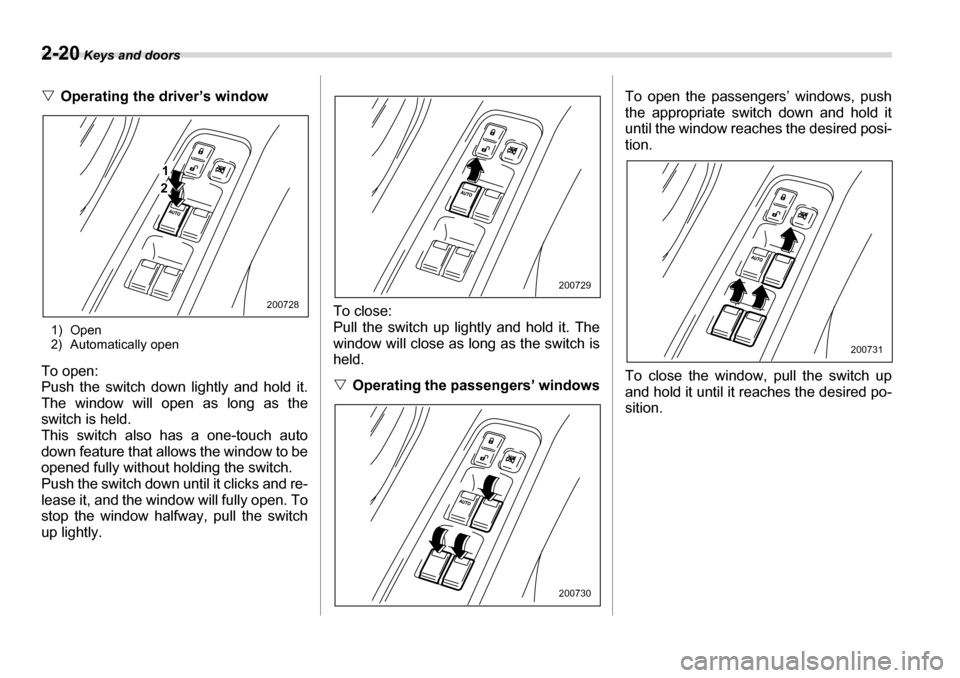
VOperating the driver’s window
1) Open
2) Automatically open
To open:
Push the switch down lightly and hold it.
The window will open as long as the
switch is held.
This switch also has a one-touch auto
down feature that allows the window to be
opened fully without holding the switch.
Push the switch down until it clicks and re-
lease it, and the window will fully open. To
stop the window halfway, pull the switch
up lightly. To close:
Pull the switch up lightly and hold it. The
window will close as long as the switch is
held. V
Operating the passengers’ windows To open the passengers’ windows, push
the appropriate switch down and hold it
until the window reaches the desired posi-
tion.
To close the window, pull the switch up
and hold it until it reaches the desired po-
sition.
1
2
200728
200729
200730
200731
Page 119 of 377
2-24 Keys and doors
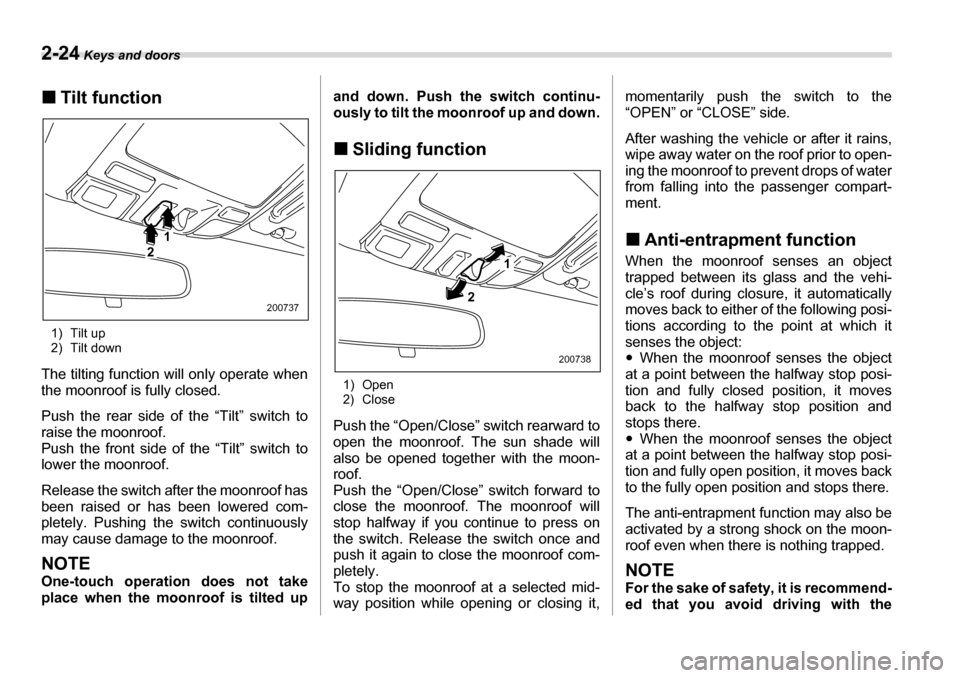
„Tilt function
1) Tilt up
2) Tilt down
The tilting function will only operate when
the moonroof is fully closed.
Push the rear side of the “Tilt” switch to
raise the moonroof.
Push the front side of the “Tilt” switch to lower the moonroof.
Release the switch after the moonroof has
been raised or has been lowered com-
pletely. Pushing the switch continuously
may cause damage to the moonroof.
NOTE
One-touch operation does not take
place when the moonroof is tilted up and down. Push the switch continu-
ously to tilt the moonroof up and down. „
Sliding function
1) Open
2) Close
Push the “Open/Close” switch rearward to
open the moonroof. The sun shade will
also be opened together with the moon- roof.
Push the “Open/Close” switch forward to
close the moonroof. The moonroof will
stop halfway if you continue to press on
the switch. Release the switch once and
push it again to close the moonroof com-
pletely.
To stop the moonroof at a selected mid-
way position while opening or closing it, momentarily push the switch to the
“OPEN” or “CLOSE” side.
After washing the vehicle or after it rains,
wipe away water on the roof prior to open-
ing the moonroof to prevent drops of water
from falling into the passenger compart-
ment. „
Anti-entrapment function
When the moonroof senses an object
trapped between its glass and the vehi-
cle’s roof during closure, it automatically
moves back to either of the following posi-
tions according to the point at which it
senses the object:y When the moonroof senses the object
at a point between the halfway stop posi-
tion and fully closed position, it moves
back to the halfway stop position and
stops there. y When the moonroof senses the object
at a point between the halfway stop posi-
tion and fully open position, it moves back
to the fully open position and stops there.
The anti-entrapment function may also be
activated by a strong shock on the moon-
roof even when there is nothing trapped.NOTE
For the sake of safety, it is recommend-
ed that you avoid driving with the
1
2
2007372 1
200738
Page 125 of 377
3-4 Instruments and controls
(radio, accessory power outlet, etc.) can
be used. „ON
This is the normal operating position after
the engine is started. „ START
The engine is started in this position. The
starter cranks the engine to start it. When
the key is released (after the engine has
started), the key automatically returns to
the “ON” position.
If your registered key fails to start the en-
gine, pull out the key once (the security in-
dicator light will blink), and then insert the
key in the ignition switch and turn it to the
“START” position and again try to start the
engine.
NOTE
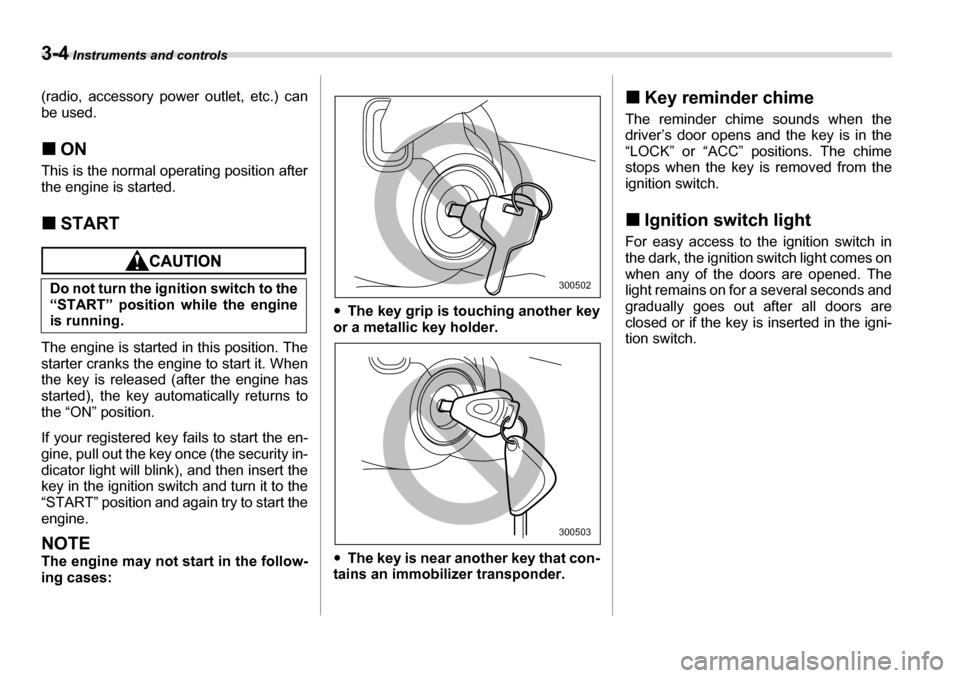
The engine may not start in the follow-
ing cases: y
The key grip is touching another key
or a metallic key holder. y The key is near another key that con-
tains an immobilizer transponder. „
Key reminder chime
The reminder chime sounds when the
driver’s door opens and the key is in the
“LOCK” or “ACC” positions. The chime
stops when the key is removed from the
ignition switch. „ Ignition switch light
For easy access to the ignition switch in
the dark, the ignition switch light comes on
when any of the doors are opened. The
light remains on for a several seconds and
gradually goes out after all doors are
closed or if the key is inserted in the igni-tion switch.
Do not turn the ignition switch to the
“START” position while the engine
is running.
300502
300503
Page 134 of 377
Instruments and controls 3-13
– CONTINUED –
NOTE
This light also comes on when the fuel
filler cap is not tightened until it clicks.
If you have recently refueled your vehicle,
the cause of the CHECK ENGINE warning
light/malfunction indicator lamp coming on
could be a loose or missing fuel filler cap.
Remove the cap and retighten it until it
clicks. Make sure nothing is interfering
with the sealing of the cap. Tightening the
cap will not make the CHECK ENGINE
warning light turn off immediately. It may
take several driving trips. If the light does
not go out, take your vehicle to your au-
thorized SUBARU dealer immediately. TIf the light is blinking:
If the light is blinking while driving, an en-
gine misfire condition has been detected
which may damage the emission control system.
To prevent serious damage to the emis-
sion control system, you should do the fol-
lowing.y Reduce vehicle speed.
y Avoid hard acceleration.
y Avoid steep uphill grades.
y Reduce the amount of cargo, if possi-
ble.y Stop towing a trailer as soon as possi-
ble. The CHECK ENGINE warning light may
stop blinking and come on steadily after
several driving trips. You should have
your vehicle checked by an authorized
SUBARU dealer immediately. „
Charge warning light
If this light comes on when the engine is
running, it may indicate that the charging
system is not working properly.
If the light comes on while driving or does
not go out after the engine starts, stop the
engine at the first safe opportunity and
check the alternator belt. If the belt is
loose, broken or if the belt is in good con-
dition but the light remains on, contact
your nearest SUBARU dealer immediate-
ly. „ Oil pressure warning light
If this light comes on when the engine is
running, it may indicate that the engine oil
pressure is low and the lubricating system is not working properly.
If the light comes on while driving or does
not go out after the engine starts, stop the
engine at the first safe opportunity and
check the engine oil level. If the oil level is
low, add oil immediately. If the engine oil
is at the proper level but the light remains
on, contact your nearest SUBARU dealer
immediately. „
AT OIL TEMPerature
warning light
The AT oil temperature warning light
comes on when the ignition switch is
turned to the “ON” position and goes out
after approximately two seconds.
If this light comes on when the engine is
running, it may indicate that the automatic
transmission fluid temperature is too hot.
If the light comes on while driving, it is un-
necessary to stop the vehicle, but avoid
driving up steep grades or in stop and go
traffic.
Do not operate the engine with the
oil pressure warning light on. This
may cause serious engine damage.
Page 140 of 377
Instruments and controls 3-19
– CONTINUED –
y
It also comes on when the Traction
Control system is deactivated.
NOTE y The light may stay on for a while after
the engine has been started, especially
in cold weather. This does not indicate
the existence of a problem. The light
should go out as soon as the engine
has warmed up.y The indicator light comes on when
the engine has developed a problem
and the Malfunction indicator light is
on.
The Vehicle Dynamics Control system is
probably faulty under the following condi-
tion. Have your vehicle checked at a
SUBARU dealer as soon as possible. y The light does not go out even after the
lapse of several minutes (the engine has
warmed up) after the engine has started. „
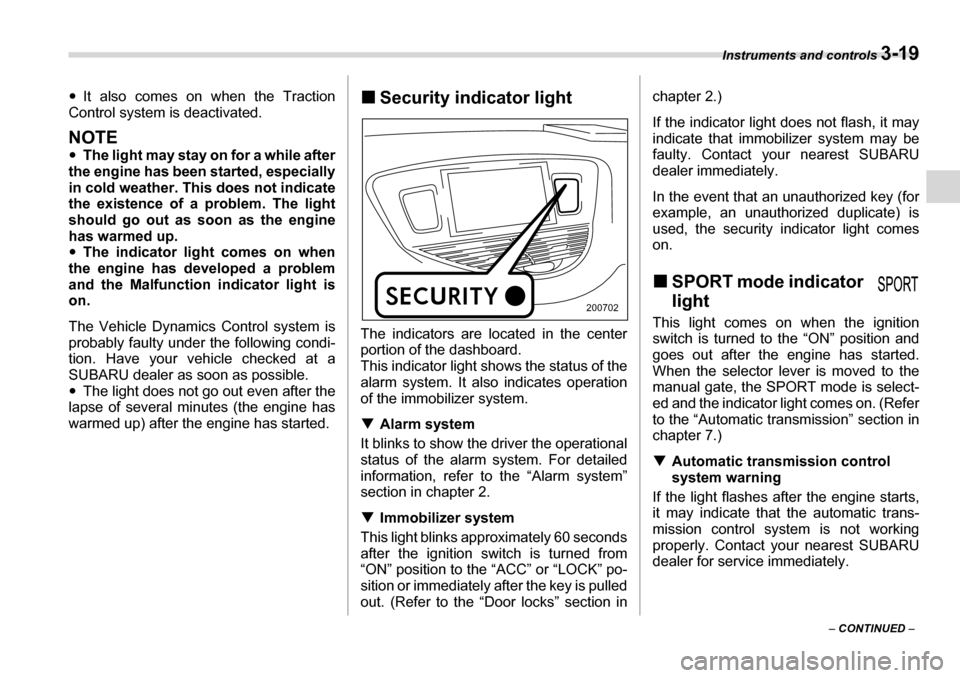
Security indicator light
The indicators are located in the center
portion of the dashboard.
This indicator light shows the status of the
alarm system. It also indicates operation
of the immobilizer system. T Alarm system
It blinks to show the driver the operational
status of the alarm system. For detailed
information, refer to the “Alarm system”
section in chapter 2. T Immobilizer system
This light blinks approximately 60 seconds
after the ignition switch is turned from
“ON” position to the “ACC” or “LOCK” po-
sition or immediately after the key is pulled
out. (Refer to the “Door locks” section in chapter 2.)
If the indicator light does not flash, it may
indicate that immobilizer system may be
faulty. Contact your nearest SUBARU
dealer immediately.
In the event that an unauthorized key (for
example, an unauthorized duplicate) is
used, the security indicator light comes
on. „
SPORT mode indicator light
This light comes on when the ignition
switch is turned to the “ON” position and
goes out after the engine has started.
When the selector lever is moved to the
manual gate, the SPORT mode is select-
ed and the indicator light comes on. (Refer
to the “Automatic transmission” section in
chapter 7.) T Automatic transmission control
system warning
If the light flashes after the engine starts,
it may indicate that the automatic trans-
mission control system is not working
properly. Contact your nearest SUBARU
dealer for service immediately.
200702
Page 141 of 377
3-20 Instruments and controls
„Selector lever/Gear position
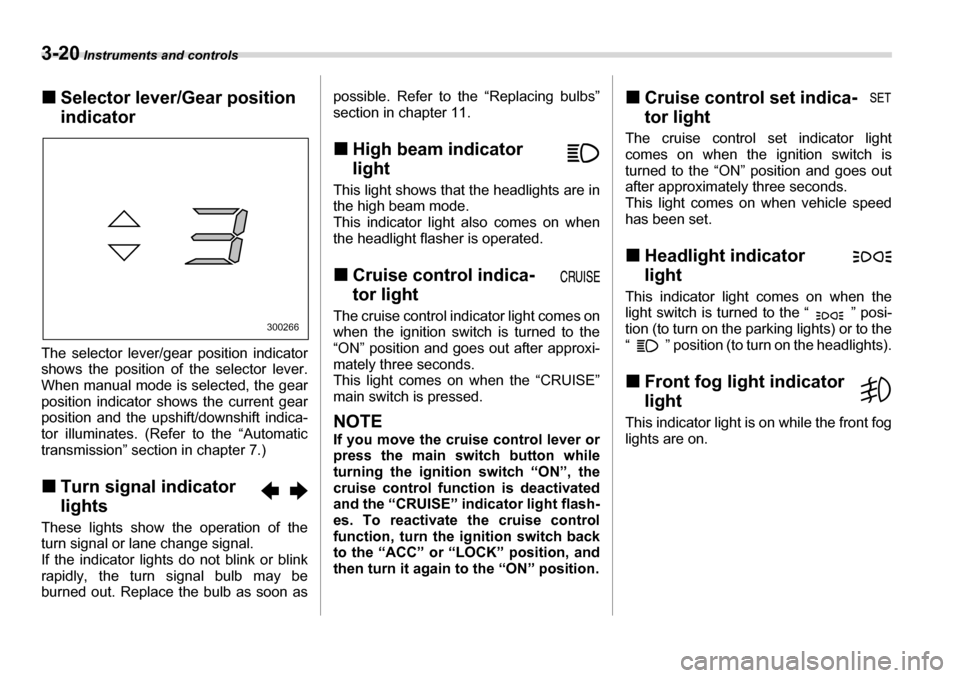
indicator
The selector lever/gear position indicator
shows the position of the selector lever.
When manual mode is selected, the gear
position indicator shows the current gear
position and the upshift/downshift indica-
tor illuminates. (Refer to the “Automatic
transmission” section in chapter 7.) „ Turn signal indicator lights
These lights show the operation of the
turn signal or lane change signal.
If the indicator lights do not blink or blink
rapidly, the turn signal bulb may be
burned out. Replace the bulb as soon as possible. Refer to the “Replacing bulbs”
section in chapter 11. „
High beam indicator
light
This light shows that the headlights are in
the high beam mode.
This indicator light also comes on when
the headlight flasher is operated. „ Cruise control indica-
tor light
The cruise control indicator light comes on
when the ignition switch is turned to the
“ON” position and goes out after approxi-
mately three seconds.
This light comes on when the “CRUISE” main switch is pressed.
NOTE
If you move the cruise control lever or
press the main switch button while
turning the ignition switch “ON”, the
cruise control function is deactivatedand the “CRUISE” indicator light flash-
es. To reactivate the cruise control
function, turn the ignition switch backto the “ACC” or “LOCK” position, and
then turn it again to the “ON” position. „
Cruise control set indica-
tor light
The cruise control set indicator light
comes on when the ignition switch is
turned to the “ON” position and goes out
after approximately three seconds.
This light comes on when vehicle speed
has been set. „ Headlight indicator
light
This indicator light comes on when the
light switch is turned to the “ ” posi-
tion (to turn on the parking lights) or to the
“ ” position (to turn on the headlights). „ Front fog light indicator
light
This indicator light is on while the front fog
lights are on.
300266
Page 146 of 377
Instruments and controls 3-25
U.S.-spec. vehicles
Canada-spec. vehicles
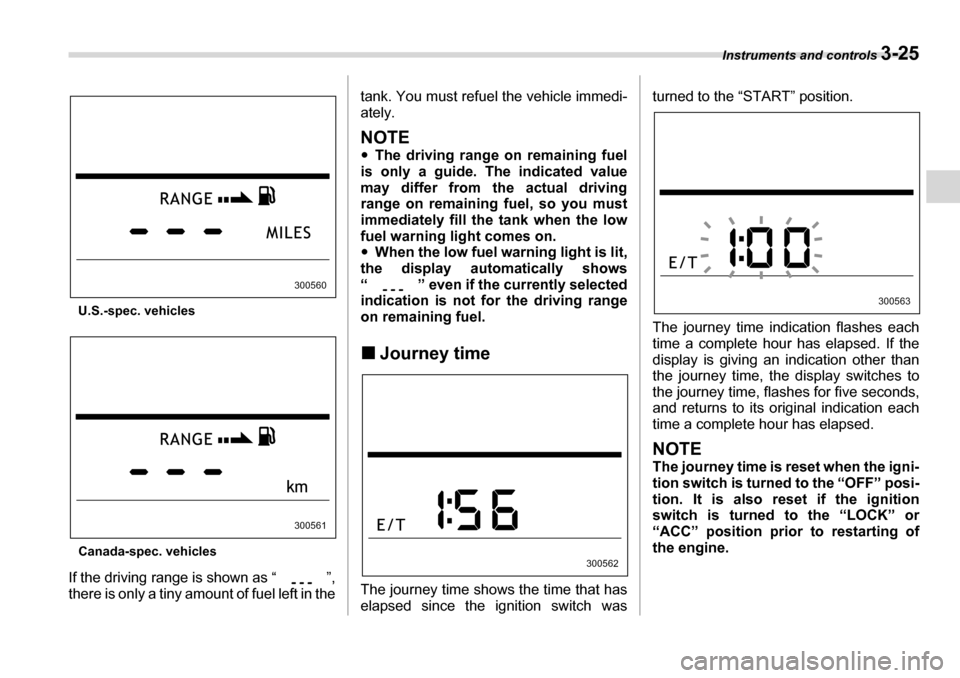
If the driving range is shown as “ ”,
there is only a tiny amount of fuel left in the tank. You must refuel the vehicle immedi-
ately.
NOTE y
The driving range on remaining fuel
is only a guide. The indicated value
may differ from the actual driving
range on remaining fuel, so you must
immediately fill the tank when the low
fuel warning light comes on.y When the low fuel warning light is lit,
the display automatically shows
“ ” even if the currently selected
indication is not for the driving range
on remaining fuel. „ Journey time
The journey time shows the time that has
elapsed since the ignition switch was turned to the “START” position.
The journey time indication flashes each
time a complete hour has elapsed. If the
display is giving an indication other than
the journey time, the display switches to
the journey time, flashes for five seconds,
and returns to its original indication each
time a complete hour has elapsed.
NOTE
The journey time is reset when the igni-
tion switch is turned to the “OFF” posi-
tion. It is also reset if the ignition
switch is turned to the “LOCK” or
“ACC” position prior to restarting of
the engine.
300560
300561
300562
300563