change time SUBARU TRIBECA 2006 1.G User Guide
[x] Cancel search | Manufacturer: SUBARU, Model Year: 2006, Model line: TRIBECA, Model: SUBARU TRIBECA 2006 1.GPages: 377, PDF Size: 5.65 MB
Page 182 of 377
Audio 5-11
– CONTINUED –
you perform any of the following steps: y
Press the “RPT” button
y Press the “SCAN” button
y Press the “ ” button
y Select the radio mode
y Press the “RSE AUX” button
y Press the “ ” or “ ” side of the
SEEK FLDR button y Turn off the power of the audio
equipment. y Turn the ignition switch to the “OFF”
position. V MP3 disc
Press the “RDM” button (5) during disc
playback to play all of the tracks in the
folder currently being played in random or-
der. Press the “RDM” button again to play
all of the tracks on the disc in random or-
der. The display will show “RDM” during
the random mode.
To cancel the random mode, press the
“RDM” button during “in-disc” random
playback. The “RDM” indication will go off,
and the normal playback mode will be re-
sumed.
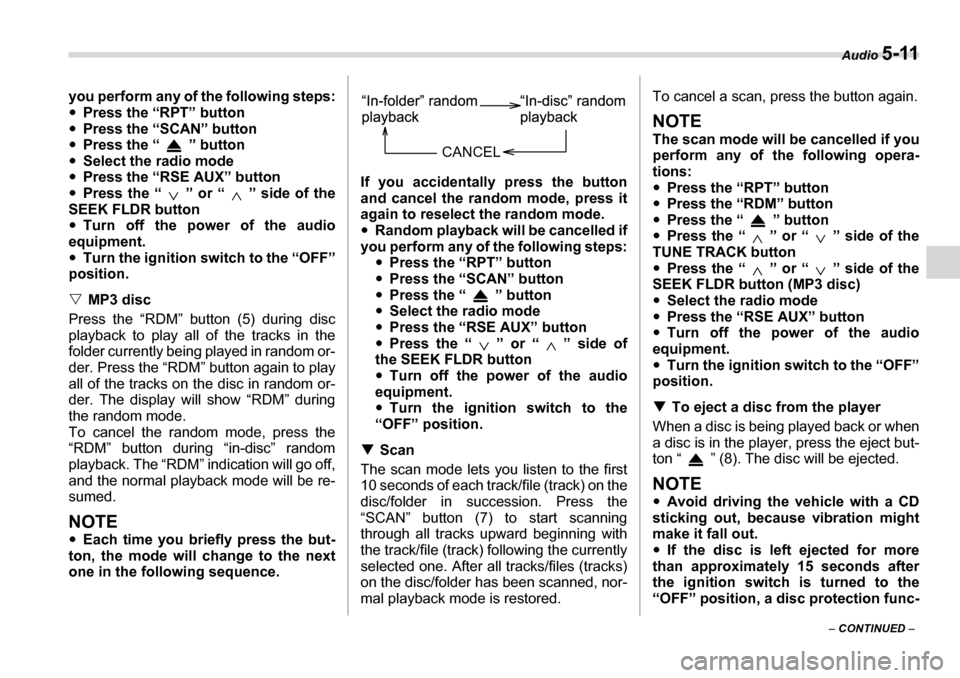
NOTE y Each time you briefly press the but-
ton, the mode will change to the next
one in the following sequence. If you accidentally press the button
and cancel the random mode, press it
again to reselect the random mode. y
Random playback will be cancelled if
you perform any of the following steps: yPress the “RPT” button
y Press the “SCAN” button
y Press the “ ” button
y Select the radio mode
y Press the “RSE AUX” button
y Press the “ ” or “ ” side of
the SEEK FLDR button y Turn off the power of the audio
equipment. y Turn the ignition switch to the
“OFF” position.
T Scan
The scan mode lets you listen to the first
10 seconds of each track/file (track) on the
disc/folder in succession. Press the
“SCAN” button (7) to start scanning
through all tracks upward beginning with
the track/file (track) following the currently
selected one. After all tracks/files (tracks)
on the disc/folder has been scanned, nor-
mal playback mode is restored. To cancel a scan, press the button again.
NOTE
The scan mode will be cancelled if you
perform any of the following opera- tions: y
Press the “RPT” button
y Press the “RDM” button
y Press the “ ” button
y Press the “ ” or “ ” side of the
TUNE TRACK button y Press the “ ” or “ ” side of the
SEEK FLDR button (MP3 disc) y Select the radio mode
y Press the “RSE AUX” button
y Turn off the power of the audio
equipment. y Turn the ignition switch to the “OFF”
position. T To eject a disc from the player
When a disc is being played back or when
a disc is in the player, press the eject but-
ton “ ” (8). The disc will be ejected.
NOTE y Avoid driving the vehicle with a CD
sticking out, because vibration might
make it fall out. y If the disc is left ejected for more
than approximately 15 seconds after
the ignition switch is turned to the
“OFF” position, a disc protection func-
CANCEL
Page 183 of 377
5-12 Audio
tion will operate, automatically reload-
ing the disc. In this case, the disc is not
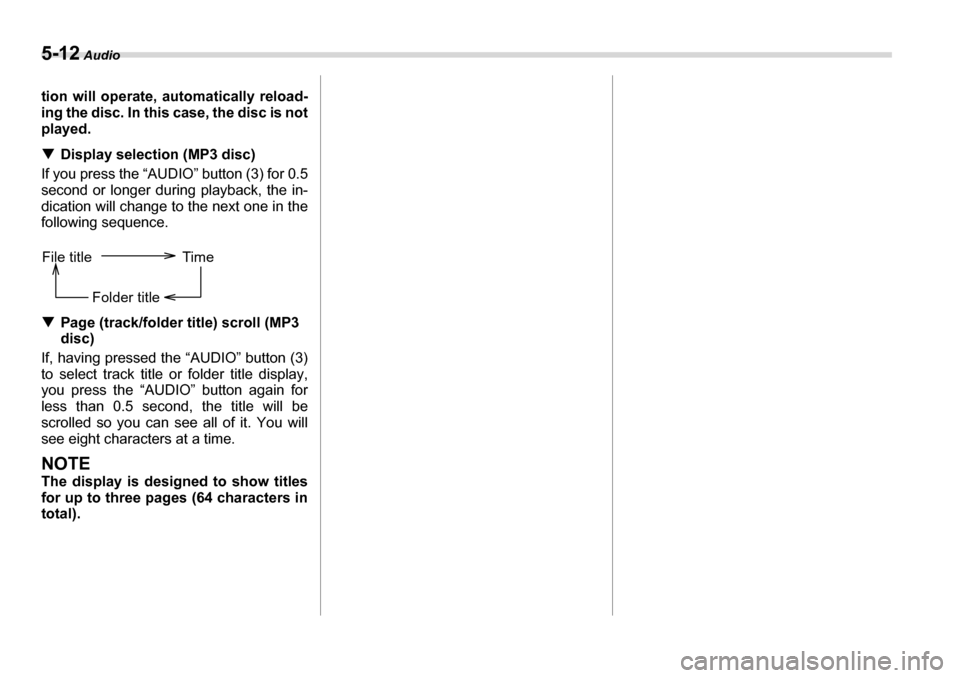
played. TDisplay selection (MP3 disc)
If you press the “AUDIO” button (3) for 0.5
second or longer during playback, the in-
dication will change to the next one in the
following sequence. T Page (track/folder title) scroll (MP3
disc)
If, having pressed the “AUDIO” button (3)
to select track title or folder title display,
you press the “AUDIO” button again for
less than 0.5 second, the title will be
scrolled so you can see all of it. You will
see eight characters at a time.
NOTE
The display is designed to show titles
for up to three pages (64 characters intotal).
File title Time
Folder title
Page 186 of 377
Audio 5-15
– CONTINUED –
TFM/AM selection button
Push the “FM” (2) or “AM” (1) button when the radio is off to turn on the radio.
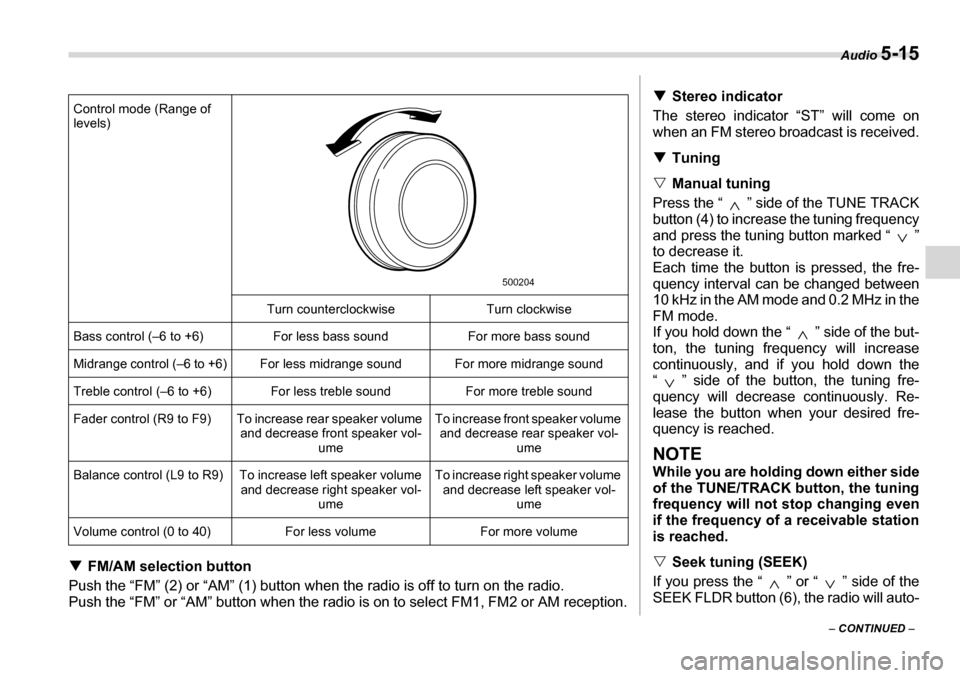
Push the “FM” or “AM” button when the radio is on to select FM1, FM2 or AM reception. Control mode (Range of
levels)
Turn counterclockwise Turn clockwise
Bass control (–6 to +6) For less bass sound For more bass sound
Midrange control (–6 to +6) For less midrange sound For more midrange sound
Treble control (–6 to +6) For less treble sound For more treble sound
Fader control (R9 to F9) To increase rear speaker volume and decrease front speaker vol-ume To increase front speaker volume
and decrease rear speaker vol- ume
Balance control (L9 to R9) To increase left speaker volume and decrease right speaker vol-ume To increase right speaker volume
and decrease left speaker vol- ume
Volume control (0 to 40) For less volume For more volume
500204
T Stereo indicator
The stereo indicator “ST” will come on
when an FM stereo broadcast is received. T Tuning
V Manual tuning
Press the “ ” side of the TUNE TRACK
button (4) to increase the tuning frequency
and press the tuning button marked “ ”
to decrease it.
Each time the button is pressed, the fre-
quency interval can be changed between
10 kHz in the AM mode and 0.2 MHz in the
FM mode.
If you hold down the “ ” side of the but-
ton, the tuning frequency will increase
continuously, and if you hold down the
“ ” side of the button, the tuning fre-
quency will decrease continuously. Re-
lease the button when your desired fre-
quency is reached.
NOTE
While you are holding down either side
of the TUNE/TRACK button, the tuning
frequency will not stop changing even
if the frequency of a receivable station
is reached. V Seek tuning (SEEK)
If you press the “ ” or “ ” side of the
SEEK FLDR button (6), the radio will auto-
Page 188 of 377
Audio 5-17
– CONTINUED –
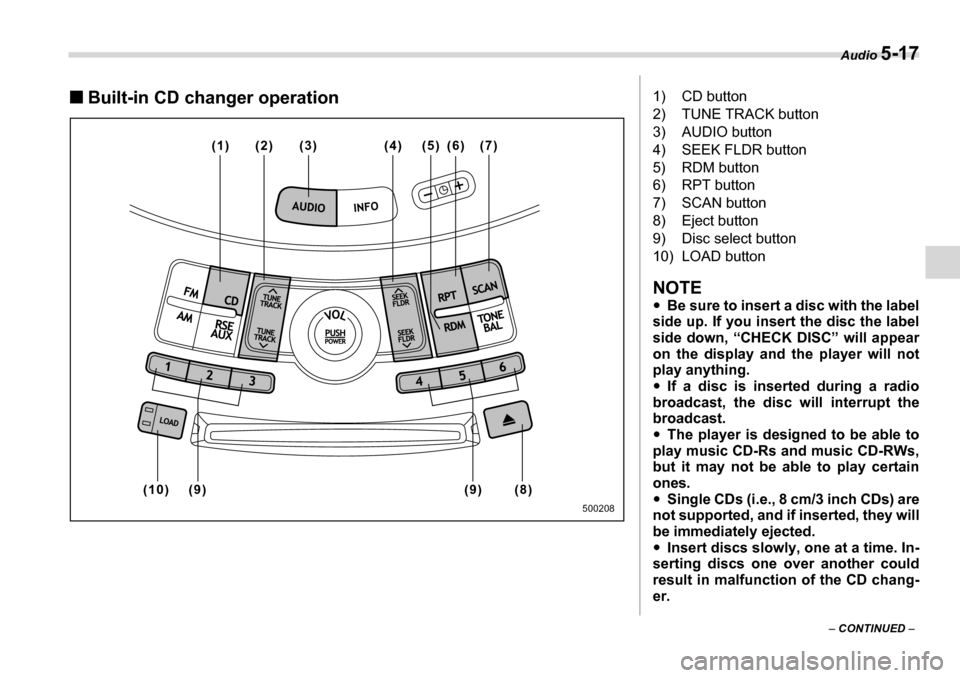
„Built-in CD changer operation
(1) (2) (5) (6) (7) (3) (4)
(9) (8)
(9)
(10)
500208
1) CD button
2) TUNE TRACK button
3) AUDIO button
4) SEEK FLDR button
5) RDM button
6) RPT button
7) SCAN button
8) Eject button
9) Disc select button
10) LOAD button
NOTE y Be sure to insert a disc with the label
side up. If you insert the disc the label
side down, “CHECK DISC” will appear
on the display and the player will not
play anything. y If a disc is inserted during a radio
broadcast, the disc will interrupt the
broadcast. y The player is designed to be able to
play music CD-Rs and music CD-RWs,
but it may not be able to play certain
ones.y Single CDs (i.e., 8 cm/3 inch CDs) are
not supported, and if inserted, they will
be immediately ejected.y Insert discs slowly, one at a time. In-
serting discs one over another could
result in malfunction of the CD chang-er.
Page 190 of 377
Audio 5-19
– CONTINUED –
steadily lights up. The player will then start
playback of the selected CD, beginning
with the first track.
If a disc that the player cannot read has
been loaded, “CHECK DISC” will appear
on the display and the player will not play
anything. T
To select a song from its beginning
V Forward direction
Briefly press the “ ” side of the TUNE
TRACK button (2) to skip to the beginning
of the next track/file (track). Each time the
button is pressed, the indicated track/file
(track) number will increase.
NOTE
In an MP3 folder, skipping past the last
track/file (track) will take you back to
the first track/file (track) in the folder. V Backward direction
Briefly press the “ ” side of the TUNE
TRACK button (2) to skip to the beginning
of the current track/file (track). Each time
the button is pressed, the indicated track/
file (track) number will decrease.
NOTE
In an MP3 folder, skipping past the first
track/file (track) will take you to the last
track/file (track) in the folder. T
Fast-forwarding and fast-reversing
V Fast-forwarding
Press the “ ” side of the TUNE TRACK
button (2) continuously to fast-forward thetrack/file.
Release the button to stop fast-forward-
ing.
NOTE
If you fast-forward to the end of the last track/file (track), fast-forwarding will
stop and the player will start playback beginning with the first track/file (track). V Fast-reversing
Press the “ ” side of the TUNE TRACK
button (2) continuously to fast-reverse the track/file.
Release the button to stop fast-reversing.
NOTE
If you fast-reverse to the beginning of
the first track/file (track), fast-reversing
will stop and the player will start play-
back. T Repeating
V To repeat the currently playing track/file (track)
To repeat a track/file (track), briefly press
the “RPT” button (6) while the track/file (track) is playing. The display will show
“RPT”, and the track/file (track) will be re-
peated.
To cancel the track/file (track) repeat-play
mode, briefly press the “RPT” button
twice. The “RPT” indication will go off, and
the normal playback mode will be re- sumed.
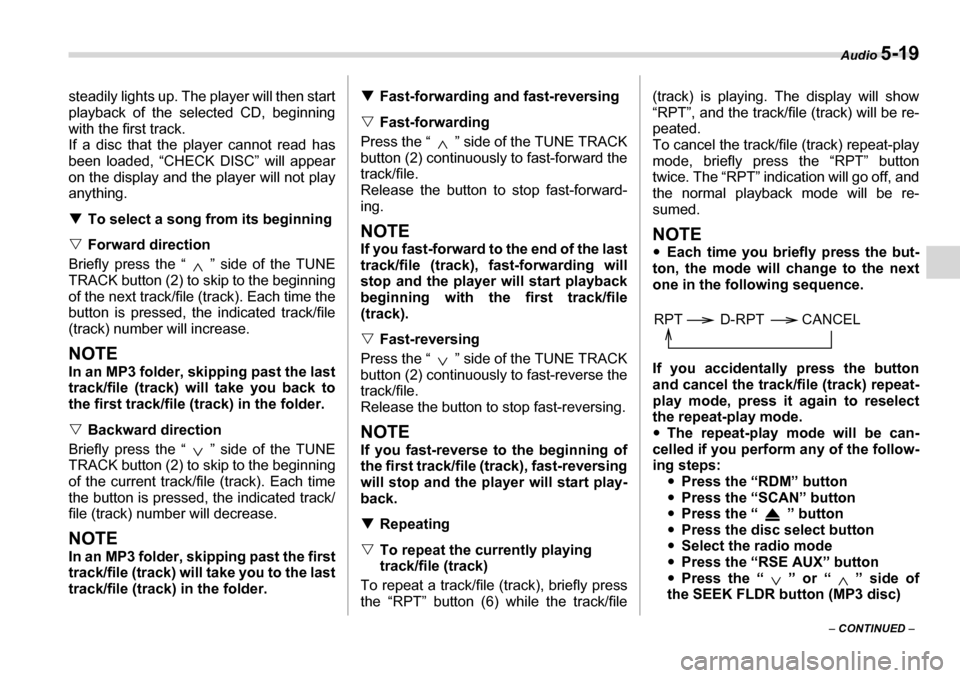
NOTE y
Each time you briefly press the but-
ton, the mode will change to the next
one in the following sequence.
If you accidentally press the button
and cancel the track/file (track) repeat-
play mode, press it again to reselect
the repeat-play mode. y The repeat-play mode will be can-
celled if you perform any of the follow-
ing steps: yPress the “RDM” button
y Press the “SCAN” button
y Press the “ ” button
y Press the disc select button
y Select the radio mode
y Press the “RSE AUX” button
y Press the “ ” or “ ” side of
the SEEK FLDR button (MP3 disc)
RPT D-RPT CANCEL
Page 191 of 377
5-20 Audio
yTurn off the power of the audio
equipment. y Turn the ignition switch to the
“OFF” position.
V To repeat the currently playing disc/folder
To repeat the currently playing disc/folder,
press the “RPT” button (6) twice while a
track/file (track) is playing. The display will
show “D-RPT”, and the disc/folder will be
played repeatedly.
To cancel the disc/folder repeat-play
mode, press the “RPT” button once more.
The “D-RPT” indication will go off, and the
normal playback mode will be resumed.
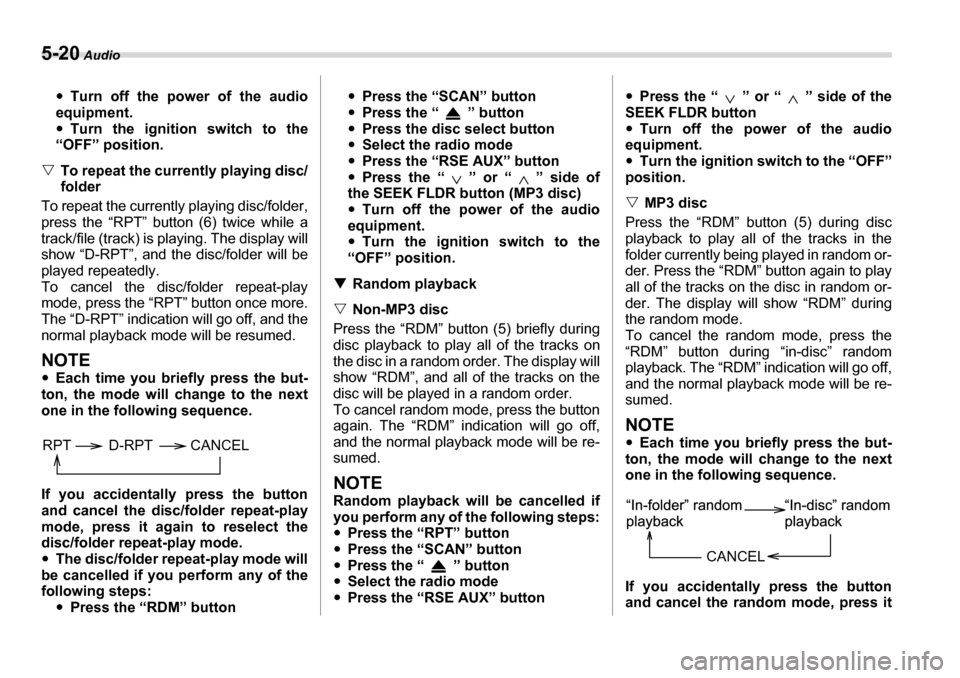
NOTE y Each time you briefly press the but-
ton, the mode will change to the next
one in the following sequence.
If you accidentally press the button
and cancel the disc/folder repeat-play
mode, press it again to reselect the
disc/folder repeat-play mode. y The disc/folder repeat-play mode will
be cancelled if you perform any of the
following steps: yPress the “RDM” button y
Press the “SCAN” button
y Press the “ ” button
y Press the disc select button
y Select the radio mode
y Press the “RSE AUX” button
y Press the “ ” or “ ” side of
the SEEK FLDR button (MP3 disc) y Turn off the power of the audio
equipment. y Turn the ignition switch to the
“OFF” position.
T Random playback
V Non-MP3 disc
Press the “RDM” button (5) briefly during
disc playback to play all of the tracks on
the disc in a random order. The display will
show “RDM”, and all of the tracks on the
disc will be played in a random order.
To cancel random mode, press the button
again. The “RDM” indication will go off,
and the normal playback mode will be re- sumed.
NOTE
Random playback will be cancelled if
you perform any of the following steps:y Press the “RPT” button
y Press the “SCAN” button
y Press the “ ” button
y Select the radio mode
y Press the “RSE AUX” button y
Press the “ ” or “ ” side of the
SEEK FLDR buttony Turn off the power of the audio
equipment. y Turn the ignition switch to the “OFF”
position. V MP3 disc
Press the “RDM” button (5) during disc
playback to play all of the tracks in the
folder currently being played in random or-
der. Press the “RDM” button again to play
all of the tracks on the disc in random or-
der. The display will show “RDM” during
the random mode.
To cancel the random mode, press the
“RDM” button during “in-disc” random
playback. The “RDM” indication will go off,
and the normal playback mode will be re- sumed.
NOTE y Each time you briefly press the but-
ton, the mode will change to the next
one in the following sequence.
If you accidentally press the button
and cancel the random mode, press it
RPT D-RPT CANCEL
CANCEL
Page 192 of 377
Audio 5-21
– CONTINUED –
again to reselect the random mode. y
Random playback will be cancelled if
you perform any of the following steps: yPress the “RPT” button
y Press the “SCAN” button
y Press the “ ” button
y Select the radio mode
y Press the “RSE AUX” button
y Press the “ ” or “ ” side of
the SEEK FLDR buttony Turn off the power of the audio
equipment. y Turn the ignition switch to the
“OFF” position.
T SCAN
The scan mode lets you listen to the first
10 seconds of each track/file (track) in
succession. Press the “SCAN” button (7)
to start scanning upward beginning with
the track/file (track) following the currently
selected one. When all tracks/files (tracks)
in the disc/folder have been scanned, nor-
mal playback will be resumed. To cancel
the scan mode, press the button again.
NOTE
The scan mode will be cancelled if you
perform any of the following steps: y Press the “RPT” button
y Press the “RDM” button
y Press the “ ” or “ ” side of the
TUNE TRACK button y
Press the “ ” or “ ” side of the
SEEK FLDR button (MP3 disc)y Press the “ ” button
y Press the disc select button
y Select the radio mode
y Press the “RSE AUX” button
y Turn off the power of the audio
equipment.y Turn the ignition switch to the “OFF”
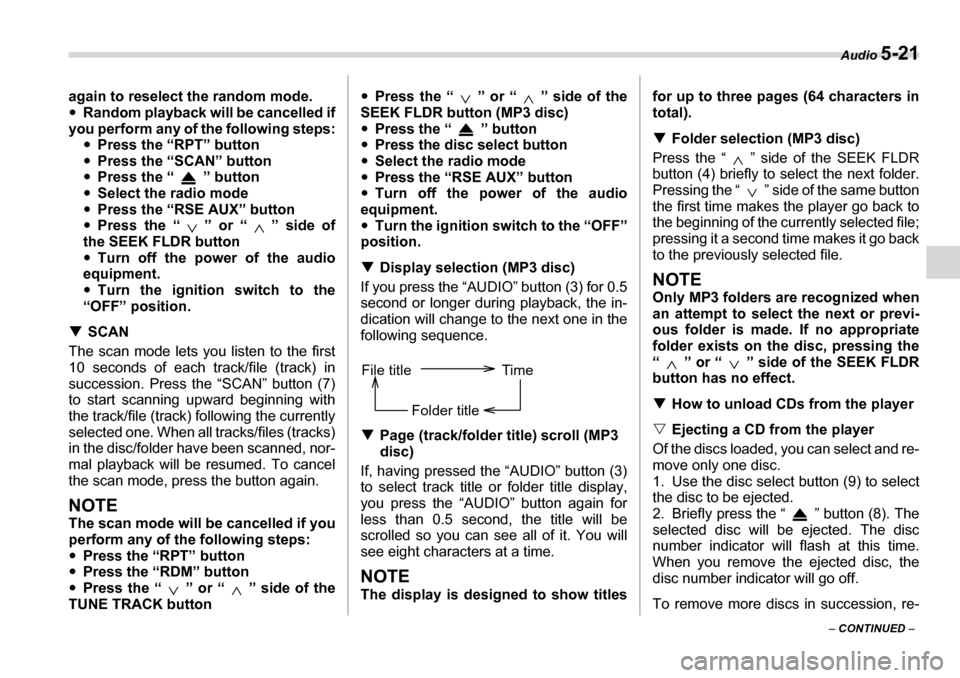
position. T Display selection (MP3 disc)
If you press the “AUDIO” button (3) for 0.5
second or longer during playback, the in-
dication will change to the next one in the
following sequence. T Page (track/folder title) scroll (MP3
disc)
If, having pressed the “AUDIO” button (3) to select track title or folder title display,
you press the “AUDIO” button again for
less than 0.5 second, the title will be
scrolled so you can see all of it. You will
see eight characters at a time.
NOTE
The display is designed to show titles for up to three pages (64 characters in
total). T
Folder selection (MP3 disc)
Press the “ ” side of the SEEK FLDR
button (4) briefly to select the next folder.
Pressing the “ ” side of the same button
the first time makes the player go back to
the beginning of the currently selected file;
pressing it a second time makes it go back
to the previously selected file.
NOTE
Only MP3 folders are recognized when
an attempt to select the next or previ-
ous folder is made. If no appropriate
folder exists on the disc, pressing the
“ ” or “ ” side of the SEEK FLDR
button has no effect. T How to unload CDs from the player
V Ejecting a CD from the player
Of the discs loaded, you can select and re-
move only one disc.
1. Use the disc select button (9) to select
the disc to be ejected.
2. Briefly press the “ ” button (8). The
selected disc will be ejected. The disc
number indicator will flash at this time.
When you remove the ejected disc, the
disc number indicator will go off.
To remove more discs in succession, re-
File title Time
Folder title
Page 193 of 377
5-22 Audio
peat Steps 1 and 2. VEjecting all discs from the player
(All disc ejection mode)
1. If you continue to press the “ ” but-
ton (8), the player will produce beep
sound and will enter the all disc ejection
mode.
2. Remove the disc that has been eject-
ed. The other discs loaded will then be
ejected one after another. If you do not re-
move the disc that has been ejected, the
“All disc ejection mode” will be canceled.
NOTE y Avoid driving the vehicle with a CD
sticking out, because vibration might
make it fall out. y If you press the “ ” button while
the player is in all disc ejection mode,
the mode will be cancelled following
ejection of the disc that is currently be-
ing ejected. y If you press the “CD” button while
the player is in all disc ejection mode,
the player will draw in the discs that
have been ejected and play them.
Audio control buttons
These buttons are located on the spokes
of the steering wheel. They allow the driv-
er to control audio functions without taking
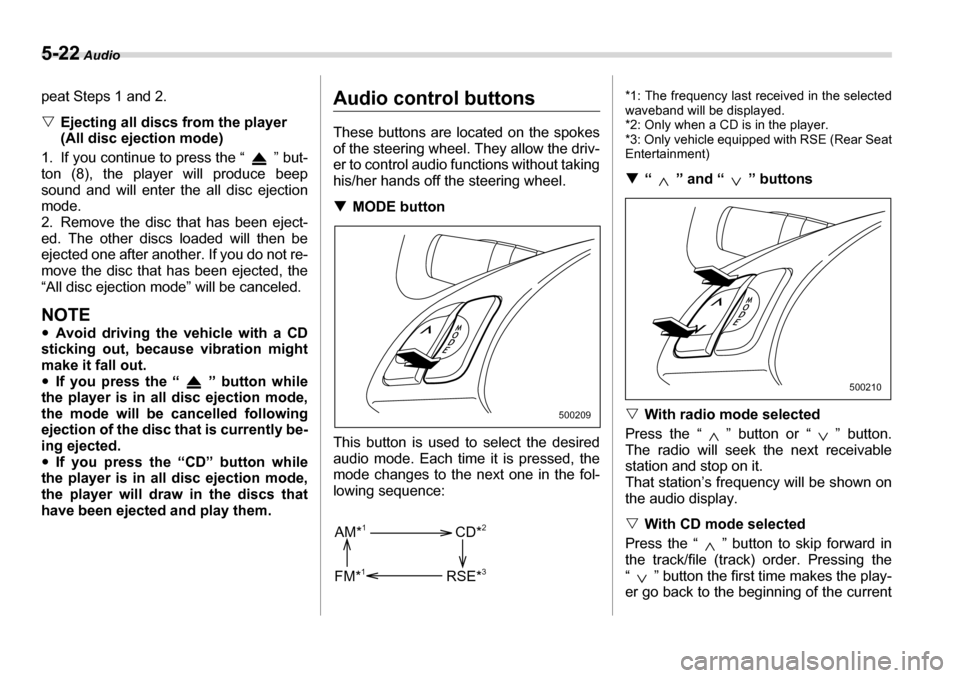
his/her hands off the steering wheel. T MODE button
This button is used to select the desired
audio mode. Each time it is pressed, the
mode changes to the next one in the fol-
lowing sequence: *1: The frequency last received in the selected
waveband will be displayed.
*2: Only when a CD is in the player.
*3: Only vehicle equipped with RSE (Rear SeatEntertainment) T
“ ” and “ ” buttons
V With radio mode selected
Press the “ ” button or “ ” button.
The radio will seek the next receivable
station and stop on it.
That station’s frequency will be shown on
the audio display. V With CD mode selected
Press the “ ” button to skip forward in
the track/file (track) order. Pressing the
“ ” button the first time makes the play-
er go back to the beginning of the current
500209
AM* 1
FM* 1 CD*
2
RSE* 3
500210
Page 243 of 377
7-28 Starting and operating
The vehicle will maintain the desired
speed.
Vehicle speed can be temporarily in-
creased while driving with the cruise con-
trol activated. Simply depress the acceler-
ator pedal to accelerate the vehicle. When
the accelerator pedal is released, the ve-
hicle will return to and maintain the previ-
ous cruising speed. „To temporarily cancel the
cruise control
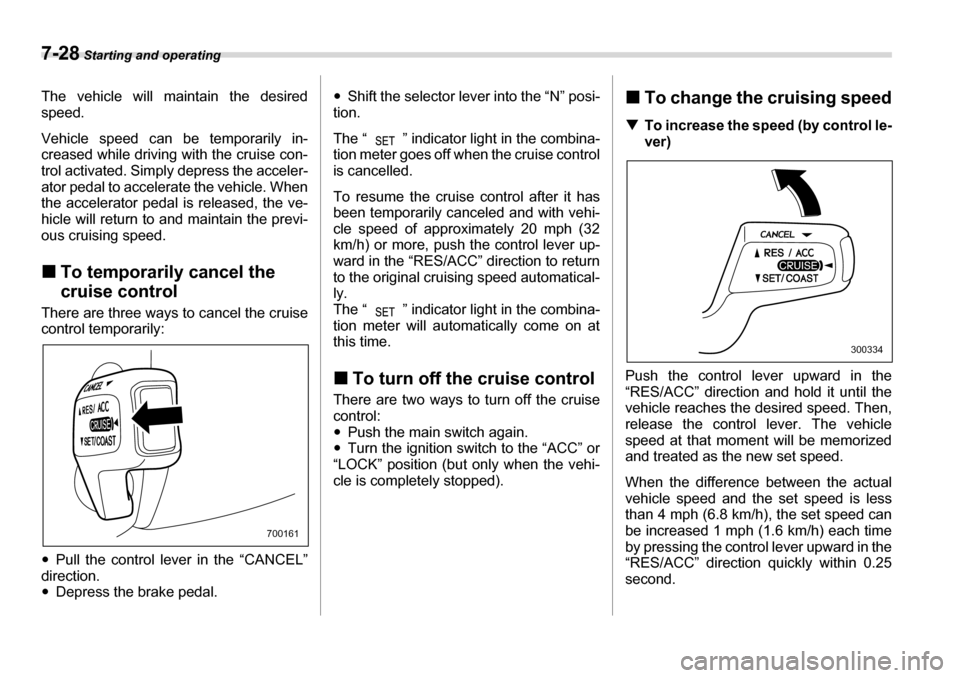
There are three ways to cancel the cruise
control temporarily: y Pull the control lever in the “CANCEL”
direction. y Depress the brake pedal. y
Shift the selector lever into the “N” posi-
tion.
The “ ” indicator light in the combina-
tion meter goes off when the cruise control
is cancelled.
To resume the cruise control after it has
been temporarily canceled and with vehi-
cle speed of approximately 20 mph (32
km/h) or more, push the control lever up-
ward in the “RES/ACC” direction to return
to the original cruising speed automatical- ly.
The “ ” indicator light in the combina-
tion meter will automatically come on at
this time. „ To turn off the cruise control
There are two ways to turn off the cruise control:y Push the main switch again.
y Turn the ignition switch to the “ACC” or
“LOCK” position (but only when the vehi-
cle is completely stopped). „
To change the cruising speed
T To increase the speed (by control le-
ver)
Push the control lever upward in the
“RES/ACC” direction and hold it until the
vehicle reaches the desired speed. Then,
release the control lever. The vehicle
speed at that moment will be memorized
and treated as the new set speed.
When the difference between the actual
vehicle speed and the set speed is less
than 4 mph (6.8 km/h), the set speed can
be increased 1 mph (1.6 km/h) each time
by pressing the control lever upward in the
“RES/ACC” direction quickly within 0.25 second.
700161
300334
Page 264 of 377
Driving tips 8-19
– CONTINUED –
Vehicle without cooling kit
Vehicle with cooling kit Conditions Maximum total trailer weight
When towing a trailer without brakes. 1,000 lbs (453 kg)
When towing a trailer with brakes. 2,000 lbs (906 kg)
When towing a trailer on a long uphill grade con-
tinuously for over 5 miles (8 km) with an outside
temperature of 104 °F (40 °C) or above. 1,000 lbs (453 kg)
Conditions Maximum total trailer weight
When towing a trailer without brakes. 1,000 lbs (453 kg)
When towing a trailer with brakes. 3,500 lbs (1,587 kg)
When towing a trailer on a long uphill grade con-
tinuously for over 5 miles (8 km) with an outside
temperature of 104 °F (40 °C) or above. 1,750 lbs (794 kg)T
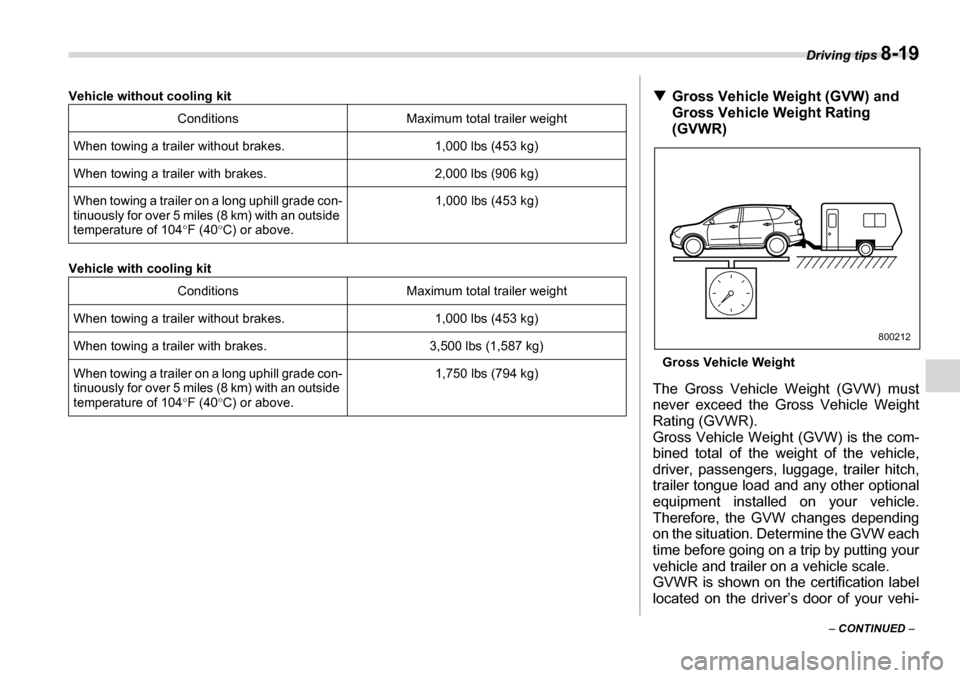
Gross Vehicle Weight (GVW) and
Gross Vehicle Weight Rating (GVWR)
Gross Vehicle Weight
The Gross Vehicle Weight (GVW) must
never exceed the Gross Vehicle Weight
Rating (GVWR).
Gross Vehicle Weight (GVW) is the com-
bined total of the weight of the vehicle,
driver, passengers, luggage, trailer hitch,
trailer tongue load and any other optional
equipment installed on your vehicle.
Therefore, the GVW changes depending
on the situation. Determine the GVW each
time before going on a trip by putting your
vehicle and trailer on a vehicle scale.
GVWR is shown on the certification label
located on the driver’s door of your vehi-
800212