sensor SUBARU TRIBECA 2006 1.G User Guide
[x] Cancel search | Manufacturer: SUBARU, Model Year: 2006, Model line: TRIBECA, Model: SUBARU TRIBECA 2006 1.GPages: 377, PDF Size: 5.65 MB
Page 93 of 377
1-68 Seat, seatbelt and SRS airbags
In the event that the SRS airbag is de-
ployed, replacement of the system
should be performed only by an autho-
rized SUBARU dealer. When the com-
ponents of the SRS airbag system are
replaced, use only genuine SUBARU parts.
NOTE
In the following cases, contact your
SUBARU dealer as soon as possible. y
The front part of the vehicle was in-
volved in an accident in which the only
the driver’s SRS frontal airbag or both
driver’s and front passenger’s SRS
frontal airbags did not deploy.y The pad of the steering wheel, the
cover over the front passenger’s SRS
frontal airbag, or either roof side (from
the front pillar to a point over the rear
seat) is scratched, cracked, or other-
wise damaged.y Either center pillar and rear wheel
house or a nearby area of the vehicle
was involved in an accident in which
the SRS side airbag and SRS curtain
airbag did not deploy. y The fabric or leather of either front
seatback is cut, frayed, or otherwise
damaged. „
Precautions against vehicle
modificationIf you need service or repair in areas
listed in the following, have an au-
thorized SUBARU dealer perform
the work. The SRS airbag control
module, impact sensors and airbag
modules are stored in these areas. yUnder the center console
y Inside each front fender
y Steering wheel and column and
nearby areas
y Top of the dashboard on front
passenger’s side and nearby ar- eas
y Each front seat and nearby area
y Inside each center pillar
y In each roof side (from the front
pillar to a point over the rear seat)
y Between the rear seat cushion
and rear wheel house on each
side
yTo avoid accidental activation of
the system or rendering the sys-
tem inoperative, which may result
in serious injury, no modifications
should be made to any compo-
nents or wiring of the SRS airbag
system.
This includes following modifica- tions:
yInstallation of custom steering
wheels
yAttachment of additional trim
materials to the dashboard
yInstallation of custom seats
yReplacement of seat fabric or
leather
yInstallation of additional fabric
or leather on the front seat
Page 96 of 377
2
Keys and doors
Keys ..................................................................... 2-2 Key number ............................................................. 2-2
Immobilizer ......................................................... 2-3 Security ID plate ..................................................... 2-3
Security indicator light ........................................... 2-4
Key replacement ..................................................... 2-4
Door locks ........................................................... 2-4 Locking and unlocking from the outside ............. 2-4
Locking and unlocking from the inside ................ 2-5
Battery drainage prevention function ................... 2-6
Power door locking switches ............................ 2-6 Key lock-in prevention function ............................ 2-7
Remote keyless entry system ........................... 2-8 Locking the doors .................................................. 2-9
Unlocking the doors ............................................... 2-9
Unlocking the rear gate .......................................... 2-9
Illuminated entry ..................................................... 2-9
Vehicle finder function ........................................... 2-10
Sounding a panic alarm ......................................... 2-10
Selecting audible signal operation ....................... 2-10
Replacing the battery ............................................. 2-10
Replacing lost transmitters ................................... 2-11
Alarm system ...................................................... 2-14 System alarm operation ......................................... 2-14
Activating and deactivating the alarm system ..... 2-15
If you have accidentally triggered the alarm system ................................................................... 2-15
Arming the system ................................................. 2-15
Disarming the system ............................................ 2-16 Valet mode ............................................................... 2-17
Passive arming ....................................................... 2-17
Tripped sensor identification ................................ 2-18
Shock sensors (dealer option) .............................. 2-18
Child safety locks ............................................... 2-19
Windows .............................................................. 2-19 Power windows ....................................................... 2-19
Rear gate ............................................................. 2-22
Moonroof ............................................................. 2-23 Tilt function ............................................................. 2-24
Sliding function ....................................................... 2-24
Anti-entrapment function ....................................... 2-24
Sun shades .............................................................. 2-25
Page 113 of 377
2-18 Keys and doors
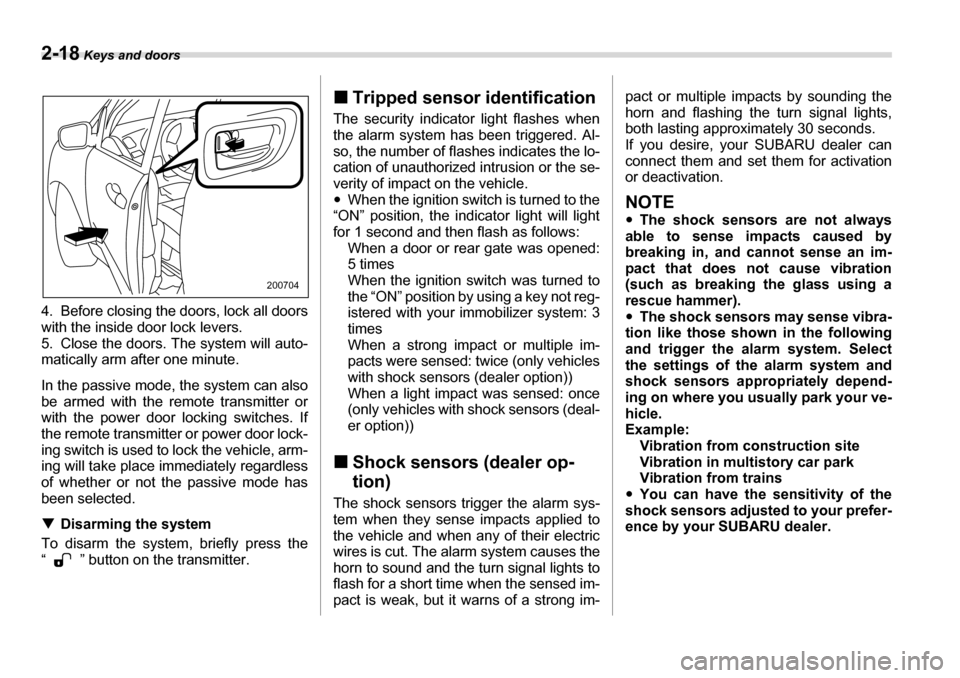
4. Before closing the doors, lock all doors
with the inside door lock levers.
5. Close the doors. The system will auto-
matically arm after one minute.
In the passive mode, the system can also
be armed with the remote transmitter or
with the power door locking switches. If
the remote transmitter or power door lock-
ing switch is used to lock the vehicle, arm-
ing will take place immediately regardless
of whether or not the passive mode has
been selected. TDisarming the system
To disarm the system, briefly press the
“ ” button on the transmitter. „
Tripped sensor identification
The security indicator light flashes when
the alarm system has been triggered. Al-
so, the number of flashes indicates the lo-
cation of unauthorized intrusion or the se-
verity of impact on the vehicle. y When the ignition switch is turned to the
“ON” position, the indicator light will light
for 1 second and then flash as follows: When a door or rear gate was opened:
5 times
When the ignition switch was turned to
the “ON” position by using a key not reg-
istered with your immobilizer system: 3
times
When a strong impact or multiple im-
pacts were sensed: twice (only vehicles
with shock sensors (dealer option))
When a light impact was sensed: once
(only vehicles with shock sensors (deal-
er option))
„ Shock sensors (dealer op- tion)
The shock sensors trigger the alarm sys-
tem when they sense impacts applied to
the vehicle and when any of their electric
wires is cut. The alarm system causes the
horn to sound and the turn signal lights to
flash for a short time when the sensed im-
pact is weak, but it warns of a strong im- pact or multiple impacts by sounding the
horn and flashing the turn signal lights,
both lasting approximately 30 seconds.
If you desire, your SUBARU dealer can
connect them and set them for activation
or deactivation.
NOTE y
The shock sensors are not always
able to sense impacts caused by
breaking in, and cannot sense an im-
pact that does not cause vibration
(such as breaking the glass using a
rescue hammer). y The shock sensors may sense vibra-
tion like those shown in the following
and trigger the alarm system. Select
the settings of the alarm system and
shock sensors appropriately depend-
ing on where you usually park your ve- hicle.
Example: Vibration from construction site
Vibration in multistory car park
Vibration from trains
y You can have the sensitivity of the
shock sensors adjusted to your prefer-
ence by your SUBARU dealer.
200704
Page 136 of 377
Instruments and controls 3-15
– CONTINUED –
„ABS warning light
The ABS warning light comes on when the ignition switch is turned to the “ON” posi-
tion and goes out after approximately two seconds.
This is an indication that the ABS system
is working properly.
If this light does not come on briefly
after the ignition switch is turned
ON or the light is flashing, you
should have your Tire Pressure
Monitoring System checked at a
SUBARU dealer as soon as possi-
ble.
If this light comes on while driving,
never brake suddenly and keep driv-
ing straight ahead while gradually
reducing speed. Then slowly pull off
the road to a safe place. Otherwise
an accident involving serious vehi-
cle damage and serious personal in-
jury could occur.
If this light still comes on while driv-
ing after adjusting the tire pressure,
a tire may have significant damage
and a fast leak that causes the tire to
lose air rapidly. If you have a flat
tire, replace it with a spare tire as
soon as possible.
When a spare tire is mounted or a
wheel rim is replaced without the
original pressure sensor/transmitter
being transferred, the Low tire pres-
sure warning light will flash. This in-
dicates the TPMS is unable to moni-
tor all four road wheels. Contact
your SUBARU dealer as soon as
possible for tire and sensor replace-
ment and/or system resetting. If the
light flashes, promptly contact a
SUBARU dealer to have the system
inspected.
The tire pressure monitoring system is NOT a substitute for manually
checking tire pressure. The tire
pressure should be checked period-
ically (at least monthly) using a tire
gauge. After any change to tire pres-
sure(s), the tire pressure monitoring
system will not re-check tire infla-
tion pressures until the vehicle is
first driven more than 20 mph (32
km/h). Be sure to install the speci-
fied size for the front and rear tires.
(U.S.) (Canada)
If the warning light behaves as fol-
lows, the ABS system may not work
properly.
When the warning light is on, the
ABS function shuts down; however,
the conventional brake system con-
tinues to operate normally. y
The warning light does not come
on when the ignition switch is
turned to the “ON” position.
y The warning light comes on when
the ignition switch is turned to the
“ON” position, but it does not go
out even when the vehicle speed
exceeds approximately 8 mph (12km/h).
y The warning light comes on dur-
ing driving.
If any of these conditions occur,
have the ABS system repaired at the
first available opportunity by your SUBARU dealer.
Page 155 of 377
3-34 Instruments and controls
NOTE
If your vehicle is equipped with the out-
side mirror defogger, the outside mir-
ror defogger operates while the rear
window defogger is operating.
Mirrors
Always check that the inside and outside
mirrors are properly adjusted before you
start driving. „Inside mirror
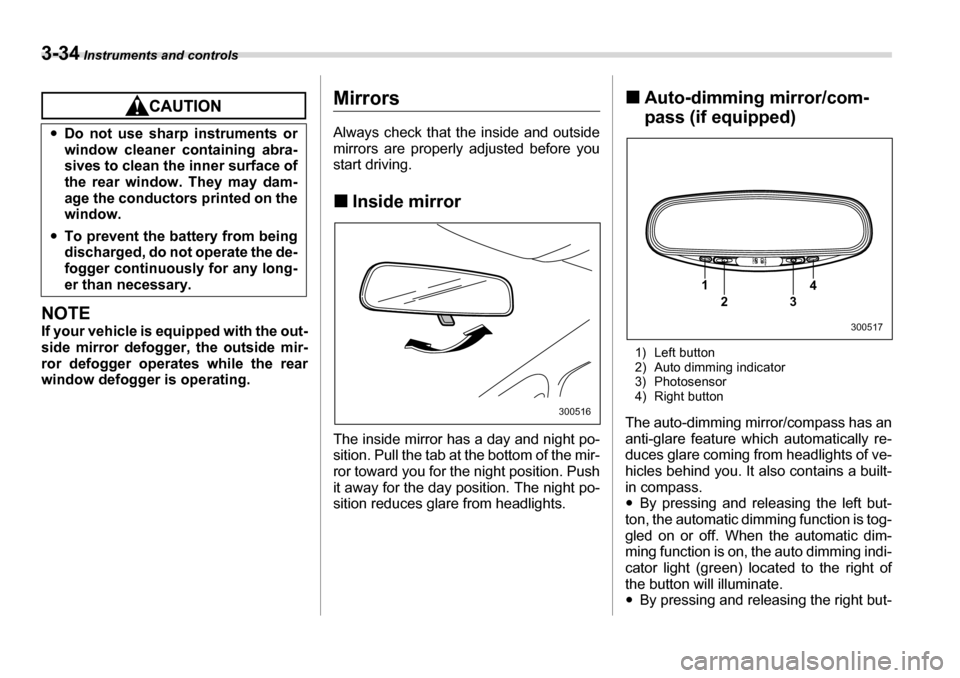
The inside mirror has a day and night po-
sition. Pull the tab at the bottom of the mir-
ror toward you for the night position. Push
it away for the day position. The night po-
sition reduces glare from headlights. „
Auto-dimming mirror/com-
pass (if equipped)
1) Left button
2) Auto dimming indicator
3) Photosensor
4) Right button
The auto-dimming mirror/compass has an
anti-glare feature which automatically re-
duces glare coming from headlights of ve-
hicles behind you. It also contains a built- in compass. y By pressing and releasing the left but-
ton, the automatic dimming function is tog-
gled on or off. When the automatic dim-
ming function is on, the auto dimming indi-
cator light (green) located to the right of
the button will illuminate. y By pressing and releasing the right but-
y
Do not use sharp instruments or
window cleaner containing abra-
sives to clean the inner surface of
the rear window. They may dam-
age the conductors printed on the
window.
y To prevent the battery from being
discharged, do not operate the de-
fogger continuously for any long-
er than necessary.
300516
1
23 4
300517
Page 156 of 377
Instruments and controls 3-35
– CONTINUED –
ton, the compass display is toggled on or
off. When the compass is on, an illuminat-
ed compass reading will appear in the
lower part of the mirror.
Even with the mirror in anti-glare mode,
the mirror surface turns bright if the trans-
mission is shifted into reverse. This is to
ensure good rearward visibility during re-
versing. T
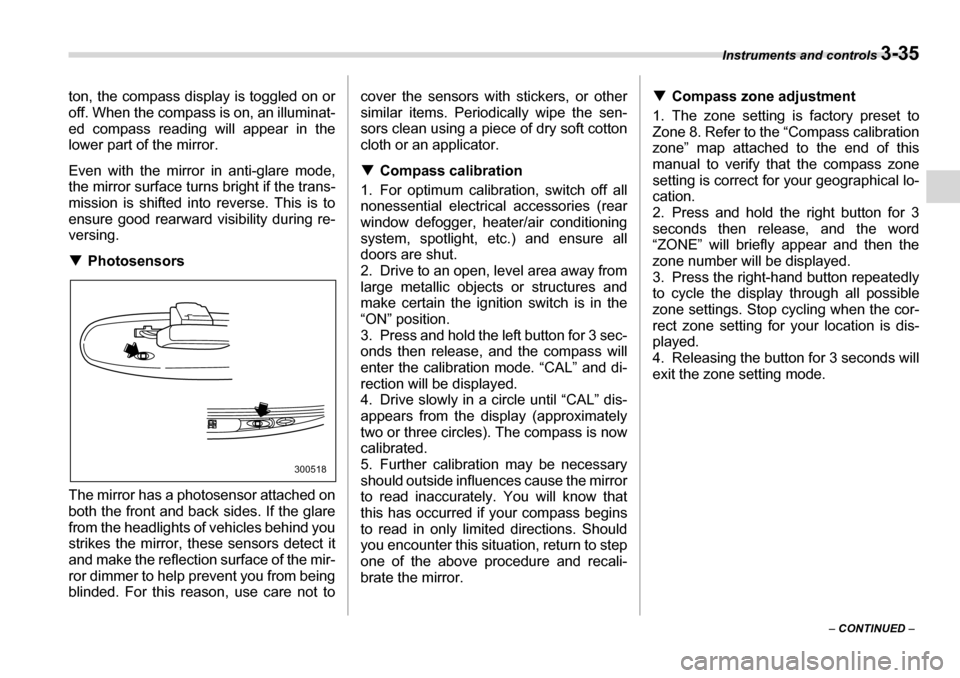
Photosensors
The mirror has a photosensor attached on
both the front and back sides. If the glare
from the headlights of vehicles behind you
strikes the mirror, these sensors detect it
and make the reflection surface of the mir-
ror dimmer to help prevent you from being
blinded. For this reason, use care not to cover the sensors with stickers, or other
similar items. Periodically wipe the sen-
sors clean using a piece of dry soft cotton
cloth or an applicator. T
Compass calibration
1. For optimum calibration, switch off all
nonessential electrical accessories (rear
window defogger, heater/air conditioning
system, spotlight, etc.) and ensure all
doors are shut.
2. Drive to an open, level area away from
large metallic objects or structures and
make certain the ignition switch is in the“ON” position.
3. Press and hold the left button for 3 sec-
onds then release, and the compass will
enter the calibration mode. “CAL” and di-
rection will be displayed.
4. Drive slowly in a circle until “CAL” dis-
appears from the display (approximately
two or three circles). The compass is now
calibrated.
5. Further calibration may be necessary
should outside influences cause the mirror
to read inaccurately. You will know that
this has occurred if your compass begins
to read in only limited directions. Should
you encounter this situation, return to step
one of the above procedure and recali-
brate the mirror. T
Compass zone adjustment
1. The zone setting is factory preset to
Zone 8. Refer to the “Compass calibration
zone” map attached to the end of this
manual to verify that the compass zone
setting is correct for your geographical lo- cation.
2. Press and hold the right button for 3
seconds then release, and the word
“ZONE” will briefly appear and then the
zone number will be displayed.
3. Press the right-hand button repeatedly to cycle the display through all possible
zone settings. Stop cycling when the cor-
rect zone setting for your location is dis-
played.
4. Releasing the button for 3 seconds will
exit the zone setting mode.
300518
Page 160 of 377
4
Climate control
Ventilator ............................................................. 4-2 Air flow ..................................................................... 4-2
Ventilator ................................................................. 4-4
Automatic climate control system .................... 4-5 Control panel ........................................................... 4-5
Rear air conditioner (if equipped) ......................... 4-9
Temperature sensors ............................................. 4-9
Operating tips for heater and air conditioner .. 4-10 Cleaning ventilator grille ........................................ 4-10
Efficient cooling after parking in direct sunlight ................................................................. 4-10
Lubrication oil circulation in the refrigerant circuit ..................................................................... 4-10
Checking air conditioning system before
summer season .................................................... 4-10
Cooling and dehumidifying in high humidity and low temperature weather condition .................... 4-10
Air conditioner compressor shut-off when
engine is heavily loaded ...................................... 4-10
Refrigerant for your climate control system ........ 4-10
Air filtration system ............................................ 4-11 Replacing the air filter ............................................ 4-11
Page 168 of 377
Climate control 4-9
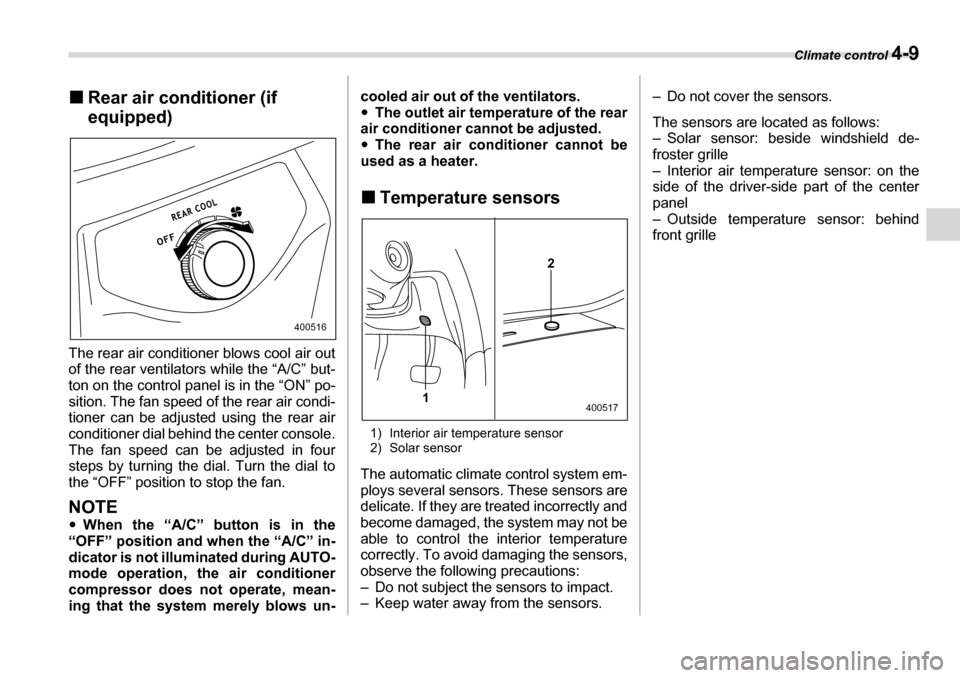
„Rear air conditioner (if
equipped)
The rear air conditioner blows cool air out
of the rear ventilators while the “A/C” but-
ton on the control panel is in the “ON” po-
sition. The fan speed of the rear air condi-
tioner can be adjusted using the rear air
conditioner dial behind the center console.
The fan speed can be adjusted in four
steps by turning the dial. Turn the dial to
the “OFF” position to stop the fan.
NOTE y When the “A/C” button is in the
“OFF” position and when the “A/C” in-
dicator is not illuminated during AUTO-
mode operation, the air conditioner
compressor does not operate, mean-
ing that the system merely blows un- cooled air out of the ventilators. y
The outlet air temperature of the rear
air conditioner cannot be adjusted. y The rear air conditioner cannot be
used as a heater. „ Temperature sensors
1) Interior air temperature sensor
2) Solar sensor
The automatic climate control system em-
ploys several sensors. These sensors are
delicate. If they are treated incorrectly and
become damaged, the system may not be
able to control the interior temperature
correctly. To avoid damaging the sensors,
observe the following precautions:
– Do not subject the sensors to impact.
– Keep water away from the sensors. – Do not cover the sensors.
The sensors are located as follows:
– Solar sensor: beside windshield de-
froster grille
– Interior air temperature sensor: on the
side of the driver-side part of the center
panel
– Outside temperature sensor: behind front grille
400516
2
1
400517
Page 239 of 377
7-24 Starting and operating
Tire pressure monitoring
system (TPMS)
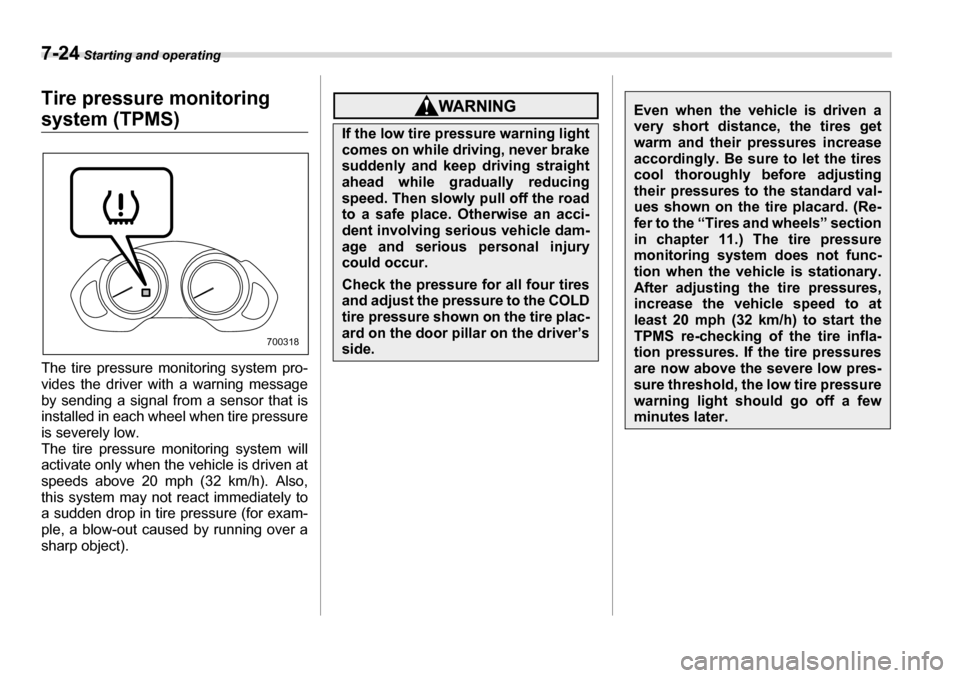
The tire pressure monitoring system pro-
vides the driver with a warning message
by sending a signal from a sensor that is
installed in each wheel when tire pressure
is severely low.
The tire pressure monitoring system will
activate only when the vehicle is driven at
speeds above 20 mph (32 km/h). Also,
this system may not react immediately to
a sudden drop in tire pressure (for exam-
ple, a blow-out caused by running over a
sharp object).
700318
If the low tire pressure warning light
comes on while driving, never brake
suddenly and keep driving straight
ahead while gradually reducing
speed. Then slowly pull off the road
to a safe place. Otherwise an acci-
dent involving serious vehicle dam-
age and serious personal injury
could occur.
Check the pressure for all four tires
and adjust the pressure to the COLD
tire pressure shown on the tire plac-
ard on the door pillar on the driver’s
side.
Even when the vehicle is driven a
very short distance, the tires get
warm and their pressures increase
accordingly. Be sure to let the tires
cool thoroughly before adjusting
their pressures to the standard val-
ues shown on the tire placard. (Re-
fer to the “Tires and wheels” section
in chapter 11.) The tire pressure
monitoring system does not func-
tion when the vehicle is stationary.
After adjusting the tire pressures,
increase the vehicle speed to at
least 20 mph (32 km/h) to start the
TPMS re-checking of the tire infla-
tion pressures. If the tire pressures
are now above the severe low pres-
sure threshold, the low tire pressure
warning light should go off a few minutes later.
Page 240 of 377
Starting and operating 7-25
– CONTINUED –
NOTE
This device complies with Part 15 of
the FCC Rules and with RSS-210 of In-
dustry Canada. Operation is subject to
the following two conditions: (1) This
device may not cause harmful interfer-
ence, and (2) this device must accept
any interference received, including in-
terference that may cause undesired
operation.
Changes or modifications not express-
ly approved by the party responsible
for compliance could void the user’s
authority to operate the equipment.
Parking your vehicleIf this light still comes on while driv-
ing after adjusting the tire pressure,
a tire may have significant damage
and a fast leak that causes the tire to
lose air rapidly. If you have a flat tire,
replace it with a spare tire as soon
as possible. When a spare tire is
mounted or a wheel rim is replaced
without the original pressure sen-
sor/transmitter being transferred,
the low tire pressure warning light
will flash. This indicates the TPMS is unable to monitor all four road
wheels. Contact your SUBARU deal-
er as soon as possible for tire and
sensor replacement and/or system resetting.
Do not inject any tire liquid or aero-
sol tire sealant into the tires, as this
may cause a malfunction of the tire
pressure sensors. If the light flash-
es, promptly contact a SUBARU
dealer to have the system inspect-
ed.
Do not place metal film or any metal
parts under the driver’s seat. This
may cause poor reception of the sig-
nals from the tire pressure sensors,
and the tire pressure monitoring
system will not function properly.
yNever leave unattended children
or pets in the vehicle. They could
accidentally injure themselves or
others through inadvertent opera-
tion of the vehicle. Also, on hot or
sunny days, the temperature in a
closed vehicle could quickly be-
come high enough to cause se-
vere or possibly fatal injuries to them.
yDo not park the vehicle over flam-
mable materials such as dry
grass, waste paper or rags, as
they may burn easily if they come
near hot engine or exhaust sys-
tem parts.
yBe sure to stop the engine if you
take a nap in the vehicle. If engine
exhaust gas enters the passenger
compartment, occupants in the
vehicle could die from carbon
monoxide (CO) contained in the
exhaust gas.