light SUBARU TRIBECA 2007 1.G Owners Manual
[x] Cancel search | Manufacturer: SUBARU, Model Year: 2007, Model line: TRIBECA, Model: SUBARU TRIBECA 2007 1.GPages: 377, PDF Size: 5.65 MB
Page 240 of 377
Starting and operating 7-25
– CONTINUED –
NOTE
This device complies with Part 15 of
the FCC Rules and with RSS-210 of In-
dustry Canada. Operation is subject to
the following two conditions: (1) This
device may not cause harmful interfer-
ence, and (2) this device must accept
any interference received, including in-
terference that may cause undesired
operation.
Changes or modifications not express-
ly approved by the party responsible
for compliance could void the user’s
authority to operate the equipment.
Parking your vehicleIf this light still comes on while driv-
ing after adjusting the tire pressure,
a tire may have significant damage
and a fast leak that causes the tire to
lose air rapidly. If you have a flat tire,
replace it with a spare tire as soon
as possible. When a spare tire is
mounted or a wheel rim is replaced
without the original pressure sen-
sor/transmitter being transferred,
the low tire pressure warning light
will flash. This indicates the TPMS is unable to monitor all four road
wheels. Contact your SUBARU deal-
er as soon as possible for tire and
sensor replacement and/or system resetting.
Do not inject any tire liquid or aero-
sol tire sealant into the tires, as this
may cause a malfunction of the tire
pressure sensors. If the light flash-
es, promptly contact a SUBARU
dealer to have the system inspect-
ed.
Do not place metal film or any metal
parts under the driver’s seat. This
may cause poor reception of the sig-
nals from the tire pressure sensors,
and the tire pressure monitoring
system will not function properly.
yNever leave unattended children
or pets in the vehicle. They could
accidentally injure themselves or
others through inadvertent opera-
tion of the vehicle. Also, on hot or
sunny days, the temperature in a
closed vehicle could quickly be-
come high enough to cause se-
vere or possibly fatal injuries to them.
yDo not park the vehicle over flam-
mable materials such as dry
grass, waste paper or rags, as
they may burn easily if they come
near hot engine or exhaust sys-
tem parts.
yBe sure to stop the engine if you
take a nap in the vehicle. If engine
exhaust gas enters the passenger
compartment, occupants in the
vehicle could die from carbon
monoxide (CO) contained in the
exhaust gas.
Page 241 of 377
7-26 Starting and operating
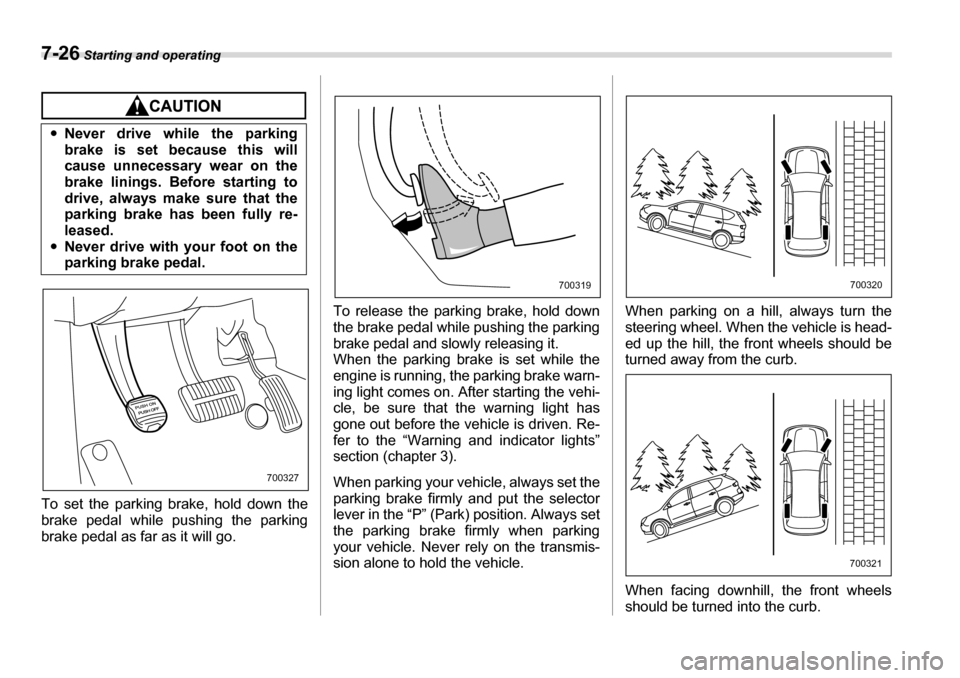
To set the parking brake, hold down the
brake pedal while pushing the parking
brake pedal as far as it will go. To release the parking brake, hold down
the brake pedal while pushing the parking
brake pedal and slowly releasing it.
When the parking brake is set while the
engine is running, the parking brake warn-
ing light comes on. After starting the vehi-
cle, be sure that the warning light has
gone out before the vehicle is driven. Re-
fer to the “Warning and indicator lights”
section (chapter 3).
When parking your vehicle, always set the
parking brake firmly and put the selector
lever in the “P” (Park) position. Always set
the parking brake firmly when parking
your vehicle. Never rely on the transmis-
sion alone to hold the vehicle. When parking on a hill, always turn the
steering wheel. When the vehicle is head-
ed up the hill, the front wheels should be
turned away from the curb.
When facing downhill, the front wheels
should be turned into the curb.
y
Never drive while the parking
brake is set because this will
cause unnecessary wear on the
brake linings. Before starting to
drive, always make sure that the
parking brake has been fully re-
leased.
y Never drive with your foot on the
parking brake pedal.
700327
700319700320
700321
Page 242 of 377
Starting and operating 7-27
– CONTINUED –
Cruise control
Cruise control enables you to maintain a
constant vehicle speed without holding
your foot on the accelerator pedal and it is
operative when the vehicle speed is 25
mph (40 km/h) or more. Make sure the
main switch is turned “OFF” when the
cruise control is not in use to avoid unin-
tentionally setting the cruise control.
NOTE
If you move the cruise control lever or
press the main switch button while
turning the ignition switch “ON”, the
cruise control function is deactivated
and the “CRUISE” indicator light flash-
es. To reactivate the cruise control
function, turn the ignition switch back
to the “ACC” or “LOCK” position, and
then turn it again to the “ON” position.
„To set cruise control0
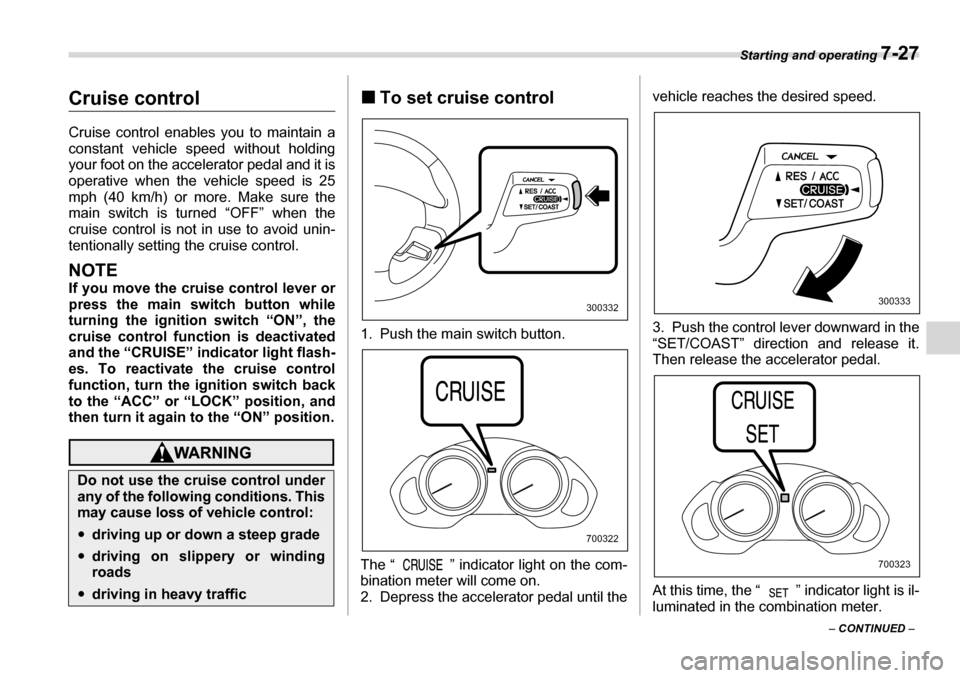
1. Push the main switch button.
The “ ” indicator light on the com-
bination meter will come on.
2. Depress the accelerator pedal until the vehicle reaches the desired speed.
3. Push the control lever downward in the
“SET/COAST” direction and release it.
Then release the accelerator pedal.
At this time, the “ ” indicator light is il-
luminated in the combination meter.
Do not use the cruise control under
any of the following conditions. This
may cause loss of vehicle control:
y
driving up or down a steep grade
ydriving on slippery or winding roads
ydriving in heavy traffic
300332
700322
300333
700323
Page 243 of 377
7-28 Starting and operating
The vehicle will maintain the desired
speed.
Vehicle speed can be temporarily in-
creased while driving with the cruise con-
trol activated. Simply depress the acceler-
ator pedal to accelerate the vehicle. When
the accelerator pedal is released, the ve-
hicle will return to and maintain the previ-
ous cruising speed. „To temporarily cancel the
cruise control
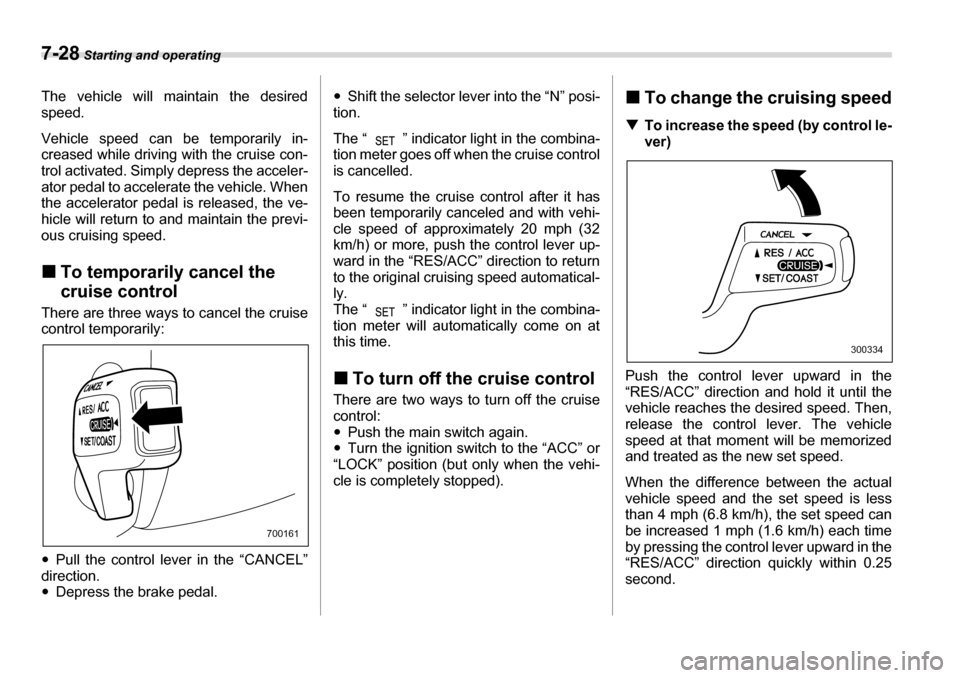
There are three ways to cancel the cruise
control temporarily: y Pull the control lever in the “CANCEL”
direction. y Depress the brake pedal. y
Shift the selector lever into the “N” posi-
tion.
The “ ” indicator light in the combina-
tion meter goes off when the cruise control
is cancelled.
To resume the cruise control after it has
been temporarily canceled and with vehi-
cle speed of approximately 20 mph (32
km/h) or more, push the control lever up-
ward in the “RES/ACC” direction to return
to the original cruising speed automatical- ly.
The “ ” indicator light in the combina-
tion meter will automatically come on at
this time. „ To turn off the cruise control
There are two ways to turn off the cruise control:y Push the main switch again.
y Turn the ignition switch to the “ACC” or
“LOCK” position (but only when the vehi-
cle is completely stopped). „
To change the cruising speed
T To increase the speed (by control le-
ver)
Push the control lever upward in the
“RES/ACC” direction and hold it until the
vehicle reaches the desired speed. Then,
release the control lever. The vehicle
speed at that moment will be memorized
and treated as the new set speed.
When the difference between the actual
vehicle speed and the set speed is less
than 4 mph (6.8 km/h), the set speed can
be increased 1 mph (1.6 km/h) each time
by pressing the control lever upward in the
“RES/ACC” direction quickly within 0.25 second.
700161
300334
Page 244 of 377
Starting and operating 7-29
– CONTINUED –
T
To increase the speed (by accelera-
tor pedal)
1. Depress the accelerator pedal to accel-
erate the vehicle to the desired speed.
2. Push the control lever downward in the
“SET/COAST” direction once. Now the
desired speed is set and the vehicle will
keep running at that speed without de-
pressing the accelerator pedal.
NOTE
If the difference between the actual ve-
hicle speed when the control lever is
pushed downward and the speed last
time you set is less than 4 mph (6.8 km/
h), the vehicle speed will be lowered by
1 mph (1.6 km/h). This occurs because
the cruise control system unit regards
this lever operation as that intended to
decrease the vehicle speed. T
To decrease the speed (by control lever)
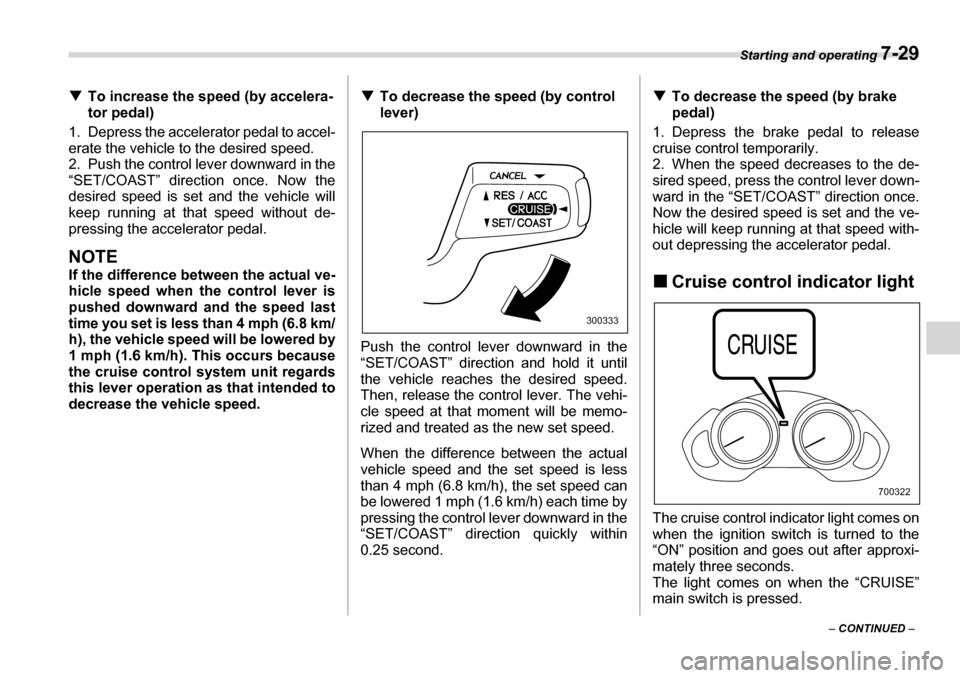
Push the control lever downward in the
“SET/COAST” direction and hold it until
the vehicle reaches the desired speed.
Then, release the control lever. The vehi-
cle speed at that moment will be memo-
rized and treated as the new set speed.
When the difference between the actual
vehicle speed and the set speed is less
than 4 mph (6.8 km/h), the set speed can
be lowered 1 mph (1.6 km/h) each time by
pressing the control lever downward in the
“SET/COAST” direction quickly within
0.25 second. T
To decrease the speed (by brake
pedal)
1. Depress the brake pedal to release
cruise control temporarily.
2. When the speed decreases to the de-
sired speed, press the control lever down-
ward in the “SET/COAST” direction once.
Now the desired speed is set and the ve-
hicle will keep running at that speed with-
out depressing the accelerator pedal.
„ Cruise control indicator light
The cruise control indicator light comes on
when the ignition switch is turned to the
“ON” position and goes out after approxi- mately three seconds.
The light comes on when the “CRUISE”
main switch is pressed.
300333
700322
Page 245 of 377
7-30 Starting and operating
If you move the cruise control lever while
turning the ignition switch “ON”, the cruise
control function is deactivated and the
“CRUISE” indicator light flashes. To reac-
tivate the cruise control function, turn the
ignition switch back to the “ACC” or
“LOCK” position, and then turn it again to
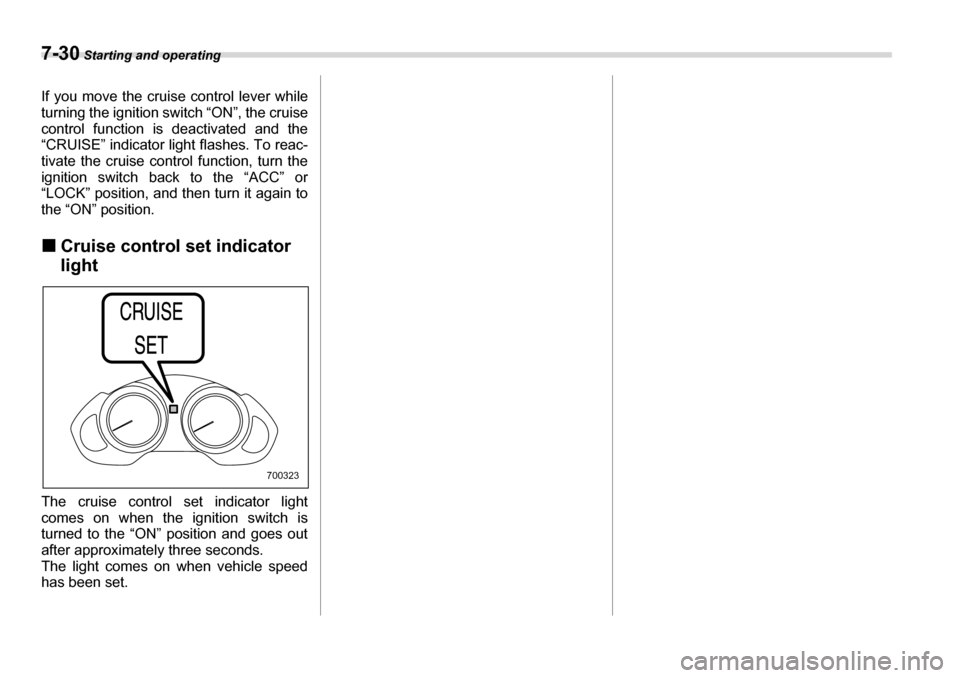
the “ON” position. „Cruise control set indicator light
The cruise control set indicator light comes on when the ignition switch is
turned to the “ON” position and goes out
after approximately three seconds.
The light comes on when vehicle speed
has been set.
700323
Page 252 of 377
Driving tips 8-7
– CONTINUED –
underbody. Clear off any such matter from
the underbody. If the vehicle is used with
these materials trapped or adhering to the
underbody, a mechanical breakdown or
fire could occur. y
Secure all cargo carried inside the vehi-
cle and make certain that it is not piled
higher than the seatbacks. During sudden
stops or jolts, unsecured cargo could be
thrown around in the vehicle and cause in-
jury. Do not pile heavy loads on the roof.
Those loads raise the vehicle’s center of
gravity and make it more prone to tip over. y If you must rock the vehicle to free it
from sand or mud, depress the accelera-
tor pedal slightly and move the selector le-
ver back and forth between “D” and “R” re-
peatedly. Do not race the engine. For the
best possible traction, avoid spinning the
wheels when trying to free the vehicle. y When the road surface is extremely
slippery, you can obtain better traction by
starting the vehicle with the transmission
in 2nd than 1st. y Never equip your vehicle with tires larg-
er than those specified in this manual. y Wash the vehicle’s underbody after off-
road driving. Suspension components are
particularly prone to dirt buildup, so they
need to be washed thoroughly. y Frequent driving of an AWD vehicle un-
der hard-driving conditions such as rough roads or off roads will necessitate more
frequent replacement of engine oil, brake
fluid and transmission oil than that speci-
fied in the maintenance schedule de-
scribed in the “Warranty and Maintenance Booklet”.
Remember that damage done to your
SUBARU while operating it off-road and
not using common sense precautions
such as those listed above is not eligible for warranty coverage.
Winter driving „
Operation during cold weath- er
Carry some emergency equipment, such
as tire chains, a window scraper, a bag of
sand, flares, a small shovel, and jumper cables.
Check the battery and cables. Cold tem-
peratures reduce battery capacity. The
battery must be in good condition to pro-
vide enough power for cold winter starts.
Use an engine oil of proper grade and vis-
cosity for cold weather. Heavy summer oil
will cause harder starting.
Keep the door locks from freezing by
800201
Page 256 of 377
Driving tips 8-11
– CONTINUED –
Recommended winter (snow) tire size
P255/55R18 stud less
„ Tire chains
Driving on snowy grades or icy roads may
require the use of tire chains, in which
case put genuine SUBARU spring chains
on the front wheels only. Genuine
SUBARU spring chains are available from
your SUBARU dealer. These chains can
be installed on “all season tires” as origi-
nal equipment. Never install them on win- ter (snow) tires.
When driving with tire chains, drive at
speeds below 19 mph (30 km/h). When a
temporary spare tire is on a front wheel,
replace the temporary spare tire with the
rear tire on the same side of the vehicle,
and then fit chains on the front tires.
Always use the utmost care when driving
with tire chains – overconfidence because you are driving with tire chains could eas-
ily lead to a serious accident. „
Rocking the vehicle
If you must rock the vehicle to free it from
snow, sand, or mud, depress the acceler-
ator pedal slightly and move the selector
lever back and forth between “D” and “R”
repeatedly. Do not race the engine. For
the best possible traction, avoid spinning
the wheels when trying to free the vehicle.
When the road surface is extremely slip-
pery, you can obtain better traction by
starting the vehicle with the transmission
in 2nd than 1st.
Refer to the “Automatic transmission” sec-
tion in chapter 7 for information on holding
the transmission in 2nd position.
Loading your vehicle
Tire chains cannot be used on tires
listed in the following because of
lack of clearance between the tires
and vehicle body.
All model: P255/55R 18 winter (snow) tires
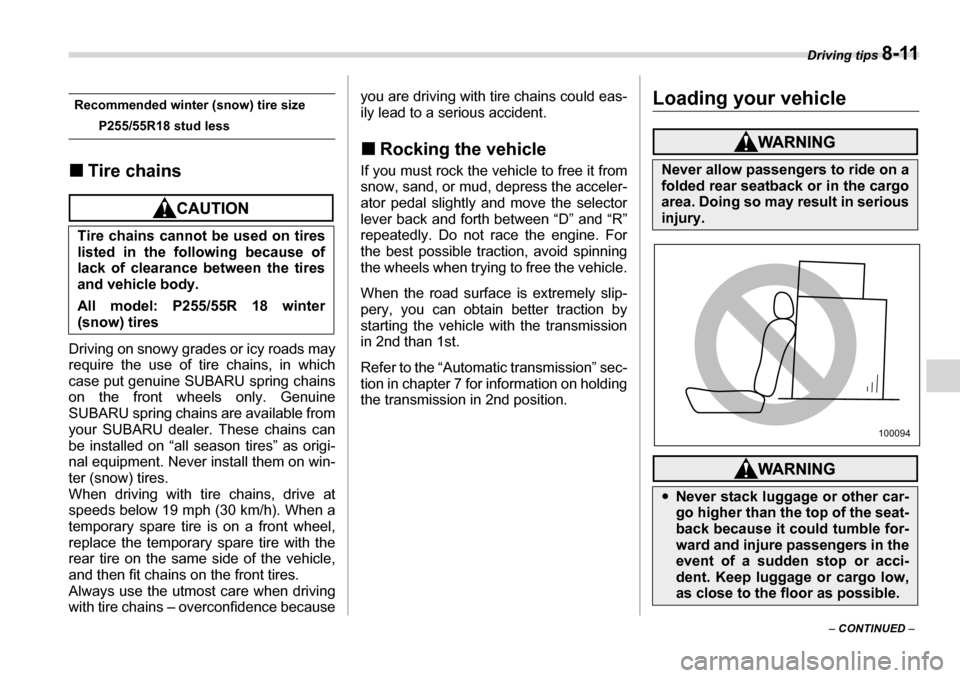
Never allow passengers to ride on a
folded rear seatback or in the cargo
area. Doing so may result in serious
injury.
y Never stack luggage or other car-
go higher than the top of the seat-
back because it could tumble for-
ward and injure passengers in the
event of a sudden stop or acci-
dent. Keep luggage or cargo low,
as close to the floor as possible.
100094
Page 262 of 377
Driving tips 8-17
– CONTINUED –
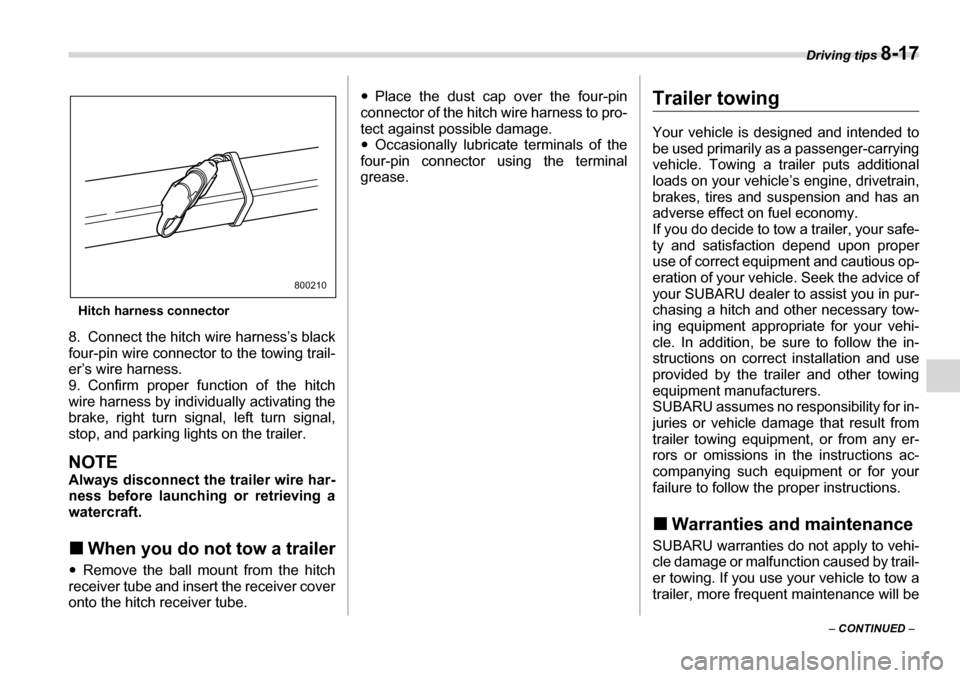
Hitch harness connector
8. Connect the hitch wire harness’s black
four-pin wire connector to the towing trail-
er’s wire harness.
9. Confirm proper function of the hitch
wire harness by individually activating the
brake, right turn signal, left turn signal,
stop, and parking lights on the trailer.
NOTE
Always disconnect the trailer wire har-
ness before launching or retrieving a
watercraft. „ When you do not tow a trailer
y Remove the ball mount from the hitch
receiver tube and insert the receiver cover
onto the hitch receiver tube. y
Place the dust cap over the four-pin
connector of the hitch wire harness to pro-
tect against possible damage.y Occasionally lubricate terminals of the
four-pin connector using the terminal
grease.
Trailer towing
Your vehicle is designed and intended to
be used primarily as a passenger-carrying
vehicle. Towing a trailer puts additional
loads on your vehicle’s engine, drivetrain,
brakes, tires and suspension and has an
adverse effect on fuel economy.
If you do decide to tow a trailer, your safe-
ty and satisfaction depend upon proper
use of correct equipment and cautious op-
eration of your vehicle. Seek the advice of
your SUBARU dealer to assist you in pur-
chasing a hitch and other necessary tow-
ing equipment appropriate for your vehi-
cle. In addition, be sure to follow the in-
structions on correct installation and use
provided by the trailer and other towing
equipment manufacturers.
SUBARU assumes no responsibility for in-
juries or vehicle damage that result from
trailer towing equipment, or from any er-
rors or omissions in the instructions ac-
companying such equipment or for your
failure to follow the proper instructions. „ Warranties and maintenance
SUBARU warranties do not apply to vehi-
cle damage or malfunction caused by trail-
er towing. If you use your vehicle to tow a
trailer, more frequent maintenance will be
800210
Page 268 of 377
Driving tips 8-23
– CONTINUED –
T
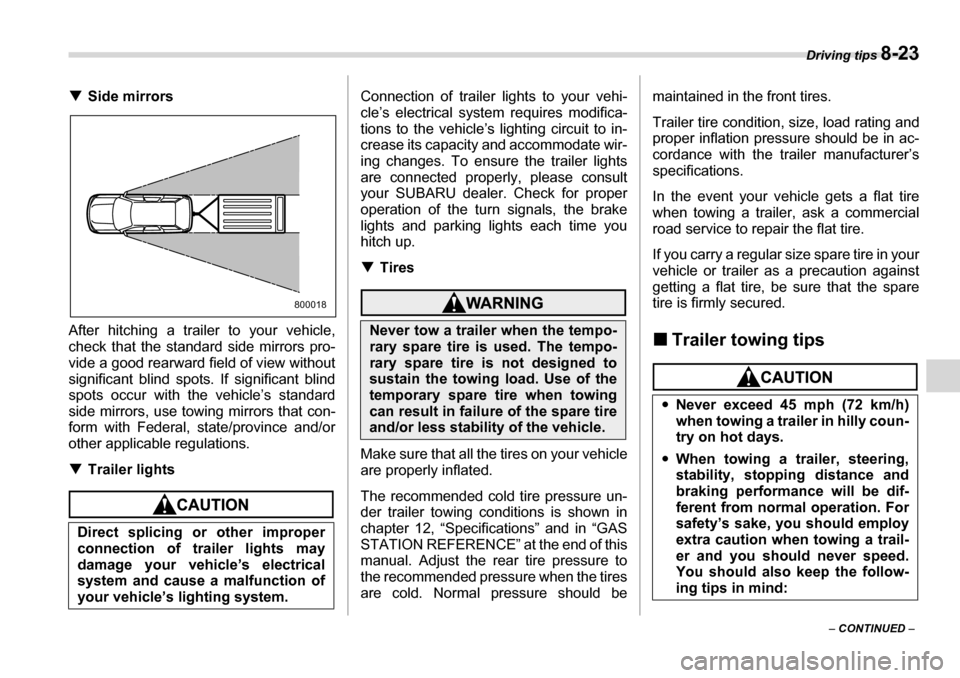
Side mirrors
After hitching a trailer to your vehicle,
check that the standard side mirrors pro-
vide a good rearward field of view without
significant blind spots. If significant blind
spots occur with the vehicle’s standard
side mirrors, use towing mirrors that con-
form with Federal, state/province and/or
other applicable regulations. T Trailer lights
Connection of trailer lights to your vehi-
cle’s electrical system requires modifica-
tions to the vehicle’s lighting circuit to in-
crease its capacity and accommodate wir-
ing changes. To ensure the trailer lights
are connected properly, please consult
your SUBARU dealer. Check for proper
operation of the turn signals, the brake
lights and parking lights each time you
hitch up. TTires
Make sure that all the tires on your vehicle
are properly inflated.
The recommended cold tire pressure un-
der trailer towing conditions is shown in
chapter 12, “Specifications” and in “GAS
STATION REFERENCE” at the end of this
manual. Adjust the rear tire pressure to
the recommended pressure when the tires
are cold. Normal pressure should be maintained in the front tires.
Trailer tire condition, size, load rating and
proper inflation pressure should be in ac-
cordance with the trailer manufacturer’s
specifications.
In the event your vehicle gets a flat tire
when towing a trailer, ask a commercial
road service to repair the flat tire.
If you carry a regular size spare tire in your
vehicle or trailer as a precaution against
getting a flat tire, be sure that the spare
tire is firmly secured. „
Trailer towing tips
Direct splicing or other improper
connection of trailer lights may
damage your vehicle’s electrical
system and cause a malfunction of
your vehicle’s lighting system.
800018
Never tow a trailer when the tempo-
rary spare tire is used. The tempo-
rary spare tire is not designed to
sustain the towing load. Use of the
temporary spare tire when towing
can result in failure of the spare tire
and/or less stability of the vehicle.
yNever exceed 45 mph (72 km/h)
when towing a trailer in hilly coun-
try on hot days.
y When towing a trailer, steering,
stability, stopping distance and
braking performance will be dif-
ferent from normal operation. For
safety’s sake, you should employ
extra caution when towing a trail-
er and you should never speed.
You should also keep the follow-
ing tips in mind: