display SUBARU TRIBECA 2008 Owner's Guide
[x] Cancel search | Manufacturer: SUBARU, Model Year: 2008, Model line: TRIBECA, Model: SUBARU TRIBECA 2008Pages: 409, PDF Size: 5.75 MB
Page 204 of 409
5-28
Audio
waveband will be displayed.
*2: Only when a CD is in the player.
*3: Only vehicle equipped with RSE (Rear Seat Entertainment)
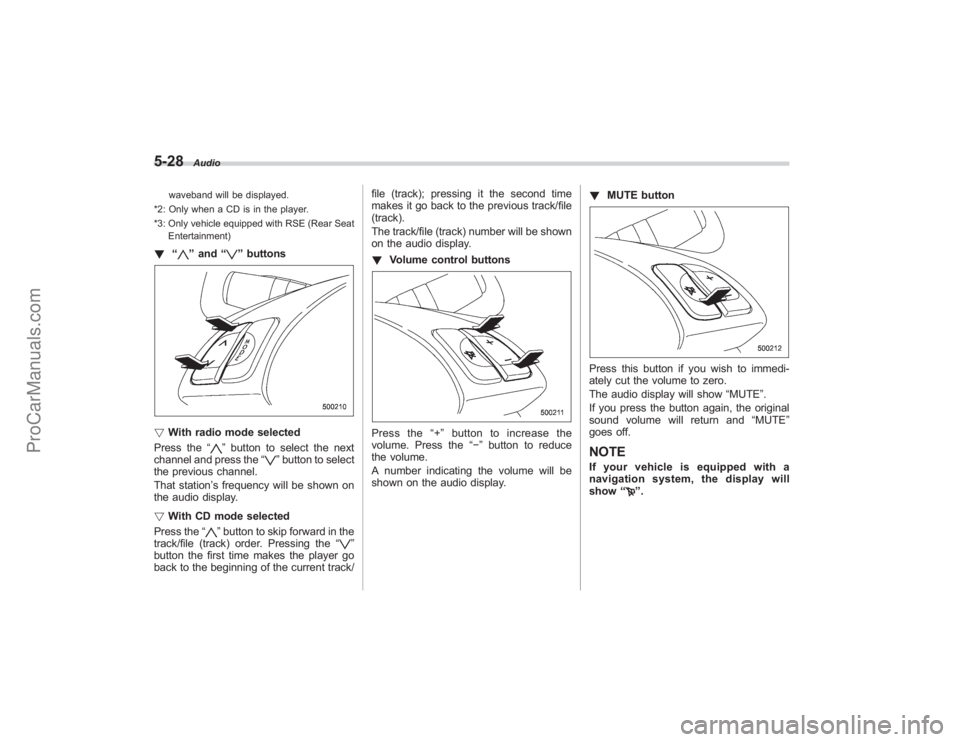
! “
”and “
”buttons
! With radio mode selected
Press the “
”button to select the next
channel and press the “
”button to select
the previous channel.
That station ’s frequency will be shown on
the audio display.
! With CD mode selected
Press the “
”button to skip forward in the
track/file (track) order. Pressing the “
”
button the first time makes the player go
back to the beginning of the current track/ file (track); pressing it the second time
makes it go back to the previous track/file
(track).
The track/file (track) number will be shown
on the audio display.
!
Volume control buttons
Press the “+ ” button to increase the
volume. Press the “−”button to reduce
the volume.
A number indicating the volume will be
shown on the audio display. !
MUTE button
Press this button if you wish to immedi-
ately cut the volume to zero.
The audio display will show “MUTE”.
If you press the button again, the original
sound volume will return and “MUTE ”
goes off.NOTEIf your vehicle is equipped with a
navigation system, the display will
show “
”.
ProCarManuals.com
Page 205 of 409
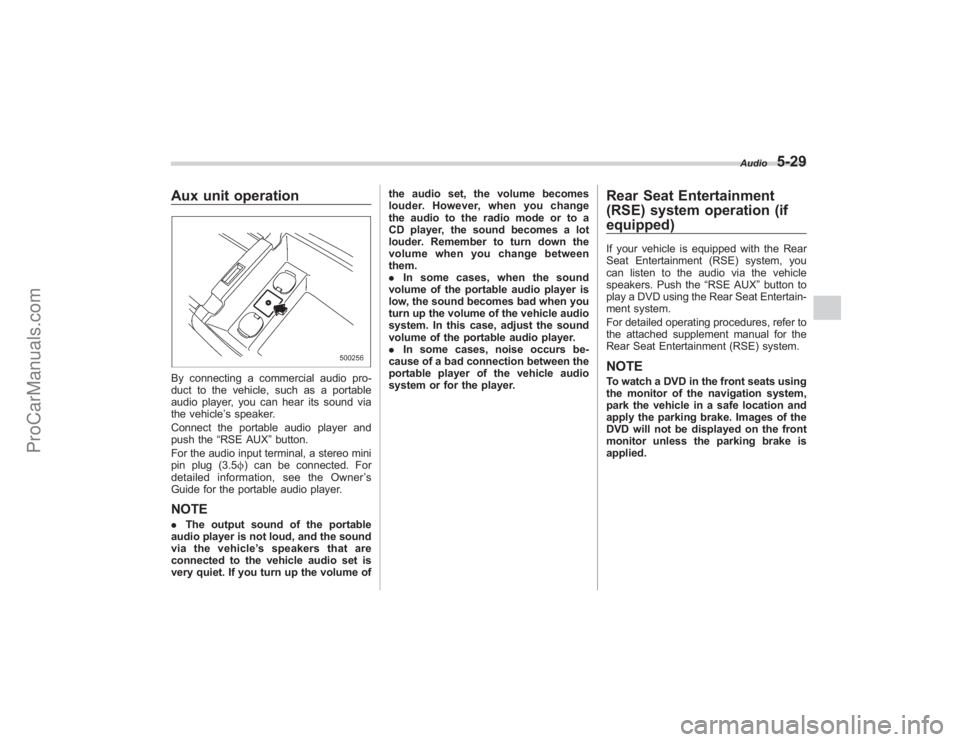
Aux unit operationBy connecting a commercial audio pro-
duct to the vehicle, such as a portable
audio player, you can hear its sound via
the vehicle’s speaker.
Connect the portable audio player and
push the “RSE AUX ”button.
For the audio input terminal, a stereo mini
pin plug (3.5 f) can be connected. For
detailed information, see the Owner ’s
Guide for the portable audio player.NOTE. The output sound of the portable
audio player is not loud, and the sound
via the vehicle ’s speakers that are
connected to the vehicle audio set is
very quiet. If you turn up the volume of the audio set, the volume becomes
louder. However, when you change
the audio to the radio mode or to a
CD player, the sound becomes a lot
louder. Remember to turn down the
volume when you change between
them.
.
In some cases, when the sound
volume of the portable audio player is
low, the sound becomes bad when you
turn up the volume of the vehicle audio
system. In this case, adjust the sound
volume of the portable audio player.
. In some cases, noise occurs be-
cause of a bad connection between the
portable player of the vehicle audio
system or for the player.
Rear Seat Entertainment
(RSE) system operation (if
equipped)If your vehicle is equipped with the Rear
Seat Entertainment (RSE) system, you
can listen to the audio via the vehicle
speakers. Push the “RSE AUX”button to
play a DVD using the Rear Seat Entertain-
ment system.
For detailed operating procedures, refer to
the attached supplement manual for the
Rear Seat Entertainment (RSE) system.NOTETo watch a DVD in the front seats using
the monitor of the navigation system,
park the vehicle in a safe location and
apply the parking brake. Images of the
DVD will not be displayed on the front
monitor unless the parking brake is
applied.
Audio
5-29
ProCarManuals.com
Page 229 of 409
Rear view camera (if
equipped)When the ignition switch is“ON”and the
selector lever is set to “R”, the rear view
camera automatically displays the rear
view image from the vehicle.
WARNING
. Since the rear view camera uses
a wide-angle lens, the image on
the monitor is different from the
actual view in terms of distance.
. Since the range of the image on
the monitor is limited, you should
always check the rear view with
your eyes and move backward at
a slow speed.
. Do not disassemble or modify the
camera, switch or wiring. If
smoke comes out or you smell
a strange odor, stop using the
rear view camera immediately.
Contact your Subaru dealer for
an inspection. Continued use
may result in accident, fire or
electric shock.
CAUTION
. If your vehicle is washed with a
high-pressure washer, do not
allow water to contact the camera
directly. Entry of water in the
camera lens may result in con-
densation, malfunction, fire or
electric shock.
. Since the camera is a precision
device, do not subject it to strong
impacts. Otherwise, malfunction,
fire or electric shock may occur.
. If mud or snow sticks to or is
frozen on the camera, you must
be very careful removing it.
Otherwise, damage done to the
camera may cause a fire or
electric shock. Pour lukewarm
water over the camera to remove
mud or ice.
. Do not put a flame close to the
camera or wiring. Otherwise, da-
mage or fire may occur.
. When replacing the fuse, be sure
to use a fuse with the specified
rating. Use of a fuse with a
different rating may result in a
malfunction.
. If the rear view camera is used for
a long time while the engine is not operated, the battery may
become completely discharged.
NOTE.
Do not wipe the camera with alcohol,
benzine or paint thinner. Otherwise,
discoloration may occur. To remove
contamination, wipe the camera with a
cloth moistened with a diluted neutral
detergent and then wipe it with a dry
cloth.
. When waxing the vehicle, be careful
not to apply the wax to the camera. If it
comes in contact with the camera,
moisten a clean cloth with a diluted
neutral detergent to remove the wax.
. The camera lens has hard coating to
help prevent scratches. However, when
washing the vehicle or cleaning the
camera lens, be careful not to scratch
the camera lens. Do not use a washing
brush directly on the camera lens. The
monitor screen may be adversely af-
fected.
. Strong light shined on the camera
lens may develop white light stripes
around the light source. This is not a
malfunction.
Interior equipment
6-21
– CONTINUED –
ProCarManuals.com
Page 230 of 409
6-22
Interior equipment
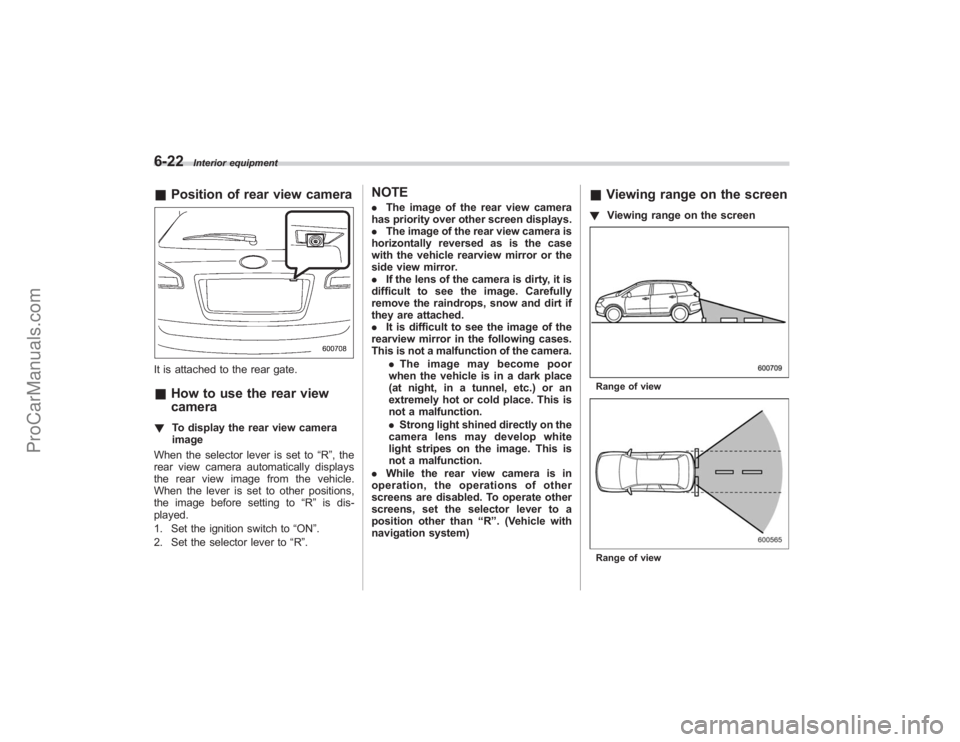
&Position of rear view cameraIt is attached to the rear gate.&How to use the rear view
camera! To display the rear view camera
image
When the selector lever is set to “R”, the
rear view camera automatically displays
the rear view image from the vehicle.
When the lever is set to other positions,
the image before setting to “R”is dis-
played.
1. Set the ignition switch to “ON”.
2. Set the selector lever to “R ”.
NOTE. The image of the rear view camera
has priority over other screen displays.
. The image of the rear view camera is
horizontally reversed as is the case
with the vehicle rearview mirror or the
side view mirror.
. If the lens of the camera is dirty, it is
difficult to see the image. Carefully
remove the raindrops, snow and dirt if
they are attached.
. It is difficult to see the image of the
rearview mirror in the following cases.
This is not a malfunction of the camera.
.The image may become poor
when the vehicle is in a dark place
(at night, in a tunnel, etc.) or an
extremely hot or cold place. This is
not a malfunction.
. Strong light shined directly on the
camera lens may develop white
light stripes on the image. This is
not a malfunction.
. While the rear view camera is in
operation, the operations of other
screens are disabled. To operate other
screens, set the selector lever to a
position other than “R ”. (Vehicle with
navigation system)
& Viewing range on the screen! Viewing range on the screenRange of viewRange of view
ProCarManuals.com
Page 232 of 409
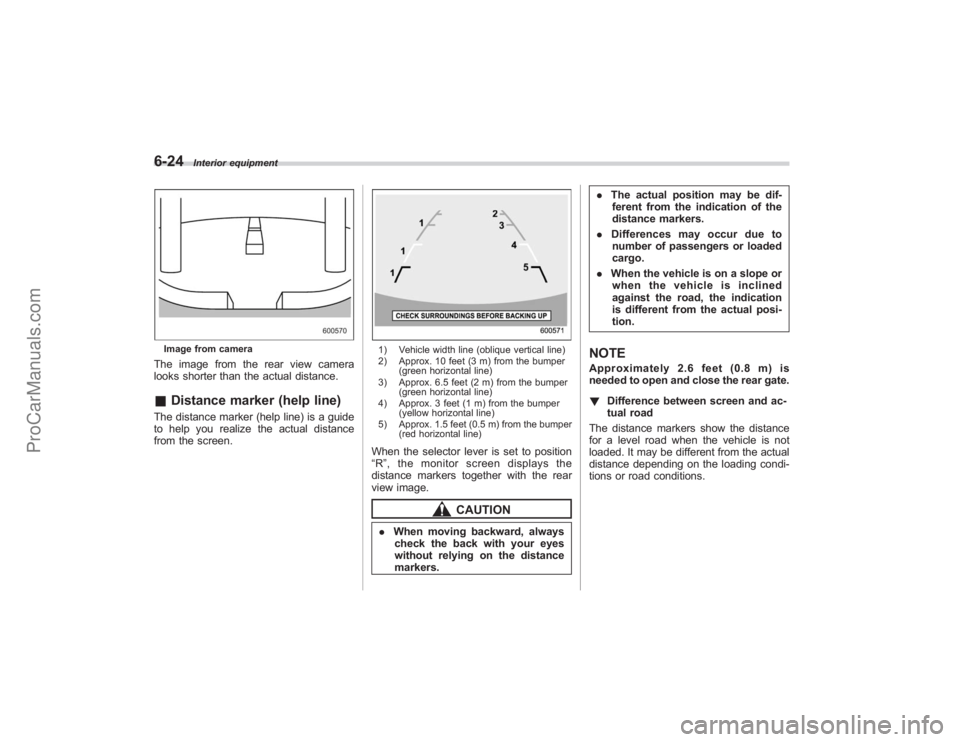
6-24
Interior equipment
Image from cameraThe image from the rear view camera
looks shorter than the actual distance.&Distance marker (help line)The distance marker (help line) is a guide
to help you realize the actual distance
from the screen.
1) Vehicle width line (oblique vertical line)
2) Approx. 10 feet (3 m) from the bumper
(green horizontal line)
3) Approx. 6.5 feet (2 m) from the bumper (green horizontal line)
4) Approx. 3 feet (1 m) from the bumper (yellow horizontal line)
5) Approx. 1.5 feet (0.5 m) from the bumper (red horizontal line)When the selector lever is set to position
“R ”, the monitor screen displays the
distance markers together with the rear
view image.
CAUTION
. When moving backward, always
check the back with your eyes
without relying on the distance
markers. .
The actual position may be dif-
ferent from the indication of the
distance markers.
. Differences may occur due to
number of passengers or loaded
cargo.
. When the vehicle is on a slope or
when the vehicle is inclined
against the road, the indication
is different from the actual posi-
tion.
NOTEApproximately 2.6 feet (0.8 m) is
needed to open and close the rear gate.
! Difference between screen and ac-
tual road
The distance markers show the distance
for a level road when the vehicle is not
loaded. It may be different from the actual
distance depending on the loading condi-
tions or road conditions.
ProCarManuals.com
Page 233 of 409
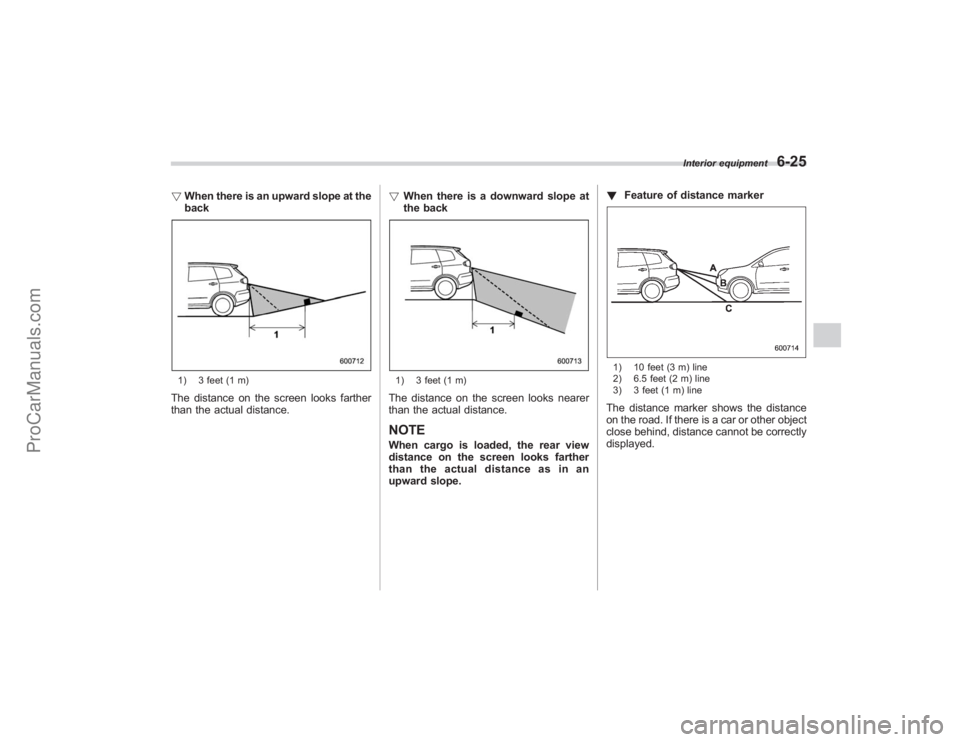
!When there is an upward slope at the
back1) 3 feet (1 m)The distance on the screen looks farther
than the actual distance. !
When there is a downward slope at
the back
1) 3 feet (1 m)The distance on the screen looks nearer
than the actual distance.NOTEWhen cargo is loaded, the rear view
distance on the screen looks farther
thantheactualdistanceasinan
upward slope. !
Feature of distance marker
1) 10 feet (3 m) line
2) 6.5 feet (2 m) line
3) 3 feet (1 m) lineThe distance marker shows the distance
on the road. If there is a car or other object
close behind, distance cannot be correctly
displayed.
Interior equipment
6-25
ProCarManuals.com
Page 331 of 409
8. Clean the rubber seal seating area of
the bottom of engine and install the oil
filter by hand turning. Be careful not to
twist or damage the seal.
9. Tighten the oil filter by the amount
indicated in the following table after the
seal makes contact with the bottom of
engine.Oil filter color Part numberAmount of ro-
tation
Black 15208AA031 3/4 rotation
CAUTION
.Never over tighten the oil filter
because that can result in an oil
leak.
. Thoroughly wipe off any engine
oil that has spilled over the
exhaust pipe and/or under-cover.
If left unremoved, the oil could
catch fire.
10. Reinstall the cover under the oil filter.
11. Pour engine oil through the filler neck.
Oil capacity (Guideline): 6.7 US qt (6.3 liters, 5.5 Imp qt)The oil quantity indicated above is only a
guideline. The necessary quantity of oil
depends on the quantity of oil that has
been drained. The quantity of drained oil
differs slightly depending on the tempera-
ture of the oil and the time the oil is left
flowing out. After refilling the engine with
oil, therefore, you must use the dipstick to
confirm that the level is correct.
12. Start the engine and make sure that no
oil leaks appear around the filter ’s rubber
seal and drain plug.
13. Run the engine until it reaches the
normal operating temperature. Then stop
the engine and wait a few minutes to allow
the oil drain back. Check the oil level
again and if necessary, add more engine
oil.& Recommended grade and
viscosity
CAUTION
Use only engine oil with the recom-
mended grade and viscosity.
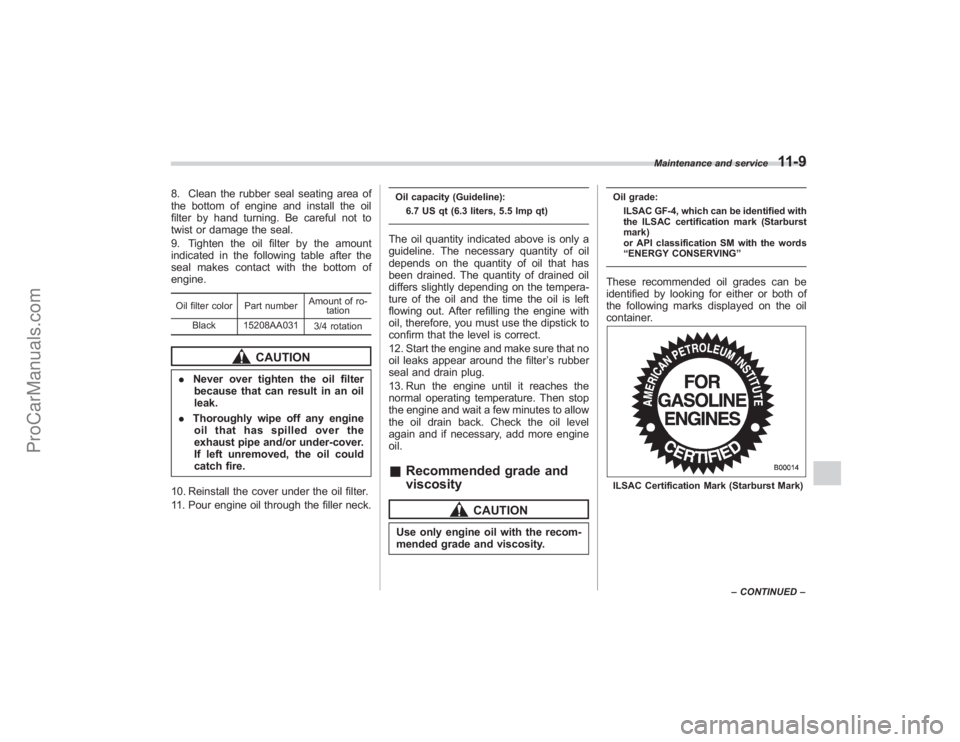
Oil grade:
ILSAC GF-4, which can be identified with
the ILSAC certification mark (Starburst
mark)
or API classification SM with the words
“ENERGY CONSERVING ”These recommended oil grades can be
identified by looking for either or both of
the following marks displayed on the oil
container.ILSAC Certification Mark (Starburst Mark)Maintenance and service
11-9
–
CONTINUED –
ProCarManuals.com
Page 402 of 409
14-6
Index
Seatbelt................................................................ 1-27
Tools .................................................................... 9-19
Malfunction indicator lamp ........................................... 3-12
Map light ........................................................... 6-3, 11-49
Maximum load limits ................................................... 8-20
Meters and gauges ..................................................... 3-5
Mirrors ...................................................................... 3-38
Moonroof .................................................................. 2-23
Multi function display .................................................. 3-23
N
New vehicle break-in driving ......................................... 8-2
O
Odometer ................................................................... 3-6
Oil filter ..................................................................... 11-8
Oil level Engine .................................................................. 11-7
Front differential gear ........................................... 11-17
Rear differential ................................................... 11-18
Oil pressure warning light ............................................ 3-13
On-pavement and off road driving ................................. 8-5
Outside mirrors .......................................................... 3-39
Outside temperature indication. .................................... 3-22
Overhead console ....................................................... 6-7
Overheating engine .................................................... 9-14
P
Parking Brake ................................................................... 7-29
Brake stroke ........................................................ 11-23 Light switch
.......................................................... 3-32
Tips ..................................................................... 7-29
Parking your vehicle .................................................. 7-29
Periodic inspections ..................................................... 8-4
Power Door locking switch .................................................. 2-6
Outside mirrors ..................................................... 3-41
Seat ....................................................................... 1-3
Steering ............................................................... 7-18
Steering fluid ........................................................ 11-19
Windows .............................................................. 2-19
Precautions against vehicle modification ............... 1-30, 1-69
Preparing to drive ........................................................ 7-7
Printed antenna ........................................................... 5-2
R
Rear Air conditioner ......................................................... 4-8
Combination lights ................................................ 11-46
Gate ............................................................ 2-22, 9-18
Gate light ............................................................... 6-3
Seats ..................................................................... 1-7
Rear differential Gear oil ............................................................... 11-18
Oil temperature warning light .................................. 3-14
Rear seat Folding down .......................................................... 1-9
Rear view camera ..................................................... 6-21
Rear window Defogger button .................................................... 3-37
Wiper
and washer switch ........................................ 3-35
ProCarManuals.com
Page 409 of 409
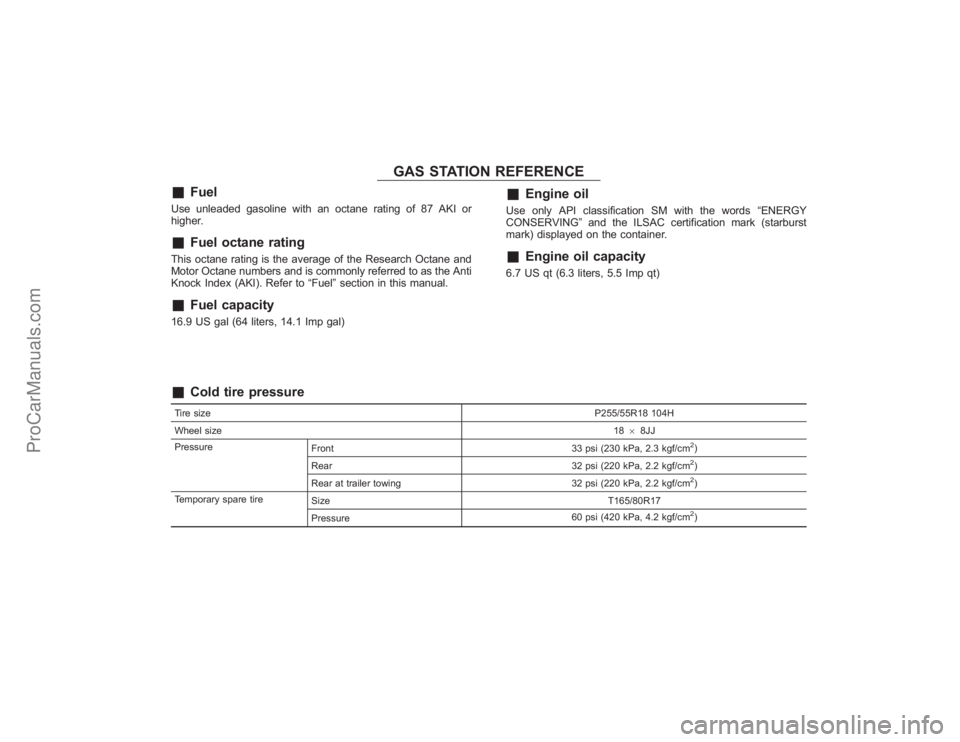
GAS STATION REFERENCE
&
Fuel
Use unleaded gasoline with an octane rating of 87 AKI or
higher.&
Fuel octane rating
This octane rating is the average of the Research Octane and
Motor Octane numbers and is commonly referred to as the Anti
Knock Index (AKI). Refer to “Fuel”section in this manual.&
Fuel capacity
16.9 US gal (64 liters, 14.1 Imp gal)
&
Engine oil
Use only API classification SM with the words “ENERGY
CONSERVING ”and the ILSAC certification mark (starburst
mark) displayed on the container.&
Engine oil capacity
6.7 US qt (6.3 liters, 5.5 Imp qt)
&
Cold tire pressure
Tire size P255/55R18 104H
Wheel size 1868JJ
Pressure Front 33 psi (230 kPa, 2.3 kgf/cm
2)
Rear 32 psi (220 kPa, 2.2 kgf/cm2)
Rear at trailer towing 32 psi (220 kPa, 2.2 kgf/cm2)
Temporary spare tire Size T165/80R17
Pressure 60 psi (420 kPa, 4.2 kgf/cm2)
ProCarManuals.com