key SUBARU TRIBECA 2008 Owner's Guide
[x] Cancel search | Manufacturer: SUBARU, Model Year: 2008, Model line: TRIBECA, Model: SUBARU TRIBECA 2008Pages: 409, PDF Size: 5.75 MB
Page 123 of 409
Ignition switch
WARNING
.Never turn the ignition switch to
“ LOCK” while the vehicle is
being driven or towed because
that will lock the steering wheel,
preventing steering control. And
when the engine is turned off, it
takes a much greater effort than
usual to steer.
. Before leaving the vehicle, al-
ways remove the key from the
ignition switch for safety and
never allow an unattended child
to remain in the vehicle. Failure
to follow this procedure could
result in injury to a child or
others. Children could operate
the power windows, the moon-
roof or other controls or even
make the vehicle move.
CAUTION
Do not attach a large key holder or
key case to either key. If it banged
against your knees or hands while
you were driving, it could turn the
ignition switch from the “ON ”posi- tion to the
“Acc ”or “LOCK ”posi-
tion, thereby stopping the engine.
Also, if the key is attached to a
keyholder or to a large bunch of
other keys, centrifugal force may act
on it as the vehicle moves, resulting
in unwanted turning of the ignition
switch.
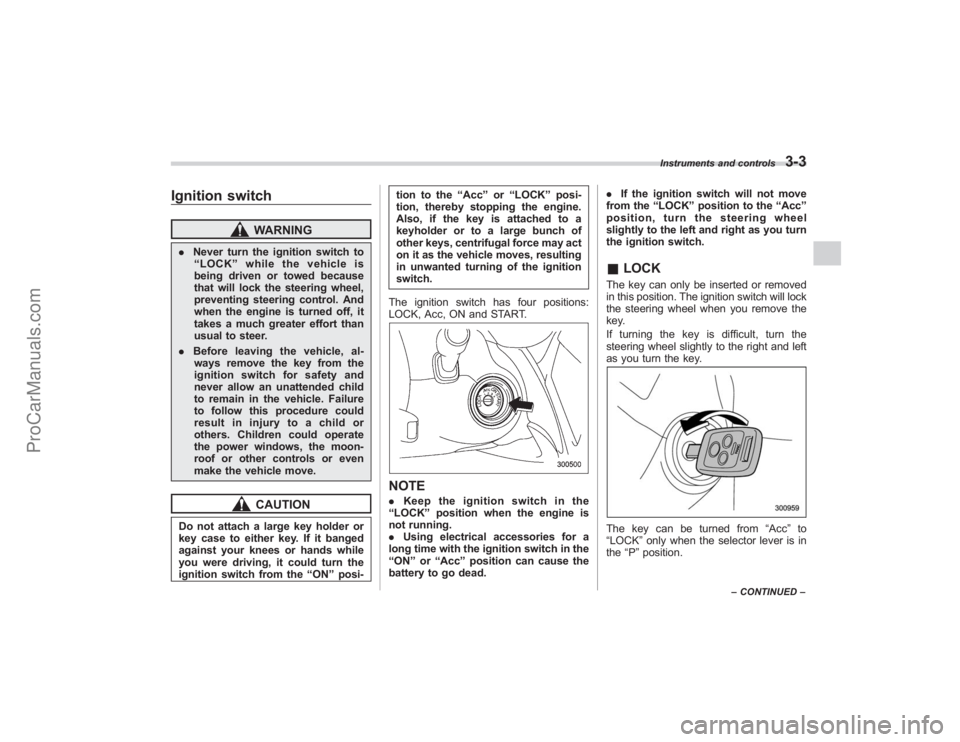
The ignition switch has four positions:
LOCK, Acc, ON and START.
NOTE. Keep the ignition switch in the
“ LOCK ”position when the engine is
not running.
. Using electrical accessories for a
long time with the ignition switch in the
“ ON ”or “Acc ”position can cause the
battery to go dead. .
If the ignition switch will not move
from the “LOCK ”position to the “Acc ”
position, turn the steering wheel
slightly to the left and right as you turn
the ignition switch.
& LOCKThe key can only be inserted or removed
in this position. The ignition switch will lock
the steering wheel when you remove the
key.
If turning the key is difficult, turn the
steering wheel slightly to the right and left
as you turn the key.The key can be turned from “Acc”to
“LOCK ”only when the selector lever is in
the “P ”position.
Instruments and controls
3-3
– CONTINUED –
ProCarManuals.com
Page 124 of 409
3-4
Instruments and controls
&AccIn this position the electrical accessories
(radio, accessory power outlet, etc.) can
be used.&ONThis is the normal operating position after
the engine is started.&START
CAUTION
Do not turn the ignition switch to the
“START ”position while the engine
is running.
The engine is started in this position. The
starter cranks the engine to start it. When
the key is released (after the engine has
started), the key automatically returns to
the “ON ”position.
If your registered key fails to start the
engine, pull out the key once (the security
indicator light will blink), and then insert
the key in the ignition switch and turn it to
the “START ”position and again try to start
the engine.
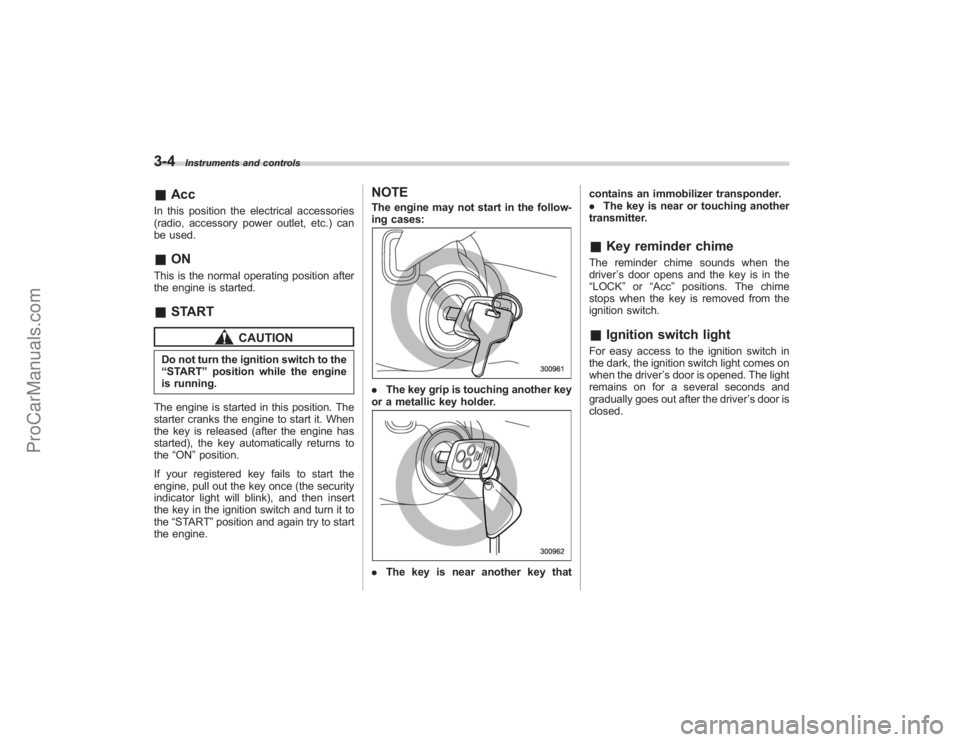
NOTEThe engine may not start in the follow-
ing cases:. The key grip is touching another key
or a metallic key holder.. The key is near another key that contains an immobilizer transponder.
.
The key is near or touching another
transmitter.
& Key reminder chimeThe reminder chime sounds when the
driver ’s door opens and the key is in the
“ LOCK” or“Acc ”positions. The chime
stops when the key is removed from the
ignition switch.& Ignition switch lightFor easy access to the ignition switch in
the dark, the ignition switch light comes on
when the driver ’s door is opened. The light
remains on for a several seconds and
gradually goes out after the driver ’s door is
closed.
ProCarManuals.com
Page 139 of 409
The Vehicle Dynamics Control system
provides its ABS control through the
electrical circuit of the ABS system.
Accordingly, if the ABS is inoperative, the
Vehicle Dynamics Control system be-
comes unable to provide ABS control. As
a result, the Vehicle Dynamics Control
system also becomes inoperative, caus-
ing the warning light to come on. Though
both the Vehicle Dynamics Control and
ABS systems are inoperative in this case,
the ordinary functions of the brake system
are still available. You will be safe while
driving with this condition, but have your
vehicle checked at a SUBARU dealer as
soon as possible.NOTEIf the warning light behavior is as
shown in the following, the Vehicle
Dynamics Control system may be con-
sidered normal.
.The warning light comes on right
after the engine is started but goes out
immediately, remaining off.
. The warning light comes on after
engine startup and goes off while the
vehicle is subsequently being driven.
. The warning light comes on during
driving, but it goes out immediately and
remains off. !
Traction Control system OFF indi-
cator light
. It comes on when the Traction Control
system OFF switch is pressed.
. It also comes on when the Traction
Control system is deactivated.
NOTE. The light may stay on for a while
after the engine has been started,
especially in cold weather. This does
not indicate the existence of a problem.
The light should go out as soon as the
engine has warmed up.
. The indicator light comes on when
the engine has developed a problem
and the CHECK ENGINE warning light/
Malfunction indicator lamp is on.
The Vehicle Dynamics Control system is
probably faulty under the following condi-
tion. Have your vehicle checked at a
SUBARU dealer as soon as possible.
. The light does not go out even after the
lapse of several minutes (the engine has
warmed up) after the engine has started.
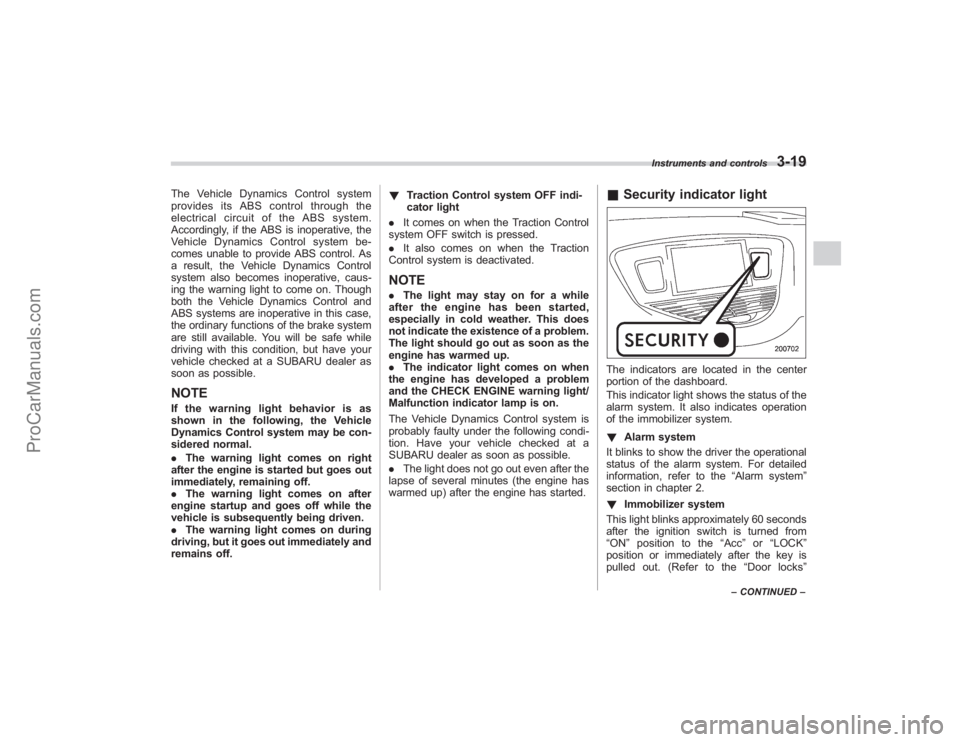
& Security indicator lightThe indicators are located in the center
portion of the dashboard.
This indicator light shows the status of the
alarm system. It also indicates operation
of the immobilizer system.
! Alarm system
It blinks to show the driver the operational
status of the alarm system. For detailed
information, refer to the “Alarm system”
section in chapter 2.
! Immobilizer system
This light blinks approximately 60 seconds
after the ignition switch is turned from
“ ON ”position to the “Acc ”or “LOCK ”
position or immediately after the key is
pulled out. (Refer to the “Door locks ”
Instruments and controls
3-19
–CONTINUED –
ProCarManuals.com
Page 140 of 409
3-20
Instruments and controls
section in chapter 2.)
If the indicator light does not flash, it may
indicate that immobilizer system may be
faulty. Contact your nearest SUBARU
dealer immediately.
In the event that an unauthorized key (for
example, an unauthorized duplicate) is
used, the security indicator light comes
on.&
SPORT mode indicator
light
This light comes on when the ignition
switch is turned to the“ON”position and
goes out after the engine has started.
When the selector lever is moved to the
manual gate, the SPORT mode is se-
lected and the indicator light comes on.
(Refer to the “Automatic transmission ”
section in chapter 7.)
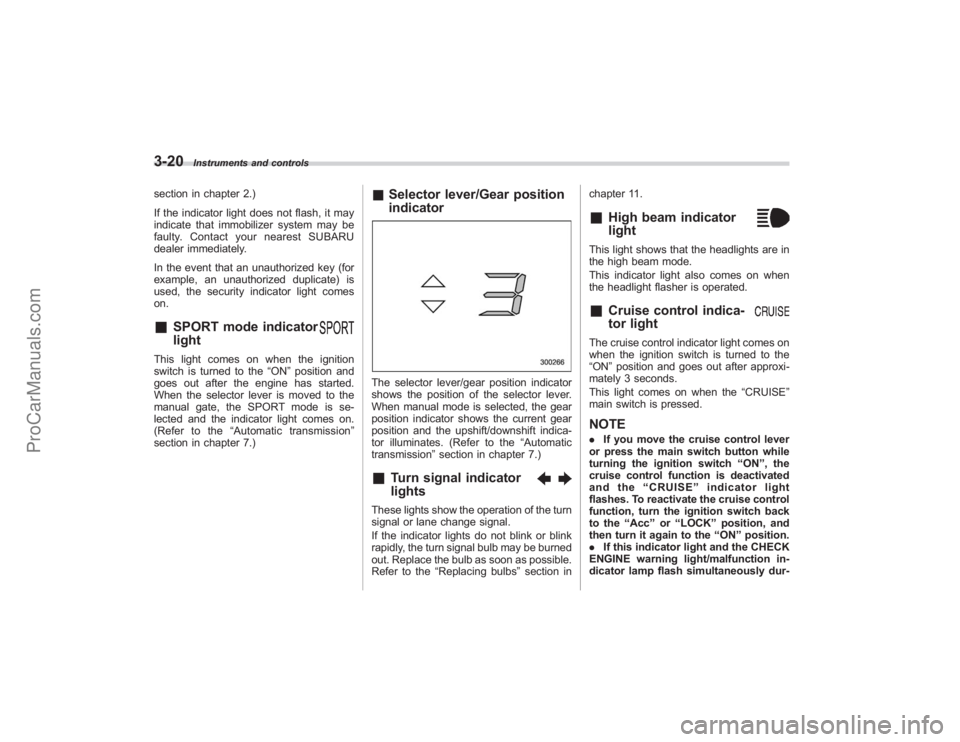
& Selector lever/Gear position
indicatorThe selector lever/gear position indicator
shows the position of the selector lever.
When manual mode is selected, the gear
position indicator shows the current gear
position and the upshift/downshift indica-
tor illuminates. (Refer to the “Automatic
transmission” section in chapter 7.)&
Turn signal indicator
lights
These lights show the operation of the turn
signal or lane change signal.
If the indicator lights do not blink or blink
rapidly, the turn signal bulb may be burned
out. Replace the bulb as soon as possible.
Refer to the“Replacing bulbs ”section in chapter 11.
&
High beam indicator
light
This light shows that the headlights are in
the high beam mode.
This indicator light also comes on when
the headlight flasher is operated.&
Cruise control indica-
tor light
The cruise control indicator light comes on
when the ignition switch is turned to the
“ON
”position and goes out after approxi-
mately 3 seconds.
This light comes on when the “CRUISE”
main switch is pressed.NOTE. If you move the cruise control lever
or press the main switch button while
turning the ignition switch “ON ”, the
cruise control function is deactivated
and the “CRUISE ”indicator light
flashes. To reactivate the cruise control
function, turn the ignition switch back
to the “Acc ”or “LOCK ”position, and
then turn it again to the “ON ”position.
. If this indicator light and the CHECK
ENGINE warning light/malfunction in-
dicator lamp flash simultaneously dur-
ProCarManuals.com
Page 210 of 409
6-2
Interior equipment
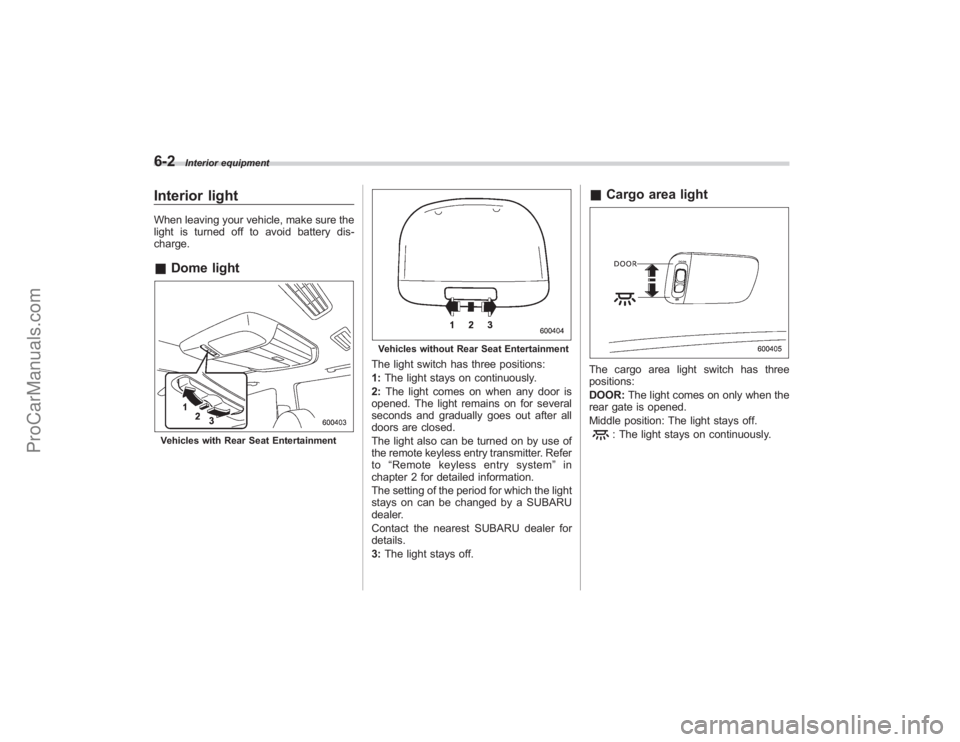
Interior lightWhen leaving your vehicle, make sure the
light is turned off to avoid battery dis-
charge.&Dome lightVehicles with Rear Seat Entertainment
Vehicles without Rear Seat EntertainmentThe light switch has three positions:
1:The light stays on continuously.
2: The light comes on when any door is
opened. The light remains on for several
seconds and gradually goes out after all
doors are closed.
The light also can be turned on by use of
the remote keyless entry transmitter. Refer
to “Remote keyless entry system ”in
chapter 2 for detailed information.
The setting of the period for which the light
stays on can be changed by a SUBARU
dealer.
Contact the nearest SUBARU dealer for
details.
3: The light stays off.
& Cargo area lightThe cargo area light switch has three
positions:
DOOR: The light comes on only when the
rear gate is opened.
Middle position: The light stays off.
: The light stays on continuously.
ProCarManuals.com
Page 211 of 409
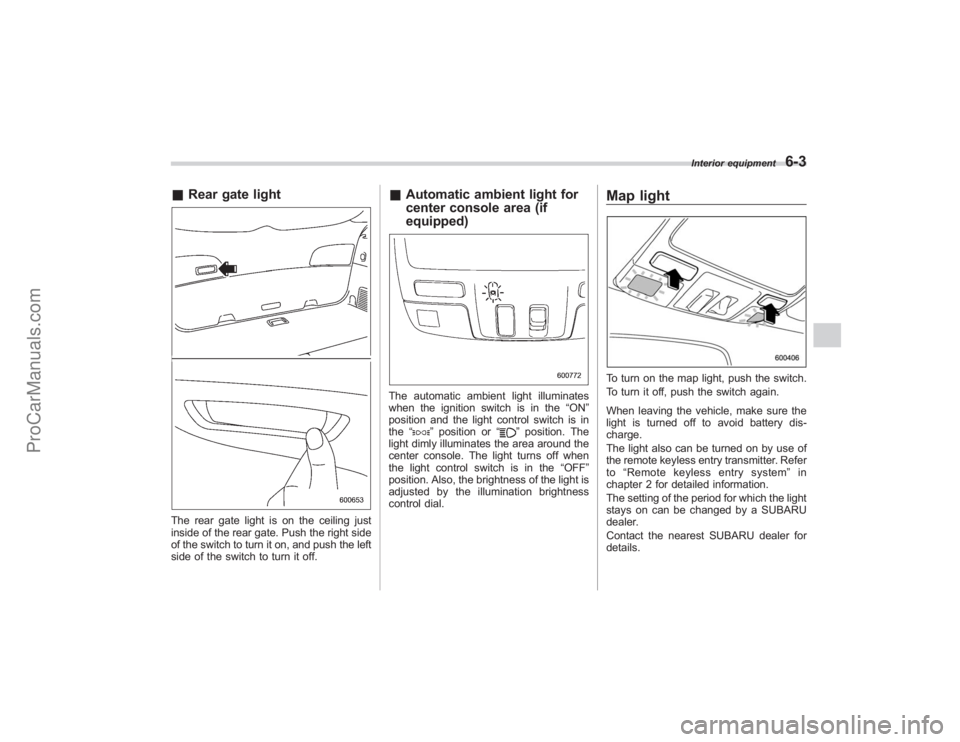
&Rear gate lightThe rear gate light is on the ceiling just
inside of the rear gate. Push the right side
of the switch to turn it on, and push the left
side of the switch to turn it off.
&Automatic ambient light for
center console area (if
equipped)The automatic ambient light illuminates
when the ignition switch is in the “ON”
position and the light control switch is in
the “
”position or “
”position. The
light dimly illuminates the area around the
center console. The light turns off when
the light control switch is in the “OFF”
position. Also, the brightness of the light is
adjusted by the illumination brightness
control dial.
Map lightTo turn on the map light, push the switch.
To turn it off, push the switch again.
When leaving the vehicle, make sure the
light is turned off to avoid battery dis-
charge.
The light also can be turned on by use of
the remote keyless entry transmitter. Refer
to “Remote keyless entry system ”in
chapter 2 for detailed information.
The setting of the period for which the light
stays on can be changed by a SUBARU
dealer.
Contact the nearest SUBARU dealer for
details.
Interior equipment
6-3
ProCarManuals.com
Page 213 of 409
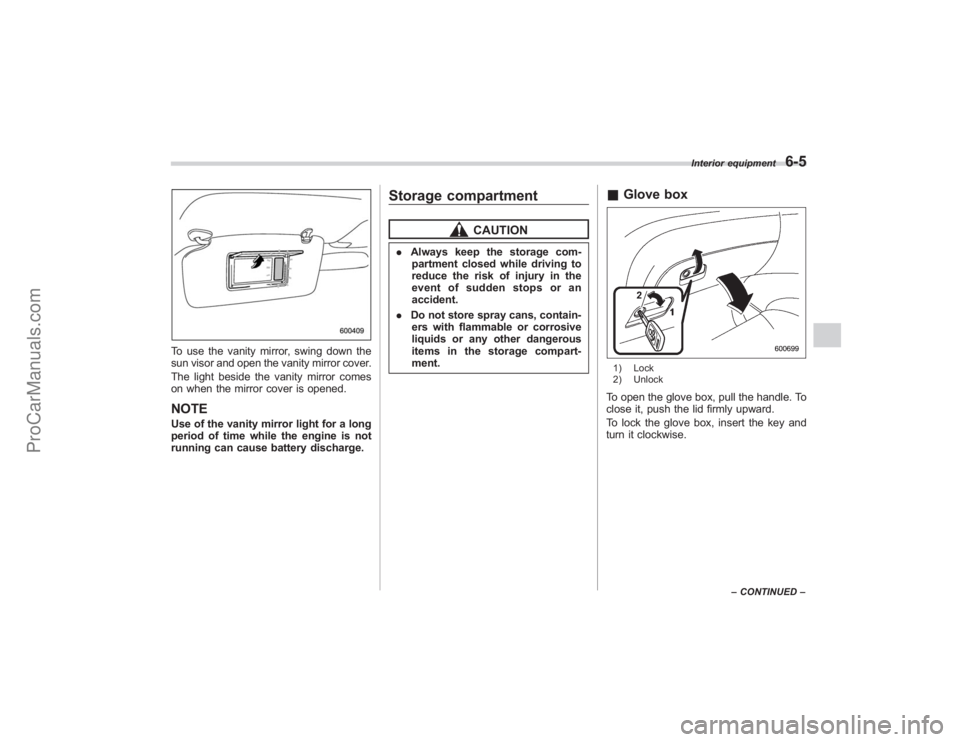
To use the vanity mirror, swing down the
sun visor and open the vanity mirror cover.
The light beside the vanity mirror comes
on when the mirror cover is opened.NOTEUse of the vanity mirror light for a long
period of time while the engine is not
running can cause battery discharge.
Storage compartment
CAUTION
.Always keep the storage com-
partment closed while driving to
reduce the risk of injury in the
event of sudden stops or an
accident.
. Do not store spray cans, contain-
ers with flammable or corrosive
liquids or any other dangerous
items in the storage compart-
ment.
& Glove box1) Lock
2) UnlockTo open the glove box, pull the handle. To
close it, push the lid firmly upward.
To lock the glove box, insert the key and
turn it clockwise.
Interior equipment
6-5
–CONTINUED –
ProCarManuals.com
Page 224 of 409
6-16
Interior equipment
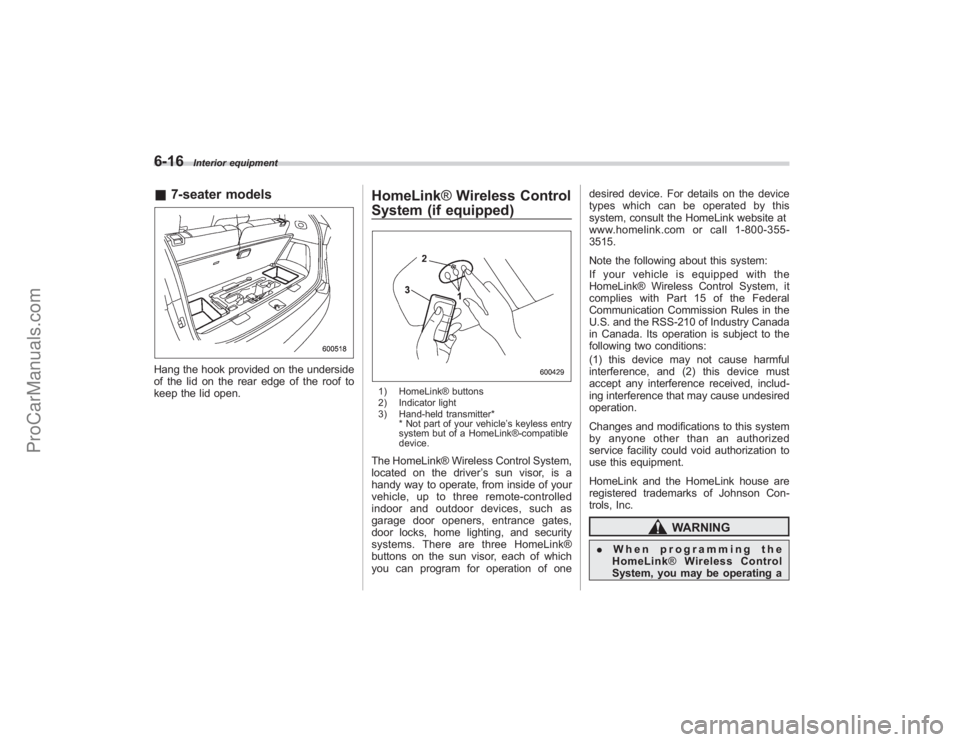
&7-seater modelsHang the hook provided on the underside
of the lid on the rear edge of the roof to
keep the lid open.
HomeLink ®Wireless Control
System (if equipped)1) HomeLink® buttons
2) Indicator light
3) Hand-held transmitter*
* Not part of your vehicle ’s keyless entry
system but of a HomeLink®-compatible
device.The HomeLink® Wireless Control System,
located on the driver ’s sun visor, is a
handy way to operate, from inside of your
vehicle, up to three remote-controlled
indoor and outdoor devices, such as
garage door openers, entrance gates,
door locks, home lighting, and security
systems. There are three HomeLink®
buttons on the sun visor, each of which
you can program for operation of one desired device. For details on the device
types which can be operated by this
system, consult the HomeLink website at
www.homelink.com or call 1-800-355-
3515.
Note the following about this system:
If your vehicle is equipped with the
HomeLink® Wireless Control System, it
complies with Part 15 of the Federal
Communication Commission Rules in the
U.S. and the RSS-210 of Industry Canada
in Canada. Its operation is subject to the
following two conditions:
(1) this device may not cause harmful
interference, and (2) this device must
accept any interference received, includ-
ing interference that may cause undesired
operation.
Changes and modifications to this system
by anyone other than an authorized
service facility could void authorization to
use this equipment.
HomeLink and the HomeLink house are
registered trademarks of Johnson Con-
trols, Inc.
WARNING
.
When programming the
HomeLink ®Wireless Control
System, you may be operating a
ProCarManuals.com
Page 241 of 409
Preparing to driveYou should perform the following checks
and adjustments every day before you
start driving.
1. Check that all windows, mirrors, and
lights are clean and unobstructed.
2. Check the appearance and condition
of the tires. Also check tires for proper
inflation.
3. Look under the vehicle for any sign of
leaks.
4. Check that the hood and rear gate are
fully closed.
5. Check the adjustment of the seat.
6. Check the adjustment of the inside
and outside mirrors.
7. Fasten your seatbelt. Check that your
passengers have fastened their seatbelts.
8. Check the operation of the warning
and indicator lights when the ignition
switch is turned to the“ON”position.
9. Check the gauges, indicator and warn-
ing lights after starting the engine.NOTEEngine oil, engine coolant, brake fluid,
washer fluid and other fluid levels
should be checked daily, weekly or at
fuel stops.
Starting the engine
CAUTION
. Do not operate the starter motor
continuously for more than 10
seconds. If the engine fails to
start after operating the starter
for 5 to 10 seconds, wait for 10
seconds or more before trying
again.
. If you restart the engine while the
vehicle is moving, shift the se-
lector lever into the “N ” position.
Do not attempt to place the
selector lever of a moving vehicle
into the “P ” position.
1. Apply the parking brake.
2. Turn off unnecessary lights and ac-
cessories.
3. Shift the selector lever to the “P”or “N”
position (preferably “P ” position). The
starter will only operate when the select
lever is at the “P”or “N”position.
4. Turn the ignition switch to the “ON”
position and check the operation of the
warning and indicator lights. Refer to the
“ Warning and indicator lights ”section
(chapter 3).
5. Turn the ignition switch to the “START”position
without depressing the accelera-
tor pedal. Release the key immediately
after the engine has started.
If the engine does not start, try the
following.
(1) Turn the ignition switch to the
“LOCK ”position and wait for at least
10 seconds. After checking that the
parking brake is firmly set, turn the
ignition switch to the “START”position
while depressing the accelerator pedal
slightly (approximately a quarter of the
full stroke). Release the accelerator
pedal as soon as the engine starts.
(2) If this fails to start the engine, turn
the ignition switch back to the “LOCK”
position and wait for at least 10
seconds. Then fully depress the accel-
erator pedal and turn the ignition
switch to the “START”position. If the
engine starts, quickly release the
accelerator pedal.
(3) If this fails to start the engine, turn
the ignition switch again to the “LOCK”
position. After waiting for 10 seconds
or longer, turn the ignition switch to the
“START ”position without depressing
the accelerator pedal.
(4)
If the engine still refuses to start,
contact your nearest SUBARU dealer
for assistance.
6. Confirm that all warning and indicator
Starting and operating
7-7
– CONTINUED –
ProCarManuals.com
Page 243 of 409
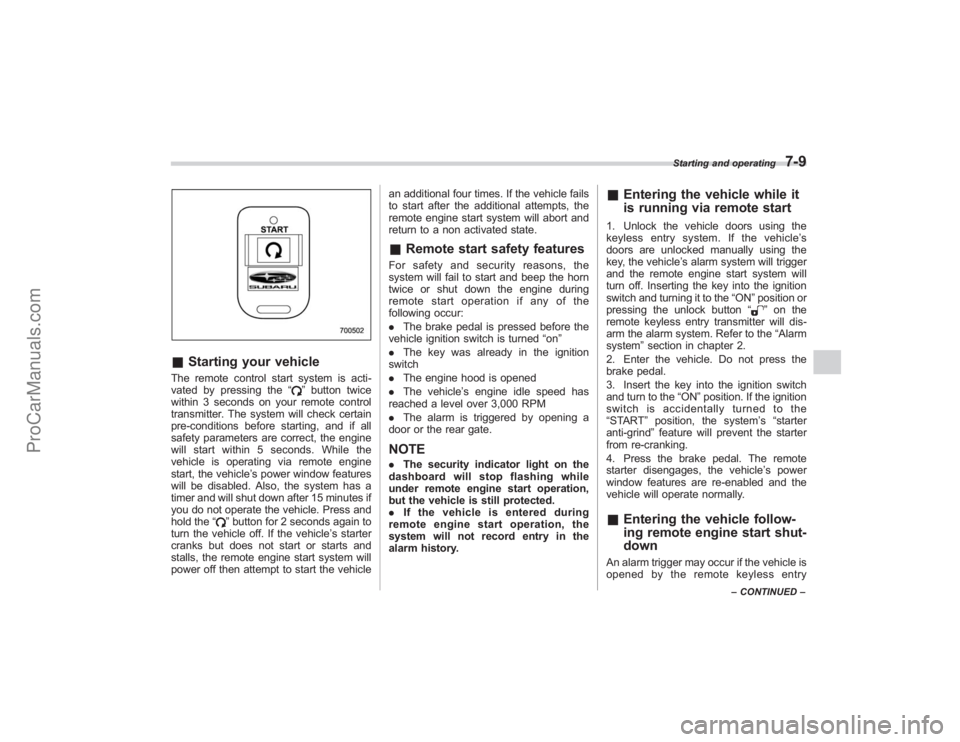
&Starting your vehicleThe remote control start system is acti-
vated by pressing the “
”button twice
within 3 seconds on your remote control
transmitter. The system will check certain
pre-conditions before starting, and if all
safety parameters are correct, the engine
will start within 5 seconds. While the
vehicle is operating via remote engine
start, the vehicle’ s power window features
will be disabled. Also, the system has a
timer and will shut down after 15 minutes if
you do not operate the vehicle. Press and
hold the “
”button for 2 seconds again to
turn the vehicle off. If the vehicle ’s starter
cranks but does not start or starts and
stalls, the remote engine start system will
power off then attempt to start the vehicle an additional four times. If the vehicle fails
to start after the additional attempts, the
remote engine start system will abort and
return to a non activated state.
&
Remote start safety featuresFor safety and security reasons, the
system will fail to start and beep the horn
twice or shut down the engine during
remote start operation if any of the
following occur:
. The brake pedal is pressed before the
vehicle ignition switch is turned “on ”
. The key was already in the ignition
switch
. The engine hood is opened
. The vehicle’ s engine idle speed has
reached a level over 3,000 RPM
. The alarm is triggered by opening a
door or the rear gate.NOTE. The security indicator light on the
dashboard will stop flashing while
under remote engine start operation,
but the vehicle is still protected.
. If the vehicle is entered during
remote engine start operation, the
system will not record entry in the
alarm history.
& Entering the vehicle while it
is running via remote start1. Unlock the vehicle doors using the
keyless entry system. If the vehicle ’s
doors are unlocked manually using the
key, the vehicle’ s alarm system will trigger
and the remote engine start system will
turn off. Inserting the key into the ignition
switch and turning it to the “ON”position or
pressing the unlock button “
”on the
remote keyless entry transmitter will dis-
arm the alarm system. Refer to the “Alarm
system ”section in chapter 2.
2. Enter the vehicle. Do not press the
brake pedal.
3. Insert the key into the ignition switch
and turn to the “ON”position. If the ignition
switch is accidentally turned to the
“START ”position, the system ’s “starter
anti-grind ”feature will prevent the starter
from re-cranking.
4. Press the brake pedal. The remote
starter disengages, the vehicle ’s power
window features are re-enabled and the
vehicle will operate normally.
& Entering the vehicle follow-
ing remote engine start shut-
downAn alarm trigger may occur if the vehicle is
opened by the remote keyless entry
Starting and operating
7-9
–CONTINUED –
ProCarManuals.com