cruise control SUBARU TRIBECA 2008 Owners Manual
[x] Cancel search | Manufacturer: SUBARU, Model Year: 2008, Model line: TRIBECA, Model: SUBARU TRIBECA 2008Pages: 409, PDF Size: 5.75 MB
Page 17 of 409
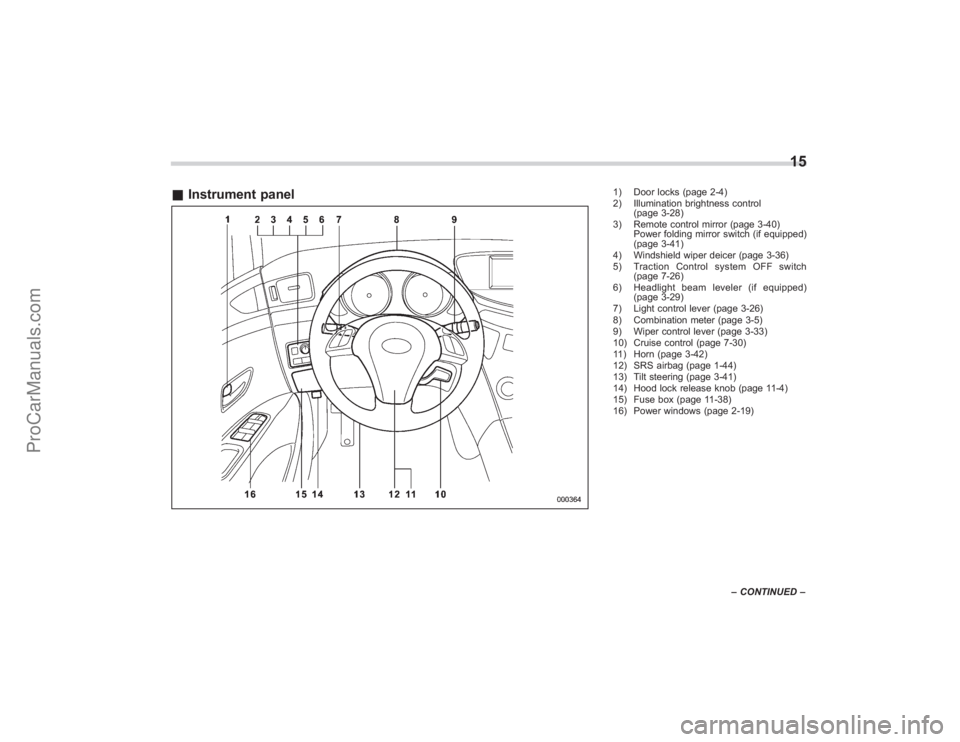
&Instrument panel
1) Door locks (page 2-4)
2) Illumination brightness control
(page 3-28)
3) Remote control mirror (page 3-40) Power folding mirror switch (if equipped)
(page 3-41)
4) Windshield wiper deicer (page 3-36)
5) Traction Control system OFF switch (page 7-26)
6) Headlight beam leveler (if equipped) (page 3-29)
7) Light control lever (page 3-26)
8) Combination meter (page 3-5)
9) Wiper control lever (page 3-33)
10) Cruise control (page 7-30)
11) Horn (page 3-42)
12) SRS airbag (page 1-44)
13) Tilt steering (page 3-41)
14) Hood lock release knob (page 11-4)
15) Fuse box (page 11-38)
16) Power windows (page 2-19)
15
– CONTINUED –
ProCarManuals.com
Page 21 of 409
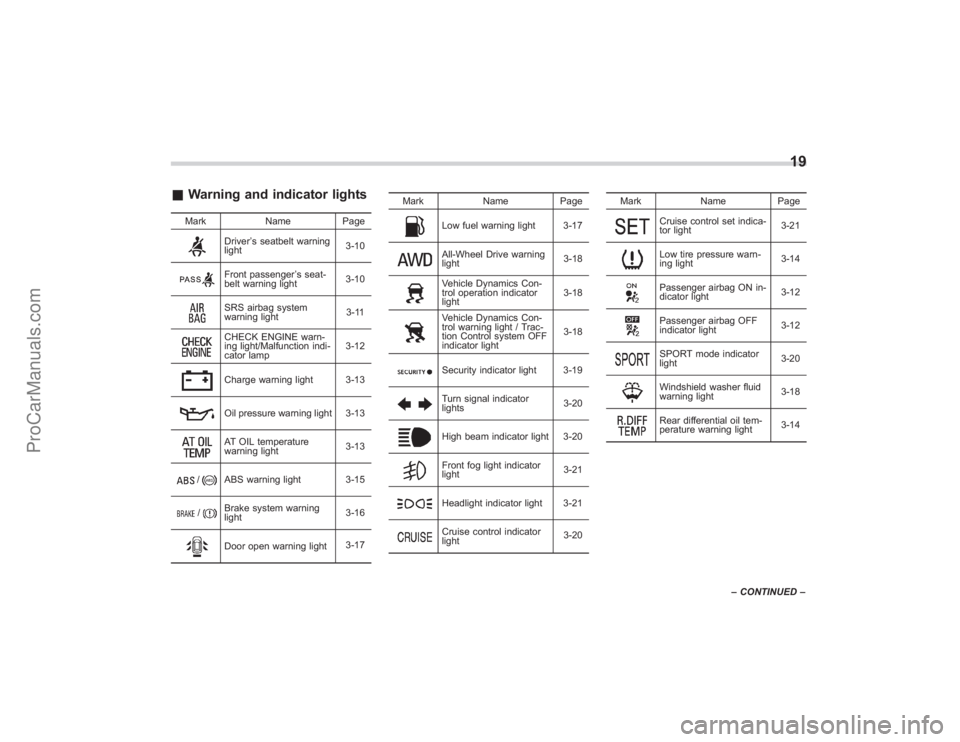
&Warning and indicator lights
Mark NamePage
Driver’s seatbelt warning
light 3-10Front passenger
’s seat-
belt warning light 3-10SRS airbag system
warning light 3-11CHECK ENGINE warn-
ing light/Malfunction indi-
cator lamp3-12Charge warning light 3-13Oil pressure warning light 3-13AT OIL temperature
warning light
3-13
/
ABS warning light 3-15
/
Brake system warning
light3-16Door open warning light
3-17Mark Name Page
Low fuel warning light 3-17All-Wheel Drive warning
light
3-18Vehicle Dynamics Con-
trol operation indicator
light3-18Vehicle Dynamics Con-
trol warning light / Trac-
tion Control system OFF
indicator light3-18Security indicator light 3-19Turn signal indicator
lights
3-20High beam indicator light 3-20Front fog light indicator
light3-21Headlight indicator light 3-21Cruise control indicator
light3-20Mark Name Page
Cruise control set indica-
tor light
3-21Low tire pressure warn-
ing light3-14Passenger airbag ON in-
dicator light
3-12Passenger airbag OFF
indicator light3-12SPORT mode indicator
light
3-20Windshield washer fluid
warning light3-18Rear differential oil tem-
perature warning light3-14
19
–
CONTINUED –
ProCarManuals.com
Page 121 of 409
Ignition switch.................................................. 3-3
LOCK............................................................... 3-3
Acc.................................................................. 3-4
ON................................................................... 3-4
START ............................................................. 3-4
Key reminder chime ......................................... 3-4
Ignition switch light .......................................... 3-4
Hazard warning flasher .................................... 3-5
Meters and gauges. .......................................... 3-5
Combination meter illumination ........................ 3-5
Canceling the function for meter needle/gauge movement and combination meter sequential
illumination upon turning on the ignition
switch ............................................................ 3-5
Speedometer .................................................... 3-6
Odometer ......................................................... 3-6
Double trip meter ............................................. 3-7
Tachometer ...................................................... 3-7
Fuel gauge ....................................................... 3-8
Temperature gauge .......................................... 3-9
Warning and indicator lights ........................... 3-9
Seatbelt warning light and chime .................... 3-10
SRS airbag system warning light ..................... 3-11
Front passenger ’s frontal airbag ON and OFF
indicators ..................................................... 3-12
CHECK ENGINE warning light/Malfunction indicator lamp .............................................. 3-12
Charge warning light ...................................... 3-13
Oil pressure warning light .............................. 3-13
AT OIL TEMPerature warning light. .................. 3-13Rear differential oil temperature warning
light ............................................................. 3-14
Low tire pressure warning light ....................... 3-14
ABS warning light ........................................... 3-15
Brake system warning light ............................. 3-16
Low fuel warning light .................................... 3-17
Door open warning light ................................. 3-17
Windshield washer fluid warning light ............. 3-18
All-Wheel Drive warning light .......................... 3-18
Vehicle Dynamics Control operation indicator light ............................................................. 3-18
Vehicle Dynamics Control warning light/Traction Control system OFF indicator light ................ 3-18
Security indicator light .................................... 3-19
SPORT mode indicator light ............................ 3-20
Selector lever/Gear position indicator .............. 3-20
Turn signal indicator lights .............................. 3-20
High beam indicator light ................................ 3-20
Cruise control indicator light ........................... 3-20
Cruise control set indicator light ..................... 3-21
Headlight indicator light .................................. 3-21
Front fog light indicator light ........................... 3-21
Clock.............................................................. 3-21
Outside temperature indicator ...................... 3-22
Low outside temperature warning ................... 3-22
Multi function display (Vehicle without
Navigation System) .................................... 3-23
Current fuel consumption ............................... 3-23
Average fuel consumption .............................. 3-24
Driving range on remaining fuel ...................... 3-24
Journey time .................................................. 3-25
Instruments and controls
3
ProCarManuals.com
Page 130 of 409
3-10
Instruments and controls
indicator light: Vehicle Dynamics Control warninglight/Traction Control system OFF
indicator light/
: Brake system warning light
: All-Wheel Drive warning light: Low tire pressure warning light: SPORT mode indicator light: Front passenger ’s frontal airbag ON
indicator light: Front passenger ’s frontal airbag OFF
indicator light: Low fuel warning light: Cruise control indicator light: Cruise control set indicator light: Rear differential oil temperature warning light: Windshield washer fluid warning light: Door open warning light: Security indicator light
If any lights fail to come on, it indicates a
burned-out bulb or a malfunction of the
corresponding system.
Consult your authorized SUBARU dealer for repair.
&
Seatbelt warning light
and chime
Your vehicle is equipped with a seatbelt
warning device at the driver
’s and front
passenger ’s seat.
With the ignition switch turned to the “ON”
position, this device reminds the driver
and front passenger to fasten their seat-
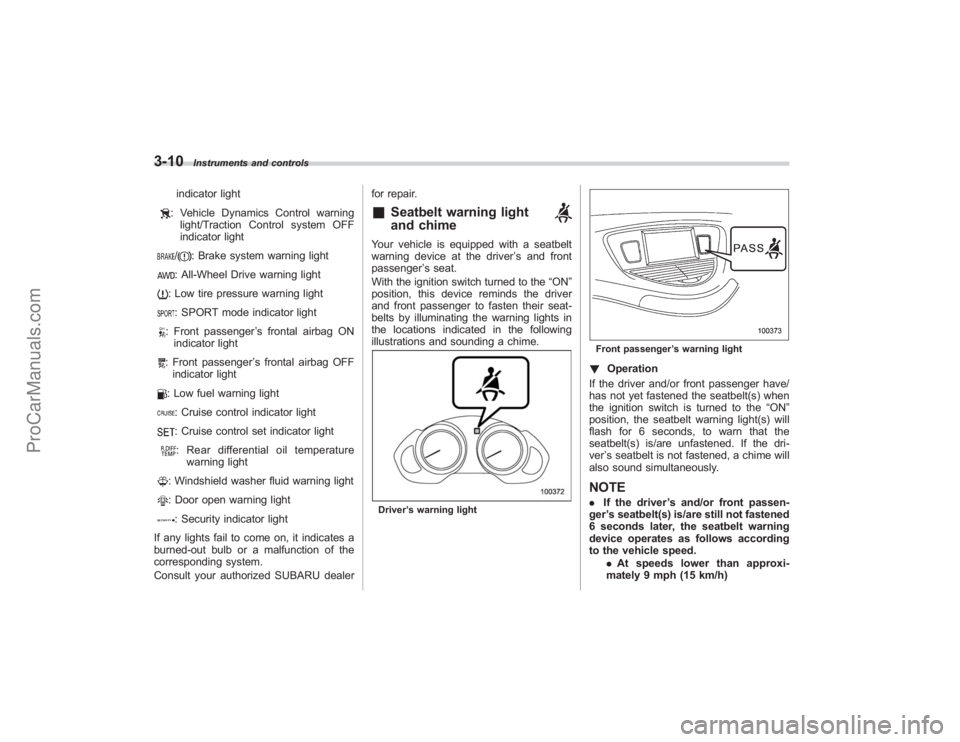
belts by illuminating the warning lights in
the locations indicated in the following
illustrations and sounding a chime.Driver ’s warning light
Front passenger ’s warning light! Operation
If the driver and/or front passenger have/
has not yet fastened the seatbelt(s) when
the ignition switch is turned to the “ON”
position, the seatbelt warning light(s) will
flash for 6 seconds, to warn that the
seatbelt(s) is/are unfastened. If the dri-
ver ’s seatbelt is not fastened, a chime will
also sound simultaneously.NOTE. If the driver ’s and/or front passen-
ger ’s seatbelt(s) is/are still not fastened
6 seconds later, the seatbelt warning
device operates as follows according
to the vehicle speed.
.At speeds lower than approxi-
mately 9 mph (15 km/h)
ProCarManuals.com
Page 140 of 409
3-20
Instruments and controls
section in chapter 2.)
If the indicator light does not flash, it may
indicate that immobilizer system may be
faulty. Contact your nearest SUBARU
dealer immediately.
In the event that an unauthorized key (for
example, an unauthorized duplicate) is
used, the security indicator light comes
on.&
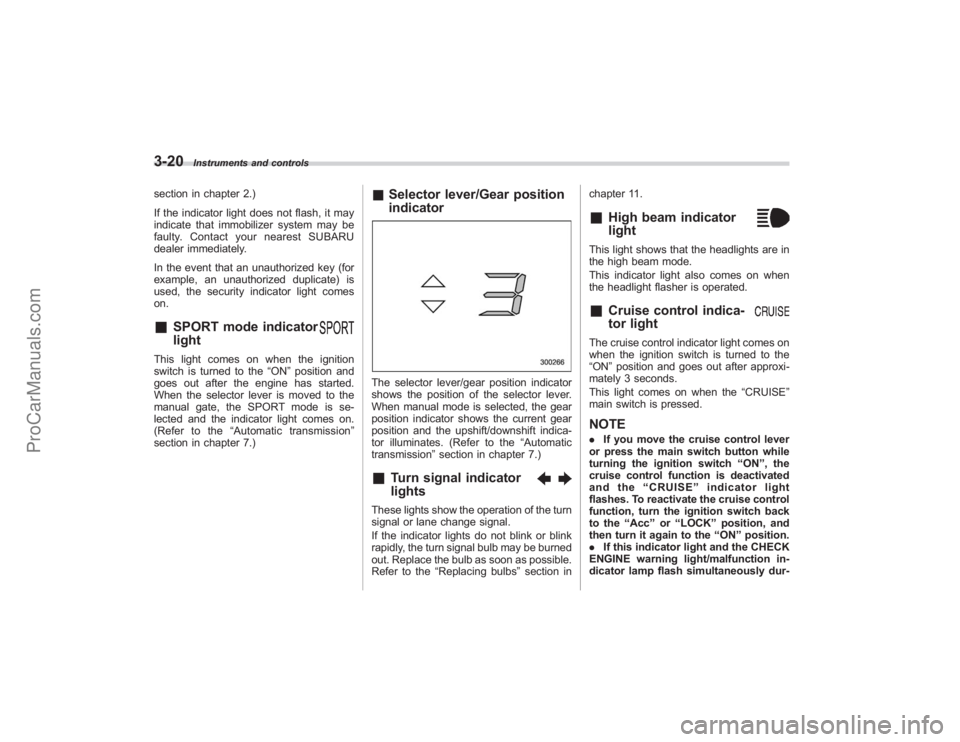
SPORT mode indicator
light
This light comes on when the ignition
switch is turned to the“ON”position and
goes out after the engine has started.
When the selector lever is moved to the
manual gate, the SPORT mode is se-
lected and the indicator light comes on.
(Refer to the “Automatic transmission ”
section in chapter 7.)
& Selector lever/Gear position
indicatorThe selector lever/gear position indicator
shows the position of the selector lever.
When manual mode is selected, the gear
position indicator shows the current gear
position and the upshift/downshift indica-
tor illuminates. (Refer to the “Automatic
transmission” section in chapter 7.)&
Turn signal indicator
lights
These lights show the operation of the turn
signal or lane change signal.
If the indicator lights do not blink or blink
rapidly, the turn signal bulb may be burned
out. Replace the bulb as soon as possible.
Refer to the“Replacing bulbs ”section in chapter 11.
&
High beam indicator
light
This light shows that the headlights are in
the high beam mode.
This indicator light also comes on when
the headlight flasher is operated.&
Cruise control indica-
tor light
The cruise control indicator light comes on
when the ignition switch is turned to the
“ON
”position and goes out after approxi-
mately 3 seconds.
This light comes on when the “CRUISE”
main switch is pressed.NOTE. If you move the cruise control lever
or press the main switch button while
turning the ignition switch “ON ”, the
cruise control function is deactivated
and the “CRUISE ”indicator light
flashes. To reactivate the cruise control
function, turn the ignition switch back
to the “Acc ”or “LOCK ”position, and
then turn it again to the “ON ”position.
. If this indicator light and the CHECK
ENGINE warning light/malfunction in-
dicator lamp flash simultaneously dur-
ProCarManuals.com
Page 141 of 409
ing driving, have the vehicle checked
by your nearest SUBARU dealer.&
Cruise control set in-
dicator light
The cruise control set indicator light
comes on when the ignition switch is
turned to the“ON”position and goes out
after approximately 3 seconds.
This light comes on when vehicle speed
has been set.&
Headlight indicator
light
This indicator light comes on when the
light switch is turned to the “
”position
(to turn on the parking lights) or to the
“
” position (to turn on the headlights).
&
Front fog light indicator
light
This indicator light is on while the front fog
lights are on.
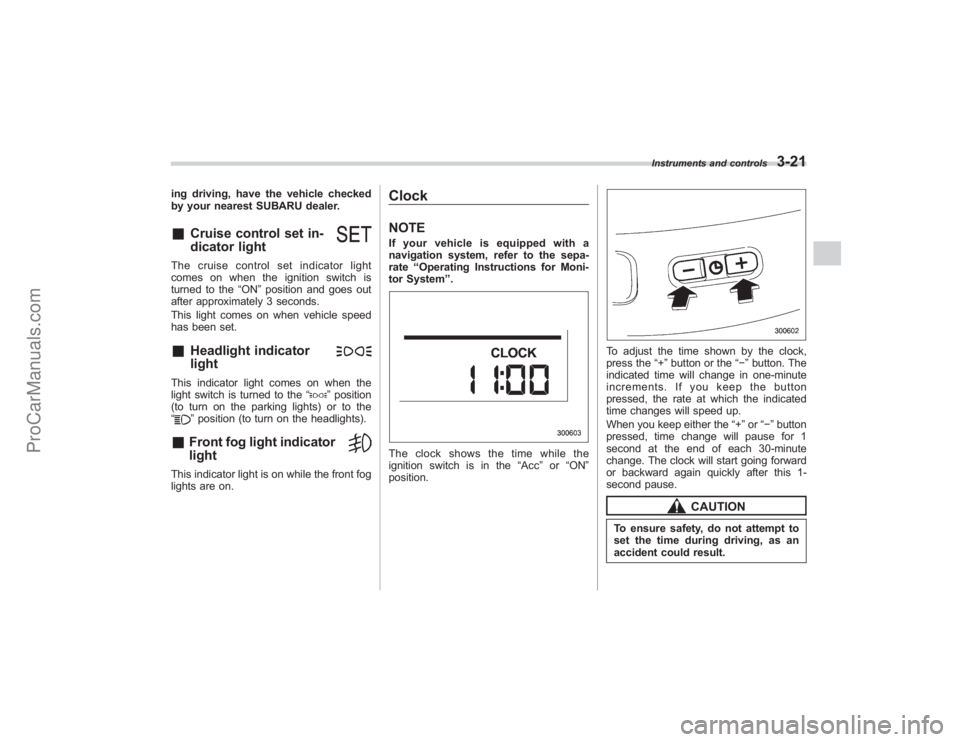
ClockNOTEIf your vehicle is equipped with a
navigation system, refer to the sepa-
rate “Operating Instructions for Moni-
tor System ”.The clock shows the time while the
ignition switch is in the “Acc”or “ON ”
position.
To adjust the time shown by the clock,
press the “+”button or the “−”button. The
indicated time will change in one-minute
increments. If you keep the button
pressed, the rate at which the indicated
time changes will speed up.
When you keep either the “+”or “− ” button
pressed, time change will pause for 1
second at the end of each 30-minute
change. The clock will start going forward
or backward again quickly after this 1-
second pause.
CAUTION
To ensure safety, do not attempt to
set the time during driving, as an
accident could result.
Instruments and controls
3-21
ProCarManuals.com
Page 235 of 409
Fuel................................................................... 7-2
Fuel requirements ............................................ 7-2
Fuel filler lid and cap ........................................ 7-3
State emission testing (U.S. only) ................... 7-5
Preparing to drive ............................................ 7-7
Starting the engine ........................................... 7-7
Stopping the engine ......................................... 7-8
Remote engine start system (dealer option) ............................................... 7-8
Starting your vehicle ........................................ 7-9
Remote start safety features ............................. 7-9
Entering the vehicle while it is running via remote start ............................................................... 7-9
Entering the vehicle following remote engine start shutdown ....................................................... 7-9
Pre-heating or pre-cooling the interior of the vehicle ......................................................... 7-10
Service mode ................................................. 7-10
Remote transmitter programming and programmable feature option ........................ 7-10
System maintenance ....................................... 7-11
Automatic transmission ................................. 7-12
Selector lever................................................. 7-13
Selector lever reverse inhibiting function . ....... 7-14
Selection of manual mode .............................. 7-15
Maximum speeds ........................................... 7-16
Driving tips .................................................... 7-16
SPORT mode ................................................. 7-17 Shift lock release
............................................ 7-17
Power steering............................................... 7-18
Braking ........................................................... 7-18
Braking tips .................................................... 7-18
Brake system ................................................. 7-19
Disc brake pad wear warning indicators .......... 7-19
ABS (Anti-lock Brake System)...................... 7-20
ABS system self-check................................... 7-20
ABS warning light ........................................... 7-21
Electronic Brake Force Distribution (EBD)
system ......................................................... 7-22
Steps to take if EBD system fails .................... 7-22
Vehicle Dynamics Control system ................ 7-23
Vehicle Dynamics Control system monitor....... 7-25
Traction Control system OFF switch ................ 7-26
Tire pressure monitoring system
(TPMS) ......................................................... 7-27
Parking your vehicle ..................................... 7-29
Parking brake................................................. 7-29
Parking tips .................................................... 7-29
Cruise control ................................................ 7-30
To set cruise control ....................................... 7-30
To temporarily cancel the cruise control .......... 7-31
To turn off the cruise control ........................... 7-31
To change the cruising speed .. ....................... 7-32
Cruise control indicator light ........................... 7-33
Cruise control set indicator light ..................... 7-33
Starting and operating
7
ProCarManuals.com
Page 264 of 409
7-30
Starting and operating
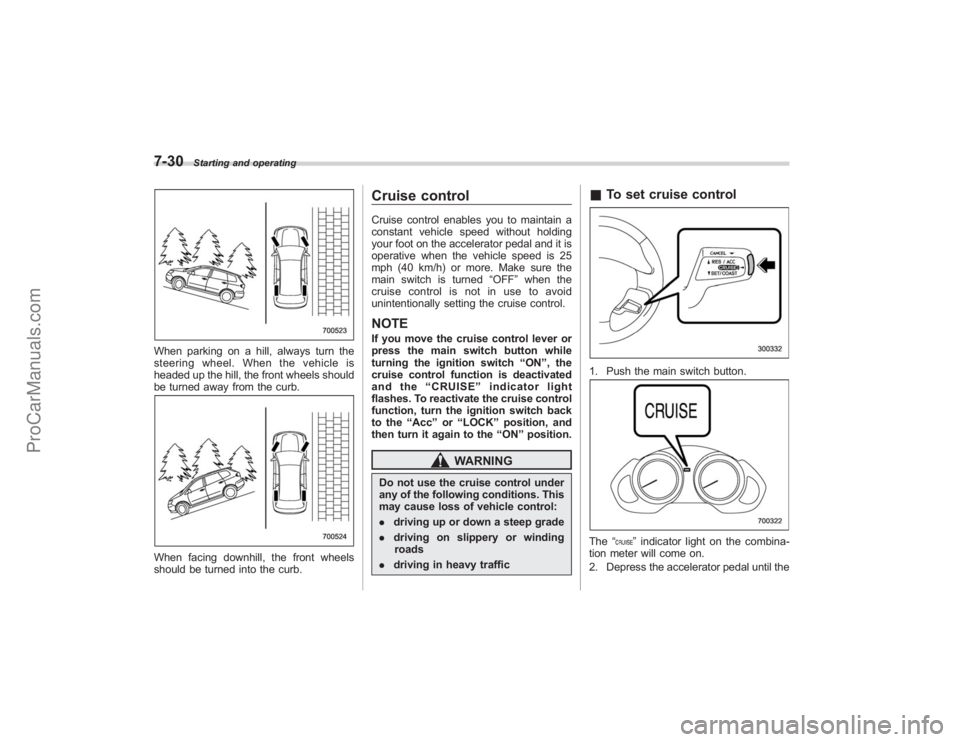
When parking on a hill, always turn the
steering wheel. When the vehicle is
headed up the hill, the front wheels should
be turned away from the curb.When facing downhill, the front wheels
should be turned into the curb.
Cruise controlCruise control enables you to maintain a
constant vehicle speed without holding
your foot on the accelerator pedal and it is
operative when the vehicle speed is 25
mph (40 km/h) or more. Make sure the
main switch is turned“OFF”when the
cruise control is not in use to avoid
unintentionally setting the cruise control.NOTEIf you move the cruise control lever or
press the main switch button while
turning the ignition switch “ON ”, the
cruise control function is deactivated
and the “CRUISE ”indicator light
flashes. To reactivate the cruise control
function, turn the ignition switch back
to the “Acc ”or “LOCK ”position, and
then turn it again to the “ON ”position.
WARNING
Do not use the cruise control under
any of the following conditions. This
may cause loss of vehicle control:
. driving up or down a steep grade
. driving on slippery or winding
roads
. driving in heavy traffic
&To set cruise control1. Push the main switch button.The “
”indicator light on the combina-
tion meter will come on.
2. Depress the accelerator pedal until the
ProCarManuals.com
Page 265 of 409
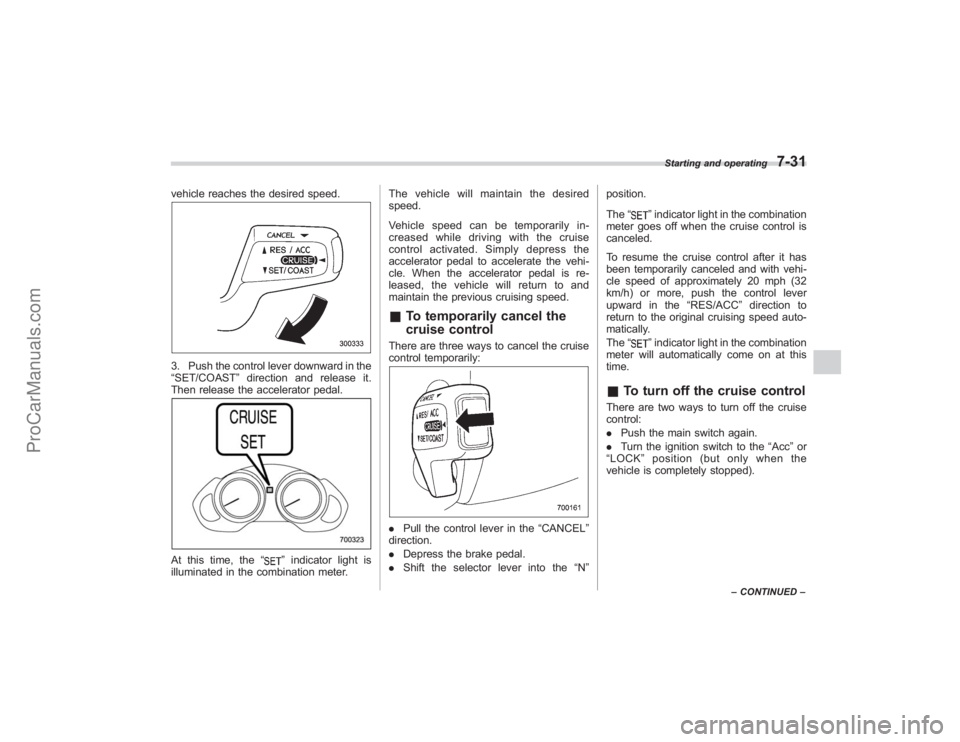
vehicle reaches the desired speed.3. Push the control lever downward in the
“SET/COAST”direction and release it.
Then release the accelerator pedal.At this time, the “
”indicator light is
illuminated in the combination meter. The vehicle will maintain the desired
speed.
Vehicle speed can be temporarily in-
creased while driving with the cruise
control activated. Simply depress the
accelerator pedal to accelerate the vehi-
cle. When the accelerator pedal is re-
leased, the vehicle will return to and
maintain the previous cruising speed.
&
To temporarily cancel the
cruise controlThere are three ways to cancel the cruise
control temporarily:. Pull the control lever in the “CANCEL”
direction.
. Depress the brake pedal.
. Shift the selector lever into the “N” position.
The
“
”indicator light in the combination
meter goes off when the cruise control is
canceled.
To resume the cruise control after it has
been temporarily canceled and with vehi-
cle speed of approximately 20 mph (32
km/h) or more, push the control lever
upward in the “RES/ACC”direction to
return to the original cruising speed auto-
matically.
The “”indicator light in the combination
meter will automatically come on at this
time.
& To turn off the cruise controlThere are two ways to turn off the cruise
control:
. Push the main switch again.
. Turn the ignition switch to the “Acc ”or
“ LOCK ”position (but only when the
vehicle is completely stopped).
Starting and operating
7-31
– CONTINUED –
ProCarManuals.com
Page 266 of 409
7-32
Starting and operating
&To change the cruising speed! To increase the speed (by control
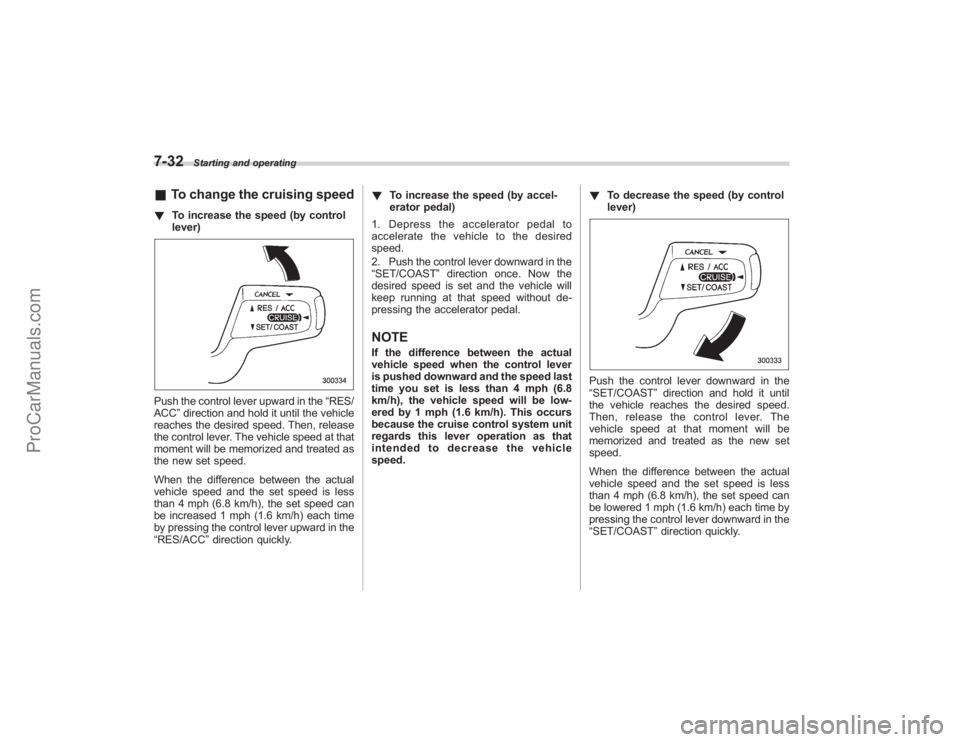
lever)Push the control lever upward in the “RES/
ACC ”direction and hold it until the vehicle
reaches the desired speed. Then, release
the control lever. The vehicle speed at that
moment will be memorized and treated as
the new set speed.
When the difference between the actual
vehicle speed and the set speed is less
than 4 mph (6.8 km/h), the set speed can
be increased 1 mph (1.6 km/h) each time
by pressing the control lever upward in the
“RES/ACC ”direction quickly. !
To increase the speed (by accel-
erator pedal)
1. Depress the accelerator pedal to
accelerate the vehicle to the desired
speed.
2. Push the control lever downward in the
“SET/COAST ”direction once. Now the
desired speed is set and the vehicle will
keep running at that speed without de-
pressing the accelerator pedal.
NOTEIf the difference between the actual
vehicle speed when the control lever
is pushed downward and the speed last
time you set is less than 4 mph (6.8
km/h), the vehicle speed will be low-
ered by 1 mph (1.6 km/h). This occurs
because the cruise control system unit
regards this lever operation as that
intended to decrease the vehicle
speed. !
To decrease the speed (by control
lever)
Push the control lever downward in the
“SET/COAST ”direction and hold it until
the vehicle reaches the desired speed.
Then, release the control lever. The
vehicle speed at that moment will be
memorized and treated as the new set
speed.
When the difference between the actual
vehicle speed and the set speed is less
than 4 mph (6.8 km/h), the set speed can
be lowered 1 mph (1.6 km/h) each time by
pressing the control lever downward in the
“SET/COAST ”direction quickly.
ProCarManuals.com