ignition SUBARU TRIBECA 2010 1.G Repair Manual
[x] Cancel search | Manufacturer: SUBARU, Model Year: 2010, Model line: TRIBECA, Model: SUBARU TRIBECA 2010 1.GPages: 422, PDF Size: 12.87 MB
Page 172 of 422
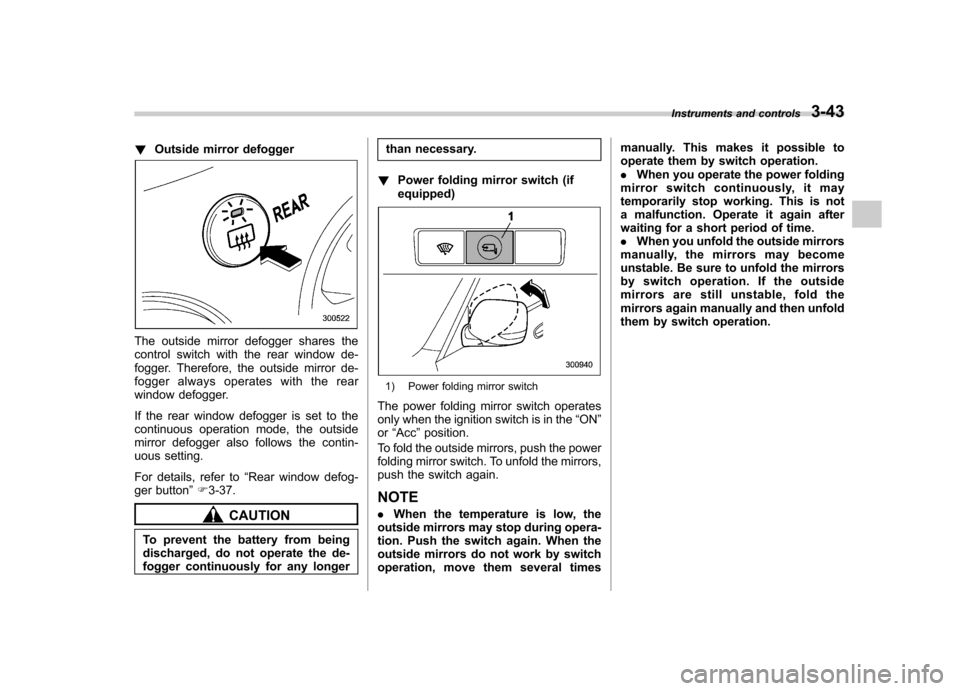
!Outside mirror defogger
The outside mirror defogger shares the
control switch with the rear window de-
fogger. Therefore, the outside mirror de-
fogger always operates with the rear
window defogger.
If the rear window defogger is set to the
continuous operation mode, the outside
mirror defogger also follows the contin-
uous setting.
For details, refer to “Rear window defog-
ger button ”F 3-37.
CAUTION
To prevent the battery from being
discharged, do not operate the de-
fogger continuously for any longer than necessary.
! Power folding mirror switch (ifequipped)
1) Power folding mirror switch
The power folding mirror switch operates
only when the ignition switch is in the “ON ”
or “Acc ”position.
To fold the outside mirrors, push the power
folding mirror switch. To unfold the mirrors,
push the switch again.
NOTE . When the temperature is low, the
outside mirrors may stop during opera-
tion. Push the switch again. When the
outside mirrors do not work by switch
operation, move them several times manually. This makes it possible to
operate them by switch operation..
When you operate the power folding
mirror switch continuously, it may
temporarily stop working. This is not
a malfunction. Operate it again after
waiting for a short period of time.. When you unfold the outside mirrors
manually, the mirrors may become
unstable. Be sure to unfold the mirrors
by switch operation. If the outside
mirrors are still unstable, fold the
mirrors again manually and then unfold
them by switch operation. Instruments and controls
3-43
Page 191 of 422
5-4Audio
Type A audio set (if equipped)
The audio set will operate only when the ignition switch is in the “Acc ”or “ON ”position.
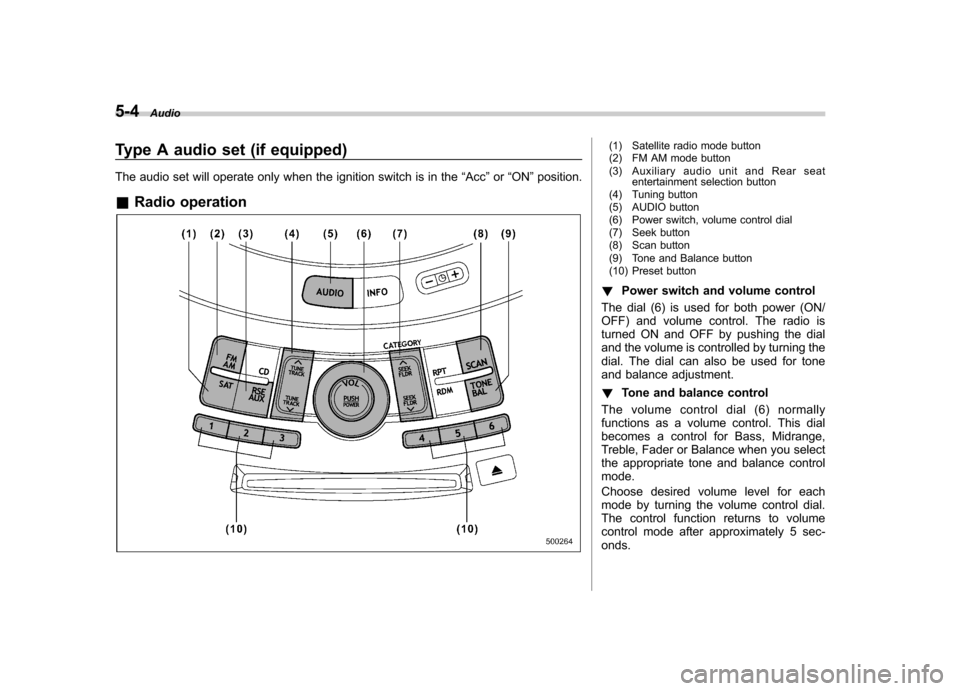
& Radio operation(1) Satellite radio mode button
(2) FM AM mode button
(3) Auxiliary audio unit and Rear seat
entertainment selection button
(4) Tuning button
(5) AUDIO button
(6) Power switch, volume control dial
(7) Seek button
(8) Scan button
(9) Tone and Balance button
(10) Preset button
! Power switch and volume control
The dial (6) is used for both power (ON/
OFF) and volume control. The radio is
turned ON and OFF by pushing the dial
and the volume is controlled by turning the
dial. The dial can also be used for tone
and balance adjustment. ! Tone and balance control
The volume control dial (6) normally
functions as a volume control. This dial
becomes a control for Bass, Midrange,
Treble, Fader or Balance when you select
the appropriate tone and balance controlmode.
Choose desired volume level for each
mode by turning the volume control dial.
The control function returns to volume
control mode after approximately 5 sec-onds.
Page 199 of 422
5-12Audio
! Repeating
! To repeat the currently playing track/
file (track)
To repeat a track/file (track), briefly pressthe “RPT ”button (6) while the track/file
(track) is playing. The display will show“ RPT ”, and the track/file (track) will be
repeated.
To cancel the track/file (track) repeat-play mode:
Press the “RPT ”button once (non-MP3
disc)
Press the “RPT ”button twice (MP3 disc)
The “RPT ”indication will turn off, and the
normal playback mode will be resumed.
NOTE . With an MP3 disc inserted, each
time you briefly press the button, the
mode will change to the next one in the
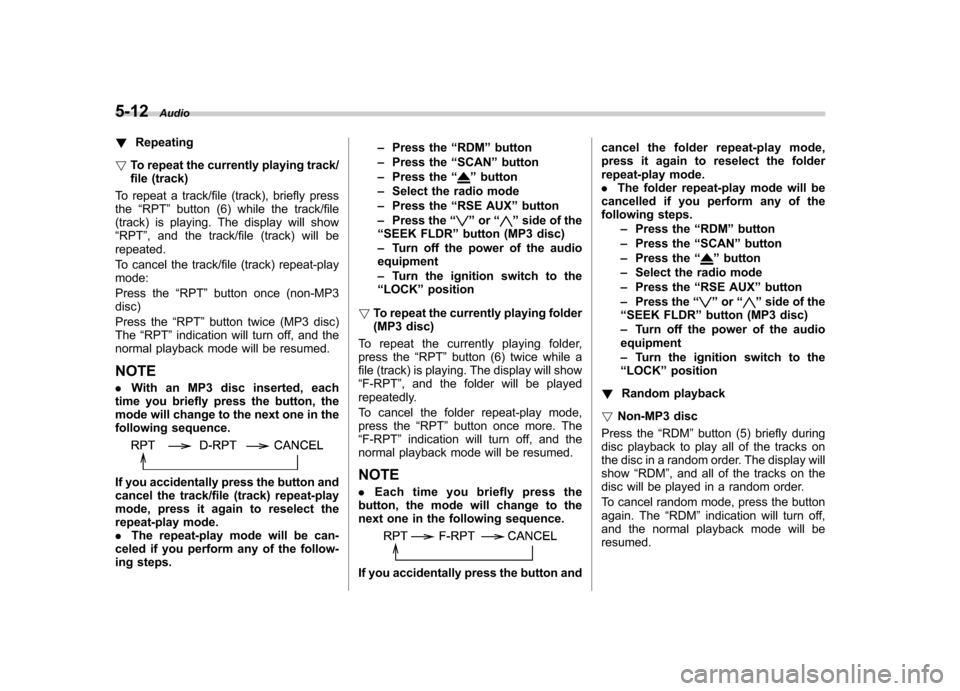
following sequence.
If you accidentally press the button and
cancel the track/file (track) repeat-play
mode, press it again to reselect the
repeat-play mode.. The repeat-play mode will be can-
celed if you perform any of the follow-
ing steps. –
Press the “RDM ”button
– Press the “SCAN ”button
– Press the “
”button
– Select the radio mode
– Press the “RSE AUX ”button
– Press the “
”or “”side of the
“ SEEK FLDR ”button (MP3 disc)
– Turn off the power of the audio
equipment – Turn the ignition switch to the
“ LOCK ”position
! To repeat the currently playing folder
(MP3 disc)
To repeat the currently playing folder,
press the “RPT ”button (6) twice while a
file (track) is playing. The display will show“ F-RPT ”, and the folder will be played
repeatedly.
To cancel the folder repeat-play mode,
press the “RPT ”button once more. The
“ F-RPT ”indication will turn off, and the
normal playback mode will be resumed. NOTE . Each time you briefly press the
button, the mode will change to the
next one in the following sequence.
If you accidentally press the button and cancel the folder repeat-play mode,
press it again to reselect the folder
repeat-play mode..
The folder repeat-play mode will be
cancelled if you perform any of the
following steps.
–Press the “RDM ”button
– Press the “SCAN ”button
– Press the “
”button
– Select the radio mode
– Press the “RSE AUX ”button
– Press the “
”or “”side of the
“ SEEK FLDR ”button (MP3 disc)
– Turn off the power of the audio
equipment – Turn the ignition switch to the
“ LOCK ”position
! Random playback
! Non-MP3 disc
Press the “RDM ”button (5) briefly during
disc playback to play all of the tracks on
the disc in a random order. The display willshow “RDM ”, and all of the tracks on the
disc will be played in a random order.
To cancel random mode, press the button
again. The “RDM ”indication will turn off,
and the normal playback mode will beresumed.
Page 200 of 422
NOTE
Random playback will be cancelled if
you perform any of the following steps. .Press the “RPT ”button
. Press the “SCAN ”button
. Press the “
”button
. Select the radio mode
. Press the “RSE AUX ”button
. Press the “
”or “”side of the
“ SEEK FLDR ”button
. Turn off the power of the audio
equipment . Turn the ignition switch to the
“ LOCK ”position
! MP3 disc
Press the “RDM ”button (5) during disc
playback to play all of the tracks in the
folder currently being played in random
order. Press the “RDM ”button again to
play all of the tracks on the disc in random
order. The display will show “RDM ”during
the random mode.
To cancel the random mode, press the “ RDM ”button during “in-disc ”random
playback. The “RDM ”indication will turn
off, and the normal playback mode will be resumed. NOTE . Each time you briefly press the
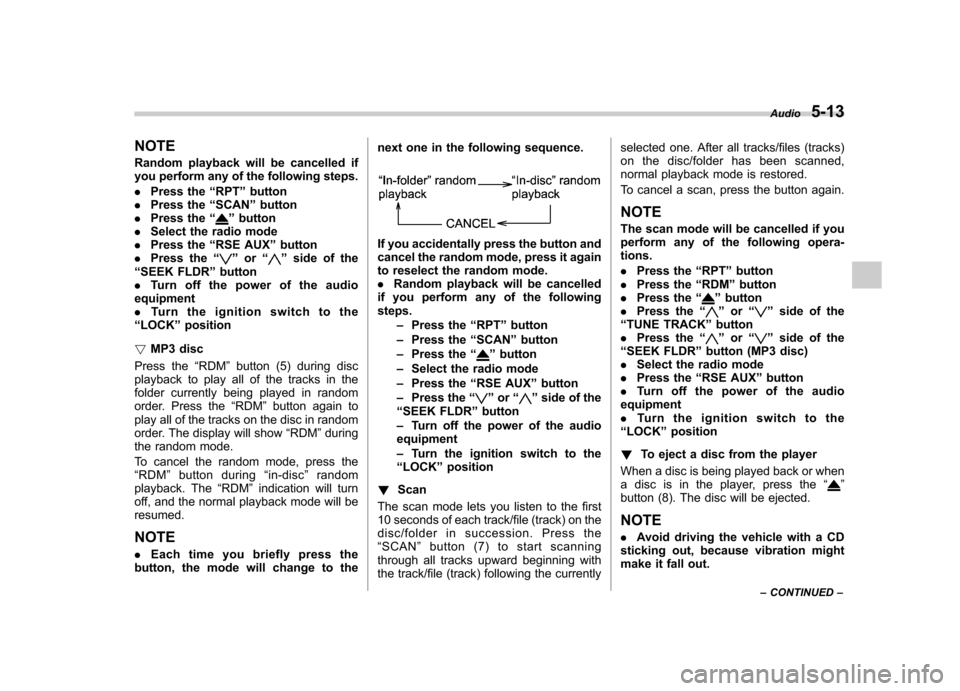
button, the mode will change to the next one in the following sequence.
If you accidentally press the button and
cancel the random mode, press it again
to reselect the random mode..
Random playback will be cancelled
if you perform any of the followingsteps.
–Press the “RPT ”button
– Press the “SCAN ”button
– Press the “
”button
– Select the radio mode
– Press the “RSE AUX ”button
– Press the “
”or “”side of the
“ SEEK FLDR ”button
– Turn off the power of the audio
equipment – Turn the ignition switch to the
“ LOCK ”position
! Scan
The scan mode lets you listen to the first
10 seconds of each track/file (track) on the
disc/folder in succession. Press the“ SCAN ”button (7) to start scanning
through all tracks upward beginning with
the track/file (track) following the currently selected one. After all tracks/files (tracks)
on the disc/folder has been scanned,
normal playback mode is restored.
To cancel a scan, press the button again.
NOTE
The scan mode will be cancelled if you
perform any of the following opera-tions. . Press the “RPT ”button
. Press the “RDM ”button
. Press the “
”button
. Press the “”or “”side of the
“ TUNE TRACK ”button
. Press the “
”or “”side of the
“ SEEK FLDR ”button (MP3 disc)
. Select the radio mode
. Press the “RSE AUX ”button
. Turn off the power of the audio
equipment . Turntheignitionswitchtothe
“ LOCK ”position
! To eject a disc from the player
When a disc is being played back or when
a disc is in the player, press the “
”
button (8). The disc will be ejected.
NOTE . Avoid driving the vehicle with a CD
sticking out, because vibration might
make it fall out. Audio
5-13
– CONTINUED –
Page 201 of 422
5-14Audio
. If the disc is left ejected for more
than approximately 15 seconds after
the ignition switch is turned to the“ LOCK ”position, a disc protection
function will operate, automatically
reloading the disc. In this case, the
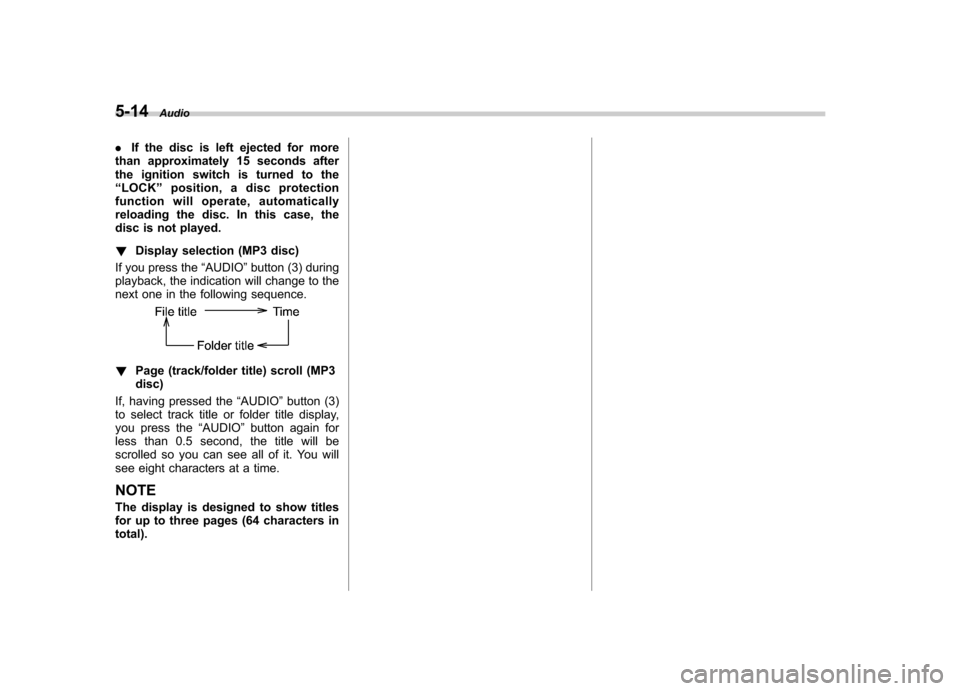
disc is not played. ! Display selection (MP3 disc)
If you press the “AUDIO ”button (3) during
playback, the indication will change to the
next one in the following sequence.
! Page (track/folder title) scroll (MP3 disc)
If, having pressed the “AUDIO ”button (3)
to select track title or folder title display,
you press the “AUDIO ”button again for
less than 0.5 second, the title will be
scrolled so you can see all of it. You will
see eight characters at a time. NOTE
The display is designed to show titles
for up to three pages (64 characters intotal).
Page 202 of 422
Type B audio set (if equipped)
The audio set will operate only when the ignition switch is in the“Acc ”or “ON ”positions.
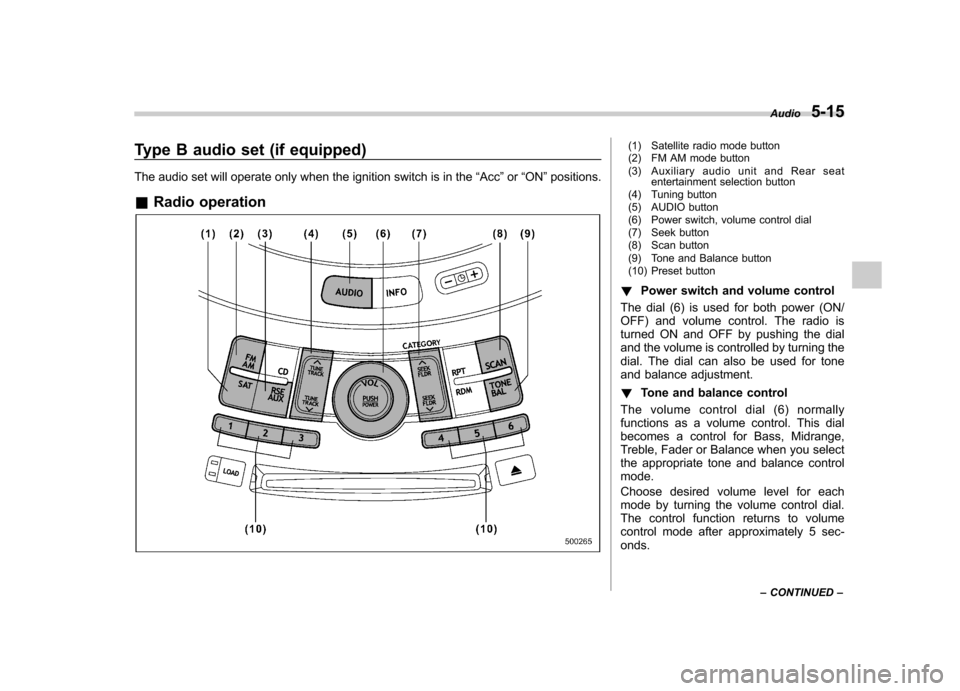
& Radio operation(1) Satellite radio mode button
(2) FM AM mode button
(3) Auxiliary audio unit and Rear seat
entertainment selection button
(4) Tuning button
(5) AUDIO button
(6) Power switch, volume control dial
(7) Seek button
(8) Scan button
(9) Tone and Balance button
(10) Preset button
! Power switch and volume control
The dial (6) is used for both power (ON/
OFF) and volume control. The radio is
turned ON and OFF by pushing the dial
and the volume is controlled by turning the
dial. The dial can also be used for tone
and balance adjustment. ! Tone and balance control
The volume control dial (6) normally
functions as a volume control. This dial
becomes a control for Bass, Midrange,
Treble, Fader or Balance when you select
the appropriate tone and balance controlmode.
Choose desired volume level for each
mode by turning the volume control dial.
The control function returns to volume
control mode after approximately 5 sec-onds. Audio
5-15
– CONTINUED –
Page 211 of 422
5-24Audio
– Press the disc select button
– Select the radio mode
– Press the “RSE AUX ”button
– Press the “
”or “”side of the
“ SEEK FLDR ”button (MP3 disc)
– Turn off the power of the audio
equipment – Turn the ignition switch to the
“ LOCK ”position
! To repeat the currently playing disc/ folder
To repeat the currently playing disc/folder,
press the “RPT ”button (6) twice while a
track/file (track) is playing. The display will show “D-RPT ”, and the disc/folder will be
played repeatedly.
To cancel the disc/folder repeat-play
mode, press the “RPT ”button once more.
The “D-RPT ”indication will turn off, and
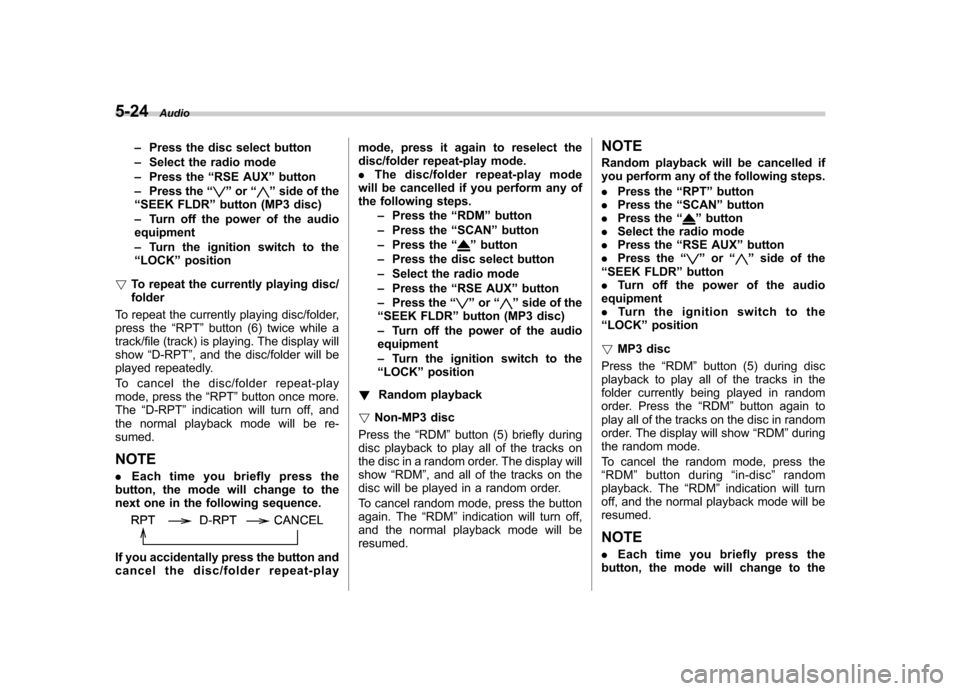
the normal playback mode will be re-sumed. NOTE . Each time you briefly press the
button, the mode will change to the
next one in the following sequence.
If you accidentally press the button and
cancel the disc/folder repeat-play mode, press it again to reselect the
disc/folder repeat-play mode..
The disc/folder repeat-play mode
will be cancelled if you perform any of
the following steps.
–Press the “RDM ”button
– Press the “SCAN ”button
– Press the “
”button
– Press the disc select button
– Select the radio mode
– Press the “RSE AUX ”button
– Press the “
”or “”side of the
“ SEEK FLDR ”button (MP3 disc)
– Turn off the power of the audio
equipment – Turn the ignition switch to the
“ LOCK ”position
! Random playback
! Non-MP3 disc
Press the “RDM ”button (5) briefly during
disc playback to play all of the tracks on
the disc in a random order. The display willshow “RDM ”, and all of the tracks on the
disc will be played in a random order.
To cancel random mode, press the button
again. The “RDM ”indication will turn off,
and the normal playback mode will beresumed. NOTE
Random playback will be cancelled if
you perform any of the following steps. .
Press the “RPT ”button
. Press the “SCAN ”button
. Press the “
”button
. Select the radio mode
. Press the “RSE AUX ”button
. Press the “
”or “”side of the
“ SEEK FLDR ”button
. Turn off the power of the audio
equipment . Turntheignitionswitchtothe
“ LOCK ”position
! MP3 disc
Press the “RDM ”button (5) during disc
playback to play all of the tracks in the
folder currently being played in random
order. Press the “RDM ”button again to
play all of the tracks on the disc in random
order. The display will show “RDM ”during
the random mode.
To cancel the random mode, press the “ RDM ”button during “in-disc ”random
playback. The “RDM ”indication will turn
off, and the normal playback mode will be resumed.
NOTE . Each time you briefly press the
button, the mode will change to the
Page 212 of 422
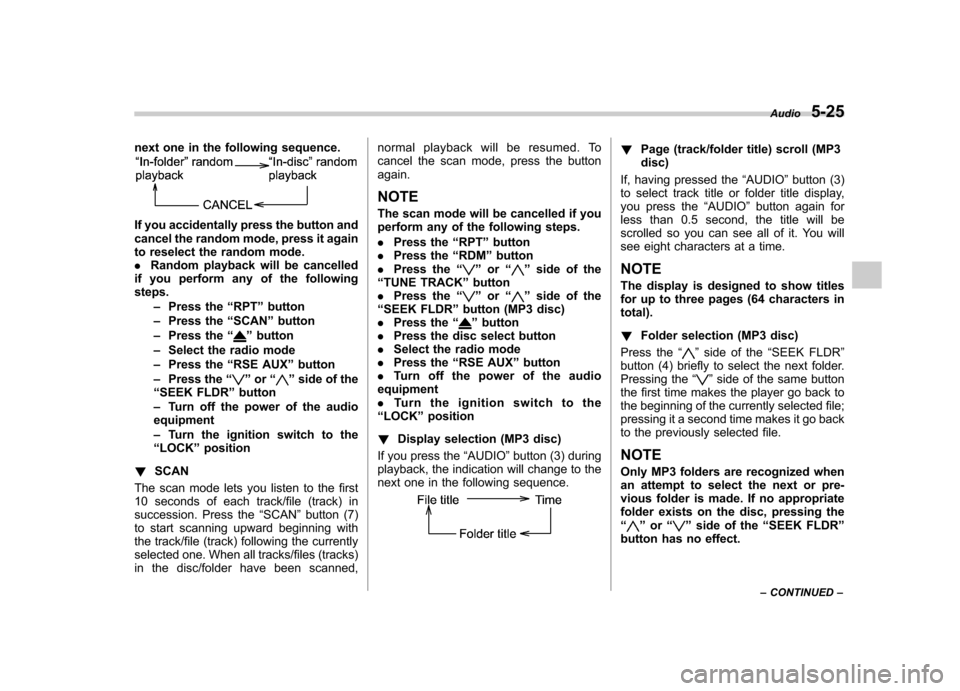
next one in the following sequence.
If you accidentally press the button and
cancel the random mode, press it again
to reselect the random mode..Random playback will be cancelled
if you perform any of the followingsteps.
–Press the “RPT ”button
– Press the “SCAN ”button
– Press the “
”button
– Select the radio mode
– Press the “RSE AUX ”button
– Press the “
”or “”side of the
“ SEEK FLDR ”button
– Turn off the power of the audio
equipment – Turn the ignition switch to the
“ LOCK ”position
! SCAN
The scan mode lets you listen to the first
10 seconds of each track/file (track) in
succession. Press the “SCAN ”button (7)
to start scanning upward beginning with
the track/file (track) following the currently
selected one. When all tracks/files (tracks)
in the disc/folder have been scanned, normal playback will be resumed. To
cancel the scan mode, press the buttonagain.
NOTE
The scan mode will be cancelled if you
perform any of the following steps. . Press the “RPT ”button
. Press the “RDM ”button
. Press the “
”or “”side of the
“ TUNE TRACK ”button
. Press the “
”or “”side of the
“ SEEK FLDR ”button (MP3 disc)
. Press the “
”button
. Press the disc select button
. Select the radio mode
. Press the “RSE AUX ”button
. Turn off the power of the audio
equipment . Turn the ignition switch to the
“ LOCK ”position
! Display selection (MP3 disc)
If you press the “AUDIO ”button (3) during
playback, the indication will change to the
next one in the following sequence.
! Page (track/folder title) scroll (MP3 disc)
If, having pressed the “AUDIO ”button (3)
to select track title or folder title display,
you press the “AUDIO ”button again for
less than 0.5 second, the title will be
scrolled so you can see all of it. You will
see eight characters at a time. NOTE
The display is designed to show titles
for up to three pages (64 characters intotal). ! Folder selection (MP3 disc)
Press the “
”side of the “SEEK FLDR ”
button (4) briefly to select the next folder.
Pressing the “
”side of the same button
the first time makes the player go back to
the beginning of the currently selected file;
pressing it a second time makes it go back
to the previously selected file. NOTE
Only MP3 folders are recognized when
an attempt to select the next or pre-
vious folder is made. If no appropriate
folder exists on the disc, pressing the“
” or “”side of the “SEEK FLDR ”
button has no effect. Audio
5-25
– CONTINUED –
Page 219 of 422
6-2Interior equipment
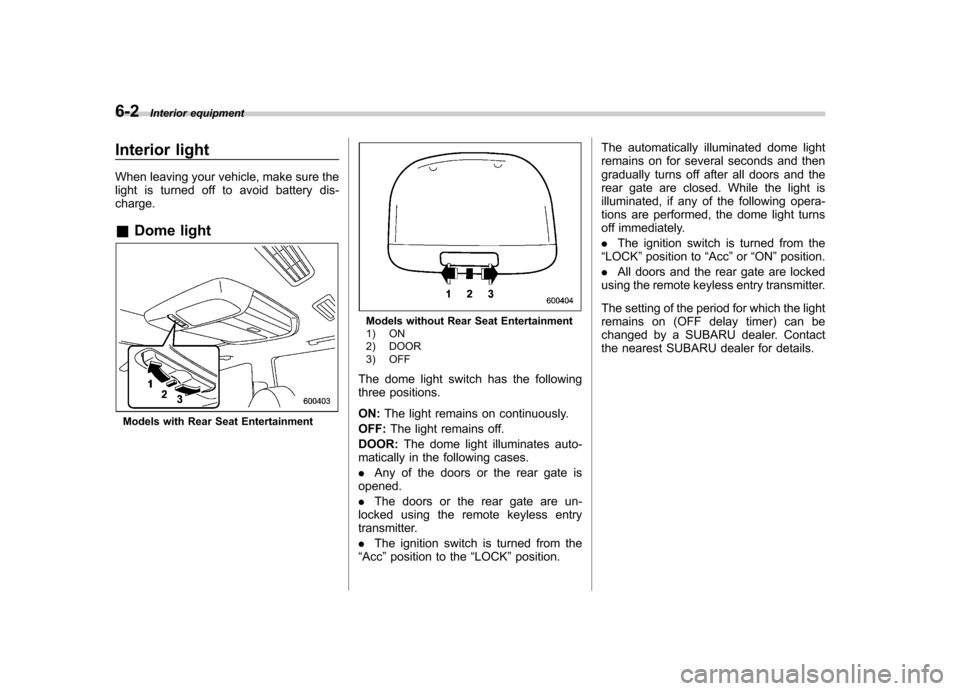
Interior light
When leaving your vehicle, make sure the
light is turned off to avoid battery dis-charge. &Dome light
Models with Rear Seat Entertainment
Models without Rear Seat Entertainment
1) ON
2) DOOR
3) OFF
The dome light switch has the following
three positions. ON: The light remains on continuously.
OFF: The light remains off.
DOOR: The dome light illuminates auto-
matically in the following cases. . Any of the doors or the rear gate is
opened.. The doors or the rear gate are un-
locked using the remote keyless entry
transmitter. . The ignition switch is turned from the
“ Acc ”position to the “LOCK ”position. The automatically illuminated dome light
remains on for several seconds and then
gradually turns off after all doors and the
rear gate are closed. While the light is
illuminated, if any of the following opera-
tions are performed, the dome light turns
off immediately. .
The ignition switch is turned from the
“ LOCK ”position to “Acc ”or “ON ”position.
. All doors and the rear gate are locked
using the remote keyless entry transmitter.
The setting of the period for which the light
remains on (OFF delay timer) can be
changed by a SUBARU dealer. Contact
the nearest SUBARU dealer for details.
Page 221 of 422
6-4Interior equipment
(automatic illumination - ON).
. The doors are unlocked using the
remote keyless entry transmitter. . The ignition switch is turned from the
“ Acc ”position to the “LOCK ”position.
The automatically illuminated map lights
remain illuminated for several seconds
and then gradually turn off after all doors
are closed.
While the lights are illuminated, if any of
the following operations are performed,
the map lights turn off immediately. . The ignition switch is turned from the
“ LOCK ”position to the “Acc ”or “ON ”
position.. All doors and the rear gate are locked
using the remote keyless entry transmitter.
The setting of the period for which the light
remains illuminated (OFF delay timer) can
be changed by a SUBARU dealer. Con-
tact your SUBARU dealer for details.
NOTE
If any of the doors or the rear gate is
not completely closed, the map lights
will remain illuminated as a result.
However, the map lights are automati-
cally turned off by the battery drainage
prevention functi on to prevent the
battery from discharging. For details, refer to
“Battery drainage prevention
function ”F 2-6.
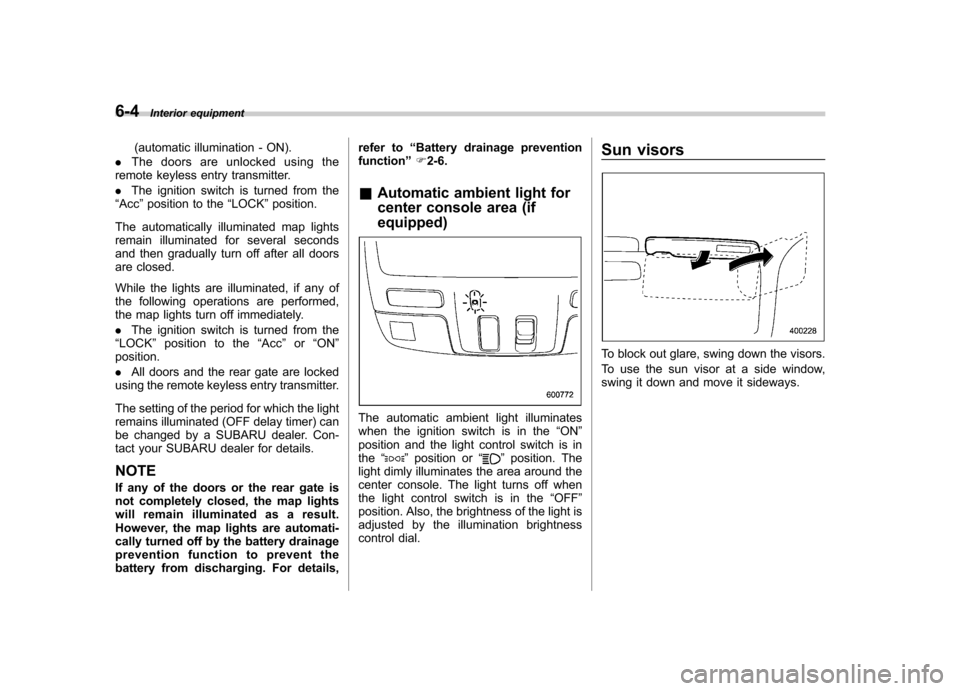
& Automatic ambient light for
center console area (if equipped)
The automatic ambient light illuminates
when the ignition switch is in the “ON ”
position and the light control switch is inthe “
”position or “”position. The
light dimly illuminates the area around the
center console. The light turns off when
the light control switch is in the “OFF ”
position. Also, the brightness of the light is
adjusted by the illumination brightness
control dial. Sun visors
To block out glare, swing down the visors.
To use the sun visor at a side window,
swing it down and move it sideways.