sensor SUBARU TRIBECA 2014 1.G User Guide
[x] Cancel search | Manufacturer: SUBARU, Model Year: 2014, Model line: TRIBECA, Model: SUBARU TRIBECA 2014 1.GPages: 426, PDF Size: 6.37 MB
Page 106 of 426
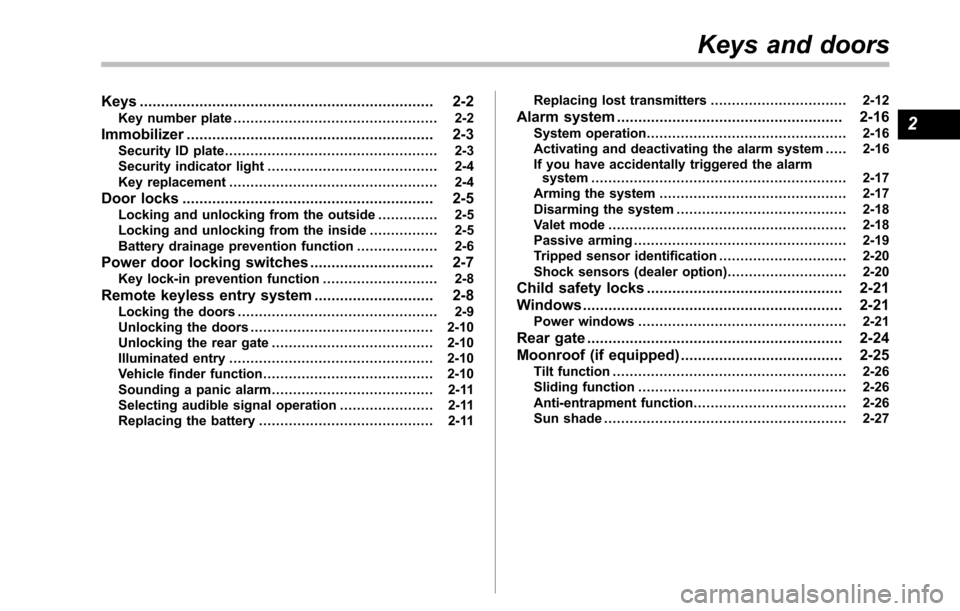
Keys..................................................................... 2-2Key number plate................................................ 2-2
Immobilizer.......................................................... 2-3Security ID plate.................................................. 2-3Security indicator light........................................ 2-4Key replacement................................................. 2-4
Door locks........................................................... 2-5Locking and unlocking from the outside .............. 2-5Locking and unlocking from the inside................ 2-5Batterydrainage prevention function................... 2-6
Power door locking switches............................. 2-7Key lock-in prevention function........................... 2-8
Remote keyless entry system............................ 2-8Locking the doors............................................... 2-9Unlocking the doors........................................... 2-10Unlocking the rear gate...................................... 2-10Illuminated entry................................................ 2-10Vehicle finder function........................................ 2-10Sounding a panic alarm...................................... 2-11Selecting audible signal operation...................... 2-11Replacing the battery......................................... 2-11
Replacing lost transmitters................................ 2-12
Alarm system..................................................... 2-16System operation............................................... 2-16Activating and deactivating the alarm system..... 2-16If you have accidentally triggered the alarmsystem............................................................ 2-17Arming the system............................................ 2-17Disarming the system........................................ 2-18Valet mode........................................................ 2-18Passive arming.................................................. 2-19Tripped sensor identification.............................. 2-20Shock sensors (dealer option)............................ 2-20
Child safety locks.............................................. 2-21
Windows............................................................. 2-21Power windows................................................. 2-21
Rear gate............................................................ 2-24
Moonroof (if equipped)...................................... 2-25Tilt function....................................................... 2-26Sliding function................................................. 2-26Anti-entrapment function.................................... 2-26Sun shade......................................................... 2-27
Keys and doors
2
Page 121 of 426
2-16Keys and doors
Alarm system
The alarm system helps to protect yourvehicle and valuables from theft. The hornsounds and the turn signal lights flash ifsomeone attempts to break into yourvehicle.
The system can be armed and disarmedwith the remote transmitter.
The system does not operate when thekey is inserted into the ignition switch.
Your vehicle’s alarm system has been setfor activation at the time of shipment fromthe factory. You can set the system fordeactivation yourself or have it done byyour SUBARU dealer.
&System operation
The alarm system will give the followingalarms when triggered.
.The vehicle’s horn will sound for 30seconds.
.The turn signal lights will flash for 30seconds.
If any of the doors or the rear gate remainsopen after the 30-second period, the hornwill continueto sound for a maximum of 3minutes. If any of the doors or the reargate is closed while the horn is sounding,the horn will stop sounding with a delay of
up to 30 seconds.
The alarm is triggered by:
.Opening any of the doors or the reargate
.Physical impact to the vehicle, such asforced entry (only vehicles with shocksensors (dealer option))
NOTE
The alarm system can be set to triggerthe illumination of the following interiorlights.
.Dome light (illuminates only whenthe dome light switch is in the“DOOR”position).Map lights
The notifications regarding the domelight and the map lights are deactivatedas the factory setting. A SUBARUdealer can activate the system. Contactyour SUBARU dealer for details.
&Activating and deactivating
the alarm system
To change the setting of your vehicle’salarm system for activation or deactiva-tion, do the following.
1. Disarm the alarm system. Refer to“Disarming the system”F2-18.
2. Sit in the driver’s seat and shut all
doors and the rear gate.
3. Turn the ignition switch to the“ON”position.
4. Hold down the UNLOCK side of thedriver’s power door locking switch, openthe driver’s door within the following 1second, and wait 10 seconds withoutreleasing the switch. The setting will thenbe changed as follows.
If the system was previously activated:
The odometer/trip meter screen displays“AL oF”and the horn sounds twice,indicating that the system is now deacti-vated.
If the system was previously deacti-vated:
The odometer/trip meter screen displays“AL on”and the horn sounds once,indicating that the system is now acti-vated.
NOTE
Yo u m a y h a v e t h e a b o v e s e t t i n gchange done by your SUBARU dealer.
Page 125 of 426
2-20Keys and doors
&Tripped sensor identification
The security indicator light flashes whenthe alarm system has been triggered.Also, the number of flashes indicates thelocation of unauthorized intrusion or theseverity of impact on the vehicle.
When the ignition switch is turned to the“ON”position, the indicator light willilluminate for 1 second and then flash asfollows.
.When a door or rear gate was opened:5 times
.When the ignition switch was turned tothe“ON”position by using a key notregistered with your immobilizer system: 3times
.When a strong impact or multipleimpacts were sensed: twice (only vehicleswith shock sensors (dealer option))
.When a light impact was sensed: once(onlyvehicles with shock sensors (dealeroption))
NOTE
Any of the above indicator light flash-ing patterns will recur each time theignition switchis turned to the“ON”position. Rearming the alarm systemcancels the flashing pattern of thesecurity indicator light.
&Shock sensors (dealer op-
tion)
The shock sensors trigger the alarmsystem when they sense impacts appliedto the vehicle and when any of theirelectric wires is cut. The alarm systemcauses the horn to sound and the turnsignal lights to flash for a short time whenthe sensed impact is weak, but it warns ofa strong impact or multiple impacts bysounding the horn and flashing the turnsignal lights, both lasting approximately 30seconds.
If you desire, your SUBARU dealer canconnect them and set them for activationor deactivation.
NOTE
.The shock sensors are not alwaysable to sense impacts caused by break-ing in, and cannot sense an impact thatdoes not cause vibration (such asbreaking the glass using a rescuehammer)..The shock sensors may sense vi-bration like those shown in the follow-ing list and trigger the alarm system.Select the settings of the alarm systemand shock sensors appropriately de-pending on where you usually parkyour vehicle.
Example:–Vibration from construction site–Vibration in multistory car park–Vibration from trains.You can have the sensitivity of theshock sensors adjusted to your pre-ference by your SUBARU dealer.
Page 148 of 426
WARNING
If this light does not illuminatebriefly after the ignition switch isturned ON or the light illuminatessteadily after blinking for approxi-mately one minute, you should haveyour Tire Pressure Monitoring Sys-tem checked at a SUBARU dealer assoon as possible.
If this light illuminates while driving,never brake suddenly and keepdriving straight ahead while gradu-ally reducing speed. Then slowlypull off the road to a safe place.Otherwise an accident involvingserious vehicle damage and seriouspersonal injury could occur.
If this light still illuminates whiledriving after adjusting the tire pres-sure, a tire may have significantdamage and a fast leak that causesthe tire to lose air rapidly. If you havea flat tire, replace it with a spare tireas soon as possible.
When a spare tire is mounted or awheel rim is replaced without theoriginal pressure sensor/transmitterbeing transferred, the Low tire pres-sure warning light will illuminatesteadily after blinking for approxi-mately one minute. This indicates
that the TPMS is unable to monitorall four road wheels. Contact yourSUBARU dealer as soon as possiblefor tire and sensor replacement and/or system resetting. If the lightilluminates steadily after blinkingfor approximately one minute,promptly contact a SUBARU dealerto have the system inspected.
CAUTION
The tire pressure monitoring systemis NOT a substitute for manuallychecking tire pressure. The tirepressureshould be checked peri-odically (at least monthly) using atire gauge. After any change to tirepressure(s), the tire pressure mon-itoring system will not re-check tireinflationpressures until the vehicleis first driven more than 20 mph (32km/h). Therefore, after adjusting thetire pressures, increase the vehiclespeed to at least 20 mph (32 km/h) tostart the TPMS re-checking of thetire inflation pressures. If the tirepressures are now above the severelow pressure threshold, the low tirepressure warning light should turnoff a few minutes later. Therefore, besure to install the specified size for
the front and rear tires.
&ABS warning light
CAUTION
If the warning light behaves asfollows, the ABS system may notwork properly.
When the warning light illuminates,the ABS function shuts down; how-ever, the conventional brake systemcontinues to operate normally.
.The warning light does not illu-minate when the ignition switchis turned to the“ON”position.
.The warning light illuminateswhen the ignition switch isturned to the“ON”position, butit does not turn off even when thevehicle speed exceeds approxi-mately 8 mph (12 km/h).
.The warning light illuminates dur-ing driving.
If any of these conditions occur,have the ABS system repaired atthe first available opportunity byyour SUBARU dealer.
The ABS warning light illuminates to-
Instruments and controls3-15
–CONTINUED–
Page 171 of 426
3-38Instruments and controls
NOTE
The outside mirror defogger also oper-ates while the rear window defogger isoperating.
Mirrors
Always check that the inside and outsidemirrors are properly adjusted before youstart driving.
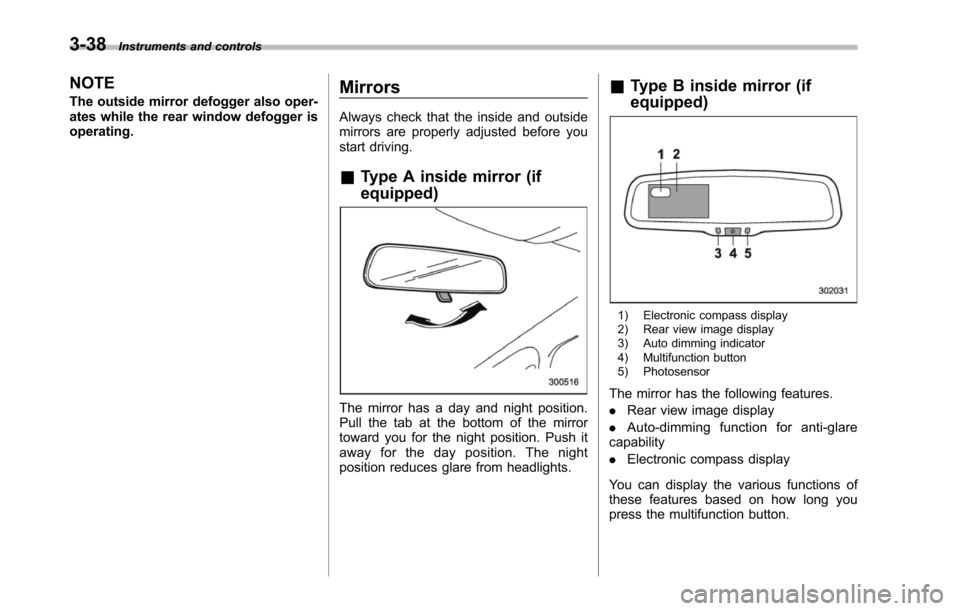
&Type A inside mirror (if
equipped)
The mirror has a day and night position.Pull the tab at the bottom of the mirrortoward you for the night position. Push itaway for the day position. The nightposition reduces glare from headlights.
&Type B inside mirror (if
equipped)
1) Electronic compass display2) Rear view image display3) Auto dimming indicator4) Multifunction button5) Photosensor
The mirror has the following features.
.Rear view image display
.Auto-dimming function for anti-glarecapability
.Electronic compass display
You can display the various functions ofthese features based on how long youpress the multifunction button.
Page 173 of 426
3-40Instruments and controls
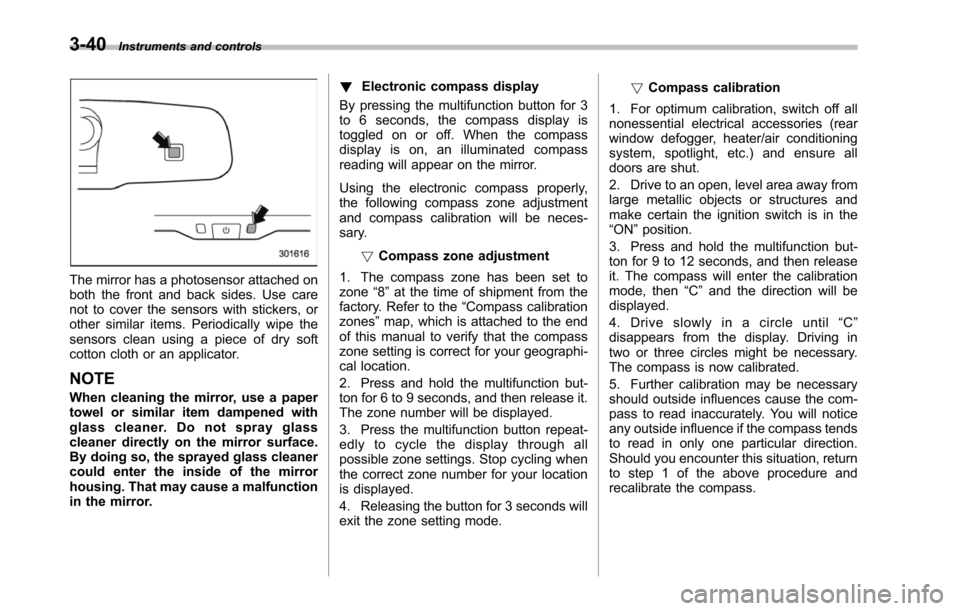
The mirror has a photosensor attached onboththe front and back sides. Use carenot to cover the sensors with stickers, orother similar items. Periodically wipe thesensors clean using a piece of dry softcotton cloth or an applicator.
NOTE
When cleaning the mirror, use a papertowel or similar item dampened withglass cleaner. Do not spray glasscleaner directly on the mirror surface.By doing so, the sprayed glass cleanercould enter the inside of the mirrorhousing. That may cause a malfunctionin the mirror.
!Electronic compass display
By pressing the multifunction button for 3to 6 seconds, the compass display istoggled on or off. When the compassdisplay is on, an illuminated compassreading will appear on the mirror.
Using the electronic compass properly,the following compass zone adjustmentand compass calibration will be neces-sary.
!Compasszone adjustment
1. The compass zone has been set tozone“8”at the time of shipment from thefactory. Refer to the“Compass calibrationzones”map, which is attached to the endof this manual to verify that the compasszone setting is correct for your geographi-cal location.
2. Press and hold the multifunction but-ton for 6 to 9 seconds, and then release it.The zone number will be displayed.
3. Press the multifunction button repeat-edly to cycle the display through allpossible zone settings. Stop cycling whenthe correct zone number for your locationis displayed.
4. Releasing the button for 3 seconds willexitthe zone setting mode.
!Compass calibration
1. For optimum calibration, switch off allnonessential electrical accessories (rearwindow defogger, heater/air conditioningsystem, spotlight, etc.) and ensure alldoors are shut.
2. Drive to an open, level area away fromlarge metallic objects or structures andmake certain the ignition switch is in the“ON”position.
3. Press and hold the multifunction but-ton for 9 to 12 seconds, and then releaseit. The compass will enter the calibrationmode,then“C”and the direction will bedisplayed.
4. Drive slowly in a circle until“C”disappears from the display. Driving intwo or three circles might be necessary.The compass is now calibrated.
5. Further calibration may be necessaryshould outside influences cause the com-pass to read inaccurately. You will noticeany outside influence if the compass tendsto read in only one particular direction.Shouldyou encounter this situation, returnto step 1 of the above procedure andrecalibrate the compass.
Page 174 of 426
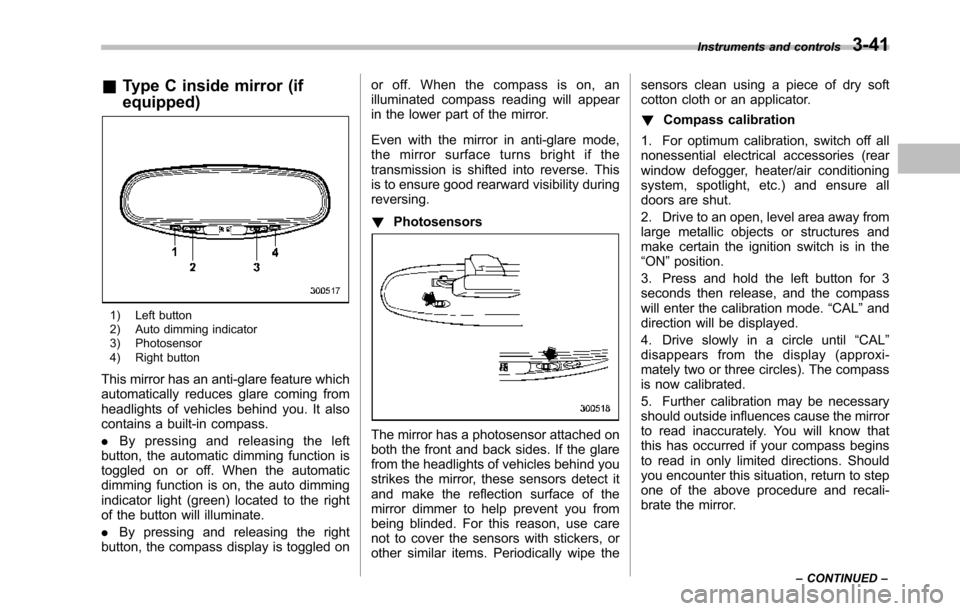
&Type C inside mirror (if
equipped)
1) Left button2) Auto dimming indicator3) Photosensor4) Right button
This mirror has an anti-glare feature whichautomatically reduces glare coming fromheadlights of vehicles behind you. It alsocontains a built-in compass.
.By pressing and releasing the leftbutton, the automatic dimming function istoggled on or off. When the automaticdimming function is on, the auto dimmingindicator light (green) located to the rightof the button will illuminate.
.By pressing and releasing the rightbutton, the compass display is toggled on
or off. When the compass is on, anilluminated compass reading will appearin the lower part of the mirror.
Even with the mirror in anti-glare mode,the mirror surface turns bright if thetransmission is shifted into reverse. Thisis to ensure good rearward visibility duringreversing.
!Photosensors
The mirror has a photosensor attached onboth the front and back sides. If the glarefrom the headlights of vehicles behind youstrikes the mirror, these sensors detect itand make the reflection surface of themirror dimmer to help prevent you frombeing blinded. For this reason, use carenot to cover the sensors with stickers, orother similar items. Periodically wipe the
sensors clean using a piece of dry softcotton cloth or an applicator.
!Compass calibration
1. For optimum calibration, switch off allnonessential electrical accessories (rearwindow defogger, heater/air conditioningsystem, spotlight, etc.) and ensure alldoors are shut.
2. Drive to an open, level area away fromlarge metallic objects or structures andmake certain the ignition switch is in the“ON”position.
3. Press and hold the left button for 3seconds then release, and the compasswill enter the calibration mode.“CAL”anddirection will be displayed.
4. Drive slowly in a circle until“CAL”disappears from the display (approxi-mately two or three circles). The compassis now calibrated.
5. Further calibration may be necessaryshould outside influences cause the mirrorto read inaccurately. You will know thatthis has occurred if your compass beginsto read in only limited directions. Shouldyou encounter this situation, return to stepone of the above procedure and recali-brate the mirror.
Instruments and controls3-41
–CONTINUED–
Page 178 of 426
Ventilator.............................................................. 4-2Airflow................................................................ 4-2Ventilator............................................................ 4-4
Automatic climate control system..................... 4-5Control panel...................................................... 4-5Rear air conditioner............................................. 4-9Temperature sensors........................................... 4-9
Operating tips for heater and airconditioner....................................................... 4-10Cleaning ventilator grille..................................... 4-10Efficient cooling after parking in directsunlight........................................................... 4-10
Lubrication oil circulation in the refrigerantcircuit.............................................................. 4-10Checking air conditioning system before summerseason............................................................ 4-10Cooling and dehumidifying in high humidity andlow temperature weather conditions................. 4-10Air conditioner compressor shut-off when engineis heavily loaded.............................................. 4-11Refrigerant for your climate control system ........ 4-11
Air filtration system........................................... 4-11Replacing the air filter........................................ 4-11
Climate control
4
Page 186 of 426
to the OFF position as soon as theoutside dusty condition clears.
NOTE
When driving on a dusty road or behinda vehicle that emits unpleasant exhaustgases, set the air inlet selection buttonto the ON position.
From time to time, return the air inletselection button to the OFF position todraw outside air into the passengercompartment.
&Rear air conditioner
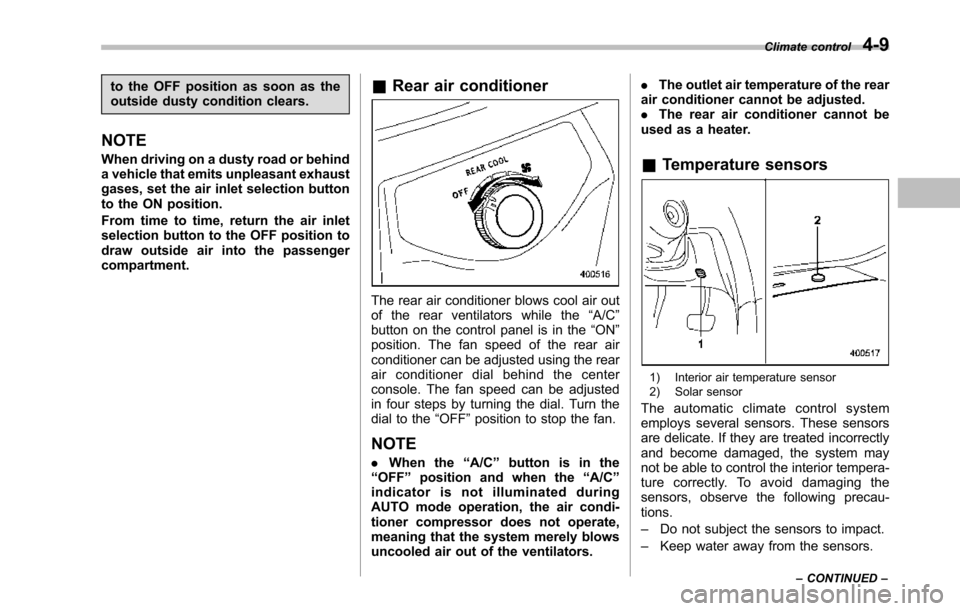
The rear air conditioner blows cool air outof the rear ventilators while the“A/C”button on the control panel is in the“ON”position. The fan speed of the rear airconditionercan be adjusted using the rearair conditioner dial behind the centerconsole. The fan speed can be adjustedin four steps by turning the dial. Turn thedial to the“OFF”position to stop the fan.
NOTE
.When the“A/C”button is in the“OFF”position and when the“A/C”indicator is not illuminated duringAUTO mode operation, the air condi-tioner compressor does not operate,meaning that the system merely blowsuncooled air out of the ventilators.
.The outlet air temperature of the rearair conditioner cannot be adjusted..The rear air conditioner cannot beused as a heater.
&Temperature sensors
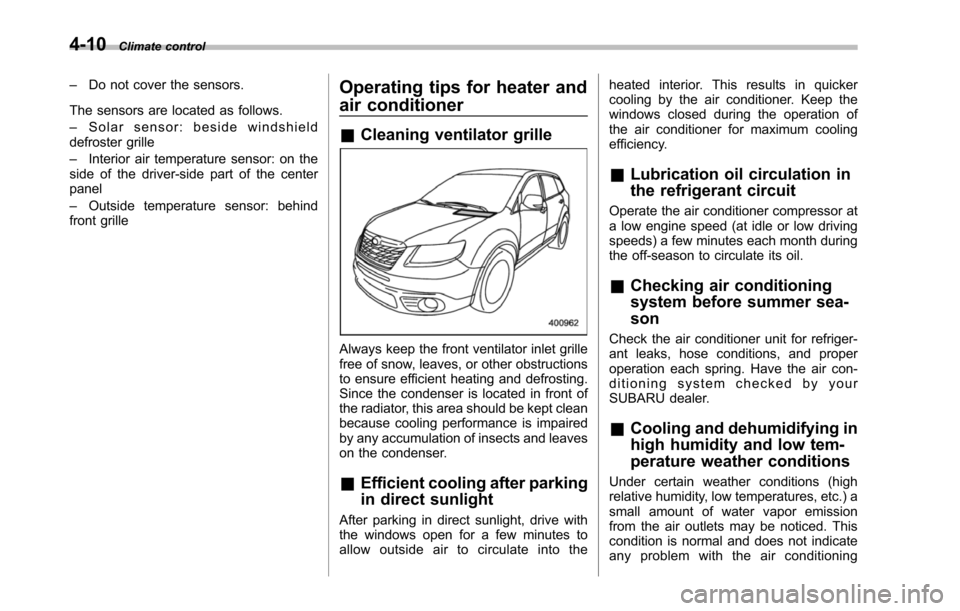
1) Interior air temperature sensor2) Solar sensor
The automatic climate control systememploys several sensors. These sensorsare delicate. If they are treated incorrectlyand become damaged, the system maynot be able to control the interior tempera-ture correctly. To avoid damaging thesensors, observe the following precau-tions.
–Do not subject the sensors to impact.
–Keep water away from the sensors.
Climate control4-9
–CONTINUED–
Page 187 of 426
4-10Climate control
–Do not cover the sensors.
The sensors are located as follows.
–Solar sensor: beside windshielddefroster grille
–Interior air temperature sensor: on theside of the driver-side part of the centerpanel
–Outside temperature sensor: behindfront grille
Operating tips for heater and
air conditioner
&Cleaning ventilator grille
Always keep the front ventilator inlet grillefree of snow, leaves, or other obstructionsto ensure efficient heating and defrosting.Since the condenser is located in front ofthe radiator, this area should be kept cleanbecause cooling performance is impairedby any accumulation of insects and leaveson the condenser.
&Efficient cooling after parking
in direct sunlight
After parking in direct sunlight, drive withthe windows open for a few minutes toallow outside air to circulate into the
heated interior. This results in quickercooling by the air conditioner. Keep thewindows closed during the operation ofthe air conditioner for maximum coolingefficiency.
&Lubrication oil circulation in
the refrigerant circuit
Operate the air conditioner compressor ata low engine speed (at idle or low drivingspeeds) a few minutes each month duringthe off-season to circulate its oil.
&Checking air conditioning
system before summer sea-
son
Check the air conditioner unit for refriger-ant leaks,hose conditions, and properoperation each spring. Have the air con-ditioning system checked by yourSUBARU dealer.
&Cooling and dehumidifying in
high humidity and low tem-
perature weather conditions
Under certain weather conditions (highrelative humidity, low temperatures, etc.) asmall amount of water vapor emissionfrom the air outlets may be noticed. Thiscondition is normal and does not indicateany problem with the air conditioning