lights SUBARU TRIBECA 2014 1.G Owner's Manual
[x] Cancel search | Manufacturer: SUBARU, Model Year: 2014, Model line: TRIBECA, Model: SUBARU TRIBECA 2014 1.GPages: 426, PDF Size: 6.37 MB
Page 143 of 426
3-10Instruments and controls
: Door open warning light
If any lights do not illuminate, it indicates aburned-out bulb or a malfunction of thecorresponding system.
Consult your authorized SUBARU dealerfor repair.
&Seatbelt warning light
and chime
Your vehicle is equipped with a seatbeltwarning device at the driver’s and frontpassenger’s seat.
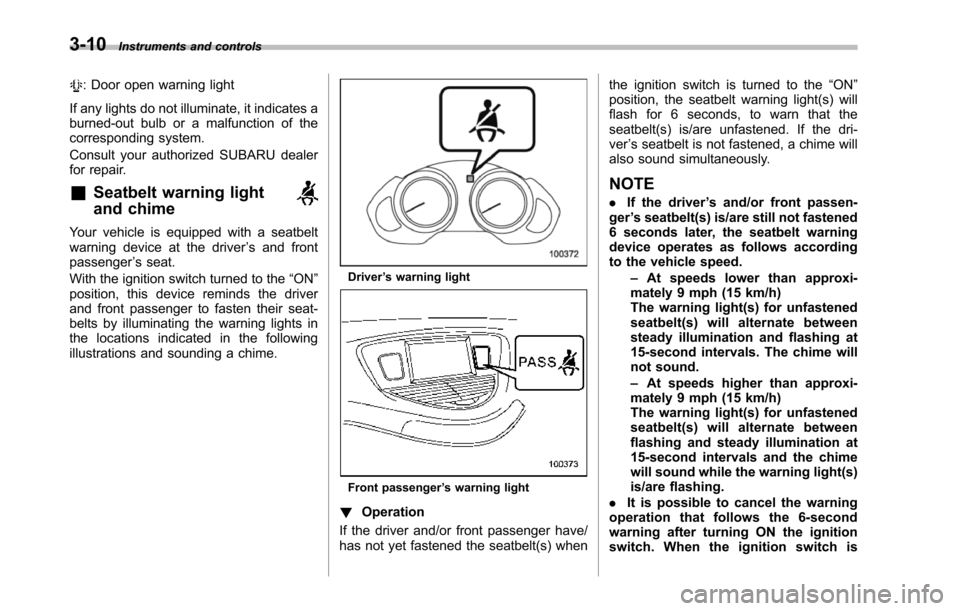
With the ignition switch turned to the“ON”position, this device reminds the driverand front passenger to fasten their seat-belts by illuminating the warning lights inthe locations indicated in the followingillustrationsand sounding a chime.
Driver’s warning light
Front passenger’s warning light
!Operation
If the driver and/or front passenger have/has not yet fastened the seatbelt(s) when
the ignition switch is turned to the“ON”position, the seatbelt warning light(s) willflash for 6 seconds, to warn that theseatbelt(s) is/are unfastened. If the dri-ver’s seatbelt is not fastened, a chime willalso sound simultaneously.
NOTE
.If the driver’s and/or front passen-ger’s seatbelt(s) is/are still not fastened6 seconds later, the seatbelt warningdevice operates as follows accordingto the vehicle speed.–At speeds lower than approxi-mately 9 mph (15 km/h)The warning light(s) for unfastenedseatbelt(s) will alternate betweensteady illumination and flashing at15-second intervals. The chime willnot sound.–At speeds higher than approxi-mately 9 mph (15 km/h)The warning light(s) for unfastenedseatbelt(s) will alternate betweenflashing and steady illumination at15-second intervals and the chimewill sound while the warning light(s)is/are flashing..It is possible to cancel the warningoperation that follows the 6-secondwarningafter turning ON the ignitionswitch. When the ignition switch is
Page 150 of 426
warning light illuminate simultaneously,take the following steps.
1. Stop the vehicle in the nearest safe,flat place.
2. Shut down the engine, apply theparking brake, and then restart it.
3. Release the parking brake. If bothwarning lights turn off, the EBD systemmay be malfunctioning.
Drive carefully to the nearest SUBARUdealer and have the system inspected.
4. If both warning lights illuminate againand remain illuminated after the enginehas been restarted, shut down the engineagain, apply the parking brake, and checkthe brake fluid level.
5. If the brake fluid level is not below the“MIN”mark, the EBD system may bemalfunctioning. Drive carefully to thenearest SUBARU dealer and have thesystem inspected.
6. If the brake fluid level is below the“MIN”mark, DO NOT drive the vehicle.Instead, have the vehicle towed to thenearest SUBARU dealer for repair.
&Low fuel warning light
CAUTION
Immediately put fuel in the tankwhenever the low fuel warning lightilluminates. Engine misfires as aresult of an empty tank could causedamage to the engine.
The low fuel warning light illuminateswhen the tank is nearly empty approxi-mately 2.6 US gal (10 liters, 2.2 Imp gal). Itonly operates when the ignition switch isin the“ON”position. When this lightilluminates, fillthe fuel tank immediately.
NOTE
This light does not turn off unless thetank is replenished up to an internalfuel quantity of approximately 4.0 USgal (15 liters, 3.3 Imp gal).
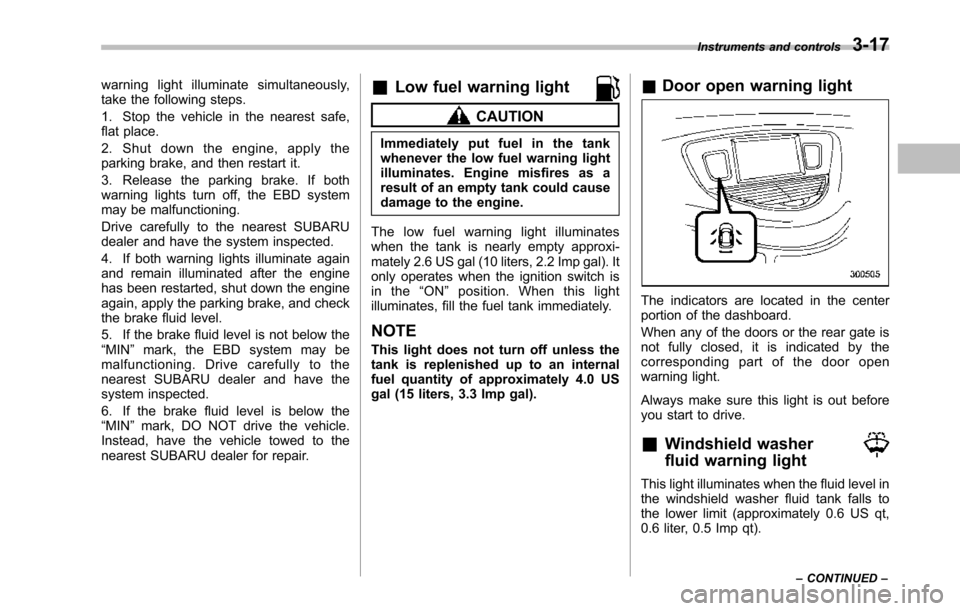
&Door open warning light
The indicators are located in the centerportion of the dashboard.
When any of the doors or the rear gate isnot fully closed, it is indicated by thecorresponding part of the door openwarning light.
Always make sure this light is out beforeyou start to drive.
&Windshield washer
fluid warning light
This light illuminates when the fluid level inthe windshield washer fluid tank falls tothe lower limit (approximately 0.6 US qt,0.6 liter, 0.5 Imp qt).
Instruments and controls3-17
–CONTINUED–
Page 152 of 426
after the engine is started but turns offimmediately, remaining off..The warning light illuminates afterthe engine has started and turns offwhile the vehicle is subsequently beingdriven..The warning light illuminates duringdriving, but it turns off immediately andremains off.
!Vehicle Dynamics Control opera-tion indicator light
U.S.-spec. models and Canada-spec.models:
The indicator light flashes during activa-tion of the skid suppression function andduring activationof the traction controlfunction.
NOTE
.The light may remain illuminated fora short period of time after the enginehas been started, especially in coldweather. This does not indicate theexistence of a problem. The lightshould turn off as soon as the enginehas warmed up..The indicator light illuminates whenthe engine has developed a problemand the CHECK ENGINE warning light/malfunction indicator light is on.
Latin America-spec. models:
The indicator light flashes when the skidsuppression function is activated. It illumi-nates when only the traction controlfunction is operating.
The Vehicle Dynamics Control system isprobably malfunctioning under any of thefollowing conditions. Have your vehiclechecked at a SUBARU dealer as soon aspossible .
.The light does not illuminate when theignition switch is turned to the“ON”position.
.The light does not turn off even afterthe lapse of several minutes (the enginehas warmed up) after the engine hasstarted (U.S.-spec.models and Canada-spec. models)/even after a period ofapproximately 2 seconds after the ignitionswitch has been turned to the“ON”position (Latin America-spec. models).
&Traction Control sys-
tem OFF indicator light
(U.S.-spec models and
Canada-spec. models)
This light illuminates when the TractionControl system OFF switch is pressed todeactivate the Traction Control system.
The Vehicle Dynamics Control system is
probably malfunctioning under any of thefollowing conditions. Have your vehiclechecked at a SUBARU dealer immedi-ately.
.The light does not illuminate when theignition switch is turned to the“ON”position.
.The lightdoes not turn off even after aperiod of approximately 2 seconds afterthe ignition switch has been turned to the“ON”position.
&Vehicle Dynamics
Control warning light
(Latin America-spec.
models)/Traction Con-
trol OFF indicator light
(Latin America-spec.
models)
This warning light functions to indicatemalfunctions in the Vehicle DynamicsControl system as well as to indicate thatthe Traction Control system has beendeactivated.
It illuminates in the event of a malfunctionin the system and is on when the systemis not operating.
Instruments and controls3-19
–CONTINUED–
Page 154 of 426
&Security indicator light
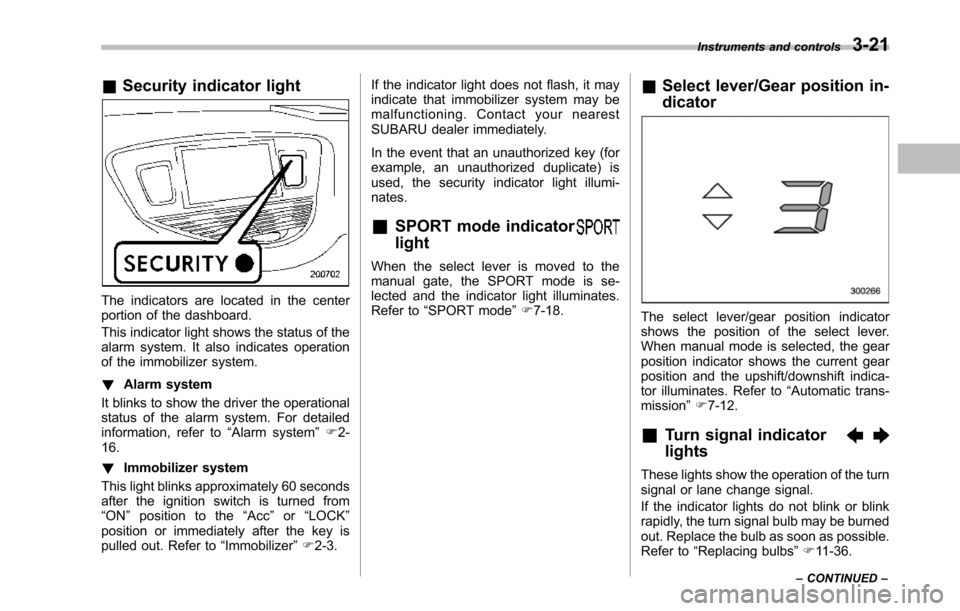
The indicators are located in the centerportion of the dashboard.
This indicator light shows the status of thealarm system. It also indicates operationof the immobilizer system.
!Alarm system
It blinks to show the driver the operationalstatus of the alarm system. For detailedinformation, refer to“Alarm system”F2-16.
!Immobilizer system
This light blinks approximately 60 secondsafter the ignition switch is turned from“ON”position to the“Acc”or“LOCK”position or immediately after the key ispulled out. Refer to“Immobilizer”F2-3.
If the indicator light does not flash, it mayindicate that immobilizer system may bemalfunctioning. Contact your nearestSUBARU dealer immediately.
In the event that an unauthorized key (forexample, an unauthorized duplicate) isused, the security indicator light illumi-nates.
&SPORT mode indicator
light
When the select lever is moved to themanual gate, the SPORT mode is se-lected and theindicator light illuminates.Refer to“SPORTmode”F7-18.
&Select lever/Gear position in-
dicator
The select lever/gear position indicatorshows the position of the select lever.When manual mode is selected, the gearposition indicator shows the current gearposition andthe upshift/downshift indica-tor illuminates. Refer to“Automatic trans-mission”F7-12.
&Turn signal indicator
lights
These lights show the operation of the turnsignal or lane change signal.
If the indicator lights do not blink or blinkrapidly, the turn signal bulb may be burnedout. Replace the bulb as soon as possible.Refer to“Replacing bulbs”F11-36.
Instruments and controls3-21
–CONTINUED–
Page 155 of 426
3-22Instruments and controls
&High beam indicator
light
This light shows that the headlights are inthe high beam mode.
This indicator light also illuminates whenthe headlight flasher is operated.
&Cruise control indica-
tor light
This light illuminates when the“CRUISE”main switch is pressed to activate thecruise control function. For details, refer to“To set cruise control”F7-30.
CAUTION
If the CHECK ENGINE warning light/malfunction indicator light illumi-nates, the cruise control indicatorlight flashes at the same time. Atthis time, avoid driving at highspeed and have your vehicle in-spected at a SUBARU dealer assoon as possible.
NOTE
If you move the cruise control lever orpress the main switch button whileturning the ignition switch“ON”, thecruise control function is deactivated
and the cruise control indicator lightflashes. To reactivate the cruise controlfunction, turn the ignition switch backto the“Acc”or“LOCK”position, andthen turn it again to the“ON”position.
&Cruise control set in-
dicator light
This light illuminates when vehicle speedhasbeen set to use the cruise controlfunction.
&Headlight indicator
light
This indicator light illuminates when thelight switch is turned to the“”position(to turn on the parking lights) or to the“”position (to turn on the headlights).
&Front fog light indicator
light
This indicator light illuminates while thefront fog lights are illuminated.
Clock
NOTE
If your vehicle is equipped with agenuine SUBARU navigation system,refer to the Owner’s Manual supple-ment for the navigation system.
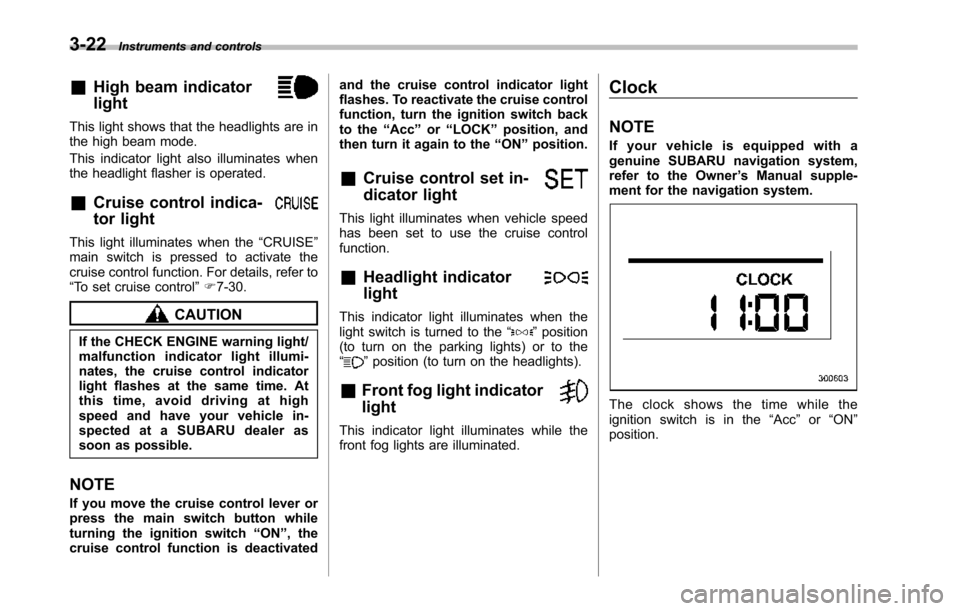
The clock shows the time while theignition switch is in the“Acc”or“ON”position.
Page 160 of 426
&Journey time
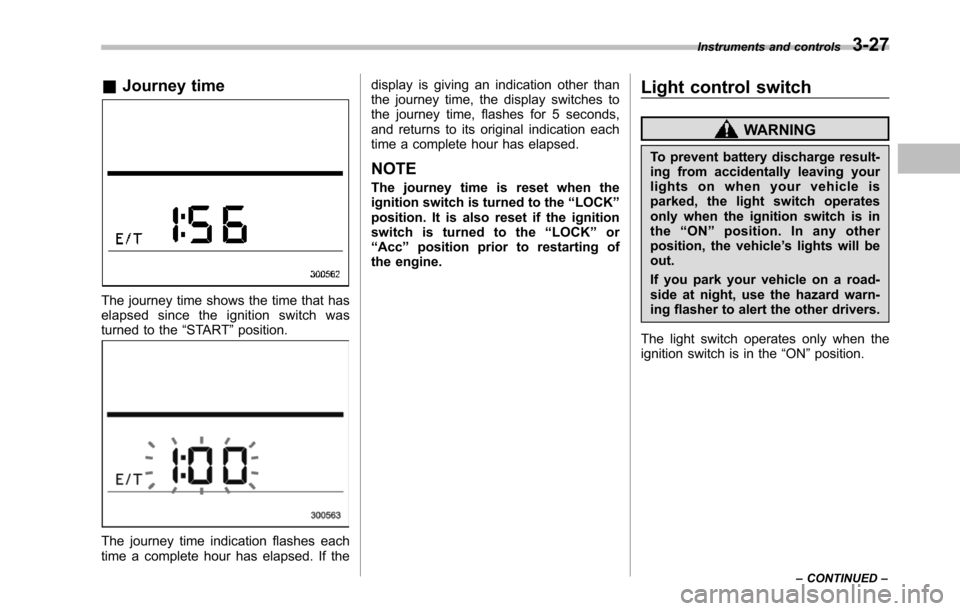
The journey time shows the time that haselapsed since the ignition switch wasturned to the“START”position.
The journey time indication flashes eachtime a complete hour has elapsed. If the
display is giving an indication other thanthe journey time, the display switches tothe journey time, flashes for 5 seconds,and returns to its original indication eachtime a complete hour has elapsed.
NOTE
The journey time is reset when theignition switch is turned to the“LOCK”position. It is also reset if the ignitionswitch is turned to the“LOCK”or“Acc”position prior to restarting ofthe engine.
Light control switch
WARNING
To prevent battery discharge result-ing from accidentally leaving yourlights on when your vehicle isparked, the light switch operatesonly when the ignition switch is inthe“ON”position. In any otherposition, the vehicle’s lights will beout.
If you park your vehicle on a road-side at night, use the hazard warn-ing flasher to alert the other drivers.
The light switch operates only when theignition switch is in the“ON”position.
Instruments and controls3-27
–CONTINUED–
Page 161 of 426
3-28Instruments and controls
&Headlights
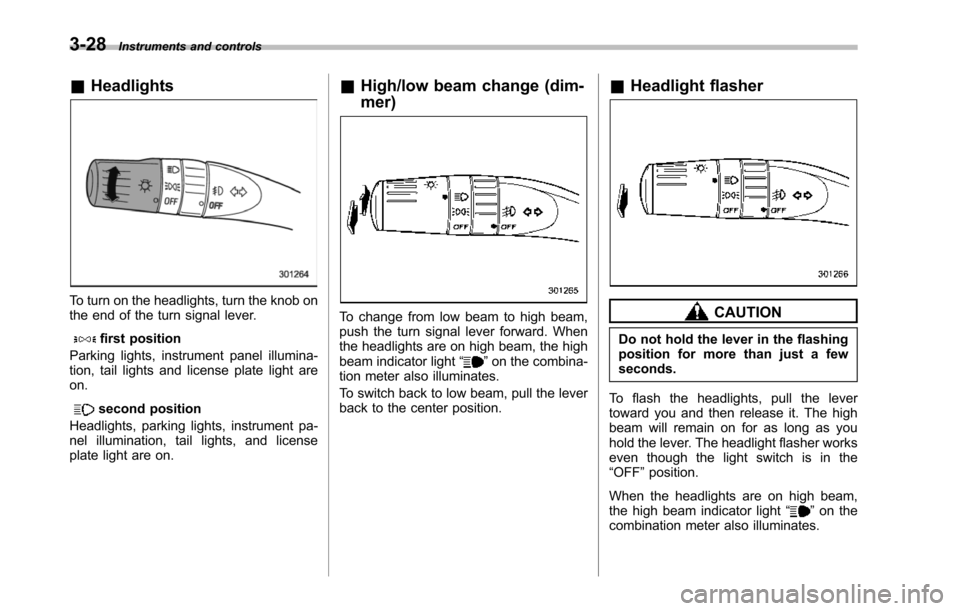
To turn on the headlights, turn the knob onthe end of the turn signal lever.
first position
Parking lights, instrument panel illumina-tion, tail lights and license plate light areon.
second position
Headlights, parking lights, instrument pa-nel illumination, tail lights, and licenseplate light are on.
&High/low beam change (dim-
mer)
To change from low beam to high beam,push the turn signal lever forward. Whenthe headlights are on high beam, the highbeamindicator light“”on the combina-tion meter also illuminates.
To switch back to low beam, pull the leverback to the center position.
&Headlight flasher
CAUTION
Do not hold the lever in the flashingposition for more than just a fewseconds.
To flash the headlights, pull the levertoward you and then release it. The highbeam will remain on for as long as youhold the lever. The headlight flasher workseven though the light switch is in the“OFF”position.
When the headlights are on high beam,the high beam indicator light“”on thecombinationmeter also illuminates.
Page 162 of 426
&Daytime running light system
WARNING
The brightness of the illumination ofthe high beam headlights is reducedby the daytime running light system.The light switch must always beturned to the“”position when itis dark outside.
The high beam headlights will automati-cally illuminate at reduced brightnesswhen the engine has started, under thefollowing conditions.
.The select lever is in a position otherthan the“P”position.
.The parkingbrake is fully released.
.The light switch is in the“OFF”or“”position.
NOTE
When the light switch is in the“”position,the front side marker lights,parking lights and license plate lightsare also illuminated.
Turn signal lever
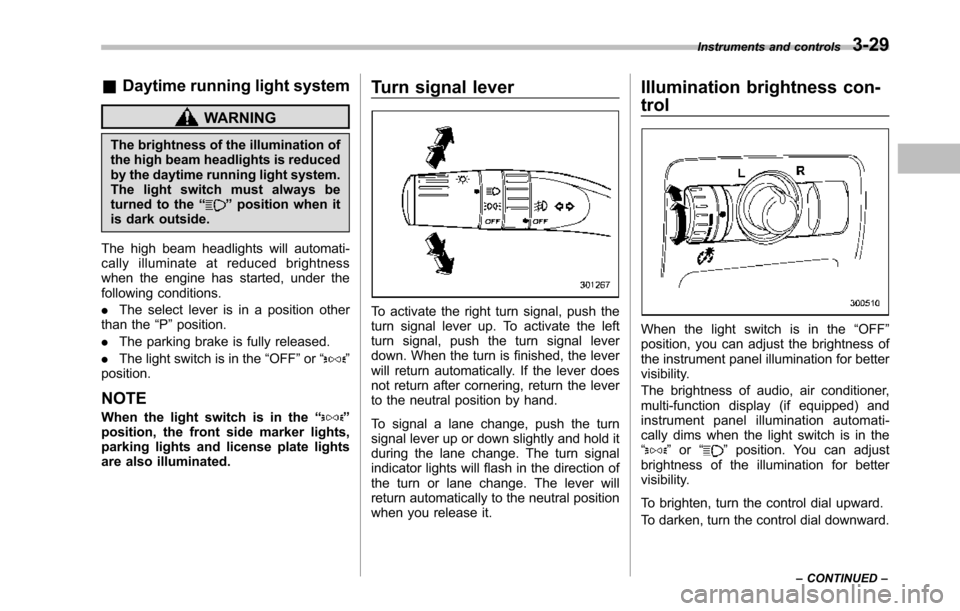
To activate the right turn signal, push theturn signal lever up. To activate the leftturn signal, push the turn signal leverdown. When the turn is finished, the leverwill return automatically. If the lever doesnot return after cornering, return the leverto the neutral position by hand.
To signal a lane change, push the turnsignal lever up or down slightly and hold itduring the lane change. The turn signalindicator lights will flash in the direction ofthe turn or lane change. The lever willreturn automatically to the neutral positionwhen you release it.
Illumination brightness con-
trol
When the light switch is in the“OFF”position, you can adjust the brightness ofthe instrument panel illumination for bettervisibility.
The brightnessof audio, air conditioner,multi-function display (if equipped) andinstrument panel illumination automati-cally dims when the light switch is in the“”or“”position. You can adjustbrightness of the illumination for bettervisibility.
To brighten, turn the control dial upward.
To darken, turn the control dial downward.
Instruments and controls3-29
–CONTINUED–
Page 165 of 426
3-32Instruments and controls
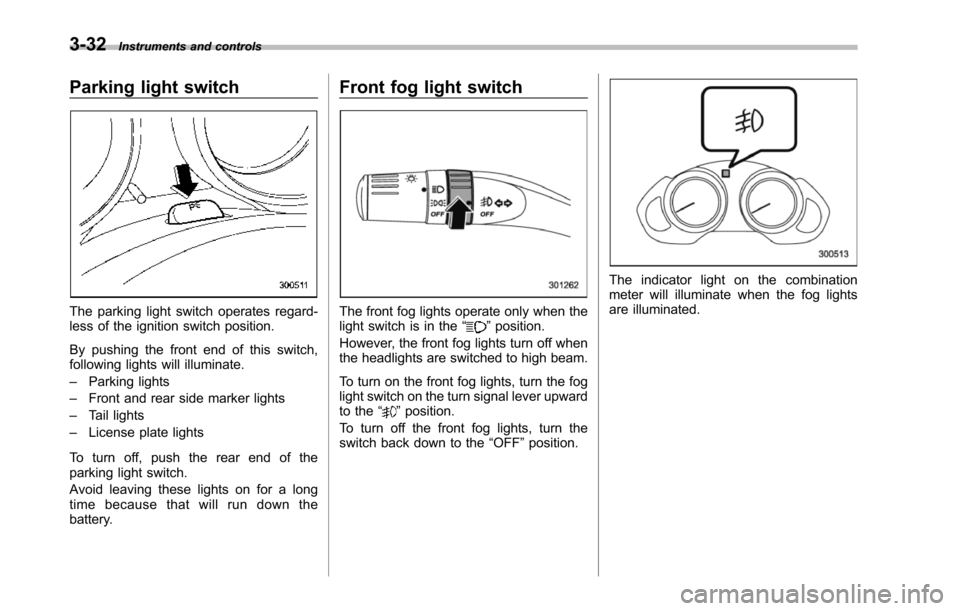
Parking light switch
The parking light switch operates regard-less of the ignition switch position.
By pushing the front end of this switch,following lights will illuminate.
–Parking lights
–Front and rear side marker lights
–Tail lights
–License plate lights
To turn off, push the rear end of theparking lightswitch.
Avoid leaving these lights on for a longtime because that will run down thebattery.
Front fog light switch
The front fog lights operate only when thelight switch is in the“”position.
However, the front fog lights turn off whenthe headlights are switched to high beam.
To turn on the front fog lights, turn the foglight switchon the turn signal lever upwardto the“”position.
To turn off the front fog lights, turn theswitch back down to the“OFF”position.
The indicator light on the combinationmeter will illuminate when the fog lightsare illuminated.
Page 171 of 426
3-38Instruments and controls
NOTE
The outside mirror defogger also oper-ates while the rear window defogger isoperating.
Mirrors
Always check that the inside and outsidemirrors are properly adjusted before youstart driving.
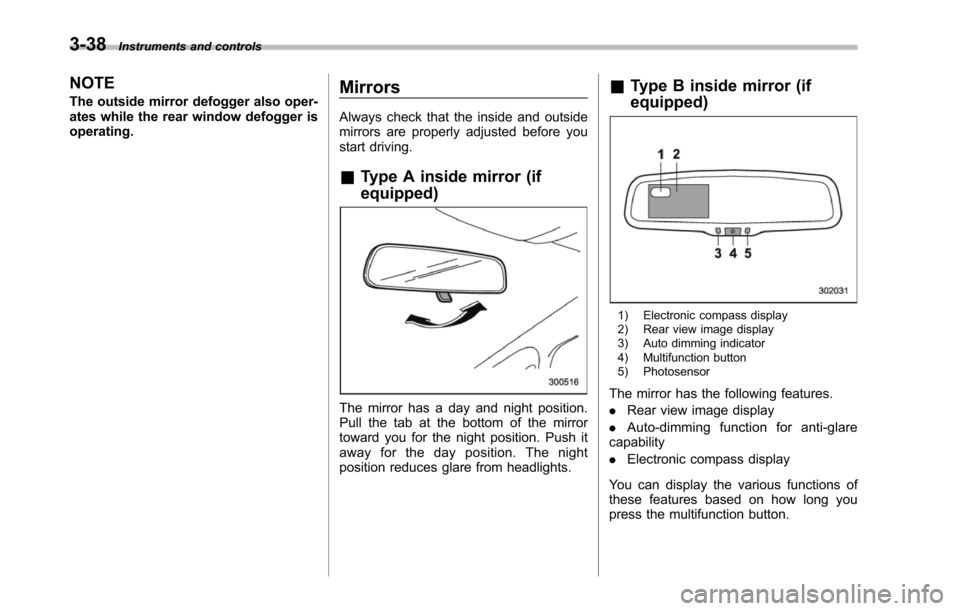
&Type A inside mirror (if
equipped)
The mirror has a day and night position.Pull the tab at the bottom of the mirrortoward you for the night position. Push itaway for the day position. The nightposition reduces glare from headlights.
&Type B inside mirror (if
equipped)
1) Electronic compass display2) Rear view image display3) Auto dimming indicator4) Multifunction button5) Photosensor
The mirror has the following features.
.Rear view image display
.Auto-dimming function for anti-glarecapability
.Electronic compass display
You can display the various functions ofthese features based on how long youpress the multifunction button.