clock SUBARU TRIBECA 2014 1.G Owners Manual
[x] Cancel search | Manufacturer: SUBARU, Model Year: 2014, Model line: TRIBECA, Model: SUBARU TRIBECA 2014 1.GPages: 426, PDF Size: 6.37 MB
Page 134 of 426
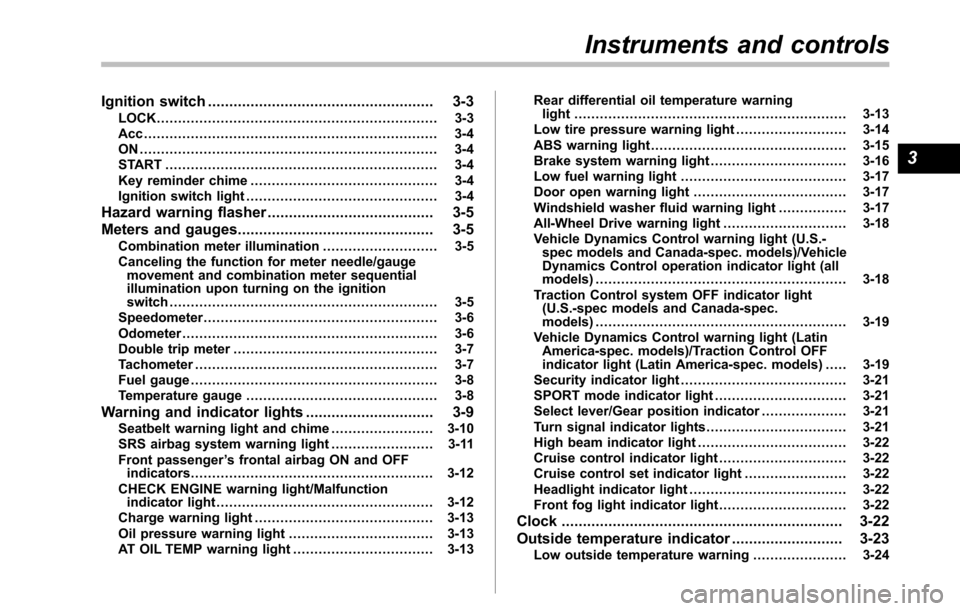
Ignition switch..................................................... 3-3LOCK.................................................................. 3-3Acc ..................................................................... 3-4ON ...................................................................... 3-4START ................................................................ 3-4Key reminder chime............................................ 3-4Ignition switch light............................................. 3-4
Hazard warning flasher....................................... 3-5
Meters and gauges.............................................. 3-5Combination meter illumination........................... 3-5Canceling the function for meter needle/gaugemovement and combination meter sequentialillumination upon turning on the ignitionswitch............................................................... 3-5Speedometer....................................................... 3-6Odometer............................................................ 3-6Double trip meter................................................ 3-7Tachometer......................................................... 3-7Fuel gauge.......................................................... 3-8Temperature gauge............................................. 3-8
Warning and indicator lights.............................. 3-9Seatbelt warning light and chime........................ 3-10SRS airbag system warning light........................ 3-11Front passenger’s frontal airbag ON and OFFindicators......................................................... 3-12CHECK ENGINE warning light/Malfunctionindicator light................................................... 3-12Charge warning light.......................................... 3-13Oil pressure warning light.................................. 3-13AT OIL TEMP warning light................................. 3-13
Rear differential oil temperature warninglight................................................................ 3-13Low tire pressure warning light.......................... 3-14ABS warning light.............................................. 3-15Brake system warning light................................ 3-16Low fuel warning light....................................... 3-17Door open warning light.................................... 3-17Windshield washer fluid warning light................ 3-17All-Wheel Drive warning light ............................. 3-18Vehicle Dynamics Control warning light (U.S.-spec models and Canada-spec. models)/VehicleDynamics Control operation indicator light (allmodels)........................................................... 3-18Traction Control system OFF indicator light(U.S.-specmodels and Canada-spec.models)........................................................... 3-19Vehicle Dynamics Control warning light (LatinAmerica-spec. models)/Traction Control OFFindicator light (Latin America-spec. models)..... 3-19Security indicator light....................................... 3-21SPORT mode indicator light............................... 3-21Select lever/Gear position indicator.................... 3-21Turn signal indicator lights................................. 3-21High beam indicator light................................... 3-22Cruise control indicator light.............................. 3-22Cruise control set indicator light........................ 3-22Headlight indicator light..................................... 3-22Front fog lightindicator light.............................. 3-22
Clock.................................................................. 3-22
Outside temperature indicator.......................... 3-23Low outside temperature warning...................... 3-24
Instruments and controls
3
Page 155 of 426
3-22Instruments and controls
&High beam indicator
light
This light shows that the headlights are inthe high beam mode.
This indicator light also illuminates whenthe headlight flasher is operated.
&Cruise control indica-
tor light
This light illuminates when the“CRUISE”main switch is pressed to activate thecruise control function. For details, refer to“To set cruise control”F7-30.
CAUTION
If the CHECK ENGINE warning light/malfunction indicator light illumi-nates, the cruise control indicatorlight flashes at the same time. Atthis time, avoid driving at highspeed and have your vehicle in-spected at a SUBARU dealer assoon as possible.
NOTE
If you move the cruise control lever orpress the main switch button whileturning the ignition switch“ON”, thecruise control function is deactivated
and the cruise control indicator lightflashes. To reactivate the cruise controlfunction, turn the ignition switch backto the“Acc”or“LOCK”position, andthen turn it again to the“ON”position.
&Cruise control set in-
dicator light
This light illuminates when vehicle speedhasbeen set to use the cruise controlfunction.
&Headlight indicator
light
This indicator light illuminates when thelight switch is turned to the“”position(to turn on the parking lights) or to the“”position (to turn on the headlights).
&Front fog light indicator
light
This indicator light illuminates while thefront fog lights are illuminated.
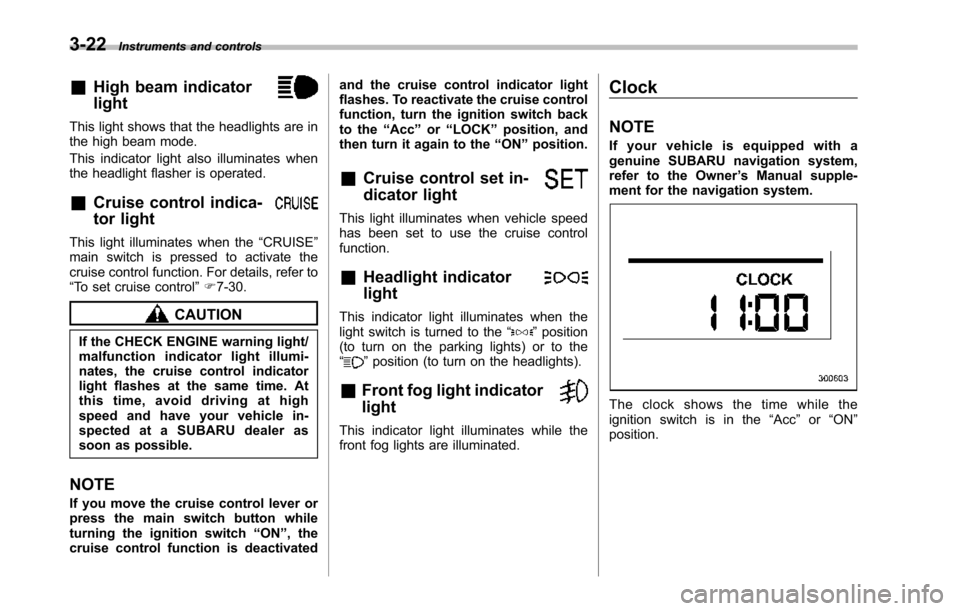
Clock
NOTE
If your vehicle is equipped with agenuine SUBARU navigation system,refer to the Owner’s Manual supple-ment for the navigation system.
The clock shows the time while theignition switch is in the“Acc”or“ON”position.
Page 156 of 426
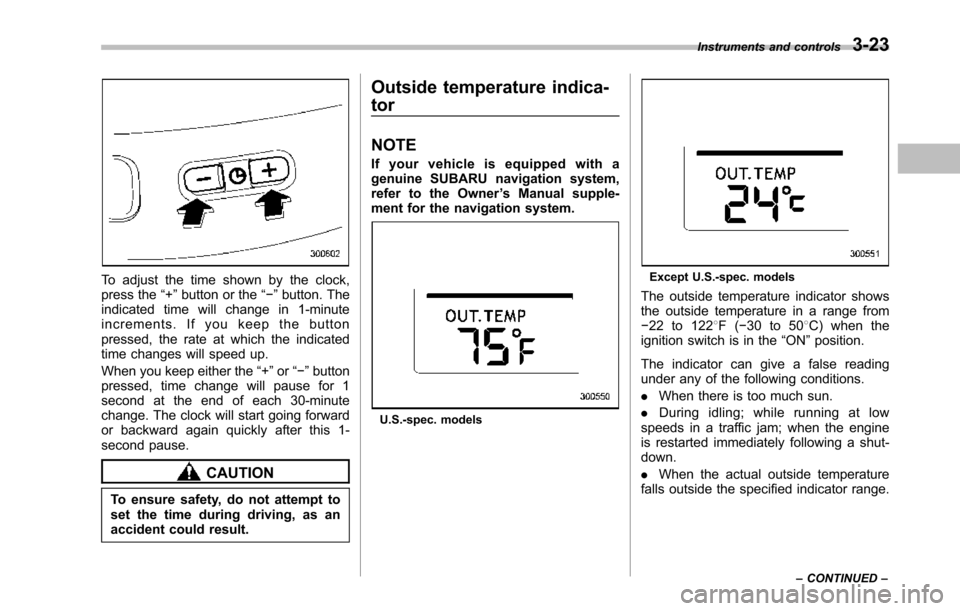
To adjust the time shown by the clock,press the“+”button or the“!”button. Theindicated time will change in 1-minuteincrements. If you keep the buttonpressed, the rate at which the indicatedtime changes will speed up.
When you keepeither the“+”or“!”buttonpressed,time change will pause for 1second at the end of each 30-minutechange. The clock will start going forwardor backward again quickly after this 1-second pause.
CAUTION
To ensure safety, do not attempt toset the time during driving, as anaccident could result.
Outside temperature indica-
tor
NOTE
If your vehicle is equipped with agenuine SUBARU navigation system,refer to the Owner’s Manual supple-ment for the navigation system.
U.S.-spec. models
Except U.S.-spec. models
Theoutside temperature indicator showsthe outside temperature in a range from!22 to 1228F(!30 to 508C) when theignition switch is in the“ON”position.
The indicator can give a false readingunder any of the following conditions.
.When there is too much sun.
.During idling; while running at lowspeeds in a traffic jam; when the engineis restarted immediately following a shut-down.
.When the actual outside temperaturefalls outside the specified indicator range.
Instruments and controls3-23
–CONTINUED–
Page 183 of 426
4-6Climate control
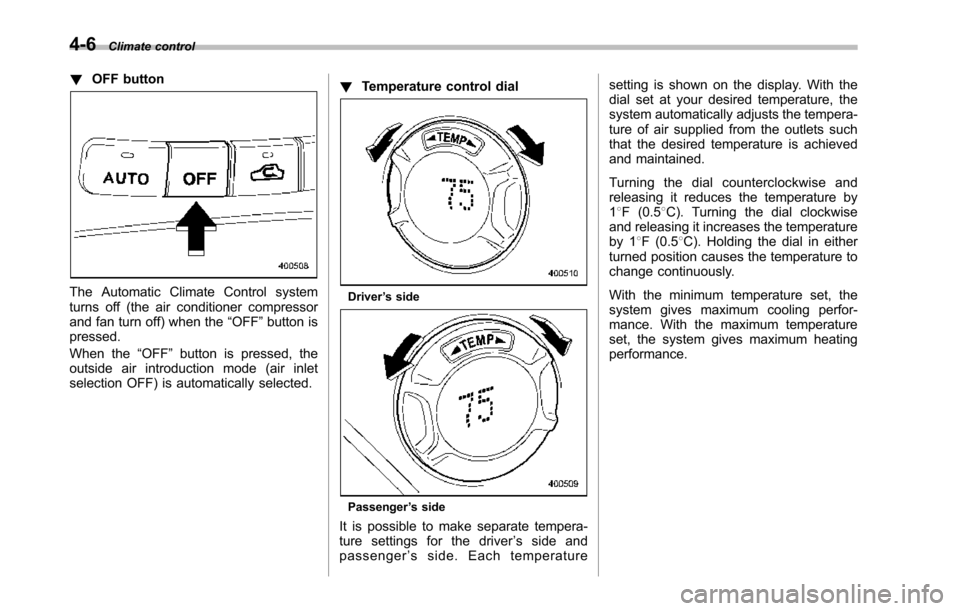
!OFF button
The Automatic Climate Control systemturns off (the air conditioner compressorand fan turn off) when the“OFF”button ispressed.
When the“OFF”button is pressed, theoutside airintroduction mode (air inletselection OFF) is automatically selected.
!Temperature control dial
Driver’s side
Passenger’s side
It is possible to make separate tempera-ture settings for the driver’ssideandpassenger’sside.Eachtemperature
setting is shown on the display. With thedial set at your desired temperature, thesystem automatically adjusts the tempera-ture of air supplied from the outlets suchthat the desired temperature is achievedand maintained.
Turning the dial counterclockwise andreleasing it reduces the temperature by18F (0.58C). Turning the dial clockwiseand releasing it increases the temperatureby 18F (0.58C). Holdingthe dial in eitherturnedposition causes the temperature tochange continuously.
With the minimum temperature set, thesystemgives maximum cooling perfor-mance. With the maximum temperatureset, the system gives maximum heatingperformance.
Page 197 of 426
5-6Audio
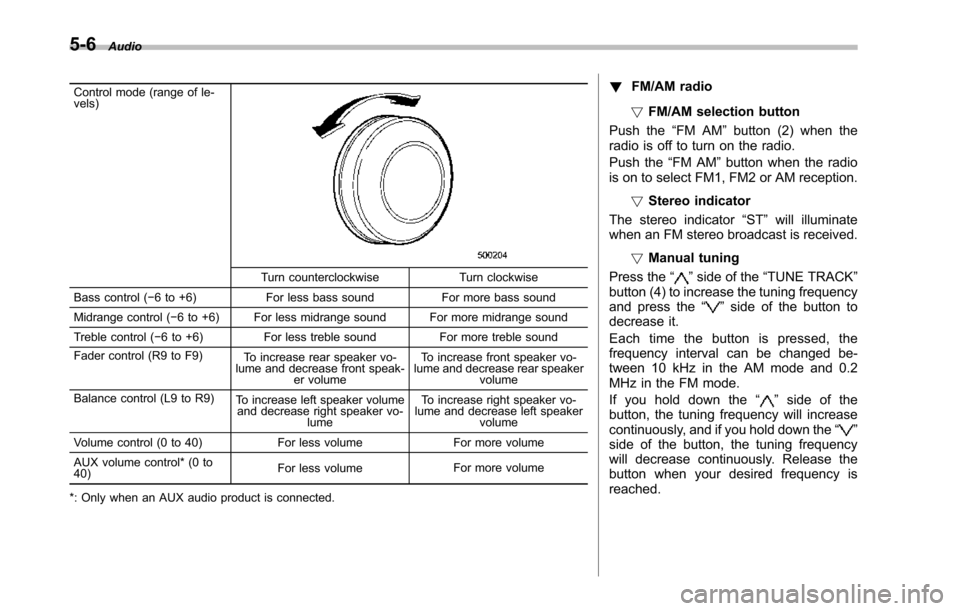
Control mode (range of le-vels)
Turn counterclockwise Turn clockwise
Bass control (!6 to +6) For less bass sound For more bass sound
Midrange control(!6 to +6) For less midrange sound For more midrange sound
Treble control (!6 to +6) For less treble sound For more treble sound
Fader control (R9 to F9)To increase rear speaker vo-lume and decrease front speak-er volume
To increase front speaker vo-lume and decrease rear speakervolume
Balance control(L9 to R9)To increase left speaker volumeand decrease right speaker vo-lume
To increase right speaker vo-lume and decrease left speakervolume
Volume control (0 to 40) For less volume For more volume
AUX volume control* (0 to40)For less volumeFor more volume
*: Only when an AUX audio product is connected.
!FM/AM radio
!FM/AM selection button
Push the“FM AM”button (2) when theradio is off to turn on the radio.
Push the“FM AM”button when the radiois on to select FM1, FM2 or AM reception.
!Stereo indicator
The stereo indicator“ST”will illuminatewhen an FM stereo broadcast is received.
!Manual tuning
Press the“”side of the“TUNE TRACK”button(4) to increase the tuning frequencyand press the“”side of the button todecrease it.
Each time the button is pressed, thefrequencyinterval can be changed be-tween 10 kHz in the AM mode and 0.2MHz in the FM mode.
If you hold down the“”side of thebutton, the tuningfrequency will increasecontinuously, and if you hold down the“”side of the button, the tuning frequencywill decrease continuously. Release thebutton when your desired frequency isreached.
Page 208 of 426
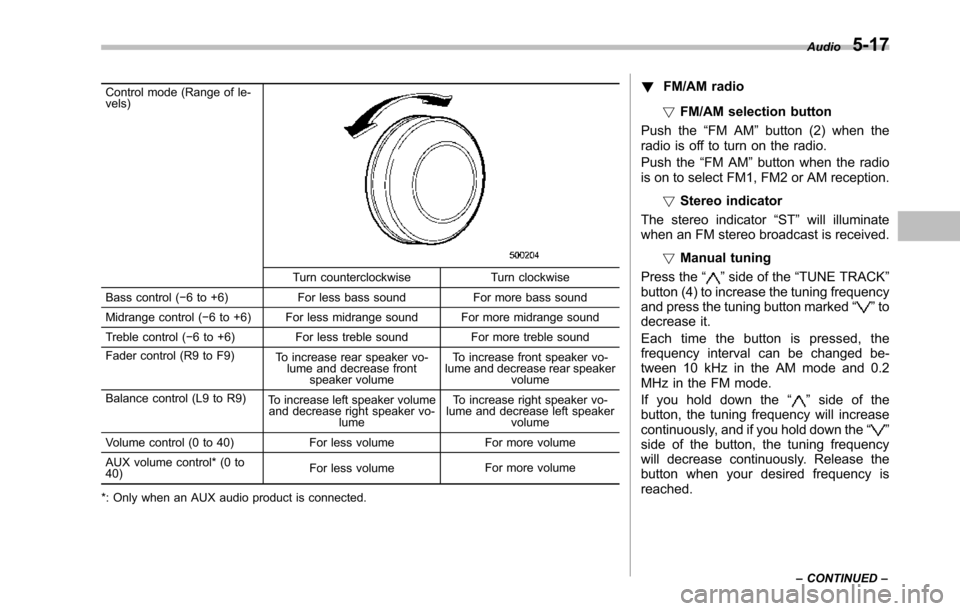
Control mode (Range of le-vels)
Turn counterclockwise Turn clockwise
Bass control (!6 to +6) For less bass sound For more bass sound
Midrange control (!6 to +6) For less midrange sound For more midrange sound
Treble control (!6 to +6) For less treble sound For more treble sound
Fader control (R9 to F9)To increase rear speaker vo-lume and decrease frontspeaker volume
To increase front speaker vo-lume and decrease rear speakervolume
Balance control (L9 to R9)To increase left speaker volumeand decrease right speaker vo-lume
To increase right speaker vo-lume and decrease left speakervolume
Volume control (0 to 40) For less volume For more volume
AUX volumecontrol* (0 to40)For less volumeFor more volume
*: Only when an AUX audio product is connected.
!FM/AM radio
!FM/AM selection button
Push the“FM AM”button (2) when theradio is off to turn on the radio.
Push the“FM AM”button when the radiois on to select FM1, FM2 or AM reception.
!Stereo indicator
The stereo indicator“ST”will illuminatewhen an FM stereo broadcast is received.
!Manual tuning
Press the“”side of the“TUNE TRACK”button (4) to increase the tuning frequencyand pressthe tuning button marked“”todecrease it.
Each time the button is pressed, thefrequency interval can be changed be-tween 10 kHz in the AM mode and 0.2MHz in the FM mode.
If you hold down the“”side of thebutton, the tuning frequency will increasecontinuously, and if you hold down the“”side of the button, the tuning frequencywill decreasecontinuously. Release thebutton when your desired frequency isreached.
Audio5-17
–CONTINUED–
Page 227 of 426
6-6Interior equipment
Storage compartment
CAUTION
.Always keep the storage com-partment closed while driving toreduce the risk of injury in theevent of sudden stops or anaccident.
.Do not store spray cans, contain-ers with flammable or corrosiveliquids or any other dangerousitems in the storage compart-ment.
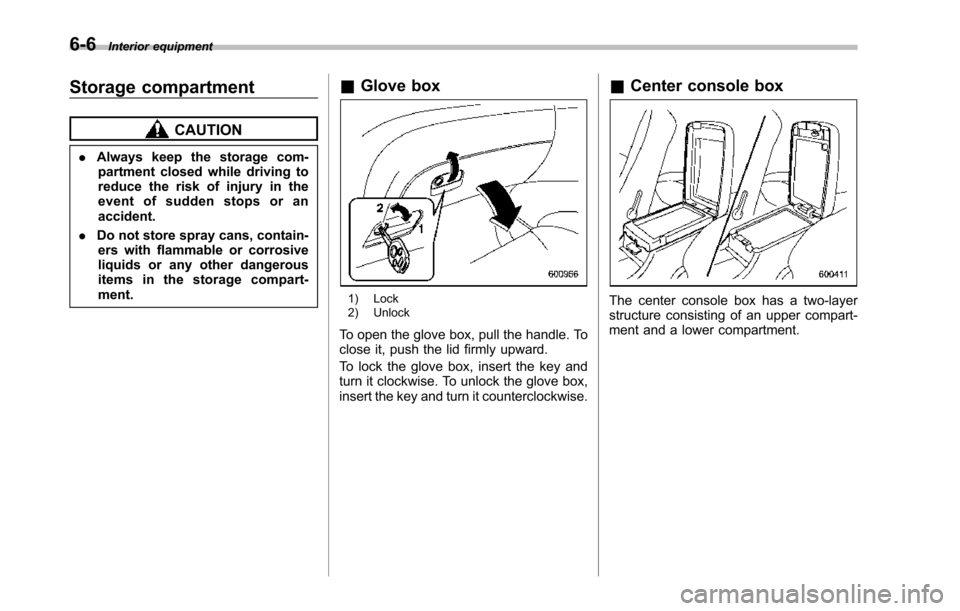
&Glove box
1) Lock2) Unlock
To open the glove box, pull the handle. Toclose it, push the lid firmly upward.
To lock the glove box, insert the key andturn it clockwise. To unlock the glove box,insert the key and turn it counterclockwise.
&Center console box
The center console box has a two-layerstructure consisting of an upper compart-ment and a lower compartment.
Page 251 of 426
7-4Starting and operating
WARNING
Before opening the fuel filler cap,first touch the vehicle body or ametal portion of the fuel pump orsimilar object to discharge anystatic electricity that may be presenton your body. If your body is carry-ing an electrostatic charge, there isa possibility that an electric sparkcould ignite the fuel, which couldburn you. To avoid acquiring a newstatic electric charge, do not getback into the vehicle while refuelingis in progress.
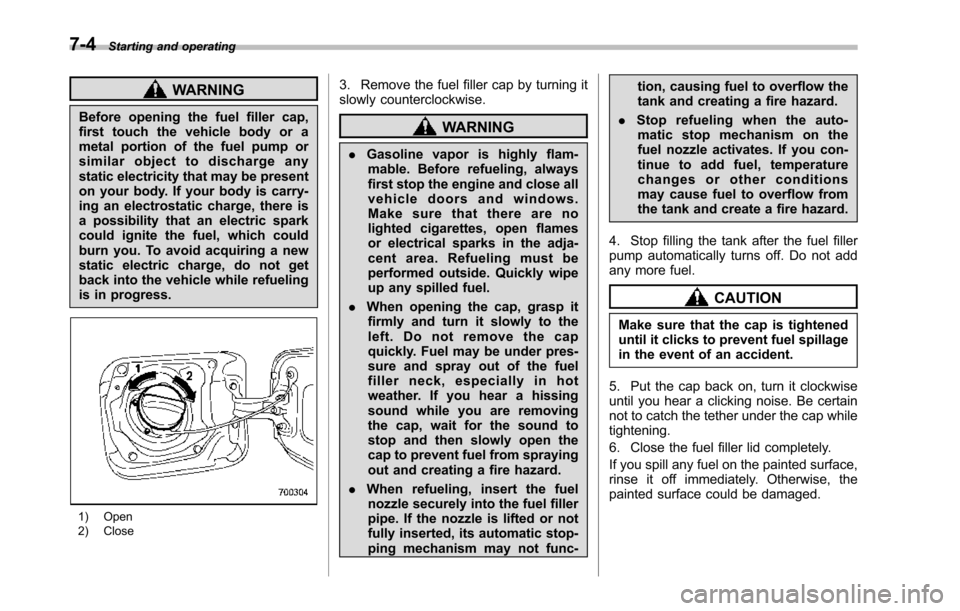
1) Open2) Close
3. Remove the fuel filler cap by turning itslowly counterclockwise.
WARNING
.Gasoline vapor is highly flam-mable. Before refueling, alwaysfirst stop the engine and close allvehicle doors and windows.Make sure that there are nolighted cigarettes, open flamesor electrical sparks in the adja-cent area. Refueling must beperformed outside. Quickly wipeup any spilled fuel.
.When opening the cap, grasp itfirmly and turn it slowly to theleft. Do not remove the capquickly. Fuel may be under pres-sure and spray out of the fuelfiller neck, especially in hotweather. If you hear a hissingsound while you are removingthe cap, wait for the sound tostop and then slowly open thecapto prevent fuel from sprayingout and creating a fire hazard.
.When refueling, insert the fuelnozzle securely into the fuel fillerpipe. If the nozzle is lifted or notfullyinserted, its automatic stop-ping mechanism may not func-
tion, causing fuel to overflow thetank and creating a fire hazard.
.Stop refueling when the auto-matic stop mechanism on thefuel nozzle activates. If you con-tinue to add fuel, temperaturechanges or other conditionsmay cause fuel to overflow fromthe tank and create a fire hazard.
4. Stop filling the tank after the fuel fillerpump automatically turns off. Do not addany more fuel.
CAUTION
Make sure that the cap is tighteneduntil it clicks to prevent fuel spillagein the event of an accident.
5. Put the cap back on, turn it clockwiseuntil you hear a clicking noise. Be certainnot to catch the tether under the cap whiletightening.
6. Close the fuel filler lid completely.
If you spill any fuel on the painted surface,rinse it off immediately. Otherwise, thepainted surface could be damaged.
Page 310 of 426
carefully read“Temporary spare tire”F9-5for instructions and precautions.
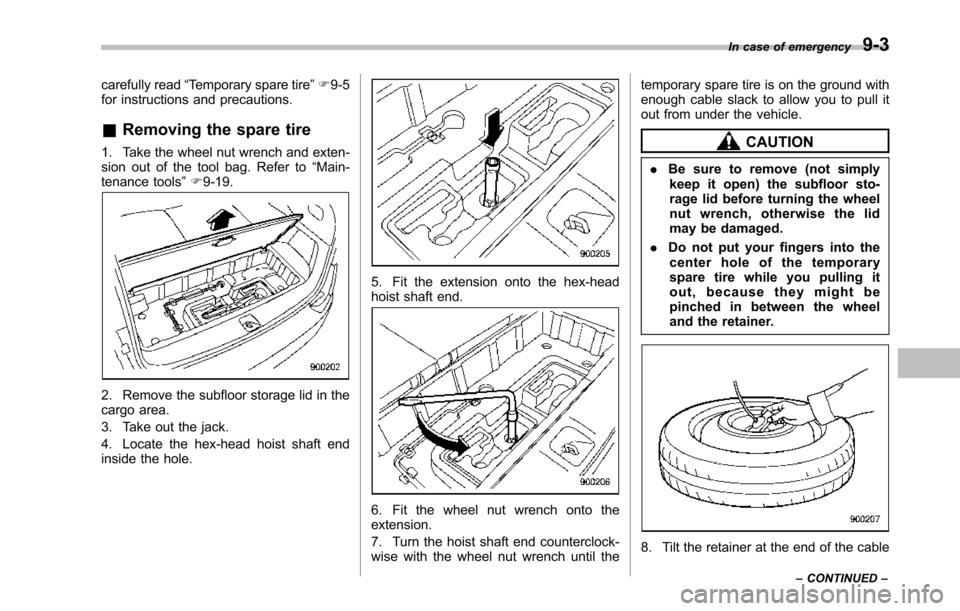
&Removing the spare tire
1. Take the wheel nut wrench and exten-sion out of the tool bag. Refer to“Main-tenance tools”F9-19.
2. Remove the subfloor storage lid in thecargo area.
3. Take out the jack.
4. Locate the hex-head hoist shaft endinside the hole.
5. Fit the extension onto the hex-headhoist shaft end.
6. Fit the wheel nut wrench onto theextension.
7. Turn the hoist shaft end counterclock-wise with the wheel nut wrench until the
temporary spare tire is on the ground withenough cable slack to allow you to pull itout from under the vehicle.
CAUTION
.Be sure to remove (not simplykeep it open) the subfloor sto-ragelid before turning the wheelnut wrench, otherwise the lidmay be damaged.
.Do not put your fingers into thecenter hole of the temporaryspare tire while you pulling itout, because they might bepinched in between the wheelandthe retainer.
8. Tilt the retainer at the end of the cable
In case of emergency9-3
–CONTINUED–
Page 311 of 426
9-4In case of emergency
and pull it through the center of thetemporary spare tire.
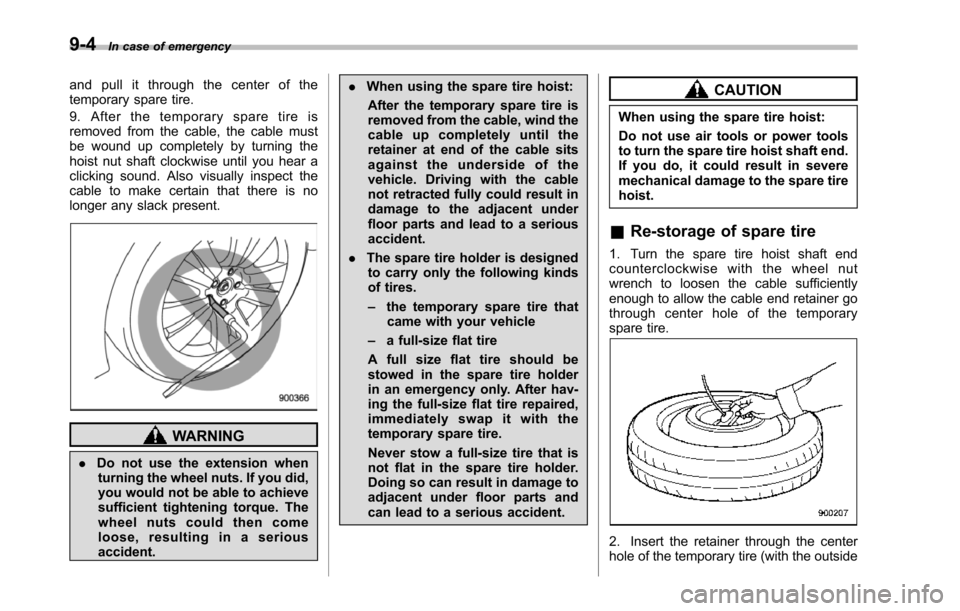
9. After the temporary spare tire isremoved from the cable, the cable mustbe wound up completely by turning thehoist nut shaft clockwise until you hear aclicking sound. Also visually inspect thecable to make certain that there is nolonger any slack present.
WARNING
.Do not use the extension whenturning the wheel nuts. If you did,you would not be able to achievesufficient tightening torque. Thewheel nuts could then comeloose, resulting in a seriousaccident.
.When using the spare tire hoist:
After the temporary spare tire isremoved from the cable, wind thecable up completely until theretainer at end of the cable sitsagainst the underside of thevehicle. Driving with the cablenot retracted fully could result indamage to the adjacent underfloor partsand lead to a seriousaccident.
.The spare tire holder is designedto carry only the following kindsof tires.
–the temporaryspare tire thatcame with your vehicle
–a full-size flat tire
A full size flat tire should bestowed in the spare tire holderin an emergency only. After hav-ing the full-sizeflat tire repaired,immediately swap it with thetemporary spare tire.
Never stow a full-size tire that isnot flat in the spare tire holder.Doing so can result in damage toadjacent under floor parts andcan lead to a serious accident.
CAUTION
When using the spare tire hoist:
Do not use air tools or power toolsto turn the spare tire hoist shaft end.If you do, it could result in severemechanical damage to the spare tirehoist.
&Re-storage of spare tire
1. Turn the spare tire hoist shaft endcounterclockwise with the wheel nutwrench to loosen the cable sufficientlyenough to allow the cable end retainer gothrough center hole of the temporaryspare tire.
2. Insert the retainer through the centerhole of the temporary tire (with the outside