sport mode SUBARU WRX 2016 User Guide
[x] Cancel search | Manufacturer: SUBARU, Model Year: 2016, Model line: WRX, Model: SUBARU WRX 2016Pages: 594, PDF Size: 19.43 MB
Page 422 of 594

other than Sport Sharp (S#) mode is
selected.
NOTE . The next time you turn on the
engine, after you turned off the engine
in the Sport Sharp (S#) mode, the SI-
DRIVE mode changes to the Sport (S)
mode.
. The next time you turn on the
engine, after you turned off the engine
in the Sport (S) mode or Intelligent (I)
mode, the SI-DRIVE mode will stay in
the same mode as when the engine
was turned off.
. While the engine is running, if the
CHECK ENGINE warning light/malfunc-
tion indicator light illuminates, the SI-
DRIVE mode changes to the Sport (S)
mode. In this case, it is not possible to
change to another mode.
. If there is a possibility that the
engine could overheat because of a
temperature increase of the engine
coolant, it is not possible to change to
the Sport Sharp (S#) mode. While the
vehicle is in the Sport Sharp (S#) mode,
it changes to the Sport (S) mode when
the engine coolant temperature in-
creases.
. While the engine is cool, you cannot
change to Sport Sharp (S#) mode. Limited slip differential (LSD)
(STI) The LSD provides optimum distribution of
power according to the difference in
revolutions between the right and left
wheels that may be caused by certain
driving conditions, thereby improving driv-
ing stability on snow-covered, muddy or
other slippery roads or when high speed
driving.
CAUTION. Never start the engine while a tire
on one side is jacked up, as the
vehicle may move.
. If one tire is spinning in mud,
avoid continued spinning at high
speed as this could adversely
affect the LSD.
. If you use a temporary spare tire
to replace a flat tire, be sure to
use the original temporary spare
tire stored in the vehicle. Using
other sizes will adversely affect
the LSD. Power steering & STI The vehicle is equipped with a hydraulic
power steering system. The power steer-
ing system operates only when the engine
is running.
If you lose power steering assist because
the engine stops or the system fails to
function, you can steer but it will take
much more effort.
CAUTIONDo not hold the steering wheel at the
fully locked position left or right for
more than 5 seconds. This may
damage the power steering pump.
NOTE Right after the engine has been started
and before it has warmed up, you may
hear a noise coming from areas adja-
cent to the power steering pump which
is located at the right-front area of the
engine compartment. This noise is
normal. It does not indicate power
steering system trouble.Starting and operating/Limited slip differential (LSD) (STI)
– CONTINUED –7-33
Page 442 of 594
not appear even after pressing the
cruise control main button, it is possi-
ble that there is a malfunction in the
system. We recommend that you con-
tact your SUBARU dealer for an in-
spection.
. Make sure the cruise control system
is turned off when the cruise control is
not in use to avoid unintentionally
setting the cruise control.
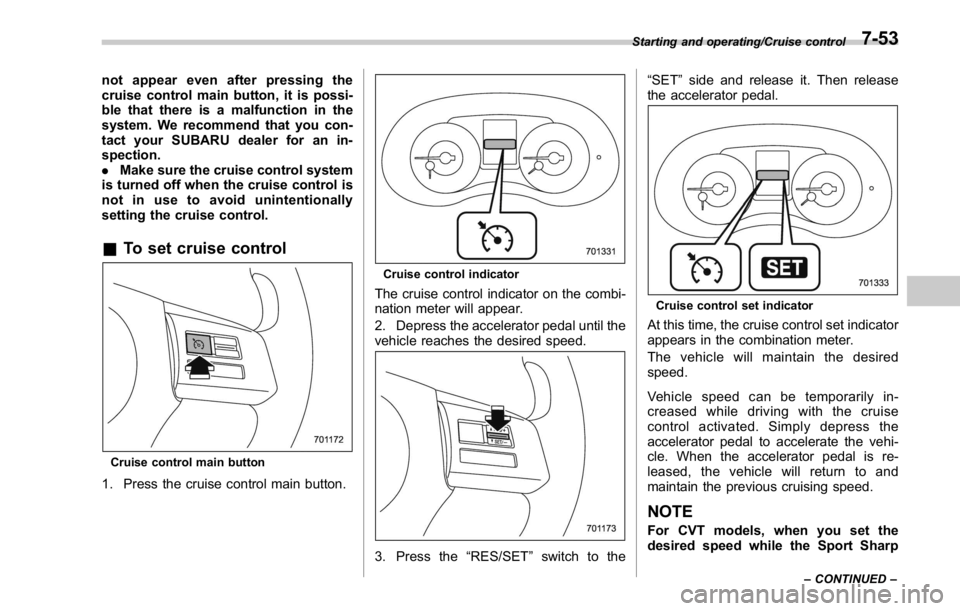
& To set cruise control
Cruise control main button
1. Press the cruise control main button. Cruise control indicator
The cruise control indicator on the combi-
nation meter will appear.
2. Depress the accelerator pedal until the
vehicle reaches the desired speed.
3. Press the “ RES/SET ” switch to the “ SET ” side and release it. Then release
the accelerator pedal.
Cruise control set indicator
At this time, the cruise control set indicator
appears in the combination meter.
The vehicle will maintain the desired
speed.
Vehicle speed can be temporarily in-
creased while driving with the cruise
control activated. Simply depress the
accelerator pedal to accelerate the vehi-
cle. When the accelerator pedal is re-
leased, the vehicle will return to and
maintain the previous cruising speed.
NOTE
For CVT models, when you set the
desired speed while the Sport Sharp Starting and operating/Cruise control
– CONTINUED –7-53
Page 444 of 594
U.S.-spec. models
The set speed can be increased 1 mph
(1.6 km/h) each time by pressing the
“ RES/SET ” switch to the “ RES ” side
quickly.
Except U.S.-spec. models
The set speed can be increased 1 km/h
each time by pressing the “ RES/SET ”
switch to the “ RES ” side quickly.
! To increase the speed (by accel-
erator pedal)
1. Depress the accelerator pedal to
accelerate the vehicle to the desired
speed.
2. Press the “ RES/SET ” switch to the
“ SET ” side once. Now the desired speed
is set and the vehicle will keep running at
that speed without depressing the accel-
erator pedal.
NOTE CVT models:
. If you depress the accelerator pedal
while the Sport Sharp (S#) mode is
selected, the select lever/gear position
indicator may change from the “ D ”
indication to the current gear position
indication.
. If you depress the accelerator pedal
fully while the Intelligent (I) mode or the Sport (S) mode is selected, the trans-
mission will operate like a conventional
automatic transmission.
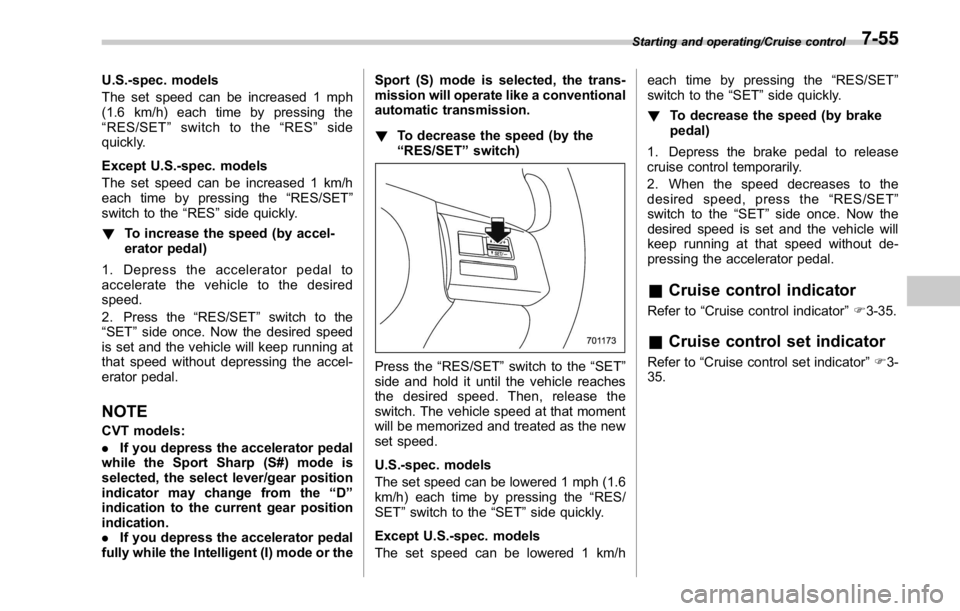
! To decrease the speed (by the
“ RES/SET ” switch)
Press the “ RES/SET ” switch to the “ SET ”
side and hold it until the vehicle reaches
the desired speed. Then, release the
switch. The vehicle speed at that moment
will be memorized and treated as the new
set speed.
U.S.-spec. models
The set speed can be lowered 1 mph (1.6
km/h) each time by pressing the “ RES/
SET ” switch to the “ SET ” side quickly.
Except U.S.-spec. models
The set speed can be lowered 1 km/h each time by pressing the “ RES/SET ”
switch to the “ SET ” side quickly.
! To decrease the speed (by brake
pedal)
1. Depress the brake pedal to release
cruise control temporarily.
2. When the speed decreases to the
desired speed, press the “ RES/SET ”
switch to the “ SET ” side once. Now the
desired speed is set and the vehicle will
keep running at that speed without de-
pressing the accelerator pedal.
& Cruise control indicator Refer to “ Cruise control indicator ” F 3-35.
& Cruise control set indicator Refer to “ Cruise control set indicator ” F 3-
35. Starting and operating/Cruise control
7-55
Page 480 of 594
position for CVT models. Shift the shift
lever into the “ 1st ” position for MT models.
2. Apply the parking brake firmly.
3. Secure the vehicle onto the carrier
properly with safety chains. Each safety
chain should be equally tightened and
care must be taken not to pull the chains
so tightly that the suspension bottoms out.
CAUTIONIf your vehicle has a front under-
spoiler and rear underspoiler (both
optional), be careful not to scrape
them when placing the vehicle on
the carrier and when removing the
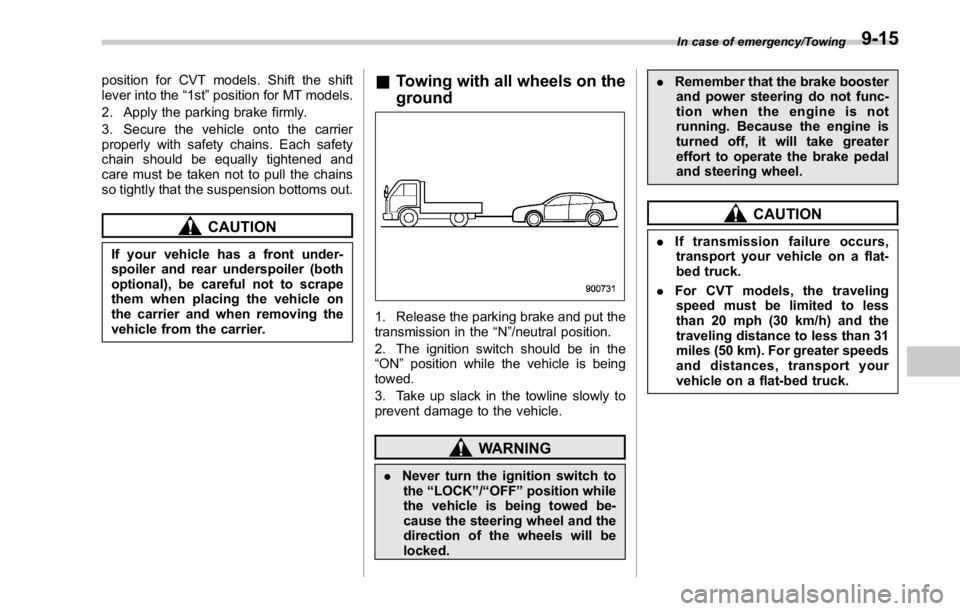
vehicle from the carrier. & Towing with all wheels on the
ground
1. Release the parking brake and put the
transmission in the “ N ” /neutral position.
2. The ignition switch should be in the
“ ON ” position while the vehicle is being
towed.
3. Take up slack in the towline slowly to
prevent damage to the vehicle.
WARNING
. Never turn the ignition switch to
the “ LOCK ” / “ OFF ” position while
the vehicle is being towed be-
cause the steering wheel and the
direction of the wheels will be
locked. . Remember that the brake booster
and power steering do not func-
tion when the engine is not
running. Because the engine is
turned off, it will take greater
effort to operate the brake pedal
and steering wheel.
CAUTION. If transmission failure occurs,
transport your vehicle on a flat-
bed truck.
. For CVT models, the traveling
speed must be limited to less
than 20 mph (30 km/h) and the
traveling distance to less than 31
miles (50 km). For greater speeds
and distances, transport your
vehicle on a flat-bed truck. In case of emergency/Towing
9-15