tow SUBARU WRX 2018 Owner's Manual
[x] Cancel search | Manufacturer: SUBARU, Model Year: 2018, Model line: WRX, Model: SUBARU WRX 2018Pages: 578, PDF Size: 33.21 MB
Page 331 of 578
(342,1)
北米Model "A1700BE-B" EDITED: 2017/ 10/ 11
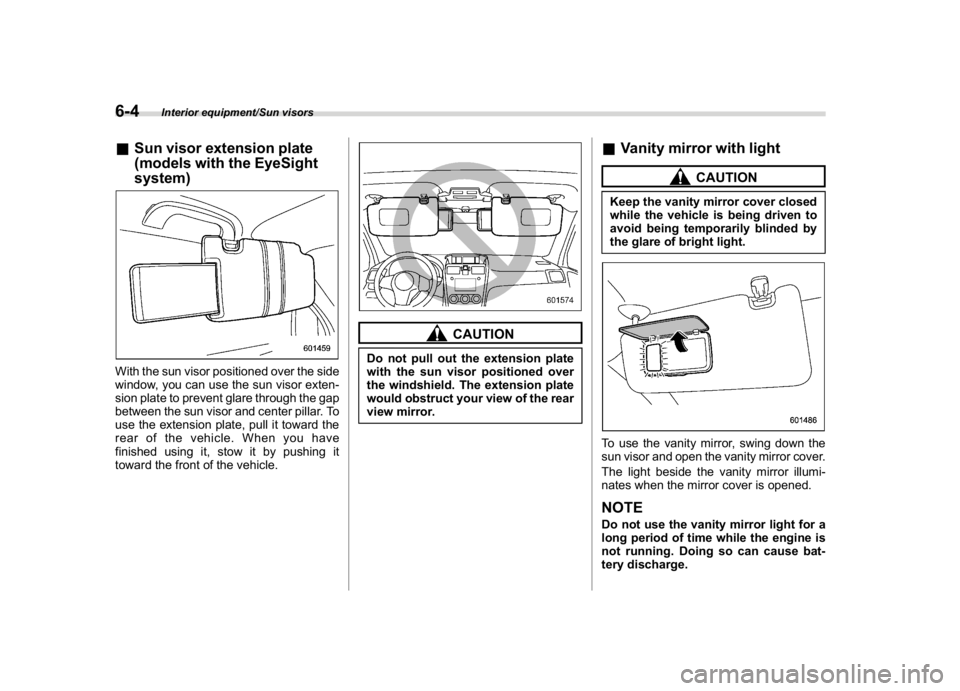
&Sun visor extension plate
(models with the EyeSight
system)With the sun visor positioned over the side
window, you can use the sun visor exten-
sion plate to prevent glare through the gap
between the sun visor and center pillar. To
use the extension plate, pull it toward the
rear of the vehicle. When you have
finished using it, stow it by pushing it
toward the front of the vehicle.
CAUTION
Do not pull out the extension plate
with the sun visor positioned over
the windshield. The extension plate
would obstruct your view of the rear
view mirror.
&Vanity mirror with light
CAUTION
Keep the vanity mirror cover closed
while the vehicle is being driven to
avoid being temporarily blinded by
the glare of bright light.To use the vanity mirror, swing down the
sun visor and open the vanity mirror cover.
The light beside the vanity mirror illumi-
nates when the mirror cover is opened.NOTEDo not use the vanity mirror light for a
long period of time while the engine is
not running. Doing so can cause bat-
tery discharge.
Interior equipment/Sun visors
6-4
Page 333 of 578

(344,1)
北米Model "A1700BE-B" EDITED: 2017/ 10/ 11
Cup holders
CAUTION
Take care to avoid spills. Beverages,
if hot, might burn you and/or your
passengers. Spilled beverages may
also damage upholstery, carpets or
audio equipment.&Front passenger’s cup holder
CAUTION
Do not pick up a cup from the cup
holder or put a cup in the holder
while driving. Doing so can distract
you and lead to an accident.!Except STI
Type AType BA dual cup holder is built into the center
console.!STI
The dual cup holder is built into the center
console near the parking brake lever.To access the cup holder, pull the lid
toward the rear.
Interior equipment/Cup holders
6-6
Page 334 of 578
(345,1)
北米Model "A1700BE-B" EDITED: 2017/ 10/ 11
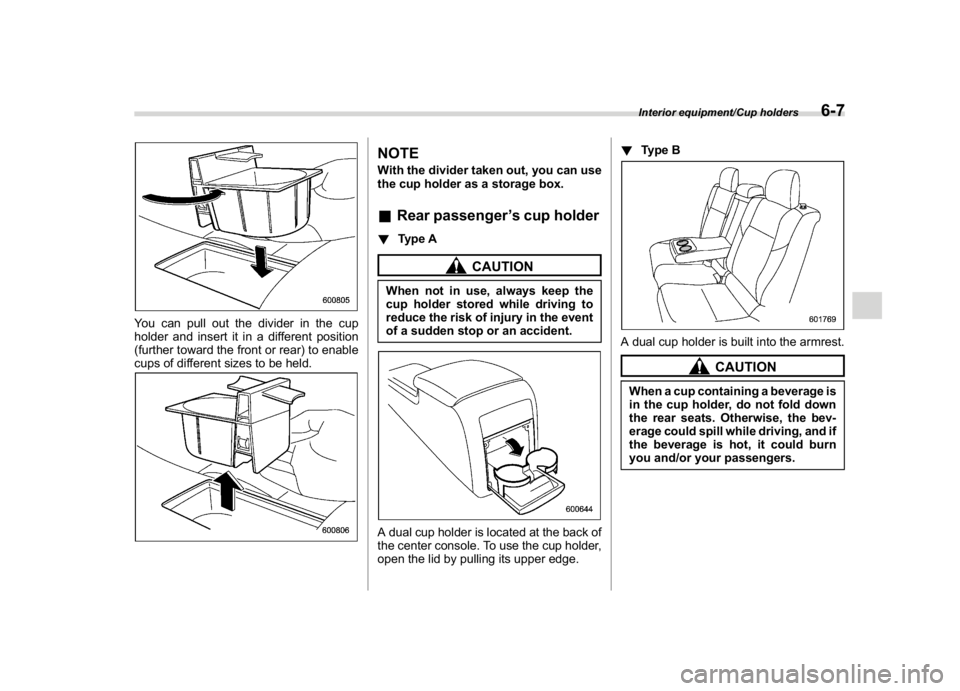
You can pull out the divider in the cup
holder and insert it in a different position
(further toward the front or rear) to enable
cups of different sizes to be held.
NOTEWith the divider taken out, you can use
the cup holder as a storage box.&Rear passenger’s cup holder!Type A
CAUTION
When not in use, always keep the
cup holder stored while driving to
reduce the risk of injury in the event
of a sudden stop or an accident.A dual cup holder is located at the back of
the center console. To use the cup holder,
open the lid by pulling its upper edge.!Type B
A dual cup holder is built into the armrest.
CAUTION
When a cup containing a beverage is
in the cup holder, do not fold down
the rear seats. Otherwise, the bev-
erage could spill while driving, and if
the beverage is hot, it could burn
you and/or your passengers.Interior equipment/Cup holders
6-7
6
Page 348 of 578
(359,1)
北米Model "A1700BE-B" EDITED: 2017/ 10/ 11
WARNING
Because the range of the image
captured by the camera is limited,
always check the traffic around the
vehicle directly with your eyes when
driving the vehicle.NOTE.The range of the displayed image
may differ depending on the vehicle
status or the road surface status.
.Because the Front View Monitor
system uses a specially designed lens,
the sense of distance in the displayed
image is different from the actual dis-
tance.
.The camera image may be difficult to
view in the following situations. This is
not a malfunction.
–Dark place (at night)
–High or low temperature around
the lens
–Water contacts lens or in high
humidity (rainy weather)
–There is foreign materials (such
as mud) around the camera
–Sunlight or headlight beam di-
rectly shines towards the camera
lens
.Under an artificial light such as afluorescent lamp, sodium-vapor lamp
or mercury lamp, the lighted portion
may look like it is flickering (flicker
phenomenon).
.While the display has cooled down,
the image may leave traces or become
darker than usual, causing a difficulty
in viewing the screen. Always check the
traffic around the vehicle directly with
your eyes while driving the vehicle.
.The following incidents should not
be deemed a malfunction.
–The camera lens may become
foggy when the humidity is high on
a rainy day.
–The light from a vehicle or build-
ing located ahead may be reflected
towards the camera image while
driving at night.
–In a dark place or while driving at
night, the camera image may be
adjusted to make noises less visi-
ble. Therefore, the image may look
like a monochromatic image or the
image colors may differ from the
actual colors. The camera image
may be deteriorated in regard to
sharpness at the center and four
corners of the screen. This is not a
malfunction.
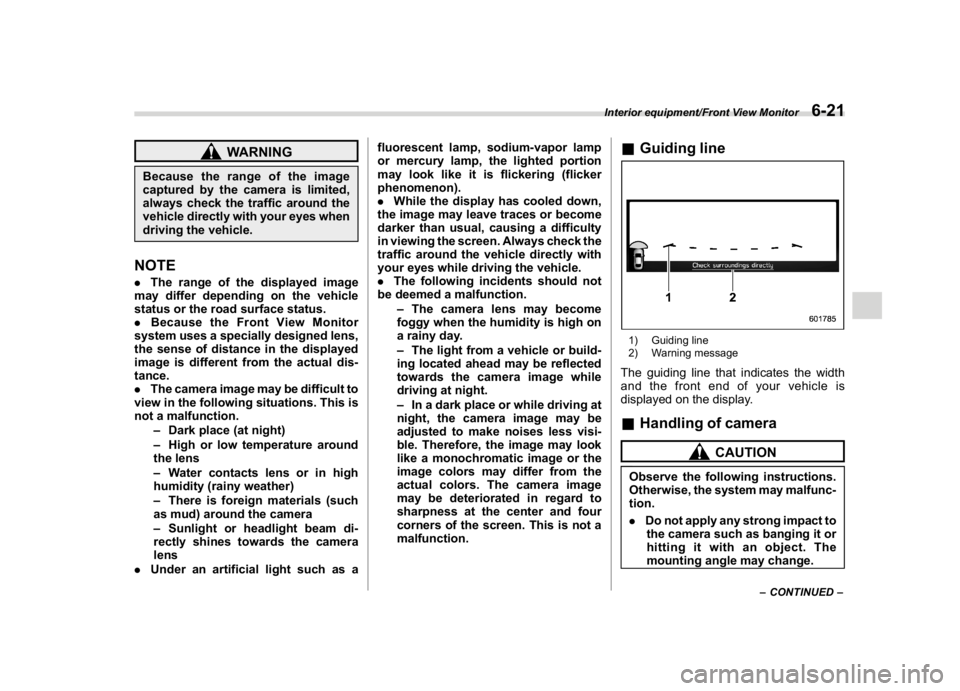
&Guiding line1) Guiding line
2) Warning messageThe guiding line that indicates the width
and the front end of your vehicle is
displayed on the display.&Handling of camera
CAUTION
Observe the following instructions.
Otherwise, the system may malfunc-
tion.
.Do not apply any strong impact to
the camera such as banging it or
hitting it with an object. The
mounting angle may change.
–CONTINUED–
Interior equipment/Front View Monitor
6-21
6
Page 371 of 578
(384,1)
北米Model "A1700BE-B" EDITED: 2017/ 10/ 11
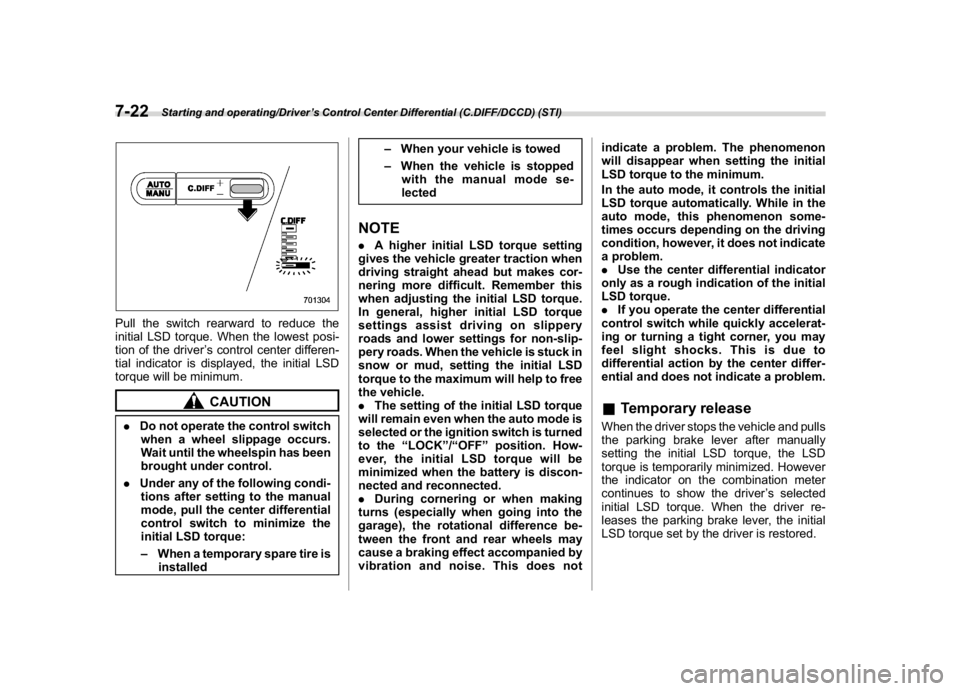
Pull the switch rearward to reduce the
initial LSD torque. When the lowest posi-
tion of the driver’s control center differen-
tial indicator is displayed, the initial LSD
torque will be minimum.
CAUTION
.Do not operate the control switch
when a wheel slippage occurs.
Wait until the wheelspin has been
brought under control.
.Under any of the following condi-
tions after setting to the manual
mode, pull the center differential
control switch to minimize the
initial LSD torque:
–When a temporary spare tire is
installed–When your vehicle is towed
–When the vehicle is stopped
with the manual mode se-
lected
NOTE.A higher initial LSD torque setting
gives the vehicle greater traction when
driving straight ahead but makes cor-
nering more difficult. Remember this
when adjusting the initial LSD torque.
In general, higher initial LSD torque
settings assist driving on slippery
roads and lower settings for non-slip-
pery roads. When the vehicle is stuck in
snow or mud, setting the initial LSD
torque to the maximum will help to free
the vehicle.
.The setting of the initial LSD torque
will remain even when the auto mode is
selected or the ignition switch is turned
to the“LOCK”/“OFF”position. How-
ever, the initial LSD torque will be
minimized when the battery is discon-
nected and reconnected.
.During cornering or when making
turns (especially when going into the
garage), the rotational difference be-
tween the front and rear wheels may
cause a braking effect accompanied by
vibration and noise. This does notindicate a problem. The phenomenon
will disappear when setting the initial
LSD torque to the minimum.
In the auto mode, it controls the initial
LSD torque automatically. While in the
auto mode, this phenomenon some-
times occurs depending on the driving
condition, however, it does not indicate
a problem.
.Use the center differential indicator
only as a rough indication of the initial
LSD torque.
.If you operate the center differential
control switch while quickly accelerat-
ing or turning a tight corner, you may
feel slight shocks. This is due to
differential action by the center differ-
ential and does not indicate a problem.
&Temporary releaseWhen the driver stops the vehicle and pulls
the parking brake lever after manually
setting the initial LSD torque, the LSD
torque is temporarily minimized. However
the indicator on the combination meter
continues to show the driver’s selected
initial LSD torque. When the driver re-
leases the parking brake lever, the initial
LSD torque set by the driver is restored.
Starting and operating/Driver’s Control Center Differential (C.DIFF/DCCD) (STI)
7-22
Page 378 of 578
(391,1)
北米Model "A1700BE-B" EDITED: 2017/ 10/ 11
efficiency and smooth driveability without
stress. Power delivery is moderate during
acceleration for maximum fuel efficiency.
This is ideal for around-town driving and
situations that do not require full power
output. It provides better control in difficult
driving conditions, such as slippery roads
or loose surfaces, due to gentler throttle
response.
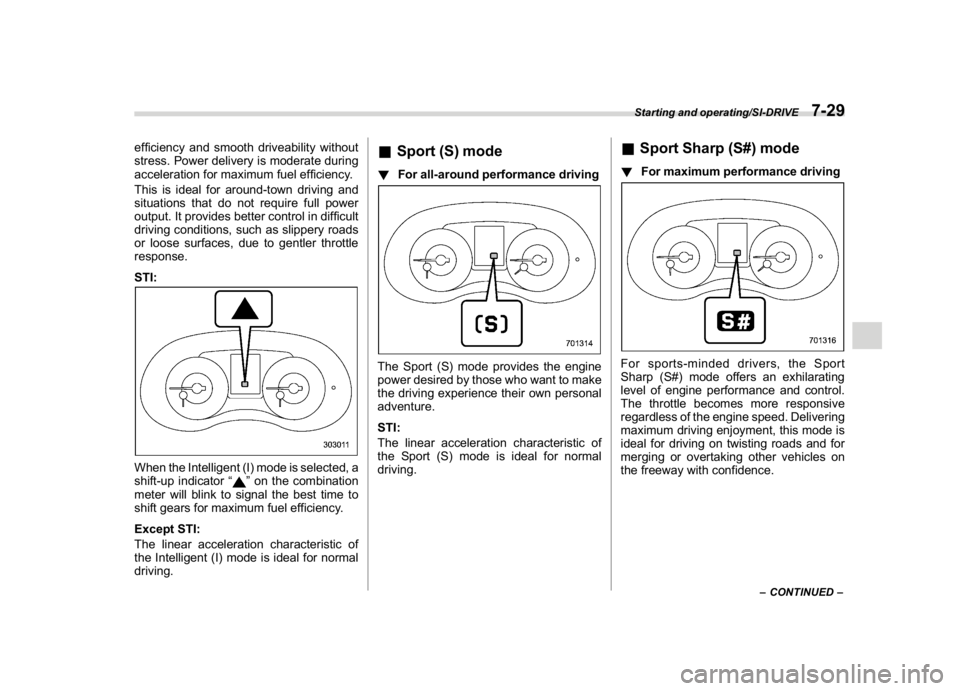
STI:When the Intelligent (I) mode is selected, a
shift-up indicator“
”on the combination
meter will blink to signal the best time to
shift gears for maximum fuel efficiency.
Except STI:
The linear acceleration characteristic of
the Intelligent (I) mode is ideal for normal
driving.
&Sport (S) mode!For all-around performance drivingThe Sport (S) mode provides the engine
power desired by those who want to make
the driving experience their own personal
adventure.
STI:
The linear acceleration characteristic of
the Sport (S) mode is ideal for normal
driving.
&Sport Sharp (S#) mode!For maximum performance drivingFor sports-minded drivers, the Sport
Sharp (S#) mode offers an exhilarating
level of engine performance and control.
The throttle becomes more responsive
regardless of the engine speed. Delivering
maximum driving enjoyment, this mode is
ideal for driving on twisting roads and for
merging or overtaking other vehicles on
the freeway with confidence.
–CONTINUED–
Starting and operating/SI-DRIVE
7-29
7
Page 385 of 578
(398,1)
北米Model "A1700BE-B" EDITED: 2017/ 10/ 11
Electronic Brake Force Dis-
tribution (EBD) systemThe EBD system maximizes the effective-
ness of the brakes by allowing the rear
brakes to supply a greater proportion of the
braking force. It functions by adjusting the
distribution of braking force to the rear
wheels in accordance with the vehicle’s
loading condition and speed.
The EBD system is an integral part of the
ABS and uses some of the ABS compo-
nents to perform its function of optimizing
the distribution of braking force. If any of
the ABS components used by the EBD
system malfunction, the EBD system also
stops working.
When the EBD system is operating, you
may hear a chattering noise or feel a slight
vibration in the brake pedal. This is normal
and does not indicate a malfunction.
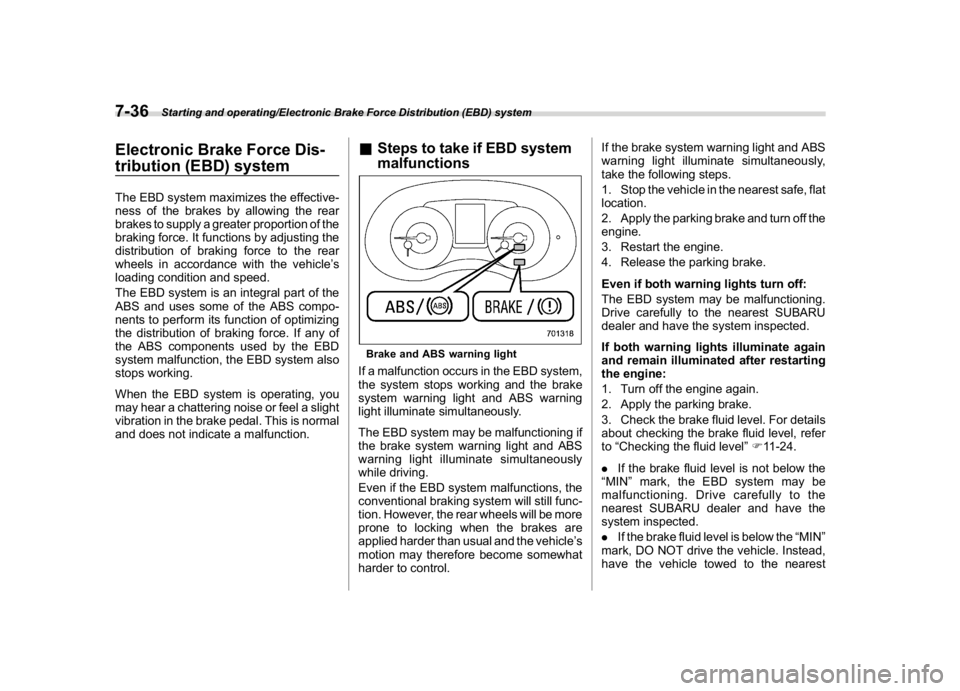
&Steps to take if EBD system
malfunctionsBrake and ABS warning lightIf a malfunction occurs in the EBD system,
the system stops working and the brake
system warning light and ABS warning
light illuminate simultaneously.
The EBD system may be malfunctioning if
the brake system warning light and ABS
warning light illuminate simultaneously
while driving.
Even if the EBD system malfunctions, the
conventional braking system will still func-
tion. However, the rear wheels will be more
prone to locking when the brakes are
applied harder than usual and the vehicle’s
motion may therefore become somewhat
harder to control.If the brake system warning light and ABS
warning light illuminate simultaneously,
take the following steps.
1. Stop the vehicle in the nearest safe, flat
location.
2. Apply the parking brake and turn off the
engine.
3. Restart the engine.
4. Release the parking brake.
Even if both warning lights turn off:
The EBD system may be malfunctioning.
Drive carefully to the nearest SUBARU
dealer and have the system inspected.
If both warning lights illuminate again
and remain illuminated after restarting
the engine:
1. Turn off the engine again.
2. Apply the parking brake.
3. Check the brake fluid level. For details
about checking the brake fluid level, refer
to“Checking the fluid level”F11-24.
.If the brake fluid level is not below the
“MIN”mark, the EBD system may be
malfunctioning. Drive carefully to the
nearest SUBARU dealer and have the
system inspected.
.If the brake fluid level is below the“MIN”
mark, DO NOT drive the vehicle. Instead,
have the vehicle towed to the nearest
Starting and operating/Electronic Brake Force Distribution (EBD) system
7-36
Page 386 of 578
(399,1)
北米Model "A1700BE-B" EDITED: 2017/ 10/ 11
SUBARU dealer for repair.
WARNING
.Driving with the brake system
warning light illuminated is dan-
gerous. This indicates your brake
system may not be working prop-
erly. If the light remains illumi-
nated, have the brakes inspected
by a SUBARU dealer immedi-
ately.
.If at all in doubt about whether the
brakes are operating properly, do
not drive the vehicle. Have your
vehicle towed to the nearest
SUBARU dealer for repair.
Vehicle Dynamics Control
system
WARNING
Always use the utmost care in driv-
ing–overconfidence because you
are driving a vehicle with the Vehicle
Dynamics Control system could ea-
sily lead to a serious accident.
CAUTION
.Even if your vehicle is equipped
with Vehicle Dynamics Control
system, winter tires should be
used when driving on snow-cov-
ered or icy roads; in addition,
vehicle speed should be reduced
considerably. Simply having a
Vehicle Dynamics Control sys-
tem does not guarantee that the
vehicle will be able to avoid
accidents in any situation.
.Activation of the Vehicle Dy-
namics Control system is an
indication that the road being
travelled on has a slippery sur-
face; since having Vehicle Dy-
namics Control is no guaranteethat full vehicle control will be
maintained at all times and under
all conditions, its activation
should be seen as a sign that
the speed of the vehicle should
be reduced considerably.
.Whenever suspension compo-
nents, steering components, or
an axle are removed from a
vehicle, have an inspection of
that system performed by an
authorized SUBARU dealer.
.Observe the following precau-
tions in order to ensure that the
Vehicle Dynamics Control sys-
tem is operating properly:
–Fit all four wheels with tires of
the same size, type, and
brand. Furthermore, the
amount of wear should be the
same for all four tires.
–Keep the tire pressure at the
proper level as shown on the
vehicle placard attached to
the driver’s side door pillar.
–Use only the specified tempor-
ary spare tire to replace a flat
tire. With a temporary spare
tire, the effectiveness of the
Vehicle Dynamics Control
system is reduced and this
–CONTINUED–
Starting and operating/Vehicle Dynamics Control system
7-37
7
Page 396 of 578
(409,1)
北米Model "A1700BE-B" EDITED: 2017/ 10/ 11
–When passengers are getting
in or out of the vehicle
–When you are loading or un-
loading
.When using the Auto Vehicle
Hold function, do not release the
brake pedal before the Auto Ve-
hicle Hold operation indicator
illuminates. The vehicle may
move unexpectedly, causing ser-
ious injury or accidents.
.Deactivate the Auto Vehicle Hold
function in the following cases.
Otherwise, the vehicle may move
unexpectedly, causing serious
injury or accidents.
–When washing your vehicle in
an automatic car wash
–When being towed
–When towing a vehicle
CAUTION
When stopping on a steep slope with
the Auto Vehicle Hold function
turned on, the electronic parking
brake may be automatically applied.
Then the electronic parking brake
indicator light will flash. In such a
case, depress and hold the brakepedal while stopping. Otherwise, the
vehicle may move.
NOTEWe recommend turning on the Auto
Vehicle Hold function when stopping
on an incline. If the Auto Vehicle Hold
function is turned off, the vehicle may
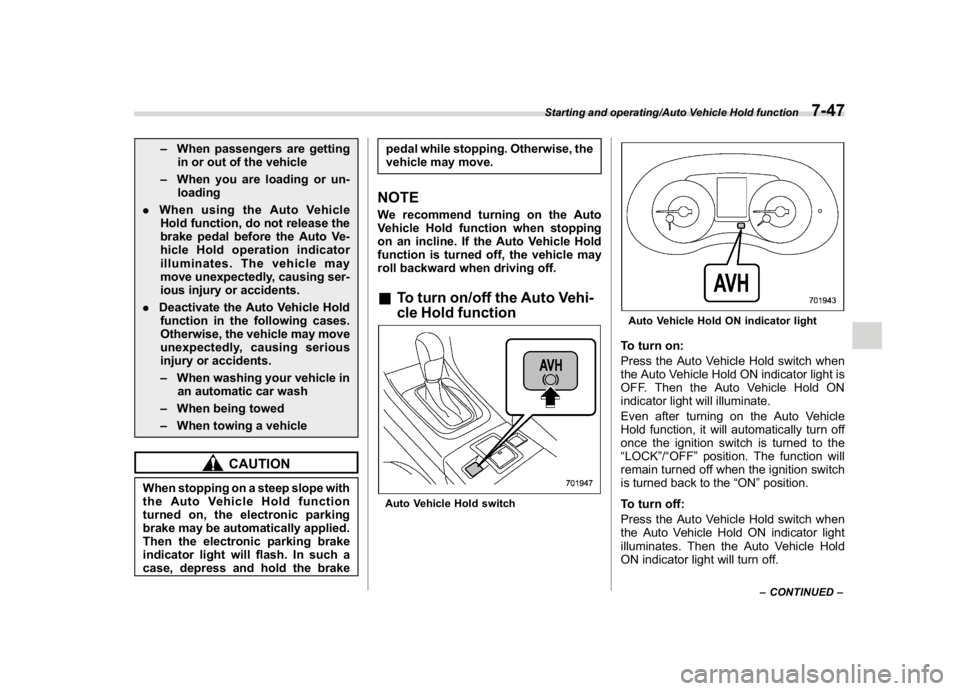
roll backward when driving off.&To turn on/off the Auto Vehi-
cle Hold functionAuto Vehicle Hold switch
Auto Vehicle Hold ON indicator lightTo turn on:
Press the Auto Vehicle Hold switch when
the Auto Vehicle Hold ON indicator light is
OFF. Then the Auto Vehicle Hold ON
indicator light will illuminate.
Even after turning on the Auto Vehicle
Hold function, it will automatically turn off
once the ignition switch is turned to the
“LOCK”/“OFF”position. The function will
remain turned off when the ignition switch
is turned back to the“ON”position.
To turn off:
Press the Auto Vehicle Hold switch when
the Auto Vehicle Hold ON indicator light
illuminates. Then the Auto Vehicle Hold
ON indicator light will turn off.
–CONTINUED–
Starting and operating/Auto Vehicle Hold function
7-47
7
Page 410 of 578

(423,1)
北米Model "A1700BE-B" EDITED: 2017/ 10/ 11
tected.
The indicator light will flash to warn the
driver of dangers under the following
conditions.
.While the indicator light is illuminating, if
the turn signal lever is operated toward the
side in which this light turned on
.When reversing the vehicle while the
system detects a vehicle approaching
from either side
!BSD/RCTA approach indicator
light dimming function
When the headlights are on, the bright-
ness of the BSD/RCTA approach indicator
light will be reduced.NOTE.You may have difficulty seeing the
BSD/RCTA approach indicator light
under the following conditions.
–When sunlight shines directly on
it
–When the headlight beams from a
vehicle traveling behind shines di-
rectly on it
.While the illumination brightness
control dial is in the fully upward
position, even if the headlights are
turned on, the brightness of the BSD/
RCTA approach indicator light will not
be reduced. For details about theillumination brightness control dial,
refer to“Illumination brightness con-
trol”F3-71.
!BSD/RCTA approach warning buz-
zer (only when reversing)
A warning buzzer sounds along with
flashing of the BSD/RCTA approach in-
dicator light to warn the driver of dangers.
You can change the setting of the warning
buzzer volume by operating the combina-
tion meter display (color LCD). For details,
refer to“BSD/RCTA”F3-43.
!Safety tips regarding the BSD/RCTA
approach indicator light/warning
buzzer
.In the following cases, operation of the
BSD/RCTA approach indicator light and
the warning buzzer may be delayed or the
system may fail to issue these warnings.
–When a vehicle moves to the neigh-
boring lane from a lane next to the
neighboring lane
–When you are driving on a steep
incline or on repeated sharp uphill and
downhill grades
–When you are going beyond a pass
–When both your vehicle and a
vehicle driving on a neighboring lane
are driving on the far side of each lane.
–When several narrowly-spaced ve-hicles are approaching in a row
–In low radius bends (tight bends or
when making turns at an intersection)
–When there is a difference in height
between your lane and the neighboring
lane
–Immediately after the BSD/RCTA is
activated by pressing the BSD/RCTA
OFF switch
–Immediately after the shift lever/
select lever is shifted to the“R”position
–When extremely heavy cargo is
loaded in the trunk
.During reversing, operation of the BSD/
RCTA approach indicator light and the
warning buzzer may be delayed or the
system may fail to issue these warnings
under the following conditions.
–When backing out of an angled
parking space
–When a large-sized vehicle is
parked next to your vehicle (That
vehicle prevents the propagation of
radar waves.)
–When reversing on sloped roads
–When reversing at a high speed
–CONTINUED–
Starting and operating/BSD/RCTA
7-61
7