instrument panel SUBARU WRX 2019 Quick Guide
[x] Cancel search | Manufacturer: SUBARU, Model Year: 2019, Model line: WRX, Model: SUBARU WRX 2019Pages: 31, PDF Size: 1.48 MB
Page 19 of 31
17
Controls
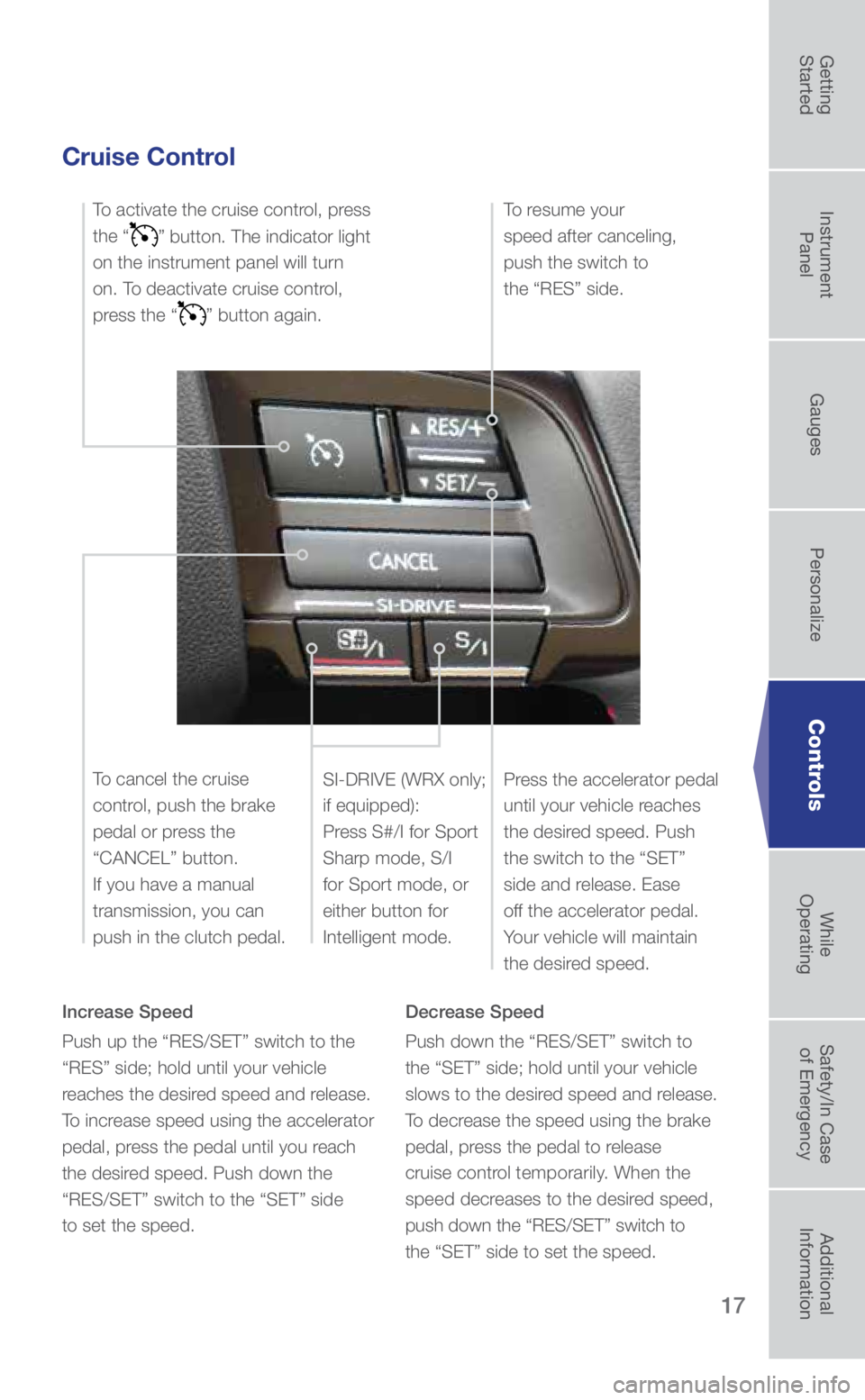
Cruise Control
Increase Speed
Push up the “RES/SET” switch to the
“RES” side; hold until your vehicle
reaches the desired speed and release.
To increase speed using the accelerator
pedal, press the pedal until you reach
the desired speed. Push down the
“RES/SET” switch to the “SET” side
to set the speed. Decrease Speed
Push down the “RES/SET” switch to
the “SET” side; hold until your vehicle
slows to the desired speed and release.
To decrease the speed using the brake
pedal, press the pedal to release
cruise control temporarily. When the
speed decreases to the desired speed,
push down the “RES/SET” switch to
the “SET” side to set the speed.
To activate the cruise control, press
the “
” button. The indicator light
on the instrument panel will turn
on. To deactivate cruise control,
press the “
” button again.
Press the accelerator pedal
until your vehicle reaches
the desired speed. Push
the switch to the “SET”
side and release. Ease
off the accelerator pedal.
Your vehicle will maintain
the desired speed.
To cancel the cruise
control, push the brake
pedal or press the
“CANCEL” button.
If you have a manual
transmission, you can
push in the clutch pedal.
To resume your
speed after canceling,
push the switch to
the “RES” side.
SI-DRIVE (WRX only;
if equipped):
Press S#/I for Sport
Sharp mode, S/I
for Sport mode, or
either button for
Intelligent mode.
3572136_19b_WRX_WRX_STI_QG_061118.indd 176/11/18 5:07 PM
Getting
Started Instrument
Panel Gauges
Personalize ControlsWhile
Operating Safety/In Case
of Emergency Additional
Information
Page 20 of 31
18
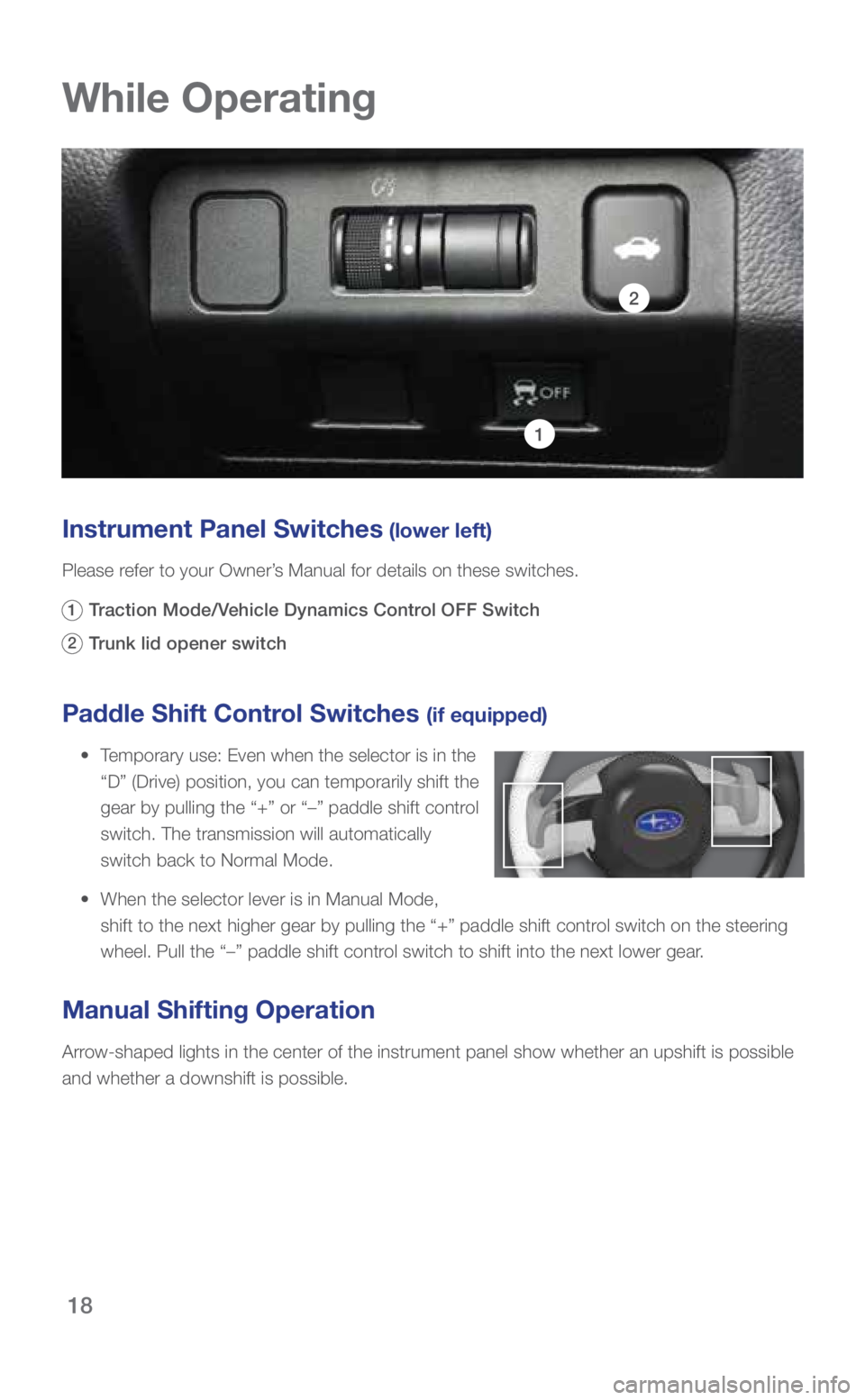
Paddle Shift Control Switches (if equipped)
• Temporary use: Even when the selector is in the
“D” (Drive) position, you can temporarily shift the
gear by pulling the “+” or “–” paddle shift control
switch. The transmission will automatically
switch back to Normal Mode.
• When the selector lever is in Manual Mode,
shift to the next higher gear by pulling the “+” paddle shift cont\
rol switch on the steering
wheel. Pull the “–” paddle shift control switch to shift into the next lower gear.
Manual Shifting Operation
Arrow-shaped lights in the center of the instrument panel show whether an u\
pshift is possible
and whether a downshift is possible.
While Operating
Instrument Panel Switches (lower left)
Please refer to your Owner’s Manual for details on these switches.
1 Traction Mode/Vehicle Dynamics Control OFF Switch
2 Trunk lid opener switch
1
2
3572136_19b_WRX_WRX_STI_QG_061118.indd 186/11/18 5:07 PM
Page 21 of 31
19
1
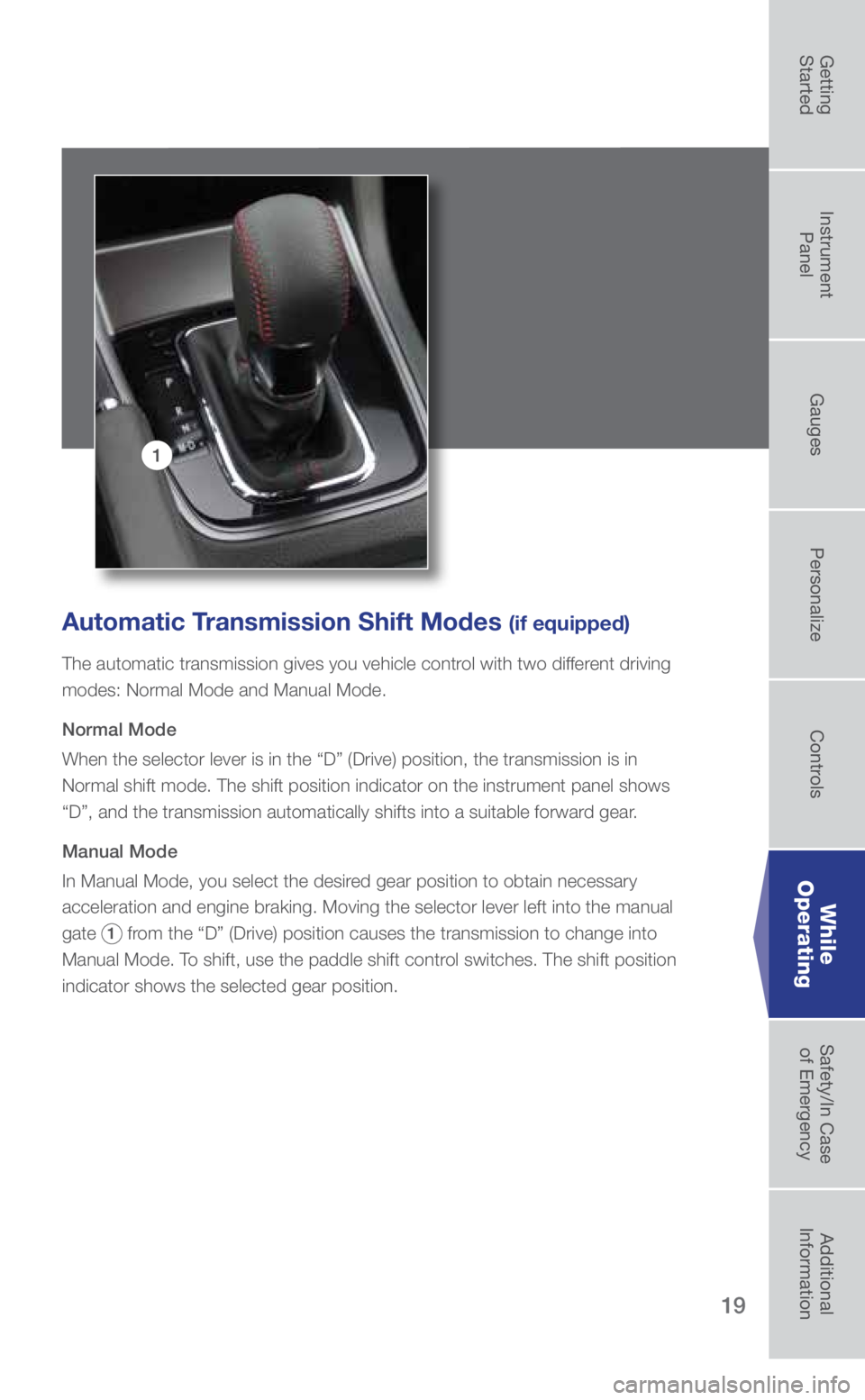
Automatic Transmission Shift Modes (if equipped)
The automatic transmission gives you vehicle control with two different driving
modes: Normal Mode and Manual Mode.
Normal Mode
When the selector lever is in the “D” (Drive) position, the tran\
smission is in
Normal shift mode. The shift position indicator on the instrument panel \
shows
“D”, and the transmission automatically shifts into a suitable for\
ward gear.
Manual Mode
In Manual Mode, you select the desired gear position to obtain necessary
acceleration and engine braking. Moving the selector lever left into the\
manual
gate
1 from the “D” (Drive) position causes the transmission to change in\
to
Manual Mode. To shift, use the paddle shift control switches. The shift position
indicator shows the selected gear position.
While
Operating
3572136_19b_WRX_WRX_STI_QG_061118.indd 196/11/18 5:07 PM
Getting
Started Instrument
Panel Gauges
Personalize ControlsWhile
Operating Safety/In Case
of Emergency Additional
Information
Page 22 of 31
20
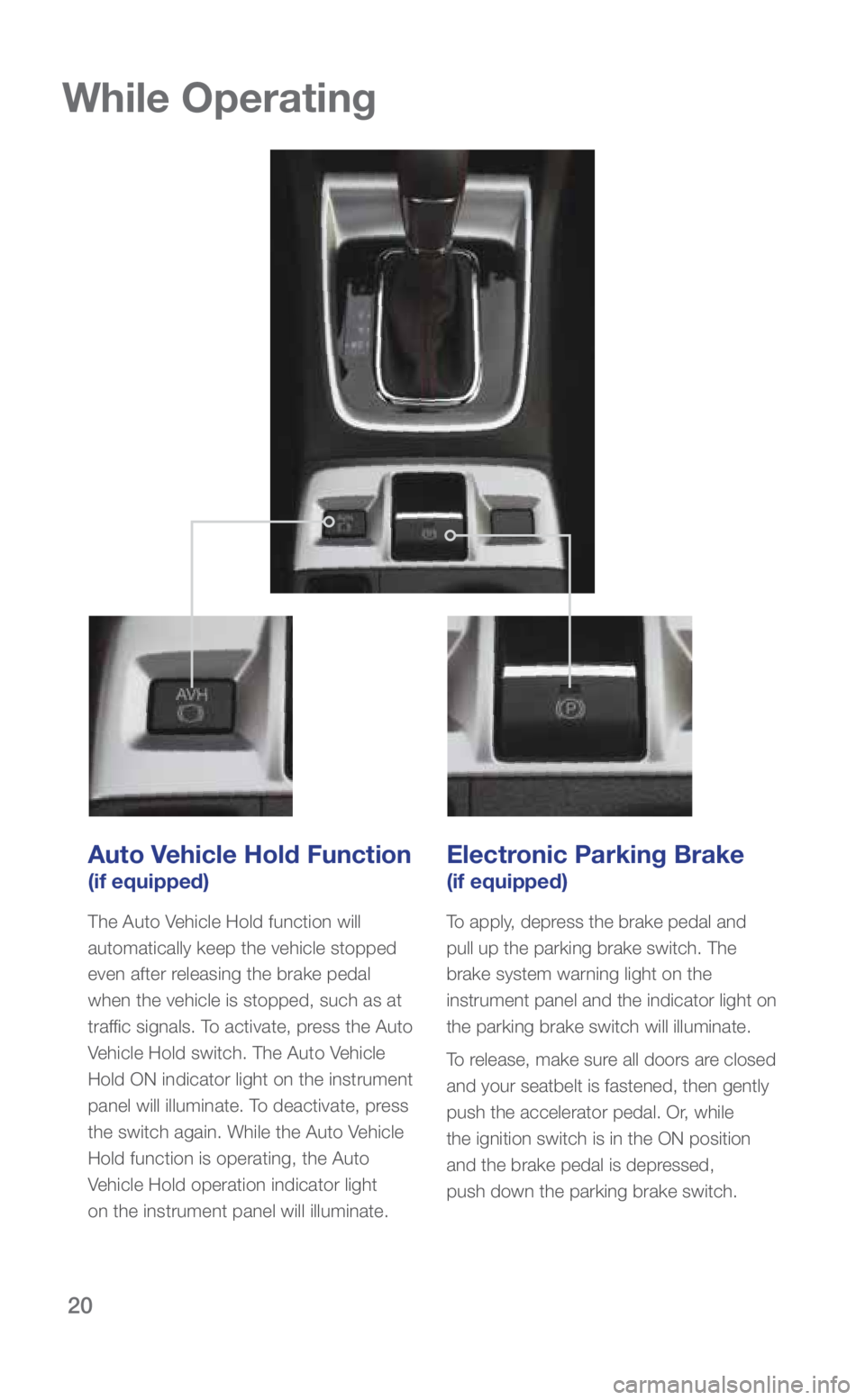
Auto Vehicle Hold Function
(if equipped)
The Auto Vehicle Hold function will
automatically keep the vehicle stopped
even after releasing the brake pedal
when the vehicle is stopped, such as at
traffic signals. To activate, press the Auto
Vehicle Hold switch. The Auto Vehicle
Hold ON indicator light on the instrument
panel will illuminate. To deactivate, press
the switch again. While the Auto Vehicle
Hold function is operating, the Auto
Vehicle Hold operation indicator light
on the instrument panel will illuminate.
Electronic Parking Brake
(if equipped)
To apply, depress the brake pedal and
pull up the parking brake switch. The
brake system warning light on the
instrument panel and the indicator light on
the parking brake switch will illuminate.
To release, make sure all doors are closed
and your seatbelt is fastened, then gently
push the accelerator pedal. Or, while
the ignition switch is in the ON position
and the brake pedal is depressed,
push down the parking brake switch.
While Operating
3572136_19b_WRX_WRX_STI_QG_061118.indd 206/11/18 5:07 PM
Page 23 of 31
21
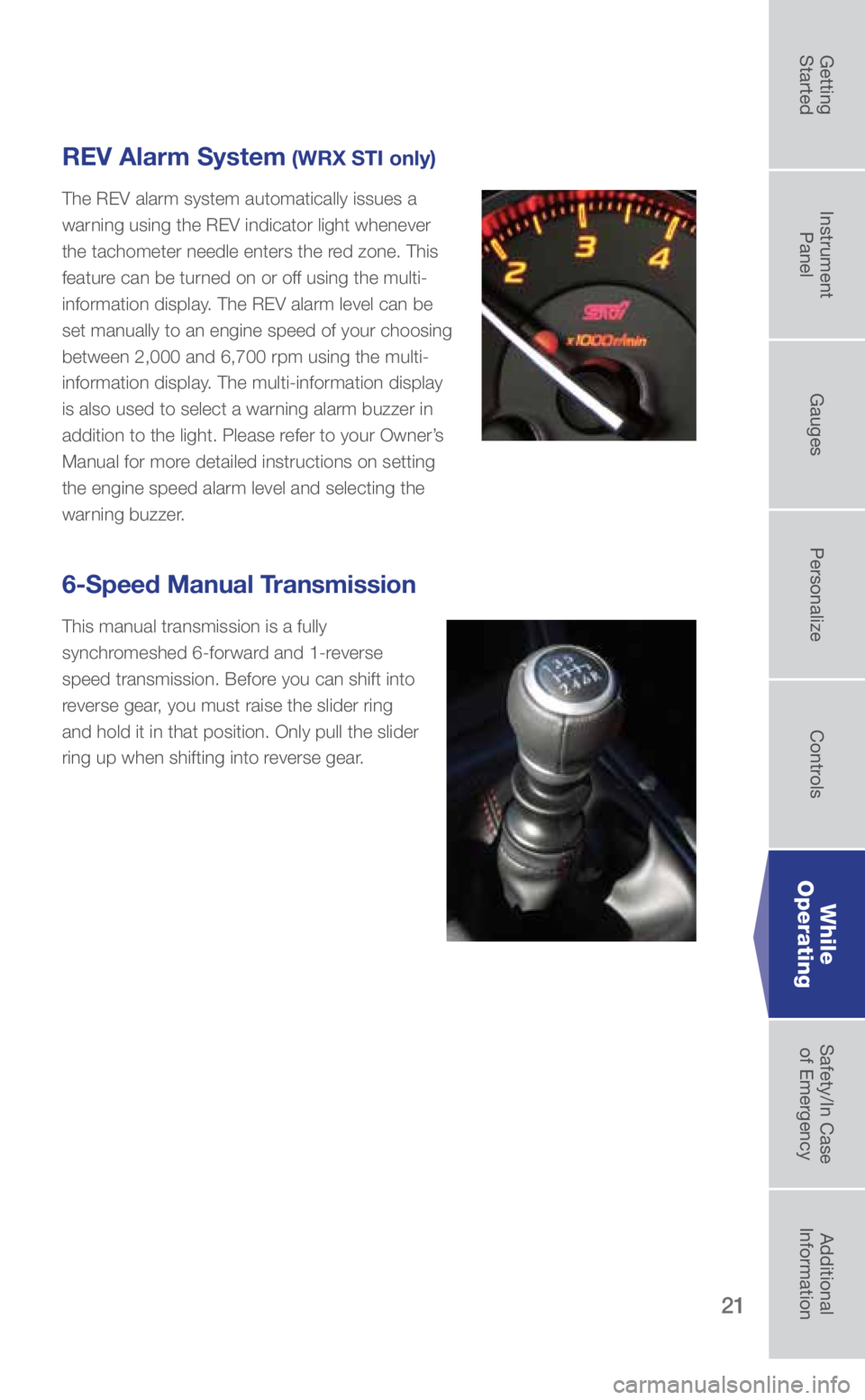
6-Speed Manual Transmission
This manual transmission is a fully
synchromeshed 6-forward and 1-reverse
speed transmission. Before you can shift into
reverse gear, you must raise the slider ring
and hold it in that position. Only pull the slider
ring up when shifting into reverse gear.
REV Alarm System (WRX STI only)
The REV alarm system automatically issues a
warning using the REV indicator light whenever
the tachometer needle enters the red zone. This
feature can be turned on or off using the multi-
information display. The REV alarm level can be
set manually to an engine speed of your choosing
between 2,000 and 6,700 rpm using the multi-
information display. The multi-information display
is also used to select a warning alarm buzzer in
addition to the light. Please refer to your Owner’s
Manual for more detailed instructions on setting
the engine speed alarm level and selecting the
warning buzzer.
While
Operating
3572136_19b_WRX_WRX_STI_QG_061118.indd 216/11/18 5:07 PM
Getting
Started Instrument
Panel Gauges
Personalize ControlsWhile
Operating Safety/In Case
of Emergency Additional
Information
Page 25 of 31
23
Driver Control Center Differential (DCCD)
(WRX STI only)
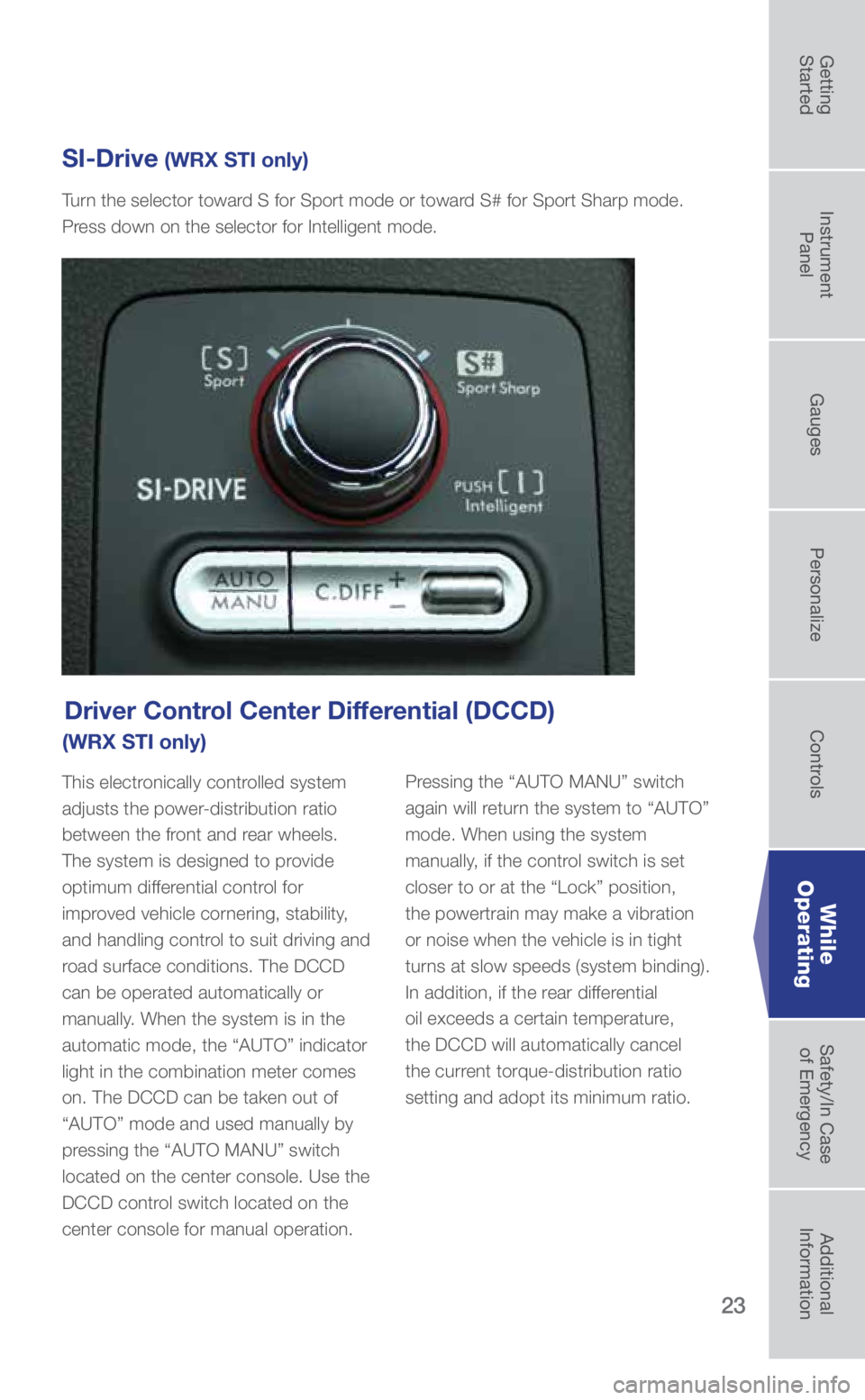
This electronically controlled system
adjusts the power-distribution ratio
between the front and rear wheels.
The system is designed to provide
optimum differential control for
improved vehicle cornering, stability,
and handling control to suit driving and
road surface conditions. The DCCD
can be operated automatically or
manually. When the system is in the
automatic mode, the “AUTO” indicator
light in the combination meter comes
on. The DCCD can be taken out of
“AUTO” mode and used manually by
pressing the “AUTO MANU” switch
located on the center console. Use the
DCCD control switch located on the
center console for manual operation. Pressing the “AUTO MANU” switch
again will return the system to “AUTO”
mode. When using the system
manually, if the control switch is set
closer to or at the “Lock” position,
the powertrain may make a vibration
or noise when the vehicle is in tight
turns at slow speeds (system binding).
In addition, if the rear differential
oil exceeds a certain temperature,
the DCCD will automatically cancel
the current torque-distribution ratio
setting and adopt its minimum ratio.
SI-Drive (WRX STI only)
Turn the selector toward S for Sport mode or toward S# for Sport Sharp mode.
Press down on the selector for Intelligent mode.
While
Operating
3572136_19b_WRX_WRX_STI_QG_061118.indd 236/11/18 5:08 PM
Getting
Started Instrument
Panel Gauges
Personalize ControlsWhile
Operating Safety/In Case
of Emergency Additional
Information
Page 27 of 31
25
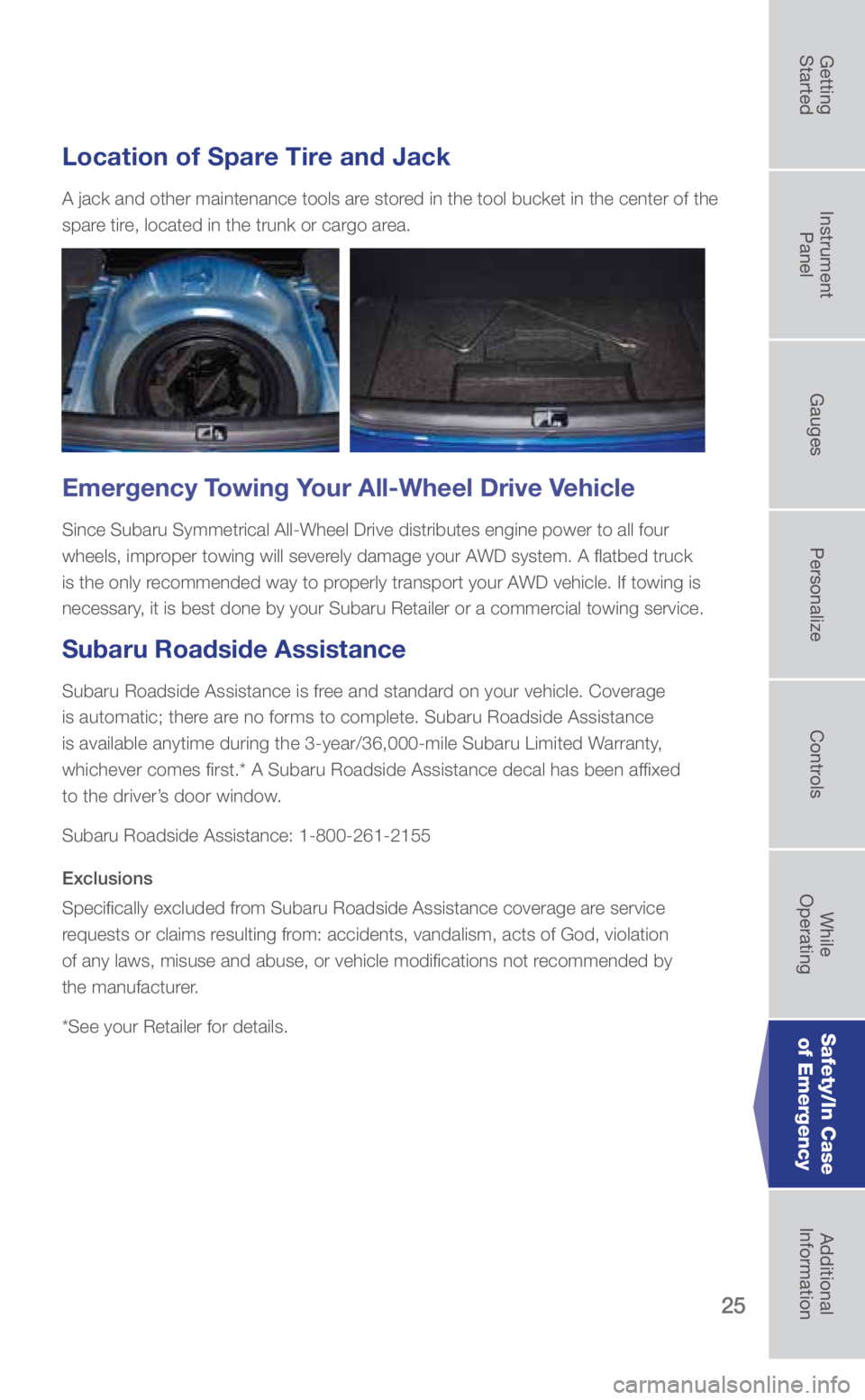
Location of Spare Tire and Jack
A jack and other maintenance tools are stored in the tool bucket in the center of the
spare tire, located in the trunk or cargo area.
Emergency Towing Your All-Wheel Drive Vehicle
Since Subaru Symmetrical All-Wheel Drive distributes engine power to all\
four
wheels, improper towing will severely damage your AWD system. A flatbed truck
is the only recommended way to properly transport your AWD vehicle. If towing is
necessary, it is best done by your Subaru Retailer or a commercial towing service.
Subaru Roadside Assistance
Subaru Roadside Assistance is free and standard on your vehicle. Coverage
is automatic; there are no forms to complete. Subaru Roadside Assistance
is available anytime during the 3-year/36,000-mile Subaru Limited Warranty,
whichever comes first.* A Subaru Roadside Assistance decal has been af\
fixed
to the driver’s door window.
Subaru Roadside Assistance: 1-800-261-2155
Exclusions
Specifically excluded from Subaru Roadside Assistance coverage are service
requests or claims resulting from: accidents, vandalism, acts of God, violation
of any laws, misuse and abuse, or vehicle modifications not recommended by
the manufacturer.
*See your Retailer for details.
Safety/In Case of Emergency
3572136_19b_WRX_WRX_STI_QG_061118.indd 256/11/18 5:08 PM
Getting
Started Instrument
Panel Gauges
Personalize ControlsWhile
Operating Safety/In Case
of Emergency Additional
Information
Page 28 of 31
26
Additional Information
Fuel
• For WRX, use premium unleaded gasoline with an octane rating of 91 AKI or higher. If
91 AKI fuel is not readily available, regular unleaded gasoline with an octane rating of 87
AKI or higher may be temporarily used. However, depending on your driving habits and
conditions, you may notice a decrease in engine performance, fuel economy and slight
engine vibration or knocking. Consult the Owner’s Manual for more detailed information.
• For WRX STI, use premium unleaded gasoline with an octane rating of 93 AKI or higher.
If 93 AKI fuel is not readily available in your area, premium unleaded gasoline with an
octane rating of 91 AKI may be used with no detriment to engine durabili\
ty or driveability.
However, you may notice a slight decrease in maximum engine performance while using
91 AKI fuel. Consult the Owner’s Manual for more detailed information.
Fuel Capacity
• 15.9 US gal (60 liters, 13.2 Imp gal)
• When the low fuel indicator light is displayed on the instrument panel, \
approximately
2.6 US gallons (10.0 liters, or 2.2 Imp gal) of fuel remain.
• If you have recently fueled your vehicle, the check engine light on the instrument pa\
nel
may stay on due to a missing or loose fuel filler cap (the cap should\
be tightened until a
click is heard).
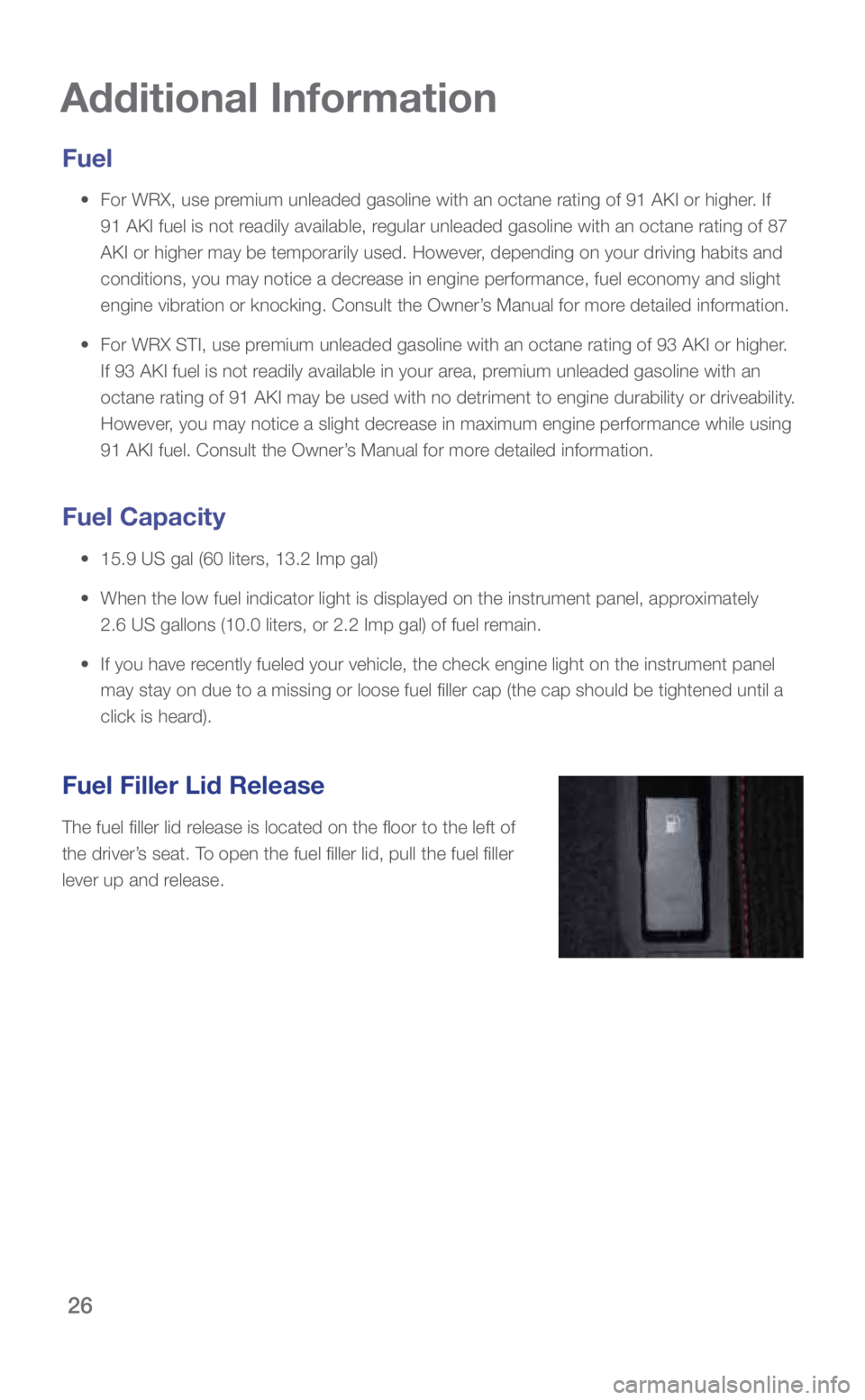
Fuel Filler Lid Release
The fuel filler lid release is located on the floor to the left of
the driver’s seat. To open the fuel filler lid, pull the fuel filler
lever up and release.
3572136_19b_WRX_WRX_STI_QG_061118.indd 266/11/18 5:08 PM
Page 29 of 31
27
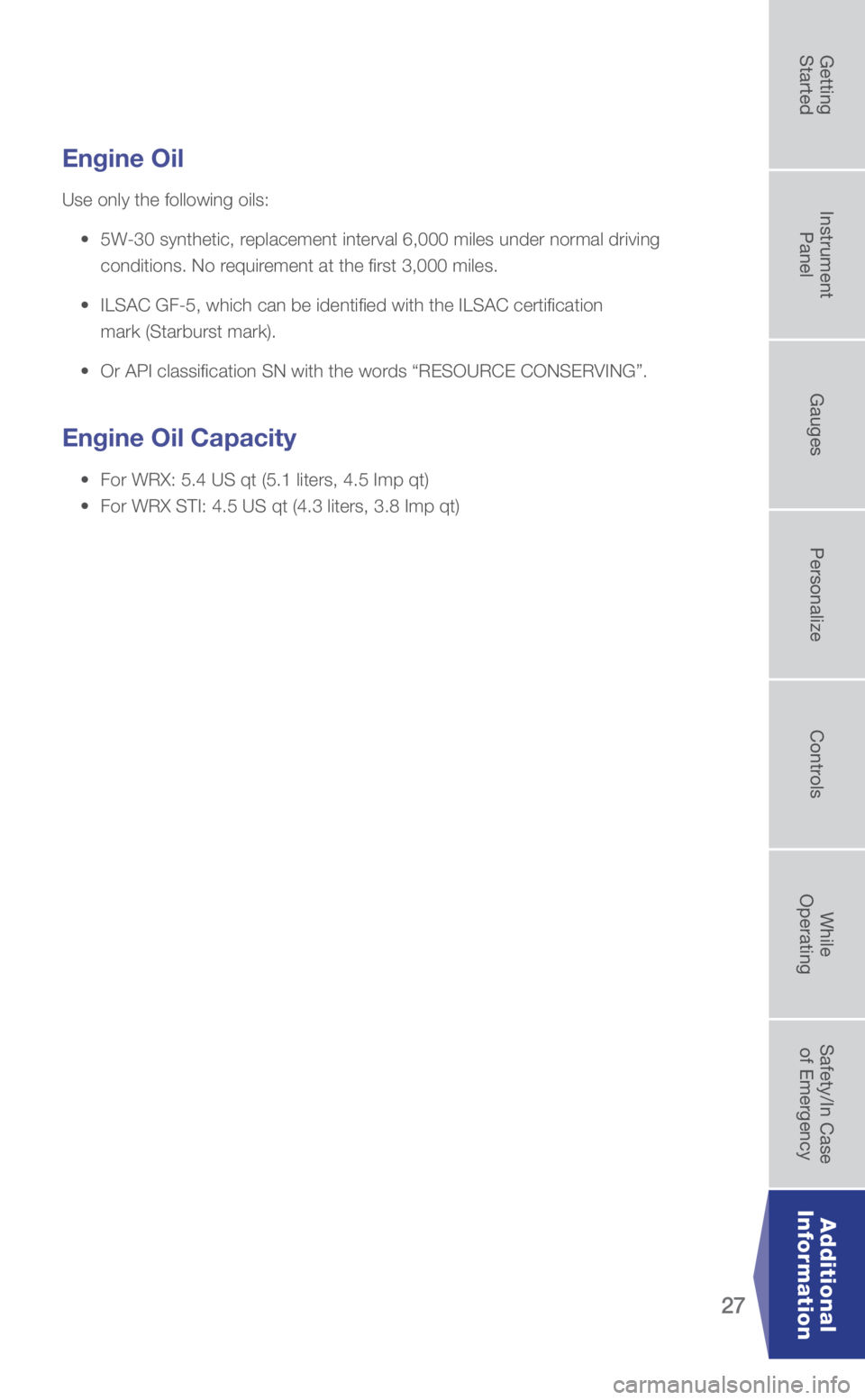
Engine Oil
Use only the following oils:
• 5W-30 synthetic, replacement interval 6,000 miles under normal driving
conditions. No requirement at the first 3,000 miles.
• ILSAC GF-5, which can be identified with the ILSAC certification
mark (Starburst mark).
• Or API classification SN with the words “RESOURCE CONSERVING”.
Engine Oil Capacity
• For WRX: 5.4 US qt (5.1 liters, 4.5 Imp qt)
• For WRX STI: 4.5 US qt (4.3 liters, 3.8 Imp qt)
Additional
Information
3572136_19b_WRX_WRX_STI_QG_061118.indd 276/11/18 5:08 PM
Getting
Started Instrument
Panel Gauges
Personalize ControlsWhile
Operating Safety/In Case
of Emergency Additional
Information