lights SUZUKI AERIO 2007 1.G User Guide
[x] Cancel search | Manufacturer: SUZUKI, Model Year: 2007, Model line: AERIO, Model: SUZUKI AERIO 2007 1.GPages: 232, PDF Size: 3.34 MB
Page 73 of 232
Downloaded from www.Manualslib.com manuals search engine 4-8 INSTRUMENT PANEL
54G27-03E
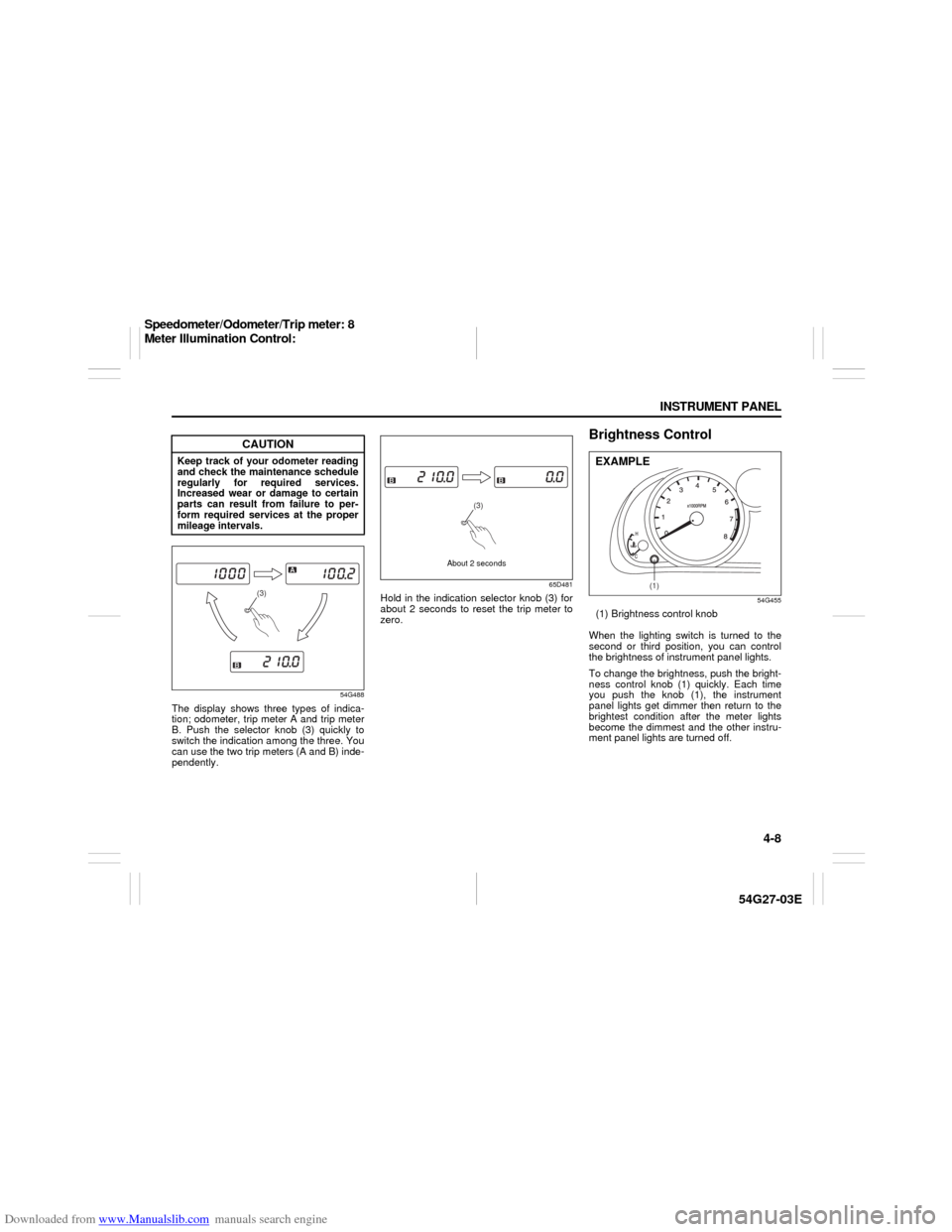
54G488
The display shows three types of indica-
tion; odometer, trip meter A and trip meter
B. Push the selector knob (3) quickly to
switch the indication among the three. You
can use the two trip meters (A and B) inde-
pendently.
65D481
Hold in the indication selector knob (3) for
about 2 seconds to reset the trip meter to
zero.
Brightness Control
54G455
(1) Brightness control knob
When the lighting switch is turned to the
second or third position, you can control
the brightness of instrument panel lights.
To change the brightness, push the bright-
ness control knob (1) quickly. Each time
you push the knob (1), the instrument
panel lights get dimmer then return to the
brightest condition after the meter lights
become the dimmest and the other instru-
ment panel lights are turned off.
CAUTION
Keep track of your odometer reading
and check the maintenance schedule
regularly for required services.
Increased wear or damage to certain
parts can result from failure to per-
form required services at the proper
mileage intervals.
(3)
(3)
About 2 seconds
(1)
EXAMPLE
Speedometer/Odometer/Trip meter: 8
Meter Illumination Control:
Page 75 of 232
Downloaded from www.Manualslib.com manuals search engine 4-10 INSTRUMENT PANEL
54G27-03E
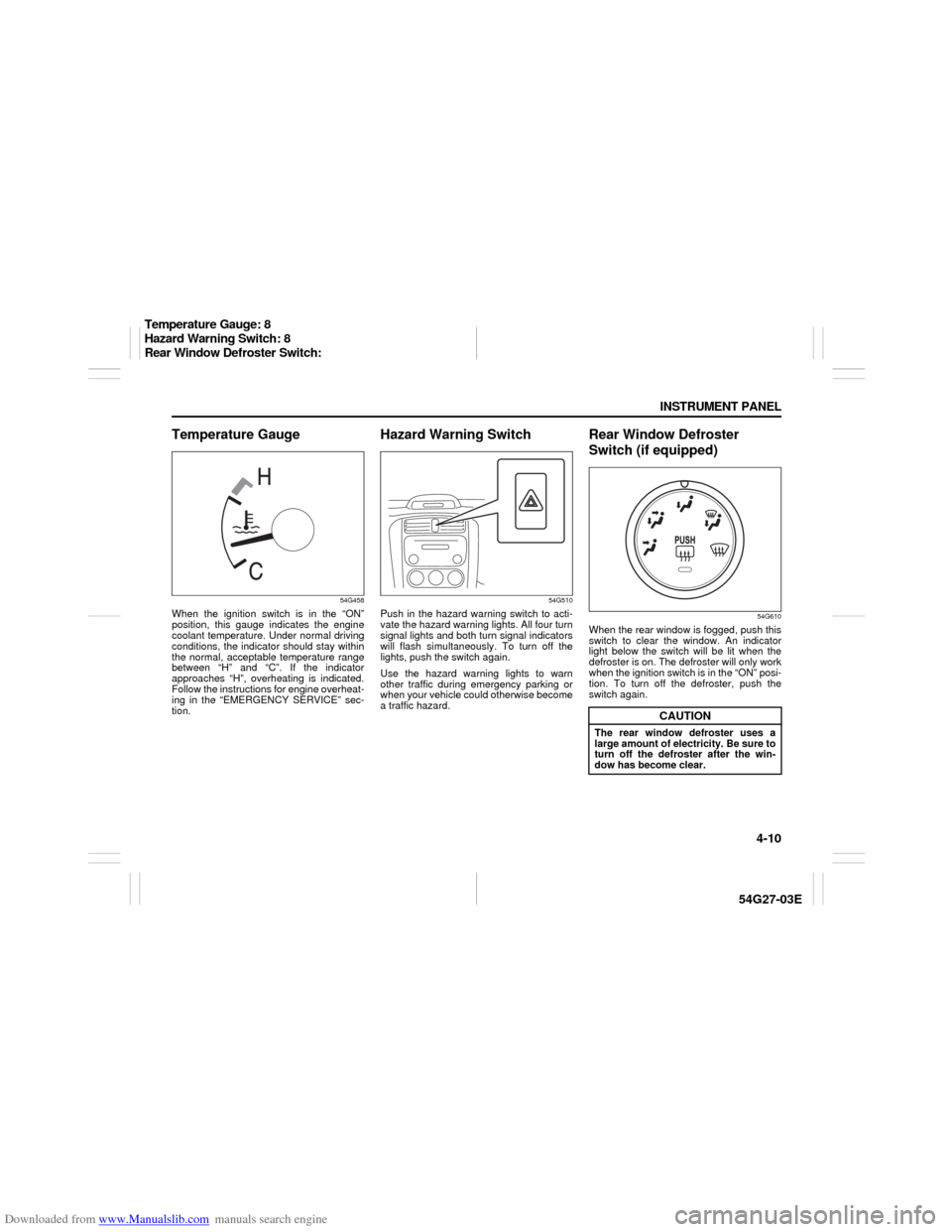
Temperature Gauge
54G458
When the ignition switch is in the “ON”
position, this gauge indicates the engine
coolant temperature. Under normal driving
conditions, the indicator should stay within
the normal, acceptable temperature range
between “H” and “C”. If the indicator
approaches “H”, overheating is indicated.
Follow the instructions for engine overheat-
ing in the “EMERGENCY SERVICE” sec-
tion.
Hazard Warning Switch
54G510
Push in the hazard warning switch to acti-
vate the hazard warning lights. All four turn
signal lights and both turn signal indicators
will flash simultaneously. To turn off the
lights, push the switch again.
Use the hazard warning lights to warn
other traffic during emergency parking or
when your vehicle could otherwise become
a traffic hazard.
Rear Window Defroster
Switch (if equipped)
54G610
When the rear window is fogged, push this
switch to clear the window. An indicator
light below the switch will be lit when the
defroster is on. The defroster will only work
when the ignition switch is in the “ON” posi-
tion. To turn off the defroster, push the
switch again.
CAUTION
The rear window defroster uses a
large amount of electricity. Be sure to
turn off the defroster after the win-
dow has become clear.
Temperature Gauge: 8
Hazard Warning Switch: 8
Rear Window Defroster Switch:
Page 102 of 232

Downloaded from www.Manualslib.com manuals search engine 4-37 INSTRUMENT PANEL
54G27-03E
Loading a CD
Insert a CD in the CD insertion slot (1).
When a CD is loaded, play starts and the
disc indicator (A) lights.
Ejecting a CD
Press the CD eject button (2).
The backup eject function:
This function allows you to eject a CD with
the power turned off by pressing the CD
eject button (2).
Listening to a CD
When a CD is inserted, it is automatically
played back.
When a CD is already inside the unit,
press the CD button (3) to play back the
CD. When a CD is inside the unit, the disc
indicator (A) is lit on the display unit.
When a disc included CD-DA and MP3/
WMA files is loaded and played back,
pressing and holding the CD/AUX button
(3) for 2 seconds changes the file type
between CD-DA and MP3/WMA. If a file
type is not selected, CD-DA files are
played back first. After all CD-DA files are
played back, MP3/WMA files are automati-
cally played back.Selecting a track
Press the track up button (4) to listen to
the next track.
Press the track down button (5) twice to
listen to the previous track.
When the track down button (5) is
pressed once, the track being currently
played will return to the beginning.
Fast forwarding/Rewinding a track
Press the fast forward button (4) to
advance a track rapidly.
Press the rewind button (5) to rewind a
track.
Selecting a folder (while an MP3/WMA
file is played back)
Turning button (9) clockwise advances
to the next folder.
Turning button (9) counterclockwise
returns to the previous folder.
Repeat play
Press the repeat button (6).
The repeat indicator “RPT” (B) lights and a
track being currently played is played
repeatedly.
Press the repeat button (6) again to cancel
repeat play.
Repeat play in the current folder (while
an MP3/WMA file is played back)
Press and hold the repeat button (6) for 2
seconds.The repeat indicator “D-RPT” (B) lights,
and tracks in the current folder are played
back repeatedly.
Press the repeat button (6) again to cancel
repeat play in the current folder.
Random play
Press the random button (7).
The random indicator “RDM” (C) lights and
tracks on the disc are played randomly.
Press the random button (7) again to can-
cel random play.
While an MP3/WMA file is played back,
tracks in the current folder are played back
at random. (If CD-DA and MP3/WMA files
are loaded and played back, the playback
operation is performed in the same for-
mat.)
All-folder random play (while an MP3/
WMA file is played back)
Press and hold the random button (7) for 2
seconds.
The random indicator “D-RDM” (C) lights,
and tracks in all folders in the current disc
are played back at random.
Press the random button (7) again to can-
cel the all-folder random play.
CAUTION
If you forcefully try to push an ejected
CD inside the unit before auto reload-
ing, the disc surface might be
scratched.
Audio Systems:
Page 105 of 232

Downloaded from www.Manualslib.com manuals search engine 4-40 INSTRUMENT PANEL
54G27-03E
NOTE:
About Single CDs (8 cm CDs)
Since the unit is not compatible with a
single CD, do not load it into the unit.
Keep in mind the fact that a single CD
cannot be played even using a single
CD adaptor for the unit.
When a single CD is loaded into the unit
accidentally, it will be ejected immedi-
ately. Please be sure to remove it.
If you forcefully try to push it into the unit
without removing it, the CD cannot be
ejected. This will damage the mecha-
nism. Please never do this.
Loading one CD
1) Press the load button (1), then press
one of the disc select buttons (2) that
corresponds to the slot into which you
want to load a CD.
The load indicator (10) will light up.
2) Load the CD into the CD insertion slot
(3). When the CD is loaded, play starts.
The disk number in the CD indicator (A)
will light.Loading multiple CDs
1) Press the load button (1) for 2 seconds
or longer. The unit will beep and the
load indicator (10) will light up.
2) Load a CD into the CD insertion slot
(3).
3) The next disc number will blink in the
display. Load the next CD.
4) After loading the required number of
CD’s, press any disc select button (2) to
select the desired CD to listen to. If no
select button is pressed, play will start
from the last loaded CD.
Only the numbers in the CD indicator (A)
that correspond to the loaded slots will
light.Ejecting one CD
1) Select the CD you want to remove with
the disc select buttons (2).
2) Press the CD eject button (4).
If you leave the ejected CD without
removing it, it will be drawn into the unit
automatically after about 15 seconds.
(Auto reload function)
The back up eject mechanism:
This function allows you to eject the CD
loaded in the unit with the unit turned off
only by pressing the CD eject button (4).
Ejecting all the CDs
Press the CD eject button (4) for 2 sec-
onds or longer. The unit will beep and the
load indicator (10) will light up. All the CDs
will be ejected from the unit in a sequential
manner.
Please prepare a location where
removed CDs can be stored.
If you leave the ejected CD without
removing it, it will be drawn into the unit
automatically after about 15 seconds.
(Auto reload function)
CAUTION
You can load a CD only while the load
indicator (10) lights up for about 15
seconds. During that period, the
shutter located in the depth of the CD
insertion slot (3) is opened. After 15
seconds time has elapsed, the load
indicator (10) turns off and the shut-
ter closes, making it impossible to
load a CD. If you try to load the CD
with the shutter closed, the CD may
damage the shutter. Never do this.
CAUTION
If you forcefully try to push an ejected
CD inside the unit before auto reload-
ing, the disc surface might be
scratched.
Audio Systems:
Page 106 of 232

Downloaded from www.Manualslib.com manuals search engine 4-41 INSTRUMENT PANEL
54G27-03E
The back up eject mechanism:
This function allows you to eject the CD
loaded in the unit with the unit turned off
only by pressing the CD eject button (4).
Listening to a CD
1) When a CD is inserted, it is automati-
cally played back.
When a CD is already inside the unit,
press the CD button (5) to play back the
CD. When a CD is inside the unit, the
CD indicator (A) is lit on the display
unit.
2) If you want to play another CD, select it
with the disc select buttons (2).
Play starts from the point on the disc
that the unit played last (Last position
memory).
When a disc included CD-DA and MP3/
WMA files is loaded and played back,
pressing and holding the CD/AUX button
(5) for 2 seconds changes the file type
between CD-DA and MP3/WMA. If a file
type is not selected, CD-DA files are
played back first. After all CD-DA files are
played back, MP3/WMA files are automati-
cally played back.Selecting a track
Press the track up button (6) to listen to
the next track.
Press the track down button (7) twice to
listen to the previous track.
When the track down button (7) is
pressed once, the track being currently
played will return to the beginning.
Fast forwarding/Rewinding a track
Press the fast forward button (6) to
advance a track rapidly.
Press the rewind button (7) to rewind a
track.
Selecting a folder (while an MP3/WMA
file is played back)
Turning button (11) clockwise advances
to the next folder.
Turning button (11) counterclockwise
returns to the previous folder.
Repeat play
Press the repeat button (8).
The repeat indicator “RPT” (C) lights and a
track being currently played is played
repeatedly.
Press the repeat button (8) again to cancel
repeat play.
Disc repeat play (while a CD-DA file is
played back)
Press the disc repeat play button (8) for 2
seconds or longer.
The repeat indicator “D-RPT” (C) lights.When all the tracks on a disc being cur-
rently played finish playing, the beginning
of the disc is returned and play starts.
To cancel disc repeat play, press the disc
repeat play button (8) again.
Repeat play in the current folder (while
an MP3/WMA file is played back)
Press and hold the repeat button (8) for 2
seconds.
The repeat indicator “D-RPT” (C) lights,
and tracks in the current folder are played
back repeatedly.
Press the repeat button (8) again to cancel
repeat play in the current folder.
CAUTION
If you try to push an ejected CD
inside the unit forcibly before auto
reloading, the disc surface might be
scratched.
Audio Systems:
Page 130 of 232
Downloaded from www.Manualslib.com manuals search engine 6-1 OPERATING YOUR VEHICLE
54G27-03E
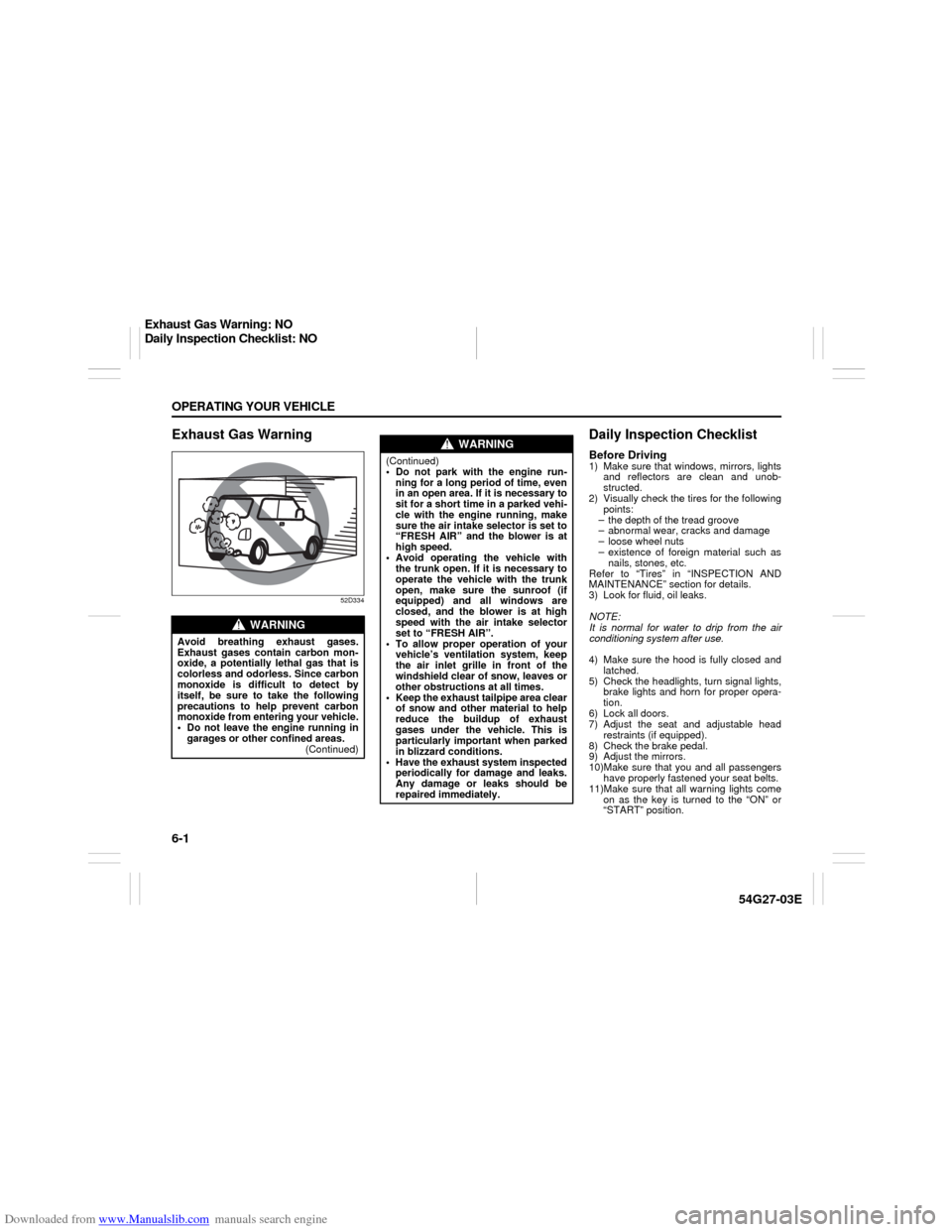
Exhaust Gas Warning
52D334
Daily Inspection ChecklistBefore Driving1) Make sure that windows, mirrors, lights
and reflectors are clean and unob-
structed.
2) Visually check the tires for the following
points:
– the depth of the tread groove
– abnormal wear, cracks and damage
– loose wheel nuts
– existence of foreign material such as
nails, stones, etc.
Refer to “Tires” in “INSPECTION AND
MAINTENANCE” section for details.
3) Look for fluid, oil leaks.
NOTE:
It is normal for water to drip from the air
conditioning system after use.
4) Make sure the hood is fully closed and
latched.
5) Check the headlights, turn signal lights,
brake lights and horn for proper opera-
tion.
6) Lock all doors.
7) Adjust the seat and adjustable head
restraints (if equipped).
8) Check the brake pedal.
9) Adjust the mirrors.
10)Make sure that you and all passengers
have properly fastened your seat belts.
11)Make sure that all warning lights come
on as the key is turned to the “ON” or
“START” position.
WARNING
Avoid breathing exhaust gases.
Exhaust gases contain carbon mon-
oxide, a potentially lethal gas that is
colorless and odorless. Since carbon
monoxide is difficult to detect by
itself, be sure to take the following
precautions to help prevent carbon
monoxide from entering your vehicle.
Do not leave the engine running in
garages or other confined areas.
(Continued)
WARNING
(Continued)
Do not park with the engine run-
ning for a long period of time, even
in an open area. If it is necessary to
sit for a short time in a parked vehi-
cle with the engine running, make
sure the air intake selector is set to
“FRESH AIR” and the blower is at
high speed.
Avoid operating the vehicle with
the trunk open. If it is necessary to
operate the vehicle with the trunk
open, make sure the sunroof (if
equipped) and all windows are
closed, and the blower is at high
speed with the air intake selector
set to “FRESH AIR”.
To allow proper operation of your
vehicle’s ventilation system, keep
the air inlet grille in front of the
windshield clear of snow, leaves or
other obstructions at all times.
Keep the exhaust tailpipe area clear
of snow and other material to help
reduce the buildup of exhaust
gases under the vehicle. This is
particularly important when parked
in blizzard conditions.
Have the exhaust system inspected
periodically for damage and leaks.
Any damage or leaks should be
repaired immediately.
Exhaust Gas Warning: NO
Daily Inspection Checklist: NO
Page 137 of 232
Downloaded from www.Manualslib.com manuals search engine 6-8 OPERATING YOUR VEHICLE
54G27-03E
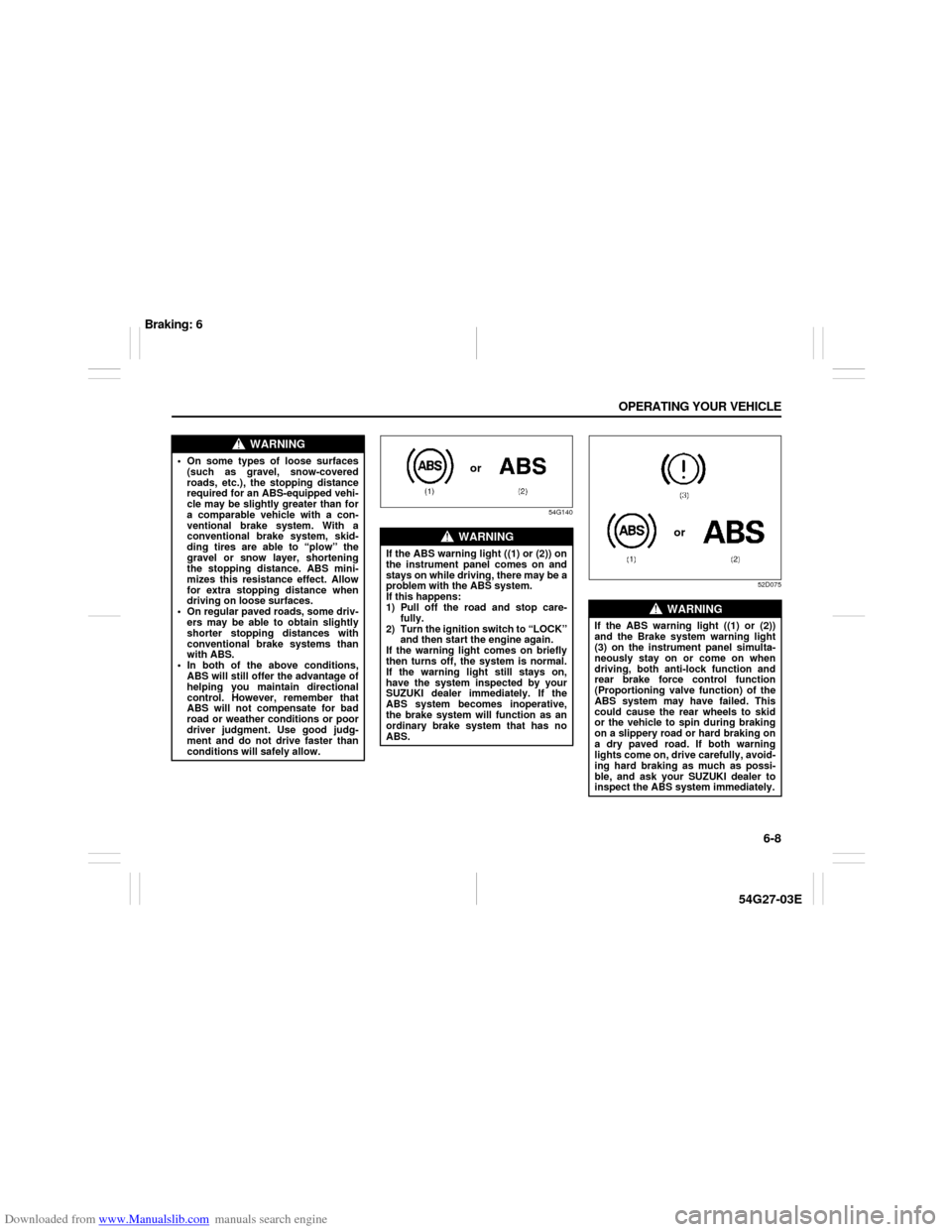
54G140
52D075
WARNING
On some types of loose surfaces
(such as gravel, snow-covered
roads, etc.), the stopping distance
required for an ABS-equipped vehi-
cle may be slightly greater than for
a comparable vehicle with a con-
ventional brake system. With a
conventional brake system, skid-
ding tires are able to “plow” the
gravel or snow layer, shortening
the stopping distance. ABS mini-
mizes this resistance effect. Allow
for extra stopping distance when
driving on loose surfaces.
On regular paved roads, some driv-
ers may be able to obtain slightly
shorter stopping distances with
conventional brake systems than
with ABS.
In both of the above conditions,
ABS will still offer the advantage of
helping you maintain directional
control. However, remember that
ABS will not compensate for bad
road or weather conditions or poor
driver judgment. Use good judg-
ment and do not drive faster than
conditions will safely allow.
WARNING
If the ABS warning light ((1) or (2)) on
the instrument panel comes on and
stays on while driving, there may be a
problem with the ABS system.
If this happens:
1) Pull off the road and stop care-
fully.
2) Turn the ignition switch to “LOCK”
and then start the engine again.
If the warning light comes on briefly
then turns off, the system is normal.
If the warning light still stays on,
have the system inspected by your
SUZUKI dealer immediately. If the
ABS system becomes inoperative,
the brake system will function as an
ordinary brake system that has no
ABS.
or
WARNING
If the ABS warning light ((1) or (2))
and the Brake system warning light
(3) on the instrument panel simulta-
neously stay on or come on when
driving, both anti-lock function and
rear brake force control function
(Proportioning valve function) of the
ABS system may have failed. This
could cause the rear wheels to skid
or the vehicle to spin during braking
on a slippery road or hard braking on
a dry paved road. If both warning
lights come on, drive carefully, avoid-
ing hard braking as much as possi-
ble, and ask your SUZUKI dealer to
inspect the ABS system immediately.
or
Braking: 6
Page 139 of 232
Downloaded from www.Manualslib.com manuals search engine 6-10 OPERATING YOUR VEHICLE
54G27-03E
54G584S
Improving Fuel EconomyThe following instructions will help you
improve fuel economy.
Avoid excessive idling
If you are to wait for more than a minute
while you are parked, stop the engine and
start it again later. When warming up a
cold engine, allow the engine to idle until
the temperature gauge pointer comes up
to the “C” position. In this position, the
engine is sufficiently warm for starting off.
Avoid “jackrabbit” starts
Fast starts away from lights or stop signs
will consume fuel unnecessarily and
shorten engine life. Start off slowly.
Avoid unnecessary stops
Avoid unnecessary deceleration and stop-
ping. Try to maintain a slow, steady speed
whenever possible. Slowing down and then
accelerating again uses more fuel.
Keep a steady cruising speed
Keep as constant a speed as road and traf-
fic conditions will permit.
CAUTION
To minimize the possibility of catalyst
or other vehicle damage:
Maintain the engine in the proper
operating condition.
In the event of an engine malfunc-
tion, particularly one involving
engine misfire or other apparent
loss of performance, have the vehi-
cle serviced promptly.
Do not shut off the engine or inter-
rupt the ignition when the transaxle
is in gear and the vehicle is in
motion.
Do not try to start the engine by
pushing or towing the vehicle or
coasting down a hill.
Do not idle the engine with any
spark plug wires disconnected or
removed, such as during diagnos-
tic testing.
Do not idle the vehicle for pro-
longed periods if idling seems
rough or there are other malfunc-
tions.
Do not allow the fuel tank to get
near the empty level.
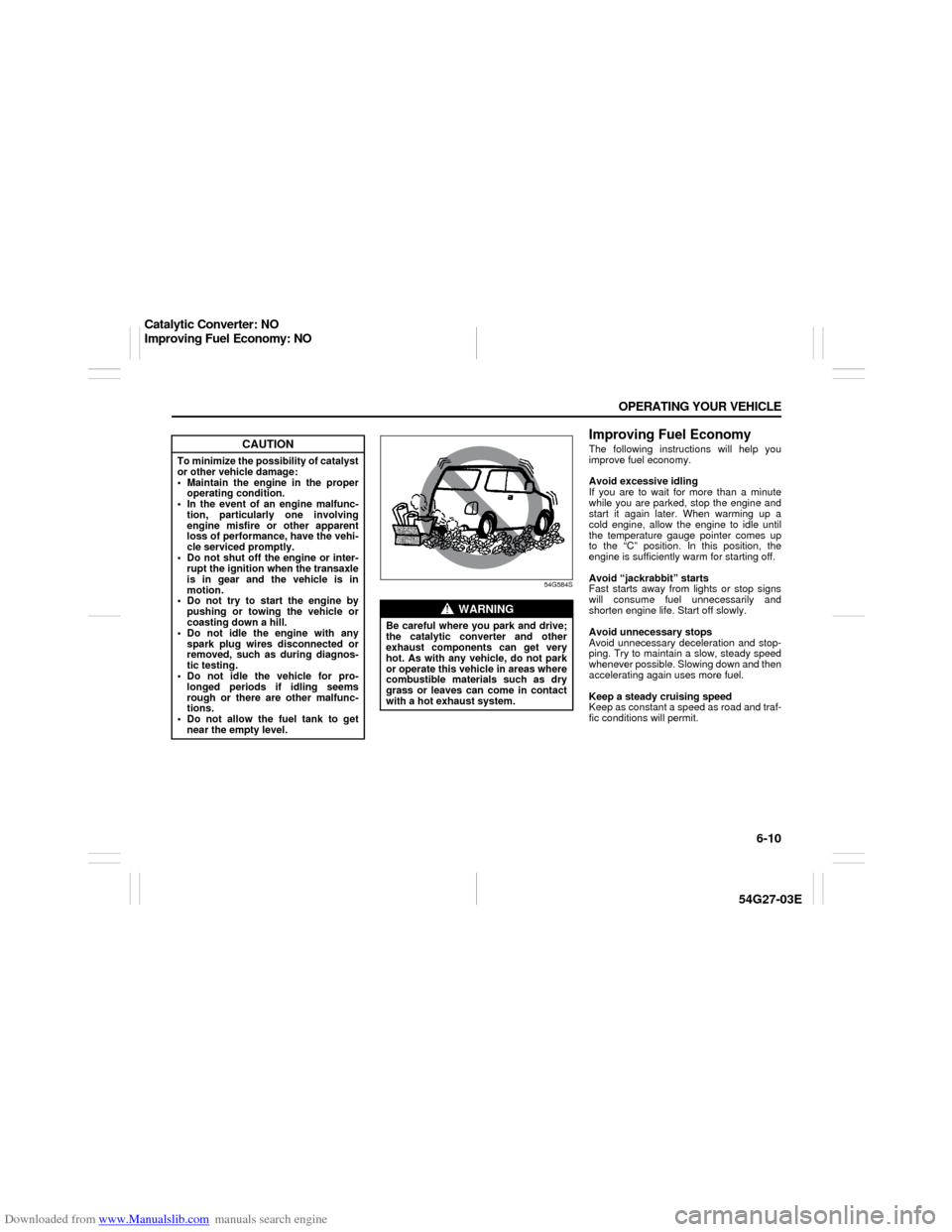
WARNING
Be careful where you park and drive;
the catalytic converter and other
exhaust components can get very
hot. As with any vehicle, do not park
or operate this vehicle in areas where
combustible materials such as dry
grass or leaves can come in contact
with a hot exhaust system.
Catalytic Converter: NO
Improving Fuel Economy: NO
Page 149 of 232
Downloaded from www.Manualslib.com manuals search engine 8-2 VEHICLE LOADING AND TOWING
54G27-03E
Trailer Towing
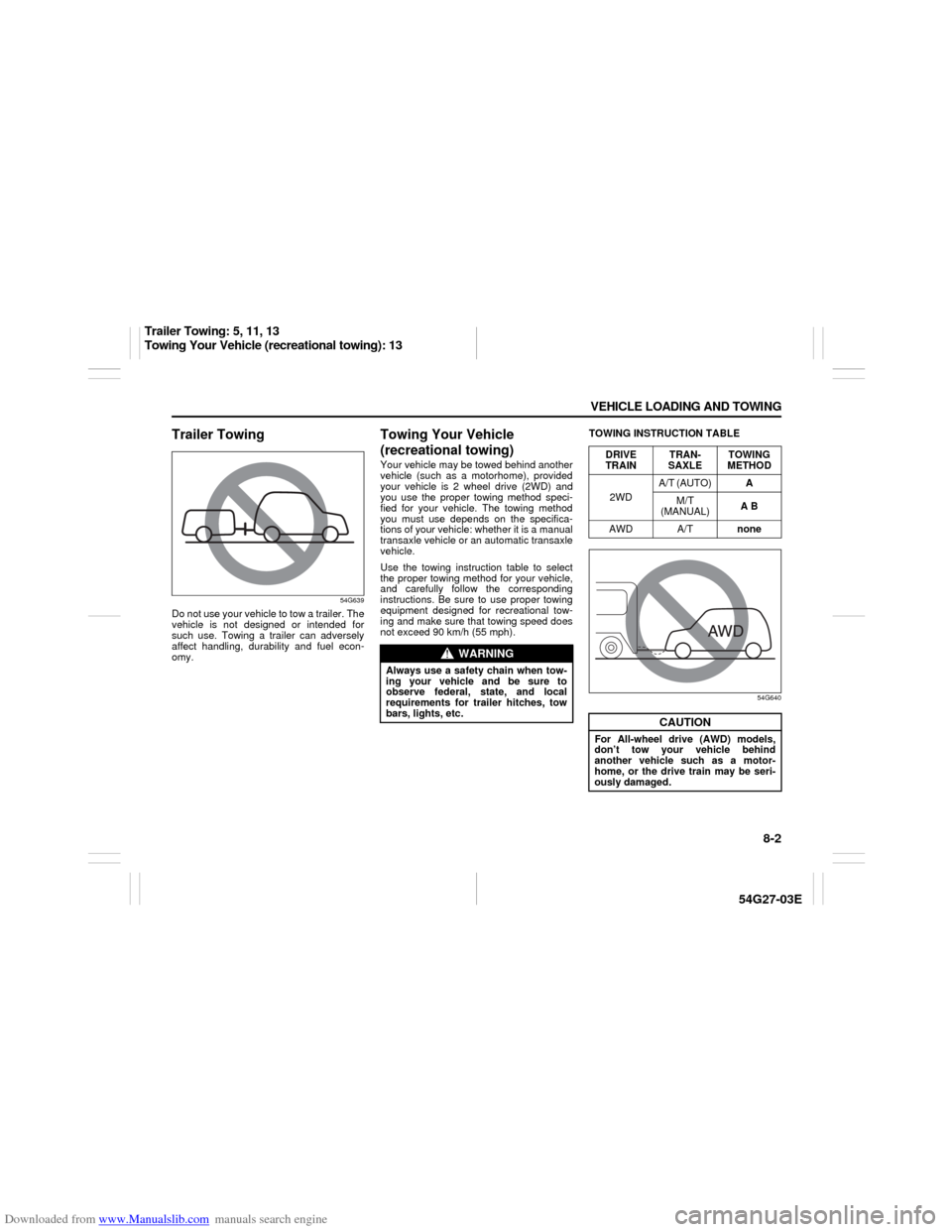
54G639
Do not use your vehicle to tow a trailer. The
vehicle is not designed or intended for
such use. Towing a trailer can adversely
affect handling, durability and fuel econ-
omy.
Towing Your Vehicle
(recreational towing)Your vehicle may be towed behind another
vehicle (such as a motorhome), provided
your vehicle is 2 wheel drive (2WD) and
you use the proper towing method speci-
fied for your vehicle. The towing method
you must use depends on the specifica-
tions of your vehicle: whether it is a manual
transaxle vehicle or an automatic transaxle
vehicle.
Use the towing instruction table to select
the proper towing method for your vehicle,
and carefully follow the corresponding
instructions. Be sure to use proper towing
equipment designed for recreational tow-
ing and make sure that towing speed does
not exceed 90 km/h (55 mph).TOWING INSTRUCTION TABLE
54G640
WARNING
Always use a safety chain when tow-
ing your vehicle and be sure to
observe federal, state, and local
requirements for trailer hitches, tow
bars, lights, etc.
DRIVE
TRAINTRAN-
SAXLETOWING
METHOD
2WDA/T (AUTO)A
M/T
(MANUAL)A B
AWD A/Tnone
CAUTION
For All-wheel drive (AWD) models,
don’t tow your vehicle behind
another vehicle such as a motor-
home, or the drive train may be seri-
ously damaged.
Trailer Towing: 5, 11, 13
Towing Your Vehicle (recreational towing): 13
Page 191 of 232
Downloaded from www.Manualslib.com manuals search engine 9-38 INSPECTION AND MAINTENANCE
54G27-03E
Bulb ReplacementNOTE:
If it is difficult to replace headlight bulbs or
parking light bulbs due to under-hood com-
ponents trust this job to your dealer.
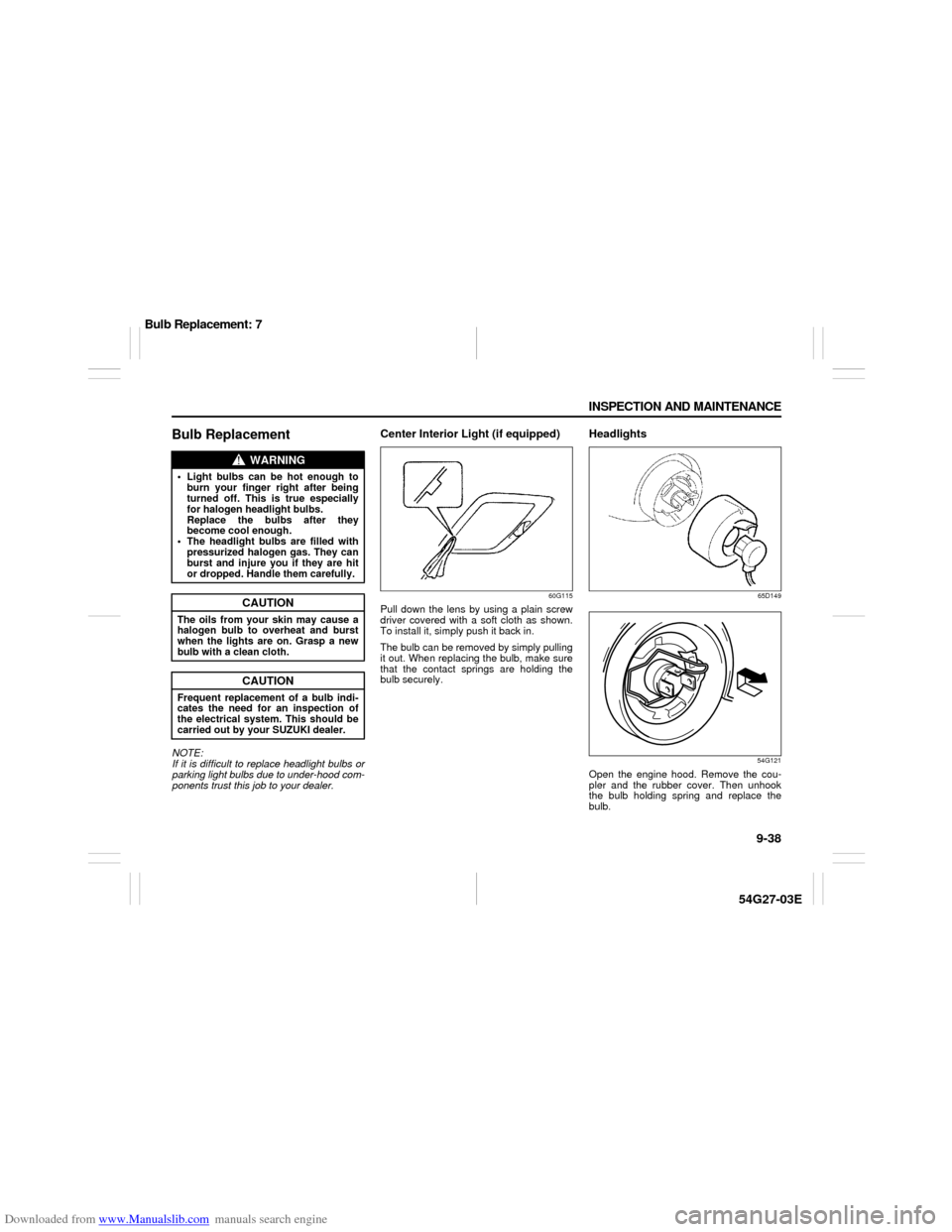
Center Interior Light (if equipped)
60G115
Pull down the lens by using a plain screw
driver covered with a soft cloth as shown.
To install it, simply push it back in.
The bulb can be removed by simply pulling
it out. When replacing the bulb, make sure
that the contact springs are holding the
bulb securely.
Headlights
65D149
54G121
Open the engine hood. Remove the cou-
pler and the rubber cover. Then unhook
the bulb holding spring and replace the
bulb.
WARNING
Light bulbs can be hot enough to
burn your finger right after being
turned off. This is true especially
for halogen headlight bulbs.
Replace the bulbs after they
become cool enough.
The headlight bulbs are filled with
pressurized halogen gas. They can
burst and injure you if they are hit
or dropped. Handle them carefully.
CAUTION
The oils from your skin may cause a
halogen bulb to overheat and burst
when the lights are on. Grasp a new
bulb with a clean cloth.
CAUTION
Frequent replacement of a bulb indi-
cates the need for an inspection of
the electrical system. This should be
carried out by your SUZUKI dealer.
Bulb Replacement: 7