USB SUZUKI ERTIGA 2013 1.G User Guide
[x] Cancel search | Manufacturer: SUZUKI, Model Year: 2013, Model line: ERTIGA, Model: SUZUKI ERTIGA 2013 1.GPages: 207, PDF Size: 5.14 MB
Page 121 of 207
Downloaded from www.Manualslib.com manuals search engine 5-26
OTHER CONTROLS AND EQUIPMENT
60MK0-14E
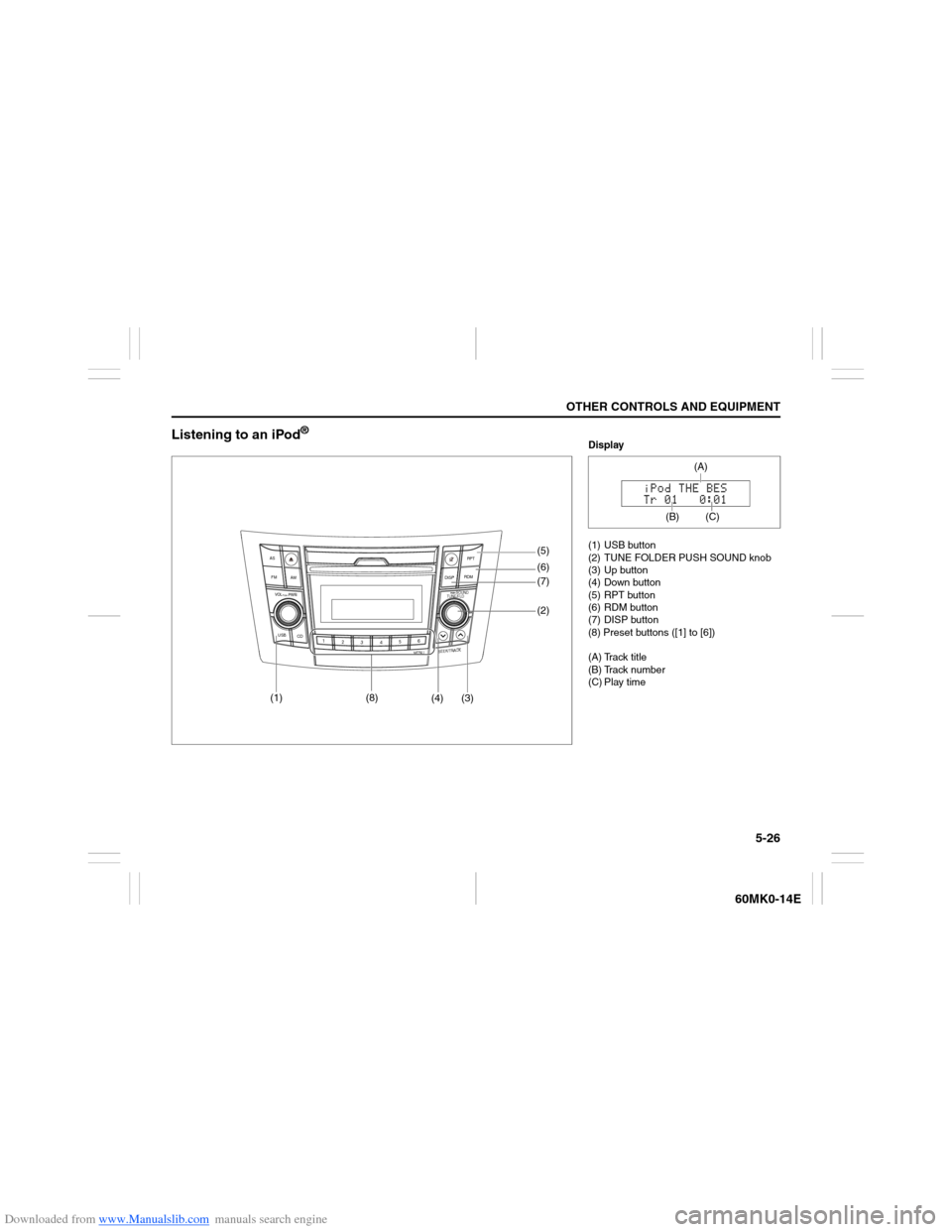
Listening to an iPod
®
USB
CD
1
2
3456
MENU
SEEK/TRACK
AS
AM FMRPT
RDM
DISP
PUSH SOUND
TUNE/FLD
VO L PUSH PWR
(4) (3)(7) (5)
(6)
(2)
(1)
(8)
Display
(1) USB button
(2) TUNE FOLDER PUSH SOUND knob
(3) Up button
(4) Down button
(5) RPT button
(6) RDM button
(7) DISP button
(8) Preset buttons ([1] to [6])
(A) Track title
(B) Track number
(C) Play time
(C)
(A)
(B)
Page 122 of 207
Downloaded from www.Manualslib.com manuals search engine 5-27OTHER CONTROLS AND EQUIPMENT
60MK0-14E
Selecting an iPod
® mode
Press the USB button (1).
Selecting a track
Press the Up button (3) to listen to the
next track.
Press the Down button (4) twice to lis-
ten to the previous track.
When the Down button (4) is pressed
once, the track currently being played
will start from the beginning again.
Fast forwarding/Rewinding a track
Hold down the Up button (3) to fast for-
ward the track.
Hold down the Down button (4) to fast
rewind the track.Random playback
Press the RDM button (6).
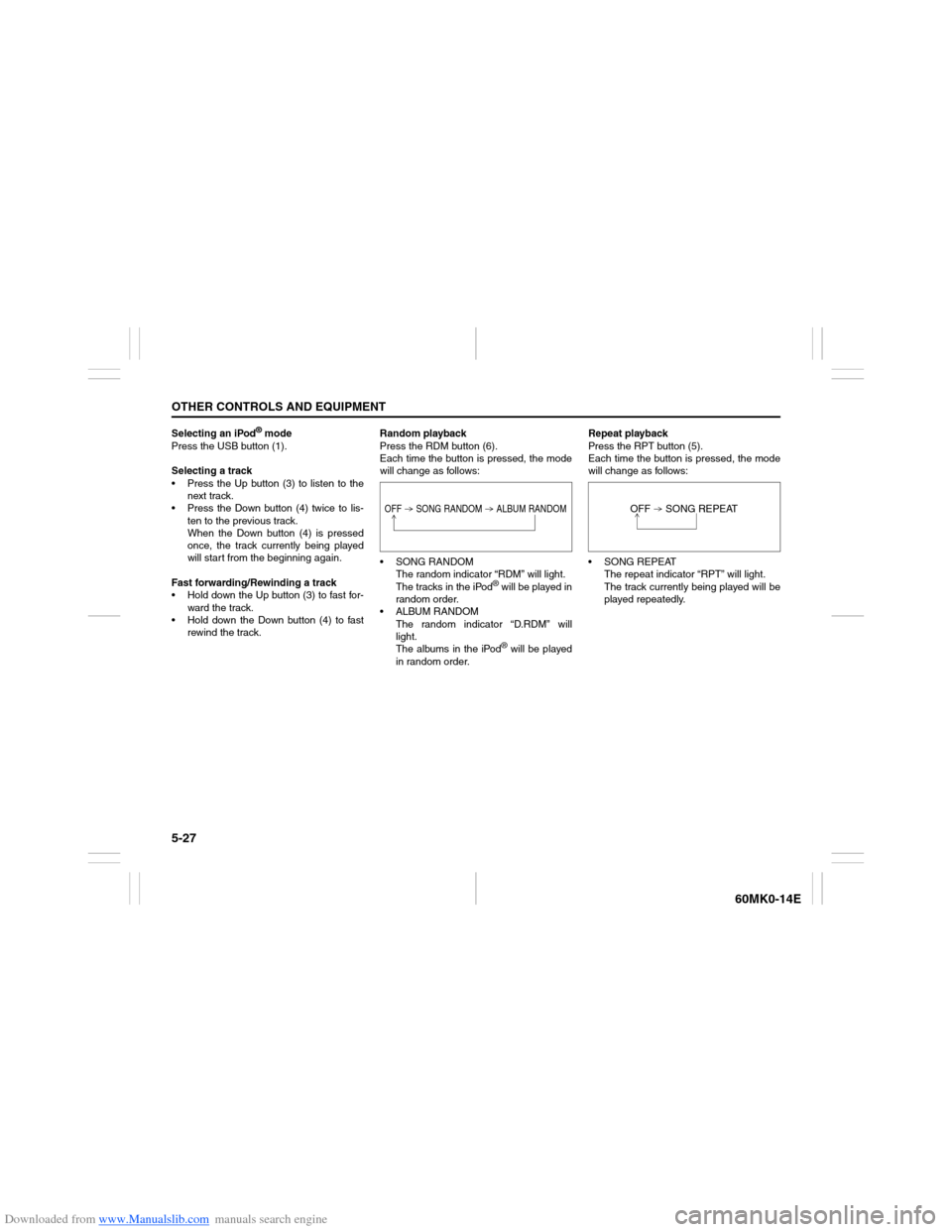
Each time the button is pressed, the mode
will change as follows:
SONG RANDOM
The random indicator “RDM” will light.
The tracks in the iPod
® will be played in
random order.
ALBUM RANDOM
The random indicator “D.RDM” will
light.
The albums in the iPod® will be played
in random order.Repeat playback
Press the RPT button (5).
Each time the button is pressed, the mode
will change as follows:
SONG REPEAT
The repeat indicator “RPT” will light.
The track currently being played will be
played repeatedly.
OFF SONG RANDOM ALBUM RANDOM
OFF SONG REPEAT
Page 125 of 207
Downloaded from www.Manualslib.com manuals search engine 5-30
OTHER CONTROLS AND EQUIPMENT
60MK0-14E
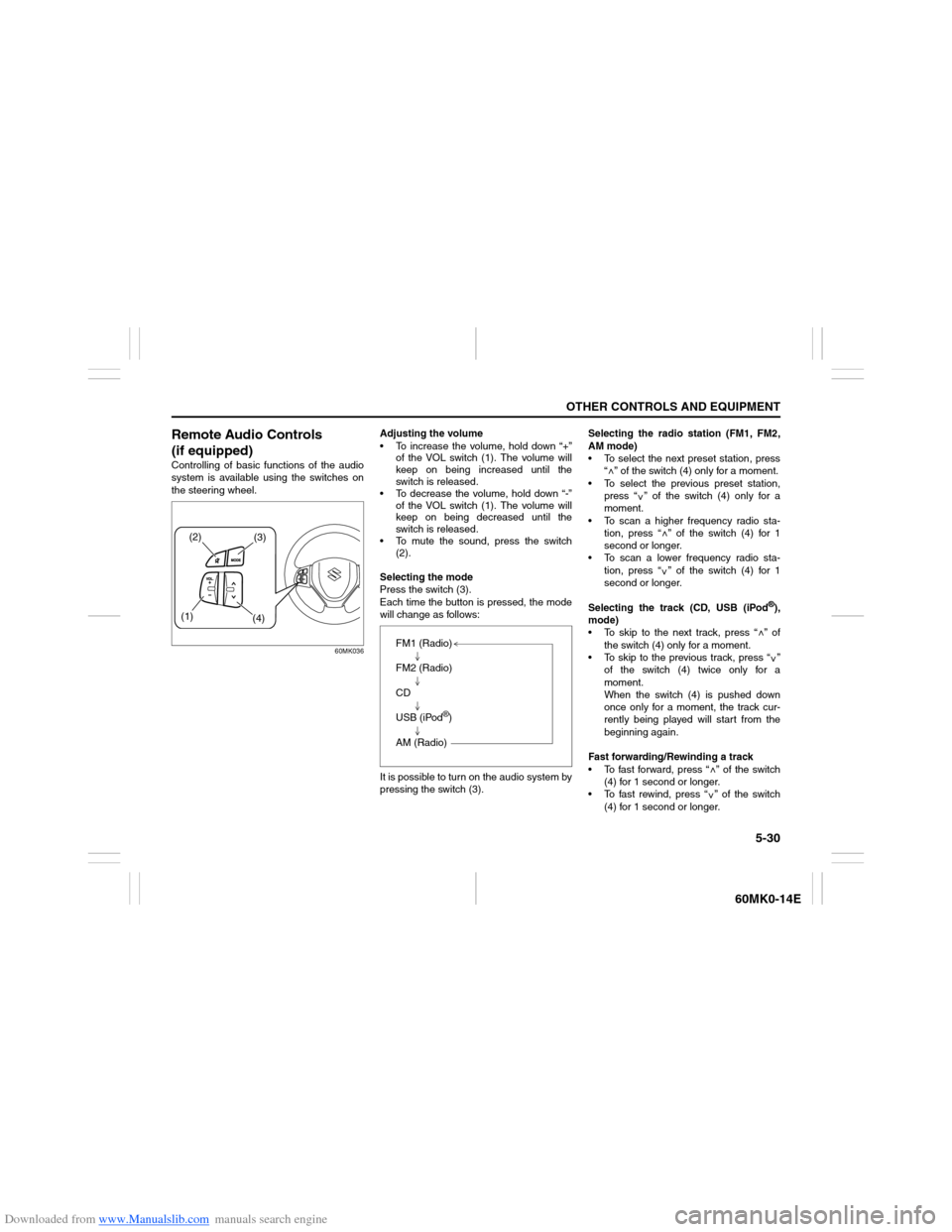
Remote Audio Controls
(if equipped)Controlling of basic functions of the audio
system is available using the switches on
the steering wheel.
60MK036
Adjusting the volume
To increase the volume, hold down “+”
of the VOL switch (1). The volume will
keep on being increased until the
switch is released.
To decrease the volume, hold down “-”
of the VOL switch (1). The volume will
keep on being decreased until the
switch is released.
To mute the sound, press the switch
(2).
Selecting the mode
Press the switch (3).
Each time the button is pressed, the mode
will change as follows:
It is possible to turn on the audio system by
pressing the switch (3).Selecting the radio station (FM1, FM2,
AM mode)
To select the next preset station, press
“ ” of the switch (4) only for a moment.
To select the previous preset station,
press “ ” of the switch (4) only for a
moment.
To scan a higher frequency radio sta-
tion, press “ ” of the switch (4) for 1
second or longer.
To scan a lower frequency radio sta-
tion, press “ ” of the switch (4) for 1
second or longer.
Selecting the track (CD, USB (iPod
®),
mode)
To skip to the next track, press “ ” of
the switch (4) only for a moment.
To skip to the previous track, press “ ”
of the switch (4) twice only for a
moment.
When the switch (4) is pushed down
once only for a moment, the track cur-
rently being played will start from the
beginning again.
Fast forwarding/Rewinding a track
To fast forward, press “ ” of the switch
(4) for 1 second or longer.
To fast rewind, press “ ” of the switch
(4) for 1 second or longer.
(2)
(3)
(1)
(4)
FM1 (Radio)
FM2 (Radio)
CD
USB (iPod
®)
AM (Radio)
<
<
<<
<
<
<<
Page 126 of 207
Downloaded from www.Manualslib.com manuals search engine 5-31OTHER CONTROLS AND EQUIPMENT
60MK0-14E
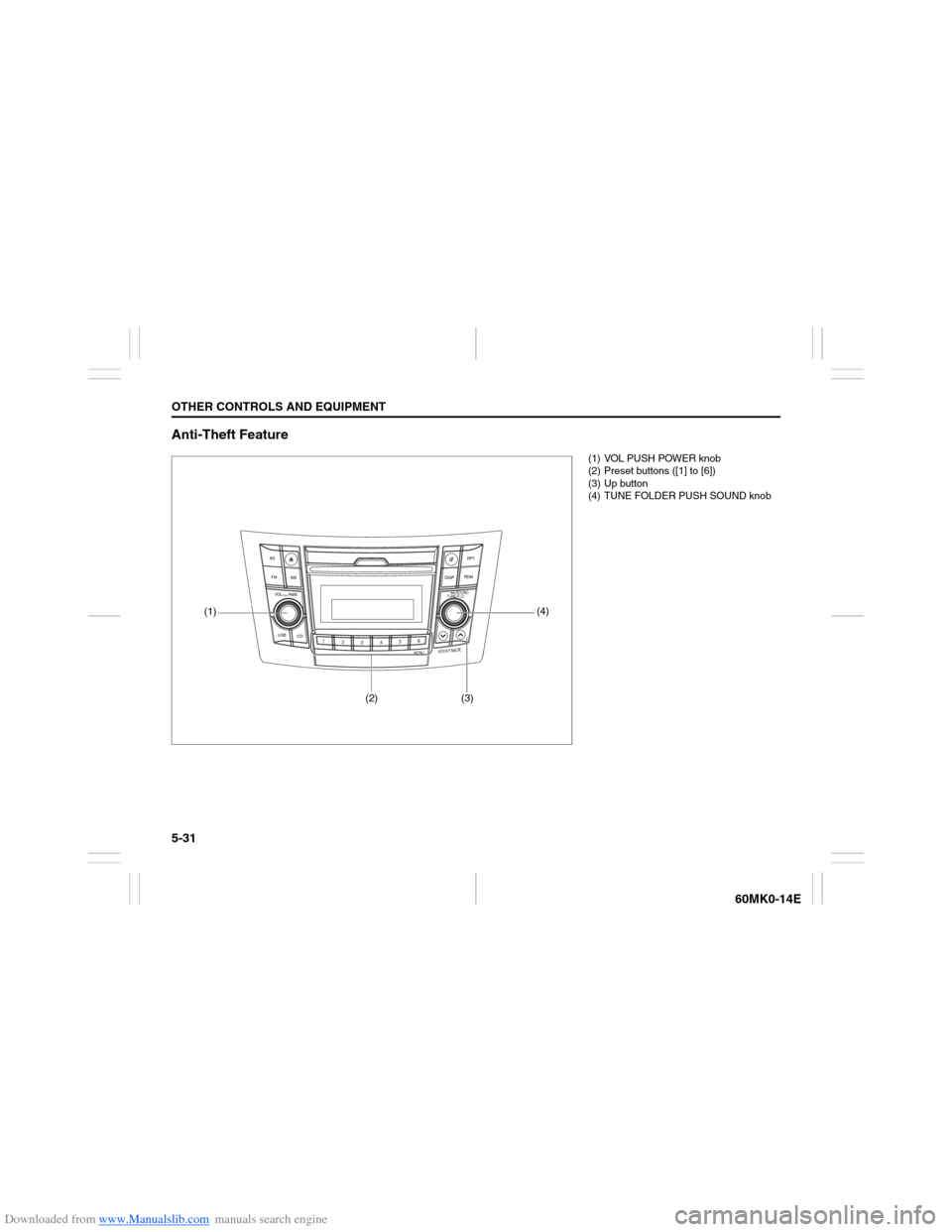
Anti-Theft Feature
USB
CD
1
2
3456
MENU
SEEK/TRACK
AS
AM FMRPT
RDM
DISP
PUSH SOUND
TUNE/FLD
VO L PUSH PWR
(4)
(3)
(2)
(1)
(1) VOL PUSH POWER knob
(2) Preset buttons ([1] to [6])
(3) Up button
(4) TUNE FOLDER PUSH SOUND knob
Page 130 of 207
Downloaded from www.Manualslib.com manuals search engine 5-35OTHER CONTROLS AND EQUIPMENT
60MK0-14E
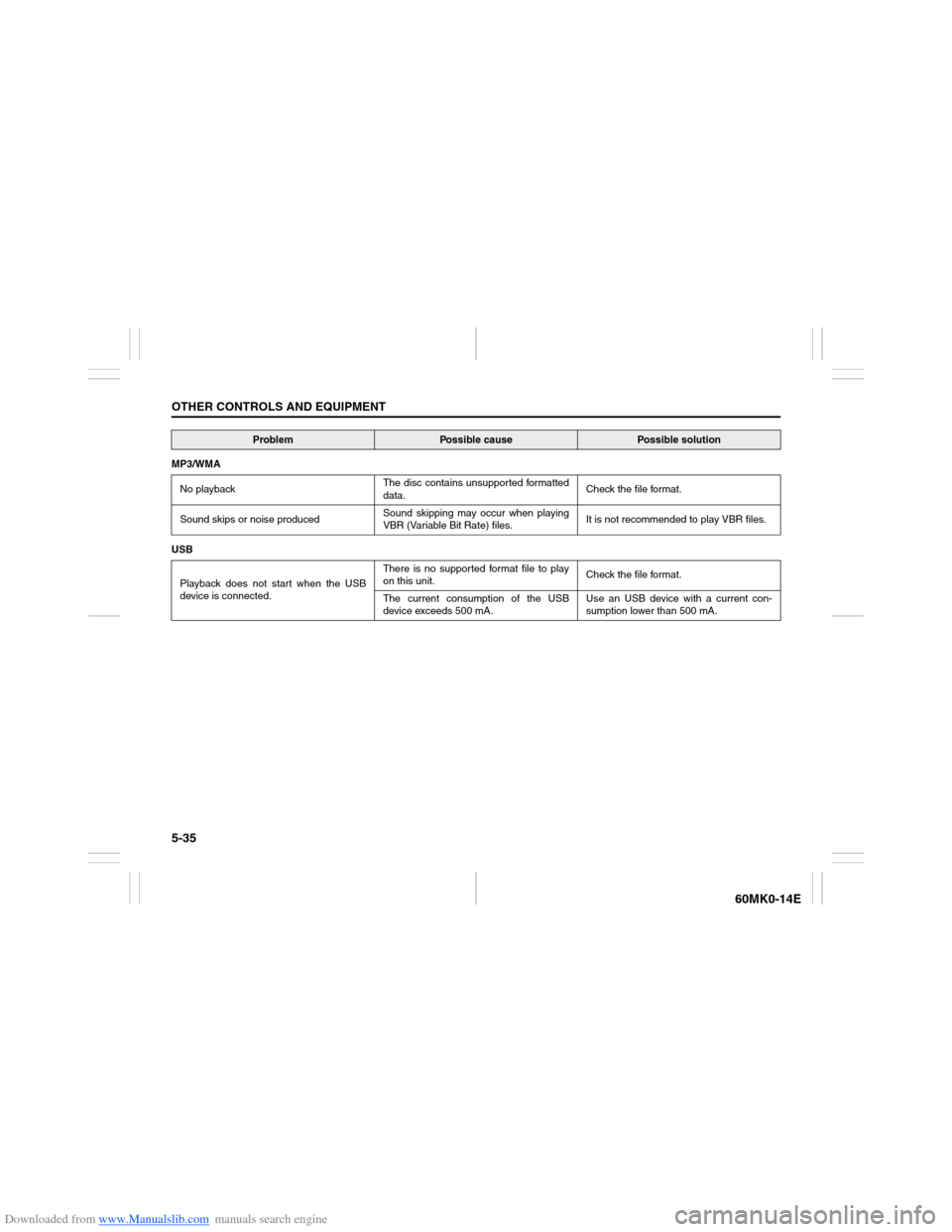
MP3/WMA
No playbackThe disc contains unsupported formatted
data.Check the file format.
Sound skips or noise producedSound skipping may occur when playing
VBR (Variable Bit Rate) files.It is not recommended to play VBR files.
USB
Playback does not start when the USB
device is connected.There is no supported format file to play
on this unit.Check the file format.
The current consumption of the USB
device exceeds 500 mA.Use an USB device with a current con-
sumption lower than 500 mA.
Problem
Possible cause
Possible solution
Page 131 of 207
Downloaded from www.Manualslib.com manuals search engine 5-36
OTHER CONTROLS AND EQUIPMENT
60MK0-14E
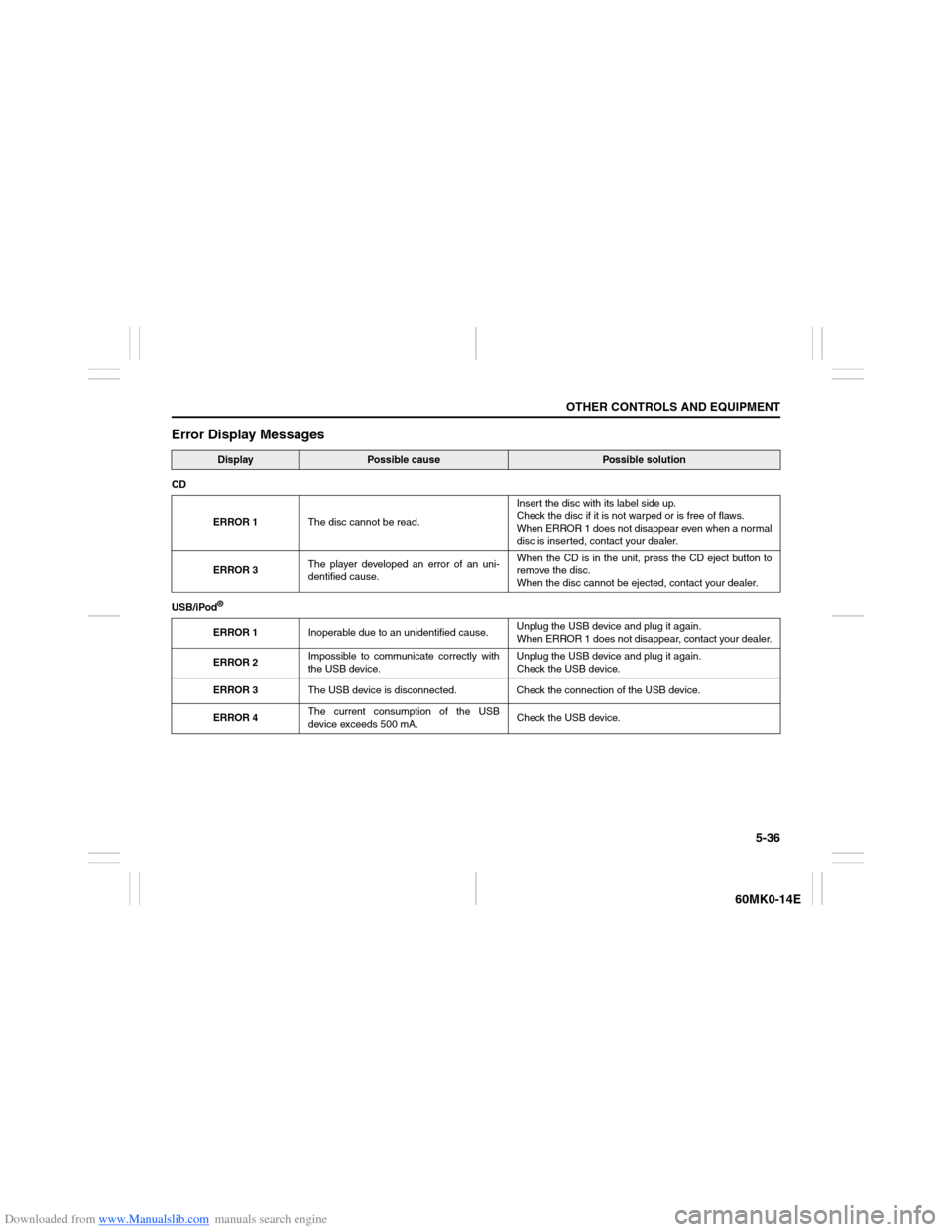
Error Display Messages
Display
Possible cause
Possible solution
CD
ERROR 1The disc cannot be read.Insert the disc with its label side up.
Check the disc if it is not warped or is free of flaws.
When ERROR 1 does not disappear even when a normal
disc is inserted, contact your dealer.
ERROR 3The player developed an error of an uni-
dentified cause.When the CD is in the unit, press the CD eject button to
remove the disc.
When the disc cannot be ejected, contact your dealer.
USB/iPod
®ERROR 1Inoperable due to an unidentified cause.Unplug the USB device and plug it again.
When ERROR 1 does not disappear, contact your dealer.
ERROR 2Impossible to communicate correctly with
the USB device.Unplug the USB device and plug it again.
Check the USB device.
ERROR 3The USB device is disconnected. Check the connection of the USB device.
ERROR 4The current consumption of the USB
device exceeds 500 mA.Check the USB device.
Page 137 of 207
Downloaded from www.Manualslib.com manuals search engine 5-42
OTHER CONTROLS AND EQUIPMENT
60MK0-14E
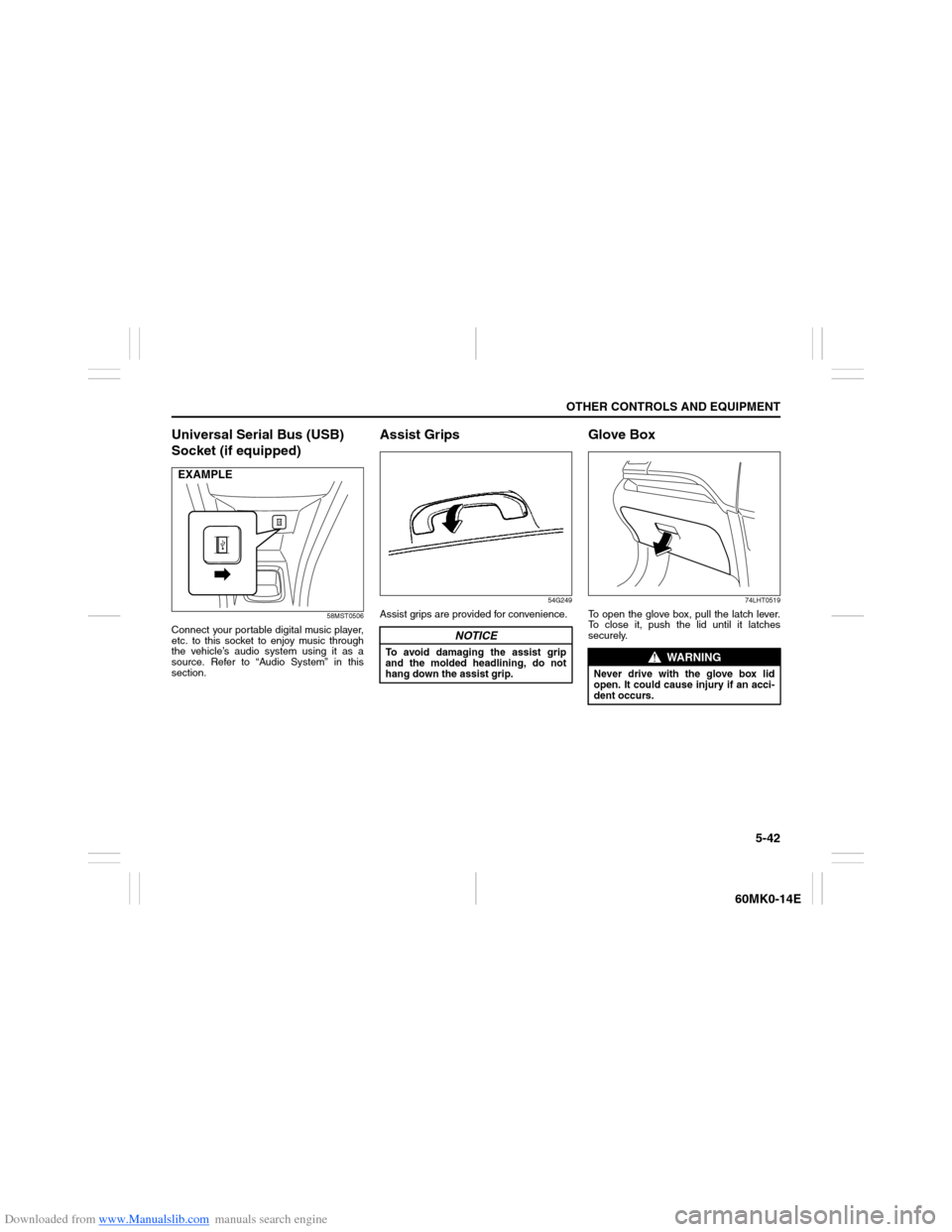
Universal Serial Bus (USB)
Socket (if equipped)
58MST0506
Connect your portable digital music player,
etc. to this socket to enjoy music through
the vehicle’s audio system using it as a
source. Refer to “Audio System” in this
section.
Assist Grips
54G249
Assist grips are provided for convenience.
Glove Box
74LHT0519
To open the glove box, pull the latch lever.
To close it, push the lid until it latches
securely.
EXAMPLE
NOTICE
To avoid damaging the assist grip
and the molded headlining, do not
hang down the assist grip.
WARNING
Never drive with the glove box lid
open. It could cause injury if an acci-
dent occurs.
Page 206 of 207
Downloaded from www.Manualslib.com manuals search engine 12-4INDEX
60MK0-14E
Specified Oil ........................................................................... 7-7
Speedometer ........................................................................ 2-43
Starting a Cold and Warm Engine ........................................ 3-8
Starting the Engine ................................................................ 3-8
Steering ................................................................................ 7-19
Sun Visor .............................................................................. 5-39
Supplemental Restraint System (air bags)........................ 2-30TTachometer .......................................................................... 2-43
Tailgate ................................................................................... 2-4
Temperature Gauge ............................................................. 2-44
Theft Deterrent Alarm System .............................................. 2-7
Thermometer ........................................................................ 2-46
Tilt Steering Lock Lever...................................................... 2-55
Tire Chains ............................................................................. 4-4
Tire Changing Tool ................................................................ 8-1
Tire Inspection ..................................................................... 7-20
Tire Rotation......................................................................... 7-21
Tires ...................................................................................... 7-20
To Raise the Vehicle with a Garage Jack ............................ 8-3
Towing .................................................................................... 8-7
Trailer Towing ........................................................................ 6-1
Transaxle selector position indicator
(for automatic transaxle vehicles)...................................... 2-47
Transaxle Warning Light ..................................................... 2-41
Trip meter ............................................................................. 2-48
Turn Signal Control Lever................................................... 2-52
Turn Signal Indicators ......................................................... 2-42
Turn Signal Operation ......................................................... 2-52
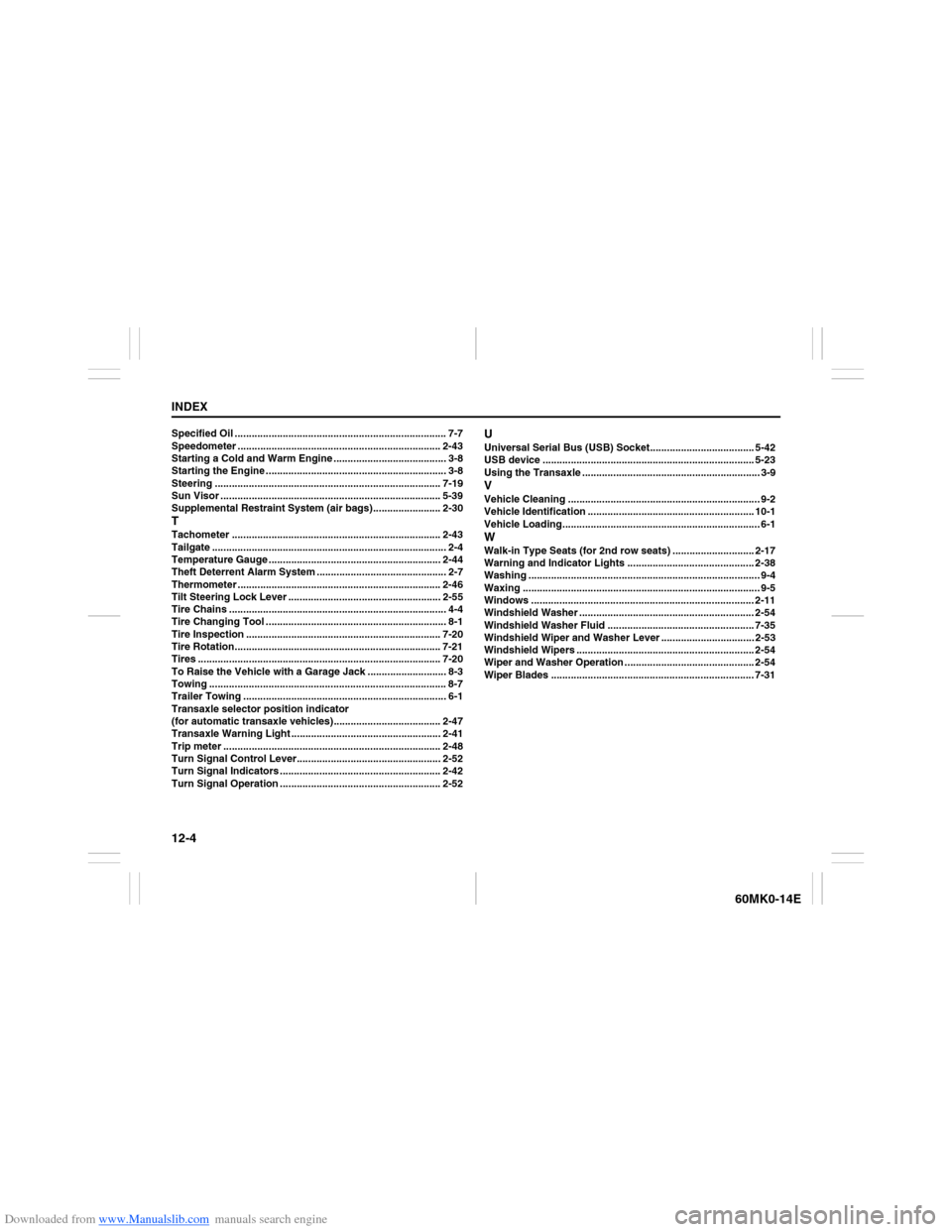
UUniversal Serial Bus (USB) Socket..................................... 5-42
USB device ........................................................................... 5-23
Using the Transaxle ............................................................... 3-9VVehicle Cleaning .................................................................... 9-2
Vehicle Identification ........................................................... 10-1
Vehicle Loading...................................................................... 6-1WWalk-in Type Seats (for 2nd row seats) ............................. 2-17
Warning and Indicator Lights ............................................. 2-38
Washing .................................................................................. 9-4
Waxing .................................................................................... 9-5
Windows ............................................................................... 2-11
Windshield Washer .............................................................. 2-54
Windshield Washer Fluid .................................................... 7-35
Windshield Wiper and Washer Lever ................................. 2-53
Windshield Wipers ............................................................... 2-54
Wiper and Washer Operation .............................................. 2-54
Wiper Blades ........................................................................ 7-31