instrument panel SUZUKI FORENZA 2008 1.G User Guide
[x] Cancel search | Manufacturer: SUZUKI, Model Year: 2008, Model line: FORENZA, Model: SUZUKI FORENZA 2008 1.GPages: 226, PDF Size: 5.25 MB
Page 56 of 226
2-8
FEATURES AND CONTROLS
85Z04-03E
Liftgate (Wagon)
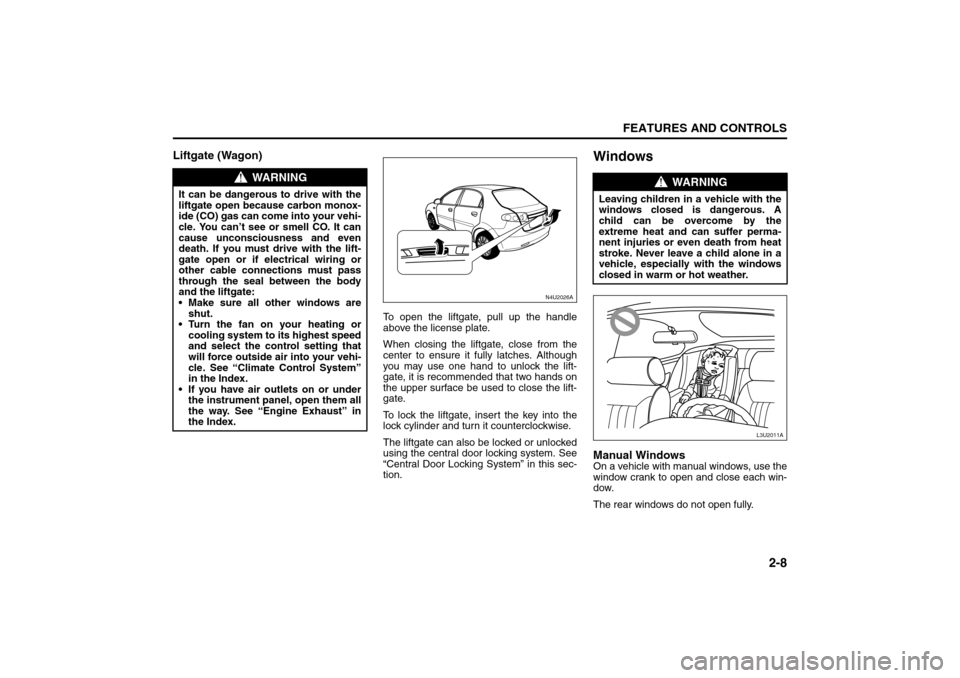
To open the liftgate, pull up the handle
above the license plate.
When closing the liftgate, close from the
center to ensure it fully latches. Although
you may use one hand to unlock the lift-
gate, it is recommended that two hands on
the upper surface be used to close the lift-
gate.
To lock the liftgate, insert the key into the
lock cylinder and turn it counterclockwise.
The liftgate can also be locked or unlocked
using the central door locking system. See
“Central Door Locking System” in this sec-
tion.
WindowsManual WindowsOn a vehicle with manual windows, use the
window crank to open and close each win-
dow.
The rear windows do not open fully.
WARNING
It can be dangerous to drive with the
liftgate open because carbon monox-
ide (CO) gas can come into your vehi-
cle. You can’t see or smell CO. It can
cause unconsciousness and even
death. If you must drive with the lift-
gate open or if electrical wiring or
other cable connections must pass
through the seal between the body
and the liftgate:
Make sure all other windows are
shut.
Turn the fan on your heating or
cooling system to its highest speed
and select the control setting that
will force outside air into your vehi-
cle. See “Climate Control System”
in the Index.
If you have air outlets on or under
the instrument panel, open them all
the way. See “Engine Exhaust” in
the Index.
N4U2026A
WARNING
Leaving children in a vehicle with the
windows closed is dangerous. A
child can be overcome by the
extreme heat and can suffer perma-
nent injuries or even death from heat
stroke. Never leave a child alone in a
vehicle, especially with the windows
closed in warm or hot weather.
L3U2011A
Doors and Locks:
Windows:
Page 60 of 226
2-12
FEATURES AND CONTROLS
85Z04-03E
Starting and Operating Your
VehicleNew Vehicle Break-InIgnition Positions
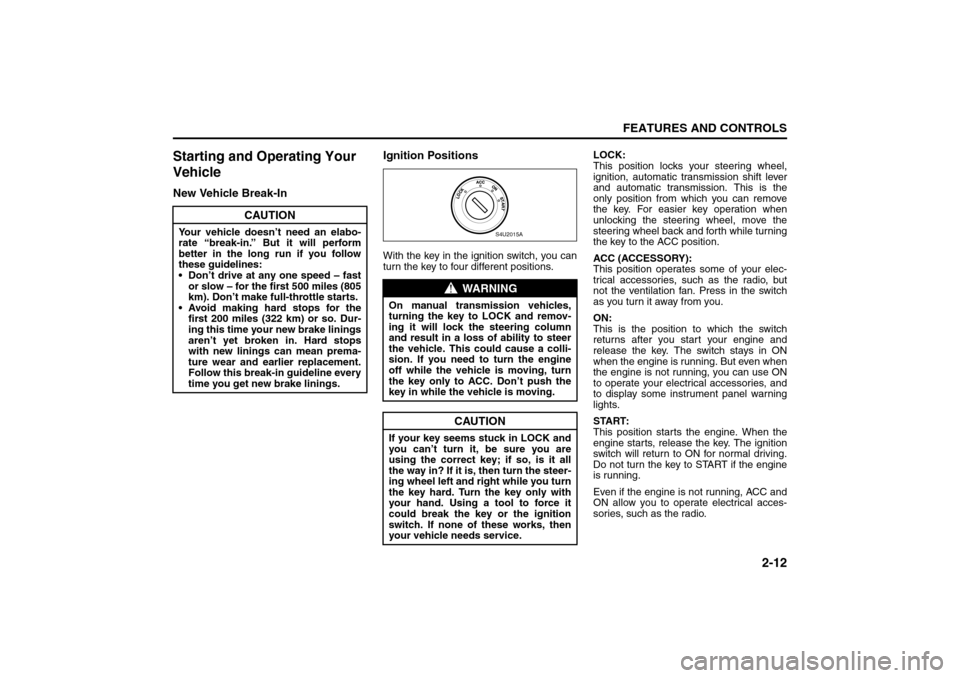
With the key in the ignition switch, you can
turn the key to four different positions.LOCK:
This position locks your steering wheel,
ignition, automatic transmission shift lever
and automatic transmission. This is the
only position from which you can remove
the key. For easier key operation when
unlocking the steering wheel, move the
steering wheel back and forth while turning
the key to the ACC position.
ACC (ACCESSORY):
This position operates some of your elec-
trical accessories, such as the radio, but
not the ventilation fan. Press in the switch
as you turn it away from you.
ON:
This is the position to which the switch
returns after you start your engine and
release the key. The switch stays in ON
when the engine is running. But even when
the engine is not running, you can use ON
to operate your electrical accessories, and
to display some instrument panel warning
lights.
START:
This position starts the engine. When the
engine starts, release the key. The ignition
switch will return to ON for normal driving.
Do not turn the key to START if the engine
is running.
Even if the engine is not running, ACC and
ON allow you to operate electrical acces-
sories, such as the radio.
CAUTION
Your vehicle doesn’t need an elabo-
rate “break-in.” But it will perform
better in the long run if you follow
these guidelines:
Don’t drive at any one speed – fast
or slow – for the first 500 miles (805
km). Don’t make full-throttle starts.
Avoid making hard stops for the
first 200 miles (322 km) or so. Dur-
ing this time your new brake linings
aren’t yet broken in. Hard stops
with new linings can mean prema-
ture wear and earlier replacement.
Follow this break-in guideline every
time you get new brake linings.
WARNING
On manual transmission vehicles,
turning the key to LOCK and remov-
ing it will lock the steering column
and result in a loss of ability to steer
the vehicle. This could cause a colli-
sion. If you need to turn the engine
off while the vehicle is moving, turn
the key only to ACC. Don’t push the
key in while the vehicle is moving.
CAUTION
If your key seems stuck in LOCK and
you can’t turn it, be sure you are
using the correct key; if so, is it all
the way in? If it is, then turn the steer-
ing wheel left and right while you turn
the key hard. Turn the key only with
your hand. Using a tool to force it
could break the key or the ignition
switch. If none of these works, then
your vehicle needs service.
S4U2015A
Starting and Operating Your Vehicle:
Page 64 of 226
2-16
FEATURES AND CONTROLS
85Z04-03E
lamp (MIL) or the HOLD mode light may
come on or may blink. In this situation,
automatic shifting can be canceled or can
default to a severe condition mode.
You should consult your SUZUKI dealer
and have the problem repaired as soon as
possible when this condition occurs.
Hold Mode
You can select this mode to drive with
some characteristics of a manual transmis-
sion. With the HOLD mode turned on, the
automatic transmission will stay in a spe-
cific gear range.
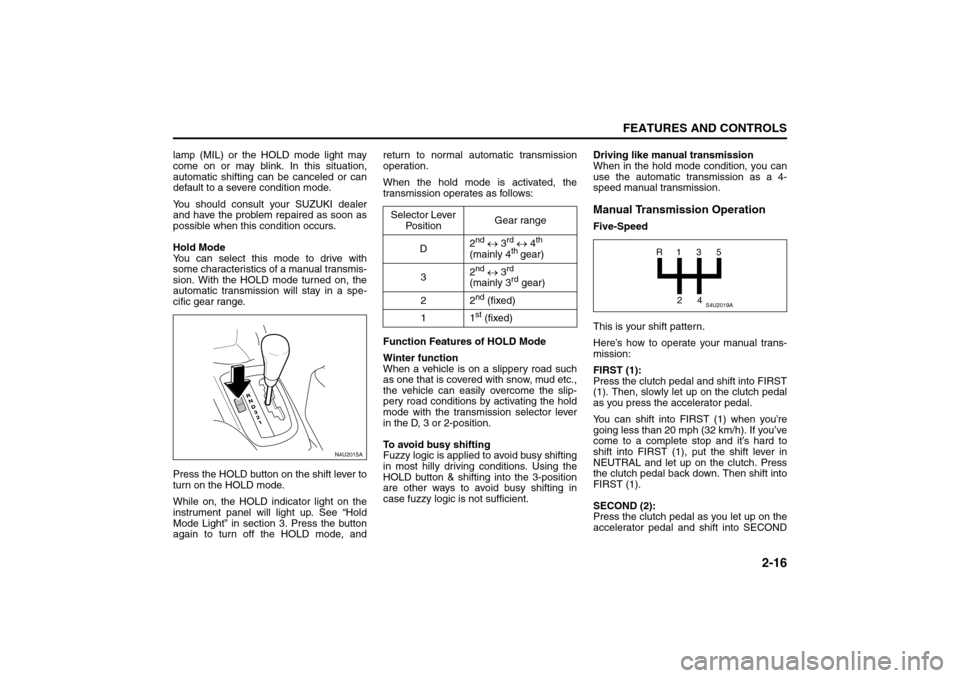
Press the HOLD button on the shift lever to
turn on the HOLD mode.
While on, the HOLD indicator light on the
instrument panel will light up. See “Hold
Mode Light” in section 3. Press the button
again to turn off the HOLD mode, andreturn to normal automatic transmission
operation.
When the hold mode is activated, the
transmission operates as follows:
Function Features of HOLD Mode
Winter function
When a vehicle is on a slippery road such
as one that is covered with snow, mud etc.,
the vehicle can easily overcome the slip-
pery road conditions by activating the hold
mode with the transmission selector lever
in the D, 3 or 2-position.
To avoid busy shifting
Fuzzy logic is applied to avoid busy shifting
in most hilly driving conditions. Using the
HOLD button & shifting into the 3-position
are other ways to avoid busy shifting in
case fuzzy logic is not sufficient.Driving like manual transmission
When in the hold mode condition, you can
use the automatic transmission as a 4-
speed manual transmission.
Manual Transmission OperationFive-Speed
This is your shift pattern.
Here’s how to operate your manual trans-
mission:
FIRST (1):
Press the clutch pedal and shift into FIRST
(1). Then, slowly let up on the clutch pedal
as you press the accelerator pedal.
You can shift into FIRST (1) when you’re
going less than 20 mph (32 km/h). If you’ve
come to a complete stop and it’s hard to
shift into FIRST (1), put the shift lever in
NEUTRAL and let up on the clutch. Press
the clutch pedal back down. Then shift into
FIRST (1).
SECOND (2):
Press the clutch pedal as you let up on the
accelerator pedal and shift into SECOND
N4U2015A
HOLD
Selector Lever
PositionGear range
D2
nd ↔ 3
rd ↔ 4
th
(mainly 4
th gear)
32
nd ↔ 3
rd
(mainly 3rd gear)
22
nd (fixed)
11st (fixed)
S4U2019A
R1
2435
Starting and Operating Your Vehicle:
Page 70 of 226
2-22
FEATURES AND CONTROLS
85Z04-03E
Outside Convex MirrorYour passenger’s side mirror is convex. A
convex mirror’s surface is curved so you
can see more from the driver’s seat.Outside Heated MirrorsIf your vehicle has this feature, when you
operate the rear window defogger, the
heated driver’s and passenger’s outside
power mirrors are warmed to help clear
them of ice and snow. See “Rear Window
and Outside Mirror Defogger” under “Cli-
mate Control System” in section 3 for more
information.
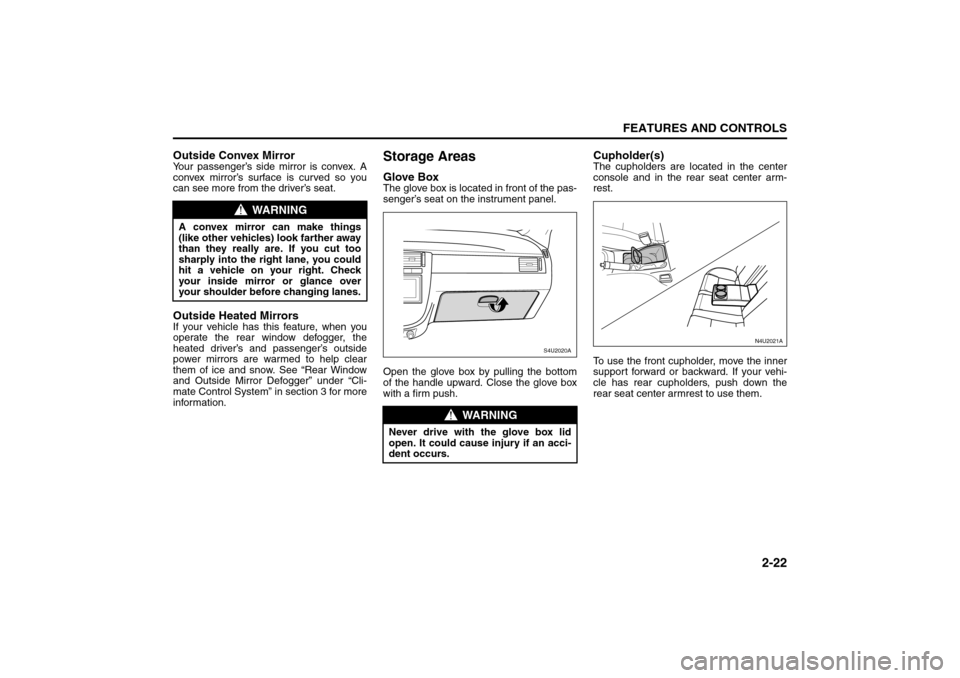
Storage AreasGlove BoxThe glove box is located in front of the pas-
senger’s seat on the instrument panel.
Open the glove box by pulling the bottom
of the handle upward. Close the glove box
with a firm push.
Cupholder(s)The cupholders are located in the center
console and in the rear seat center arm-
rest.
To use the front cupholder, move the inner
support forward or backward. If your vehi-
cle has rear cupholders, push down the
rear seat center armrest to use them.
WARNING
A convex mirror can make things
(like other vehicles) look farther away
than they really are. If you cut too
sharply into the right lane, you could
hit a vehicle on your right. Check
your inside mirror or glance over
your shoulder before changing lanes.
WARNING
Never drive with the glove box lid
open. It could cause injury if an acci-
dent occurs.
S4U2020A
N4U2021A
Storage Areas:
Page 71 of 226
2-23FEATURES AND CONTROLS
85Z04-03E
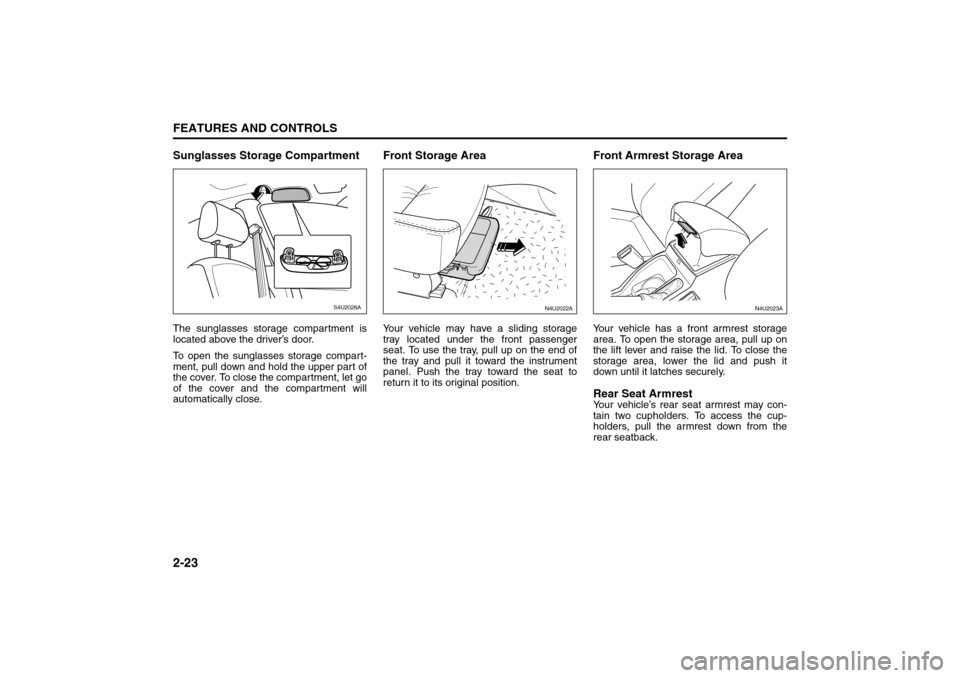
Sunglasses Storage CompartmentThe sunglasses storage compartment is
located above the driver’s door.
To open the sunglasses storage compart-
ment, pull down and hold the upper part of
the cover. To close the compartment, let go
of the cover and the compartment will
automatically close.
Front Storage AreaYour vehicle may have a sliding storage
tray located under the front passenger
seat. To use the tray, pull up on the end of
the tray and pull it toward the instrument
panel. Push the tray toward the seat to
return it to its original position.
Front Armrest Storage AreaYour vehicle has a front armrest storage
area. To open the storage area, pull up on
the lift lever and raise the lid. To close the
storage area, lower the lid and push it
down until it latches securely.Rear Seat ArmrestYour vehicle’s rear seat armrest may con-
tain two cupholders. To access the cup-
holders, pull the armrest down from the
rear seatback.
S4U2026A
N4U2022A
N4U2023A
Storage Areas:
Page 76 of 226
INSTRUMENT PANEL
3
85Z04-03E
INSTRUMENT PANELInstrument Panel Overview (Sedan) .................................. 3-1
Instrument Panel Overview (Wagon) ................................. 3-2
Climate Controls ................................................................. 3-13
Warning Lights, Gauges and Indicators ........................... 3-18
Audio System ...................................................................... 3-28
Page 77 of 226
3-1INSTRUMENT PANEL
85Z04-03E
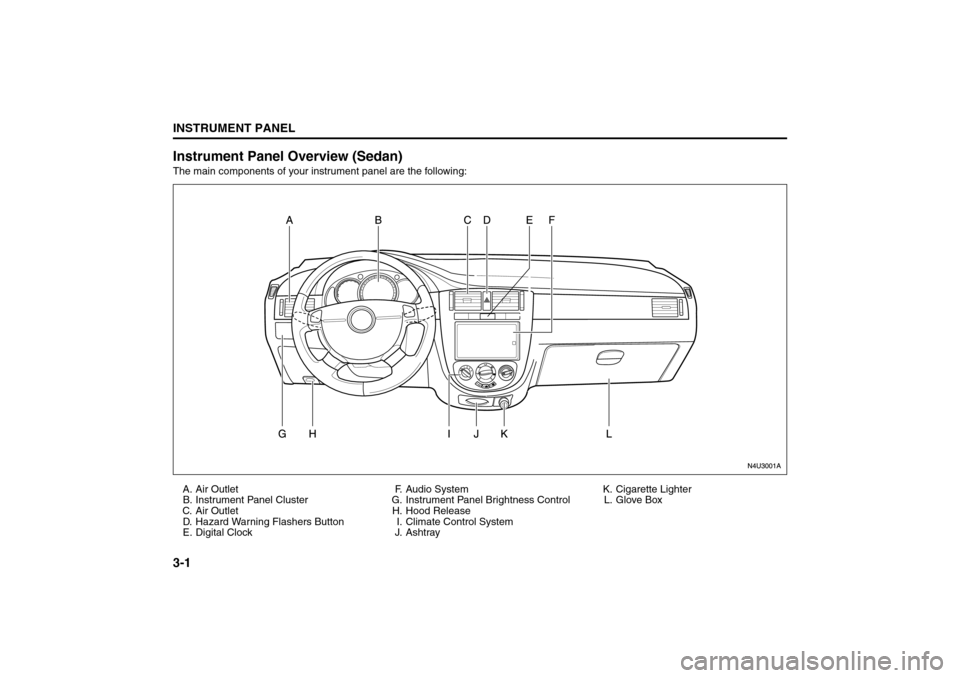
Instrument Panel Overview (Sedan)The main components of your instrument panel are the following:
A. Air Outlet
B. Instrument Panel Cluster
C. Air Outlet
D. Hazard Warning Flashers Button
E. Digital ClockF. Audio System
G. Instrument Panel Brightness Control
H. Hood Release
I. Climate Control System
J. AshtrayK. Cigarette Lighter
L. Glove Box
Instrument Panel Overview:
Page 78 of 226
3-2
INSTRUMENT PANEL
85Z04-03E
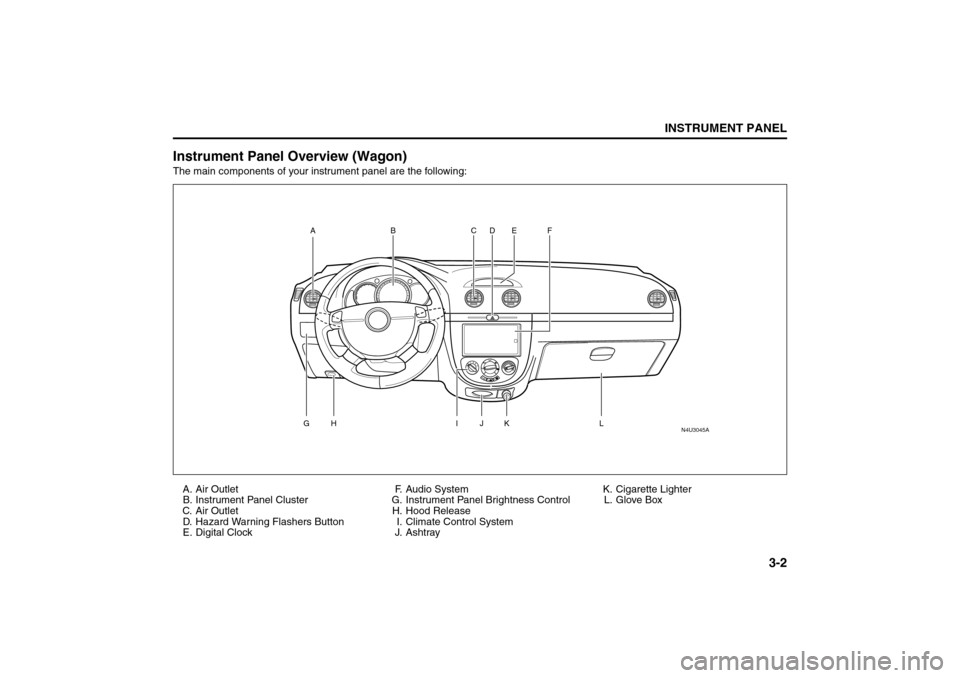
Instrument Panel Overview (Wagon)The main components of your instrument panel are the following:
A. Air Outlet
B. Instrument Panel Cluster
C. Air Outlet
D. Hazard Warning Flashers Button
E. Digital ClockF. Audio System
G. Instrument Panel Brightness Control
H. Hood Release
I. Climate Control System
J. AshtrayK. Cigarette Lighter
L. Glove Box
N4U3045A
AG
H
I
L
J
K CD E F
B
Instrument Panel Overview:
Page 79 of 226
3-3INSTRUMENT PANEL
85Z04-03E
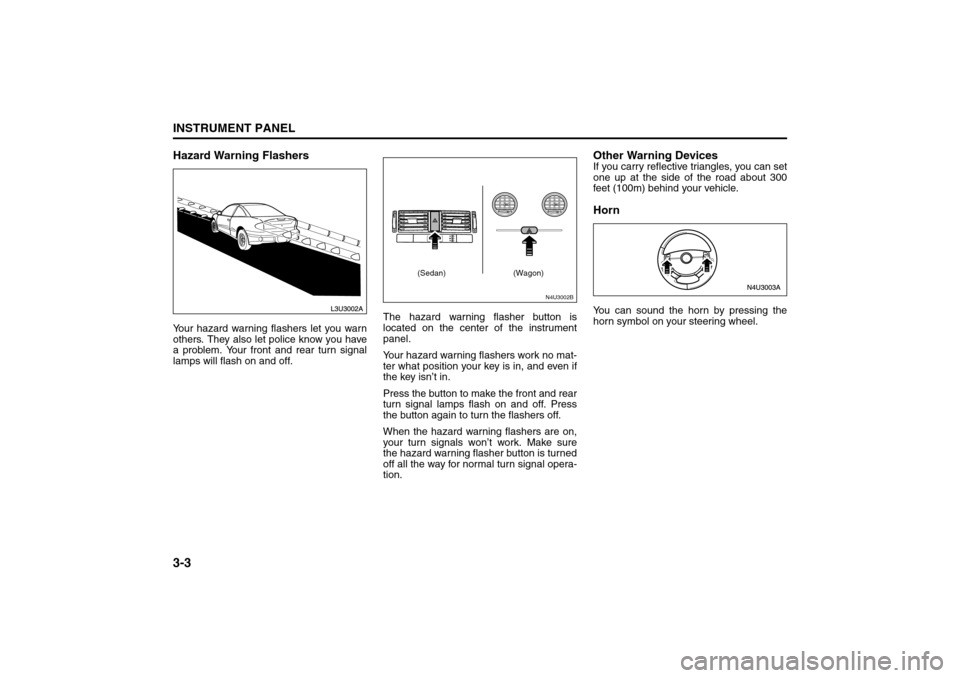
Hazard Warning FlashersYour hazard warning flashers let you warn
others. They also let police know you have
a problem. Your front and rear turn signal
lamps will flash on and off.The hazard warning flasher button is
located on the center of the instrument
panel.
Your hazard warning flashers work no mat-
ter what position your key is in, and even if
the key isn’t in.
Press the button to make the front and rear
turn signal lamps flash on and off. Press
the button again to turn the flashers off.
When the hazard warning flashers are on,
your turn signals won’t work. Make sure
the hazard warning flasher button is turned
off all the way for normal turn signal opera-
tion.
Other Warning DevicesIf you carry reflective triangles, you can set
one up at the side of the road about 300
feet (100m) behind your vehicle.HornYou can sound the horn by pressing the
horn symbol on your steering wheel.
N4U3002B
(Sedan) (Wagon)
Instrument Panel Overview:
Page 80 of 226
3-4
INSTRUMENT PANEL
85Z04-03E
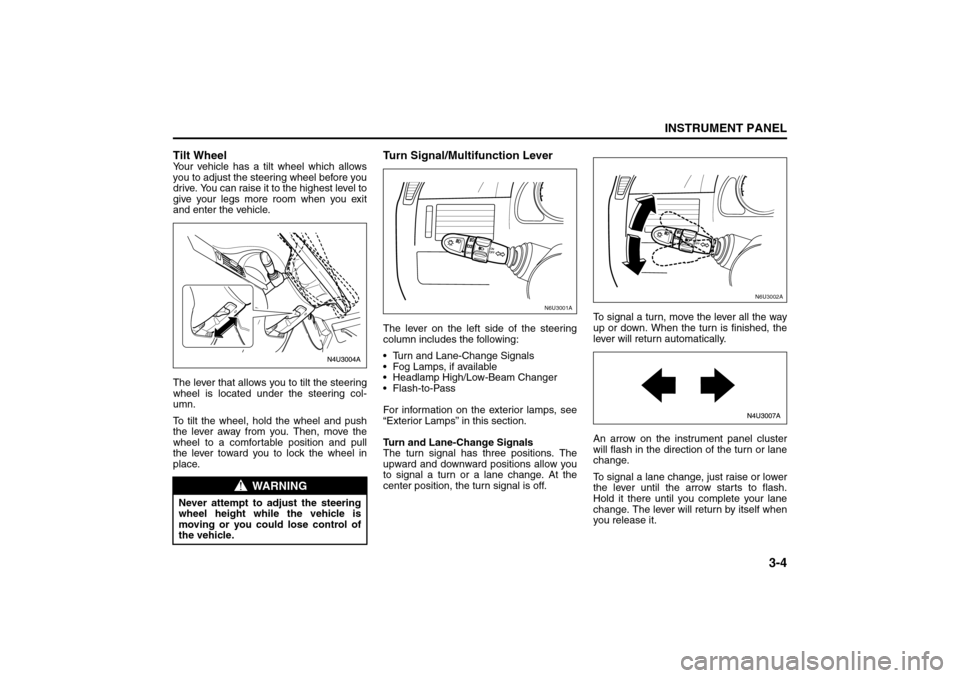
Tilt WheelYour vehicle has a tilt wheel which allows
you to adjust the steering wheel before you
drive. You can raise it to the highest level to
give your legs more room when you exit
and enter the vehicle.
The lever that allows you to tilt the steering
wheel is located under the steering col-
umn.
To tilt the wheel, hold the wheel and push
the lever away from you. Then, move the
wheel to a comfortable position and pull
the lever toward you to lock the wheel in
place.
Turn Signal/Multifunction LeverThe lever on the left side of the steering
column includes the following:
Turn and Lane-Change Signals
Fog Lamps, if available
Headlamp High/Low-Beam Changer
Flash-to-Pass
For information on the exterior lamps, see
“Exterior Lamps” in this section.
Turn and Lane-Change Signals
The turn signal has three positions. The
upward and downward positions allow you
to signal a turn or a lane change. At the
center position, the turn signal is off.To signal a turn, move the lever all the way
up or down. When the turn is finished, the
lever will return automatically.
An arrow on the instrument panel cluster
will flash in the direction of the turn or lane
change.
To signal a lane change, just raise or lower
the lever until the arrow starts to flash.
Hold it there until you complete your lane
change. The lever will return by itself when
you release it.
WARNING
Never attempt to adjust the steering
wheel height while the vehicle is
moving or you could lose control of
the vehicle.
N6U3001A
N6U3002A
Instrument Panel Overview: