display SUZUKI FORENZA 2008 1.G Owner's Manual
[x] Cancel search | Manufacturer: SUZUKI, Model Year: 2008, Model line: FORENZA, Model: SUZUKI FORENZA 2008 1.GPages: 226, PDF Size: 5.25 MB
Page 120 of 226
3-44
INSTRUMENT PANEL
85Z04-03E
STEERING WHEEL REMOTE OPER-
ATION (if equipped in the vehicle)Power Button
Press this button to turn the system on and
off. Press this button for a short time to
MUTE the sound. To cancel MUTE, press
this button again.
Volume Up Button
Press this button to increase the volume
level.
Volume Down Button
Press this button to decrease the volume
level.
Seek Button
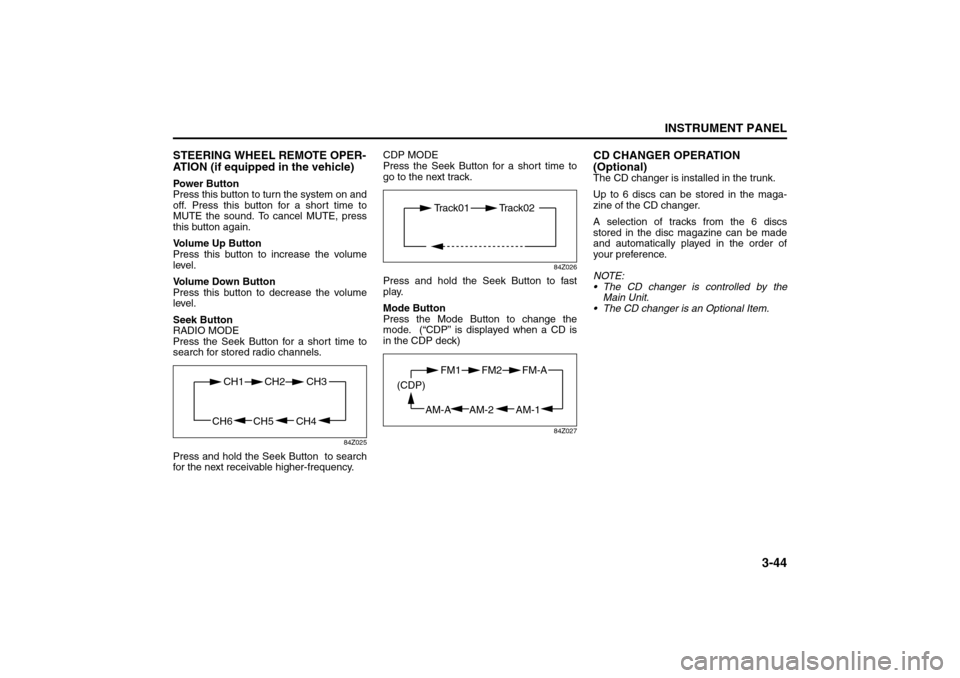
RADIO MODE
Press the Seek Button for a short time to
search for stored radio channels.
84Z025
Press and hold the Seek Button to search
for the next receivable higher-frequency.CDP MODE
Press the Seek Button for a short time to
go to the next track.
84Z026
Press and hold the Seek Button to fast
play.
Mode Button
Press the Mode Button to change the
mode. (“CDP” is displayed when a CD is
in the CDP deck)
84Z027
CD CHANGER OPERATION
(Optional)The CD changer is installed in the trunk.
Up to 6 discs can be stored in the maga-
zine of the CD changer.
A selection of tracks from the 6 discs
stored in the disc magazine can be made
and automatically played in the order of
your preference.
NOTE:
The CD changer is controlled by the
Main Unit.
The CD changer is an Optional Item.
CH4 CH5
CH1 CH2
CH6
CH3
Track01 Track02
AM-1 AM-2
FM1 FM2
AM-A (CDP)
FM-A
Page 123 of 226
3-47INSTRUMENT PANEL
85Z04-03E
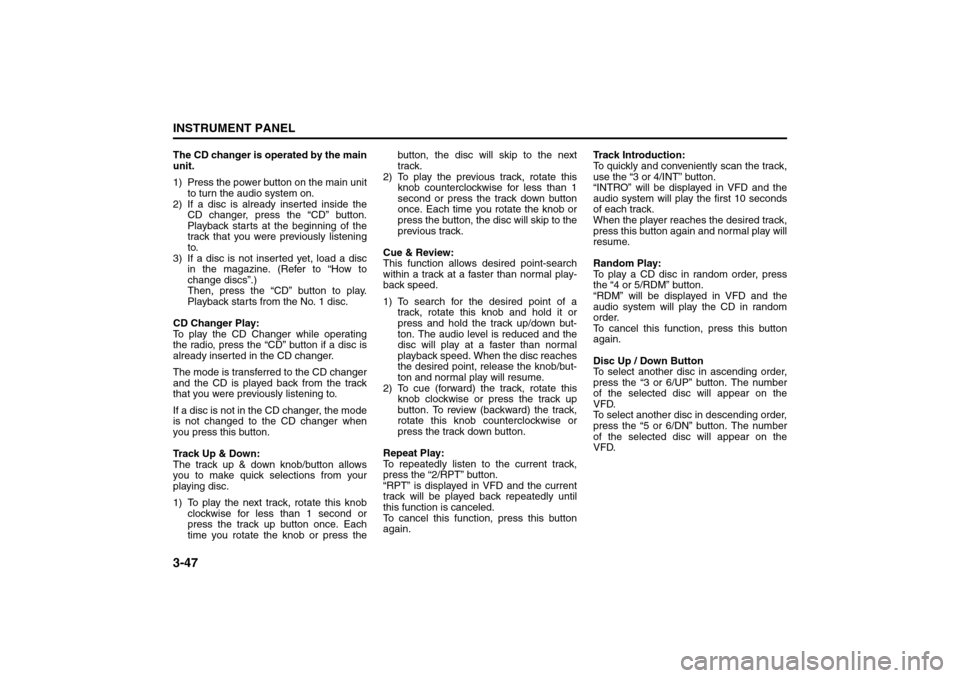
The CD changer is operated by the main
unit.
1) Press the power button on the main unit
to turn the audio system on.
2) If a disc is already inserted inside the
CD changer, press the “CD” button.
Playback starts at the beginning of the
track that you were previously listening
to.
3) If a disc is not inserted yet, load a disc
in the magazine. (Refer to “How to
change discs”.)
Then, press the “CD” button to play.
Playback starts from the No. 1 disc.
CD Changer Play:
To play the CD Changer while operating
the radio, press the “CD” button if a disc is
already inserted in the CD changer.
The mode is transferred to the CD changer
and the CD is played back from the track
that you were previously listening to.
If a disc is not in the CD changer, the mode
is not changed to the CD changer when
you press this button.
Track Up & Down:
The track up & down knob/button allows
you to make quick selections from your
playing disc.
1) To play the next track, rotate this knob
clockwise for less than 1 second or
press the track up button once. Each
time you rotate the knob or press thebutton, the disc will skip to the next
track.
2) To play the previous track, rotate this
knob counterclockwise for less than 1
second or press the track down button
once. Each time you rotate the knob or
press the button, the disc will skip to the
previous track.
Cue & Review:
This function allows desired point-search
within a track at a faster than normal play-
back speed.
1) To search for the desired point of a
track, rotate this knob and hold it or
press and hold the track up/down but-
ton. The audio level is reduced and the
disc will play at a faster than normal
playback speed. When the disc reaches
the desired point, release the knob/but-
ton and normal play will resume.
2) To cue (forward) the track, rotate this
knob clockwise or press the track up
button. To review (backward) the track,
rotate this knob counterclockwise or
press the track down button.
Repeat Play:
To repeatedly listen to the current track,
press the “2/RPT” button.
“RPT” is displayed in VFD and the current
track will be played back repeatedly until
this function is canceled.
To cancel this function, press this button
again.Track Introduction:
To quickly and conveniently scan the track,
use the “3 or 4/INT” button.
“INTRO” will be displayed in VFD and the
audio system will play the first 10 seconds
of each track.
When the player reaches the desired track,
press this button again and normal play will
resume.
Random Play:
To play a CD disc in random order, press
the “4 or 5/RDM” button.
“RDM” will be displayed in VFD and the
audio system will play the CD in random
order.
To cancel this function, press this button
again.
Disc Up / Down Button
To select another disc in ascending order,
press the “3 or 6/UP” button. The number
of the selected disc will appear on the
VFD.
To select another disc in descending order,
press the “5 or 6/DN” button. The number
of the selected disc will appear on the
VFD.
Page 223 of 226
8-4INDEX
85Z04-03E
Passenger Air Bag Off Indicator
........................................3-26
Passenger Compartment Air Filter ....................................3-17
Passenger Sensing System
................................................1-31
Power Door Locks
...............................................................2-5
Power Steering Fluid ...........................................................5-17
Power Windows
...................................................................2-9
Power Windows and Other Power Options
.......................5-50
QQuestions and Answers About Safety Belts
.....................1-7
RRadio with Six-Disc CD (Double Display, MP3/WMA)
(AGH-5400)
...........................................................................3-37
Rear Center Seat Belt (Sedan only)
...................................1-13
Rear Door Security Locks
...................................................2-5
Rear Seat Armrest
...............................................................2-23
Rear Seat Passengers
.........................................................1-11
Rear Seats
............................................................................1-4
Rear Sidemarker Lamps
.....................................................5-27
Rear Window and Outside Rearview Mirror Defogger
.....3-16
Rear Window Washer/Wiper
...............................................3-7
Reclining Seatbacks
............................................................1-2
Recommended Fluids and Lubricants
..............................6-10
Recreational Vehicle Towing
..............................................4-16
Remote Keyless Entry System ...........................................2-1
Remote Keyless Entry System Operation
.........................2-2
Replacement Bulbs
.............................................................5-27
Replacing Restraint System Parts After a Crash
.............1-35
Reporting Safety Defects
....................................................7-4
Restraint System Check .....................................................1-34
Right Front Passenger Position
.........................................1-11
Roof Rack (Wagon only)
.....................................................2-25Running Your Engine While You Are Parked
................... 2-20
SSafety Belt: They are for Everyone .................................... 1-5
Safety Belt Extender
........................................................... 1-15
Safety Belt Pretensioner System
....................................... 1-14
Safety Belt Reminder Light
................................................ 3-19
Safety Belt Reminder Tone ................................................ 3-19
Safety Belt Use During Pregnancy
.................................... 1-10
Safety Belts
......................................................................... 1-5
Safety Certification Label
................................................... 7-2
Scheduled Maintenance Services
..................................... 6-2
Securing a Child Restraint Designed for the LATCH
System
................................................................................. 1-24
Securing a Child Restraint in a Rear Seat Position
......... 1-25
Securing a Child Restraint in the Right Front Seat
Position
................................................................................ 1-26
Securing a Child Restraint with Top Strap
....................... 1-22
Selecting the Right Condition
............................................ 6-1
Service
................................................................................. 5-1
Servicing Your Air Bag-Equipped Vehicle
........................ 1-34
Sheet Metal Damage
........................................................... 5-48
Shifting Into Park (P) .......................................................... 2-18
Shifting Out of Park (P) ...................................................... 2-18
Side Storage Box (Wagon only)
........................................ 2-24
Spare Tire
............................................................................ 5-44
Specifications
...................................................................... 5-54
Speed Sensitive Power Steering (SSPS) Warning
Light
..................................................................................... 3-22
Speedometer and Odometer
.............................................. 3-18
Starting and Operating Your Vehicle
................................ 2-12
Starting Your Engine
.......................................................... 2-13