Head SUZUKI GRAND VITARA 2006 Owner's Guide
[x] Cancel search | Manufacturer: SUZUKI, Model Year: 2006, Model line: GRAND VITARA, Model: SUZUKI GRAND VITARA 2006Pages: 337, PDF Size: 6.21 MB
Page 149 of 337
4-6
DRIVING TIPS
79K21-03E
Off-Road DrivingYour vehicle has specific design character-
istics for off-road driving. When you leave
the pavement, you will encounter driving
surfaces of all kinds which may change
continually as you drive. In most cases, off-
road driving requires the use of 4-wheel
drive. If your vehicle is a 2-wheel drive
vehicle, you should limit your off-road driv-
ing only to hard, flat, nonslippery surfaces.
2-wheel drive vehicles have far less trac-
tion on off-road surfaces than 4-wheel
drive vehicles. It is important when driving
off-road to follow the guidelines below.
Use Caution on Steep Inclines
Always inspect hills before you attempt to
drive up them. Know what is on the other
side and how you will get back down. If you
have any doubt that it is safe, do not
attempt to drive over a hill. Never drive
your vehicle up an extremely steep incline.
Coming down a steep hill can be trickier
than getting up one. Keep the vehicle
heading straight down the hill and use low
gear. Do not lock the brakes. If the vehicle
begins to slide, accelerate slightly to regain
steering control.Do Not Turn on or Drive Across the Side
of Hills
Turning on or driving across the side of a
hill can be extremely hazardous. Most of
the vehicle’s weight will be transferred to
the downhill tires, which could result in the
vehicle rolling sideways. Whenever possi-
ble, avoid this potential hazard. Also, if you
have to exit your vehicle on a side-hill,
always get out on the uphill side.
Wear Your Seat Belts at All Times
You and your passengers should use the
seat belts at all times when driving off-
road. For proper seat belt use, refer to the
“Seat Belts and Child Restraint Systems”
section in this manual.
Avoid Sudden Reactions in Mud, Ice or
Snow
Be careful when off-road conditions are
slick. Reduce your speed and avoid sud-
den movements of the vehicle. If your vehi-
cle is a 2-wheel drive vehicle, do not drive
in deep snow or mud. If your vehicle is a 4-
wheel drive vehicle, be aware that driving
in deep snow or mud can cause a loss of
traction and an increase in the resistance
to the vehicle’s forward motion. Use 4WD
low gear (4L) and maintain a steady but
moderate speed with a light touch on the
steering wheel and brakes.Do not drive in the field covered with
grown grass
If you drive in the field covered with grass,
it may cause unexpected accident or vehi-
cle damage by getting caught in grown
grass.
If Your Vehicle Gets Stuck
If your vehicle gets stuck in snow, mud or
sand, follow the directions below:
1) (For vehicles equipped with transfer
switch) Turn the transfer switch to “4H
LOCK” or “4L LOCK”.
2) Shift the transmission back and forth
between a forward range (or first gear
for manual transmission) and reverse.
This will create a rocking motion which
may give you enough momentum to
free the vehicle. Press gently on the
accelerator to keep wheel spin to a min-
imum. Remove your foot from the
accelerator while shifting.
Do not race the engine. Excessive
wheel spin will cause the tires to dig
deeper, making it more difficult to free
the vehicle.
3) If your vehicle remains stuck after a few
minutes of rocking, get another vehicle
to pull you out.
Page 153 of 337
OTHER CONTROLS AND EQUIPMENT
5
79K21-03E
60G407
OTHER CONTROLS AND EQUIPMENTAutomatic Heating and Air Conditioning System
(Climate Control) ................................................................. 5-1
Radio Antenna ..................................................................... 5-8
Audio Systems (Type A) ..................................................... 5-8
Audio Systems (Type B) ..................................................... 5-36
Fuel Filler Cap ..................................................................... 5-62
Engine Hood ........................................................................ 5-63
Sun Visor ............................................................................. 5-64
Interior Light Switch ........................................................... 5-64
Luggage Compartment Light ............................................. 5-65
Spot Light ............................................................................ 5-66
Accessory Socket (if equipped) ......................................... 5-66
Cigarette Lighter and Ashtray (if equipped) ..................... 5-67
Sunroof (if equipped) .......................................................... 5-68
Assist Grips (if equipped) .................................................. 5-70
Coat Hooks (if equipped) .................................................... 5-70
Glove Box ............................................................................ 5-71
Overhead Console Box (if equipped) ................................ 5-71
Cup Holder and Storage Bin (if equipped) ........................ 5-72
Front Seat Back Pocket (if equipped) ............................... 5-73
Shopping Hook (if equipped) ............................................. 5-73
Armrest ................................................................................ 5-73
Floor Mats (if equipped) ..................................................... 5-74
Luggage Compartment Cover ............................................ 5-74
Underfloor Bins (if equipped) ............................................ 5-77
Luggage Restraint Loops (if equipped) ............................ 5-78
Roof Rails or Roof Rack Anchors (if equipped) ............... 5-78
HomeLink® (if equipped) .................................................... 5-80
Frame Hooks ....................................................................... 5-83
Page 168 of 337
5-15OTHER CONTROLS AND EQUIPMENT
79K21-03E
Radio ReceptionRadio reception can be affected by envi-
ronment, atmospheric conditions, or radio
signal’s power and distance from the sta-
tion. Nearby mountains and buildings may
interfere or deflect radio reception, causing
poor reception. Poor reception or radio
static can also be caused by electric cur-
rent from overhead wires or high voltage
power lines.
Listening to a CD
52D274
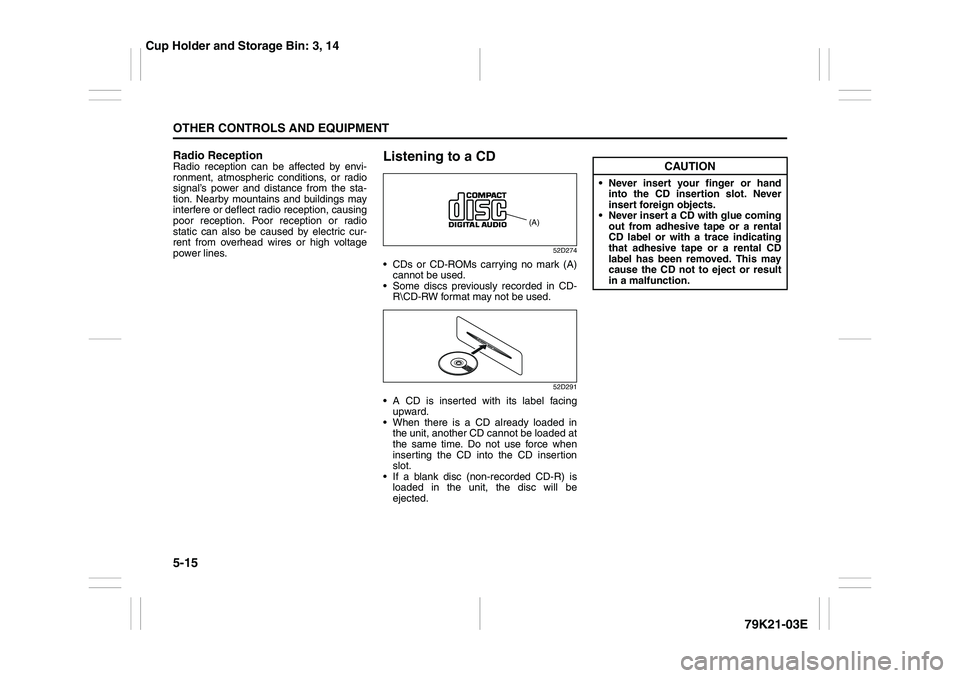
CDs or CD-ROMs carrying no mark (A)
cannot be used.
Some discs previously recorded in CD-
R\CD-RW format may not be used.
52D291
A CD is inserted with its label facing
upward.
When there is a CD already loaded in
the unit, another CD cannot be loaded at
the same time. Do not use force when
inserting the CD into the CD insertion
slot.
If a blank disc (non-recorded CD-R) is
loaded in the unit, the disc will be
ejected.
(A)
CAUTION
Never insert your finger or hand
into the CD insertion slot. Never
insert foreign objects.
Never insert a CD with glue coming
out from adhesive tape or a rental
CD label or with a trace indicating
that adhesive tape or a rental CD
label has been removed. This may
cause the CD not to eject or result
in a malfunction.
Cup Holder and Storage Bin: 3, 14
Page 169 of 337
5-16
OTHER CONTROLS AND EQUIPMENT
79K21-03E
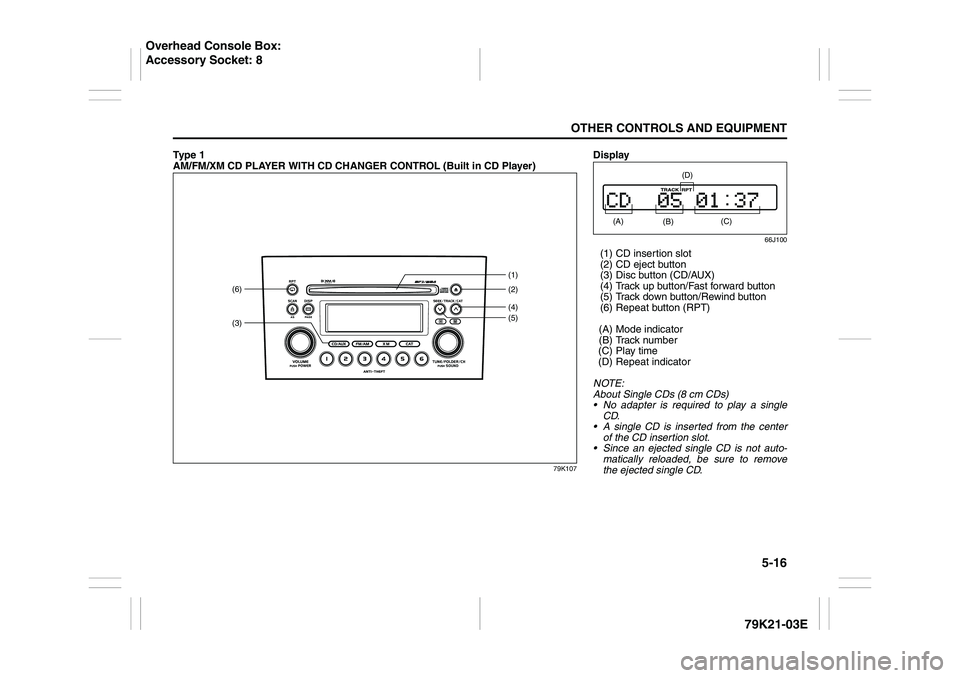
Ty p e 1
AM/FM/XM CD PLAYER WITH CD CHANGER CONTROL (Built in CD Player)
79K107
(3)(6)
(4)(2) (1)
(5)
Display
66J100
(1) CD insertion slot
(2) CD eject button
(3) Disc button (CD/AUX)
(4) Track up button/Fast forward button
(5) Track down button/Rewind button
(6) Repeat button (RPT)
(A) Mode indicator
(B) Track number
(C) Play time
(D) Repeat indicator
NOTE:
About Single CDs (8 cm CDs)
No adapter is required to play a single
CD.
A single CD is inserted from the center
of the CD insertion slot.
Since an ejected single CD is not auto-
matically reloaded, be sure to remove
the ejected single CD. (A)
(B)
(C)
(D)
Overhead Console Box:
Accessory Socket: 8
Page 195 of 337
5-42
OTHER CONTROLS AND EQUIPMENT
79K21-03E
Radio ReceptionRadio reception can be affected by envi-
ronment, atmospheric conditions, or radio
signal’s power and distance from the sta-
tion. Nearby mountains and buildings may
interfere or deflect radio reception, causing
poor reception. Poor reception or radio
static can also be caused by electric cur-
rent from overhead wires or high voltage
power lines.
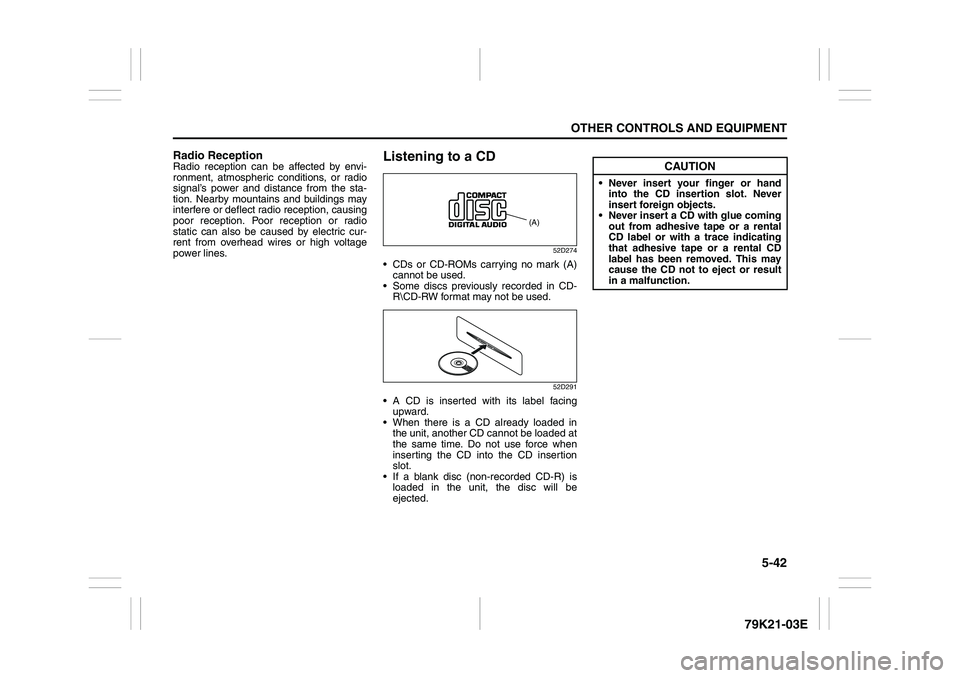
Listening to a CD
52D274
CDs or CD-ROMs carrying no mark (A)
cannot be used.
Some discs previously recorded in CD-
R\CD-RW format may not be used.
52D291
A CD is inserted with its label facing
upward.
When there is a CD already loaded in
the unit, another CD cannot be loaded at
the same time. Do not use force when
inserting the CD into the CD insertion
slot.
If a blank disc (non-recorded CD-R) is
loaded in the unit, the disc will be
ejected.
(A)
CAUTION
Never insert your finger or hand
into the CD insertion slot. Never
insert foreign objects.
Never insert a CD with glue coming
out from adhesive tape or a rental
CD label or with a trace indicating
that adhesive tape or a rental CD
label has been removed. This may
cause the CD not to eject or result
in a malfunction.
Page 222 of 337
5-69OTHER CONTROLS AND EQUIPMENT
79K21-03E
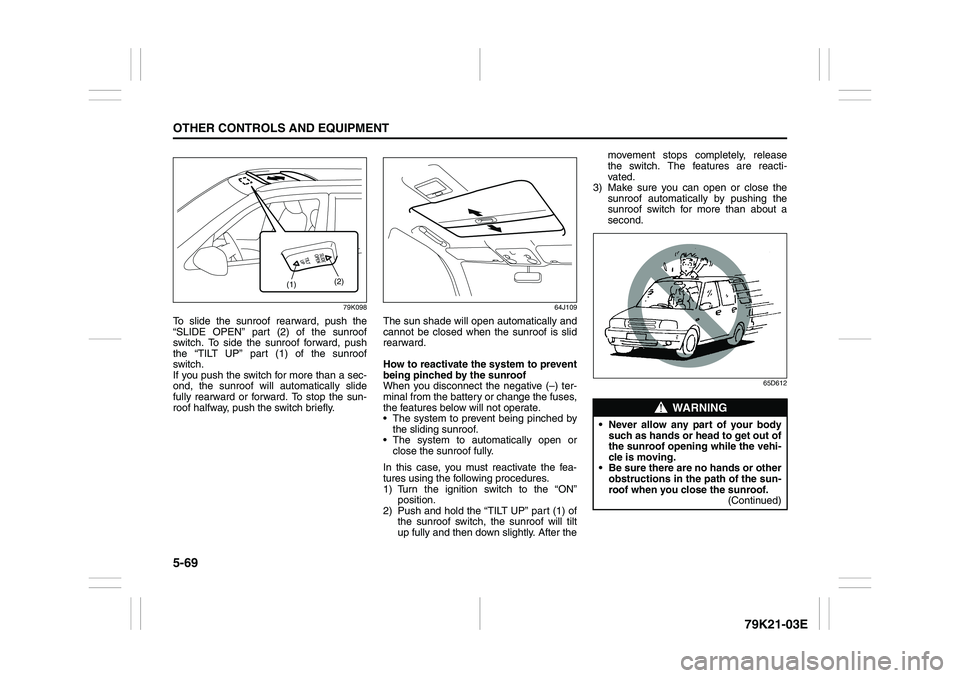
79K098
To slide the sunroof rearward, push the
“SLIDE OPEN” part (2) of the sunroof
switch. To side the sunroof forward, push
the “TILT UP” part (1) of the sunroof
switch.
If you push the switch for more than a sec-
ond, the sunroof will automatically slide
fully rearward or forward. To stop the sun-
roof halfway, push the switch briefly.
64J109
The sun shade will open automatically and
cannot be closed when the sunroof is slid
rearward.
How to reactivate the system to prevent
being pinched by the sunroof
When you disconnect the negative (–) ter-
minal from the battery or change the fuses,
the features below will not operate.
The system to prevent being pinched by
the sliding sunroof.
The system to automatically open or
close the sunroof fully.
In this case, you must reactivate the fea-
tures using the following procedures.
1) Turn the ignition switch to the “ON”
position.
2) Push and hold the “TILT UP” part (1) of
the sunroof switch, the sunroof will tilt
up fully and then down slightly. After themovement stops completely, release
the switch. The features are reacti-
vated.
3) Make sure you can open or close the
sunroof automatically by pushing the
sunroof switch for more than about a
second.
65D612
(1)(2)
WARNING
Never allow any part of your body
such as hands or head to get out of
the sunroof opening while the vehi-
cle is moving.
Be sure there are no hands or other
obstructions in the path of the sun-
roof when you close the sunroof.
(Continued)
Page 224 of 337
5-71OTHER CONTROLS AND EQUIPMENT
79K21-03E
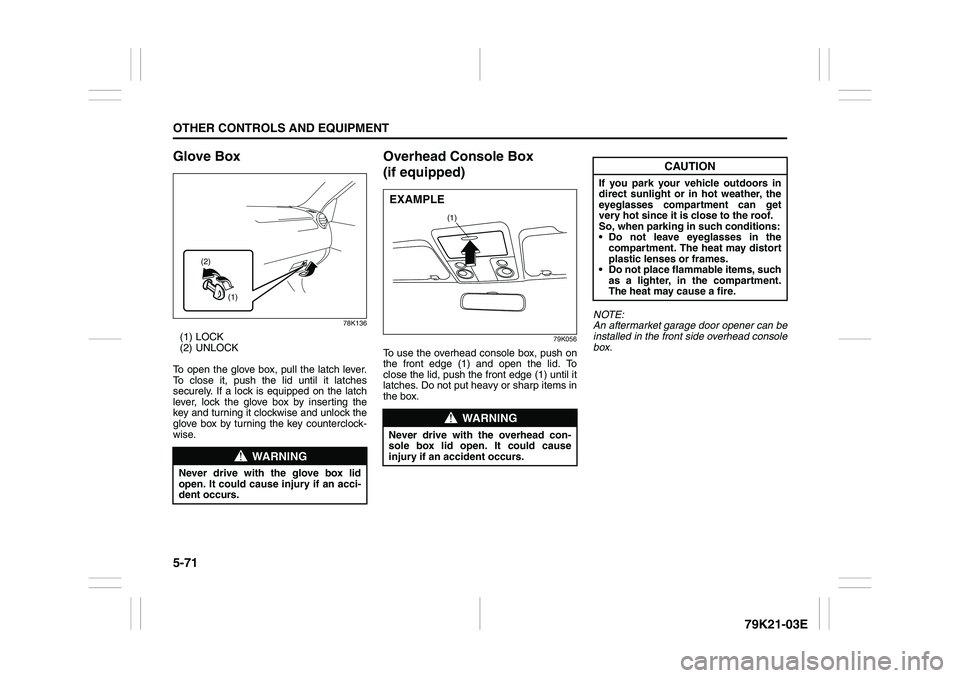
Glove Box
78K136
(1) LOCK
(2) UNLOCK
To open the glove box, pull the latch lever.
To close it, push the lid until it latches
securely. If a lock is equipped on the latch
lever, lock the glove box by inserting the
key and turning it clockwise and unlock the
glove box by turning the key counterclock-
wise.
Overhead Console Box
(if equipped)
79K056
To use the overhead console box, push on
the front edge (1) and open the lid. To
close the lid, push the front edge (1) until it
latches. Do not put heavy or sharp items in
the box.NOTE:
An aftermarket garage door opener can be
installed in the front side overhead console
box.
WARNING
Never drive with the glove box lid
open. It could cause injury if an acci-
dent occurs.
(1) (2)
WARNING
Never drive with the overhead con-
sole box lid open. It could cause
injury if an accident occurs.
(1)
EXAMPLE
CAUTION
If you park your vehicle outdoors in
direct sunlight or in hot weather, the
eyeglasses compartment can get
very hot since it is close to the roof.
So, when parking in such conditions:
Do not leave eyeglasses in the
compartment. The heat may distort
plastic lenses or frames.
Do not place flammable items, such
as a lighter, in the compartment.
The heat may cause a fire.
Page 234 of 337
5-81OTHER CONTROLS AND EQUIPMENT
79K21-03E
NOTE:
Some gate operators and garage door
openers may require you to replace this
Programming step 3) with procedures
noted in the “Gate Operator / Canadian
Programming” section.
4) After the HomeLink
® indicator light
changes from a slow to a rapidly blink-
ing light, release both the HomeLink
®
and hand-held transmitter buttons.
NOTE:
If the HomeLink
® indicator light does not
change to a rapidly blinking light, contact
HomeLink
® at www.homelink.com
or call
1-800-355-3515 for assistance.
5) Press and hold the just-trained
HomeLink
® button and observe the
indicator light.
– If the indicator light stays on con-
stantly, programming is complete and
your device should activate when the
HomeLink® button is pressed and
released.
NOTE:
To program the remaining two HomeLink
®
buttons, begin with “Programming
HomeLink
®” – step 2). Do not repeat step
1).
– If the indicator light blinks rapidly for
two seconds and then turns to a con-
stant light continue with “ProgrammingHomeLink
®” steps 6–8 to complete the
programming of a rolling code
equipped device (most commonly a
garage door opener).
66J051
66J052
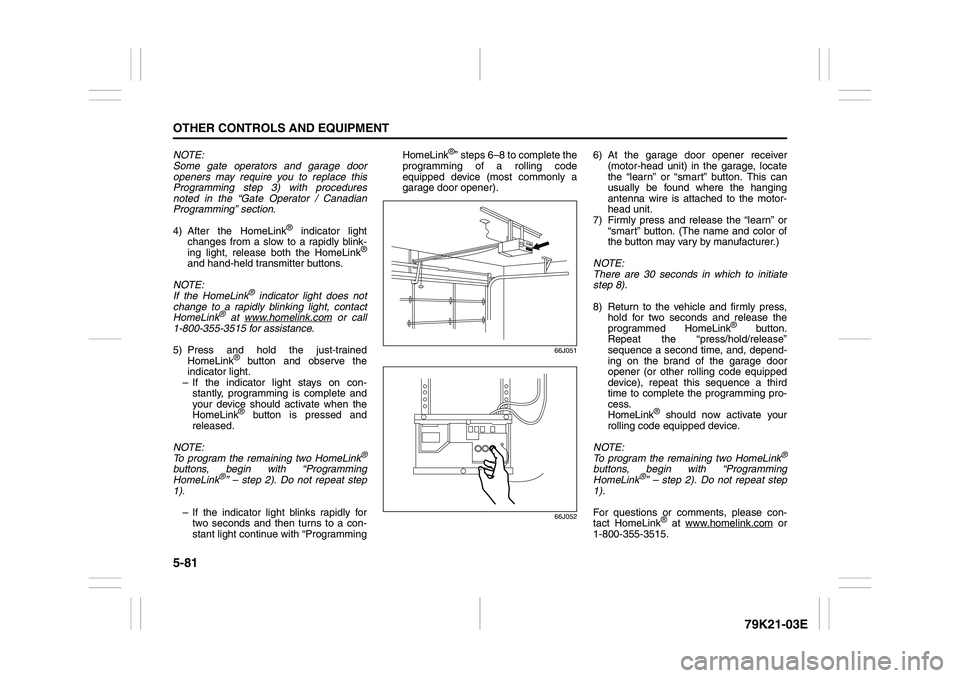
6) At the garage door opener receiver
(motor-head unit) in the garage, locate
the “learn” or “smart” button. This can
usually be found where the hanging
antenna wire is attached to the motor-
head unit.
7) Firmly press and release the “learn” or
“smart” button. (The name and color of
the button may vary by manufacturer.)
NOTE:
There are 30 seconds in which to initiate
step 8).
8) Return to the vehicle and firmly press,
hold for two seconds and release the
programmed HomeLink
® button.
Repeat the “press/hold/release”
sequence a second time, and, depend-
ing on the brand of the garage door
opener (or other rolling code equipped
device), repeat this sequence a third
time to complete the programming pro-
cess.
HomeLink
® should now activate your
rolling code equipped device.
NOTE:
To program the remaining two HomeLink
®
buttons, begin with “Programming
HomeLink
®” – step 2). Do not repeat step
1).
For questions or comments, please con-
tact HomeLink
® at www.homelink.com
or
1-800-355-3515.
Page 242 of 337
6-5VEHICLE LOADING AND TOWING
79K21-03E
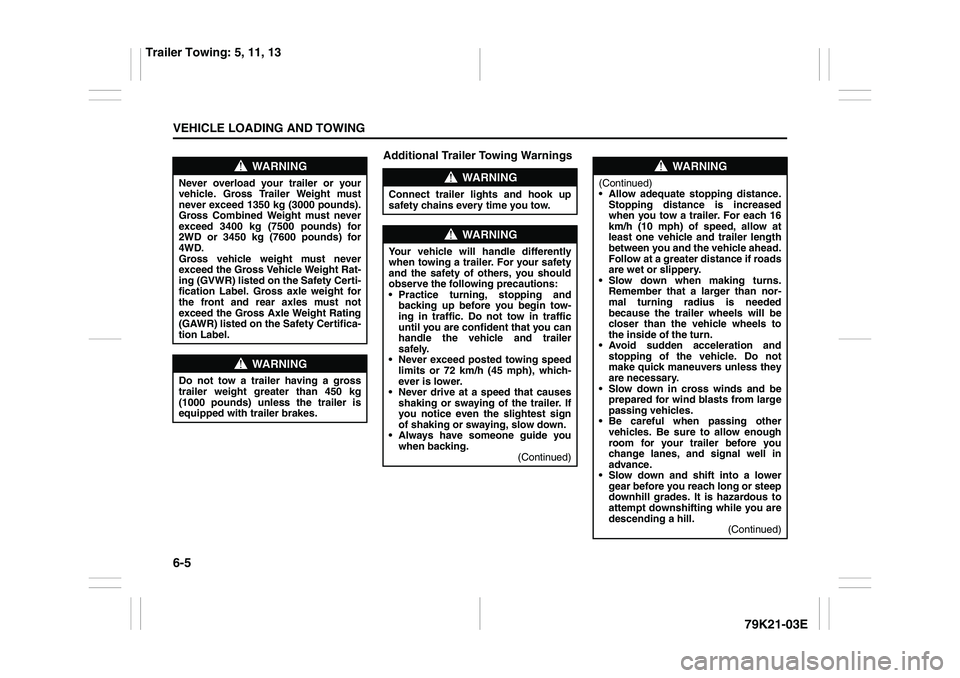
Additional Trailer Towing Warnings
WARNING
Never overload your trailer or your
vehicle. Gross Trailer Weight must
never exceed 1350 kg (3000 pounds).
Gross Combined Weight must never
exceed 3400 kg (7500 pounds) for
2WD or 3450 kg (7600 pounds) for
4WD.
Gross vehicle weight must never
exceed the Gross Vehicle Weight Rat-
ing (GVWR) listed on the Safety Certi-
fication Label. Gross axle weight for
the front and rear axles must not
exceed the Gross Axle Weight Rating
(GAWR) listed on the Safety Certifica-
tion Label.
WARNING
Do not tow a trailer having a gross
trailer weight greater than 450 kg
(1000 pounds) unless the trailer is
equipped with trailer brakes.
WARNING
Connect trailer lights and hook up
safety chains every time you tow.
WARNING
Your vehicle will handle differently
when towing a trailer. For your safety
and the safety of others, you should
observe the following precautions:
Practice turning, stopping and
backing up before you begin tow-
ing in traffic. Do not tow in traffic
until you are confident that you can
handle the vehicle and trailer
safely.
Never exceed posted towing speed
limits or 72 km/h (45 mph), which-
ever is lower.
Never drive at a speed that causes
shaking or swaying of the trailer. If
you notice even the slightest sign
of shaking or swaying, slow down.
Always have someone guide you
when backing.
(Continued)
WARNING
(Continued)
Allow adequate stopping distance.
Stopping distance is increased
when you tow a trailer. For each 16
km/h (10 mph) of speed, allow at
least one vehicle and trailer length
between you and the vehicle ahead.
Follow at a greater distance if roads
are wet or slippery.
Slow down when making turns.
Remember that a larger than nor-
mal turning radius is needed
because the trailer wheels will be
closer than the vehicle wheels to
the inside of the turn.
Avoid sudden acceleration and
stopping of the vehicle. Do not
make quick maneuvers unless they
are necessary.
Slow down in cross winds and be
prepared for wind blasts from large
passing vehicles.
Be careful when passing other
vehicles. Be sure to allow enough
room for your trailer before you
change lanes, and signal well in
advance.
Slow down and shift into a lower
gear before you reach long or steep
downhill grades. It is hazardous to
attempt downshifting while you are
descending a hill.
(Continued)
Trailer Towing: 5, 11, 13
Page 249 of 337
INSPECTION AND MAINTENANCE
7
79K21-03E
60G410
INSPECTION AND MAINTENANCEMaintenance Schedule ....................................................... 7-2
Periodic Maintenance Schedule ........................................ 7-3
Maintenance Recommended under Severe Driving
Conditions ........................................................................... 7-7
Drive Belt ............................................................................. 7-9
Engine Oil and Filter ........................................................... 7-10
Engine Coolant .................................................................... 7-13
Air Cleaner ........................................................................... 7-16
Spark Plugs ......................................................................... 7-16
Gear Oil ................................................................................ 7-17
Clutch Pedal ........................................................................ 7-20
Automatic Transmission Fluid ........................................... 7-20
Brakes .................................................................................. 7-22
Steering Wheel .................................................................... 7-24
Tires ...................................................................................... 7-25
Battery .................................................................................. 7-36
Fuses .................................................................................... 7-36
Headlight Aiming ................................................................. 7-39
Bulb Replacement ............................................................... 7-40
Wiper Blades ....................................................................... 7-46
Windshield Washer Fluid ................................................... 7-49
Air Conditioning System .................................................... 7-49