indicator light SUZUKI GRAND VITARA 2006 Service Manual
[x] Cancel search | Manufacturer: SUZUKI, Model Year: 2006, Model line: GRAND VITARA, Model: SUZUKI GRAND VITARA 2006Pages: 337, PDF Size: 6.21 MB
Page 197 of 337
5-44
OTHER CONTROLS AND EQUIPMENT
79K21-03E
Loading a CD
Insert a CD in the CD insertion slot (1).
When a CD is loaded, play starts and the
CD indicator (A) lights.
Ejecting a CD
Press the CD eject button (2).
If you left a CD ejected for a period of
about 15 seconds, it will be automatically
drawn inside the unit. (Auto reload func-
tion)
The backup eject function:
This function allows you to eject a CD with
the power turned off by pressing the CD
eject button (2).Listening to a CD
When a CD is inserted, it is automatically
played back.
When a CD is already inside the unit,
press the disc button (3) to play back the
CD. When a CD is inside the unit, the CD
indicator (A) is lit on the display unit.
Selecting a track
Press the track up button (4) to listen to
the next track.
Press the track down button (5) twice to
listen to the previous track.
When the track down button (5) is
pressed once, the track being currently
played will return to the beginning.
Fast forwarding/Rewinding a track
Hold in the fast forward button (4) to
advance a track rapidly.
Hold in the rewind button (5) to rewind a
track.Repeat play
Press the repeat button (6).
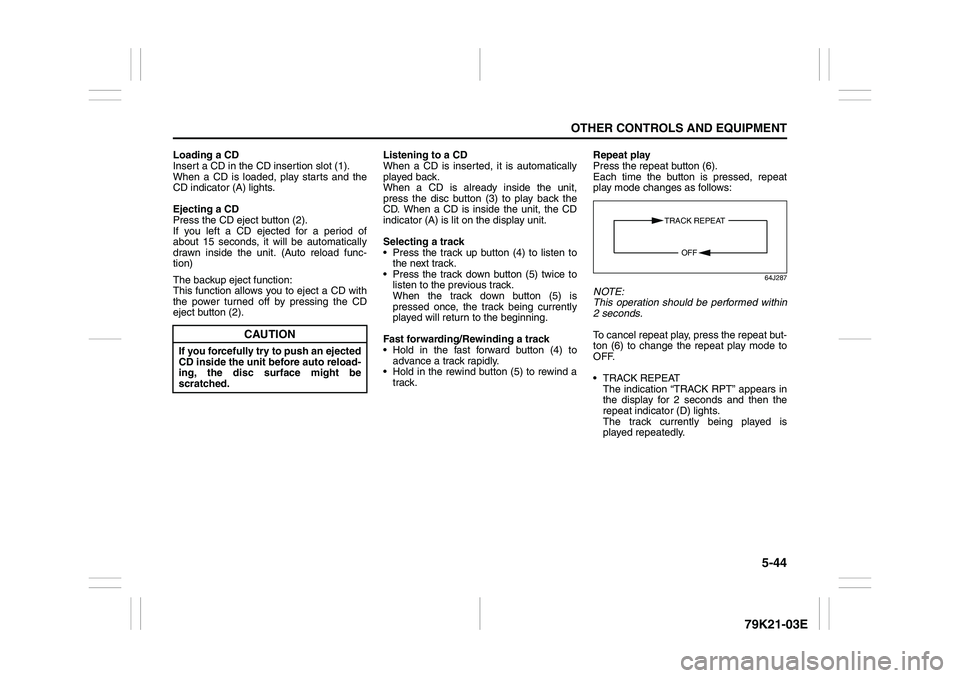
Each time the button is pressed, repeat
play mode changes as follows:
64J287
NOTE:
This operation should be performed within
2 seconds.
To cancel repeat play, press the repeat but-
ton (6) to change the repeat play mode to
OFF.
TRACK REPEAT
The indication “TRACK RPT” appears in
the display for 2 seconds and then the
repeat indicator (D) lights.
The track currently being played is
played repeatedly.
CAUTION
If you forcefully try to push an ejected
CD inside the unit before auto reload-
ing, the disc surface might be
scratched.
TRACK REPEAT
OFF
Page 201 of 337
5-48
OTHER CONTROLS AND EQUIPMENT
79K21-03E
NOTE:
This operation should be performed within
2 seconds.
To cancel repeat play, press the repeat but-
ton (2) several times to change the repeat
play mode to OFF.
TRACK REPEAT
The indication “TRACK RPT” appears in
the display for 2 seconds and then the
repeat indicator (D) lights.
The track currently being played is
played repeatedly.
FOLDER REPEAT
The indication “FOLDER RPT” appears
in the display for 2 seconds and then the
repeat indicator (D) lights.
All the tracks in the folder currently being
played are played repeatedly.Selecting a track
Press the track up button (3) to listen to
the next track.
Press the track down button (4) twice to
listen to the previous track.
When the track down button (4) is
pressed once, the track currently being
played will start again at the beginning.
Fast forwarding/Rewinding a track
Hold in the fast forward button (3) to
advance a track rapidly.
Hold in the rewind button (4) to rewind a
track.Displaying CD titles
Press the display button (5).
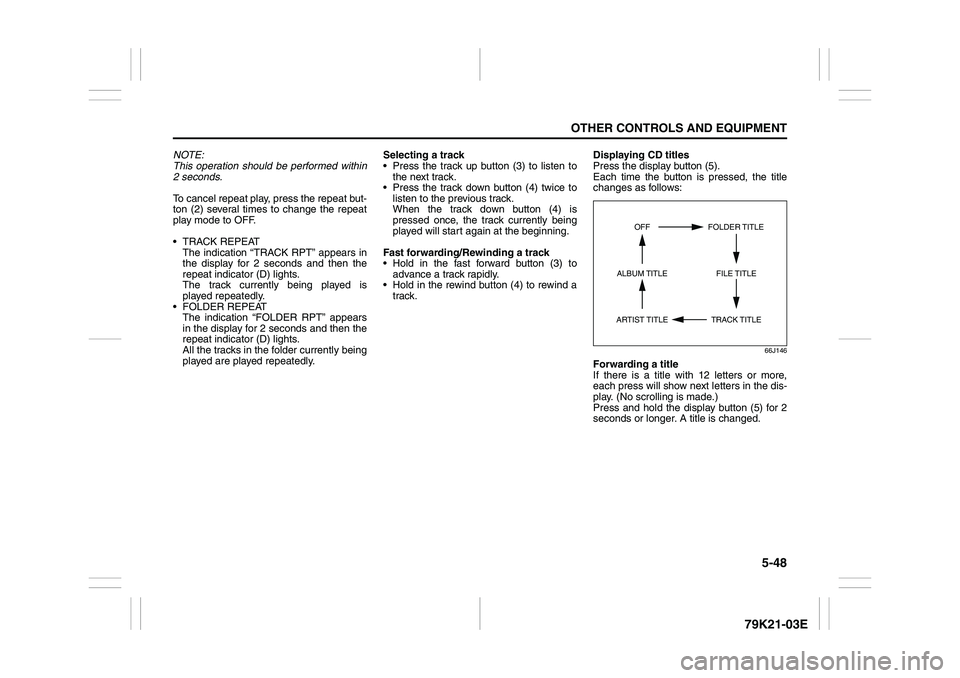
Each time the button is pressed, the title
changes as follows:
66J146
Forwarding a title
If there is a title with 12 letters or more,
each press will show next letters in the dis-
play. (No scrolling is made.)
Press and hold the display button (5) for 2
seconds or longer. A title is changed.
TRACK TITLE FOLDER TITLE
ARTIST TITLEOFF
FILE TITLE ALBUM TITLE
Page 205 of 337
5-52
OTHER CONTROLS AND EQUIPMENT
79K21-03E
XM MODE
Selecting a band
Press the XM button (1).
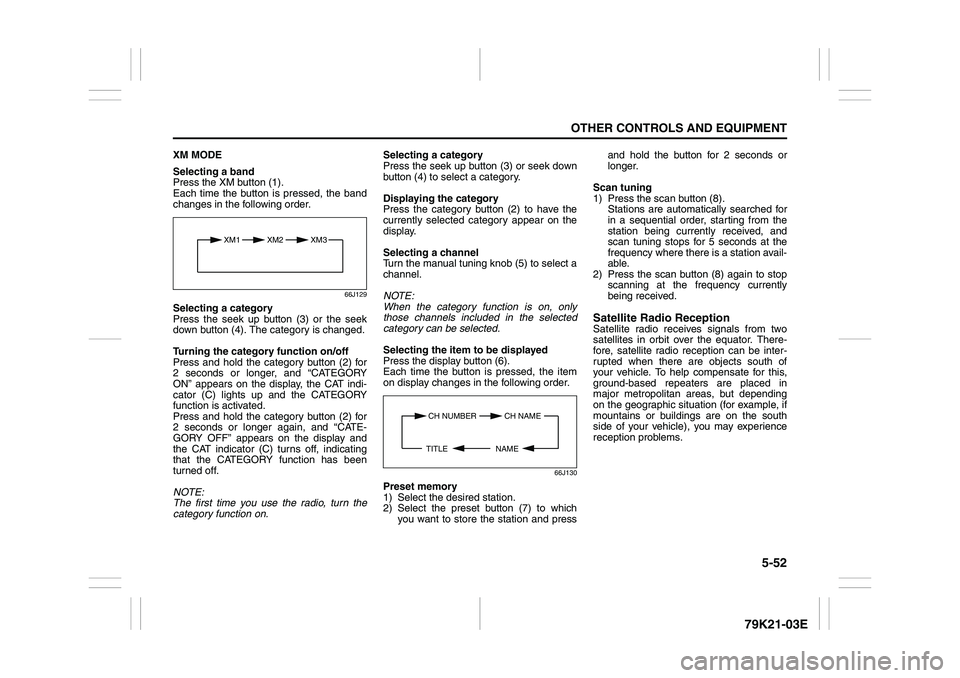
Each time the button is pressed, the band
changes in the following order.
66J129
Selecting a category
Press the seek up button (3) or the seek
down button (4). The category is changed.
Turning the category function on/off
Press and hold the category button (2) for
2 seconds or longer, and “CATEGORY
ON” appears on the display, the CAT indi-
cator (C) lights up and the CATEGORY
function is activated.
Press and hold the category button (2) for
2 seconds or longer again, and “CATE-
GORY OFF” appears on the display and
the CAT indicator (C) turns off, indicating
that the CATEGORY function has been
turned off.
NOTE:
The first time you use the radio, turn the
category function on.Selecting a category
Press the seek up button (3) or seek down
button (4) to select a category.
Displaying the category
Press the category button (2) to have the
currently selected category appear on the
display.
Selecting a channel
Turn the manual tuning knob (5) to select a
channel.
NOTE:
When the category function is on, only
those channels included in the selected
category can be selected.
Selecting the item to be displayed
Press the display button (6).
Each time the button is pressed, the item
on display changes in the following order.
66J130
Preset memory
1) Select the desired station.
2) Select the preset button (7) to which
you want to store the station and pressand hold the button for 2 seconds or
longer.
Scan tuning
1) Press the scan button (8).
Stations are automatically searched for
in a sequential order, starting from the
station being currently received, and
scan tuning stops for 5 seconds at the
frequency where there is a station avail-
able.
2) Press the scan button (8) again to stop
scanning at the frequency currently
being received.
Satellite Radio ReceptionSatellite radio receives signals from two
satellites in orbit over the equator. There-
fore, satellite radio reception can be inter-
rupted when there are objects south of
your vehicle. To help compensate for this,
ground-based repeaters are placed in
major metropolitan areas, but depending
on the geographic situation (for example, if
mountains or buildings are on the south
side of your vehicle), you may experience
reception problems.
XM1 XM2
XM3
CH NUMBER CH NAME
NAME TITLE
Page 209 of 337
5-56
OTHER CONTROLS AND EQUIPMENT
79K21-03E
TRACK REPEAT
The indication “TRACK RPT” appears in
the display for 2 seconds and then the
repeat indicator (E) lights.
The track being currently played is
played repeatedly.
DISC REPEAT
The indication “DISC RPT” appears in
the display for 2 seconds and then the
repeat indicator (E) lights.
When all the tracks on a disc being cur-
rently played finish playing, play starts
again at the beginning of the disc.
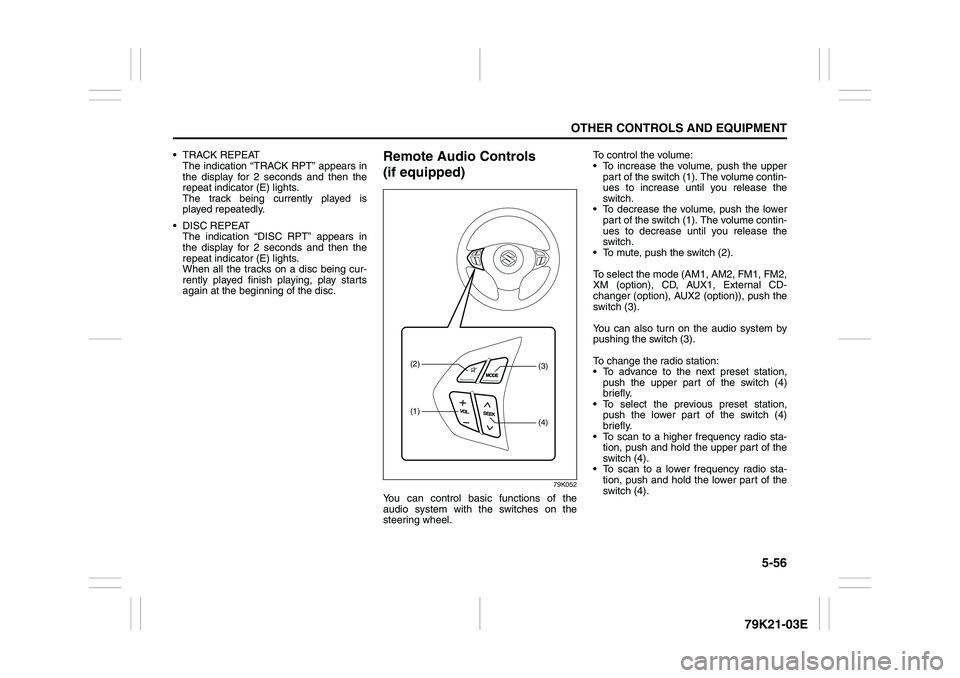
Remote Audio Controls
(if equipped)
79K052
You can control basic functions of the
audio system with the switches on the
steering wheel.To control the volume:
To increase the volume, push the upper
part of the switch (1). The volume contin-
ues to increase until you release the
switch.
To decrease the volume, push the lower
part of the switch (1). The volume contin-
ues to decrease until you release the
switch.
To mute, push the switch (2).
To select the mode (AM1, AM2, FM1, FM2,
XM (option), CD, AUX1, External CD-
changer (option), AUX2 (option)), push the
switch (3).
You can also turn on the audio system by
pushing the switch (3).
To change the radio station:
To advance to the next preset station,
push the upper part of the switch (4)
briefly.
To select the previous preset station,
push the lower part of the switch (4)
briefly.
To scan to a higher frequency radio sta-
tion, push and hold the upper part of the
switch (4).
To scan to a lower frequency radio sta-
tion, push and hold the lower part of the
switch (4).
(1)(2)
(4)(3)
Page 233 of 337
5-80
OTHER CONTROLS AND EQUIPMENT
79K21-03E
HomeLink
® (if equipped)
66J092
HomeLink
® and the HomeLink
® house are
registered trademarks of Johnson
Controls, Inc.
The HomeLink
® Wireless Control System
provides a convenient way to replace up to
three hand-held radio-frequency (RF)
transmitters used to activate devices such
as gate operators, garage door openers,
entry door locks, security systems, even
home lighting. Additional HomeLink
® infor-
mation can be found on the Internet at
www.homelink.com
or by calling 1-800-
355-3515.
Before programming HomeLink
® to a
garage door opener or gate operator, make
sure that people and objects are out of the
way of the device to prevent potential harm
or damage. When programming a garage
door opener, it is advised to park outside of
the garage. Do not use HomeLink® with
any garage door opener that lacks safety
stop and reverse features as required by
U.S. federal safety standards (this includesany garage door opener model manufac-
tured before April 1, 1982). A garage door
that cannot detect an object – signaling the
door to stop and reverse – does not meet
current U.S. federal safety standards. For
more information, contact HomeLink
® at
www.homelink.com
or by calling 1-800-
355-3515.
Retain the original transmitter of the RF
device you are programming for use in
other vehicles as well as for future
HomeLink
® programming. It is also sug-
gested that upon the sale of the vehicle,
the programmed HomeLink
® buttons be
erased for security purposes. Refer to
“Programming HomeLink
®” (step 1) only)
or, for assistance, contact HomeLink
® at
www.homelink.com
or by calling 1-800-
355-3515.
Programming HomeLink
®
NOTE:
Some vehicles may require the ignition
switch to be turned to the second (or
“accessories”) position or the “on” position
for programming and/or operation of
HomeLink
®. It is also recommended that a
new battery be placed in the hand-held
transmitter of the device being pro-
grammed to HomeLink
® for quicker train-
ing and accurate transmission of the radio-
frequency signal. Do not repeat “Program-
ming HomeLink
®” – step 1) to train addi-
tional devices to a second or thirdHomeLink
® button. Begin with “Program-
ming HomeLink
®” – step 2).
66J050
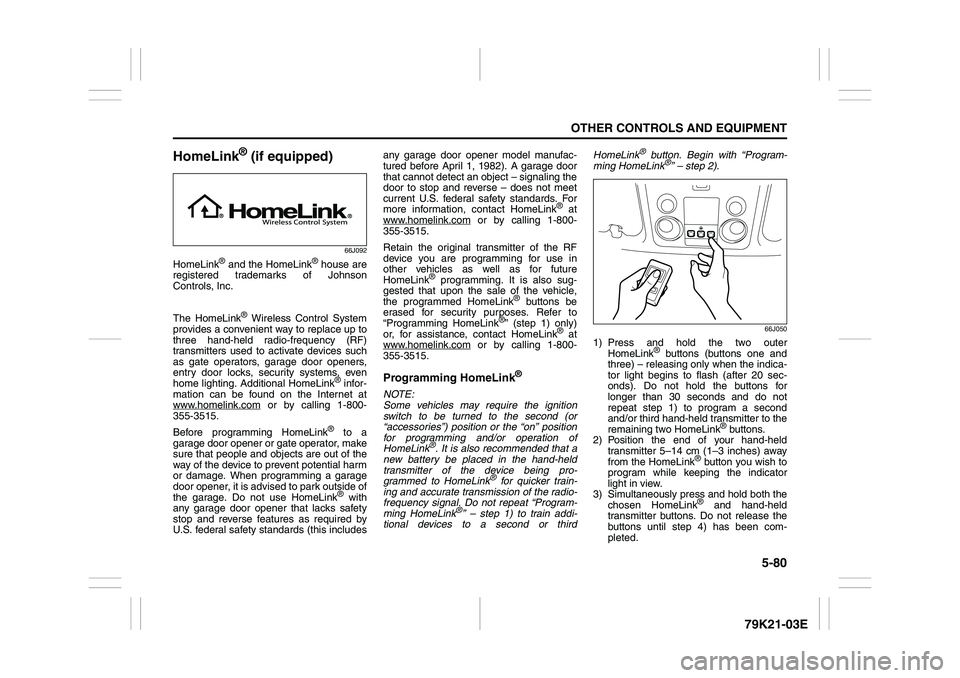
1) Press and hold the two outer
HomeLink
® buttons (buttons one and
three) – releasing only when the indica-
tor light begins to flash (after 20 sec-
onds). Do not hold the buttons for
longer than 30 seconds and do not
repeat step 1) to program a second
and/or third hand-held transmitter to the
remaining two HomeLink
® buttons.
2) Position the end of your hand-held
transmitter 5–14 cm (1–3 inches) away
from the HomeLink
® button you wish to
program while keeping the indicator
light in view.
3) Simultaneously press and hold both the
chosen HomeLink® and hand-held
transmitter buttons. Do not release the
buttons until step 4) has been com-
pleted.
Page 234 of 337
5-81OTHER CONTROLS AND EQUIPMENT
79K21-03E
NOTE:
Some gate operators and garage door
openers may require you to replace this
Programming step 3) with procedures
noted in the “Gate Operator / Canadian
Programming” section.
4) After the HomeLink
® indicator light
changes from a slow to a rapidly blink-
ing light, release both the HomeLink
®
and hand-held transmitter buttons.
NOTE:
If the HomeLink
® indicator light does not
change to a rapidly blinking light, contact
HomeLink
® at www.homelink.com
or call
1-800-355-3515 for assistance.
5) Press and hold the just-trained
HomeLink
® button and observe the
indicator light.
– If the indicator light stays on con-
stantly, programming is complete and
your device should activate when the
HomeLink® button is pressed and
released.
NOTE:
To program the remaining two HomeLink
®
buttons, begin with “Programming
HomeLink
®” – step 2). Do not repeat step
1).
– If the indicator light blinks rapidly for
two seconds and then turns to a con-
stant light continue with “ProgrammingHomeLink
®” steps 6–8 to complete the
programming of a rolling code
equipped device (most commonly a
garage door opener).
66J051
66J052
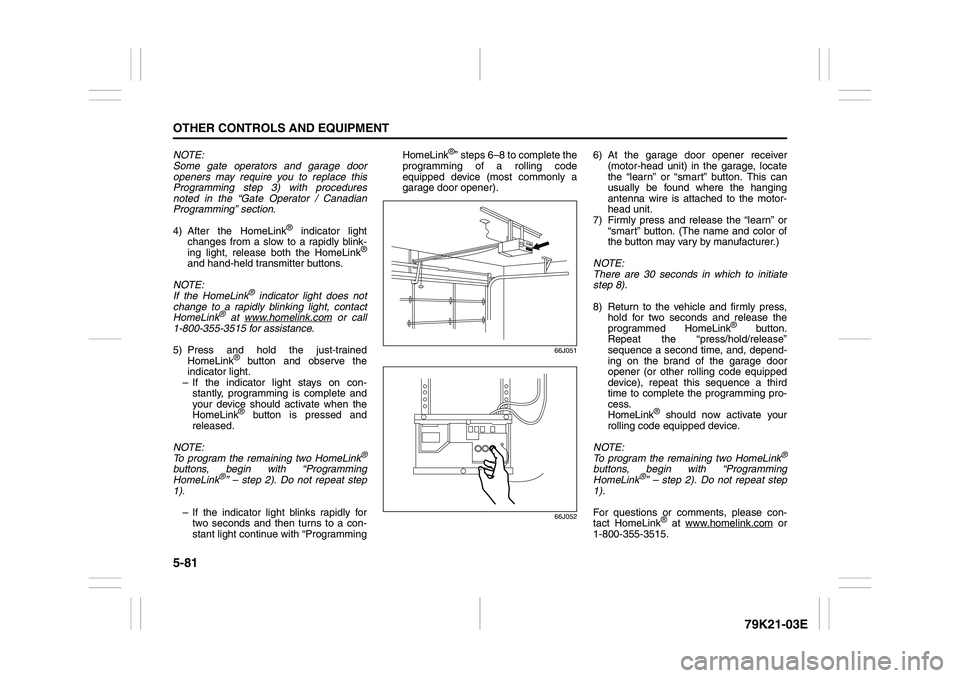
6) At the garage door opener receiver
(motor-head unit) in the garage, locate
the “learn” or “smart” button. This can
usually be found where the hanging
antenna wire is attached to the motor-
head unit.
7) Firmly press and release the “learn” or
“smart” button. (The name and color of
the button may vary by manufacturer.)
NOTE:
There are 30 seconds in which to initiate
step 8).
8) Return to the vehicle and firmly press,
hold for two seconds and release the
programmed HomeLink
® button.
Repeat the “press/hold/release”
sequence a second time, and, depend-
ing on the brand of the garage door
opener (or other rolling code equipped
device), repeat this sequence a third
time to complete the programming pro-
cess.
HomeLink
® should now activate your
rolling code equipped device.
NOTE:
To program the remaining two HomeLink
®
buttons, begin with “Programming
HomeLink
®” – step 2). Do not repeat step
1).
For questions or comments, please con-
tact HomeLink
® at www.homelink.com
or
1-800-355-3515.
Page 235 of 337
5-82
OTHER CONTROLS AND EQUIPMENT
79K21-03E
Gate Operator / Canadian Program-
mingCanadian radio-frequency laws require
transmitter signals to “time-out” (or quit)
after several seconds of transmission –
which may not be long enough for
HomeLink
® to pick up the signal during
programming. Similar to this Canadian law,
some U.S. gate operators are designed to
“time-out” in the same manner.
If you live in Canada or you are having diffi-
culties programming a gate operator by
using the Programming procedures
(regardless of where you live), replace
“Programming HomeLink
®” step 3) with
the following:
NOTE:
If programming a garage door opener or
gate operator, it is advised to unplug the
device during the “cycling” process to pre-
vent possible overheating.
3) Continue to press and hold the
HomeLink
® button while you press and
release – every two seconds (“cycle”)
your hand-held transmitter until the fre-
quency signal has successfully been
accepted by HomeLink
®. (The indicator
light will flash slowly and then rapidly.)
Proceed with “Programming HomeLink
®”
step 4) to complete.
Using HomeLink
®
To operate, simply press and release the
programmed HomeLink
® button. Activation
will now occur for the trained device (i.e.
garage door opener, gate operator, secu-
rity system, entry door lock, home/office
lighting, etc.). For convenience, the hand-
held transmitter of the device may also be
used at any time. In the event that there
are still programming difficulties or ques-
tions, contact HomeLink
® at
www.homelink.com
or 1-800-355-3515.
Erasing HomeLink
® Buttons
To erase programming from the three but-
tons (individual buttons cannot be erased
but can be “reprogrammed” as outlined
below), follow the step noted:
Press and hold the two outer HomeLink
®
buttons until the indicator light begins to
flash-after 20 seconds. Release both but-
tons. Do not hold for longer that 30 sec-
onds. HomeLink
® is now in the train (or
learning) mode and can be programmed at
any time beginning with “Programming
HomeLink
®” – step 2).
Reprogramming a Single
HomeLink
® Button
To program a device to HomeLink
® using a
HomeLink
® button previously trained, fol-
low these steps:
1) Press and hold the desired HomeLink
®
button. DO NOT release the button.
2) The indicator light will begin to flash
after 20 seconds. Without releasing the
HomeLink
® button, proceed with “Pro-
gramming HomeLink
®” – step 2).
For questions or comments, contact
HomeLink
® at www.homelink.com
or 1-
800-355-3515.
Page 245 of 337
6-8
VEHICLE LOADING AND TOWING
79K21-03E
Before towing
64J147
Vehicles equipped with a transfer switch
may be towed from the front with all four
wheels on the ground. Be sure to use
proper towing equipment designed for rec-
reational towing and make sure that towing
speed does not exceed 90 km/h (55 mph).To tow a vehicle equipped with a trans-
fer switch with all four wheels on the
ground:
1) Turn the ignition key to the “ON” posi-
tion.
2) Place the transmission in “N” (Neutral)
and depress the brake pedal and the
clutch pedal fully (if equipped).
3) Use the transfer switch to shift into neu-
tral.
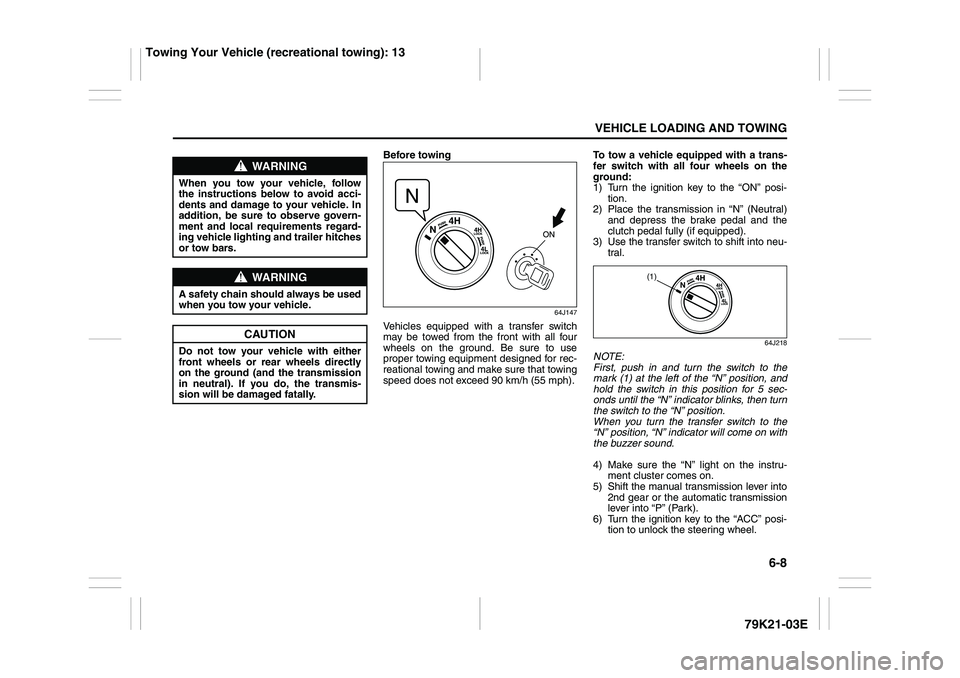
64J218
NOTE:
First, push in and turn the switch to the
mark (1) at the left of the “N” position, and
hold the switch in this position for 5 sec-
onds until the “N” indicator blinks, then turn
the switch to the “N” position.
When you turn the transfer switch to the
“N” position, “N” indicator will come on with
the buzzer sound.
4) Make sure the “N” light on the instru-
ment cluster comes on.
5) Shift the manual transmission lever into
2nd gear or the automatic transmission
lever into “P” (Park).
6) Turn the ignition key to the “ACC” posi-
tion to unlock the steering wheel.
WARNING
When you tow your vehicle, follow
the instructions below to avoid acci-
dents and damage to your vehicle. In
addition, be sure to observe govern-
ment and local requirements regard-
ing vehicle lighting and trailer hitches
or tow bars.
WARNING
A safety chain should always be used
when you tow your vehicle.
CAUTION
Do not tow your vehicle with either
front wheels or rear wheels directly
on the ground (and the transmission
in neutral). If you do, the transmis-
sion will be damaged fatally.
(1)
Towing Your Vehicle (recreational towing): 13
Page 331 of 337
13-1
INDEX
13
79K21-03E
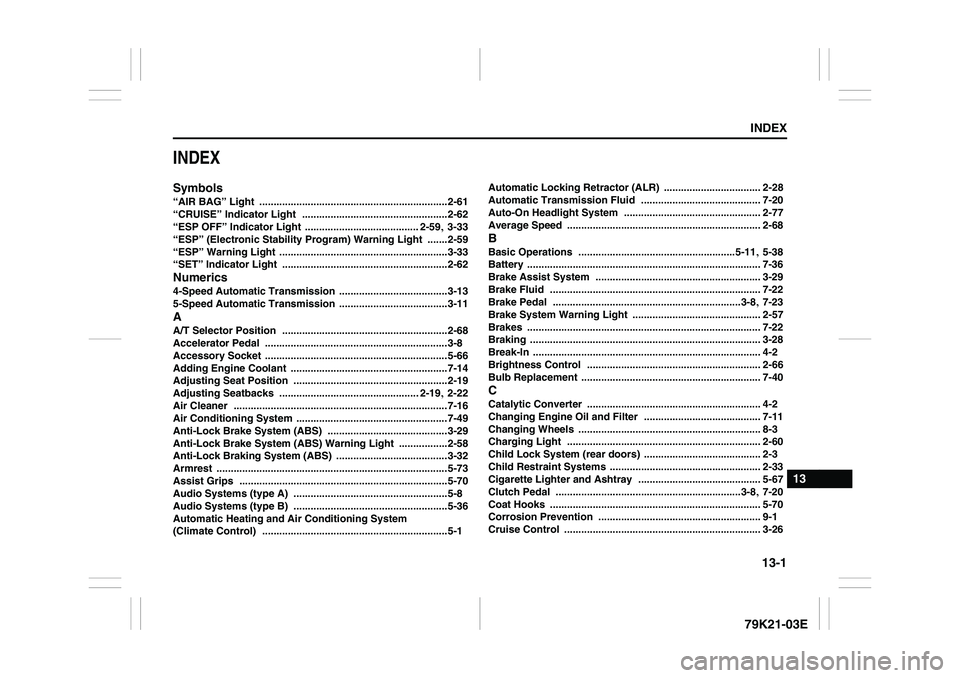
INDEXSymbols“AIR BAG” Light
..................................................................2-61
“CRUISE” Indicator Light
...................................................2-62
“ESP OFF” Indicator Light ........................................ 2-59
, 3-33
“ESP” (Electronic Stability Program) Warning Light
.......2-59
“ESP” Warning Light
...........................................................3-33
“SET” Indicator Light ..........................................................2-62
Numerics4-Speed Automatic Transmission
......................................3-13
5-Speed Automatic Transmission ......................................3-11
AA/T Selector Position
..........................................................2-68
Accelerator Pedal
................................................................3-8
Accessory Socket ................................................................5-66
Adding Engine Coolant
.......................................................7-14
Adjusting Seat Position ......................................................2-19
Adjusting Seatbacks
................................................. 2-19
, 2-22
Air Cleaner
...........................................................................7-16
Air Conditioning System
.....................................................7-49
Anti-Lock Brake System (ABS)
..........................................3-29
Anti-Lock Brake System (ABS) Warning Light
.................2-58
Anti-Lock Braking System (ABS)
.......................................3-32
Armrest
.................................................................................5-73
Assist Grips
.........................................................................5-70
Audio Systems (type A)
......................................................5-8
Audio Systems (type B) ......................................................5-36
Automatic Heating and Air Conditioning System
(Climate Control)
.................................................................5-1Automatic Locking Retractor (ALR)
.................................. 2-28
Automatic Transmission Fluid
.......................................... 7-20
Auto-On Headlight System
................................................ 2-77
Average Speed
.................................................................... 2-68
BBasic Operations
.......................................................5-11
, 5-38
Battery
.................................................................................. 7-36
Brake Assist System
.......................................................... 3-29
Brake Fluid
.......................................................................... 7-22
Brake Pedal ..................................................................3-8
, 7-23
Brake System Warning Light
............................................. 2-57
Brakes
.................................................................................. 7-22
Braking ................................................................................. 3-28
Break-In ................................................................................ 4-2
Brightness Control
............................................................. 2-66
Bulb Replacement ............................................................... 7-40
CCatalytic Converter
............................................................. 4-2
Changing Engine Oil and Filter
......................................... 7-11
Changing Wheels
................................................................ 8-3
Charging Light
.................................................................... 2-60
Child Lock System (rear doors)
......................................... 2-3
Child Restraint Systems
..................................................... 2-33
Cigarette Lighter and Ashtray
........................................... 5-67
Clutch Pedal
.................................................................3-8
, 7-20
Coat Hooks
.......................................................................... 5-70
Corrosion Prevention
......................................................... 9-1
Cruise Control
..................................................................... 3-26
Page 332 of 337
13-2INDEX
79K21-03E
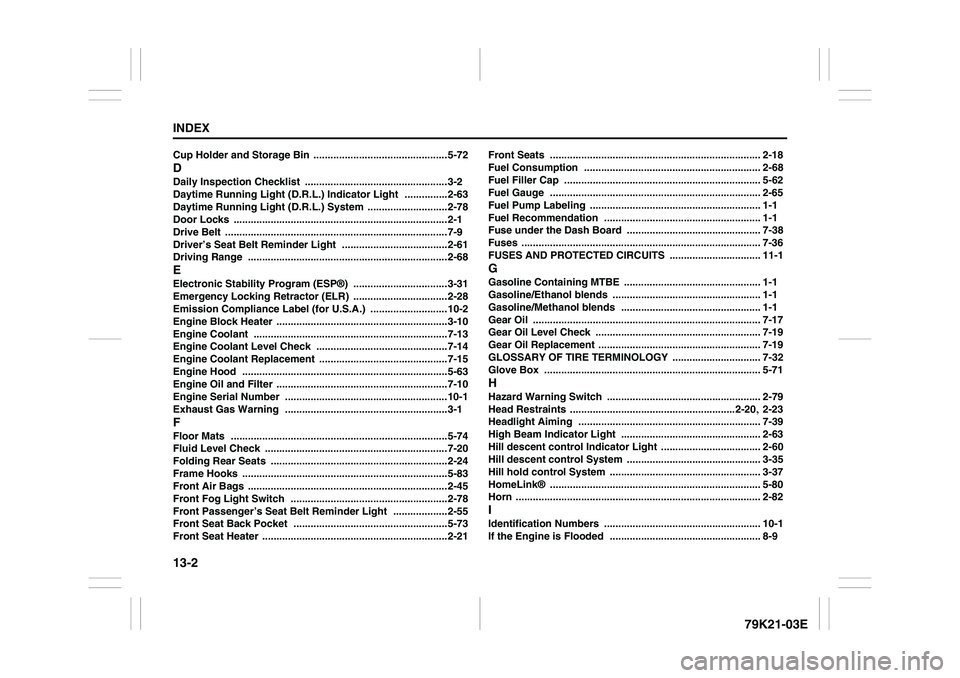
Cup Holder and Storage Bin
...............................................5-72
DDaily Inspection Checklist
..................................................3-2
Daytime Running Light (D.R.L.) Indicator Light
...............2-63
Daytime Running Light (D.R.L.) System
............................2-78
Door Locks
...........................................................................2-1
Drive Belt
..............................................................................7-9
Driver’s Seat Belt Reminder Light
.....................................2-61
Driving Range
......................................................................2-68
EElectronic Stability Program (ESP®)
.................................3-31
Emergency Locking Retractor (ELR) .................................2-28
Emission Compliance Label (for U.S.A.)
...........................10-2
Engine Block Heater
............................................................3-10
Engine Coolant
....................................................................7-13
Engine Coolant Level Check
..............................................7-14
Engine Coolant Replacement .............................................7-15
Engine Hood
........................................................................5-63
Engine Oil and Filter
............................................................7-10
Engine Serial Number .........................................................10-1
Exhaust Gas Warning .........................................................3-1
FFloor Mats
............................................................................5-74
Fluid Level Check
................................................................7-20
Folding Rear Seats ..............................................................2-24
Frame Hooks
........................................................................5-83
Front Air Bags ......................................................................2-45
Front Fog Light Switch
.......................................................2-78
Front Passenger’s Seat Belt Reminder Light
...................2-55
Front Seat Back Pocket
......................................................5-73
Front Seat Heater
.................................................................2-21Front Seats
.......................................................................... 2-18
Fuel Consumption
.............................................................. 2-68
Fuel Filler Cap
..................................................................... 5-62
Fuel Gauge
.......................................................................... 2-65
Fuel Pump Labeling
............................................................ 1-1
Fuel Recommendation ....................................................... 1-1
Fuse under the Dash Board
............................................... 7-38
Fuses
.................................................................................... 7-36
FUSES AND PROTECTED CIRCUITS
................................ 11-1
GGasoline Containing MTBE
................................................ 1-1
Gasoline/Ethanol blends
.................................................... 1-1
Gasoline/Methanol blends ................................................. 1-1
Gear Oil
................................................................................ 7-17
Gear Oil Level Check
.......................................................... 7-19
Gear Oil Replacement ......................................................... 7-19
GLOSSARY OF TIRE TERMINOLOGY
............................... 7-32
Glove Box
............................................................................ 5-71
HHazard Warning Switch
...................................................... 2-79
Head Restraints
..........................................................2-20
, 2-23
Headlight Aiming
................................................................ 7-39
High Beam Indicator Light
................................................. 2-63
Hill descent control Indicator Light
................................... 2-60
Hill descent control System
............................................... 3-35
Hill hold control System
..................................................... 3-37
HomeLink®
.......................................................................... 5-80
Horn
...................................................................................... 2-82
IIdentification Numbers
....................................................... 10-1
If the Engine is Flooded ..................................................... 8-9