display SUZUKI GRAND VITARA 2006 Repair Manual
[x] Cancel search | Manufacturer: SUZUKI, Model Year: 2006, Model line: GRAND VITARA, Model: SUZUKI GRAND VITARA 2006Pages: 337, PDF Size: 6.21 MB
Page 211 of 337

5-58
OTHER CONTROLS AND EQUIPMENT
79K21-03E
(1) Power on/off knob
(2) Track up button/Fast forward button
(3) Preset buttons (1 to 6)
The anti-theft feature is intended to dis-
courage theft or the audio system by pre-
venting the system from operating when it
is moved to a different vehicle.
This feature works by allowing you to enter
a Personal Identification Number (PIN).
When the audio system is disconnected
from its power source, such as when the
audio system is removed or the battery is
disconnected, the system will not operate
again unless the PIN is reentered.Setting the Anti-Theft Function1) Turn off the power by pressing the
power on/off knob (1).
66J118
2) Press the power on/off knob (1) while
pressing and holding the track up but-
ton (2). The “ENTRY 0000” will blink
and the audio system enter PIN-input
mode.NOTE:
Establish your PIN by combining numbers
from 1 to 6 into any 4-digit number. If you
forget your PIN, when you remove the bat-
tery for repair etc., you will no longer be
able to operate the audio system.
66J117
3) Input the four digit PIN using preset but-
tons 1 to 6.
66J118
4) After you enter your four digit PIN, the
display will return to “0000”.
66J117
5) Input the same 4-digit number you pre-
viously entered.
66J120
6) The power of the audio system will turn
off.
NOTE:
Write down your PIN for the future use.Canceling Your Established PIN
SettingThis operation is to be done when you
want to cancel the anti-theft function or
change your PIN.
1) Turn off the power by pressing the
power on/off knob (1).
EXAMPLE
EXAMPLE
Page 212 of 337
5-59OTHER CONTROLS AND EQUIPMENT
79K21-03E
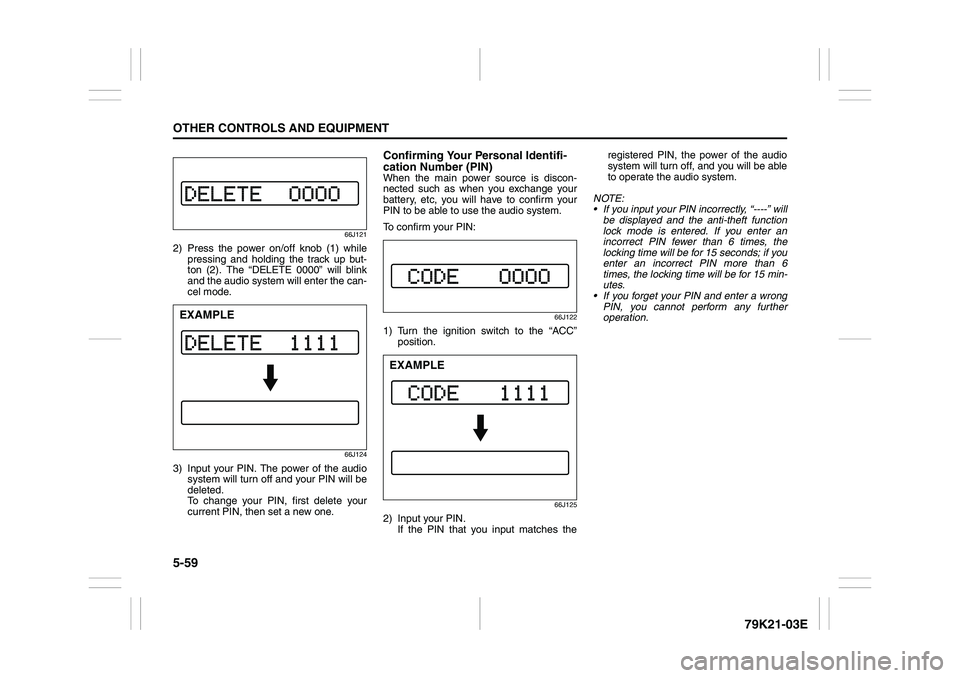
66J121
2) Press the power on/off knob (1) while
pressing and holding the track up but-
ton (2). The “DELETE 0000” will blink
and the audio system will enter the can-
cel mode.
66J124
3) Input your PIN. The power of the audio
system will turn off and your PIN will be
deleted.
To change your PIN, first delete your
current PIN, then set a new one.
Confirming Your Personal Identifi-
cation Number (PIN)When the main power source is discon-
nected such as when you exchange your
battery, etc, you will have to confirm your
PIN to be able to use the audio system.
To confirm your PIN:
66J122
1) Turn the ignition switch to the “ACC”
position.
66J125
2) Input your PIN.
If the PIN that you input matches theregistered PIN, the power of the audio
system will turn off, and you will be able
to operate the audio system.
NOTE:
If you input your PIN incorrectly, “----” will
be displayed and the anti-theft function
lock mode is entered. If you enter an
incorrect PIN fewer than 6 times, the
locking time will be for 15 seconds; if you
enter an incorrect PIN more than 6
times, the locking time will be for 15 min-
utes.
If you forget your PIN and enter a wrong
PIN, you cannot perform any further
operation.
EXAMPLE
EXAMPLE
Page 214 of 337
5-61OTHER CONTROLS AND EQUIPMENT
79K21-03E
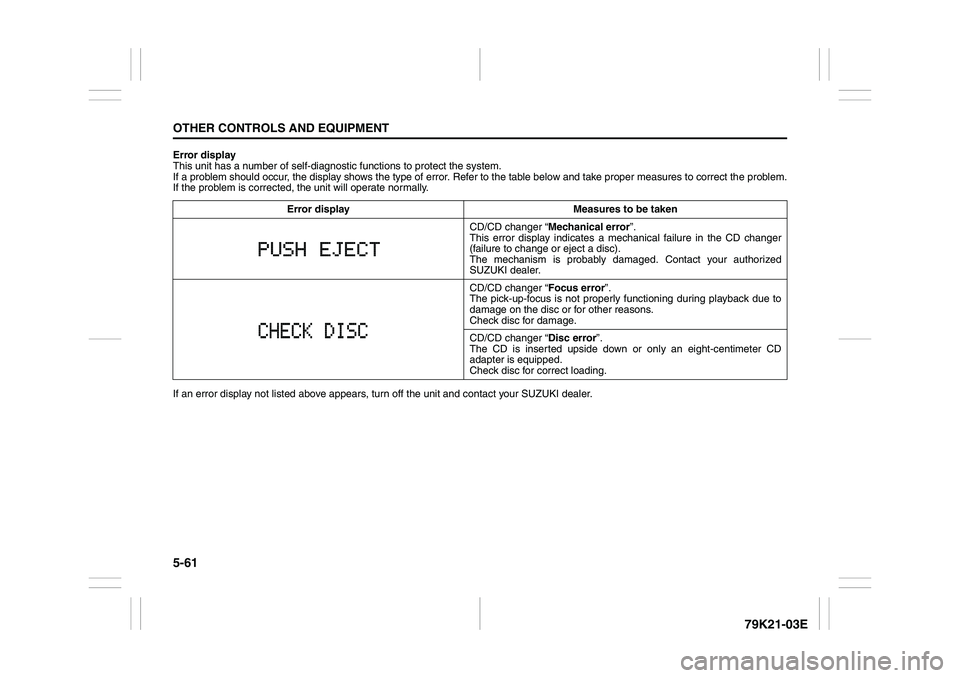
Error display
This unit has a number of self-diagnostic functions to protect the system.
If a problem should occur, the display shows the type of error. Refer to the table below and take proper measures to correct the problem.
If the problem is corrected, the unit will operate normally.
If an error display not listed above appears, turn off the unit and contact your SUZUKI dealer. Error display Measures to be taken
CD/CD changer “Mechanical error”.
This error display indicates a mechanical failure in the CD changer
(failure to change or eject a disc).
The mechanism is probably damaged. Contact your authorized
SUZUKI dealer.
CD/CD changer “Focus error”.
The pick-up-focus is not properly functioning during playback due to
damage on the disc or for other reasons.
Check disc for damage.
CD/CD changer “Disc error”.
The CD is inserted upside down or only an eight-centimeter CD
adapter is equipped.
Check disc for correct loading.
Page 333 of 337
13-3
INDEX79K21-03E
If the Engine Overheats
......................................................8-9
If the Starter Does Not Operate
..........................................8-8
If You Cannot Shift Automatic Transmission Gearshift
Lever Out of “P” (PARK)
.....................................................3-15
If Your Vehicle Gets Stuck ..................................................4-6
Ignition Key Reminder
........................................................2-1
Ignition Switch
.....................................................................3-3
Illumination Indicator Light
................................................2-64
Important Vehicle Design Features To Know
...................4-1
Improving Fuel Economy
....................................................4-3
Information Display
.............................................................2-67
Inside Rearview Mirror ........................................................2-17
Installation with Lap-Shoulder Seat Belts
(Child Restraint with No Top Strap)
...................................2-35
Installation with the LATCH System ..................................2-38
Installation-Child Restraint with Top Strap
.......................2-40
Instrument Cluster
...............................................................2-54
Interior Light Switch ............................................................5-64
JJacking Instructions
............................................................8-2
Jump Starting Instructions
.................................................8-7
KKeyless Entry System Transmitter (Type B)
.....................2-11
Keyless Start System Indicator Light
................................2-63
Keyless Start System Remote Controller (Type A)
..........2-5
Keyless Start System Remote Controller/
Keyless Entry System Transmitter
....................................2-4
Keys
......................................................................................2-1
LLap-Shoulder Belt
................................................................2-28
Lighting Control Lever
........................................................2-75Lighting Operation
.............................................................. 2-76
Lights “On” reminder ......................................................... 2-78
Listening to a CD
.......................................................5-15
, 5-42
Listening to a CD from an External CD Changer
(Option)
.......................................................................5-28
, 5-54
Listening to a XM Satellite Radio (Option)
..............5-25
, 5-51
Listening to Audio for AUX (Option)
.............. 5-27
, 5-49
, 5-53
Listening to the Radio
...............................................5-13
, 5-40
Low Fuel Warning Light
..................................................... 2-62
Low Tire Pressure Warning Light
.............................2-55
, 3-38
Luggage Compartment Cover
........................................... 5-74
Luggage Compartment Light ............................................. 5-65
Luggage Restraint Loops
................................................... 5-78
MMaintenance Recommended under Severe Driving
Conditions
........................................................................... 7-7
Maintenance Schedule
....................................................... 7-2
Malfunction Indicator Light
................................................ 2-61
Manual Transmission
......................................................... 3-11
Master Warning Indicator Light
......................................... 2-64
Mirrors
.................................................................................. 2-17
NNational Highway Traffic Safety Administration
(NHTSA)
............................................................................... 10-4
OOdometer
............................................................................. 2-70
Off-Road Driving
................................................................. 4-6
Oil Level Check ................................................................... 7-10
Oil Pressure Light ............................................................... 2-60
On-Board Vehicle Computers and Event Data
Recorders
............................................................................ 10-3