Ign SUZUKI GRAND VITARA 2007 3.G Owners Manual
[x] Cancel search | Manufacturer: SUZUKI, Model Year: 2007, Model line: GRAND VITARA, Model: SUZUKI GRAND VITARA 2007 3.GPages: 211, PDF Size: 3.21 MB
Page 8 of 211

Downloaded from www.Manualslib.com manuals search engine 0-1
66J21-03E
FOREWORDYour SUZUKI multipurpose vehicle is
designed and built to be capable of per-
forming both on pavement and off road.
You should therefore remember that your
vehicle is distinctly different from ordinary
passenger cars in handling as well as in
structure. As with other vehicles of this
type, failure to operate this vehicle cor-
rectly may result in loss of control or an
accident. Be sure to read “Important Vehi-
cle Design Features to Know” and the “on-
pavement” and “off-road” driving guidelines
which follow. It is very important to familiar-
ize yourself with the proper operation of
this vehicle before you start driving.All information in this manual is based
on the latest product information avail-
able at the time of publication. Due to
improvements or other changes, there
may be discrepancies between informa-
tion in this manual and your vehicle.
SUZUKI MOTOR CORPORATION
reserves the right to make production
changes at any time, without notice and
without incurring any obligation to
make the same or similar changes tovehicles previously built or sold.SUZUKI MOTOR CORPORATION
believes in conservation and protection of
Earth’s natural resources.
To that end, we encourage every vehicle
owner to recycle, trade in, or properly dis-
pose of, as appropriate, used motor oil,
coolant, and other fluids, batteries and
tires.IF YOU HAVE ANY PROBLEMS WITH
YOUR SUZUKI:
Please review the New Vehicle Warranty
Information booklet supplied with your
SUZUKI. Should you have a question or
problem regarding the warranty or service
of your vehicle, please take the following
action:
Consult the Service Manager and the
Owner of the Suzuki Automotive Dealer-
ship. Explain your problem and ask for
their assistance in resolving your problem.
The Owner of the dealership is in the very
best position to assist you as he or she is
vitally concerned with your continued satis-
faction.
If you are still in need of additional informa-
tion, or if you are dissatisfied, request that
your dealer arrange a meeting with your
District Service Manager.
If, after doing so, you still require further
assistance, and you purchased your
SUZUKI in the continental United States,
please contact the American Suzuki Cus-
tomer Relations Department by telephone
at 1-800-934-0934 or in writing at:
American Suzuki Motor Corporation
Automotive Customer Relations
3251 East Imperial Highway
Brea, CA 92821-6795
Page 9 of 211
Downloaded from www.Manualslib.com manuals search engine 0-2
66J21-03E
If you purchased your SUZUKI in Canada
please contact the Suzuki Canada Cus-
tomer Relations Department by telephone
at 1-905-889-2677 extension 2254 or in
writing at:
Suzuki Canada Inc.
Customer Relations
100 East Beaver Creek Road
Richmond Hill, On
L4B 1J6
In the event you require assistance related
to your SUZUKI, while temporarily travel-
ling in either the United States or Canada,
you may wish to contact the Suzuki Cus-
tomer Relations Department directly of the
country in which you are temporarily oper-
ating your vehicle.
Please be certain to provide us with the fol-
lowing information: the model, Vehicle
Identification Number, mileage, accesso-
ries involved, event dates, your concern,
and any other comments which you may
have. When we receive your correspon-
dence, we will be pleased to contact the
Owner of your dealership and assist in
resolving your concern.
For owners outside the continental United
States, please refer to the distributor’s
address listed in your Warranty Information
booklet.
IMPORTANT
WARNING/CAUTION/NOTE
Please read this manual and follow its
instructions carefully. To emphasize spe-
cial information, the symbol and the
words WARNING, CAUTION and NOTE
have special meanings. Pay special atten-
tion to the messages highlighted by these
signal words:
NOTE:
Indicates special information to make
maintenance easier or instructions clearer.
75F135
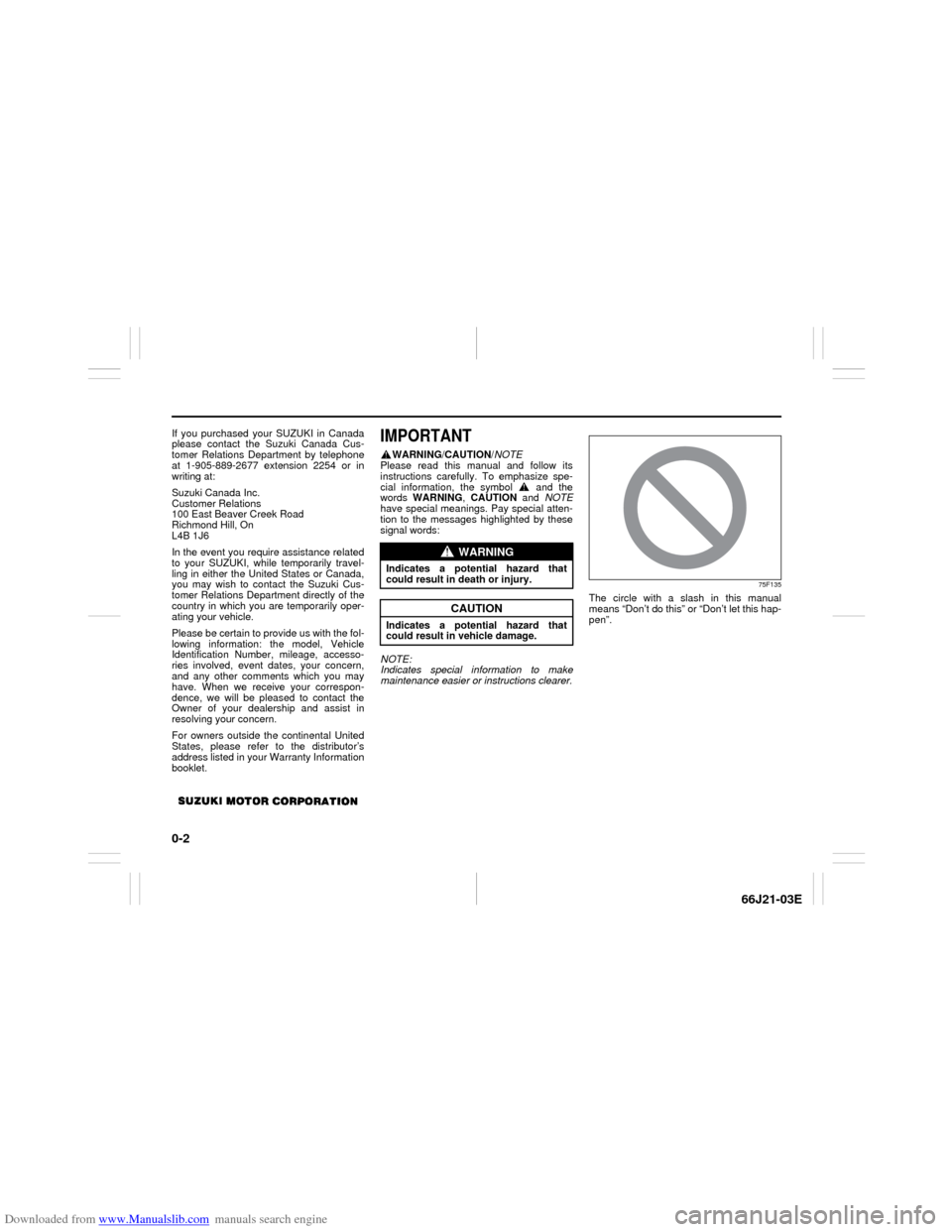
The circle with a slash in this manual
means “Don’t do this” or “Don’t let this hap-
pen”.
WARNING
Indicates a potential hazard that
could result in death or injury.
CAUTION
Indicates a potential hazard that
could result in vehicle damage.
Page 10 of 211

Downloaded from www.Manualslib.com manuals search engine 0-3
66J21-03E
MODIFICATION WARNING LEAK DETECTION PUMP
NOTE:
Your vehicle has a pump to regularly check
the vehicle’s evaporative emission control
system for leaks. This check is performed
approximately five hours after the engine is
turned off. During this leak check, you may
hear a sound coming from the vehicle for
several minutes. This sound is normal and
does not indicate a malfunction.
WARNING
Do not modify this vehicle. Modifica-
tion could adversely affect safety,
handling, performance or durability
and may violate governmental regula-
tions. In addition, damage or perfor-
mance problems resulting from
modification may not be covered
under warranty.
CAUTION
Improper installation of mobile com-
munication equipment such as cellu-
lar telephones or CB (Citizen’s Band)
radios may cause electronic interfer-
ence with your vehicle’s ignition sys-
tem, resulting in vehicle performance
problems. Consult your SUZUKI
dealer or qualified service technician
for advice on installing such mobile
communication equipment.
Page 15 of 211
Downloaded from www.Manualslib.com manuals search engine 2-1 BEFORE DRIVING
66J21-03E
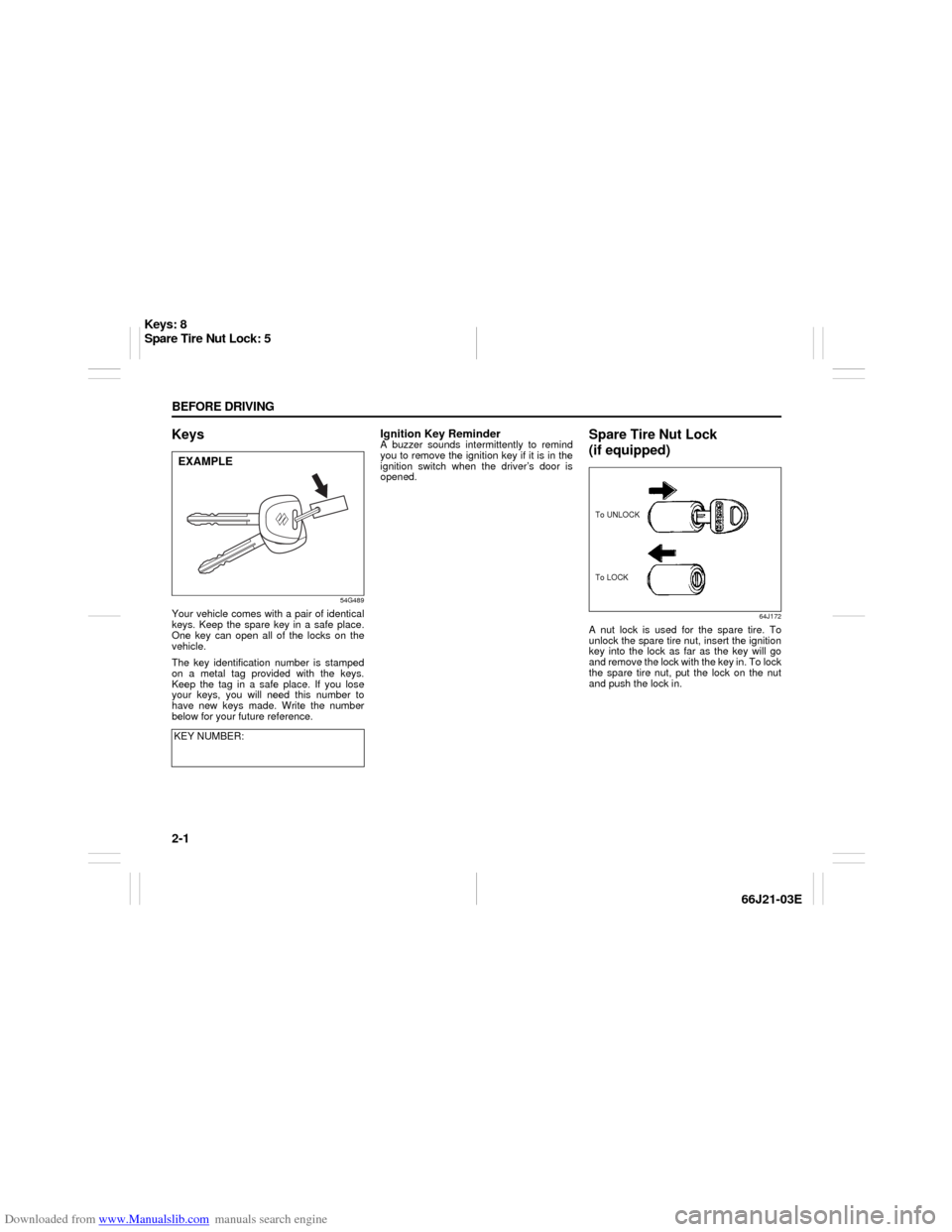
Keys
54G489
Your vehicle comes with a pair of identical
keys. Keep the spare key in a safe place.
One key can open all of the locks on the
vehicle.
The key identification number is stamped
on a metal tag provided with the keys.
Keep the tag in a safe place. If you lose
your keys, you will need this number to
have new keys made. Write the number
below for your future reference.
Ignition Key ReminderA buzzer sounds intermittently to remind
you to remove the ignition key if it is in the
ignition switch when the driver’s door is
opened.
Spare Tire Nut Lock
(if equipped)
64J172
A nut lock is used for the spare tire. To
unlock the spare tire nut, insert the ignition
key into the lock as far as the key will go
and remove the lock with the key in. To lock
the spare tire nut, put the lock on the nut
and push the lock in.
KEY NUMBER:
EXAMPLE
To LOCK To UNLOCK
Keys: 8
Spare Tire Nut Lock: 5
Page 18 of 211
Downloaded from www.Manualslib.com manuals search engine 2-4 BEFORE DRIVING
66J21-03E
You can lock or unlock the doors by
pushing the request switch on the door
handle. For details, refer to the explana-
tion in this section.
You can start the engine without using
an ignition key. For details, refer to “Igni-
tion Switch” in the “STEERING COL-
UMN CONTROLS” section and “Starting
the Engine” in the “OPERATING YOUR
VEHICLE” section.
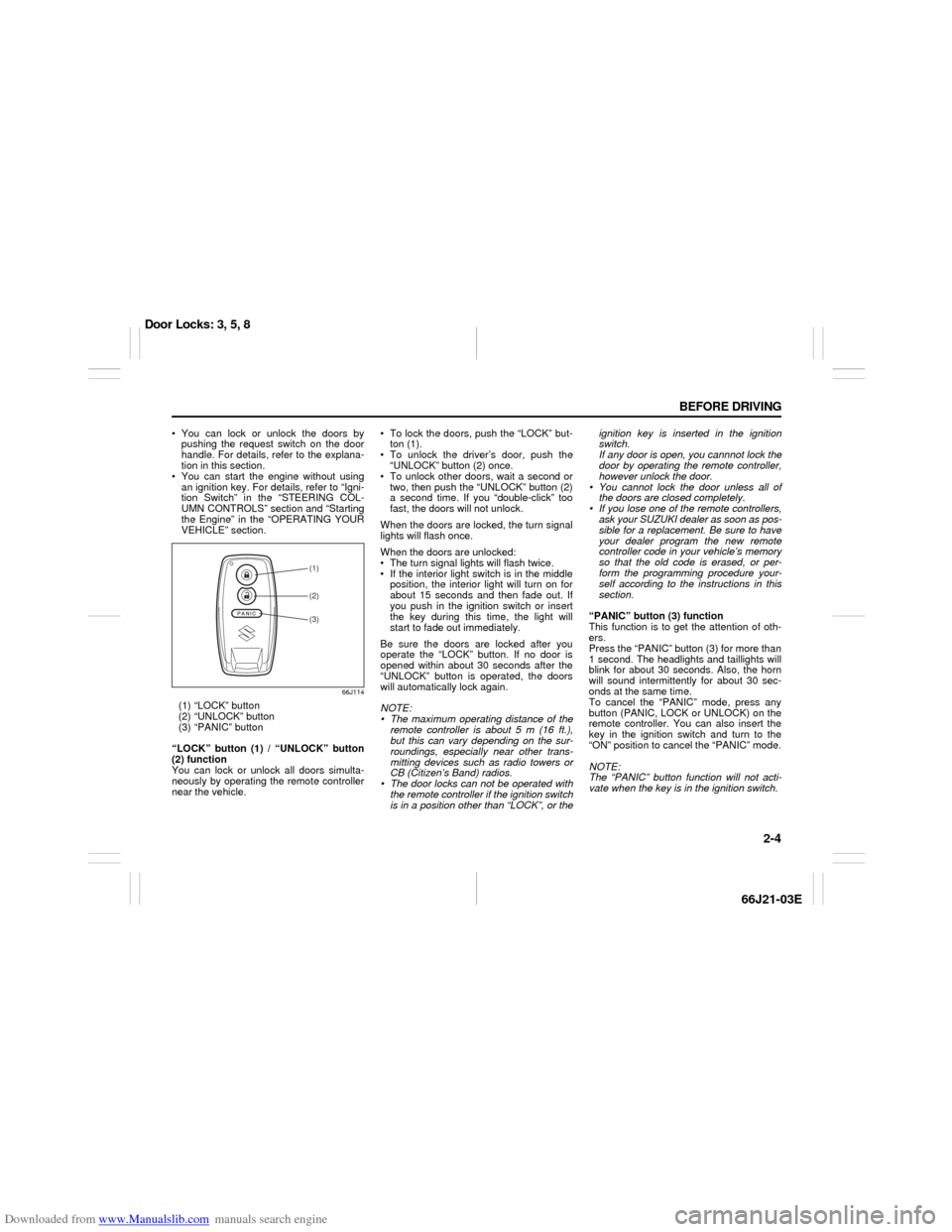
66J114
(1) “LOCK” button
(2) “UNLOCK” button
(3) “PANIC” button
“LOCK” button (1) / “UNLOCK” button
(2) function
You can lock or unlock all doors simulta-
neously by operating the remote controller
near the vehicle. To lock the doors, push the “LOCK” but-
ton (1).
To unlock the driver’s door, push the
“UNLOCK” button (2) once.
To unlock other doors, wait a second or
two, then push the “UNLOCK” button (2)
a second time. If you “double-click” too
fast, the doors will not unlock.
When the doors are locked, the turn signal
lights will flash once.
When the doors are unlocked:
The turn signal lights will flash twice.
If the interior light switch is in the middle
position, the interior light will turn on for
about 15 seconds and then fade out. If
you push in the ignition switch or insert
the key during this time, the light will
start to fade out immediately.
Be sure the doors are locked after you
operate the “LOCK” button. If no door is
opened within about 30 seconds after the
“UNLOCK” button is operated, the doors
will automatically lock again.
NOTE:
The maximum operating distance of the
remote controller is about 5 m (16 ft.),
but this can vary depending on the sur-
roundings, especially near other trans-
mitting devices such as radio towers or
CB (Citizen’s Band) radios.
The door locks can not be operated with
the remote controller if the ignition switch
is in a position other than “LOCK”, or theignition key is inserted in the ignition
switch.
If any door is open, you cannnot lock the
door by operating the remote controller,
however unlock the door.
You cannot lock the door unless all of
the doors are closed completely.
If you lose one of the remote controllers,
ask your SUZUKI dealer as soon as pos-
sible for a replacement. Be sure to have
your dealer program the new remote
controller code in your vehicle’s memory
so that the old code is erased, or per-
form the programming procedure your-
self according to the instructions in this
section.
“PANIC” button (3) function
This function is to get the attention of oth-
ers.
Press the “PANIC” button (3) for more than
1 second. The headlights and taillights will
blink for about 30 seconds. Also, the horn
will sound intermittently for about 30 sec-
onds at the same time.
To cancel the “PANIC” mode, press any
button (PANIC, LOCK or UNLOCK) on the
remote controller. You can also insert the
key in the ignition switch and turn to the
“ON” position to cancel the “PANIC” mode.
NOTE:
The “PANIC” button function will not acti-
vate when the key is in the ignition switch.
(1)(2)(3)
Door Locks: 3, 5, 8
Page 19 of 211
Downloaded from www.Manualslib.com manuals search engine 2-5 BEFORE DRIVING
66J21-03E
Keyless unlocking/locking using the
request switches
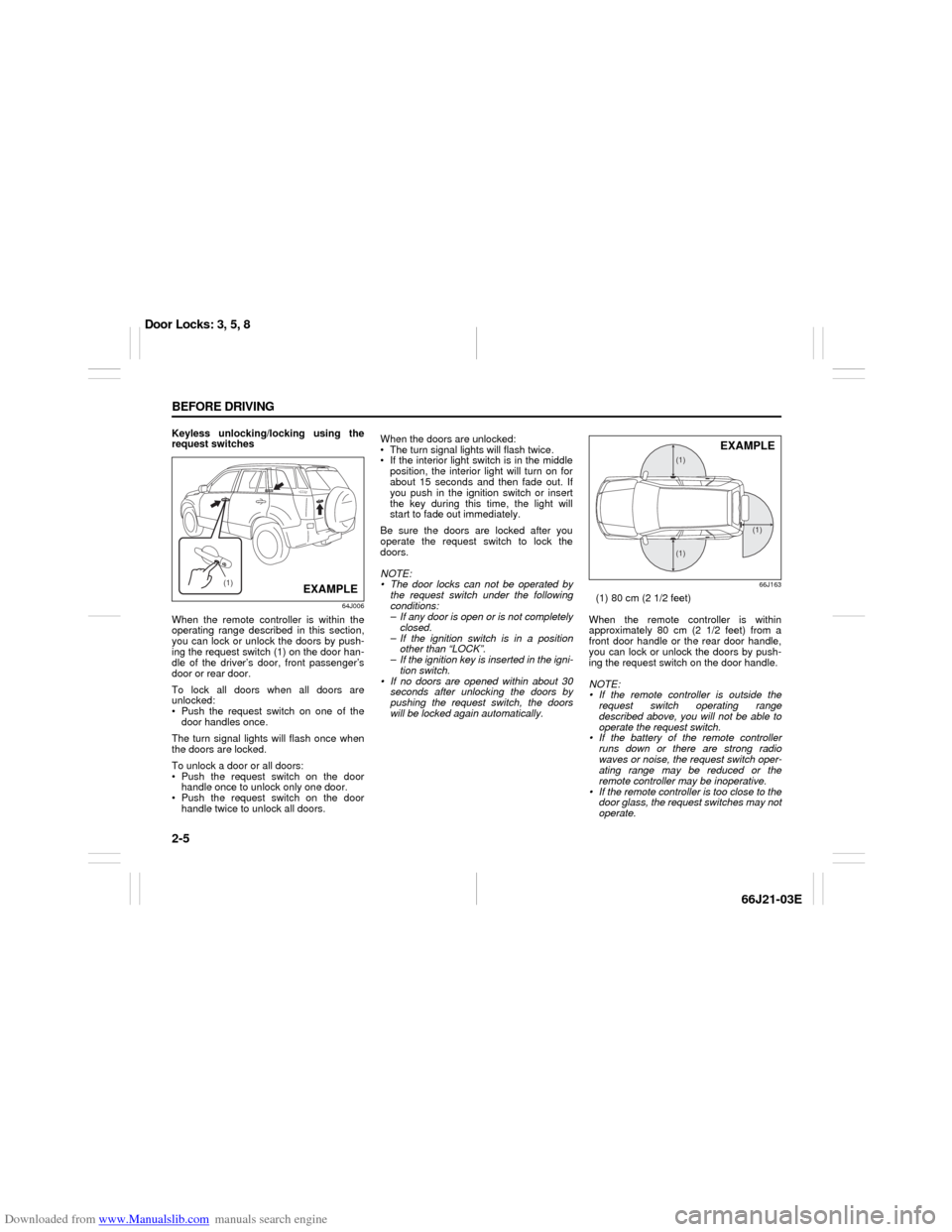
64J006
When the remote controller is within the
operating range described in this section,
you can lock or unlock the doors by push-
ing the request switch (1) on the door han-
dle of the driver’s door, front passenger’s
door or rear door.
To lock all doors when all doors are
unlocked:
Push the request switch on one of the
door handles once.
The turn signal lights will flash once when
the doors are locked.
To unlock a door or all doors:
Push the request switch on the door
handle once to unlock only one door.
Push the request switch on the door
handle twice to unlock all doors.When the doors are unlocked:
The turn signal lights will flash twice.
If the interior light switch is in the middle
position, the interior light will turn on for
about 15 seconds and then fade out. If
you push in the ignition switch or insert
the key during this time, the light will
start to fade out immediately.
Be sure the doors are locked after you
operate the request switch to lock the
doors.
NOTE:
The door locks can not be operated by
the request switch under the following
conditions:
– If any door is open or is not completely
closed.
– If the ignition switch is in a position
other than “LOCK”.
– If the ignition key is inserted in the igni-
tion switch.
If no doors are opened within about 30
seconds after unlocking the doors by
pushing the request switch, the doors
will be locked again automatically.
66J163
(1) 80 cm (2 1/2 feet)
When the remote controller is within
approximately 80 cm (2 1/2 feet) from a
front door handle or the rear door handle,
you can lock or unlock the doors by push-
ing the request switch on the door handle.
NOTE:
If the remote controller is outside the
request switch operating range
described above, you will not be able to
operate the request switch.
If the battery of the remote controller
runs down or there are strong radio
waves or noise, the request switch oper-
ating range may be reduced or the
remote controller may be inoperative.
If the remote controller is too close to the
door glass, the request switches may not
operate.
(1)
EXAMPLE
(1)(1)
(1)
EXAMPLE
Door Locks: 3, 5, 8
Page 20 of 211
Downloaded from www.Manualslib.com manuals search engine 2-6 BEFORE DRIVING
66J21-03E
If a spare remote controller is in the vehi-
cle, the request switches may not oper-
ate normally.
The remote controller will only operate a
request switch if it is within the switch’s
operating range. For example, if the
remote controller is within the operating
range of the driver’s door request switch
but not the front passenger’s door
request switch or the rear door request
switch, the driver’s door switch can be
operated but the front passenger’s door
switch or rear door switch can not be
operated.
NOTE:
The keyless start system may not function
correctly in certain environments or under
certain operating conditions such as the
following:
When there are strong signals coming
from a television, power station or a cel-
lular phone. When the remote controller is in contact
with or covered by a metal object.
When a radio wave type remote keyless
entry is used nearby.
When the remote controller is placed
near an electronic device such as per-
sonal computer.
Some additional precautions you should
take and information you should be aware
of are:
Make sure the ignition key is stowed in
the remote controller. If the remote con-
troller becomes unreliable, you will not
be able to lock or unlock the doors or
start the engine.
Be sure that the driver always carries the
remote controller.
If you lose one of the remote controllers,
ask your SUZUKI dealer as soon as pos-
sible for a replacement. Be sure to have
your dealer program the new remote
controller code in your vehicle’s memory
so that the old code is erased, or per-
form the programming procedure your-
self according to the instructions in this
section.
You can use up to four remote controllers
and ignition keys for your vehicle. Ask
your SUZUKI dealer for details.
The battery life of the remote controller
is about two years, but it can vary
depending on usage conditions.
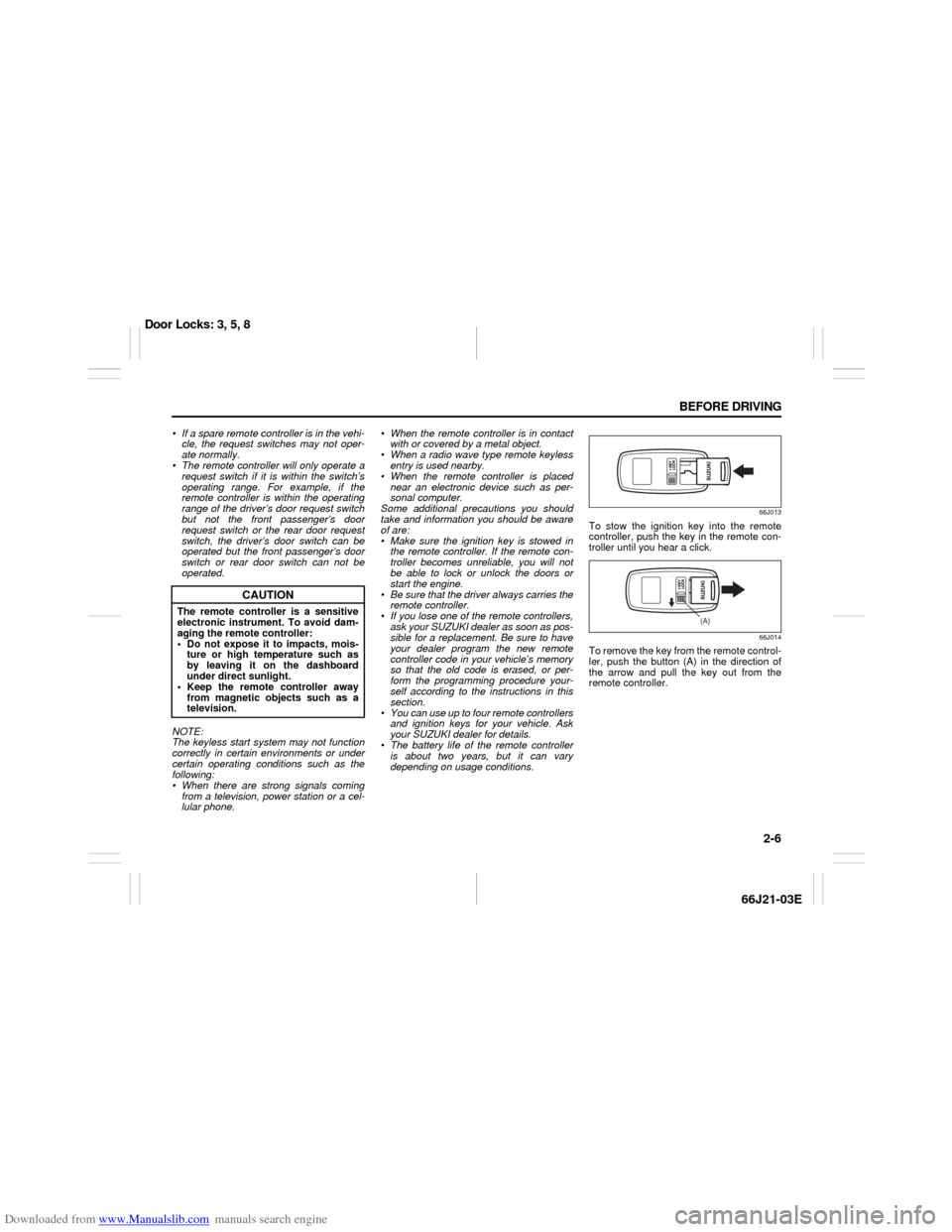
66J013
To stow the ignition key into the remote
controller, push the key in the remote con-
troller until you hear a click.
66J014
To remove the key from the remote control-
ler, push the button (A) in the direction of
the arrow and pull the key out from the
remote controller.
CAUTION
The remote controller is a sensitive
electronic instrument. To avoid dam-
aging the remote controller:
Do not expose it to impacts, mois-
ture or high temperature such as
by leaving it on the dashboard
under direct sunlight.
Keep the remote controller away
from magnetic objects such as a
television.
(A)
Door Locks: 3, 5, 8
Page 21 of 211
Downloaded from www.Manualslib.com manuals search engine 2-7 BEFORE DRIVING
66J21-03E
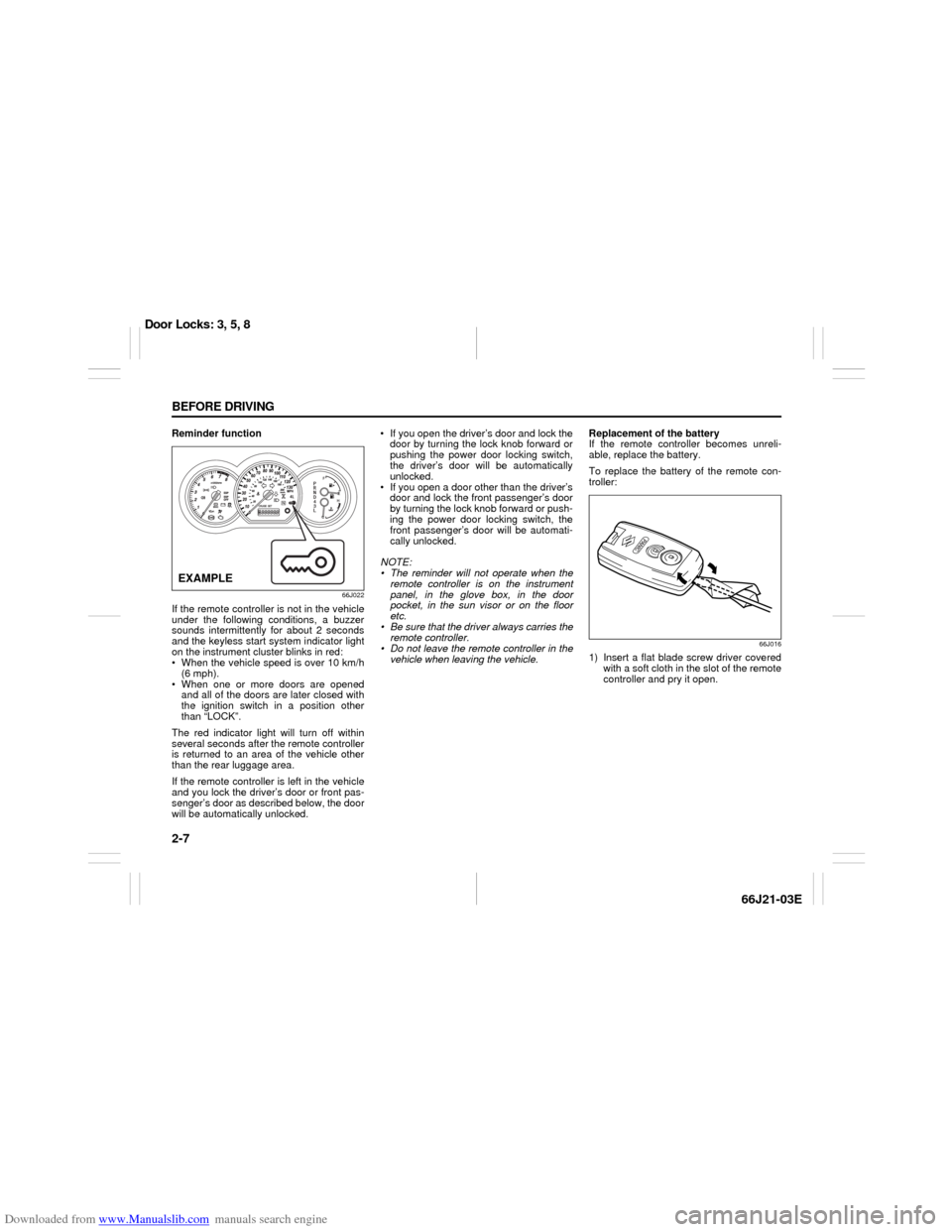
Reminder function
66J022
If the remote controller is not in the vehicle
under the following conditions, a buzzer
sounds intermittently for about 2 seconds
and the keyless start system indicator light
on the instrument cluster blinks in red:
When the vehicle speed is over 10 km/h
(6 mph).
When one or more doors are opened
and all of the doors are later closed with
the ignition switch in a position other
than “LOCK”.
The red indicator light will turn off within
several seconds after the remote controller
is returned to an area of the vehicle other
than the rear luggage area.
If the remote controller is left in the vehicle
and you lock the driver’s door or front pas-
senger’s door as described below, the door
will be automatically unlocked. If you open the driver’s door and lock the
door by turning the lock knob forward or
pushing the power door locking switch,
the driver’s door will be automatically
unlocked.
If you open a door other than the driver’s
door and lock the front passenger’s door
by turning the lock knob forward or push-
ing the power door locking switch, the
front passenger’s door will be automati-
cally unlocked.
NOTE:
The reminder will not operate when the
remote controller is on the instrument
panel, in the glove box, in the door
pocket, in the sun visor or on the floor
etc.
Be sure that the driver always carries the
remote controller.
Do not leave the remote controller in the
vehicle when leaving the vehicle.Replacement of the battery
If the remote controller becomes unreli-
able, replace the battery.
To replace the battery of the remote con-
troller:
66J016
1) Insert a flat blade screw driver covered
with a soft cloth in the slot of the remote
controller and pry it open.
EXAMPLE
Door Locks: 3, 5, 8
Page 23 of 211
Downloaded from www.Manualslib.com manuals search engine 2-9 BEFORE DRIVING
66J21-03E
To program a new remote controller
1) Close all the doors of the vehicle.
2) Sit in the driver’s seat and confirm that
the driver’s door is unlocked.
3) Insert the key into the ignition switch.
4) Complete steps 1 through 6 described
below within 25 seconds after step 3).
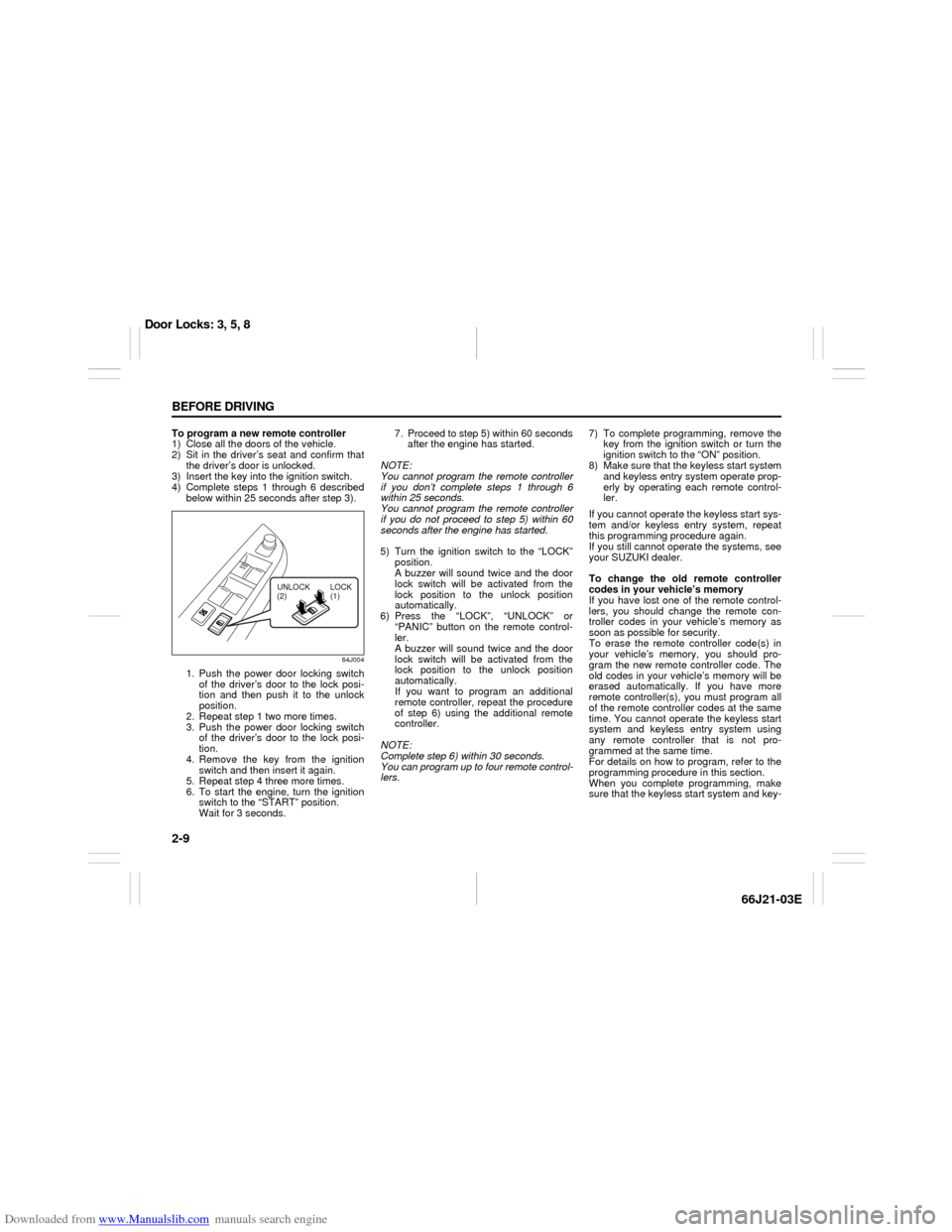
64J004
1. Push the power door locking switch
of the driver’s door to the lock posi-
tion and then push it to the unlock
position.
2. Repeat step 1 two more times.
3. Push the power door locking switch
of the driver’s door to the lock posi-
tion.
4. Remove the key from the ignition
switch and then insert it again.
5. Repeat step 4 three more times.
6. To start the engine, turn the ignition
switch to the “START” position.
Wait for 3 seconds.7. Proceed to step 5) within 60 seconds
after the engine has started.
NOTE:
You cannot program the remote controller
if you don’t complete steps 1 through 6
within 25 seconds.
You cannot program the remote controller
if you do not proceed to step 5) within 60
seconds after the engine has started.
5) Turn the ignition switch to the “LOCK”
position.
A buzzer will sound twice and the door
lock switch will be activated from the
lock position to the unlock position
automatically.
6) Press the “LOCK”, “UNLOCK” or
“PANIC” button on the remote control-
ler.
A buzzer will sound twice and the door
lock switch will be activated from the
lock position to the unlock position
automatically.
If you want to program an additional
remote controller, repeat the procedure
of step 6) using the additional remote
controller.
NOTE:
Complete step 6) within 30 seconds.
You can program up to four remote control-
lers.7) To complete programming, remove the
key from the ignition switch or turn the
ignition switch to the “ON” position.
8) Make sure that the keyless start system
and keyless entry system operate prop-
erly by operating each remote control-
ler.
If you cannot operate the keyless start sys-
tem and/or keyless entry system, repeat
this programming procedure again.
If you still cannot operate the systems, see
your SUZUKI dealer.
To change the old remote controller
codes in your vehicle’s memory
If you have lost one of the remote control-
lers, you should change the remote con-
troller codes in your vehicle’s memory as
soon as possible for security.
To erase the remote controller code(s) in
your vehicle’s memory, you should pro-
gram the new remote controller code. The
old codes in your vehicle’s memory will be
erased automatically. If you have more
remote controller(s), you must program all
of the remote controller codes at the same
time. You cannot operate the keyless start
system and keyless entry system using
any remote controller that is not pro-
grammed at the same time.
For details on how to program, refer to the
programming procedure in this section.
When you complete programming, make
sure that the keyless start system and key-
UNLOCK
(2)LOCK
(1)
Door Locks: 3, 5, 8
Page 24 of 211
Downloaded from www.Manualslib.com manuals search engine 2-10 BEFORE DRIVING
66J21-03E
less entry system operate properly by
operating each remote controller.
1. For USA
This device complies with Part 15 of the
FCC Rules. Operation is subject to the fol-
lowing two conditions:
1) This device may not cause harmful
interference, and
2) This device must accept any interfer-
ence received, including interference
that may cause undesired operation.
NOTE:
Changes or modifications not expressly
approved by the party responsible for com-
pliance could void the user’s authority to
operate the equipment.
2. For Canada
This device complies with Industry Canada
Standard RSS-210. Operation is subject to
the following two conditions:
1) This device may not cause interference,
and
2) This device must accept any interfer-
ence, including interference that may
cause undesired operation of the
device.
The term “IC:” before the certification/reg-
istration number only signifies that the
Industry Canada technical specifications
were met.Keyless Entry System Transmitter
(Type B)
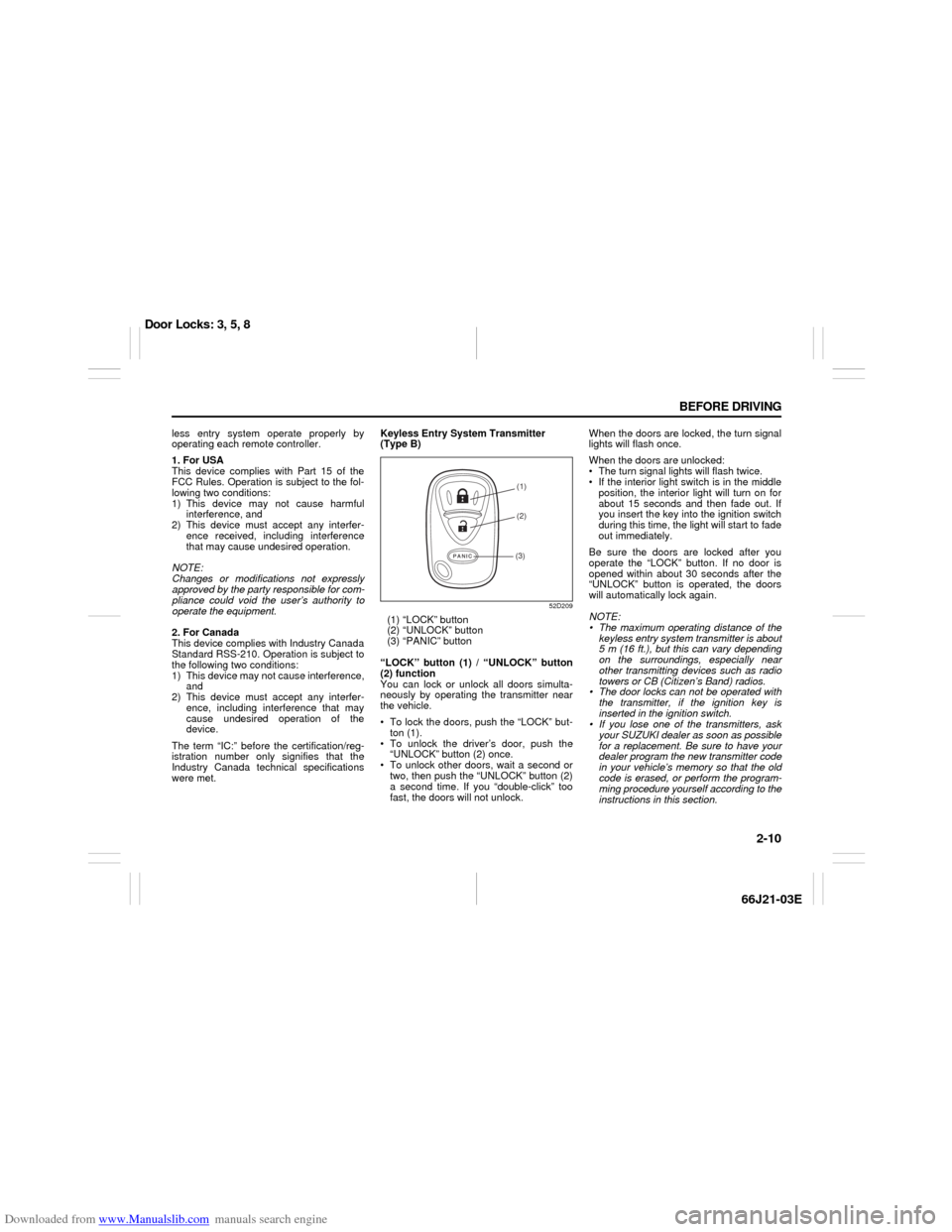
52D209
(1) “LOCK” button
(2) “UNLOCK” button
(3) “PANIC” button
“LOCK” button (1) / “UNLOCK” button
(2) function
You can lock or unlock all doors simulta-
neously by operating the transmitter near
the vehicle.
To lock the doors, push the “LOCK” but-
ton (1).
To unlock the driver’s door, push the
“UNLOCK” button (2) once.
To unlock other doors, wait a second or
two, then push the “UNLOCK” button (2)
a second time. If you “double-click” too
fast, the doors will not unlock.When the doors are locked, the turn signal
lights will flash once.
When the doors are unlocked:
The turn signal lights will flash twice.
If the interior light switch is in the middle
position, the interior light will turn on for
about 15 seconds and then fade out. If
you insert the key into the ignition switch
during this time, the light will start to fade
out immediately.
Be sure the doors are locked after you
operate the “LOCK” button. If no door is
opened within about 30 seconds after the
“UNLOCK” button is operated, the doors
will automatically lock again.
NOTE:
The maximum operating distance of the
keyless entry system transmitter is about
5 m (16 ft.), but this can vary depending
on the surroundings, especially near
other transmitting devices such as radio
towers or CB (Citizen’s Band) radios.
The door locks can not be operated with
the transmitter, if the ignition key is
inserted in the ignition switch.
If you lose one of the transmitters, ask
your SUZUKI dealer as soon as possible
for a replacement. Be sure to have your
dealer program the new transmitter code
in your vehicle’s memory so that the old
code is erased, or perform the program-
ming procedure yourself according to the
instructions in this section.
(1)
(2)
(3)
Door Locks: 3, 5, 8