air SUZUKI GRAND VITARA 2008 3.G Owner's Guide
[x] Cancel search | Manufacturer: SUZUKI, Model Year: 2008, Model line: GRAND VITARA, Model: SUZUKI GRAND VITARA 2008 3.GPages: 290, PDF Size: 4.99 MB
Page 97 of 290
4-22
INSTRUMENT PANEL
66J22-03E
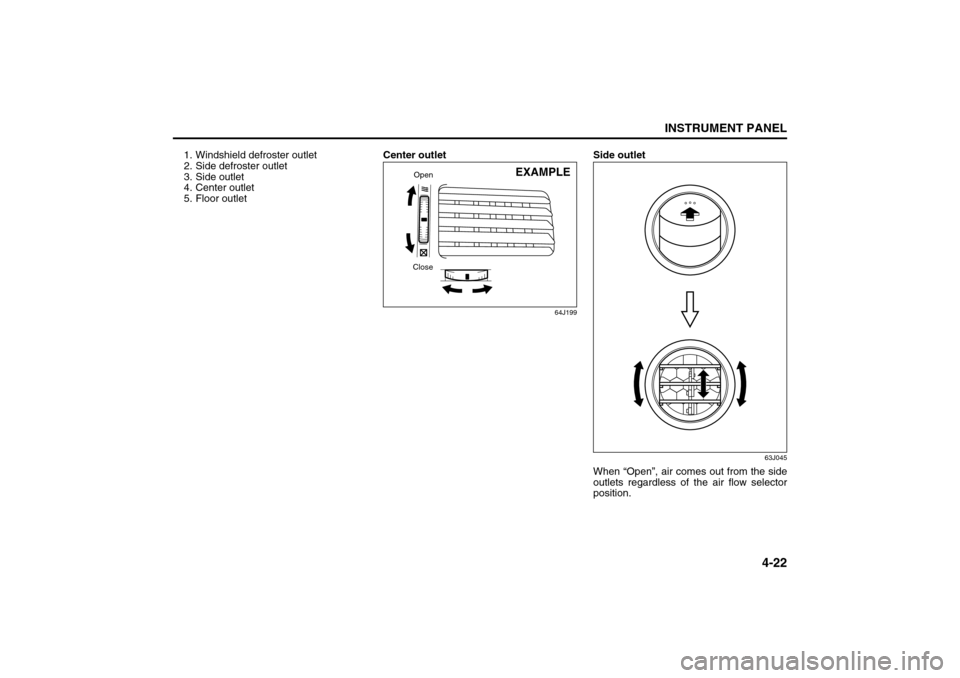
1. Windshield defroster outlet
2. Side defroster outlet
3. Side outlet
4. Center outlet
5. Floor outletCenter outlet
64J199
Side outlet
63J045
When “Open”, air comes out from the side
outlets regardless of the air flow selector
position.
CloseOpen
EXAMPLE
Heating and Air Conditioning System: 4
Page 98 of 290
4-23INSTRUMENT PANEL
66J22-03E
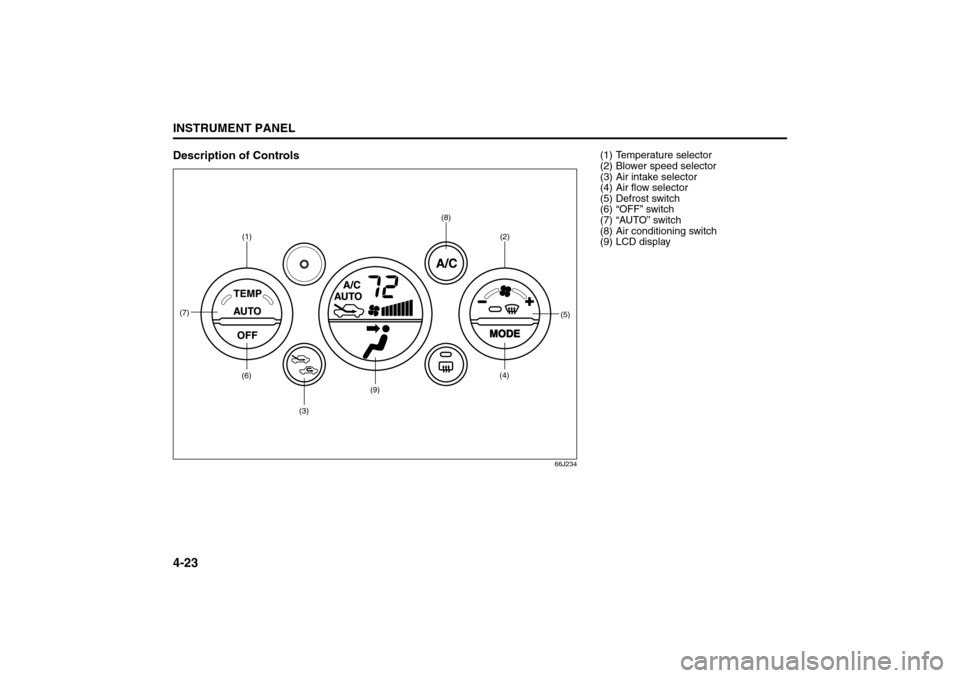
Description of Controls
66J234
(1)(6)
(7)
(3)
(9)
(8)
(2)
(5)
(4)
(1) Temperature selector
(2) Blower speed selector
(3) Air intake selector
(4) Air flow selector
(5) Defrost switch
(6) “OFF” switch
(7) “AUTO” switch
(8) Air conditioning switch
(9) LCD display
Heating and Air Conditioning System: 4
Page 99 of 290
4-24
INSTRUMENT PANEL
66J22-03E
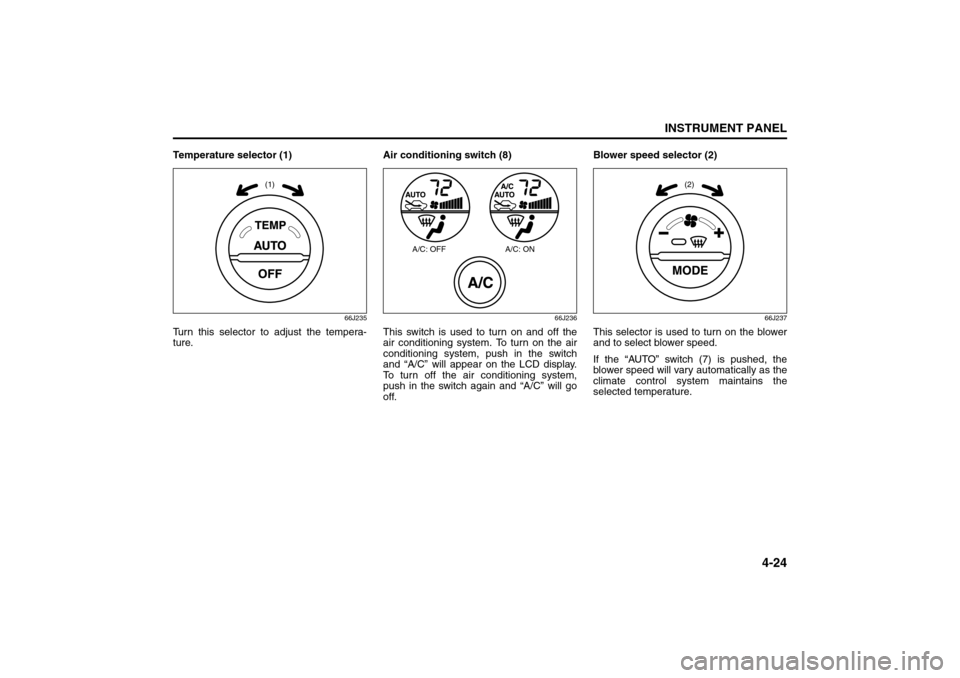
Temperature selector (1)
66J235
Turn this selector to adjust the tempera-
ture.Air conditioning switch (8)
66J236
This switch is used to turn on and off the
air conditioning system. To turn on the air
conditioning system, push in the switch
and “A/C” will appear on the LCD display.
To turn off the air conditioning system,
push in the switch again and “A/C” will go
off. Blower speed selector (2)
66J237
This selector is used to turn on the blower
and to select blower speed.
If the “AUTO” switch (7) is pushed, the
blower speed will vary automatically as the
climate control system maintains the
selected temperature.
(1)
A/C: OFF A/C: ON
(2)
Heating and Air Conditioning System: 4
Page 100 of 290
4-25INSTRUMENT PANEL
66J22-03E
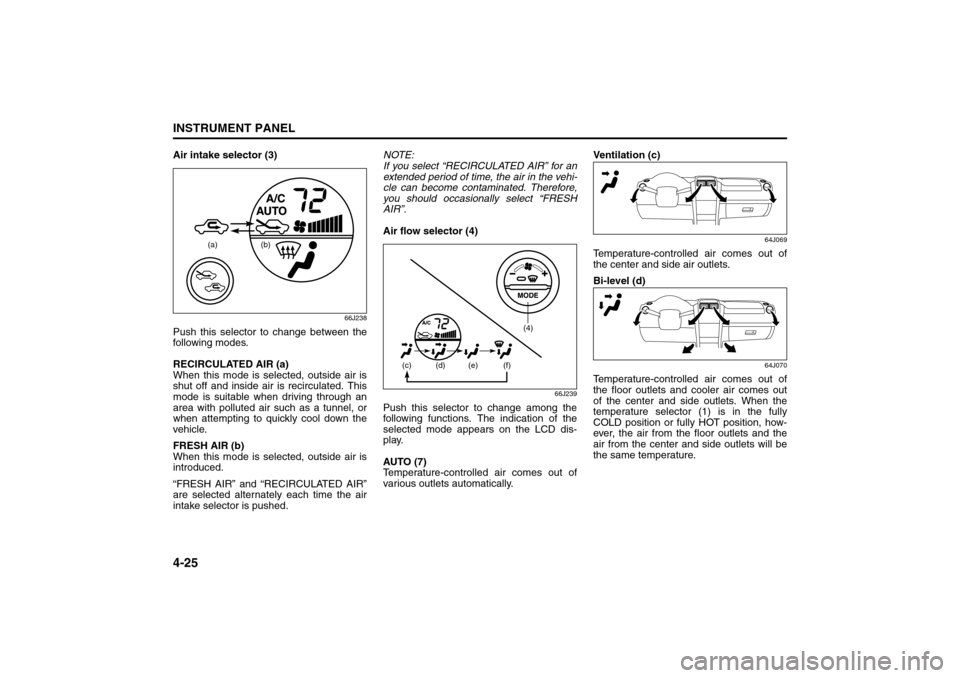
Air intake selector (3)
66J238
Push this selector to change between the
following modes.
RECIRCULATED AIR (a)
When this mode is selected, outside air is
shut off and inside air is recirculated. This
mode is suitable when driving through an
area with polluted air such as a tunnel, or
when attempting to quickly cool down the
vehicle.
FRESH AIR (b)
When this mode is selected, outside air is
introduced.
“FRESH AIR” and “RECIRCULATED AIR”
are selected alternately each time the air
intake selector is pushed.NOTE:
If you select “RECIRCULATED AIR” for an
extended period of time, the air in the vehi-
cle can become contaminated. Therefore,
you should occasionally select “FRESH
AIR”.
Air flow selector (4)
66J239
Push this selector to change among the
following functions. The indication of the
selected mode appears on the LCD dis-
play.
AUTO (7)
Temperature-controlled air comes out of
various outlets automatically.Ventilation (c)
64J069
Temperature-controlled air comes out of
the center and side air outlets.
Bi-level (d)
64J070
Temperature-controlled air comes out of
the floor outlets and cooler air comes out
of the center and side outlets. When the
temperature selector (1) is in the fully
COLD position or fully HOT position, how-
ever, the air from the floor outlets and the
air from the center and side outlets will be
the same temperature.
(a) (b)
(4)
(c)
(d) (e) (f)
Heating and Air Conditioning System: 4
Page 101 of 290
4-26
INSTRUMENT PANEL
66J22-03E
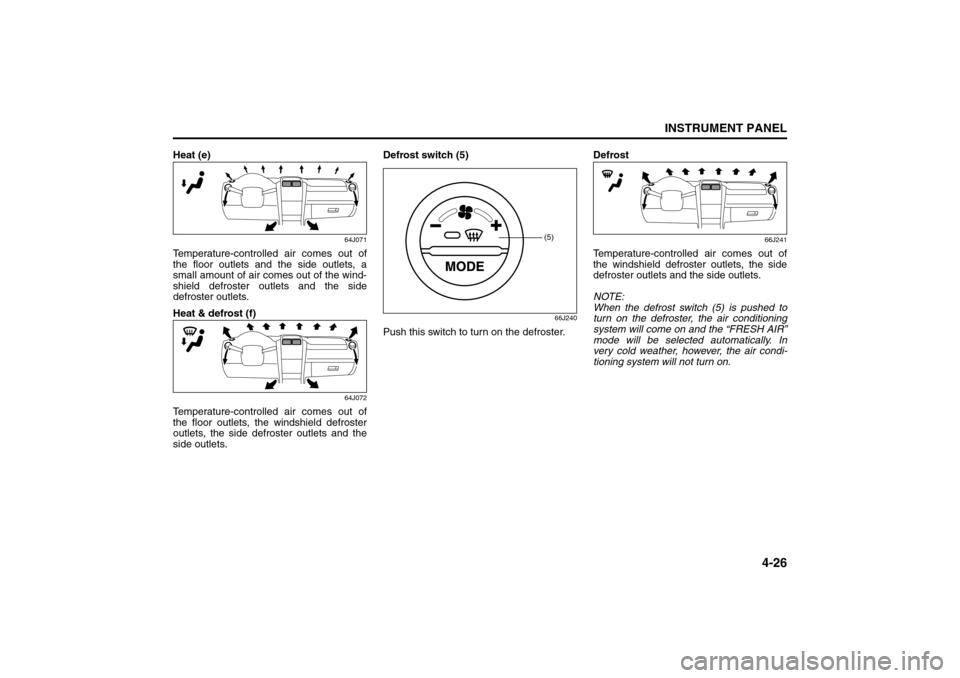
Heat (e)
64J071
Temperature-controlled air comes out of
the floor outlets and the side outlets, a
small amount of air comes out of the wind-
shield defroster outlets and the side
defroster outlets.
Heat & defrost (f)
64J072
Temperature-controlled air comes out of
the floor outlets, the windshield defroster
outlets, the side defroster outlets and the
side outlets.Defrost switch (5)
66J240
Push this switch to turn on the defroster.Defrost
66J241
Temperature-controlled air comes out of
the windshield defroster outlets, the side
defroster outlets and the side outlets.
NOTE:
When the defrost switch (5) is pushed to
turn on the defroster, the air conditioning
system will come on and the “FRESH AIR”
mode will be selected automatically. In
very cold weather, however, the air condi-
tioning system will not turn on.
(5)
Heating and Air Conditioning System: 4
Page 102 of 290
4-27INSTRUMENT PANEL
66J22-03E
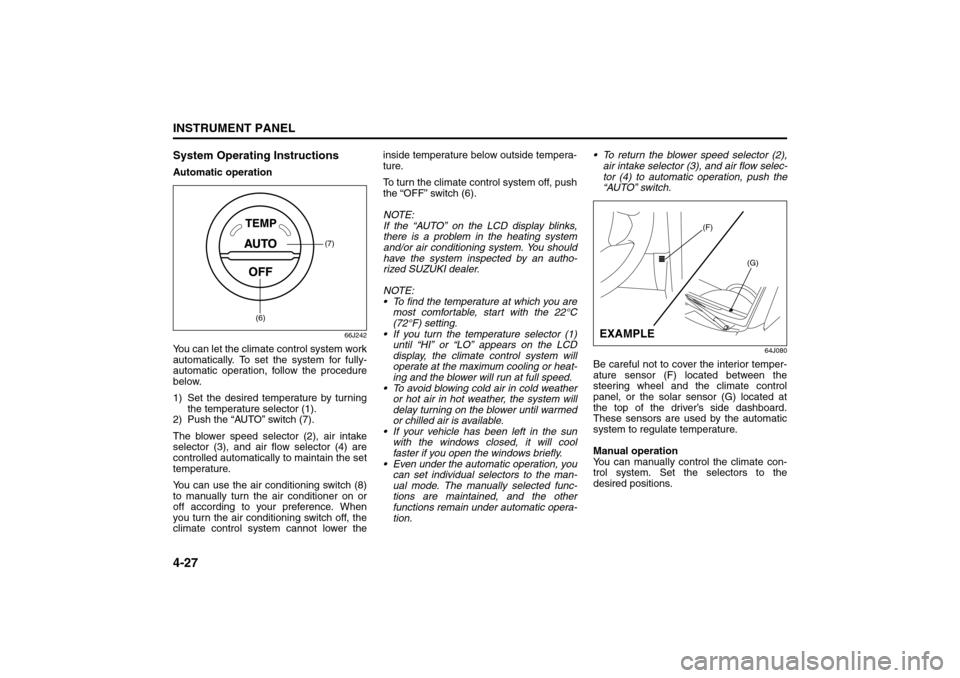
System Operating InstructionsAutomatic operation
66J242
You can let the climate control system work
automatically. To set the system for fully-
automatic operation, follow the procedure
below.
1) Set the desired temperature by turning
the temperature selector (1).
2) Push the “AUTO” switch (7).
The blower speed selector (2), air intake
selector (3), and air flow selector (4) are
controlled automatically to maintain the set
temperature.
You can use the air conditioning switch (8)
to manually turn the air conditioner on or
off according to your preference. When
you turn the air conditioning switch off, the
climate control system cannot lower theinside temperature below outside tempera-
ture.
To turn the climate control system off, push
the “OFF” switch (6).
NOTE:
If the “AUTO” on the LCD display blinks,
there is a problem in the heating system
and/or air conditioning system. You should
have the system inspected by an autho-
rized SUZUKI dealer.
NOTE:
To find the temperature at which you are
most comfortable, start with the 22°C
(72°F) setting.
If you turn the temperature selector (1)
until “HI” or “LO” appears on the LCD
display, the climate control system will
operate at the maximum cooling or heat-
ing and the blower will run at full speed.
To avoid blowing cold air in cold weather
or hot air in hot weather, the system will
delay turning on the blower until warmed
or chilled air is available.
If your vehicle has been left in the sun
with the windows closed, it will cool
faster if you open the windows briefly.
Even under the automatic operation, you
can set individual selectors to the man-
ual mode. The manually selected func-
tions are maintained, and the other
functions remain under automatic opera-
tion. To return the blower speed selector (2),
air intake selector (3), and air flow selec-
tor (4) to automatic operation, push the
“AUTO” switch.
64J080
Be careful not to cover the interior temper-
ature sensor (F) located between the
steering wheel and the climate control
panel, or the solar sensor (G) located at
the top of the driver’s side dashboard.
These sensors are used by the automatic
system to regulate temperature.
Manual operation
You can manually control the climate con-
trol system. Set the selectors to the
desired positions.
(7)
(6)
(F)
(G)
EXAMPLE
Heating and Air Conditioning System: 4
Page 103 of 290
4-28
INSTRUMENT PANEL
66J22-03E
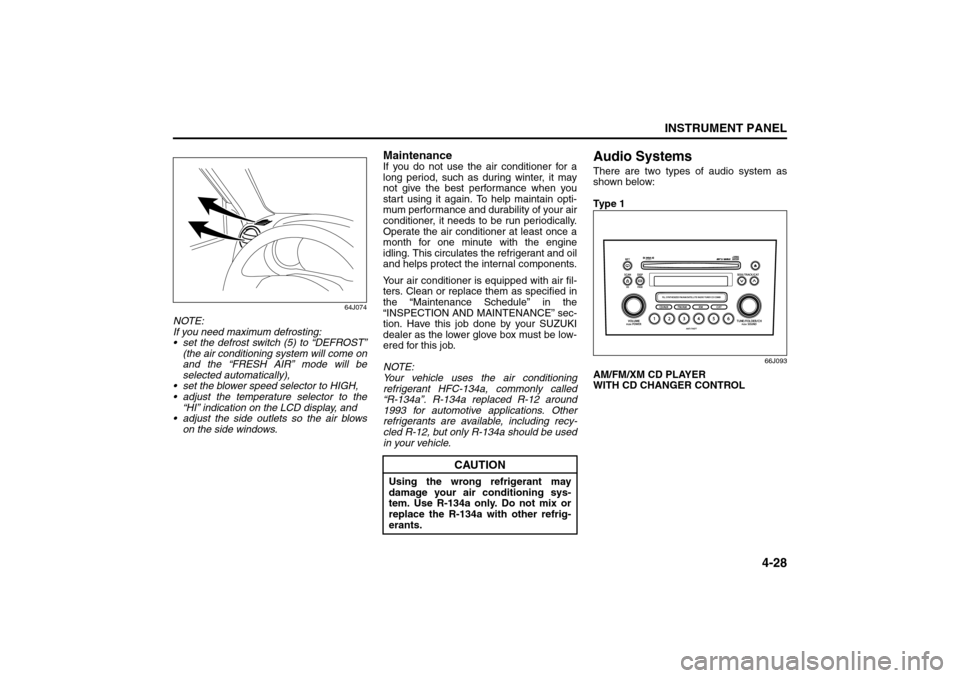
64J074
NOTE:
If you need maximum defrosting:
set the defrost switch (5) to “DEFROST”
(the air conditioning system will come on
and the “FRESH AIR” mode will be
selected automatically),
set the blower speed selector to HIGH,
adjust the temperature selector to the
“HI” indication on the LCD display, and
adjust the side outlets so the air blows
on the side windows.
MaintenanceIf you do not use the air conditioner for a
long period, such as during winter, it may
not give the best performance when you
start using it again. To help maintain opti-
mum performance and durability of your air
conditioner, it needs to be run periodically.
Operate the air conditioner at least once a
month for one minute with the engine
idling. This circulates the refrigerant and oil
and helps protect the internal components.
Your air conditioner is equipped with air fil-
ters. Clean or replace them as specified in
the “Maintenance Schedule” in the
“INSPECTION AND MAINTENANCE” sec-
tion. Have this job done by your SUZUKI
dealer as the lower glove box must be low-
ered for this job.
NOTE:
Your vehicle uses the air conditioning
refrigerant HFC-134a, commonly called
“R-134a”. R-134a replaced R-12 around
1993 for automotive applications. Other
refrigerants are available, including recy-
cled R-12, but only R-134a should be used
in your vehicle.
Audio SystemsThere are two types of audio system as
shown below:
Ty p e 1
66J093
AM/FM/XM CD PLAYER
WITH CD CHANGER CONTROL
CAUTION
Using the wrong refrigerant may
damage your air conditioning sys-
tem. Use R-134a only. Do not mix or
replace the R-134a with other refrig-
erants.
Heating and Air Conditioning System: 4
Audio Systems:
Page 126 of 290
4-51INSTRUMENT PANEL
66J22-03E
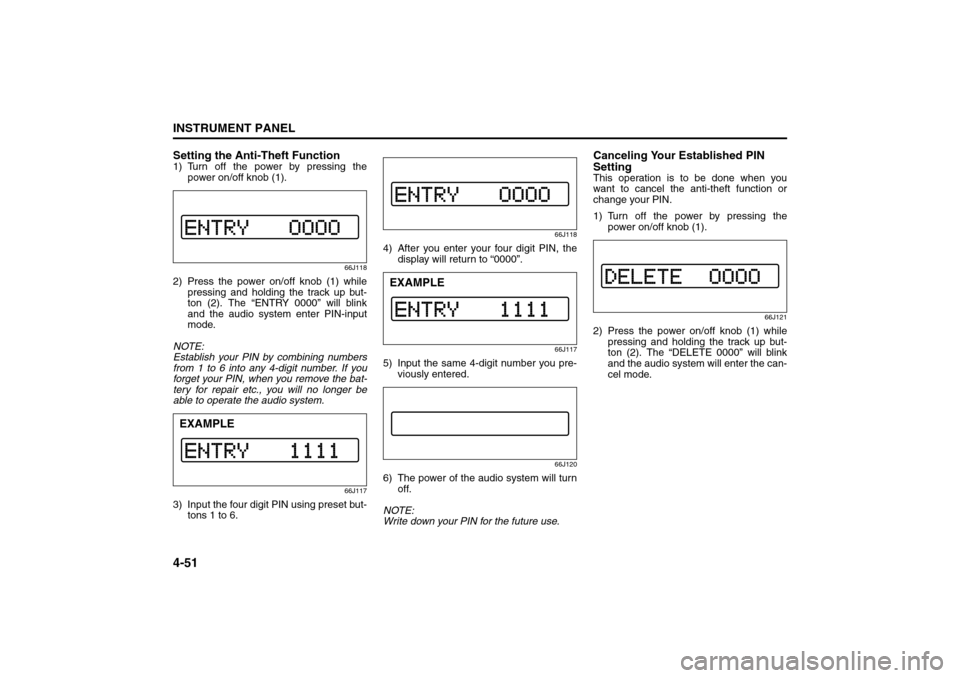
Setting the Anti-Theft Function1) Turn off the power by pressing the
power on/off knob (1).
66J118
2) Press the power on/off knob (1) while
pressing and holding the track up but-
ton (2). The “ENTRY 0000” will blink
and the audio system enter PIN-input
mode.
NOTE:
Establish your PIN by combining numbers
from 1 to 6 into any 4-digit number. If you
forget your PIN, when you remove the bat-
tery for repair etc., you will no longer be
able to operate the audio system.
66J117
3) Input the four digit PIN using preset but-
tons 1 to 6.
66J118
4) After you enter your four digit PIN, the
display will return to “0000”.
66J117
5) Input the same 4-digit number you pre-
viously entered.
66J120
6) The power of the audio system will turn
off.
NOTE:
Write down your PIN for the future use.
Canceling Your Established PIN
SettingThis operation is to be done when you
want to cancel the anti-theft function or
change your PIN.
1) Turn off the power by pressing the
power on/off knob (1).
66J121
2) Press the power on/off knob (1) while
pressing and holding the track up but-
ton (2). The “DELETE 0000” will blink
and the audio system will enter the can-
cel mode.
EXAMPLE
EXAMPLE
Audio Systems:
Page 141 of 290
5-10
OTHER CONTROLS AND EQUIPMENT
66J22-03E
86G064
Assist Grips (if equipped)
64J136
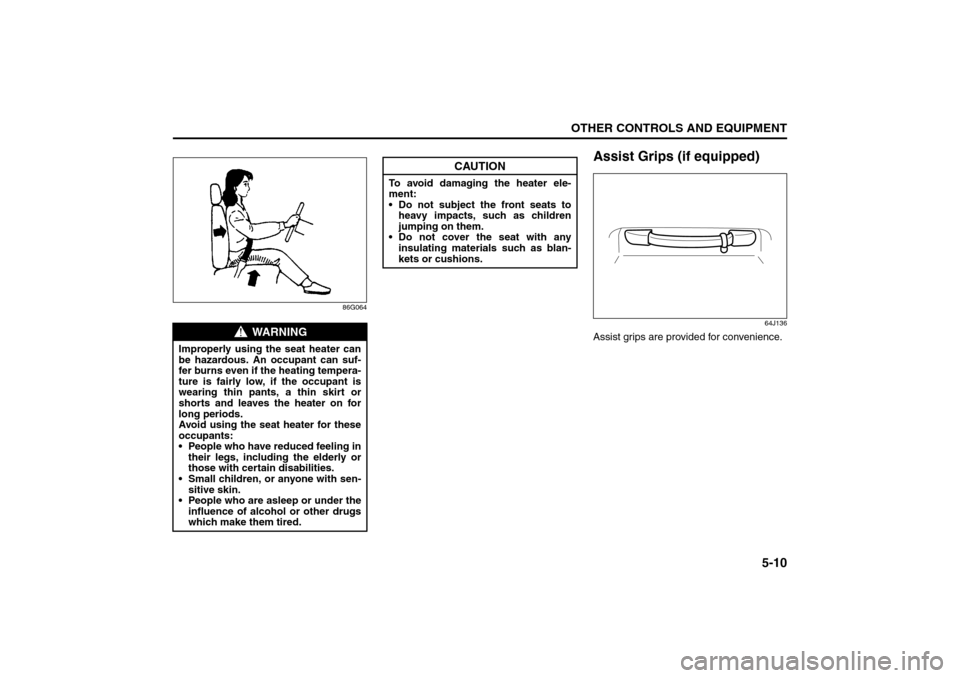
Assist grips are provided for convenience.
WARNING
Improperly using the seat heater can
be hazardous. An occupant can suf-
fer burns even if the heating tempera-
ture is fairly low, if the occupant is
wearing thin pants, a thin skirt or
shorts and leaves the heater on for
long periods.
Avoid using the seat heater for these
occupants:
People who have reduced feeling in
their legs, including the elderly or
those with certain disabilities.
Small children, or anyone with sen-
sitive skin.
People who are asleep or under the
influence of alcohol or other drugs
which make them tired.
CAUTION
To avoid damaging the heater ele-
ment:
Do not subject the front seats to
heavy impacts, such as children
jumping on them.
Do not cover the seat with any
insulating materials such as blan-
kets or cushions.
Front Seat Heater: 8
Page 142 of 290
5-11OTHER CONTROLS AND EQUIPMENT
66J22-03E
Coat Hooks (if equipped)
64J137
You can hang clothing on the coat hooks.
These hooks are not designed for large or
heavy items.
Sunroof (if equipped)You can tilt or slide the sunroof by operat-
ing the “TILT” part of the sunroof switch or
the “SLIDE” part of the sunroof switch
when the ignition switch is in the “ON”
position.
There is a system to prevent being
pinched by the sunroof.
When the system senses that something is
pinched when the sunroof is sliding for-
ward, the sunroof will automatically
reverse direction and slide rearward. This
system will operate when the sunroof is
closing automatically. This system does
not operate when tilting the sunroof down.
Make sure there are no hands or other
obstructions in the path of the sunroof
when you close the sunroof even though
there is a system to prevent being pinched
by the sunroof.
64J107
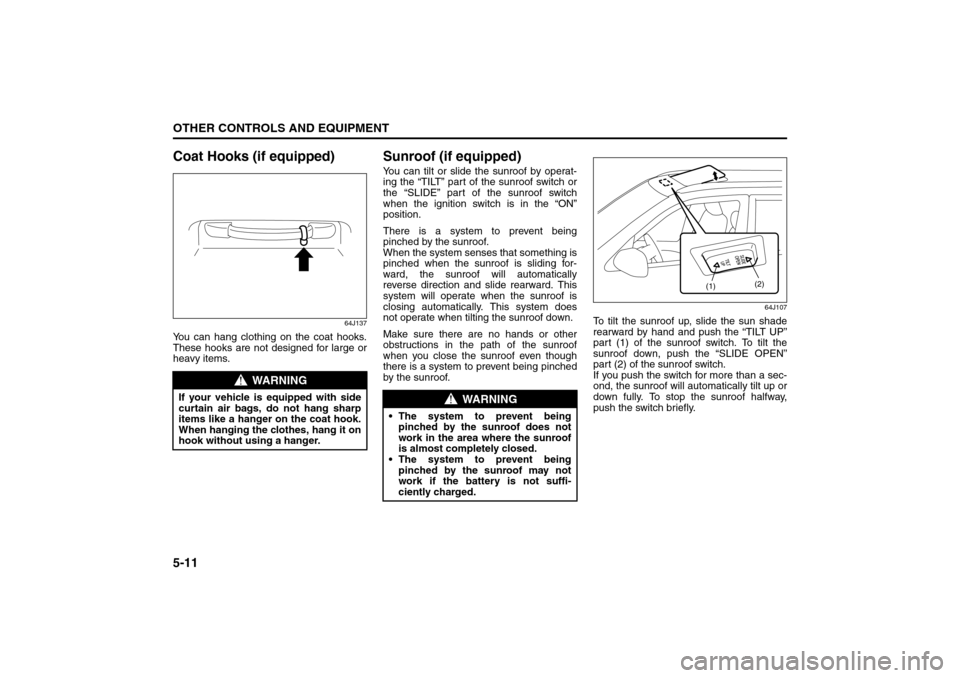
To tilt the sunroof up, slide the sun shade
rearward by hand and push the “TILT UP”
part (1) of the sunroof switch. To tilt the
sunroof down, push the “SLIDE OPEN”
part (2) of the sunroof switch.
If you push the switch for more than a sec-
ond, the sunroof will automatically tilt up or
down fully. To stop the sunroof halfway,
push the switch briefly.
WARNING
If your vehicle is equipped with side
curtain air bags, do not hang sharp
items like a hanger on the coat hook.
When hanging the clothes, hang it on
hook without using a hanger.
WARNING
The system to prevent being
pinched by the sunroof does not
work in the area where the sunroof
is almost completely closed.
The system to prevent being
pinched by the sunroof may not
work if the battery is not suffi-
ciently charged.
(1)(2)
Assist Grips: 3
Coat Hooks:
Sunroof: 5, 8