Seat SUZUKI GRAND VITARA 2009 Workshop Manual
[x] Cancel search | Manufacturer: SUZUKI, Model Year: 2009, Model line: GRAND VITARA, Model: SUZUKI GRAND VITARA 2009Pages: 337, PDF Size: 6.21 MB
Page 157 of 337
5-4
OTHER CONTROLS AND EQUIPMENT
79K21-03E
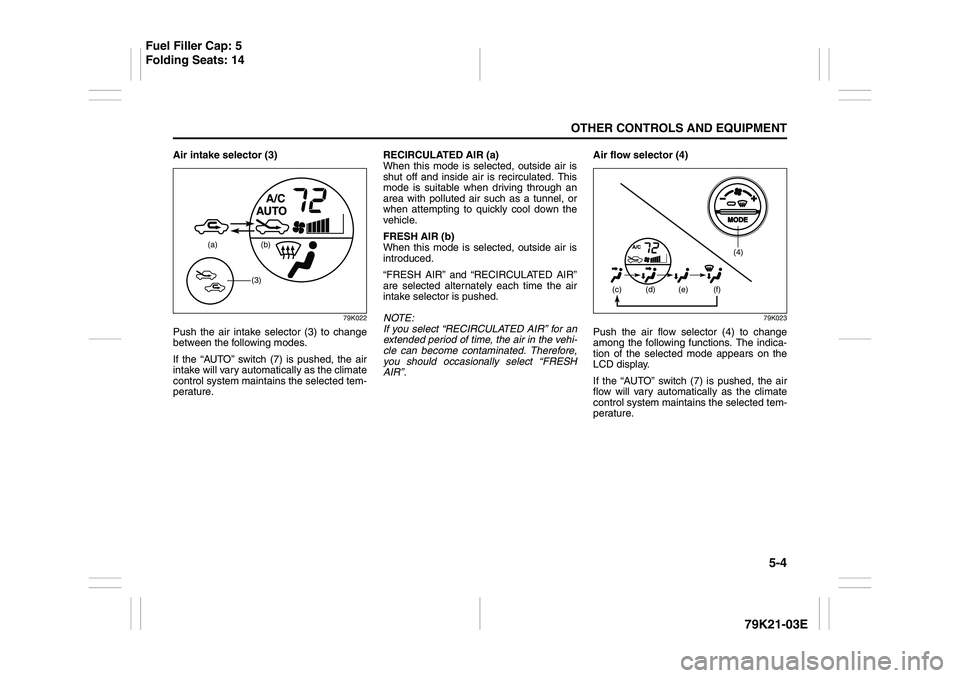
Air intake selector (3)
79K022
Push the air intake selector (3) to change
between the following modes.
If the “AUTO” switch (7) is pushed, the air
intake will vary automatically as the climate
control system maintains the selected tem-
perature.RECIRCULATED AIR (a)
When this mode is selected, outside air is
shut off and inside air is recirculated. This
mode is suitable when driving through an
area with polluted air such as a tunnel, or
when attempting to quickly cool down the
vehicle.
FRESH AIR (b)
When this mode is selected, outside air is
introduced.
“FRESH AIR” and “RECIRCULATED AIR”
are selected alternately each time the air
intake selector is pushed.
NOTE:
If you select “RECIRCULATED AIR” for an
extended period of time, the air in the vehi-
cle can become contaminated. Therefore,
you should occasionally select “FRESH
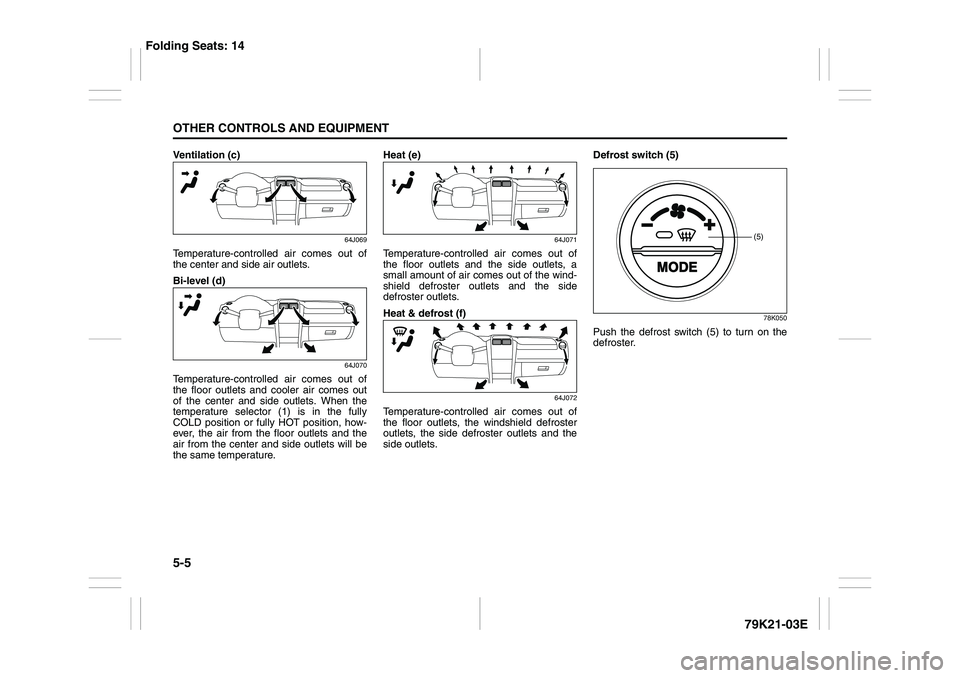
AIR”.Air flow selector (4)
79K023
Push the air flow selector (4) to change
among the following functions. The indica-
tion of the selected mode appears on the
LCD display.
If the “AUTO” switch (7) is pushed, the air
flow will vary automatically as the climate
control system maintains the selected tem-
perature.
(a) (b)
(3)
(4)
(c)
(d) (e) (f)
Fuel Filler Cap: 5
Folding Seats: 14
Page 158 of 337
5-5OTHER CONTROLS AND EQUIPMENT
79K21-03E
Ventilation (c)
64J069
Temperature-controlled air comes out of
the center and side air outlets.
Bi-level (d)
64J070
Temperature-controlled air comes out of
the floor outlets and cooler air comes out
of the center and side outlets. When the
temperature selector (1) is in the fully
COLD position or fully HOT position, how-
ever, the air from the floor outlets and the
air from the center and side outlets will be
the same temperature.Heat (e)
64J071
Temperature-controlled air comes out of
the floor outlets and the side outlets, a
small amount of air comes out of the wind-
shield defroster outlets and the side
defroster outlets.
Heat & defrost (f)
64J072
Temperature-controlled air comes out of
the floor outlets, the windshield defroster
outlets, the side defroster outlets and the
side outlets.Defrost switch (5)
78K050
Push the defrost switch (5) to turn on the
defroster.
(5)
Folding Seats: 14
Page 159 of 337
5-6
OTHER CONTROLS AND EQUIPMENT
79K21-03E
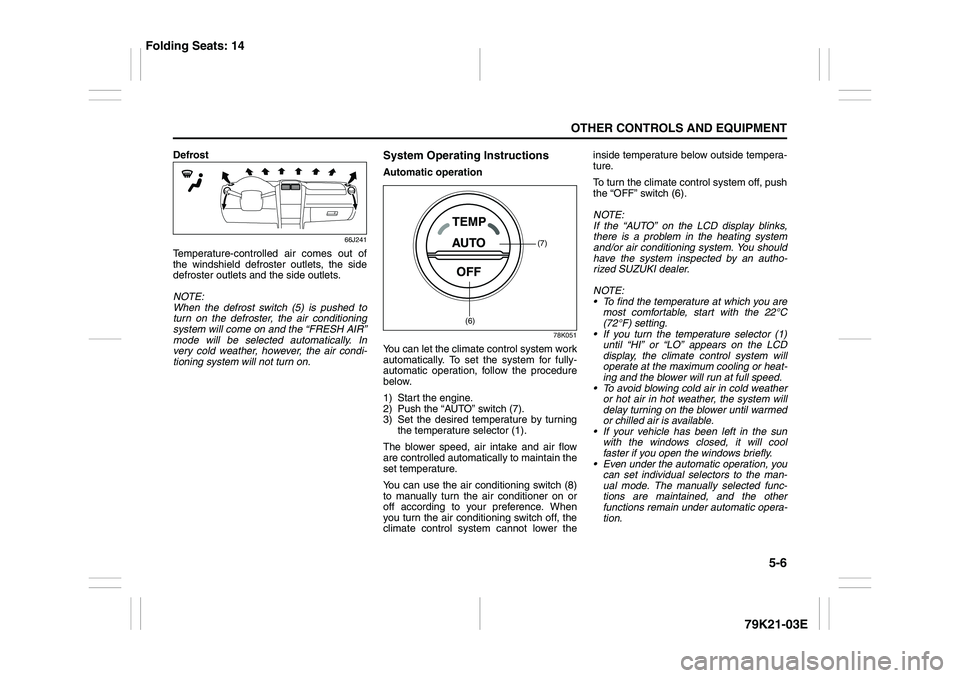
Defrost
66J241
Temperature-controlled air comes out of
the windshield defroster outlets, the side
defroster outlets and the side outlets.
NOTE:
When the defrost switch (5) is pushed to
turn on the defroster, the air conditioning
system will come on and the “FRESH AIR”
mode will be selected automatically. In
very cold weather, however, the air condi-
tioning system will not turn on.
System Operating InstructionsAutomatic operation
78K051
You can let the climate control system work
automatically. To set the system for fully-
automatic operation, follow the procedure
below.
1) Start the engine.
2) Push the “AUTO” switch (7).
3) Set the desired temperature by turning
the temperature selector (1).
The blower speed, air intake and air flow
are controlled automatically to maintain the
set temperature.
You can use the air conditioning switch (8)
to manually turn the air conditioner on or
off according to your preference. When
you turn the air conditioning switch off, the
climate control system cannot lower theinside temperature below outside tempera-
ture.
To turn the climate control system off, push
the “OFF” switch (6).
NOTE:
If the “AUTO” on the LCD display blinks,
there is a problem in the heating system
and/or air conditioning system. You should
have the system inspected by an autho-
rized SUZUKI dealer.
NOTE:
To find the temperature at which you are
most comfortable, start with the 22°C
(72°F) setting.
If you turn the temperature selector (1)
until “HI” or “LO” appears on the LCD
display, the climate control system will
operate at the maximum cooling or heat-
ing and the blower will run at full speed.
To avoid blowing cold air in cold weather
or hot air in hot weather, the system will
delay turning on the blower until warmed
or chilled air is available.
If your vehicle has been left in the sun
with the windows closed, it will cool
faster if you open the windows briefly.
Even under the automatic operation, you
can set individual selectors to the man-
ual mode. The manually selected func-
tions are maintained, and the other
functions remain under automatic opera-
tion.
(7)
(6)
Folding Seats: 14
Page 163 of 337
5-10
OTHER CONTROLS AND EQUIPMENT
79K21-03E
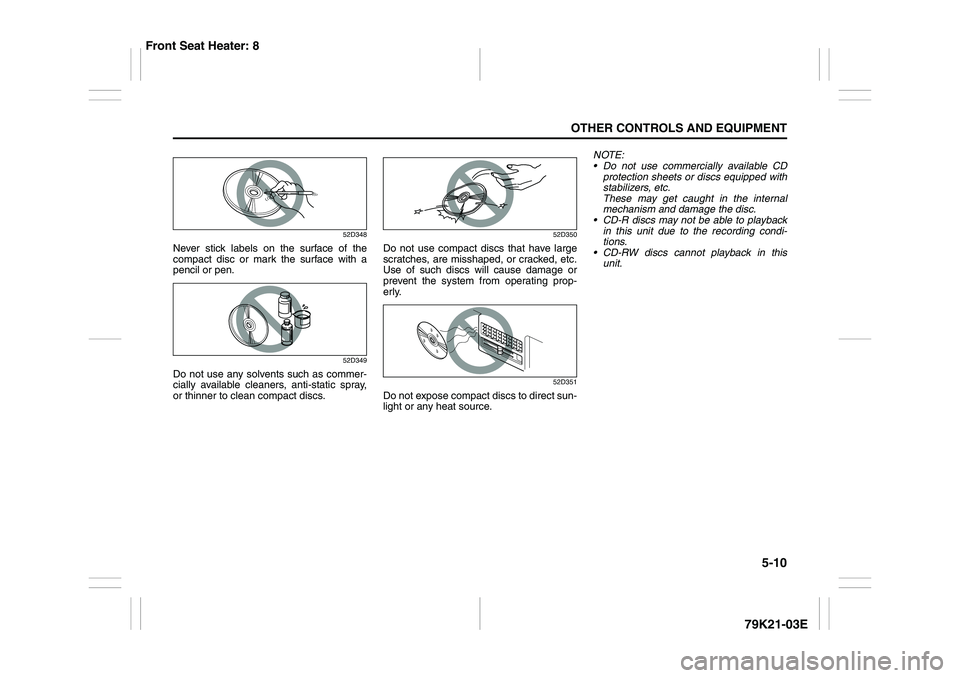
52D348
Never stick labels on the surface of the
compact disc or mark the surface with a
pencil or pen.
52D349
Do not use any solvents such as commer-
cially available cleaners, anti-static spray,
or thinner to clean compact discs.
52D350
Do not use compact discs that have large
scratches, are misshaped, or cracked, etc.
Use of such discs will cause damage or
prevent the system from operating prop-
erly.
52D351
Do not expose compact discs to direct sun-
light or any heat source.NOTE:
Do not use commercially available CD
protection sheets or discs equipped with
stabilizers, etc.
These may get caught in the internal
mechanism and damage the disc.
CD-R discs may not be able to playback
in this unit due to the recording condi-
tions.
CD-RW discs cannot playback in this
unit.
Front Seat Heater: 8
Page 172 of 337
5-19OTHER CONTROLS AND EQUIPMENT
79K21-03E
NOTE:
About Single CDs (8 cm CDs)
Since the unit is not compatible with a
single CD, do not load it into the unit.
Keep in mind the fact that a single CD
cannot be played even using a single CD
adaptor for the unit.
When a single CD is loaded into the unit
accidentally, it will be ejected immedi-
ately. Please be sure to remove it.
If you forcefully try to push it into the unit
without removing it, the CD cannot be
ejected. This will result in a damage to
the mechanism. Please never do this.Loading one CD
1) Press the load button (1), then press
one of the disc select buttons (2) that
corresponds to the slot into which you
want to load a CD.
66J143
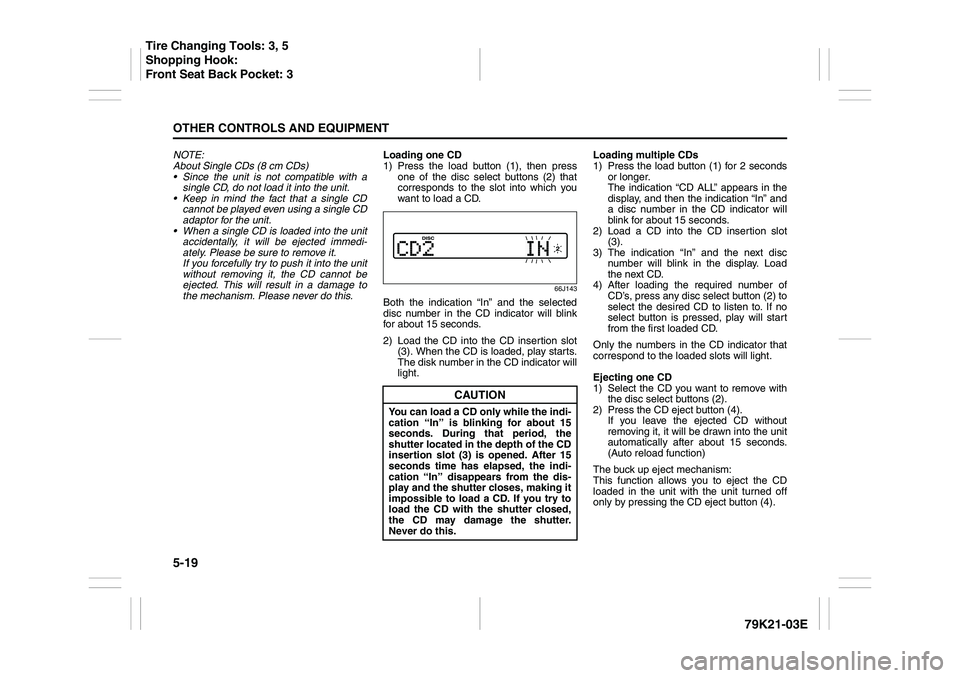
Both the indication “In” and the selected
disc number in the CD indicator will blink
for about 15 seconds.
2) Load the CD into the CD insertion slot
(3). When the CD is loaded, play starts.
The disk number in the CD indicator will
light.Loading multiple CDs
1) Press the load button (1) for 2 seconds
or longer.
The indication “CD ALL” appears in the
display, and then the indication “In” and
a disc number in the CD indicator will
blink for about 15 seconds.
2) Load a CD into the CD insertion slot
(3).
3) The indication “In” and the next disc
number will blink in the display. Load
the next CD.
4) After loading the required number of
CD’s, press any disc select button (2) to
select the desired CD to listen to. If no
select button is pressed, play will start
from the first loaded CD.
Only the numbers in the CD indicator that
correspond to the loaded slots will light.
Ejecting one CD
1) Select the CD you want to remove with
the disc select buttons (2).
2) Press the CD eject button (4).
If you leave the ejected CD without
removing it, it will be drawn into the unit
automatically after about 15 seconds.
(Auto reload function)
The buck up eject mechanism:
This function allows you to eject the CD
loaded in the unit with the unit turned off
only by pressing the CD eject button (4).
CAUTION
You can load a CD only while the indi-
cation “In” is blinking for about 15
seconds. During that period, the
shutter located in the depth of the CD
insertion slot (3) is opened. After 15
seconds time has elapsed, the indi-
cation “In” disappears from the dis-
play and the shutter closes, making it
impossible to load a CD. If you try to
load the CD with the shutter closed,
the CD may damage the shutter.
Never do this.
Tire Changing Tools: 3, 5
Shopping Hook:
Front Seat Back Pocket: 3
Page 173 of 337
5-20
OTHER CONTROLS AND EQUIPMENT
79K21-03E
Ejecting all the CDs
Press the CD eject button (4) for 2 seconds
or longer. All the CDs will be ejected from
the unit in a sequential manner.
Please prepare a location where
removed CDs can be stored.
If you leave the ejected CD without
removing it, it will be drawn into the unit
automatically after about 15 seconds.
(Auto reload function)
The buck up eject mechanism:
This function allows you to eject the CD
loaded in the unit with the unit turned off
only by pressing the CD eject button (4).Listening to a CD
1) When a CD is inserted, it is automati-
cally played back.
When a CD is already inside the unit,
press the disc button (5) to play back
the CD. When a CD is inside the unit,
the CD indicator (A) is lit on the display
unit.
2) If you want to play another CD, select it
with the disc select buttons (2).
Play starts from the point on the disc
that the unit played last (Last position
memory).
Selecting a track
Press the track up button (6) to listen to
the next track.
Press the track down button (7) twice to
listen to the previous track.
When the track down button (7) is
pressed once, the track being currently
played will return to the beginning.
Fast forwarding/Rewinding a track
Hold in the fast forward button (6) to
advance a track rapidly.
Hold in the rewind button (7) to rewind a
track.Repeat play
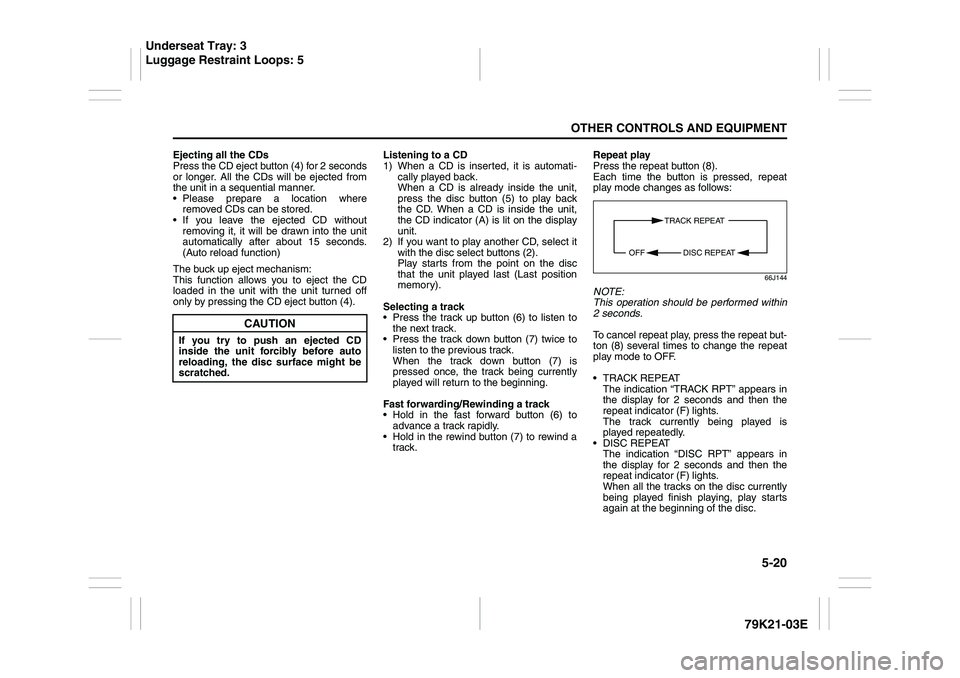
Press the repeat button (8).
Each time the button is pressed, repeat
play mode changes as follows:
66J144
NOTE:
This operation should be performed within
2 seconds.
To cancel repeat play, press the repeat but-
ton (8) several times to change the repeat
play mode to OFF.
TRACK REPEAT
The indication “TRACK RPT” appears in
the display for 2 seconds and then the
repeat indicator (F) lights.
The track currently being played is
played repeatedly.
DISC REPEAT
The indication “DISC RPT” appears in
the display for 2 seconds and then the
repeat indicator (F) lights.
When all the tracks on the disc currently
being played finish playing, play starts
again at the beginning of the disc.
CAUTION
If you try to push an ejected CD
inside the unit forcibly before auto
reloading, the disc surface might be
scratched.
TRACK REPEAT
DISC REPEAT OFF
Underseat Tray: 3
Luggage Restraint Loops: 5
Page 215 of 337
5-62
OTHER CONTROLS AND EQUIPMENT
79K21-03E
Fuel Filler Cap
78K145
64J253
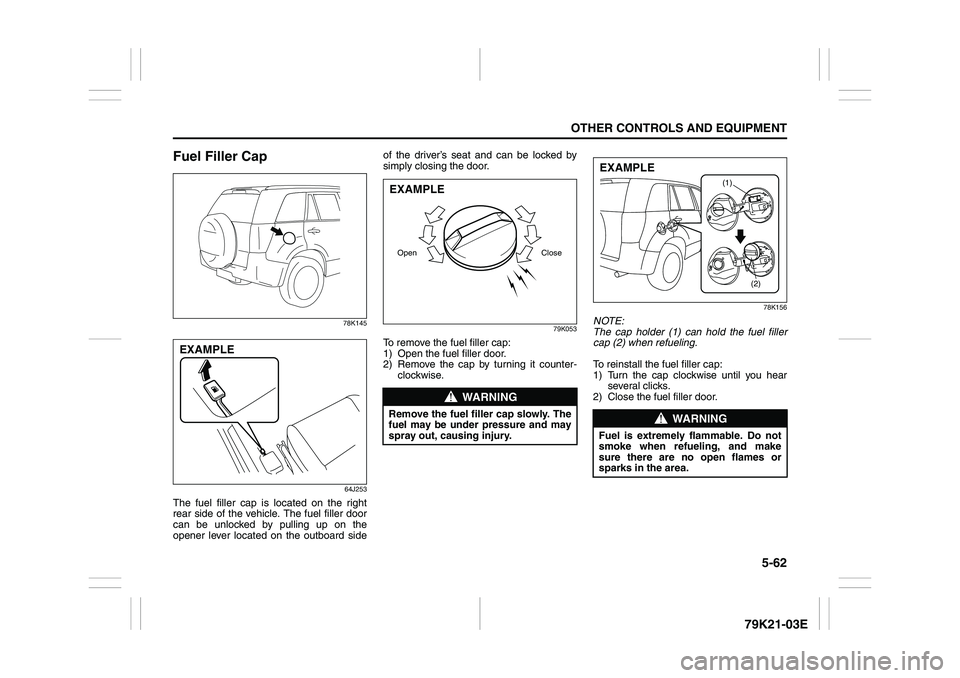
The fuel filler cap is located on the right
rear side of the vehicle. The fuel filler door
can be unlocked by pulling up on the
opener lever located on the outboard sideof the driver’s seat and can be locked by
simply closing the door.
79K053
To remove the fuel filler cap:
1) Open the fuel filler door.
2) Remove the cap by turning it counter-
clockwise.
78K156
NOTE:
The cap holder (1) can hold the fuel filler
cap (2) when refueling.
To reinstall the fuel filler cap:
1) Turn the cap clockwise until you hear
several clicks.
2) Close the fuel filler door.
EXAMPLE
WARNING
Remove the fuel filler cap slowly. The
fuel may be under pressure and may
spray out, causing injury.Open CloseEXAMPLE
WARNING
Fuel is extremely flammable. Do not
smoke when refueling, and make
sure there are no open flames or
sparks in the area.
(1)
(2)
EXAMPLE
Page 226 of 337
5-73OTHER CONTROLS AND EQUIPMENT
79K21-03E
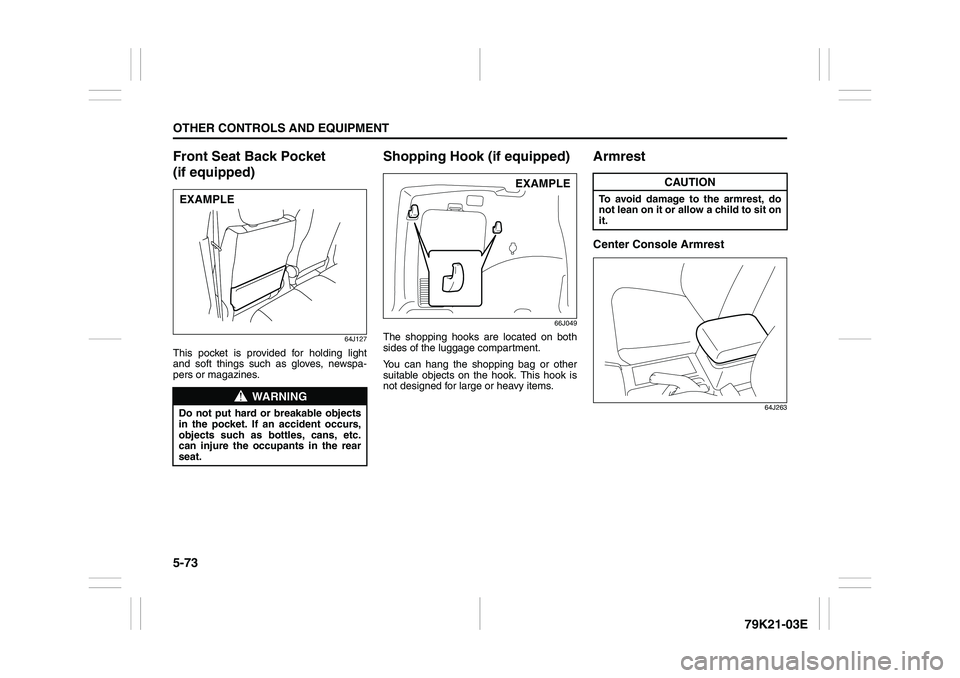
Front Seat Back Pocket
(if equipped)
64J127
This pocket is provided for holding light
and soft things such as gloves, newspa-
pers or magazines.
Shopping Hook (if equipped)
66J049
The shopping hooks are located on both
sides of the luggage compartment.
You can hang the shopping bag or other
suitable objects on the hook. This hook is
not designed for large or heavy items.
ArmrestCenter Console Armrest
64J263
WARNING
Do not put hard or breakable objects
in the pocket. If an accident occurs,
objects such as bottles, cans, etc.
can injure the occupants in the rear
seat.EXAMPLE
EXAMPLE
CAUTION
To avoid damage to the armrest, do
not lean on it or allow a child to sit on
it.
Page 227 of 337
5-74
OTHER CONTROLS AND EQUIPMENT
79K21-03E
Floor Mats (if equipped)
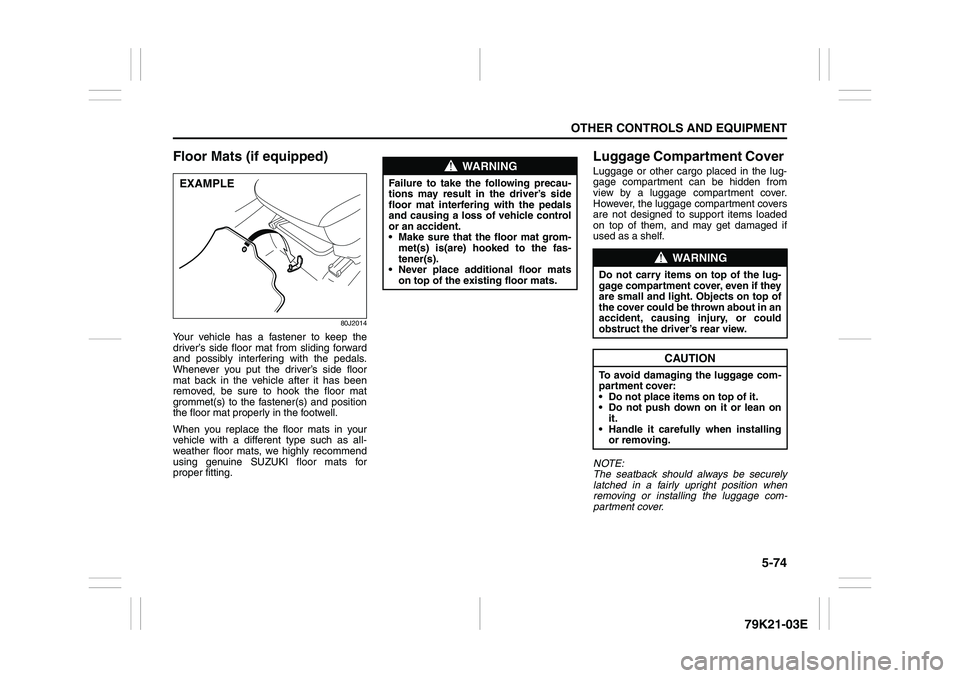
80J2014
Your vehicle has a fastener to keep the
driver’s side floor mat from sliding forward
and possibly interfering with the pedals.
Whenever you put the driver’s side floor
mat back in the vehicle after it has been
removed, be sure to hook the floor mat
grommet(s) to the fastener(s) and position
the floor mat properly in the footwell.
When you replace the floor mats in your
vehicle with a different type such as all-
weather floor mats, we highly recommend
using genuine SUZUKI floor mats for
proper fitting.
Luggage Compartment Cover Luggage or other cargo placed in the lug-
gage compartment can be hidden from
view by a luggage compartment cover.
However, the luggage compartment covers
are not designed to support items loaded
on top of them, and may get damaged if
used as a shelf.
NOTE:
The seatback should always be securely
latched in a fairly upright position when
removing or installing the luggage com-
partment cover.
EXAMPLE
WARNING
Failure to take the following precau-
tions may result in the driver’s side
floor mat interfering with the pedals
and causing a loss of vehicle control
or an accident.
Make sure that the floor mat grom-
met(s) is(are) hooked to the fas-
tener(s).
Never place additional floor mats
on top of the existing floor mats.
WARNING
Do not carry items on top of the lug-
gage compartment cover, even if they
are small and light. Objects on top of
the cover could be thrown about in an
accident, causing injury, or could
obstruct the driver’s rear view.
CAUTION
To avoid damaging the luggage com-
partment cover:
Do not place items on top of it.
Do not push down on it or lean on
it.
Handle it carefully when installing
or removing.
Page 228 of 337
5-75OTHER CONTROLS AND EQUIPMENT
79K21-03E
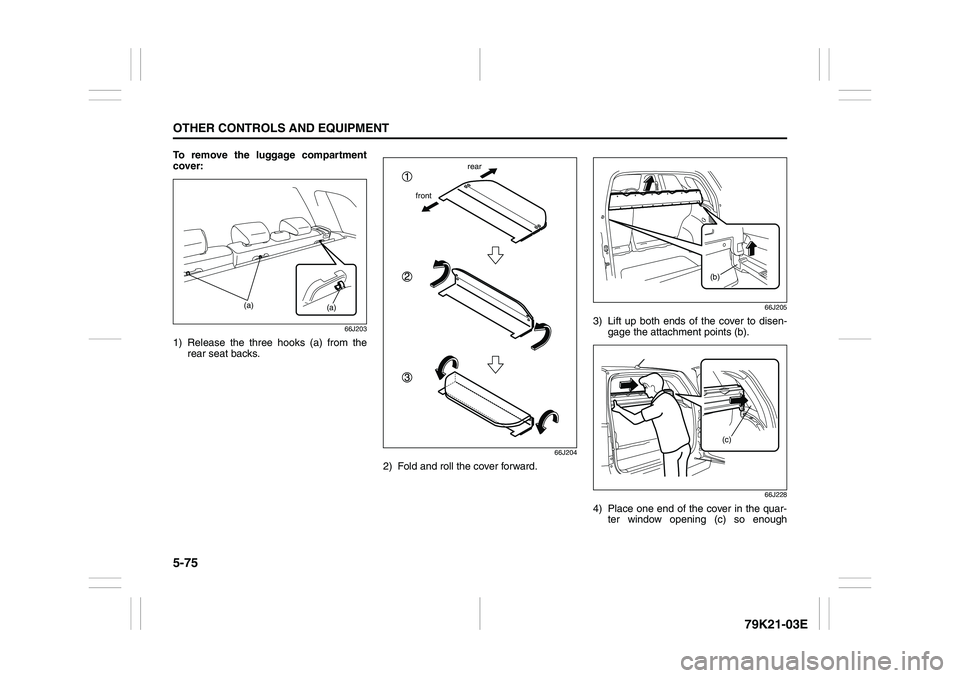
To remove the luggage compartment
cover:
66J203
1) Release the three hooks (a) from the
rear seat backs.
66J204
2) Fold and roll the cover forward.
66J205
3) Lift up both ends of the cover to disen-
gage the attachment points (b).
66J228
4) Place one end of the cover in the quar-
ter window opening (c) so enough
(a)
(a)
frontrear
(b)
(c)