ignition SUZUKI GRAND VITARA 2010 3.G Owner's Guide
[x] Cancel search | Manufacturer: SUZUKI, Model Year: 2010, Model line: GRAND VITARA, Model: SUZUKI GRAND VITARA 2010 3.GPages: 337, PDF Size: 6.21 MB
Page 84 of 337
2-67BEFORE DRIVING
79K21-03E
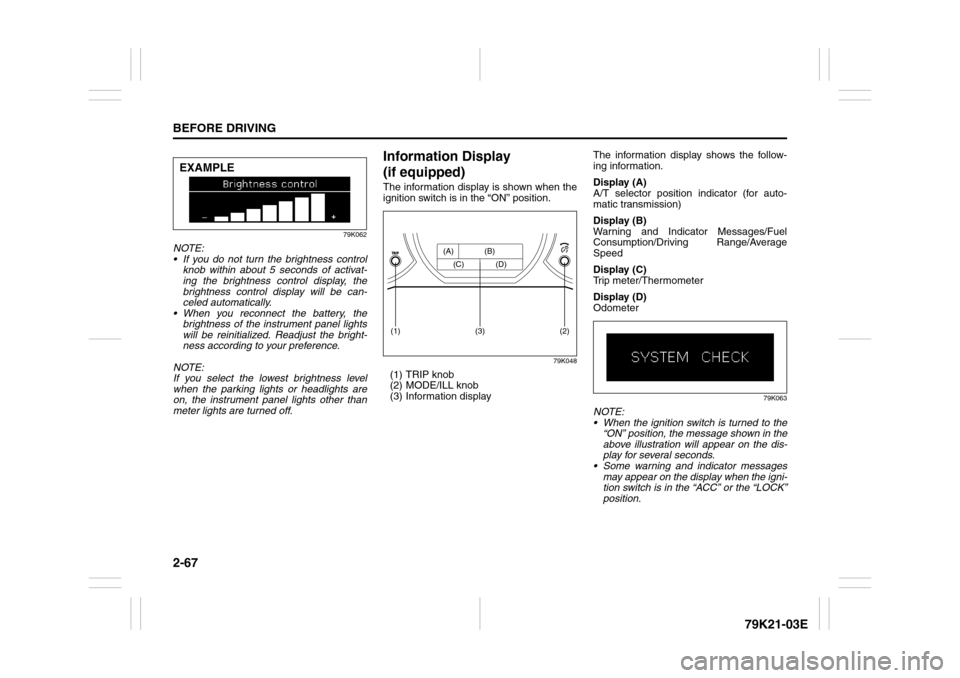
79K062
NOTE:
If you do not turn the brightness control
knob within about 5 seconds of activat-
ing the brightness control display, the
brightness control display will be can-
celed automatically.
When you reconnect the battery, the
brightness of the instrument panel lights
will be reinitialized. Readjust the bright-
ness according to your preference.
NOTE:
If you select the lowest brightness level
when the parking lights or headlights are
on, the instrument panel lights other than
meter lights are turned off.
Information Display
(if equipped)The information display is shown when the
ignition switch is in the “ON” position.
79K048
(1) TRIP knob
(2) MODE/ILL knob
(3) Information displayThe information display shows the follow-
ing information.
Display (A)
A/T selector position indicator (for auto-
matic transmission)
Display (B)
Warning and Indicator Messages/Fuel
Consumption/Driving Range/Average
Speed
Display (C)
Trip meter/Thermometer
Display (D)
Odometer
79K063
NOTE:
When the ignition switch is turned to the
“ON” position, the message shown in the
above illustration will appear on the dis-
play for several seconds.
Some warning and indicator messages
may appear on the display when the igni-
tion switch is in the “ACC” or the “LOCK”
position.
EXAMPLE
(2)
(1)
(3)
(A) (B)
(C) (D)
Page 86 of 337
2-69BEFORE DRIVING
79K21-03E
Instantaneous fuel consumption
If you selected instantaneous fuel con-
sumption the last time you drove the vehi-
cle, the display does not show the bar
graph when the ignition switch is turned to
the “ON” position. The display shows the
bar graph only when the vehicle is moving.
Average fuel consumption
If you selected average fuel consumption
the last time you drove the vehicle, the dis-
play shows the last value of average fuel
consumption from previous driving when
the ignition switch is turned to the “ON”
position. Unless you reset the value of
average fuel consumption, the display indi-
cates the value of average fuel consump-
tion which includes average fuel
consumption during previous driving.
NOTE:
When you reconnect the negative (–) ter-
minal to the battery, the value of average
fuel consumption will be shown after driv-
ing for a while.You can select when the value of average
fuel consumption is reset from among the
following three methods;
Reset after refuel: the value of average
fuel consumption will be reset automati-
cally by refueling.
Reset with trip A: the value of average
fuel consumption will be reset automati-
cally by resetting trip meter A.
Reset manually: the value of average
fuel consumption will be reset by push-
ing and holding the MODE/ILL knob (2)
when the display indicates the average
fuel consumption.
To change when the value of average fuel
consumption is reset, refer to “Setting
Mode” later in this section.
NOTE:
If you add only a small amount of fuel
when you select “Reset after refuel”, the
average fuel consumption value may not
be reset.Driving range
If you selected driving range the last time
you drove the vehicle, the display indicates
“---” for a few seconds and then indicates
the current driving range when the ignition
switch is turned to the “ON” position.
The driving range shown in the display is
the approximate distance you can drive
until the fuel gauge indicates “E”, based on
current driving conditions.
When the remaining fuel in fuel tank
reaches a low level, the display “---” will
appear.
If the low fuel warning light comes on, fill
the fuel tank immediately regardless of the
value of driving range shown in the display.
As the driving range after refueling is cal-
culated based on the most recent driving
condition, the value is different each time
you refuel.
NOTE:
If you refuel when the ignition switch is in
the “ON” position, the driving range may
not indicate the correct value.
When you reconnect the negative (–) ter-
minal to the battery, the value of driving
range will be shown after driving for a
while.
Page 87 of 337
2-70
BEFORE DRIVING
79K21-03E
Average speed
If you selected average speed the last time
you drove the vehicle, the display indicates
the last value of average speed from previ-
ous driving when the ignition switch is
turned to the “ON” position. Unless you
reset the value of average speed, the dis-
play indicates the value of average speed
which includes average speed during pre-
vious driving.
To reset the value of average speed, push
and hold the MODE/ILL knob (2) for about
2 seconds when the display indicates an
average speed. The display shows “---”
and then indicates a new average speed
after driving for a short time.
NOTE:
When you reconnect the negative (–) ter-
minal to the battery, the value of average
speed will be shown after driving for a
while.
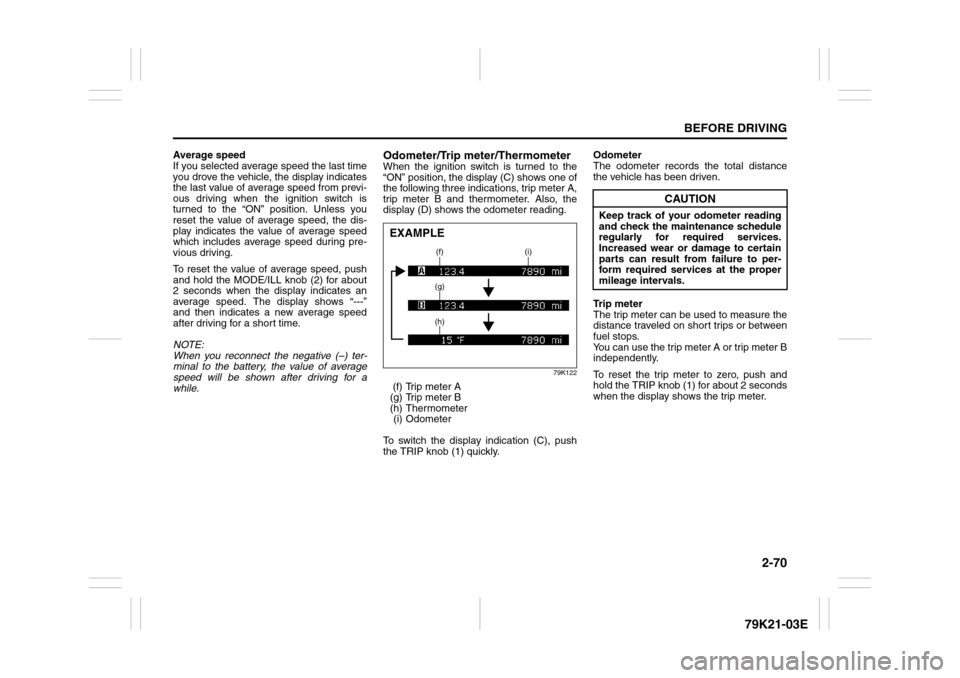
Odometer/Trip meter/ThermometerWhen the ignition switch is turned to the
“ON” position, the display (C) shows one of
the following three indications, trip meter A,
trip meter B and thermometer. Also, the
display (D) shows the odometer reading.
79K122
(f) Trip meter A
(g) Trip meter B
(h) Thermometer
(i) Odometer
To switch the display indication (C), push
the TRIP knob (1) quickly.Odometer
The odometer records the total distance
the vehicle has been driven.
Trip meter
The trip meter can be used to measure the
distance traveled on short trips or between
fuel stops.
You can use the trip meter A or trip meter B
independently.
To reset the trip meter to zero, push and
hold the TRIP knob (1) for about 2 seconds
when the display shows the trip meter.EXAMPLE
(f) (i)
(g)
(h)
CAUTION
Keep track of your odometer reading
and check the maintenance schedule
regularly for required services.
Increased wear or damage to certain
parts can result from failure to per-
form required services at the proper
mileage intervals.
Page 88 of 337
2-71BEFORE DRIVING
79K21-03E
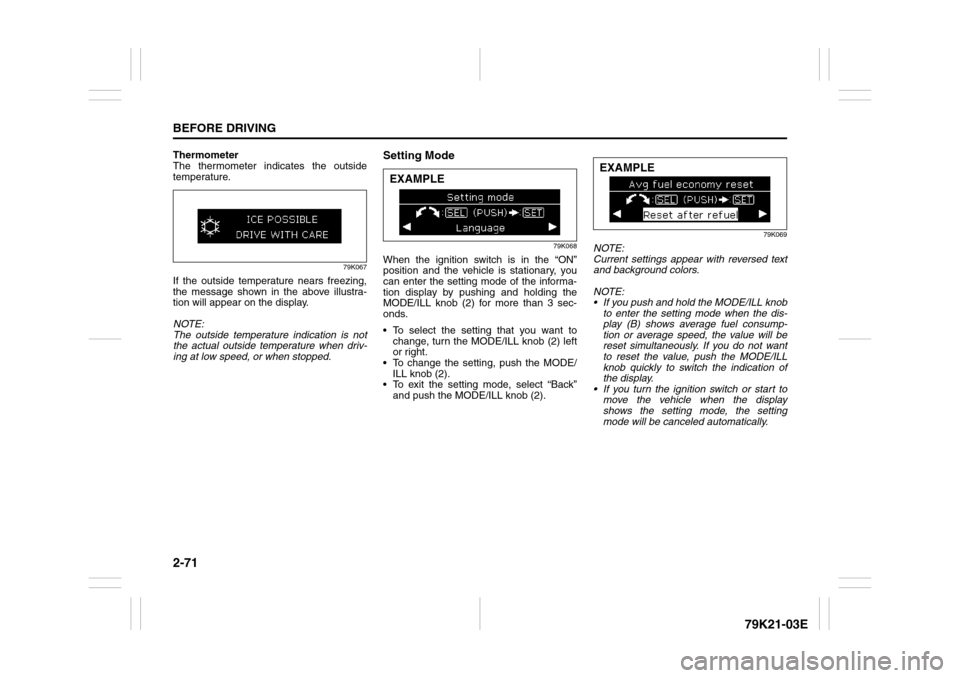
Thermometer
The thermometer indicates the outside
temperature.
79K067
If the outside temperature nears freezing,
the message shown in the above illustra-
tion will appear on the display.
NOTE:
The outside temperature indication is not
the actual outside temperature when driv-
ing at low speed, or when stopped.
Setting Mode
79K068
When the ignition switch is in the “ON”
position and the vehicle is stationary, you
can enter the setting mode of the informa-
tion display by pushing and holding the
MODE/ILL knob (2) for more than 3 sec-
onds.
To select the setting that you want to
change, turn the MODE/ILL knob (2) left
or right.
To change the setting, push the MODE/
ILL knob (2).
To exit the setting mode, select “Back”
and push the MODE/ILL knob (2).
79K069
NOTE:
Current settings appear with reversed text
and background colors.
NOTE:
If you push and hold the MODE/ILL knob
to enter the setting mode when the dis-
play (B) shows average fuel consump-
tion or average speed, the value will be
reset simultaneously. If you do not want
to reset the value, push the MODE/ILL
knob quickly to switch the indication of
the display.
If you turn the ignition switch or start to
move the vehicle when the display
shows the setting mode, the setting
mode will be canceled automatically.
EXAMPLE
EXAMPLE
Page 93 of 337
2-76
BEFORE DRIVING
79K21-03E
The three systems work together to operate your lights as shown in the following chart:
E/G: Engine
IG: Ignition switch
ON: Lights ON
LIGHT: When it is light around the light sensor (5).
DARK: When it is dark around the light sensor (5).
Lighting
switch
positionMain lights to
be operatedIG OFF IG ON
E/G OFF E/G OFF E/G RUNNING
LIGHT DARK LIGHT DARK LIGHT DARK
(1) OFFD.R.L. ––––ONON
Position lights,
Tail lights––––––
Head lights ––––––
(2) AUTOD.R.L. ––––ON–
Position lights,
Tail lights–––ON–ON
Head lights – – – ON – ON
(3) D.R.L. ––––ONON
Position lights,
Tail lightsON ON ON ON ON ON
Head lights ––––––
(4) D.R.L. ––––––
Position lights,
Tail lightsON ON ON ON ON ON
Head lights ONONONONONON
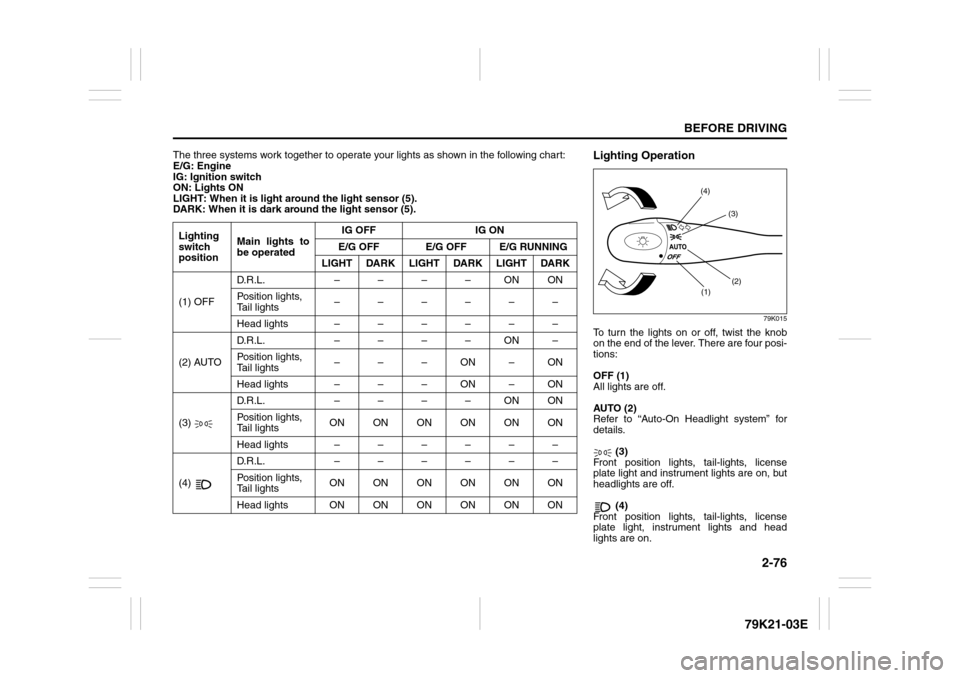
Lighting Operation
79K015
To turn the lights on or off, twist the knob
on the end of the lever. There are four posi-
tions:
OFF (1)
All lights are off.
AUTO (2)
Refer to “Auto-On Headlight system” for
details.
(3)
Front position lights, tail-lights, license
plate light and instrument lights are on, but
headlights are off.
(4)
Front position lights, tail-lights, license
plate light, instrument lights and head
lights are on.
(1)(2) (3) (4)
Page 94 of 337
2-77BEFORE DRIVING
79K21-03E
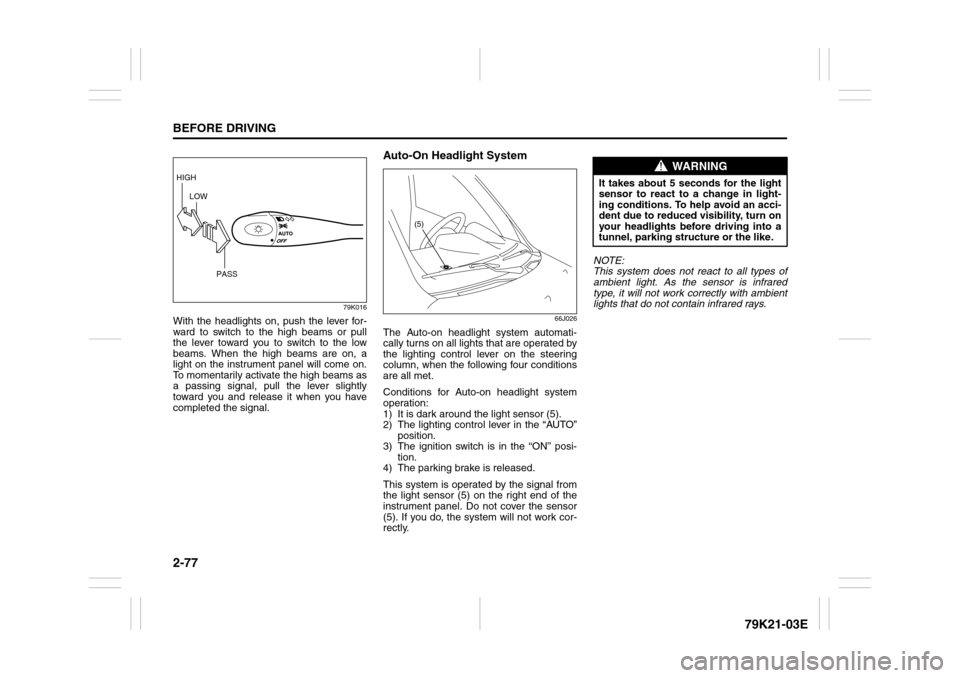
79K016
With the headlights on, push the lever for-
ward to switch to the high beams or pull
the lever toward you to switch to the low
beams. When the high beams are on, a
light on the instrument panel will come on.
To momentarily activate the high beams as
a passing signal, pull the lever slightly
toward you and release it when you have
completed the signal.
Auto-On Headlight System
66J026
The Auto-on headlight system automati-
cally turns on all lights that are operated by
the lighting control lever on the steering
column, when the following four conditions
are all met.
Conditions for Auto-on headlight system
operation:
1) It is dark around the light sensor (5).
2) The lighting control lever in the “AUTO”
position.
3) The ignition switch is in the “ON” posi-
tion.
4) The parking brake is released.
This system is operated by the signal from
the light sensor (5) on the right end of the
instrument panel. Do not cover the sensor
(5). If you do, the system will not work cor-
rectly.NOTE:
This system does not react to all types of
ambient light. As the sensor is infrared
type, it will not work correctly with ambient
lights that do not contain infrared rays.
HIGH
LOW
PASS
(5)
WARNING
It takes about 5 seconds for the light
sensor to react to a change in light-
ing conditions. To help avoid an acci-
dent due to reduced visibility, turn on
your headlights before driving into a
tunnel, parking structure or the like.
Page 96 of 337
2-79BEFORE DRIVING
79K21-03E
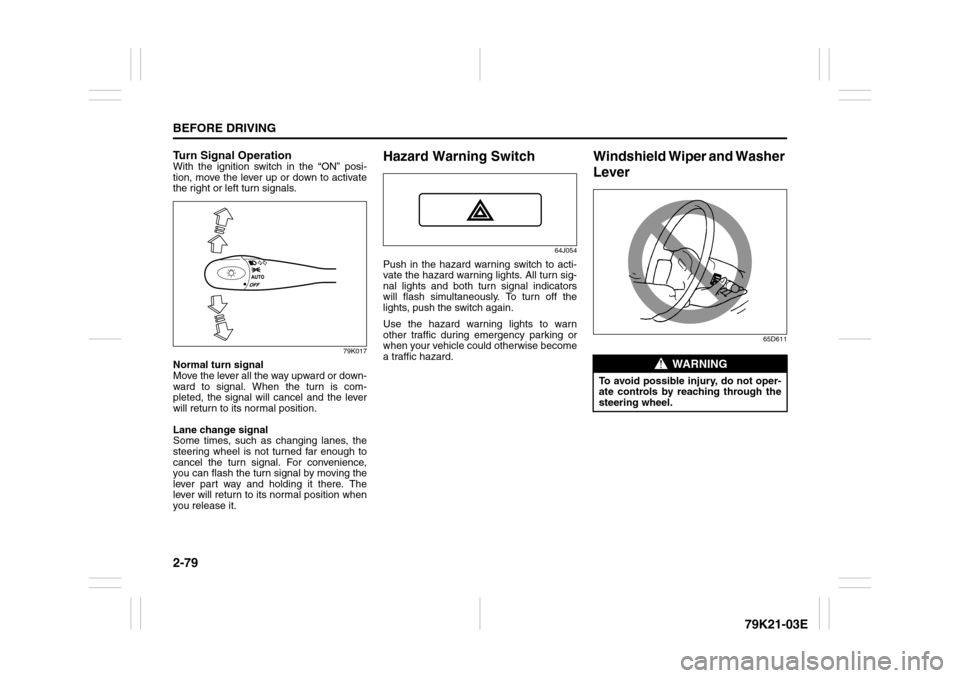
Turn Signal OperationWith the ignition switch in the “ON” posi-
tion, move the lever up or down to activate
the right or left turn signals.
79K017
Normal turn signal
Move the lever all the way upward or down-
ward to signal. When the turn is com-
pleted, the signal will cancel and the lever
will return to its normal position.
Lane change signal
Some times, such as changing lanes, the
steering wheel is not turned far enough to
cancel the turn signal. For convenience,
you can flash the turn signal by moving the
lever part way and holding it there. The
lever will return to its normal position when
you release it.
Hazard Warning Switch
64J054
Push in the hazard warning switch to acti-
vate the hazard warning lights. All turn sig-
nal lights and both turn signal indicators
will flash simultaneously. To turn off the
lights, push the switch again.
Use the hazard warning lights to warn
other traffic during emergency parking or
when your vehicle could otherwise become
a traffic hazard.
Windshield Wiper and Washer
Lever
65D611
WARNING
To avoid possible injury, do not oper-
ate controls by reaching through the
steering wheel.
Page 99 of 337
2-82
BEFORE DRIVING
79K21-03E
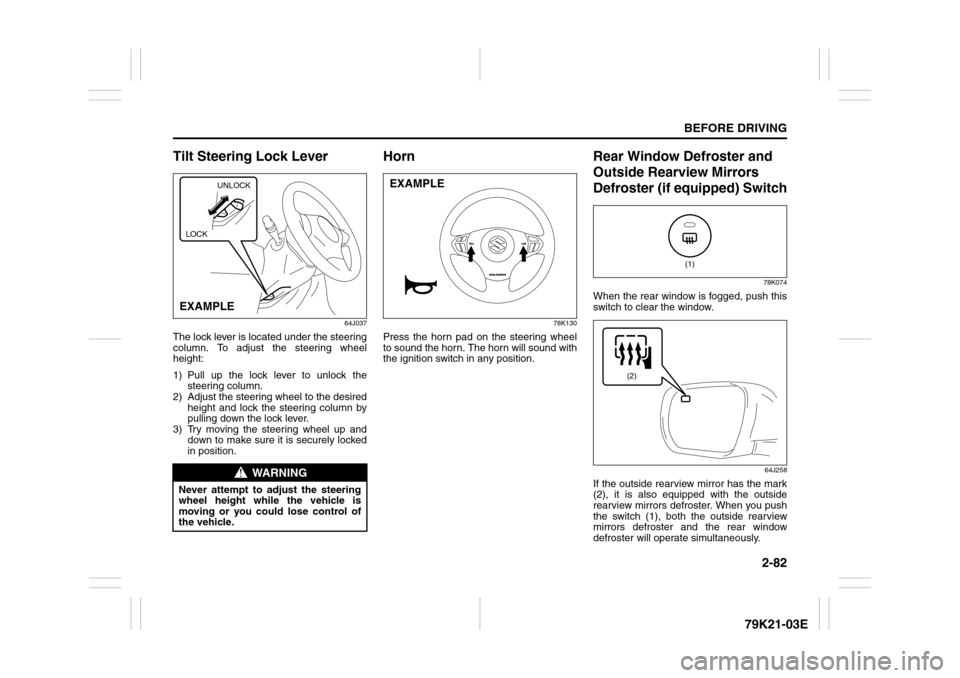
Tilt Steering Lock Lever
64J037
The lock lever is located under the steering
column. To adjust the steering wheel
height:
1) Pull up the lock lever to unlock the
steering column.
2) Adjust the steering wheel to the desired
height and lock the steering column by
pulling down the lock lever.
3) Try moving the steering wheel up and
down to make sure it is securely locked
in position.
Horn
78K130
Press the horn pad on the steering wheel
to sound the horn. The horn will sound with
the ignition switch in any position.
Rear Window Defroster and
Outside Rearview Mirrors
Defroster (if equipped) Switch
78K074
When the rear window is fogged, push this
switch to clear the window.
64J258
If the outside rearview mirror has the mark
(2), it is also equipped with the outside
rearview mirrors defroster. When you push
the switch (1), both the outside rearview
mirrors defroster and the rear window
defroster will operate simultaneously.
WARNING
Never attempt to adjust the steering
wheel height while the vehicle is
moving or you could lose control of
the vehicle.
UNLOCK
EXAMPLELOCK
EXAMPLE
(1)
(2)
Page 101 of 337
OPERATING YOUR VEHICLE
3
79K21-03E
60G408
OPERATING YOUR VEHICLEExhaust Gas Warning ......................................................... 3-1
Daily Inspection Checklist .................................................. 3-2
Ignition Switch ..................................................................... 3-3
Parking Brake Lever ........................................................... 3-7
Pedals ................................................................................... 3-8
Starting the Engine ............................................................. 3-9
Engine Block Heater (if equipped) ..................................... 3-10
Using the Transmission ..................................................... 3-11
Using the Transfer Switch (if equipped) ........................... 3-15
Cruise Control ..................................................................... 3-26
Braking ................................................................................. 3-28
Electronic Stability Program (ESP®) ................................. 3-31
Tire Pressure Monitoring System (TPMS)
(if equipped) ......................................................................... 3-37
Page 104 of 337
3-3OPERATING YOUR VEHICLE
79K21-03E
Ignition Switch
65D611
Vehicle Without Keyless Start Sys-
tem
60B041
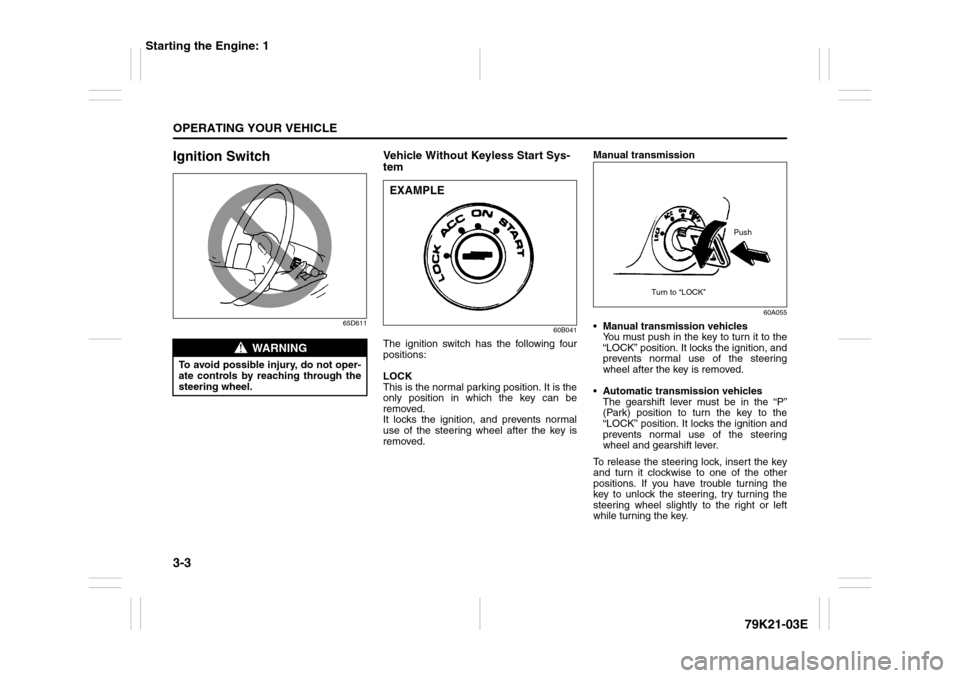
The ignition switch has the following four
positions:
LOCK
This is the normal parking position. It is the
only position in which the key can be
removed.
It locks the ignition, and prevents normal
use of the steering wheel after the key is
removed.Manual transmission
60A055
Manual transmission vehicles
You must push in the key to turn it to the
“LOCK” position. It locks the ignition, and
prevents normal use of the steering
wheel after the key is removed.
Automatic transmission vehicles
The gearshift lever must be in the “P”
(Park) position to turn the key to the
“LOCK” position. It locks the ignition and
prevents normal use of the steering
wheel and gearshift lever.
To release the steering lock, insert the key
and turn it clockwise to one of the other
positions. If you have trouble turning the
key to unlock the steering, try turning the
steering wheel slightly to the right or left
while turning the key.
WARNING
To avoid possible injury, do not oper-
ate controls by reaching through the
steering wheel.
EXAMPLE
Push
Turn to “LOCK”
Starting the Engine: 1