display SUZUKI GRAND VITARA 2011 User Guide
[x] Cancel search | Manufacturer: SUZUKI, Model Year: 2011, Model line: GRAND VITARA, Model: SUZUKI GRAND VITARA 2011Pages: 337, PDF Size: 6.21 MB
Page 88 of 337
2-71BEFORE DRIVING
79K21-03E
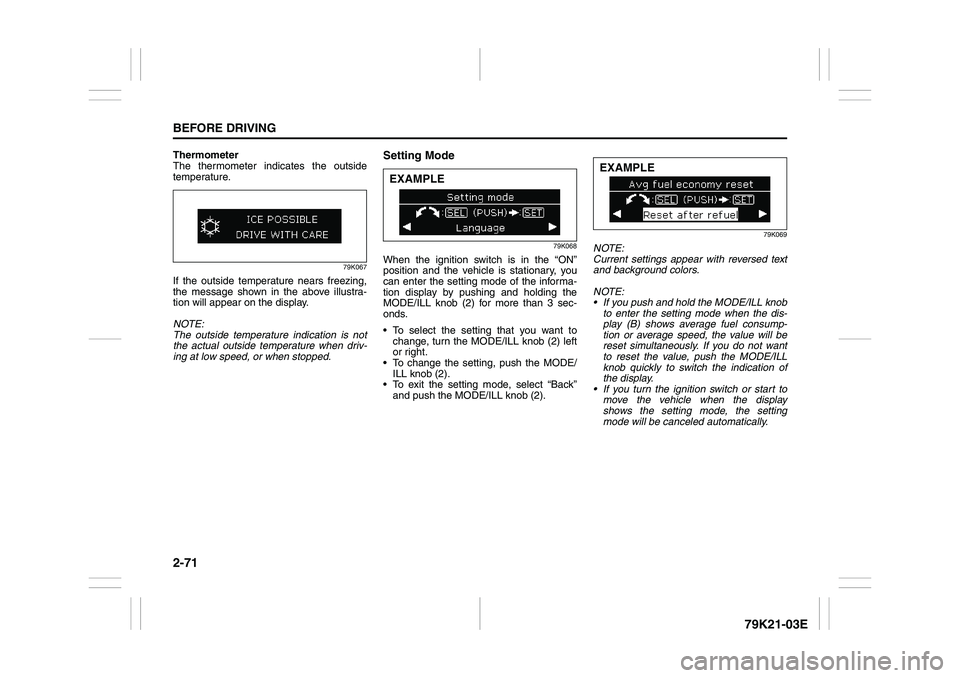
Thermometer
The thermometer indicates the outside
temperature.
79K067
If the outside temperature nears freezing,
the message shown in the above illustra-
tion will appear on the display.
NOTE:
The outside temperature indication is not
the actual outside temperature when driv-
ing at low speed, or when stopped.
Setting Mode
79K068
When the ignition switch is in the “ON”
position and the vehicle is stationary, you
can enter the setting mode of the informa-
tion display by pushing and holding the
MODE/ILL knob (2) for more than 3 sec-
onds.
To select the setting that you want to
change, turn the MODE/ILL knob (2) left
or right.
To change the setting, push the MODE/
ILL knob (2).
To exit the setting mode, select “Back”
and push the MODE/ILL knob (2).
79K069
NOTE:
Current settings appear with reversed text
and background colors.
NOTE:
If you push and hold the MODE/ILL knob
to enter the setting mode when the dis-
play (B) shows average fuel consump-
tion or average speed, the value will be
reset simultaneously. If you do not want
to reset the value, push the MODE/ILL
knob quickly to switch the indication of
the display.
If you turn the ignition switch or start to
move the vehicle when the display
shows the setting mode, the setting
mode will be canceled automatically.
EXAMPLE
EXAMPLE
Page 89 of 337
2-72
BEFORE DRIVING
79K21-03E
Distance units
You can change the units odo/trip meter
distance is displayed in.
NOTE:
When you change the units odo/trip meter
distance is displayed in, the trip meter will
be reset automatically.
Fuel economy units
You can change the units that fuel con-
sumption is displayed in.
Language
You can change the language of the infor-
mation display.
Avg. fuel economy reset
You can change when the value of average
fuel consumption is reset.
Temperature units
You can change the units that temperature
is displayed in.
NOTE:
When you change the units that tempera-
ture is displayed in, the air conditioning
system temperature display units will be
changed automatically.
Default setting
If you select “YES” and push the MODE/
ILL knob (2), all settings will be reinitial-
ized.
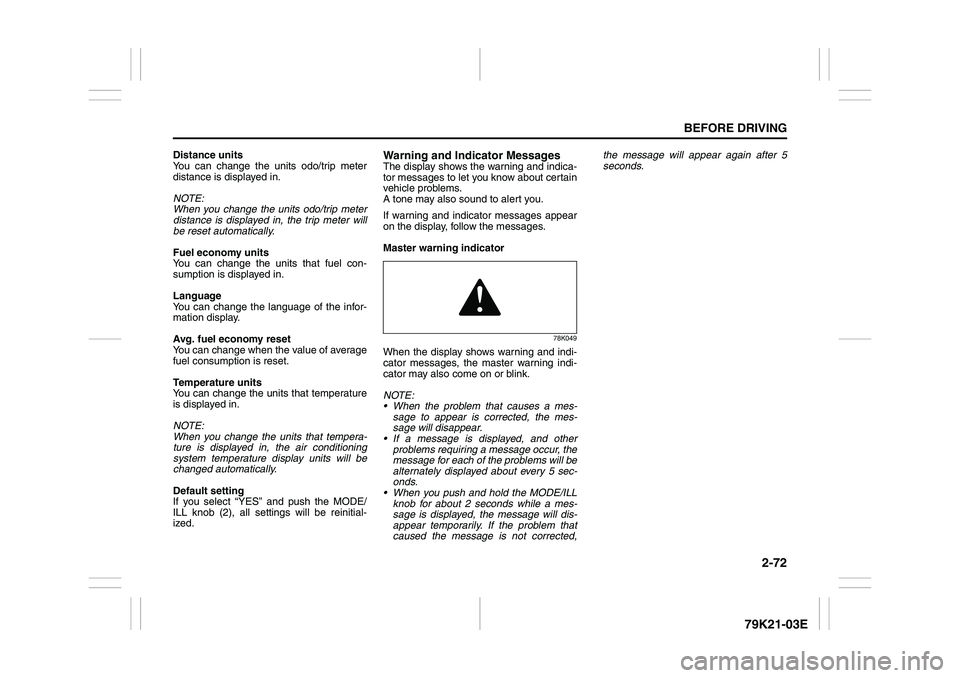
Warning and Indicator MessagesThe display shows the warning and indica-
tor messages to let you know about certain
vehicle problems.
A tone may also sound to alert you.
If warning and indicator messages appear
on the display, follow the messages.
Master warning indicator
78K049
When the display shows warning and indi-
cator messages, the master warning indi-
cator may also come on or blink.
NOTE:
When the problem that causes a mes-
sage to appear is corrected, the mes-
sage will disappear.
If a message is displayed, and other
problems requiring a message occur, the
message for each of the problems will be
alternately displayed about every 5 sec-
onds.
When you push and hold the MODE/ILL
knob for about 2 seconds while a mes-
sage is displayed, the message will dis-
appear temporarily. If the problem that
caused the message is not corrected,the message will appear again after 5
seconds.
Page 91 of 337
2-74
BEFORE DRIVING
79K21-03E
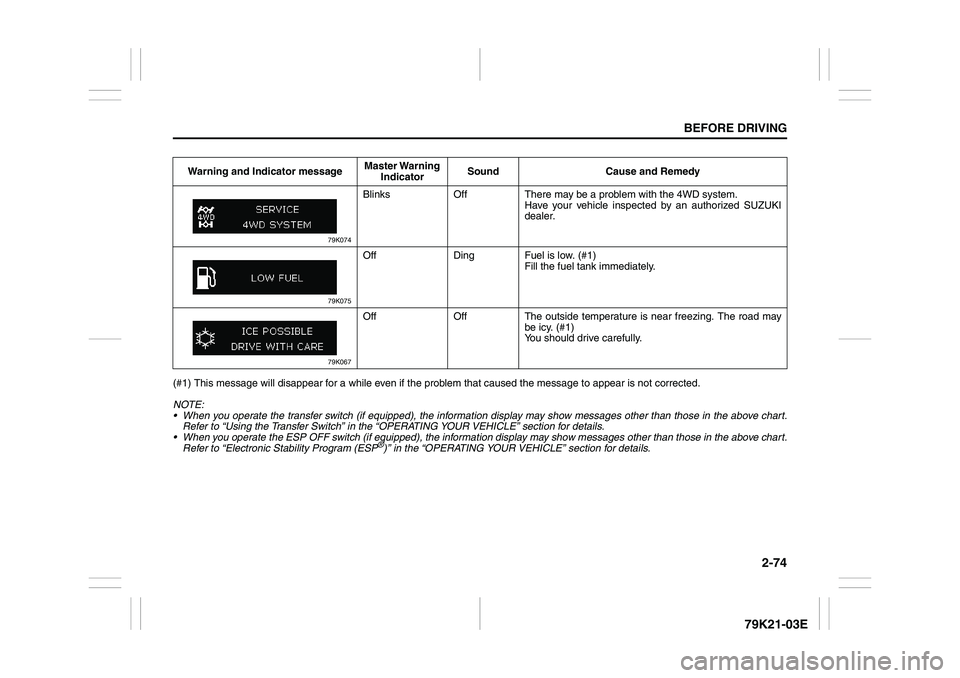
(#1) This message will disappear for a while even if the problem that caused the message to appear is not corrected.
NOTE:
When you operate the transfer switch (if equipped), the information display may show messages other than those in the above chart.
Refer to “Using the Transfer Switch” in the “OPERATING YOUR VEHICLE” section for details.
When you operate the ESP OFF switch (if equipped), the information display may show messages other than those in the above chart.
Refer to “Electronic Stability Program (ESP
®)” in the “OPERATING YOUR VEHICLE” section for details. Warning and Indicator messageMaster Warning
IndicatorSound Cause and Remedy
79K074
Blinks Off There may be a problem with the 4WD system.
Have your vehicle inspected by an authorized SUZUKI
dealer.
79K075
Off Ding Fuel is low. (#1)
Fill the fuel tank immediately.
79K067
Off Off The outside temperature is near freezing. The road may
be icy. (#1)
You should drive carefully.
Page 95 of 337
2-78
BEFORE DRIVING
79K21-03E
Daytime Running Light (D.R.L.)
SystemThe headlights light, but are dimmer than
the low beam, when the following three
conditions are all met. Also, the D.R.L. indi-
cator light on the instrument panel comes
on.
Conditions for D.R.L. system operation:
1) The engine is running.
2) The parking brake is released.
3) The headlights are off, or the lighting
switch in the “AUTO” position and it is
light around the light sensor.
NOTE:
Be sure to turn the headlights on at night
or at any time of the day when driving or
weather conditions require the headlights
to operate at full brightness and the tail-
lights to be on.
Lights “On” reminder
A buzzer sounds to remind you to turn off
the lights if they are left on when the igni-
tion key is removed and the driver’s door is
opened.
NOTE:
The warning and indicator message and
the illumination indicator light will be shown
on the information display when this
reminder is activated.
Front Fog Light Switch
(if equipped)
64J058
The front fog light comes on when the fog
light switch is pushed in with:
the headlights are on and the beams set
to the low beam position, or
the auto-on headlight system on and the
beams set to the low beam position.
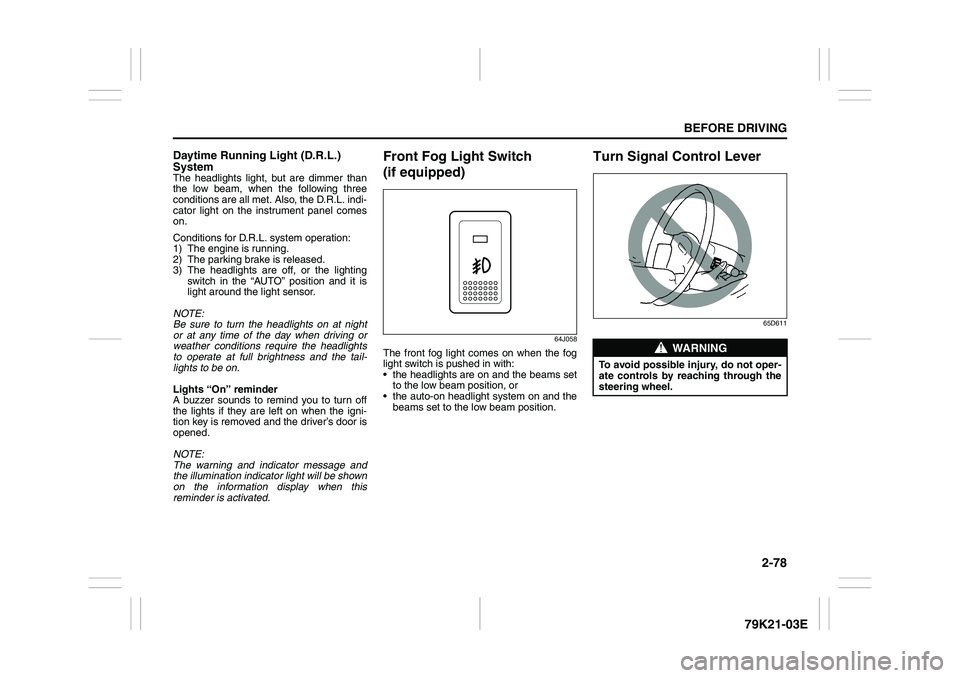
Turn Signal Control Lever
65D611
WARNING
To avoid possible injury, do not oper-
ate controls by reaching through the
steering wheel.
Page 123 of 337
3-22
OPERATING YOUR VEHICLE
79K21-03E
NOTE:
The information display shows the warning
and indicator message when the transfer
system is operated, or has a problem.
CAUTION
Be sure to stop the vehicle com-
pletely before operating the trans-
fer switch to shift between “N” and
“4H”, or between “4H LOCK” and
“4L LOCK”.
Do not shift between “4H” and “4H
LOCK” unless the front wheels are
in the straight-ahead position and
we recommend that the vehicle
speed be less than 100 km/h (60
mph).
Do not operate the transfer switch
while tires are racing.
Do not operate your vehicle in “4H
LOCK” or “4L LOCK” on dry, hard
surfaces.
(Continued)
CAUTION
(Continued)
Do not operate the vehicle while a
4WD mode indicator is blinking
except when shifting between “4H”
and “4L LOCK”.
If you operate the vehicle while a
4WD mode indicator is blinking, a
buzzer will sound and the transfer
will shift to “N” (Neutral) to prevent
transfer case damage.
In this case, use the following pro-
cedure.
1) Release your foot from the accel-
erator pedal and depress the
brake pedal to stop the vehicle
completely.
2) Depress the clutch pedal fully (if
equipped) or shift the automatic
transmission gearshift lever to the
“N” position.
3) If the transfer does not shift from
“N” although you perform 1) and
2), turn the transfer switch to the
position previously selected and
operate the switch again.
Catalytic Converter: NO
Page 134 of 337
3-33OPERATING YOUR VEHICLE
79K21-03E
NOTE:
When you disconnect and re-connect the
battery, ESP
® system functions other than
ABS will be deactivated and the slip indica-
tor light will blink 1 time per second. In this
case, use the following procedure to re-
activate the ESP
® systems:
1) Drive your vehicle straight ahead with-
out tire slippage at a speed greater than
approximately 15 km/h (9 mph) for a
few seconds
2) The slip indicator light will go out and
the ESP
® systems (other than ABS) will
be re-activated
It may take more than few seconds before
the slip indicator light goes out depending
on the road surface condition.
“ESP” Warning Light
66J031
When the ESP
® systems (other than ABS)
have a system malfunction, the “ESP”
warning light in the instrument cluster
comes on.
NOTE:
When the “ESP” warning light comes on,
or stays on while driving, indicating a mal-
function of the ESP
® systems (other than
ABS), the brake system will function as an
ordinary ABS that has no additional ESP
®
functions.
NOTE:
The information display shows the warning
and indicator message when this light
comes on.
“ESP OFF” Indicator Light
66J032
You should turn the ESP
® on during your
ordinary driving, so that you have the ben-
efits of all of the ESP
® systems.
It may be required to turn the ESP
® sys-
tems (other than ABS) off if your vehicle is
stuck in sand, mud, or snow, or when driv-
ing in extreme off-road conditions where
wheel spin is necessary.
CAUTION
If the “ESP” warning light comes on,
or stays on while driving, there may
be a malfunction of the ESP
® sys-
tems (other than ABS). You should
have the systems inspected by an
authorized SUZUKI dealer.
Page 135 of 337
3-34
OPERATING YOUR VEHICLE
79K21-03E
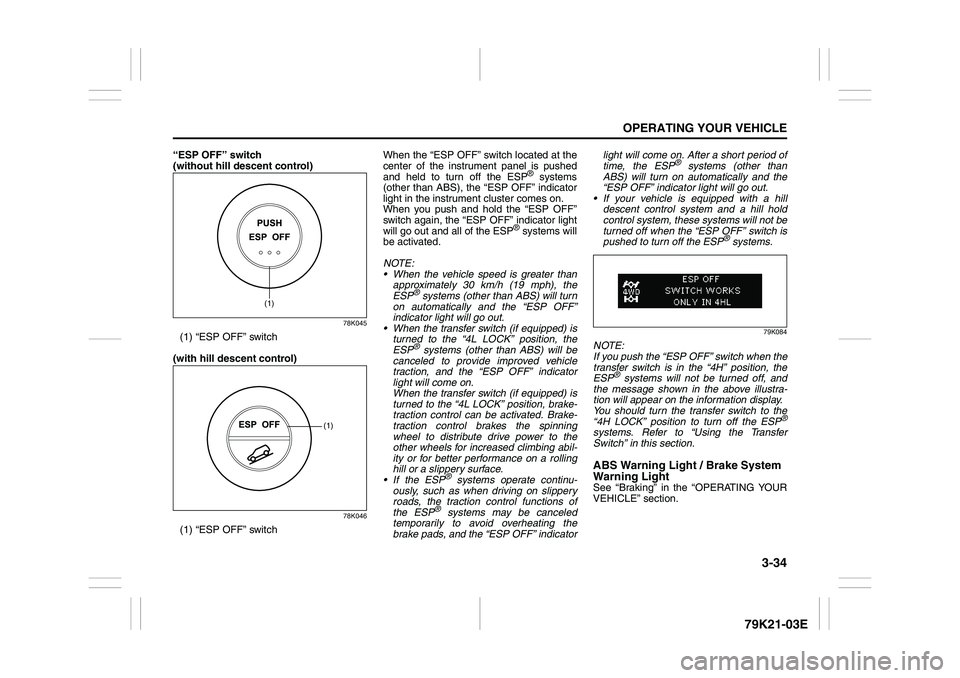
“ESP OFF” switch
(without hill descent control)
78K045
(1) “ESP OFF” switch
(with hill descent control)
78K046
(1) “ESP OFF” switchWhen the “ESP OFF” switch located at the
center of the instrument panel is pushed
and held to turn off the ESP
® systems
(other than ABS), the “ESP OFF” indicator
light in the instrument cluster comes on.
When you push and hold the “ESP OFF”
switch again, the “ESP OFF” indicator light
will go out and all of the ESP
® systems will
be activated.
NOTE:
When the vehicle speed is greater than
approximately 30 km/h (19 mph), the
ESP
® systems (other than ABS) will turn
on automatically and the “ESP OFF”
indicator light will go out.
When the transfer switch (if equipped) is
turned to the “4L LOCK” position, the
ESP® systems (other than ABS) will be
canceled to provide improved vehicle
traction, and the “ESP OFF” indicator
light will come on.
When the transfer switch (if equipped) is
turned to the “4L LOCK” position, brake-
traction control can be activated. Brake-
traction control brakes the spinning
wheel to distribute drive power to the
other wheels for increased climbing abil-
ity or for better performance on a rolling
hill or a slippery surface.
If the ESP
® systems operate continu-
ously, such as when driving on slippery
roads, the traction control functions of
the ESP
® systems may be canceled
temporarily to avoid overheating the
brake pads, and the “ESP OFF” indicatorlight will come on. After a short period of
time, the ESP
® systems (other than
ABS) will turn on automatically and the
“ESP OFF” indicator light will go out.
If your vehicle is equipped with a hill
descent control system and a hill hold
control system, these systems will not be
turned off when the “ESP OFF” switch is
pushed to turn off the ESP
® systems.
79K084
NOTE:
If you push the “ESP OFF” switch when the
transfer switch is in the “4H” position, the
ESP
® systems will not be turned off, and
the message shown in the above illustra-
tion will appear on the information display.
You should turn the transfer switch to the
“4H LOCK” position to turn off the ESP
®
systems. Refer to “Using the Transfer
Switch” in this section.ABS Warning Light / Brake System
Warning LightSee “Braking” in the “OPERATING YOUR
VEHICLE” section.
(1)
(1)
Page 137 of 337
3-36
OPERATING YOUR VEHICLE
79K21-03E
NOTE:
You may hear a sound coming from the
engine when the hill descent control sys-
tem is activated. This sound is normal and
does not indicate a malfunction.Hill descent control Indicator Light
79K050
When the ignition switch is turned to the
“ON” position, this light comes on briefly so
you can check that the light is working.
When you push the hill descent control
switch and the hill descent control operat-
ing conditions are fulfilled, the hill descent
control indicator comes on. If the hill
descent control indicator blinks, the hill
descent control will not be activated.
NOTE:
If the hill descent control indicator blinks
when you push the hill descent control
switch, following conditions may not be ful-
filled.
The transfer switch is in the “4H LOCK”
or “4L LOCK” position
The gearshift lever is in a forward gear
or reverse gear
The vehicle speed is under 25 km/h (15
mph)
The brake system is under normal oper-
ating temperatureNOTE:
If any of the following conditions occur,
there may be a problem with the hill
descent control system or the ESP
® sys-
tem. Have your vehicle inspected by an
authorized SUZUKI dealer.
The hill descent control indicator does
not come on or blink when you push the
hill descent control switch.
The hill descent control indicator stays
on when driving without pushing the hill
descent control switch.79K072
If the message shown in the above illustra-
tion appears on the information display,
there may be a problem with the hill
descent control system and the hill hold
control system. Have your vehicle
inspected by an authorized SUZUKI
dealer.
NOTE:
You cannot activate the hill descent control
system while this message is displayed.
CAUTION
When the hill descent control sys-
tem is used continuously for a long
time, the temperature of the brake
system may increase and the hill
descent control system may be
deactivated temporarily to protect
the device of the brake system. The
hill descent control indicator blinks
to let you know the system is deac-
tivated. Depress the brake pedal
and stop the vehicle in a safe place.
When the temperature of the brake
system goes down, the hill descent
control indicator will come on and
the system is activated again.
The hill descent control system
may be activated when the gear-
shift lever is in the “N” (Neutral)
position, but engine braking will
not work. Always use the hill
descent control system with the
gearshift lever in a forward gear or
reverse gear.
Page 138 of 337
3-37OPERATING YOUR VEHICLE
79K21-03E
Hill hold control System
(if equipped)The hill hold control system is designed to
assist you in starting to move up steep or
slippery hills. When you start to move up a
hill, the system helps to prevent the vehicle
from rolling downward temporarily (for
approximately 2 seconds) while you move
your foot from the brake pedal to the accel-
erator pedal.
The hill hold control system activates for
approximately 2 seconds if your foot is
moved from the brake pedal when the fol-
lowing condition are all fulfilled.
1) The transfer switch is in a position other
than “N”.
2) The gearshift lever is in a forward gear
or reverse gear.
3) The parking brake is released.
NOTE:
You may hear a sound coming from the
engine when the hill hold control system is
activated. This sound is normal and does
not indicate a malfunction.
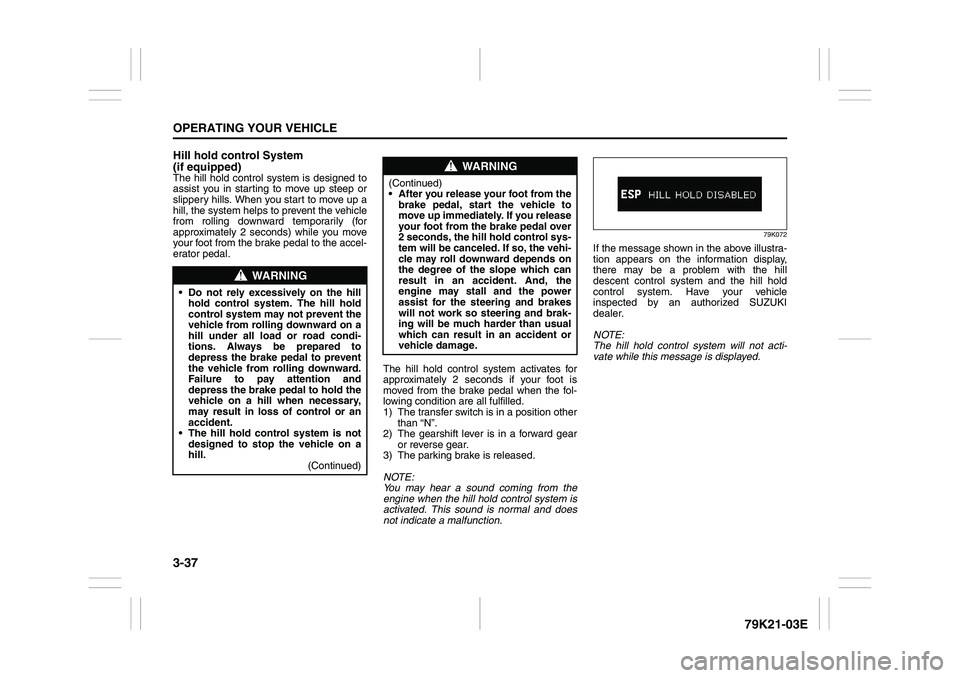
79K072
If the message shown in the above illustra-
tion appears on the information display,
there may be a problem with the hill
descent control system and the hill hold
control system. Have your vehicle
inspected by an authorized SUZUKI
dealer.
NOTE:
The hill hold control system will not acti-
vate while this message is displayed.
WARNING
Do not rely excessively on the hill
hold control system. The hill hold
control system may not prevent the
vehicle from rolling downward on a
hill under all load or road condi-
tions. Always be prepared to
depress the brake pedal to prevent
the vehicle from rolling downward.
Failure to pay attention and
depress the brake pedal to hold the
vehicle on a hill when necessary,
may result in loss of control or an
accident.
The hill hold control system is not
designed to stop the vehicle on a
hill.
(Continued)
WARNING
(Continued)
After you release your foot from the
brake pedal, start the vehicle to
move up immediately. If you release
your foot from the brake pedal over
2 seconds, the hill hold control sys-
tem will be canceled. If so, the vehi-
cle may roll downward depends on
the degree of the slope which can
result in an accident. And, the
engine may stall and the power
assist for the steering and brakes
will not work so steering and brak-
ing will be much harder than usual
which can result in an accident or
vehicle damage.
Page 155 of 337
5-2
OTHER CONTROLS AND EQUIPMENT
79K21-03E
Side outlet
63J045
When “Open”, air comes out from the side
outlets regardless of the air flow selector
position.
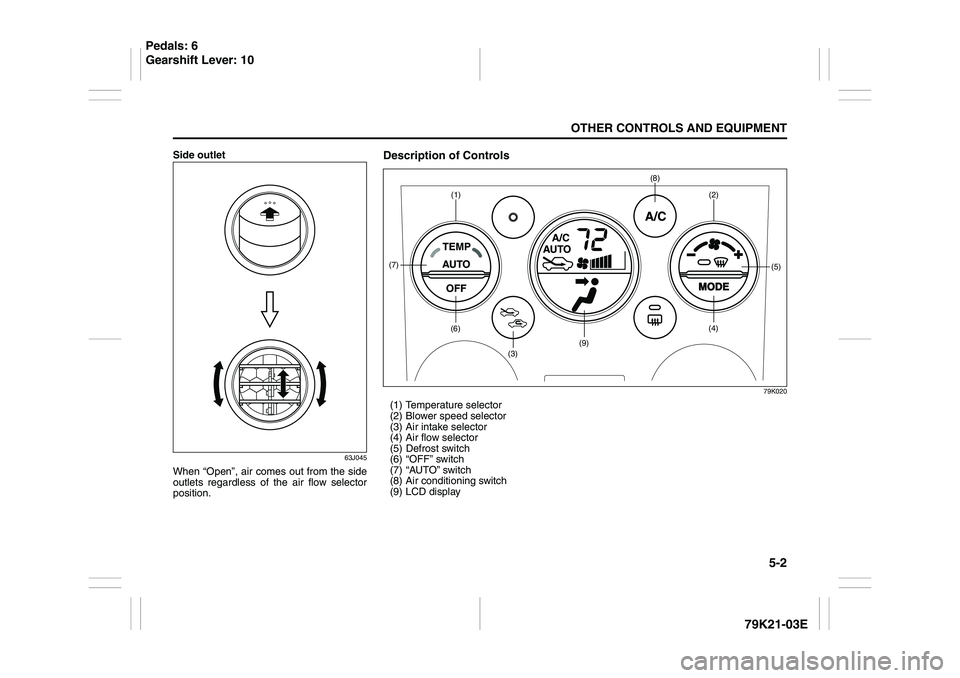
Description of Controls
79K020
(1) Temperature selector
(2) Blower speed selector
(3) Air intake selector
(4) Air flow selector
(5) Defrost switch
(6) “OFF” switch
(7) “AUTO” switch
(8) Air conditioning switch
(9) LCD display
(1)(6)
(7)
(3)
(9)
(8)
(2)
(5)
(4)
Pedals: 6
Gearshift Lever: 10