ignition SUZUKI GRAND VITARA 2011 Workshop Manual
[x] Cancel search | Manufacturer: SUZUKI, Model Year: 2011, Model line: GRAND VITARA, Model: SUZUKI GRAND VITARA 2011Pages: 337, PDF Size: 6.21 MB
Page 146 of 337
4-3DRIVING TIPS
79K21-03E
54G584S
Improving Fuel EconomyThe following instructions will help you
improve fuel economy.
Avoid excessive idling
If you are to wait for more than a minute
while you are parked, stop the engine and
start it again later. When warming up a
cold engine, allow the engine to idle until
the temperature gauge pointer comes up
to the “C” position. In this position, the
engine is sufficiently warm for starting off.
Avoid “jackrabbit” starts
Fast starts away from lights or stop signs
will consume fuel unnecessarily and
shorten engine life. Start off slowly.
Avoid unnecessary stops
Avoid unnecessary deceleration and stop-
ping. Try to maintain a slow, steady speed
whenever possible. Slowing down and then
accelerating again uses more fuel.
Keep a steady cruising speed
Keep as constant a speed as road and traf-
fic conditions will permit.
CAUTION
To minimize the possibility of catalyst
or other vehicle damage:
Maintain the engine in the proper
operating condition.
In the event of an engine malfunc-
tion, particularly one involving
engine misfire or other apparent
loss of performance, have the vehi-
cle serviced promptly.
Do not shut off the engine or inter-
rupt the ignition when the transmis-
sion is in gear and the vehicle is in
motion.
Do not try to start the engine by
pushing or towing the vehicle or
coasting down a hill.
Do not idle the engine with any
spark plug wires disconnected or
removed, such as during diagnos-
tic testing.
Do not idle the vehicle for pro-
longed periods if idling seems
rough or there are other malfunc-
tions.
Do not allow the fuel tank to get
near the empty level.
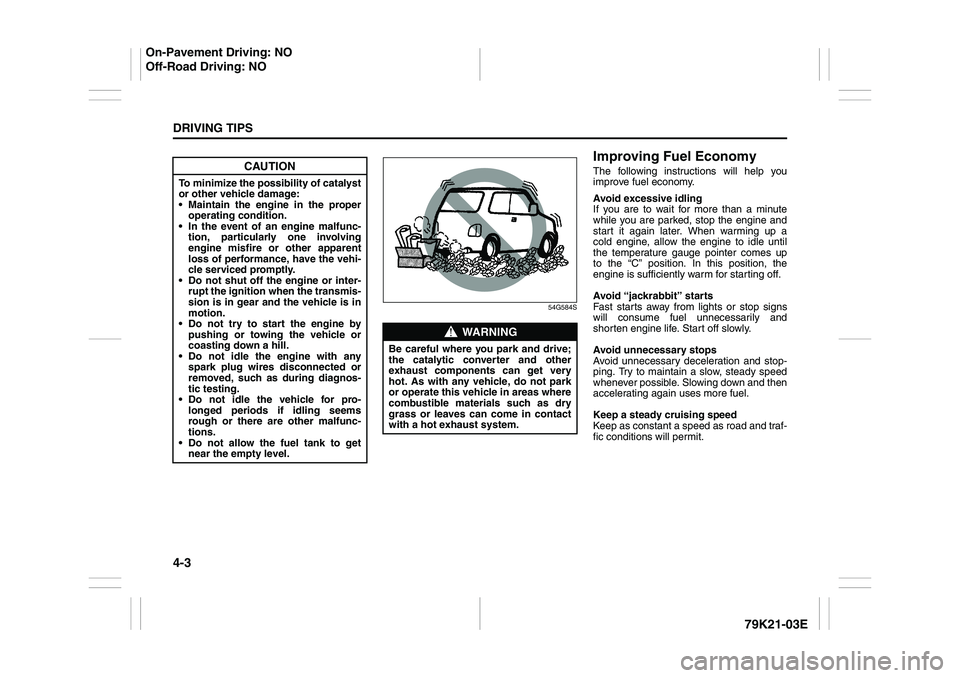
WARNING
Be careful where you park and drive;
the catalytic converter and other
exhaust components can get very
hot. As with any vehicle, do not park
or operate this vehicle in areas where
combustible materials such as dry
grass or leaves can come in contact
with a hot exhaust system.
On-Pavement Driving: NO
Off-Road Driving: NO
Page 150 of 337
4-7DRIVING TIPS
79K21-03E
Tire ChainsTire chains should only be used if they are
needed to increase traction or are required
by law. Make sure that the chains you use
are small-link chains or cable-type chains
and are the correct size for your vehicle’s
tires. Also make sure that there is enough
clearance between the fenders and the
chains as installed on the tires.
Install the chains on the rear tires tightly,
according to the chain manufacturer’s
instructions. Retighten the chains after
driving about 1.0 km (1/2 mile) if neces-
sary. With the chains installed, drive slowly.Do not drive through deep or rushing
water
Driving in deep or rushing water can be
hazardous. You could lose control of the
vehicle and the occupants could drown.
Also, your vehicle could be seriously dam-
aged. To avoid these risks, observe the fol-
lowing instructions and precautions.
Do not drive through deep or rushing
water. Deep or rushing water, such as
fast-moving streams or floodwaters,
could carry your vehicle away from your
intended path. The water is too deep if it
covers your wheel hubs, axles or
exhaust tailpipe. Know the depth of the
water before you attempt to drive
through it.
If water blocks the tailpipe, the engine
may not start or run. If the water is deep
enough to get drawn into the engine
intake system, the engine will be badly
damaged.
Submerged brakes will have poor brak-
ing performance. Drive slowly and care-
fully. Driving slowly will also help avoid
water splashing onto the ignition system,
which could cause the engine to stall.
Even when driving through shallow or
still waters, drive carefully since the
water may be hiding ground hazards
such as holes, ditches or bumps.
WARNING
Do not allow anyone to stand near
the vehicle when you are rocking it,
and do not spin the wheels faster
than an indicated 40 km/h (25 mph)
on the speedometer. Personal
injury and/or vehicle damage may
result from spinning the wheels too
fast.
Be sure to turn the transfer switch
from “4H” to “4H LOCK” or “4L
LOCK” when the tires slip in “4H”.
The continuing tires slip in “4H”
can cause the limited slip differen-
tial gear damage in the center dif-
ferential.
CAUTION
Release the accelerator pedal when
operating the gearshift lever. Operat-
ing the lever with the engine racing
can damage the gears.
CAUTION
Do not continue rocking the vehicle
for more than a few minutes. Pro-
longed rocking can cause engine
overheating, transmission or trans-
fer case damage or tire damage.
CAUTION
If you hear the chains hitting against
the vehicle body while driving, stop
and tighten them.
Page 186 of 337
5-33OTHER CONTROLS AND EQUIPMENT
79K21-03E
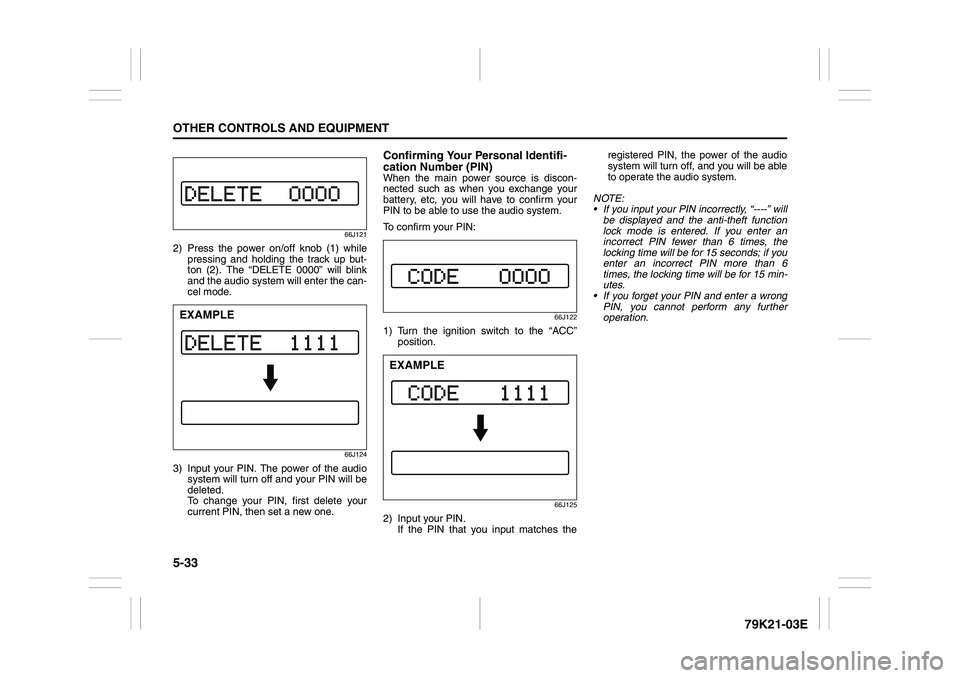
66J121
2) Press the power on/off knob (1) while
pressing and holding the track up but-
ton (2). The “DELETE 0000” will blink
and the audio system will enter the can-
cel mode.
66J124
3) Input your PIN. The power of the audio
system will turn off and your PIN will be
deleted.
To change your PIN, first delete your
current PIN, then set a new one.
Confirming Your Personal Identifi-
cation Number (PIN)When the main power source is discon-
nected such as when you exchange your
battery, etc, you will have to confirm your
PIN to be able to use the audio system.
To confirm your PIN:
66J122
1) Turn the ignition switch to the “ACC”
position.
66J125
2) Input your PIN.
If the PIN that you input matches theregistered PIN, the power of the audio
system will turn off, and you will be able
to operate the audio system.
NOTE:
If you input your PIN incorrectly, “----” will
be displayed and the anti-theft function
lock mode is entered. If you enter an
incorrect PIN fewer than 6 times, the
locking time will be for 15 seconds; if you
enter an incorrect PIN more than 6
times, the locking time will be for 15 min-
utes.
If you forget your PIN and enter a wrong
PIN, you cannot perform any further
operation.
EXAMPLE
EXAMPLE
Page 212 of 337
5-59OTHER CONTROLS AND EQUIPMENT
79K21-03E
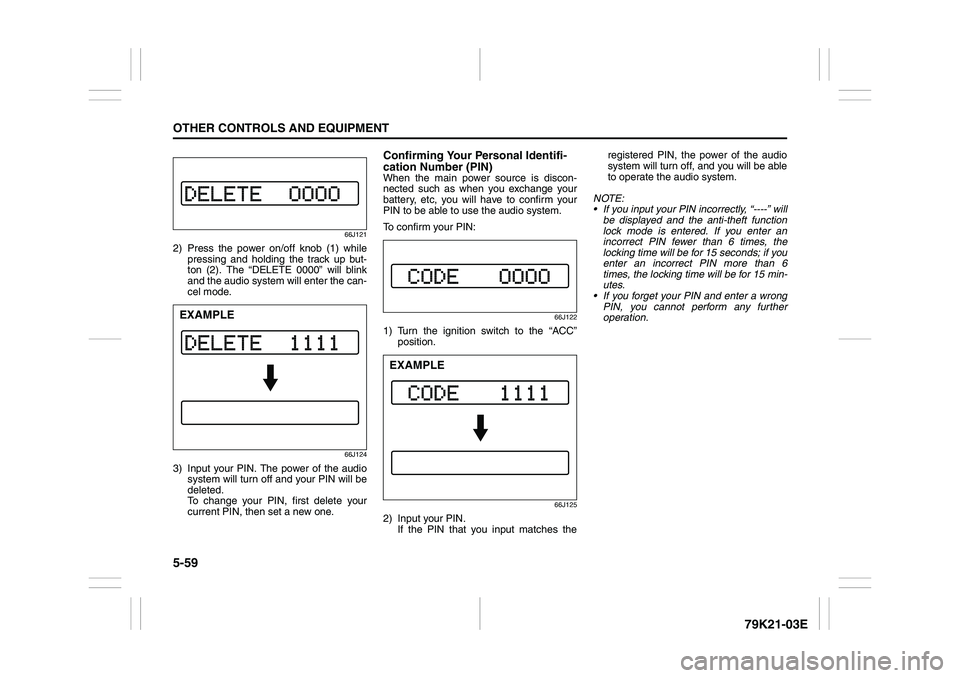
66J121
2) Press the power on/off knob (1) while
pressing and holding the track up but-
ton (2). The “DELETE 0000” will blink
and the audio system will enter the can-
cel mode.
66J124
3) Input your PIN. The power of the audio
system will turn off and your PIN will be
deleted.
To change your PIN, first delete your
current PIN, then set a new one.
Confirming Your Personal Identifi-
cation Number (PIN)When the main power source is discon-
nected such as when you exchange your
battery, etc, you will have to confirm your
PIN to be able to use the audio system.
To confirm your PIN:
66J122
1) Turn the ignition switch to the “ACC”
position.
66J125
2) Input your PIN.
If the PIN that you input matches theregistered PIN, the power of the audio
system will turn off, and you will be able
to operate the audio system.
NOTE:
If you input your PIN incorrectly, “----” will
be displayed and the anti-theft function
lock mode is entered. If you enter an
incorrect PIN fewer than 6 times, the
locking time will be for 15 seconds; if you
enter an incorrect PIN more than 6
times, the locking time will be for 15 min-
utes.
If you forget your PIN and enter a wrong
PIN, you cannot perform any further
operation.
EXAMPLE
EXAMPLE
Page 218 of 337

5-65OTHER CONTROLS AND EQUIPMENT
79K21-03E
ON (1)
The light comes on and stays on regard-
less of whether the door is open or closed.
DOOR (2)
The light comes on when the door is
opened.
After closing all doors (including the tail-
gate), the light will remain on for about 15
seconds and then fade out. If you push in
the ignition switch or insert the key during
this time, the light will start to fade out
immediately.
After removing the key from the ignition
switch, the light will turn on for about 15
seconds and then fade out.
OFF (3)
The light remains off even when the door is
opened.
78K146
NOTE:
The number of doors involved in the light-
ing operation of the interior light depends
on the vehicle specification. If there is a
switch (rubber projection) at the door
opening as shown, the door is involved in
the lighting operation.
Luggage Compartment Light
66J047
The luggage compartment light is located
at the left side of the rear luggage com-
partment.
When you open any of the doors including
the tailgate with the luggage compartment
light switch in the “DOOR” position (1), the
light comes on and remains on as long as
you keep the door open.
After closing all doors, the light will remain
on for about 15 seconds and then fade out.
If you push in the ignition switch or insert
the key during this time, the light will start
to fade out immediately.
After removing the key from the ignition
switch, the light will turn on for about 15
seconds and then fade out.
When the luggage compartment light
switch is in the “OFF” position (2), the light
EXAMPLE
(1)(2)
Page 220 of 337
5-67OTHER CONTROLS AND EQUIPMENT
79K21-03E
The accessory socket will work when the
ignition switch is in the “ACC” or “ON” posi-
tion.
12-volt accessory sockets are located both
on the center console and on the left side
of the luggage compartment.
Depending on the specification, there are
two sockets on the center console.
Each socket can be used to provide 12
volt/120 watt power for electrical accesso-
ries when used alone. Make sure that the
cap remains on the socket when the socket
is not in use.
Cigarette Lighter and Ashtray
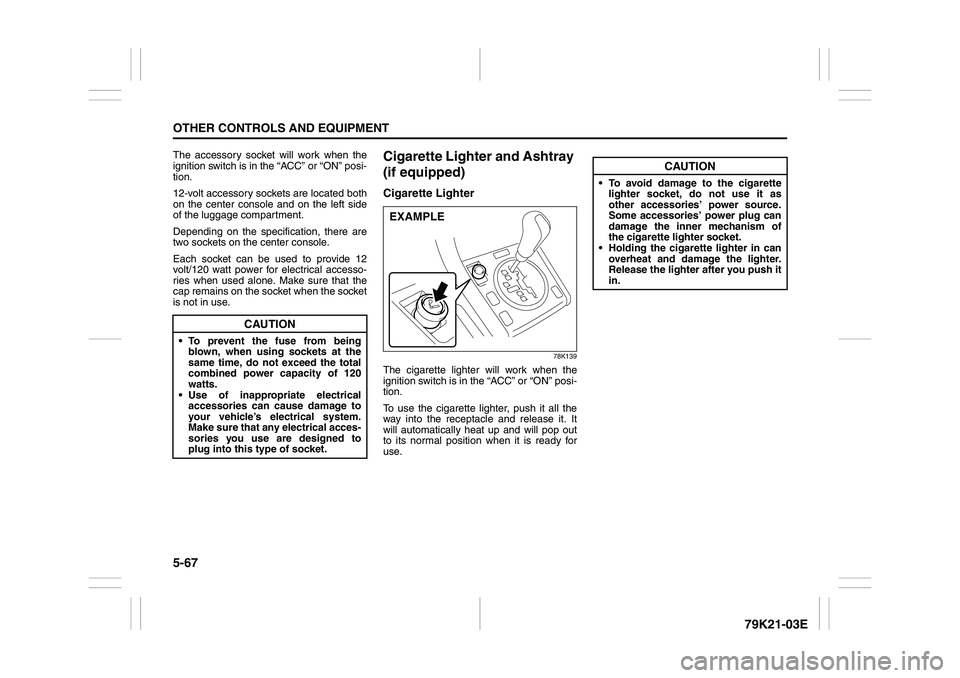
(if equipped)Cigarette Lighter
78K139
The cigarette lighter will work when the
ignition switch is in the “ACC” or “ON” posi-
tion.
To use the cigarette lighter, push it all the
way into the receptacle and release it. It
will automatically heat up and will pop out
to its normal position when it is ready for
use.
CAUTION
To prevent the fuse from being
blown, when using sockets at the
same time, do not exceed the total
combined power capacity of 120
watts.
Use of inappropriate electrical
accessories can cause damage to
your vehicle’s electrical system.
Make sure that any electrical acces-
sories you use are designed to
plug into this type of socket.
EXAMPLE
CAUTION
To avoid damage to the cigarette
lighter socket, do not use it as
other accessories’ power source.
Some accessories’ power plug can
damage the inner mechanism of
the cigarette lighter socket.
Holding the cigarette lighter in can
overheat and damage the lighter.
Release the lighter after you push it
in.
Page 221 of 337
5-68
OTHER CONTROLS AND EQUIPMENT
79K21-03E
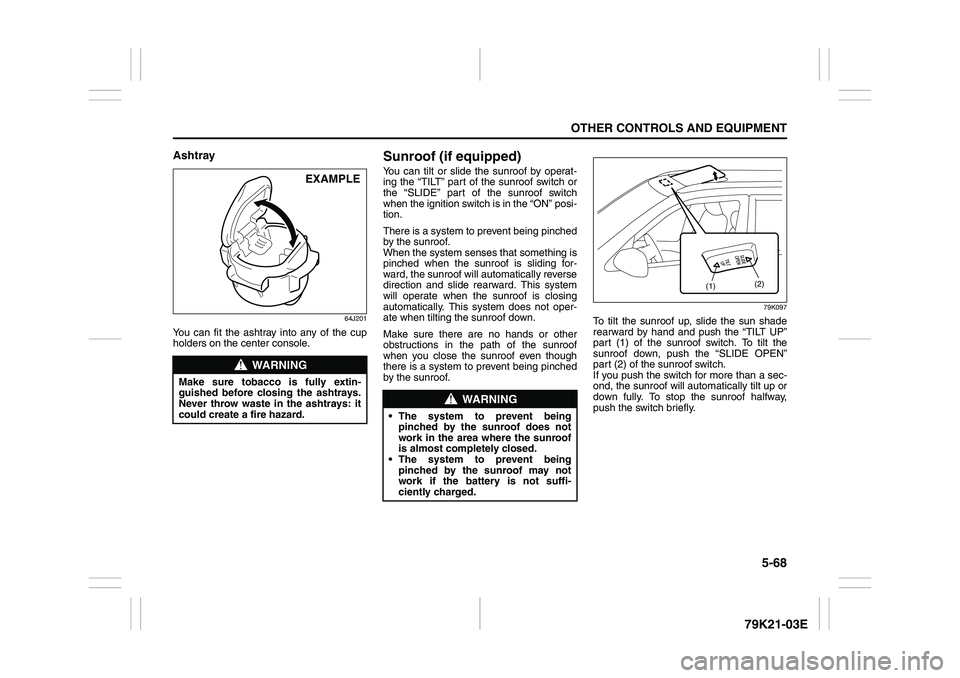
Ashtray
64J201
You can fit the ashtray into any of the cup
holders on the center console.
Sunroof (if equipped)You can tilt or slide the sunroof by operat-
ing the “TILT” part of the sunroof switch or
the “SLIDE” part of the sunroof switch
when the ignition switch is in the “ON” posi-
tion.
There is a system to prevent being pinched
by the sunroof.
When the system senses that something is
pinched when the sunroof is sliding for-
ward, the sunroof will automatically reverse
direction and slide rearward. This system
will operate when the sunroof is closing
automatically. This system does not oper-
ate when tilting the sunroof down.
Make sure there are no hands or other
obstructions in the path of the sunroof
when you close the sunroof even though
there is a system to prevent being pinched
by the sunroof.
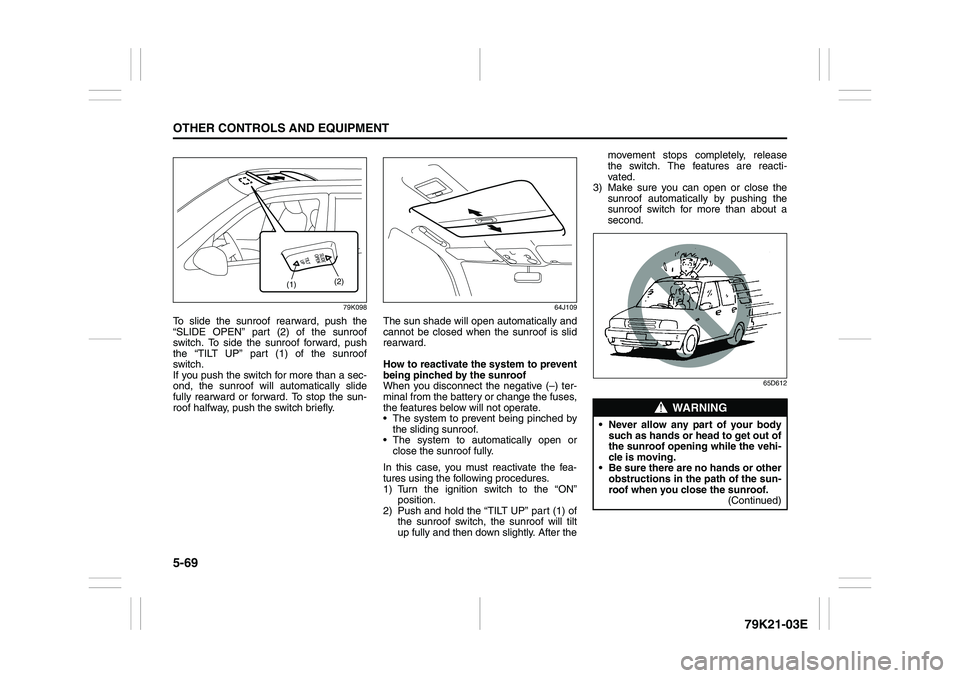
79K097
To tilt the sunroof up, slide the sun shade
rearward by hand and push the “TILT UP”
part (1) of the sunroof switch. To tilt the
sunroof down, push the “SLIDE OPEN”
part (2) of the sunroof switch.
If you push the switch for more than a sec-
ond, the sunroof will automatically tilt up or
down fully. To stop the sunroof halfway,
push the switch briefly.
WARNING
Make sure tobacco is fully extin-
guished before closing the ashtrays.
Never throw waste in the ashtrays: it
could create a fire hazard.
EXAMPLE
WARNING
The system to prevent being
pinched by the sunroof does not
work in the area where the sunroof
is almost completely closed.
The system to prevent being
pinched by the sunroof may not
work if the battery is not suffi-
ciently charged.
(1)(2)
Page 222 of 337
5-69OTHER CONTROLS AND EQUIPMENT
79K21-03E
79K098
To slide the sunroof rearward, push the
“SLIDE OPEN” part (2) of the sunroof
switch. To side the sunroof forward, push
the “TILT UP” part (1) of the sunroof
switch.
If you push the switch for more than a sec-
ond, the sunroof will automatically slide
fully rearward or forward. To stop the sun-
roof halfway, push the switch briefly.
64J109
The sun shade will open automatically and
cannot be closed when the sunroof is slid
rearward.
How to reactivate the system to prevent
being pinched by the sunroof
When you disconnect the negative (–) ter-
minal from the battery or change the fuses,
the features below will not operate.
The system to prevent being pinched by
the sliding sunroof.
The system to automatically open or
close the sunroof fully.
In this case, you must reactivate the fea-
tures using the following procedures.
1) Turn the ignition switch to the “ON”
position.
2) Push and hold the “TILT UP” part (1) of
the sunroof switch, the sunroof will tilt
up fully and then down slightly. After themovement stops completely, release
the switch. The features are reacti-
vated.
3) Make sure you can open or close the
sunroof automatically by pushing the
sunroof switch for more than about a
second.
65D612
(1)(2)
WARNING
Never allow any part of your body
such as hands or head to get out of
the sunroof opening while the vehi-
cle is moving.
Be sure there are no hands or other
obstructions in the path of the sun-
roof when you close the sunroof.
(Continued)
Page 223 of 337
5-70
OTHER CONTROLS AND EQUIPMENT
79K21-03E
Be sure to close the sunroof when you
leave the vehicle unattended.
Periodically inspect the guide rail for dirt
and clean it if any dirt has accumulated.
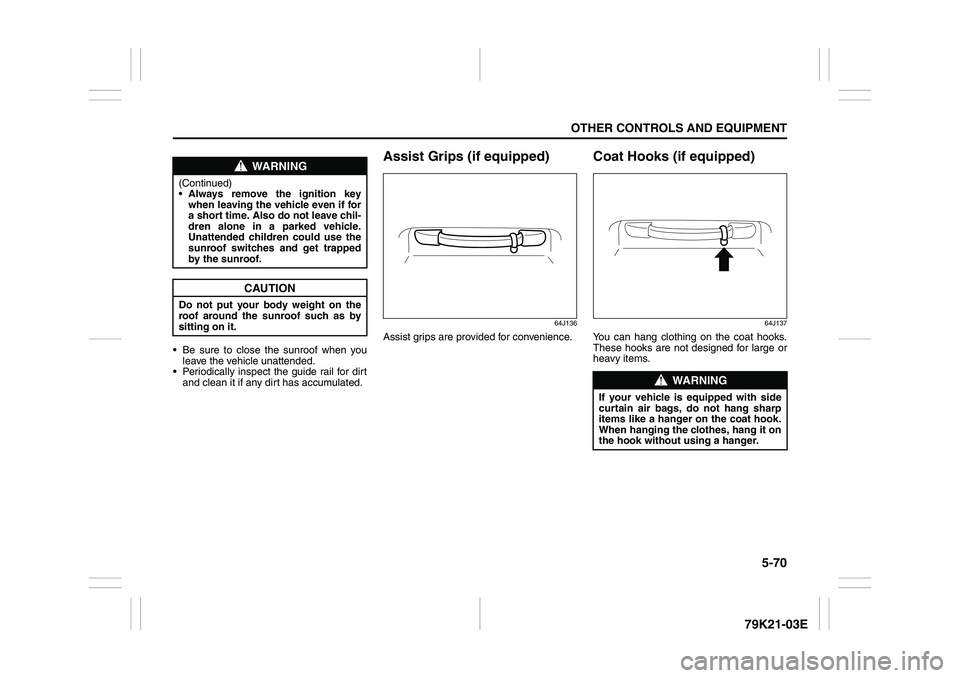
Assist Grips (if equipped)
64J136
Assist grips are provided for convenience.
Coat Hooks (if equipped)
64J137
You can hang clothing on the coat hooks.
These hooks are not designed for large or
heavy items.
WARNING
(Continued)
Always remove the ignition key
when leaving the vehicle even if for
a short time. Also do not leave chil-
dren alone in a parked vehicle.
Unattended children could use the
sunroof switches and get trapped
by the sunroof.
CAUTION
Do not put your body weight on the
roof around the sunroof such as by
sitting on it.
WARNING
If your vehicle is equipped with side
curtain air bags, do not hang sharp
items like a hanger on the coat hook.
When hanging the clothes, hang it on
the hook without using a hanger.
Page 233 of 337
5-80
OTHER CONTROLS AND EQUIPMENT
79K21-03E
HomeLink
® (if equipped)
66J092
HomeLink
® and the HomeLink
® house are
registered trademarks of Johnson
Controls, Inc.
The HomeLink
® Wireless Control System
provides a convenient way to replace up to
three hand-held radio-frequency (RF)
transmitters used to activate devices such
as gate operators, garage door openers,
entry door locks, security systems, even
home lighting. Additional HomeLink
® infor-
mation can be found on the Internet at
www.homelink.com
or by calling 1-800-
355-3515.
Before programming HomeLink
® to a
garage door opener or gate operator, make
sure that people and objects are out of the
way of the device to prevent potential harm
or damage. When programming a garage
door opener, it is advised to park outside of
the garage. Do not use HomeLink® with
any garage door opener that lacks safety
stop and reverse features as required by
U.S. federal safety standards (this includesany garage door opener model manufac-
tured before April 1, 1982). A garage door
that cannot detect an object – signaling the
door to stop and reverse – does not meet
current U.S. federal safety standards. For
more information, contact HomeLink
® at
www.homelink.com
or by calling 1-800-
355-3515.
Retain the original transmitter of the RF
device you are programming for use in
other vehicles as well as for future
HomeLink
® programming. It is also sug-
gested that upon the sale of the vehicle,
the programmed HomeLink
® buttons be
erased for security purposes. Refer to
“Programming HomeLink
®” (step 1) only)
or, for assistance, contact HomeLink
® at
www.homelink.com
or by calling 1-800-
355-3515.
Programming HomeLink
®
NOTE:
Some vehicles may require the ignition
switch to be turned to the second (or
“accessories”) position or the “on” position
for programming and/or operation of
HomeLink
®. It is also recommended that a
new battery be placed in the hand-held
transmitter of the device being pro-
grammed to HomeLink
® for quicker train-
ing and accurate transmission of the radio-
frequency signal. Do not repeat “Program-
ming HomeLink
®” – step 1) to train addi-
tional devices to a second or thirdHomeLink
® button. Begin with “Program-
ming HomeLink
®” – step 2).
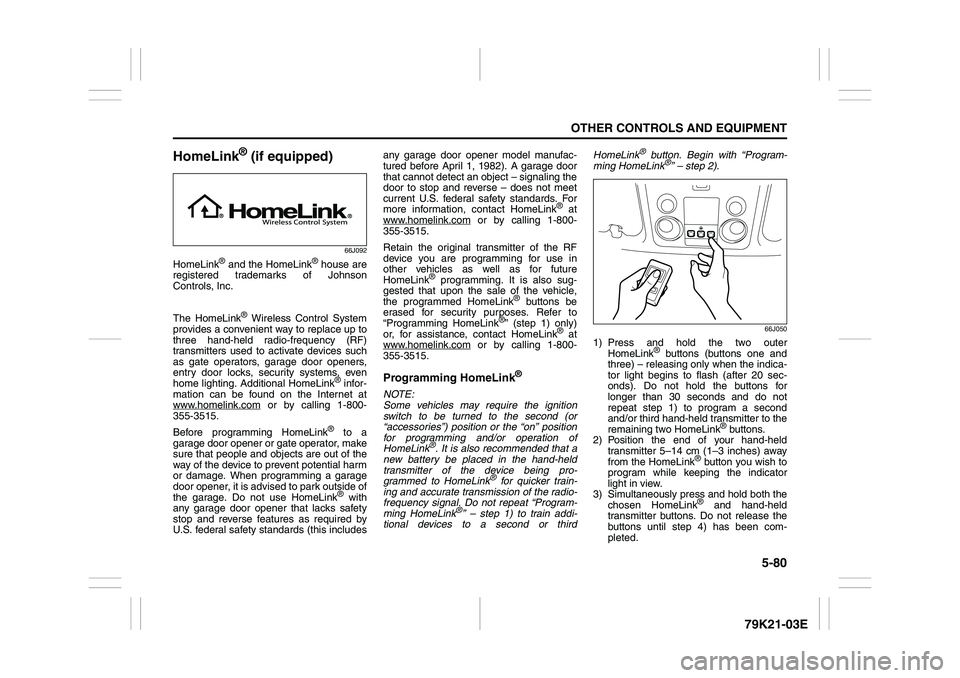
66J050
1) Press and hold the two outer
HomeLink
® buttons (buttons one and
three) – releasing only when the indica-
tor light begins to flash (after 20 sec-
onds). Do not hold the buttons for
longer than 30 seconds and do not
repeat step 1) to program a second
and/or third hand-held transmitter to the
remaining two HomeLink
® buttons.
2) Position the end of your hand-held
transmitter 5–14 cm (1–3 inches) away
from the HomeLink
® button you wish to
program while keeping the indicator
light in view.
3) Simultaneously press and hold both the
chosen HomeLink® and hand-held
transmitter buttons. Do not release the
buttons until step 4) has been com-
pleted.