Position lights SUZUKI GRAND VITARA 2014 User Guide
[x] Cancel search | Manufacturer: SUZUKI, Model Year: 2014, Model line: GRAND VITARA, Model: SUZUKI GRAND VITARA 2014Pages: 337, PDF Size: 6.21 MB
Page 90 of 337
2-73BEFORE DRIVING
79K21-03E
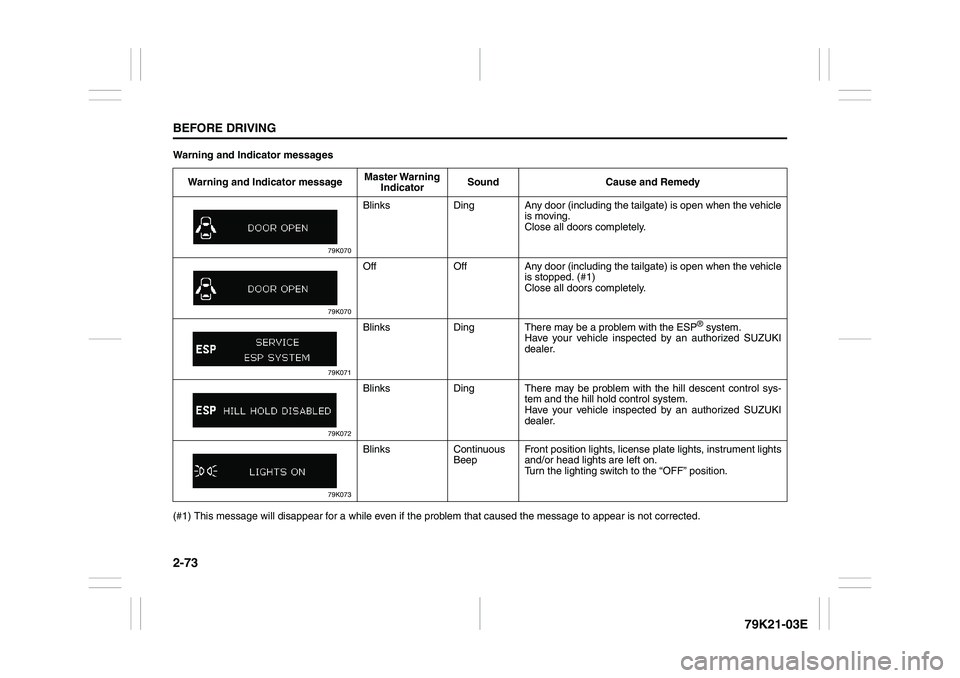
Warning and Indicator messages
(#1) This message will disappear for a while even if the problem that caused the message to appear is not corrected.Warning and Indicator messageMaster Warning
IndicatorSound Cause and Remedy
79K070
Blinks Ding Any door (including the tailgate) is open when the vehicle
is moving.
Close all doors completely.
79K070
Off Off Any door (including the tailgate) is open when the vehicle
is stopped. (#1)
Close all doors completely.
79K071
Blinks Ding There may be a problem with the ESP
® system.
Have your vehicle inspected by an authorized SUZUKI
dealer.
79K072
Blinks Ding There may be problem with the hill descent control sys-
tem and the hill hold control system.
Have your vehicle inspected by an authorized SUZUKI
dealer.
79K073
Blinks Continuous
BeepFront position lights, license plate lights, instrument lights
and/or head lights are left on.
Turn the lighting switch to the “OFF” position.
Page 93 of 337
2-76
BEFORE DRIVING
79K21-03E
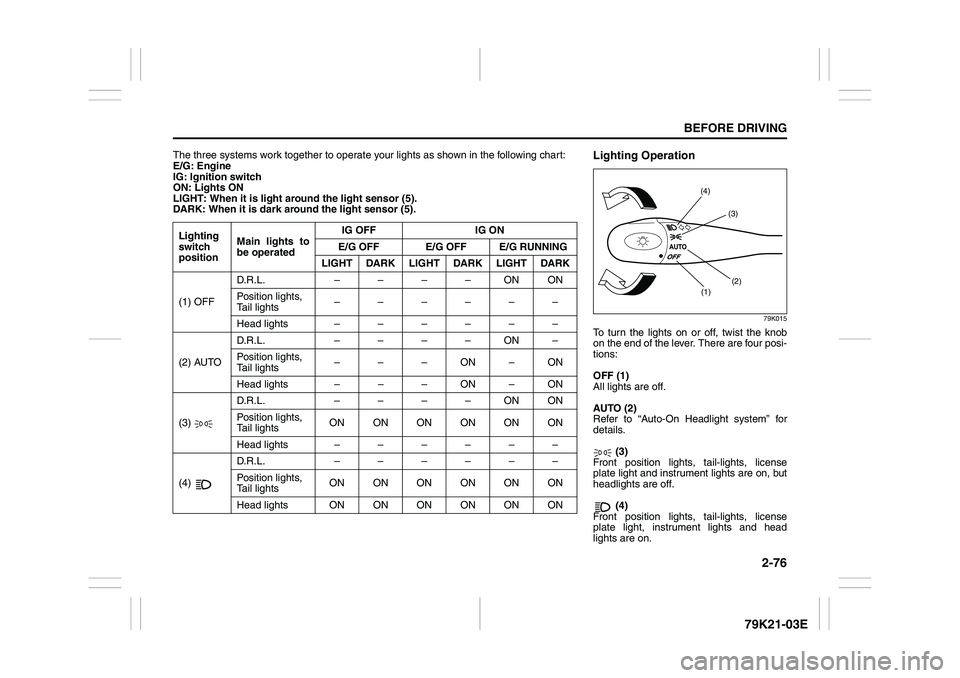
The three systems work together to operate your lights as shown in the following chart:
E/G: Engine
IG: Ignition switch
ON: Lights ON
LIGHT: When it is light around the light sensor (5).
DARK: When it is dark around the light sensor (5).
Lighting
switch
positionMain lights to
be operatedIG OFF IG ON
E/G OFF E/G OFF E/G RUNNING
LIGHT DARK LIGHT DARK LIGHT DARK
(1) OFFD.R.L. ––––ONON
Position lights,
Tail lights––––––
Head lights ––––––
(2) AUTOD.R.L. ––––ON–
Position lights,
Tail lights–––ON–ON
Head lights – – – ON – ON
(3) D.R.L. ––––ONON
Position lights,
Tail lightsON ON ON ON ON ON
Head lights ––––––
(4) D.R.L. ––––––
Position lights,
Tail lightsON ON ON ON ON ON
Head lights ONONONONONON
Lighting Operation
79K015
To turn the lights on or off, twist the knob
on the end of the lever. There are four posi-
tions:
OFF (1)
All lights are off.
AUTO (2)
Refer to “Auto-On Headlight system” for
details.
(3)
Front position lights, tail-lights, license
plate light and instrument lights are on, but
headlights are off.
(4)
Front position lights, tail-lights, license
plate light, instrument lights and head
lights are on.
(1)(2) (3) (4)
Page 94 of 337
2-77BEFORE DRIVING
79K21-03E
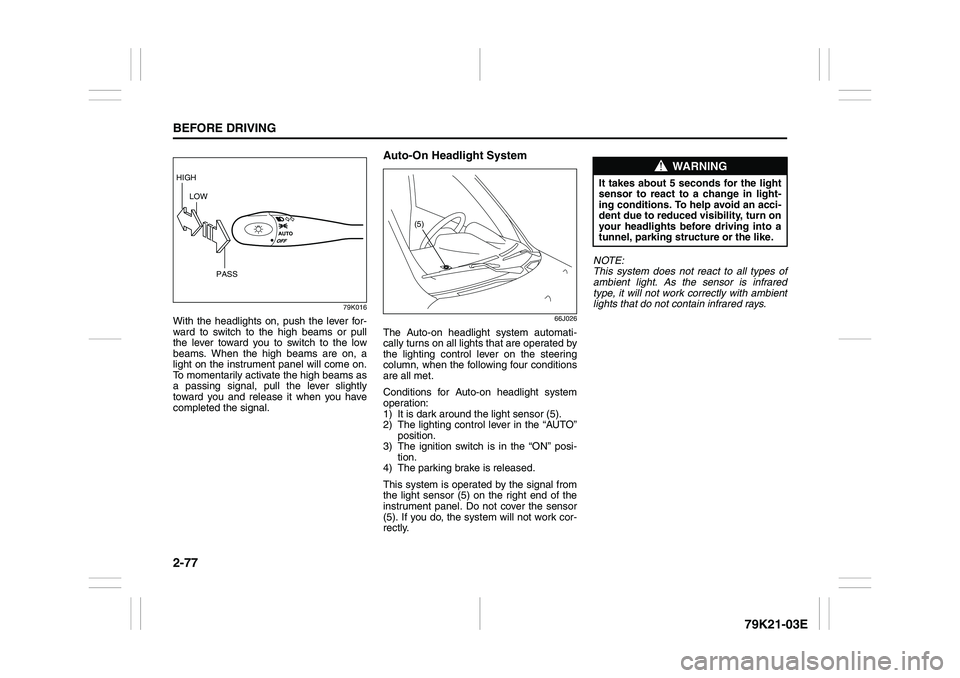
79K016
With the headlights on, push the lever for-
ward to switch to the high beams or pull
the lever toward you to switch to the low
beams. When the high beams are on, a
light on the instrument panel will come on.
To momentarily activate the high beams as
a passing signal, pull the lever slightly
toward you and release it when you have
completed the signal.
Auto-On Headlight System
66J026
The Auto-on headlight system automati-
cally turns on all lights that are operated by
the lighting control lever on the steering
column, when the following four conditions
are all met.
Conditions for Auto-on headlight system
operation:
1) It is dark around the light sensor (5).
2) The lighting control lever in the “AUTO”
position.
3) The ignition switch is in the “ON” posi-
tion.
4) The parking brake is released.
This system is operated by the signal from
the light sensor (5) on the right end of the
instrument panel. Do not cover the sensor
(5). If you do, the system will not work cor-
rectly.NOTE:
This system does not react to all types of
ambient light. As the sensor is infrared
type, it will not work correctly with ambient
lights that do not contain infrared rays.
HIGH
LOW
PASS
(5)
WARNING
It takes about 5 seconds for the light
sensor to react to a change in light-
ing conditions. To help avoid an acci-
dent due to reduced visibility, turn on
your headlights before driving into a
tunnel, parking structure or the like.
Page 95 of 337
2-78
BEFORE DRIVING
79K21-03E
Daytime Running Light (D.R.L.)
SystemThe headlights light, but are dimmer than
the low beam, when the following three
conditions are all met. Also, the D.R.L. indi-
cator light on the instrument panel comes
on.
Conditions for D.R.L. system operation:
1) The engine is running.
2) The parking brake is released.
3) The headlights are off, or the lighting
switch in the “AUTO” position and it is
light around the light sensor.
NOTE:
Be sure to turn the headlights on at night
or at any time of the day when driving or
weather conditions require the headlights
to operate at full brightness and the tail-
lights to be on.
Lights “On” reminder
A buzzer sounds to remind you to turn off
the lights if they are left on when the igni-
tion key is removed and the driver’s door is
opened.
NOTE:
The warning and indicator message and
the illumination indicator light will be shown
on the information display when this
reminder is activated.
Front Fog Light Switch
(if equipped)
64J058
The front fog light comes on when the fog
light switch is pushed in with:
the headlights are on and the beams set
to the low beam position, or
the auto-on headlight system on and the
beams set to the low beam position.
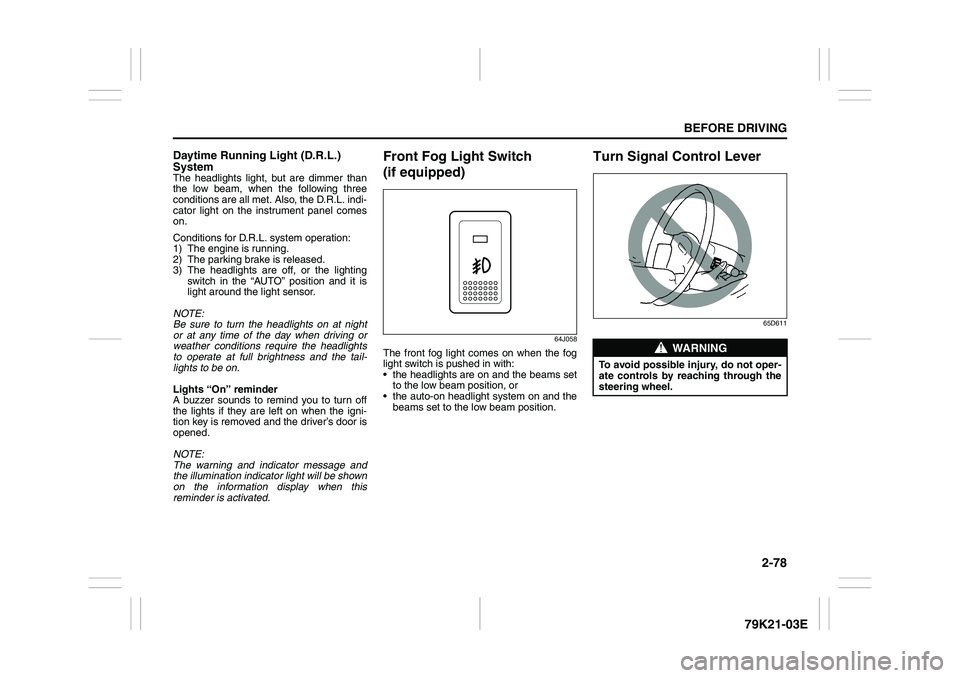
Turn Signal Control Lever
65D611
WARNING
To avoid possible injury, do not oper-
ate controls by reaching through the
steering wheel.
Page 96 of 337
2-79BEFORE DRIVING
79K21-03E
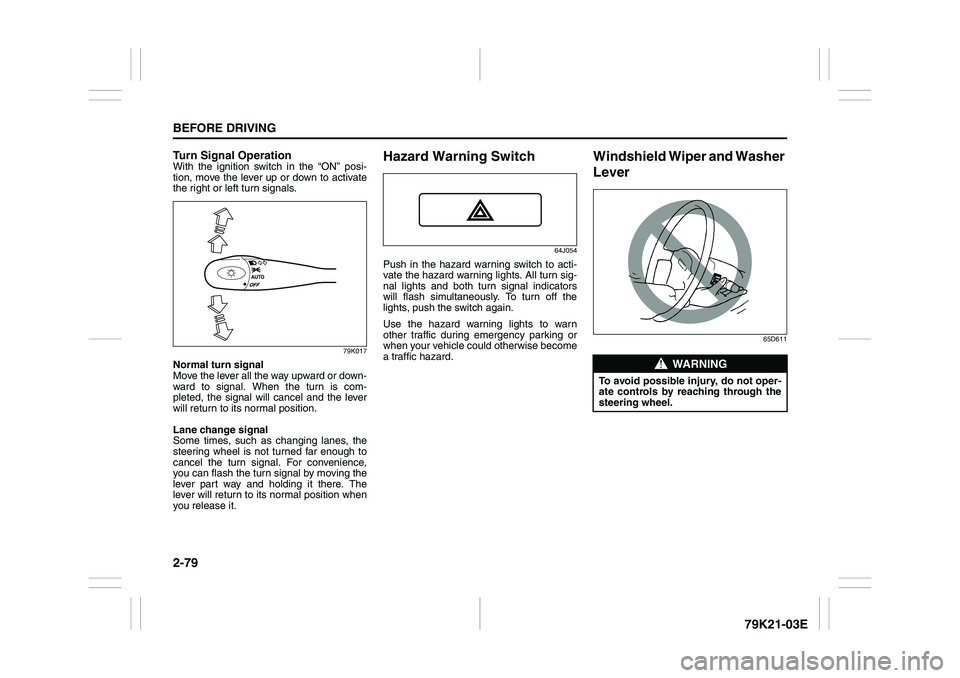
Turn Signal OperationWith the ignition switch in the “ON” posi-
tion, move the lever up or down to activate
the right or left turn signals.
79K017
Normal turn signal
Move the lever all the way upward or down-
ward to signal. When the turn is com-
pleted, the signal will cancel and the lever
will return to its normal position.
Lane change signal
Some times, such as changing lanes, the
steering wheel is not turned far enough to
cancel the turn signal. For convenience,
you can flash the turn signal by moving the
lever part way and holding it there. The
lever will return to its normal position when
you release it.
Hazard Warning Switch
64J054
Push in the hazard warning switch to acti-
vate the hazard warning lights. All turn sig-
nal lights and both turn signal indicators
will flash simultaneously. To turn off the
lights, push the switch again.
Use the hazard warning lights to warn
other traffic during emergency parking or
when your vehicle could otherwise become
a traffic hazard.
Windshield Wiper and Washer
Lever
65D611
WARNING
To avoid possible injury, do not oper-
ate controls by reaching through the
steering wheel.
Page 135 of 337
3-34
OPERATING YOUR VEHICLE
79K21-03E
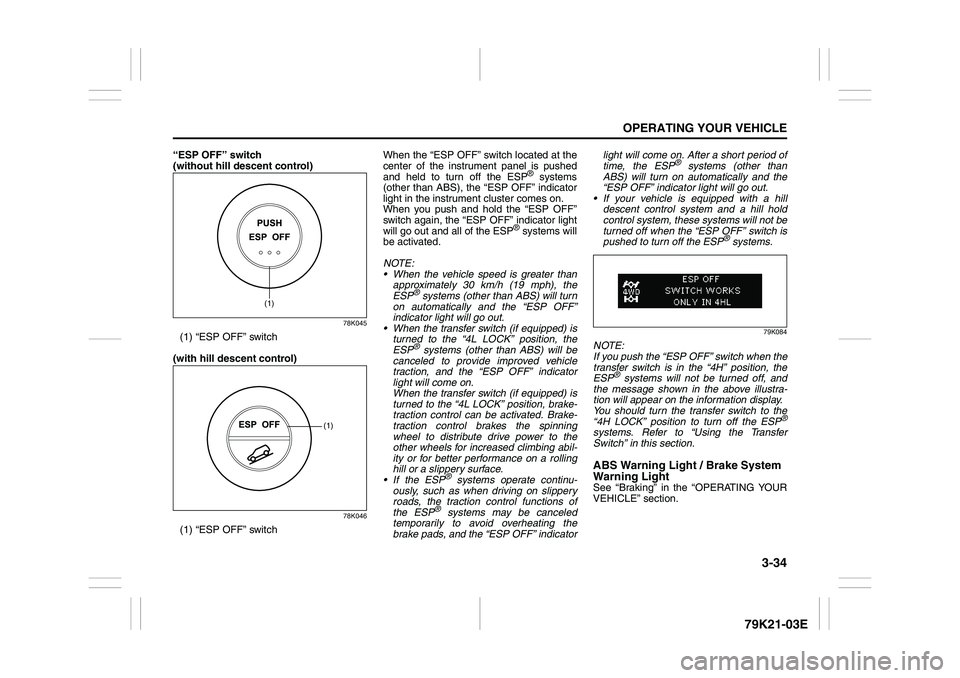
“ESP OFF” switch
(without hill descent control)
78K045
(1) “ESP OFF” switch
(with hill descent control)
78K046
(1) “ESP OFF” switchWhen the “ESP OFF” switch located at the
center of the instrument panel is pushed
and held to turn off the ESP
® systems
(other than ABS), the “ESP OFF” indicator
light in the instrument cluster comes on.
When you push and hold the “ESP OFF”
switch again, the “ESP OFF” indicator light
will go out and all of the ESP
® systems will
be activated.
NOTE:
When the vehicle speed is greater than
approximately 30 km/h (19 mph), the
ESP
® systems (other than ABS) will turn
on automatically and the “ESP OFF”
indicator light will go out.
When the transfer switch (if equipped) is
turned to the “4L LOCK” position, the
ESP® systems (other than ABS) will be
canceled to provide improved vehicle
traction, and the “ESP OFF” indicator
light will come on.
When the transfer switch (if equipped) is
turned to the “4L LOCK” position, brake-
traction control can be activated. Brake-
traction control brakes the spinning
wheel to distribute drive power to the
other wheels for increased climbing abil-
ity or for better performance on a rolling
hill or a slippery surface.
If the ESP
® systems operate continu-
ously, such as when driving on slippery
roads, the traction control functions of
the ESP
® systems may be canceled
temporarily to avoid overheating the
brake pads, and the “ESP OFF” indicatorlight will come on. After a short period of
time, the ESP
® systems (other than
ABS) will turn on automatically and the
“ESP OFF” indicator light will go out.
If your vehicle is equipped with a hill
descent control system and a hill hold
control system, these systems will not be
turned off when the “ESP OFF” switch is
pushed to turn off the ESP
® systems.
79K084
NOTE:
If you push the “ESP OFF” switch when the
transfer switch is in the “4H” position, the
ESP
® systems will not be turned off, and
the message shown in the above illustra-
tion will appear on the information display.
You should turn the transfer switch to the
“4H LOCK” position to turn off the ESP
®
systems. Refer to “Using the Transfer
Switch” in this section.ABS Warning Light / Brake System
Warning LightSee “Braking” in the “OPERATING YOUR
VEHICLE” section.
(1)
(1)
Page 136 of 337
3-35OPERATING YOUR VEHICLE
79K21-03E
Hill descent control System
(if equipped)The hill descent control system is designed
to reduce the driver’s workload when going
down steep, rough and/or slippery hills
where the vehicle cannot decelerate
enough by engine braking alone. The hill
descent control system helps to control
vehicle speed by automatically engaging
the vehicle’s brakes, as needed, so you
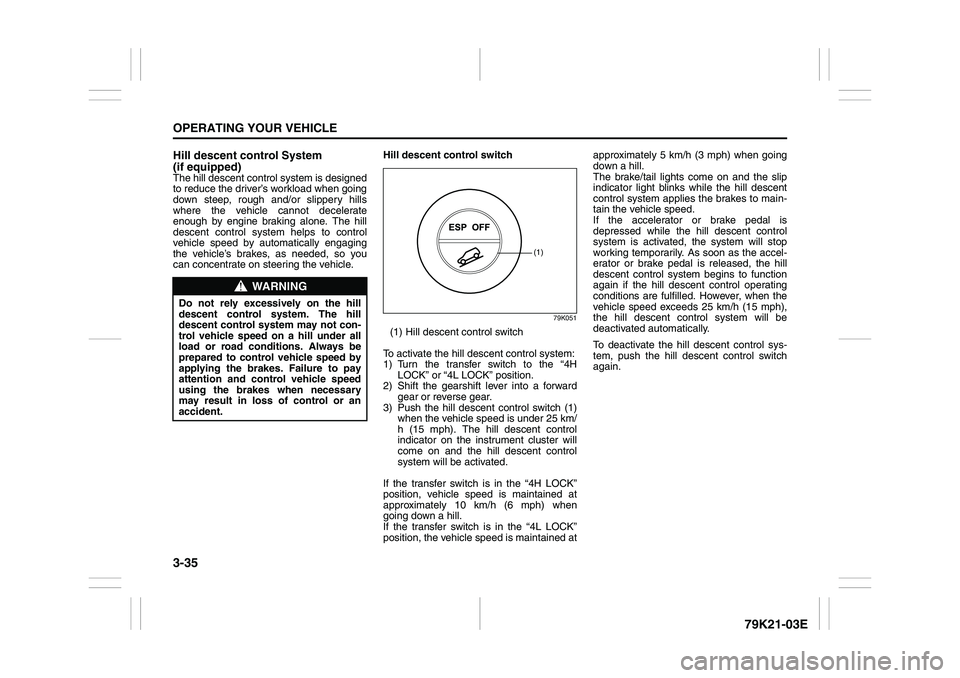
can concentrate on steering the vehicle.Hill descent control switch
79K051
(1) Hill descent control switch
To activate the hill descent control system:
1) Turn the transfer switch to the “4H
LOCK” or “4L LOCK” position.
2) Shift the gearshift lever into a forward
gear or reverse gear.
3) Push the hill descent control switch (1)
when the vehicle speed is under 25 km/
h (15 mph). The hill descent control
indicator on the instrument cluster will
come on and the hill descent control
system will be activated.
If the transfer switch is in the “4H LOCK”
position, vehicle speed is maintained at
approximately 10 km/h (6 mph) when
going down a hill.
If the transfer switch is in the “4L LOCK”
position, the vehicle speed is maintained atapproximately 5 km/h (3 mph) when going
down a hill.
The brake/tail lights come on and the slip
indicator light blinks while the hill descent
control system applies the brakes to main-
tain the vehicle speed.
If the accelerator or brake pedal is
depressed while the hill descent control
system is activated, the system will stop
working temporarily. As soon as the accel-
erator or brake pedal is released, the hill
descent control system begins to function
again if the hill descent control operating
conditions are fulfilled. However, when the
vehicle speed exceeds 25 km/h (15 mph),
the hill descent control system will be
deactivated automatically.
To deactivate the hill descent control sys-
tem, push the hill descent control switch
again.
WARNING
Do not rely excessively on the hill
descent control system. The hill
descent control system may not con-
trol vehicle speed on a hill under all
load or road conditions. Always be
prepared to control vehicle speed by
applying the brakes. Failure to pay
attention and control vehicle speed
using the brakes when necessary
may result in loss of control or an
accident.
(1)
Page 146 of 337
4-3DRIVING TIPS
79K21-03E
54G584S
Improving Fuel EconomyThe following instructions will help you
improve fuel economy.
Avoid excessive idling
If you are to wait for more than a minute
while you are parked, stop the engine and
start it again later. When warming up a
cold engine, allow the engine to idle until
the temperature gauge pointer comes up
to the “C” position. In this position, the
engine is sufficiently warm for starting off.
Avoid “jackrabbit” starts
Fast starts away from lights or stop signs
will consume fuel unnecessarily and
shorten engine life. Start off slowly.
Avoid unnecessary stops
Avoid unnecessary deceleration and stop-
ping. Try to maintain a slow, steady speed
whenever possible. Slowing down and then
accelerating again uses more fuel.
Keep a steady cruising speed
Keep as constant a speed as road and traf-
fic conditions will permit.
CAUTION
To minimize the possibility of catalyst
or other vehicle damage:
Maintain the engine in the proper
operating condition.
In the event of an engine malfunc-
tion, particularly one involving
engine misfire or other apparent
loss of performance, have the vehi-
cle serviced promptly.
Do not shut off the engine or inter-
rupt the ignition when the transmis-
sion is in gear and the vehicle is in
motion.
Do not try to start the engine by
pushing or towing the vehicle or
coasting down a hill.
Do not idle the engine with any
spark plug wires disconnected or
removed, such as during diagnos-
tic testing.
Do not idle the vehicle for pro-
longed periods if idling seems
rough or there are other malfunc-
tions.
Do not allow the fuel tank to get
near the empty level.
WARNING
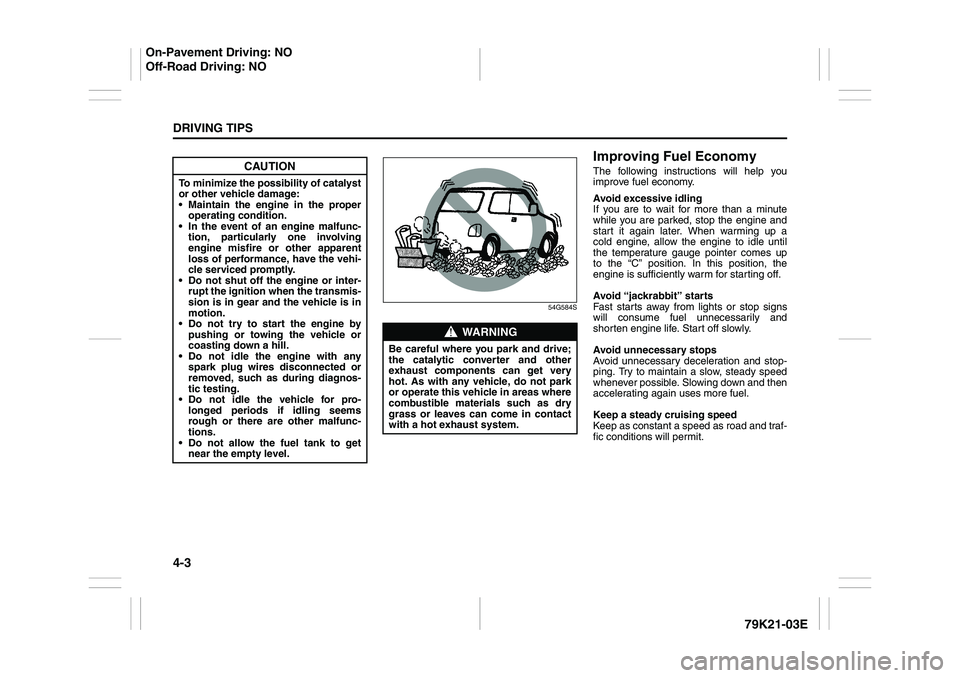
Be careful where you park and drive;
the catalytic converter and other
exhaust components can get very
hot. As with any vehicle, do not park
or operate this vehicle in areas where
combustible materials such as dry
grass or leaves can come in contact
with a hot exhaust system.
On-Pavement Driving: NO
Off-Road Driving: NO
Page 173 of 337
5-20
OTHER CONTROLS AND EQUIPMENT
79K21-03E
Ejecting all the CDs
Press the CD eject button (4) for 2 seconds
or longer. All the CDs will be ejected from
the unit in a sequential manner.
Please prepare a location where
removed CDs can be stored.
If you leave the ejected CD without
removing it, it will be drawn into the unit
automatically after about 15 seconds.
(Auto reload function)
The buck up eject mechanism:
This function allows you to eject the CD
loaded in the unit with the unit turned off
only by pressing the CD eject button (4).Listening to a CD
1) When a CD is inserted, it is automati-
cally played back.
When a CD is already inside the unit,
press the disc button (5) to play back
the CD. When a CD is inside the unit,
the CD indicator (A) is lit on the display
unit.
2) If you want to play another CD, select it
with the disc select buttons (2).
Play starts from the point on the disc
that the unit played last (Last position
memory).
Selecting a track
Press the track up button (6) to listen to
the next track.
Press the track down button (7) twice to
listen to the previous track.
When the track down button (7) is
pressed once, the track being currently
played will return to the beginning.
Fast forwarding/Rewinding a track
Hold in the fast forward button (6) to
advance a track rapidly.
Hold in the rewind button (7) to rewind a
track.Repeat play
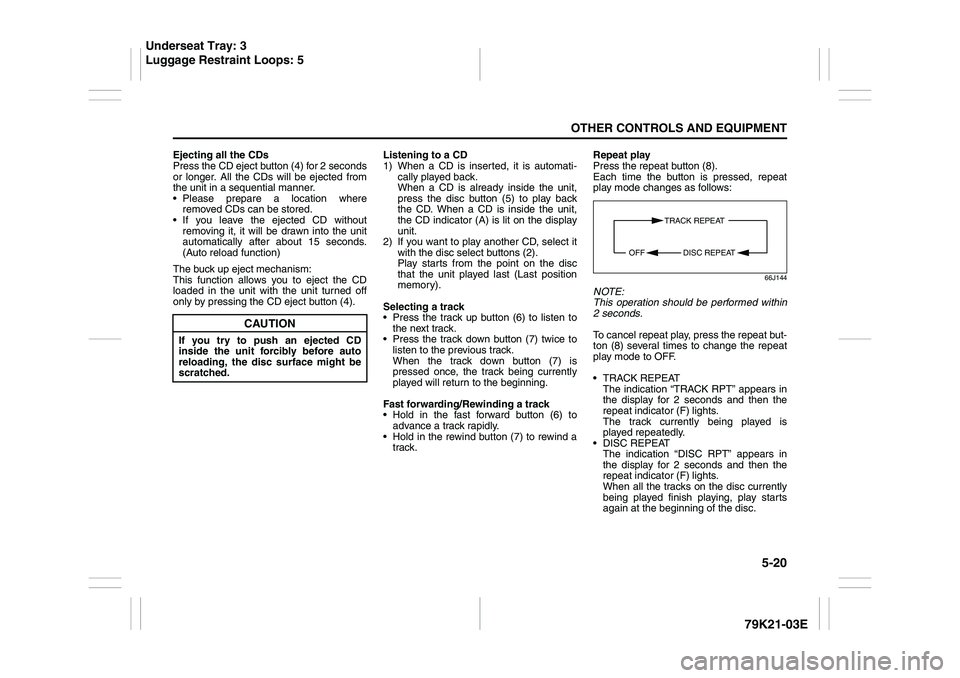
Press the repeat button (8).
Each time the button is pressed, repeat
play mode changes as follows:
66J144
NOTE:
This operation should be performed within
2 seconds.
To cancel repeat play, press the repeat but-
ton (8) several times to change the repeat
play mode to OFF.
TRACK REPEAT
The indication “TRACK RPT” appears in
the display for 2 seconds and then the
repeat indicator (F) lights.
The track currently being played is
played repeatedly.
DISC REPEAT
The indication “DISC RPT” appears in
the display for 2 seconds and then the
repeat indicator (F) lights.
When all the tracks on the disc currently
being played finish playing, play starts
again at the beginning of the disc.
CAUTION
If you try to push an ejected CD
inside the unit forcibly before auto
reloading, the disc surface might be
scratched.
TRACK REPEAT
DISC REPEAT OFF
Underseat Tray: 3
Luggage Restraint Loops: 5
Page 292 of 337
7-43INSPECTION AND MAINTENANCE
79K21-03E
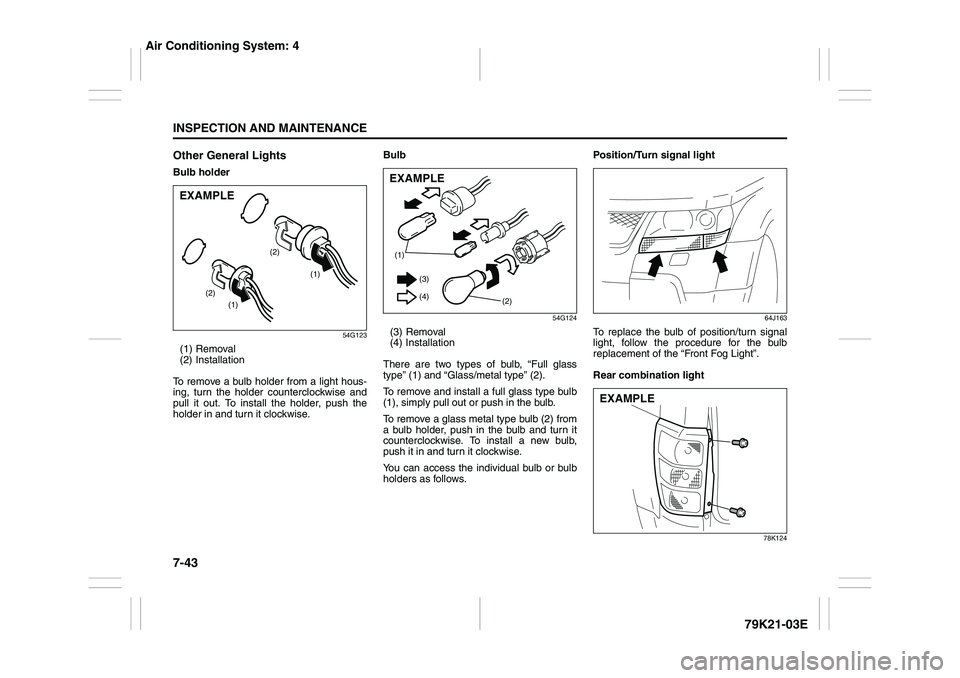
Other General LightsBulb holder
54G123
(1) Removal
(2) Installation
To remove a bulb holder from a light hous-
ing, turn the holder counterclockwise and
pull it out. To install the holder, push the
holder in and turn it clockwise.Bulb
54G124
(3) Removal
(4) Installation
There are two types of bulb, “Full glass
type” (1) and “Glass/metal type” (2).
To remove and install a full glass type bulb
(1), simply pull out or push in the bulb.
To remove a glass metal type bulb (2) from
a bulb holder, push in the bulb and turn it
counterclockwise. To install a new bulb,
push it in and turn it clockwise.
You can access the individual bulb or bulb
holders as follows.Position/Turn signal light
64J163
To replace the bulb of position/turn signal
light, follow the procedure for the bulb
replacement of the “Front Fog Light”.
Rear combination light
78K124
(1)
(1) (2)(2)
EXAMPLE
(1)
(2) (3)
(4)EXAMPLE
EXAMPLE
Air Conditioning System: 4