turn signal SUZUKI GRAND VITARA 2015 User Guide
[x] Cancel search | Manufacturer: SUZUKI, Model Year: 2015, Model line: GRAND VITARA, Model: SUZUKI GRAND VITARA 2015Pages: 482, PDF Size: 21 MB
Page 128 of 482
2-106
BEFORE DRIVING
54P00-01E
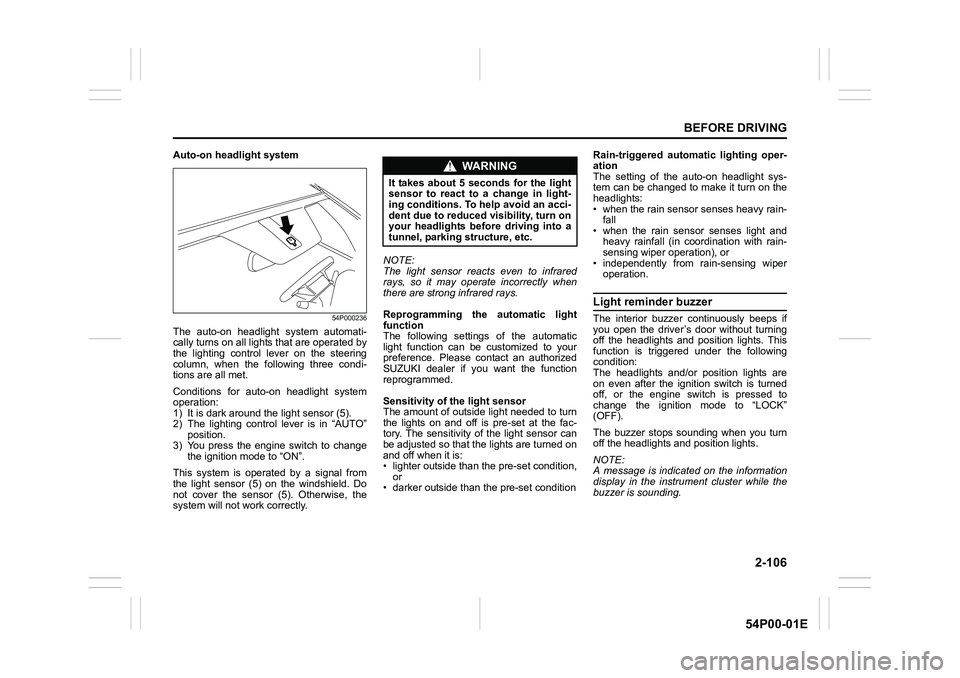
Auto-on headlight system
54P000236
The auto-on headlight system automati-
cally turns on all lights that are operated by
the lighting control lever on the steering
column, when the following three condi-
tions are all met.
Conditions for auto-on headlight system
operation:
1) It is dark around the light sensor (5).
2) The lighting control lever is in “AUTO”
position.
3) You press the engine switch to change
the ignition mode to “ON”.
This system is operated by a signal from
the light sensor (5) on the windshield. Do
not cover the sensor (5). Otherwise, the
system will not work correctly.NOTE:
The light sensor reacts even to infrared
rays, so it may operate incorrectly when
there are strong infrared rays.
Reprogramming the automatic light
function
The following settings of the automatic
light function can be customized to your
preference. Please contact an authorized
SUZUKI dealer if you want the function
reprogrammed.
Sensitivity of the light sensor
The amount of outside light needed to turn
the lights on and off is pre-set at the fac-
tory. The sensitivity of the light sensor can
be adjusted so that the lights are turned on
and off when it is:
• lighter outside than the pre-set condition,
or
• darker outside than the pre-set conditionRain-triggered automatic lighting oper-
ation
The setting of the auto-on headlight sys-
tem can be changed to make it turn on the
headlights:
• when the rain sensor senses heavy rain-
fall
• when the rain sensor senses light and
heavy rainfall (in coordination with rain-
sensing wiper operation), or
• independently from rain-sensing wiper
operation.
Light reminder buzzer
The interior buzzer continuously beeps if
you open the driver’s door without turning
off the headlights and position lights. This
function is triggered under the following
condition:
The headlights and/or position lights are
on even after the ignition switch is turned
off, or the engine switch is pressed to
change the ignition mode to “LOCK”
(OFF).
The buzzer stops sounding when you turn
off the headlights and position lights.
NOTE:
A message is indicated on the information
display in the instrument cluster while the
buzzer is sounding.
WA R N I N G
It takes about 5 seconds for the light
sensor to react to a change in light-
ing conditions. To help avoid an acci-
dent due to reduced visibility, turn on
your headlights before driving into a
tunnel, parking structure, etc.
Page 130 of 482
2-108
BEFORE DRIVING
54P00-01E
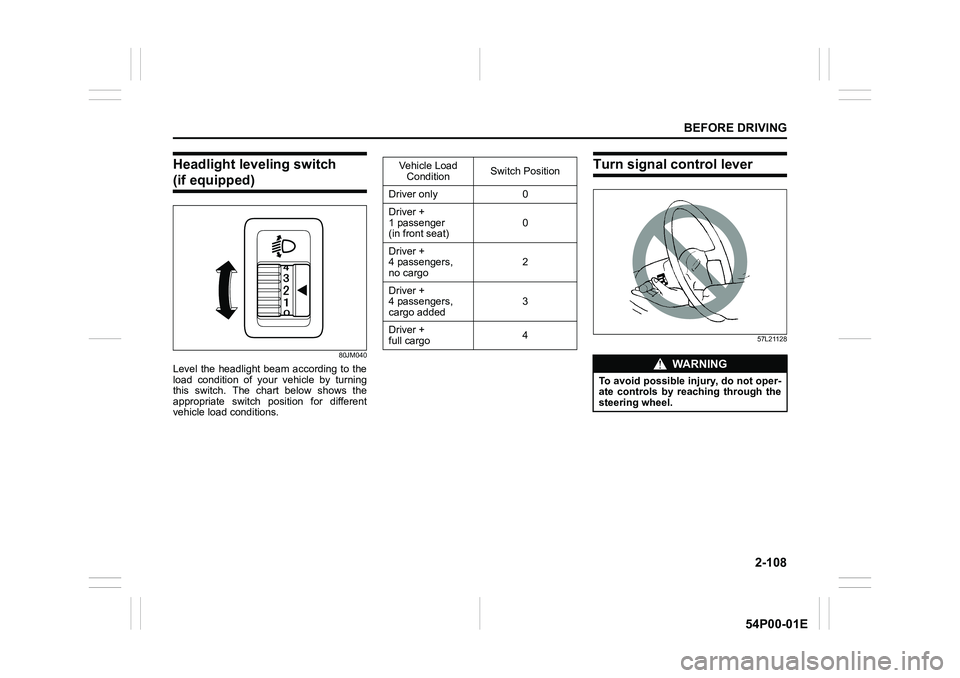
Headlight leveling switch
(if equipped)
80JM040
Level the headlight beam according to the
load condition of your vehicle by turning
this switch. The chart below shows the
appropriate switch position for different
vehicle load conditions.
Turn signal control lever
57L21128
Vehicle Load
ConditionSwitch Position
Driver only 0
Driver +
1 passenger
(in front seat)0
Driver +
4 passengers,
no cargo2
Driver +
4 passengers,
cargo added3
Driver +
full cargo4
WA R N I N G
To avoid possible injury, do not oper-
ate controls by reaching through the
steering wheel.
Page 131 of 482
2-109
BEFORE DRIVING
54P00-01E
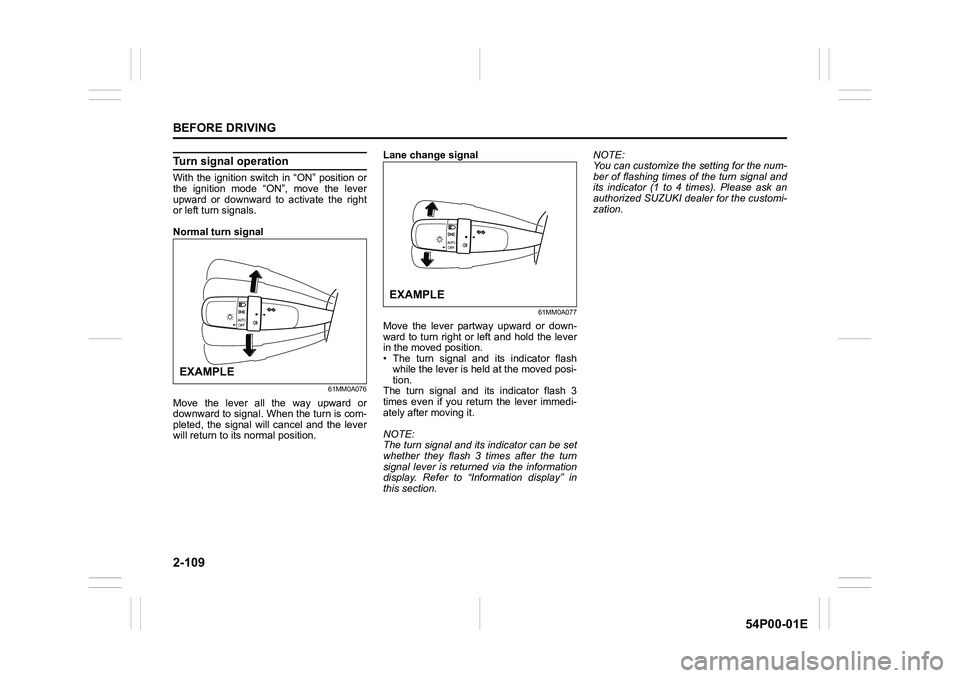
Turn signal operation
With the ignition switch in “ON” position or
the ignition mode “ON”, move the lever
upward or downward to activate the right
or left turn signals.
Normal turn signal
61MM0A076
Move the lever all the way upward or
downward to signal. When the turn is com-
pleted, the signal will cancel and the lever
will return to its normal position.Lane change signal
61MM0A077
Move the lever partway upward or down-
ward to turn right or left and hold the lever
in the moved position.
• The turn signal and its indicator flash
while the lever is held at the moved posi-
tion.
The turn signal and its indicator flash 3
times even if you return the lever immedi-
ately after moving it.
NOTE:
The turn signal and its indicator can be set
whether they flash 3 times after the turn
signal lever is returned via the information
display. Refer to “Information display” in
this section.NOTE:
You can customize the setting for the num-
ber of flashing times of the turn signal and
its indicator (1 to 4 times). Please ask an
authorized SUZUKI dealer for the customi-
zation.
EXAMPLE
EXAMPLE
Page 132 of 482
2-110
BEFORE DRIVING
54P00-01E
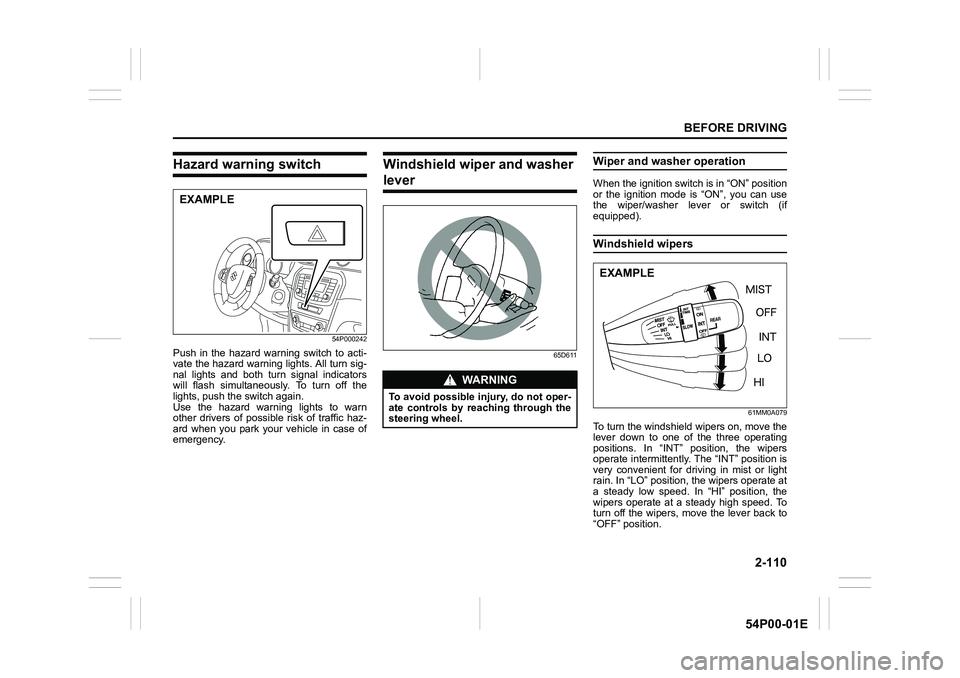
Hazard warning switch
54P000242
Push in the hazard warning switch to acti-
vate the hazard warning lights. All turn sig-
nal lights and both turn signal indicators
will flash simultaneously. To turn off the
lights, push the switch again.
Use the hazard warning lights to warn
other drivers of possible risk of traffic haz-
ard when you park your vehicle in case of
emergency.
Windshield wiper and washer
lever
65D611
Wiper and washer operation
When the ignition switch is in “ON” position
or the ignition mode is “ON”, you can use
the wiper/washer lever or switch (if
equipped).
Windshield wipers
61MM0A079
To turn the windshield wipers on, move the
lever down to one of the three operating
positions. In “INT” position, the wipers
operate intermittently. The “INT” position is
very convenient for driving in mist or light
rain. In “LO” position, the wipers operate at
a steady low speed. In “HI” position, the
wipers operate at a steady high speed. To
turn off the wipers, move the lever back to
“OFF” position.
EXAMPLE
WA R N I N G
To avoid possible injury, do not oper-
ate controls by reaching through the
steering wheel.
EXAMPLE
Page 142 of 482
3-2
OPERATING YOUR VEHICLE
54P00-01E
NOTE:
It is normal for water to drip from the air
conditioning system after use.
4) Check that the hood is fully closed and
latched.
5) Check the headlights, turn signal lights,
brake lights and horn for proper opera-
tion.
6) Adjust the seat and head restraint.
7) Check the brake pedal and the parking
brake lever.
8) Adjust the mirrors.
9) Check that you and all passengers
have properly fastened your seat belts.
10)Check that all warning lights come on
as the ignition switch is turned to “ON”
position or the engine switch is pressed
to change the ignition mode to “ON”.
11)Check all gauges.
12)Check that the brake system warning
light turns off when the parking brake is
released.
Once a week, or each time you fill your fuel
tank, perform the following under-hood
checks:
1) Engine oil level
2) Coolant level
3) Brake fluid level
4) Battery solution level
5) Windshield washer fluid level
6) Hood latch operation
Pull the hood release handle inside the
vehicle. Check that you cannot openthe hood all the way without releasing
the secondary latch. Close the hood
securely after checking for proper latch
operation. See the item “All latches,
hinges and locks” of “Chassis, body
and others” in “Maintenance schedule”
in “INSPECTION AND MAINTE-
NANCE” section for lubrication sched-
ule.
Once a month, or each time you fill your
fuel tank, check the tire pressure using a
tire pressure gauge. Also check the tire
pressure of the spare tire.Engine oil consumption
It is normal for the engine to consume
some engine oil during normal vehicle
operation.
The amount of engine oil consumption
depends on viscosity and quality of the oil
and your driving conditions.
More oil is consumed during high-speed
driving and when there is frequent acceler-
ation and deceleration. Under high loads,
your engine also will consume more oil.
A new engine also consumes more oil,
since its pistons, piston rings and cylinder
walls have not yet become conditioned.
New engines reach the normal level of oil
consumption only after approximately
5000 km (3000 miles) driving.
Oil consumption:
Max. 1.0 L per 1000 km
(1 Qt. per 600 miles)
When judging the amount of oil consump-
tion, note that the oil may become diluted
and it is difficult to judge the accurate oil
level.
As an example, if a vehicle is used for
repeated short trips, and consumes a nor-
mal amount of oil, the dipstick may not
show any drop in the oil level at all, even
after 1000 km (600 miles) or more of driv-
ing. This is because the oil gradually
becomes diluted with fuel or moisture,
WA R N I N G
Check that the hood is fully closed
and latched before driving. If it is not,
it can fly up unexpectedly during
driving, obstructing your view and
resulting in an accident.
Page 146 of 482
3-6
OPERATING YOUR VEHICLE
54P00-01E
NOTE:
In the presence of strong radio signals or
noise, you may not be able to change the
ignition mode to “ACC” or “ON” or to start
the engine using the engine switch. In this
case, the information display in the instru-
ment cluster will show the following mes-
sage: KEY FOB NOT DETECTED.
Unreleased steering lock warning
If the steering lock remains engaged when
you press the engine switch to change the
ignition mode to “ON”, the information dis-
play in the instrument cluster shows the
message: “TRN. STEERING WHEEL TO
RELEASE LOCK”. Refer to “Information
display” in “BEFORE DRIVING” section for
details.
NOTE:
The steering lock may not be released if
some load is acting on the steering wheel.
If this happens, turn the steering wheel to
the right or left to relieve it from the load
before you press the engine switch again
to change to the desired ignition mode.
Keyless push start system
(if equipped)
Provided the keyless push start system
remote controller is within the interior work-
able area (refer to the related explanation
in this section), you can use the engine
switch for starting the engine and selecting
an ignition mode (“ACC” or “ON”). In addi-
tion, the following functions can be used:
• Keyless entry function. Refer to “Keyless
push start system remote controller /
keyless entry system transmitter” in
“BEFORE DRIVING” section for details.
• Locking and unlocking doors (including
the tailgate) using a request switch.
Refer to “Keyless push start system
remote controller / keyless entry system
transmitter” in “BEFORE DRIVING” sec-
tion for details.
• Immobilizer (anti-theft) function. Refer to
“Immobilizer system” in “BEFORE DRIV-
ING” section for details.
Engine switch illumination
The engine switch is illuminated (lit) in the
following situations:
• When the engine is off and the driver’s
door is open, or for 15 seconds after the
driver’s door is closed. The illumination
will fade out after 15 seconds passed.
NOTICE
Do not leave the engine switch in
“ACC” or “ON” mode when the
engine is not running. Avoid using
the radio or other electric accesso-
ries for a long time when the engine
switch is in “ACC” or “ON” mode
when the engine is not running, oth-
erwise the battery may discharge.
Page 169 of 482
3-29
OPERATING YOUR VEHICLE
54P00-01E
ENG A-STOP system
(engine auto stop start
system) (if equipped)
The ENG A-STOP system (engine auto
stop start system) automatically stops and
restarts the engine without operating the
ignition switch or the engine switch when
the vehicle is stopped, such as at a traffic
signal or in a traffic jam, to reduce exhaust
gases and fuel consumption.
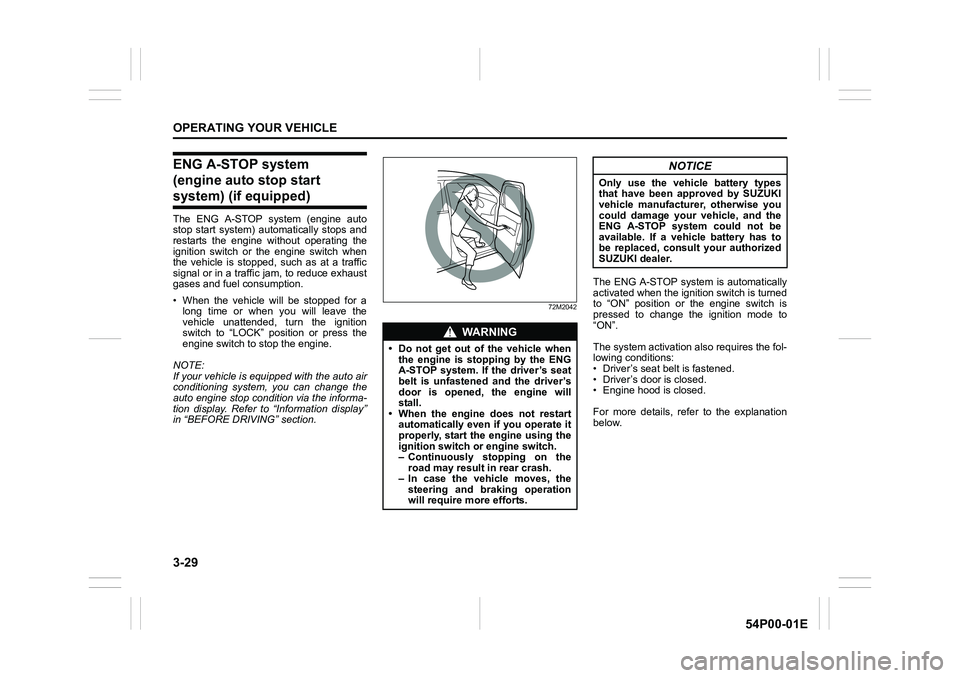
• When the vehicle will be stopped for a
long time or when you will leave the
vehicle unattended, turn the ignition
switch to “LOCK” position or press the
engine switch to stop the engine.
NOTE:
If your vehicle is equipped with the auto air
conditioning system, you can change the
auto engine stop condition via the informa-
tion display. Refer to “Information display”
in “BEFORE DRIVING” section.
72M2042
The ENG A-STOP system is automatically
activated when the ignition switch is turned
to “ON” position or the engine switch is
pressed to change the ignition mode to
“ON”.
The system activation also requires the fol-
lowing conditions:
• Driver’s seat belt is fastened.
• Driver’s door is closed.
• Engine hood is closed.
For more details, refer to the explanation
below.
WA R N I N G
• Do not get out of the vehicle when
the engine is stopping by the ENG
A-STOP system. If the driver’s seat
belt is unfastened and the driver’s
door is opened, the engine will
stall.
• When the engine does not restart
automatically even if you operate it
properly, start the engine using the
ignition switch or engine switch.
– Continuously stopping on the
road may result in rear crash.
– In case the vehicle moves, the
steering and braking operation
will require more efforts.
NOTICE
Only use the vehicle battery types
that have been approved by SUZUKI
vehicle manufacturer, otherwise you
could damage your vehicle, and the
ENG A-STOP system could not be
available. If a vehicle battery has to
be replaced, consult your authorized
SUZUKI dealer.
Page 203 of 482
3-63
OPERATING YOUR VEHICLE
54P00-01E
Emergency stop signal (ESS) (if equipped)
ESS stands for Emergency Stop Signal.
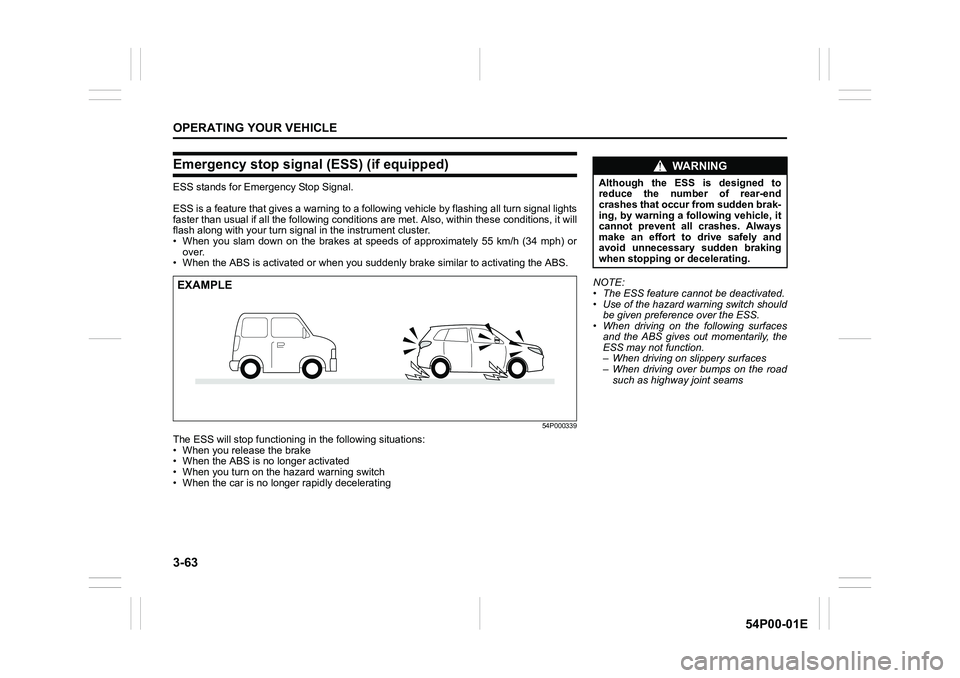
ESS is a feature that gives a warning to a following vehicle by flashing all turn signal lights
faster than usual if all the following conditions are met. Also, within these conditions, it will
flash along with your turn signal in the instrument cluster.
• When you slam down on the brakes at speeds of approximately 55 km/h (34 mph) or
over.
• When the ABS is activated or when you suddenly brake similar to activating the ABS.
54P000339
The ESS will stop functioning in the following situations:
• When you release the brake
• When the ABS is no longer activated
• When you turn on the hazard warning switch
• When the car is no longer rapidly decelerating
EXAMPLENOTE:
• The ESS feature cannot be deactivated.
• Use of the hazard warning switch should
be given preference over the ESS.
• When driving on the following surfaces
and the ABS gives out momentarily, the
ESS may not function.
– When driving on slippery surfaces
– When driving over bumps on the road
such as highway joint seams
WA R N I N G
Although the ESS is designed to
reduce the number of rear-end
crashes that occur from sudden brak-
ing, by warning a following vehicle, it
cannot prevent all crashes. Always
make an effort to drive safely and
avoid unnecessary sudden braking
when stopping or decelerating.
Page 226 of 482
3-86
OPERATING YOUR VEHICLE
54P00-01E
61MM0A198
NOTE:
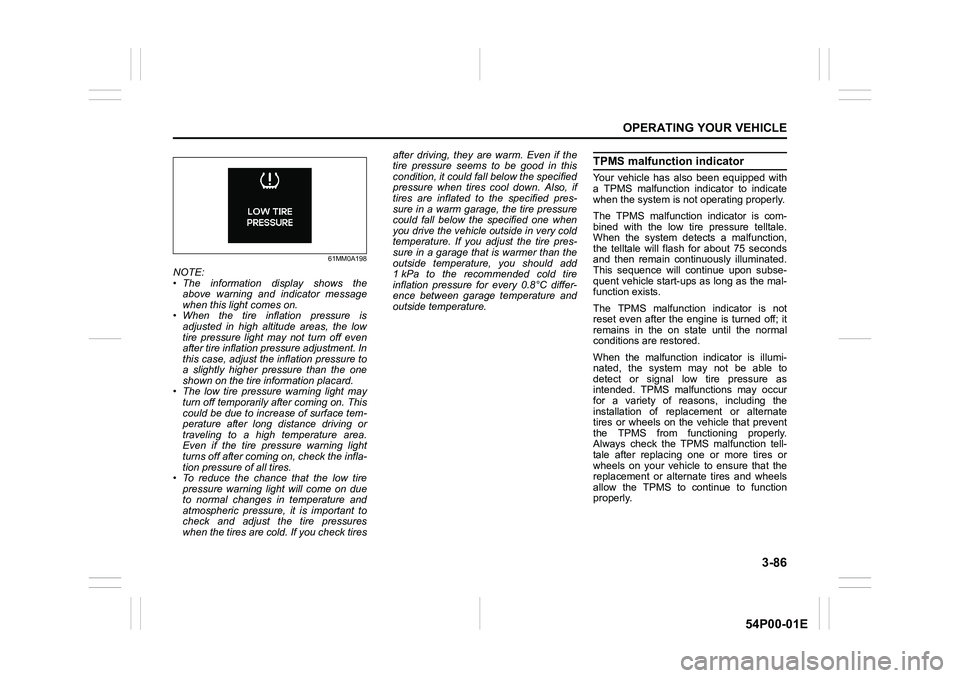
• The information display shows the
above warning and indicator message
when this light comes on.
• When the tire inflation pressure is
adjusted in high altitude areas, the low
tire pressure light may not turn off even
after tire inflation pressure adjustment. In
this case, adjust the inflation pressure to
a slightly higher pressure than the one
shown on the tire information placard.
• The low tire pressure warning light may
turn off temporarily after coming on. This
could be due to increase of surface tem-
perature after long distance driving or
traveling to a high temperature area.
Even if the tire pressure warning light
turns off after coming on, check the infla-
tion pressure of all tires.
• To reduce the chance that the low tire
pressure warning light will come on due
to normal changes in temperature and
atmospheric pressure, it is important to
check and adjust the tire pressures
when the tires are cold. If you check tiresafter driving, they are warm. Even if the
tire pressure seems to be good in this
condition, it could fall below the specified
pressure when tires cool down. Also, if
tires are inflated to the specified pres-
sure in a warm garage, the tire pressure
could fall below the specified one when
you drive the vehicle outside in very cold
temperature. If you adjust the tire pres-
sure in a garage that is warmer than the
outside temperature, you should add
1 kPa to the recommended cold tire
inflation pressure for every 0.8°C differ-
ence between garage temperature and
outside temperature.
TPMS malfunction indicator
Your vehicle has also been equipped with
a TPMS malfunction indicator to indicate
when the system is not operating properly.
The TPMS malfunction indicator is com-
bined with the low tire pressure telltale.
When the system detects a malfunction,
the telltale will flash for about 75 seconds
and then remain continuously illuminated.
This sequence will continue upon subse-
quent vehicle start-ups as long as the mal-
function exists.
The TPMS malfunction indicator is not
reset even after the engine is turned off; it
remains in the on state until the normal
conditions are restored.
When the malfunction indicator is illumi-
nated, the system may not be able to
detect or signal low tire pressure as
intended. TPMS malfunctions may occur
for a variety of reasons, including the
installation of replacement or alternate
tires or wheels on the vehicle that prevent
the TPMS from functioning properly.
Always check the TPMS malfunction tell-
tale after replacing one or more tires or
wheels on your vehicle to ensure that the
replacement or alternate tires and wheels
allow the TPMS to continue to function
properly.
Page 293 of 482
5-51
OTHER CONTROLS AND EQUIPMENT
54P00-01E
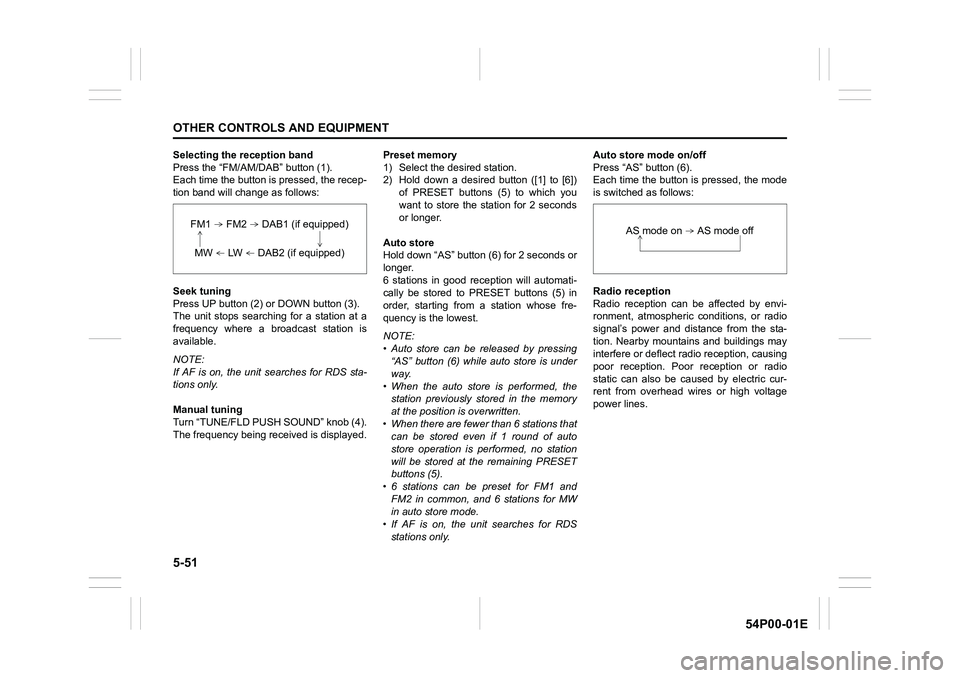
Selecting the reception band
Press the “FM/AM/DAB” button (1).
Each time the button is pressed, the recep-
tion band will change as follows:
Seek tuning
Press UP button (2) or DOWN button (3).
The unit stops searching for a station at a
frequency where a broadcast station is
available.
NOTE:
If AF is on, the unit searches for RDS sta-
tions only.
Manual tuning
Turn “TUNE/FLD PUSH SOUND” knob (4).
The frequency being received is displayed.Preset memory
1) Select the desired station.
2) Hold down a desired button ([1] to [6])
of PRESET buttons (5) to which you
want to store the station for 2 seconds
or longer.
Auto store
Hold down “AS” button (6) for 2 seconds or
longer.
6 stations in good reception will automati-
cally be stored to PRESET buttons (5) in
order, starting from a station whose fre-
quency is the lowest.
NOTE:
• Auto store can be released by pressing
“AS” button (6) while auto store is under
way.
• When the auto store is performed, the
station previously stored in the memory
at the position is overwritten.
• When there are fewer than 6 stations that
can be stored even if 1 round of auto
store operation is performed, no station
will be stored at the remaining PRESET
buttons (5).
• 6 stations can be preset for FM1 and
FM2 in common, and 6 stations for MW
in auto store mode.
• If AF is on, the unit searches for RDS
stations only.Auto store mode on/off
Press “AS” button (6).
Each time the button is pressed, the mode
is switched as follows:
Radio reception
Radio reception can be affected by envi-
ronment, atmospheric conditions, or radio
signal’s power and distance from the sta-
tion. Nearby mountains and buildings may
interfere or deflect radio reception, causing
poor reception. Poor reception or radio
static can also be caused by electric cur-
rent from overhead wires or high voltage
power lines.
FM1 FM2 DAB1 (if equipped)
MW LW DAB2 (if equipped)
AS mode on AS mode off