off road SUZUKI GRAND VITARA 2017 User Guide
[x] Cancel search | Manufacturer: SUZUKI, Model Year: 2017, Model line: GRAND VITARA, Model: SUZUKI GRAND VITARA 2017Pages: 482, PDF Size: 21 MB
Page 215 of 482
3-75
OPERATING YOUR VEHICLE
54P00-01E
Brake assist system
When you slam the brakes on, the brake
assist system determines it to be an emer-
gency stop and provides more powerful
braking for a driver who cannot hold down
the brake pedal firmly.
NOTE:
If you quickly and forcefully depress the
brakes, you may hear a clicking sound in
the brake pedal. This is normal and indi-
cates that the brake assist system is acti-
vated properly.
Anti-lock brake system (ABS)
ABS will help you avoid skidding by elec-
tronically controlling braking pressure. It
will also help you maintain steering control
when braking on slippery surfaces or when
braking hard.
The ABS works automatically, so you do
not need any special braking technique.
Just push the brake pedal down without
pumping. The ABS will operate wheneverit senses that the wheels are locking up.
You may feel the brake pedal move a little
while the ABS is operating.
NOTE:
The ABS will not work if vehicle speed is
under about 9 km/h (6 mph).63J081
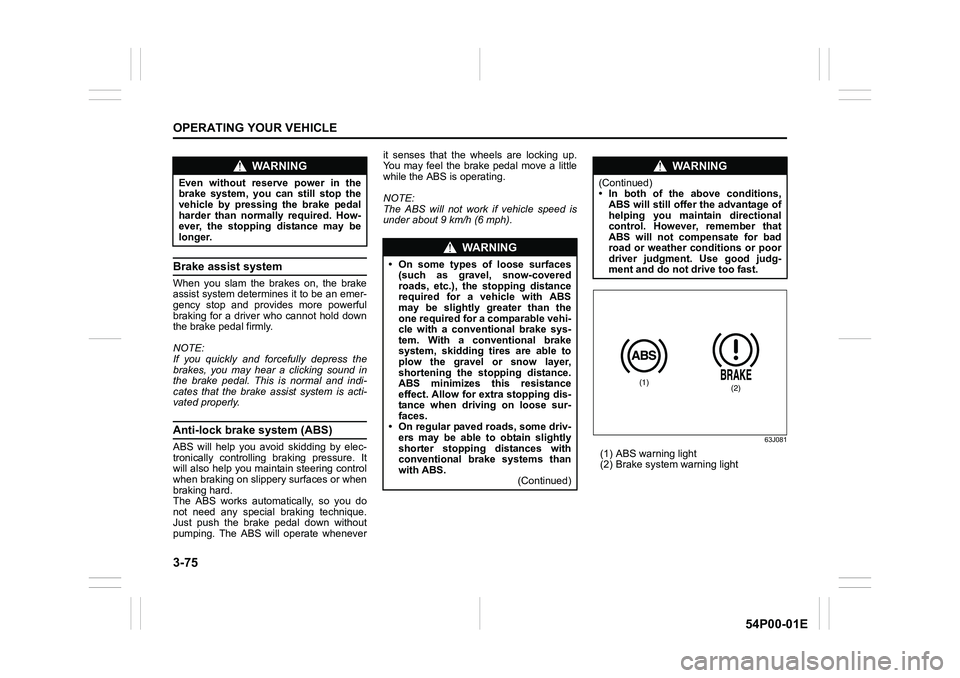
(1) ABS warning light
(2) Brake system warning light
WA R N I N G
Even without reserve power in the
brake system, you can still stop the
vehicle by pressing the brake pedal
harder than normally required. How-
ever, the stopping distance may be
longer.
WA R N I N G
• On some types of loose surfaces
(such as gravel, snow-covered
roads, etc.), the stopping distance
required for a vehicle with ABS
may be slightly greater than the
one required for a comparable vehi-
cle with a conventional brake sys-
tem. With a conventional brake
system, skidding tires are able to
plow the gravel or snow layer,
shortening the stopping distance.
ABS minimizes this resistance
effect. Allow for extra stopping dis-
tance when driving on loose sur-
faces.
• On regular paved roads, some driv-
ers may be able to obtain slightly
shorter stopping distances with
conventional brake systems than
with ABS.
(Continued)
WA R N I N G
(Continued)
• In both of the above conditions,
ABS will still offer the advantage of
helping you maintain directional
control. However, remember that
ABS will not compensate for bad
road or weather conditions or poor
driver judgment. Use good judg-
ment and do not drive too fast.
(1)(2)
Page 219 of 482
3-79
OPERATING YOUR VEHICLE
54P00-01E
Models with parking sensors
61MM0A105
(1) ESP® OFF switch
When the ESP
® OFF switch located at the
instrument panel is pushed and held to
turn off the ESP
® systems (other than
ABS), the ESP® OFF indicator light in the
instrument cluster comes on.
When you have turned the ESP
® systems
(other than ABS) off, turn them back on
before resuming ordinary driving.
When you push the ESP
® OFF switch
again, the ESP® OFF indicator light will go
out and all of the ESP® systems will be
activated.
61MM0A178
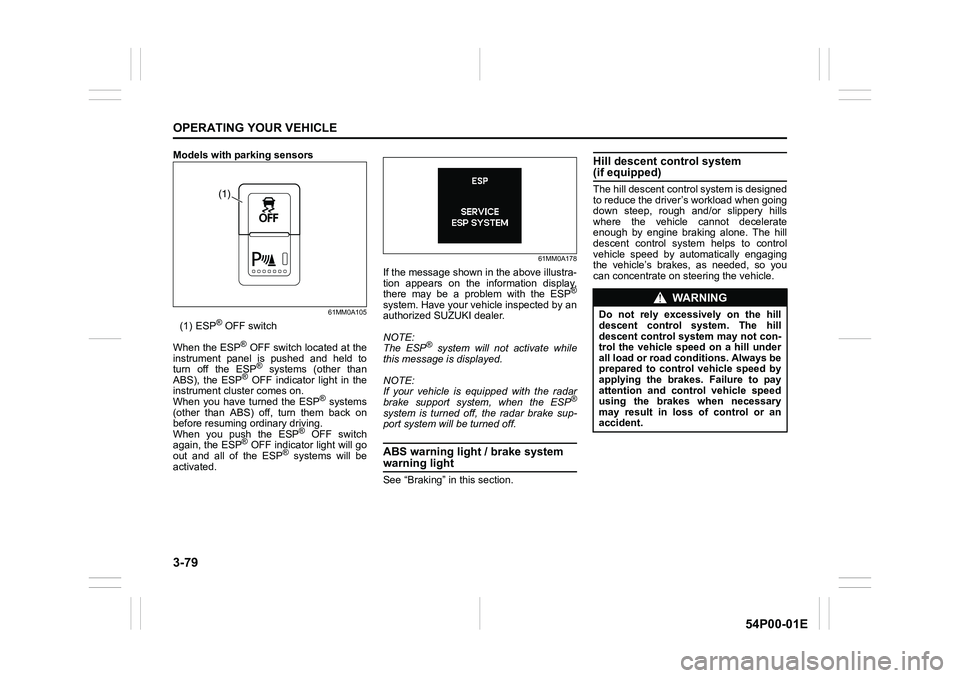
If the message shown in the above illustra-
tion appears on the information display,
there may be a problem with the ESP
®
system. Have your vehicle inspected by an
authorized SUZUKI dealer.
NOTE:
The ESP
® system will not activate while
this message is displayed.
NOTE:
If your vehicle is equipped with the radar
brake support system, when the ESP
®
system is turned off, the radar brake sup-
port system will be turned off.
ABS warning light / brake system
warning light
See “Braking” in this section.
Hill descent control system (if equipped)
The hill descent control system is designed
to reduce the driver’s workload when going
down steep, rough and/or slippery hills
where the vehicle cannot decelerate
enough by engine braking alone. The hill
descent control system helps to control
vehicle speed by automatically engaging
the vehicle’s brakes, as needed, so you
can concentrate on steering the vehicle.(1)
WA R N I N G
Do not rely excessively on the hill
descent control system. The hill
descent control system may not con-
trol the vehicle speed on a hill under
all load or road conditions. Always be
prepared to control vehicle speed by
applying the brakes. Failure to pay
attention and control vehicle speed
using the brakes when necessary
may result in loss of control or an
accident.
Page 236 of 482
4-2
DRIVING TIPS
54P00-01E
heat damage to the catalytic converter and
other vehicle components.
54G584S
Improving fuel economy
The following instructions will help you
improve fuel economy.
Avoid excessive idling
If you park your vehicle for more than one
minute, stop the engine and start it again
later. When warming up a cold engine,
allow the engine to idle until the tempera-
ture gauge pointer comes up to “C” posi-
tion (if the idling is not prohibited). In this
position, the engine is sufficiently warm for
starting off.
Avoid fast starts
Fast starts away from lights or stop signs
will consume fuel unnecessarily and
shorten engine life. Start off slowly.
Avoid unnecessary stops
Avoid unnecessary deceleration and stop-
ping. Try to maintain a slow, steady speed
whenever possible. Slowing down and
then accelerating again uses more fuel.
Keep a steady cruising speed
Drive at a constant speed that road and
traffic conditions will permit.NOTICE
To minimize the possibility of cata-
lytic converter or other vehicle dam-
age:
• Maintain the engine in the proper
operating condition.
• In the event of an engine malfunc-
tion, particularly one involving
engine misfire or other apparent
loss of performance, have the vehi-
cle serviced promptly.
• Do not turn off the engine or inter-
rupt the ignition when the transaxle
is in gear and the vehicle is in
motion.
• Do not try to start the engine by
pushing or towing the vehicle, or
coasting down a hill.
• Do not idle the engine with any
spark plug wires disconnected or
removed, such as during diagnos-
tic testing.
• Do not idle the vehicle for pro-
longed periods if idling seems
rough or there are other malfunc-
tions.
• Do not allow the fuel tank to get
near the empty level.
WA R N I N G
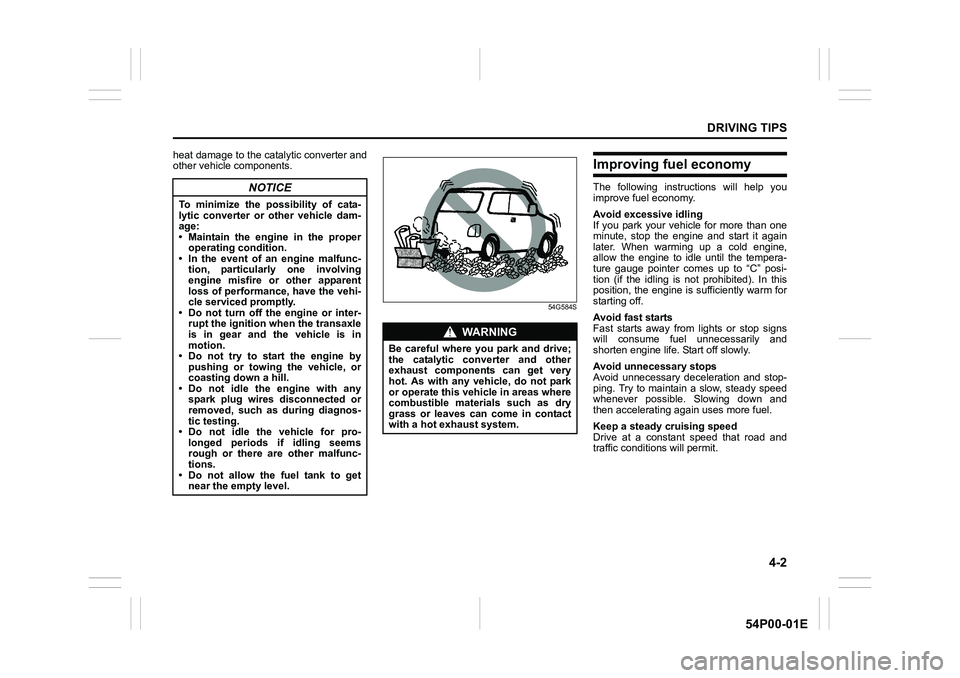
Be careful where you park and drive;
the catalytic converter and other
exhaust components can get very
hot. As with any vehicle, do not park
or operate this vehicle in areas where
combustible materials such as dry
grass or leaves can come in contact
with a hot exhaust system.
Page 238 of 482
4-4
DRIVING TIPS
54P00-01E
Driving on slippery roads
60G089S
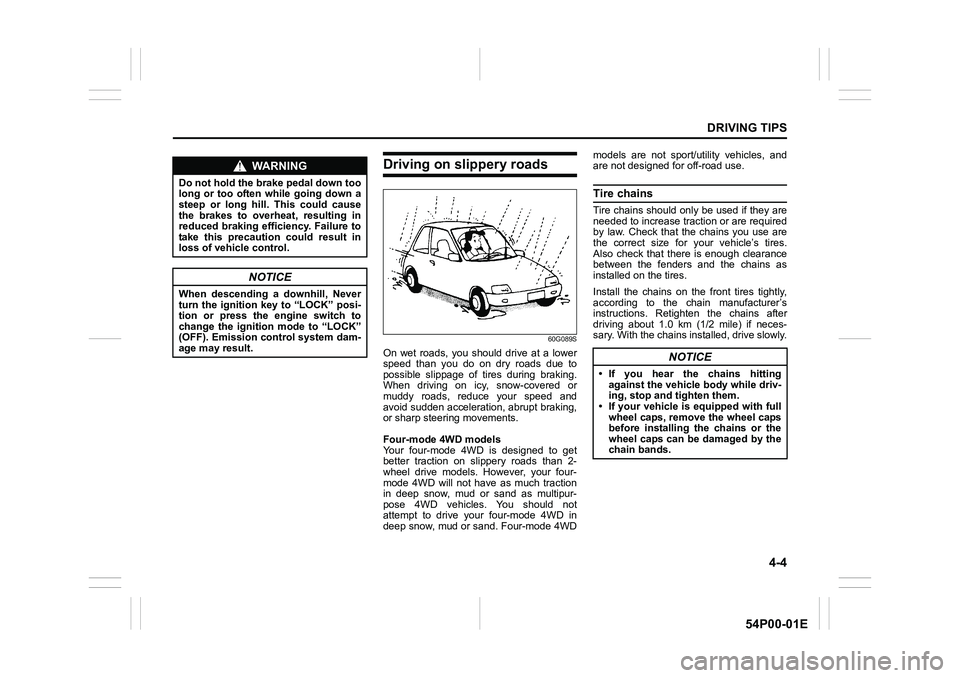
On wet roads, you should drive at a lower
speed than you do on dry roads due to
possible slippage of tires during braking.
When driving on icy, snow-covered or
muddy roads, reduce your speed and
avoid sudden acceleration, abrupt braking,
or sharp steering movements.
Four-mode 4WD models
Your four-mode 4WD is designed to get
better traction on slippery roads than 2-
wheel drive models. However, your four-
mode 4WD will not have as much traction
in deep snow, mud or sand as multipur-
pose 4WD vehicles. You should not
attempt to drive your four-mode 4WD in
deep snow, mud or sand. Four-mode 4WDmodels are not sport/utility vehicles, and
are not designed for off-road use.
Tire chains
Tire chains should only be used if they are
needed to increase traction or are required
by law. Check that the chains you use are
the correct size for your vehicle’s tires.
Also check that there is enough clearance
between the fenders and the chains as
installed on the tires.
Install the chains on the front tires tightly,
according to the chain manufacturer’s
instructions. Retighten the chains after
driving about 1.0 km (1/2 mile) if neces-
sary. With the chains installed, drive slowly.
WA R N I N G
Do not hold the brake pedal down too
long or too often while going down a
steep or long hill. This could cause
the brakes to overheat, resulting in
reduced braking efficiency. Failure to
take this precaution could result in
loss of vehicle control.
NOTICE
When descending a downhill, Never
turn the ignition key to “LOCK” posi-
tion or press the engine switch to
change the ignition mode to “LOCK”
(OFF). Emission control system dam-
age may result.
NOTICE
• If you hear the chains hitting
against the vehicle body while driv-
ing, stop and tighten them.
• If your vehicle is equipped with full
wheel caps, remove the wheel caps
before installing the chains or the
wheel caps can be damaged by the
chain bands.
Page 239 of 482
4-5
DRIVING TIPS
54P00-01E
Stuck vehicle
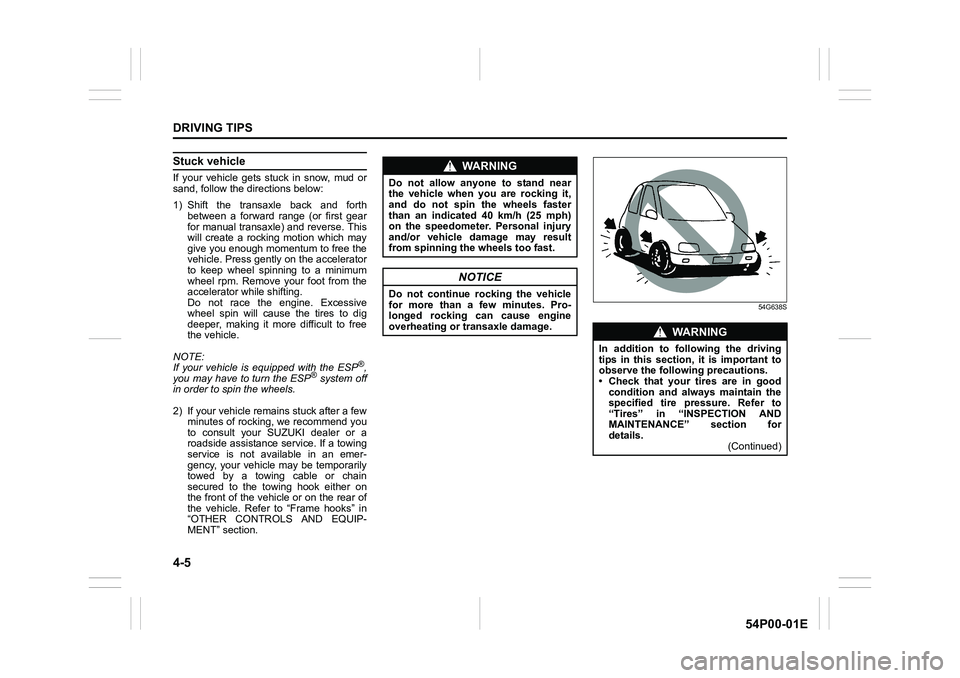
If your vehicle gets stuck in snow, mud or
sand, follow the directions below:
1) Shift the transaxle back and forth
between a forward range (or first gear
for manual transaxle) and reverse. This
will create a rocking motion which may
give you enough momentum to free the
vehicle. Press gently on the accelerator
to keep wheel spinning to a minimum
wheel rpm. Remove your foot from the
accelerator while shifting.
Do not race the engine. Excessive
wheel spin will cause the tires to dig
deeper, making it more difficult to free
the vehicle.
NOTE:
If your vehicle is equipped with the ESP
®,
you may have to turn the ESP® system off
in order to spin the wheels.
2) If your vehicle remains stuck after a few
minutes of rocking, we recommend you
to consult your SUZUKI dealer or a
roadside assistance service. If a towing
service is not available in an emer-
gency, your vehicle may be temporarily
towed by a towing cable or chain
secured to the towing hook either on
the front of the vehicle or on the rear of
the vehicle. Refer to “Frame hooks” in
“OTHER CONTROLS AND EQUIP-
MENT” section.
54G638S
WA R N I N G
Do not allow anyone to stand near
the vehicle when you are rocking it,
and do not spin the wheels faster
than an indicated 40 km/h (25 mph)
on the speedometer. Personal injury
and/or vehicle damage may result
from spinning the wheels too fast.
NOTICE
Do not continue rocking the vehicle
for more than a few minutes. Pro-
longed rocking can cause engine
overheating or transaxle damage.
WA R N I N G
In addition to following the driving
tips in this section, it is important to
observe the following precautions.
• Check that your tires are in good
condition and always maintain the
specified tire pressure. Refer to
“Tires” in “INSPECTION AND
MAINTENANCE” section for
details.
(Continued)
Page 262 of 482
5-20
OTHER CONTROLS AND EQUIPMENT
54P00-01E
You can use the roof rails or the roof rack
anchors to attach the optional roof rack
which is available at your SUZUKI dealer.
If you use a roof rack, observe the instruc-
tions and precautions in this section and
provided with the roof rack.
• Check that the roof rack is securely
installed.
• To mount various types of cargo (such
as skis, bicycles, etc.) properly, use suit-
able attachments which are available at
your SUZUKI dealer. Install the attach-
ments properly and securely according
to the instructions provided. Do not
mount cargo directly on the roof panel.
The cargo can damage the roof panel.
• The gross weight of the roof rack plus
cargo must not exceed the loading
capacity.
– Roof rails: 75 kg (165 lbs)
– Roof rack anchors: 50 kg (110 lbs)
Also, do not let the gross vehicle weight
(fully loaded vehicle including driver,
passengers, cargo, roof load and trailer
tongue weight) exceed the Gross Vehi-
cle Weight Rating (GVWR) listed in
“SPECIFICATIONS” section.
• Mount and secure the cargo onto the
roof rack properly according to the
instructions provided. Stow the heaviest
items at the bottom and distribute the
cargo as evenly as possible.
• Do not carry large items that hang over
the bumpers or the sides of the vehicle.Otherwise, these items could block your
view.
• Secure the front and rear ends of long
items such as wood panels and surf-
boards, to both the front and rear of the
vehicle. You should protect the painted
surfaces of the vehicle from scuffing
caused by tie-down ropes.
• Check periodically that the roof rack is
securely installed and free from damage.
• For vehicles with roof rack anchors,
check that the anchors are covered with
the caps when not in use.Frame hooks
Your SUZUKI not recommend you use the
frame hooks for towing another vehicle.
SUZUKI was originally designed to tow
your vehicle on the road emergency tow-
ing.
If your vehicle needs to be towed in an
emergency, refer to “Towing” in “EMER-
GENCY SERVICE” section.
WA R N I N G
• Abrupt maneuvers or failure to
properly secure cargo can allow
the cargo to fly off the vehicle and
hit others, causing personal injury
or property damage.
• Mount cargo securely and avoid
abrupt maneuvers such as jackrab-
bit starts, sharp turns, fast corner-
ing and sudden braking. Check
periodically that cargo is securely
fastened.
• Large, bulky, long or flat items can
affect vehicle aerodynamics or be
caught by the wind, and can reduce
vehicle control resulting in an acci-
dent and personal injury. Drive cau-
tiously at a safely reduced speed
when carrying this type of cargo.
WA R N I N G
Observe the following instructions
when using frame hooks. The towing
hook or vehicle body may break and
cause serious injury or damage.
• Do not use the frame hooks for
towing another vehicle.
• Avoid pulling the vehicle to get out
of severe snowy, muddy or sandy
conditions, sudden starts or erratic
driving maneuvers which could
cause excessive stress on the tow-
ing hook.
In such case, we recommend that
you contact a professional service.
Page 283 of 482
5-41
OTHER CONTROLS AND EQUIPMENT
54P00-01E
Safety informationNotes on discs
Precautions
• When the inside of the vehicle is very
cold and the player is used soon after
switching on the heater, condensation
may form on the disc or the optical
parts of the player and proper playback
may not be possible. If condensation
forms on the disc, wipe it off with a soft
cloth. If condensation forms on the opti-
cal parts of the player, do not use the
player for about one hour. This will
allow the condensation to disappear
normally.
• Driving on extremely bumpy roads
which cause severe vibrations may
cause sound to skip.
• This unit uses a precision mechanism.
Even in the event that trouble arises,
never open the case, disassemble the
unit, or lubricate the rotating parts.
Bring the unit to an authorized SUZUKI
dealer.Cautions on handling
52D274
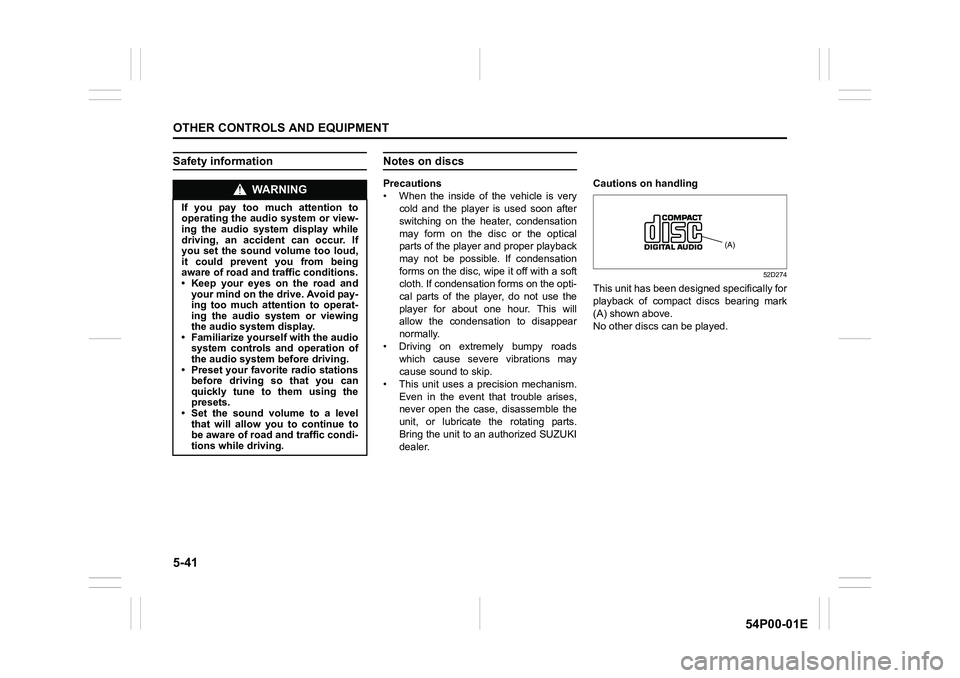
This unit has been designed specifically for
playback of compact discs bearing mark
(A) shown above.
No other discs can be played.
WA R N I N G
If you pay too much attention to
operating the audio system or view-
ing the audio system display while
driving, an accident can occur. If
you set the sound volume too loud,
it could prevent you from being
aware of road and traffic conditions.
• Keep your eyes on the road and
your mind on the drive. Avoid pay-
ing too much attention to operat-
ing the audio system or viewing
the audio system display.
• Familiarize yourself with the audio
system controls and operation of
the audio system before driving.
• Preset your favorite radio stations
before driving so that you can
quickly tune to them using the
presets.
• Set the sound volume to a level
that will allow you to continue to
be aware of road and traffic condi-
tions while driving.
(A)
Page 293 of 482
5-51
OTHER CONTROLS AND EQUIPMENT
54P00-01E
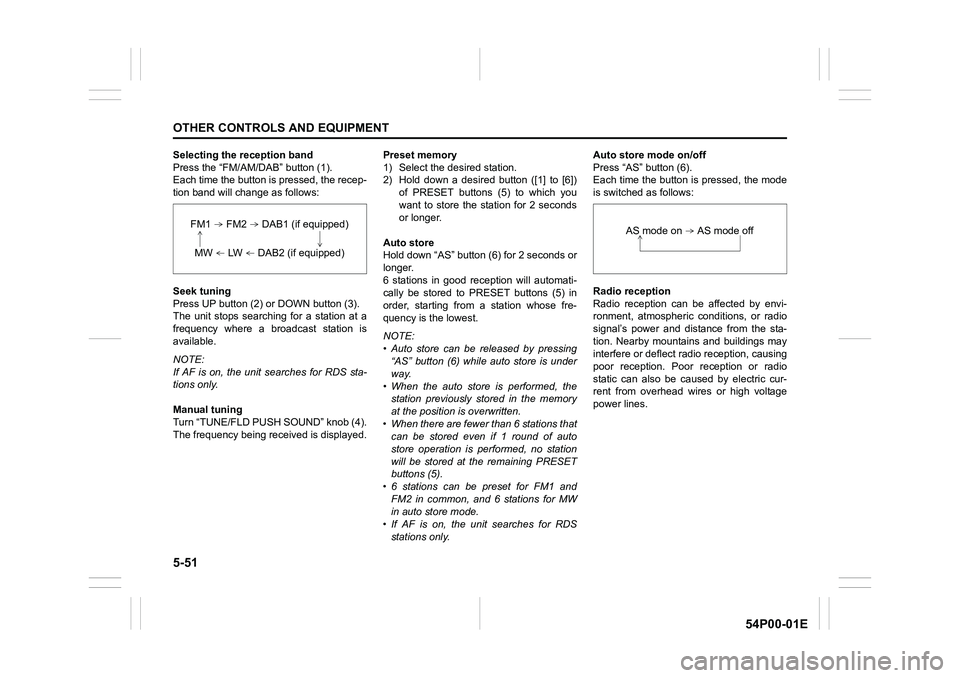
Selecting the reception band
Press the “FM/AM/DAB” button (1).
Each time the button is pressed, the recep-
tion band will change as follows:
Seek tuning
Press UP button (2) or DOWN button (3).
The unit stops searching for a station at a
frequency where a broadcast station is
available.
NOTE:
If AF is on, the unit searches for RDS sta-
tions only.
Manual tuning
Turn “TUNE/FLD PUSH SOUND” knob (4).
The frequency being received is displayed.Preset memory
1) Select the desired station.
2) Hold down a desired button ([1] to [6])
of PRESET buttons (5) to which you
want to store the station for 2 seconds
or longer.
Auto store
Hold down “AS” button (6) for 2 seconds or
longer.
6 stations in good reception will automati-
cally be stored to PRESET buttons (5) in
order, starting from a station whose fre-
quency is the lowest.
NOTE:
• Auto store can be released by pressing
“AS” button (6) while auto store is under
way.
• When the auto store is performed, the
station previously stored in the memory
at the position is overwritten.
• When there are fewer than 6 stations that
can be stored even if 1 round of auto
store operation is performed, no station
will be stored at the remaining PRESET
buttons (5).
• 6 stations can be preset for FM1 and
FM2 in common, and 6 stations for MW
in auto store mode.
• If AF is on, the unit searches for RDS
stations only.Auto store mode on/off
Press “AS” button (6).
Each time the button is pressed, the mode
is switched as follows:
Radio reception
Radio reception can be affected by envi-
ronment, atmospheric conditions, or radio
signal’s power and distance from the sta-
tion. Nearby mountains and buildings may
interfere or deflect radio reception, causing
poor reception. Poor reception or radio
static can also be caused by electric cur-
rent from overhead wires or high voltage
power lines.
FM1 FM2 DAB1 (if equipped)
MW LW DAB2 (if equipped)
AS mode on AS mode off
Page 295 of 482
5-53
OTHER CONTROLS AND EQUIPMENT
54P00-01E
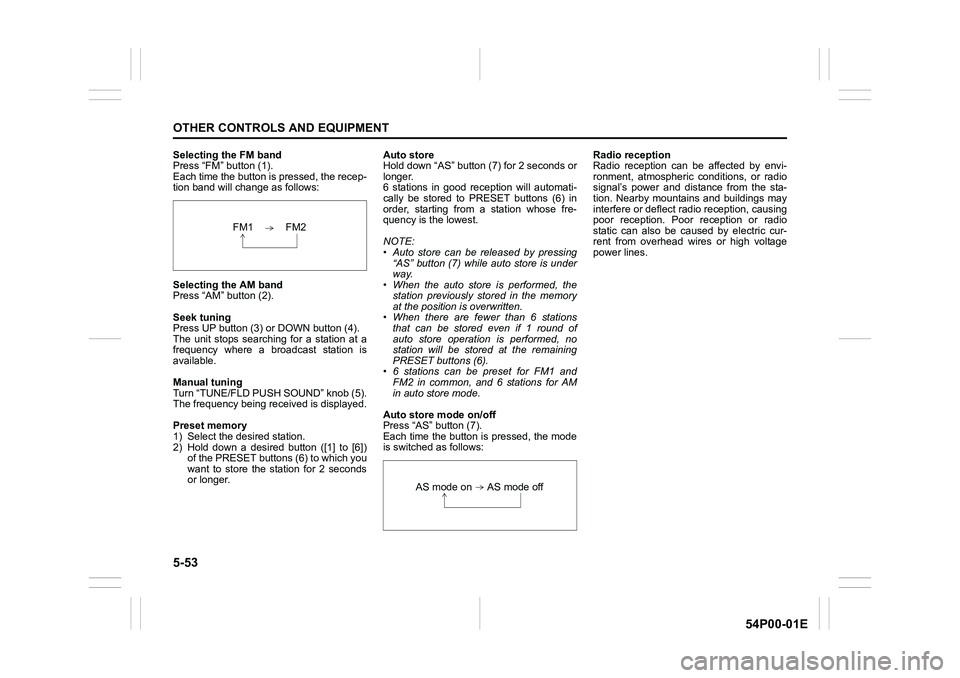
Selecting the FM band
Press “FM” button (1).
Each time the button is pressed, the recep-
tion band will change as follows:
Selecting the AM band
Press “AM” button (2).
Seek tuning
Press UP button (3) or DOWN button (4).
The unit stops searching for a station at a
frequency where a broadcast station is
available.
Manual tuning
Turn “TUNE/FLD PUSH SOUND” knob (5).
The frequency being received is displayed.
Preset memory
1) Select the desired station.
2) Hold down a desired button ([1] to [6])
of the PRESET buttons (6) to which you
want to store the station for 2 seconds
or longer.Auto store
Hold down “AS” button (7) for 2 seconds or
longer.
6 stations in good reception will automati-
cally be stored to PRESET buttons (6) in
order, starting from a station whose fre-
quency is the lowest.
NOTE:
• Auto store can be released by pressing
“AS” button (7) while auto store is under
way.
• When the auto store is performed, the
station previously stored in the memory
at the position is overwritten.
• When there are fewer than 6 stations
that can be stored even if 1 round of
auto store operation is performed, no
station will be stored at the remaining
PRESET buttons (6).
• 6 stations can be preset for FM1 and
FM2 in common, and 6 stations for AM
in auto store mode.
Auto store mode on/off
Press “AS” button (7).
Each time the button is pressed, the mode
is switched as follows:Radio reception
Radio reception can be affected by envi-
ronment, atmospheric conditions, or radio
signal’s power and distance from the sta-
tion. Nearby mountains and buildings may
interfere or deflect radio reception, causing
poor reception. Poor reception or radio
static can also be caused by electric cur-
rent from overhead wires or high voltage
power lines.
FM1 FM2
AS mode on AS mode off
Page 334 of 482
6-2
VEHICLE LOADING AND TOWING
54P00-01E
NOTE:
If your vehicle has a parking sensor sys-
tem, set the system to the trailer mode via
the information display. When this mode is
set, the rear corner and rear center sen-
sors are inhibited from operating. Refer to
“Information display” in “BEFORE DRIV-
ING” section.
To w b a r s
Only use a tow bar that is designed to
attach to the chassis of your vehicle, and a
hitch that is designed to bolt to this tow bar.
We recommend that you use a genuine
SUZUKI tow bar (available as option), or
equivalent.
Safety chains
Always attach safety chains between your
vehicle and trailer. Cross safety chains
under the nose of the trailer so that the
nose will not drop to the road if the trailer
becomes separated from the tow bar. Fol-
low the manufacturer’s recommendation
for attaching safety chains. Always leave
just enough slack to permit full turning.
Never allow safety chains to drag on the
road.
Trailer lights
Check that your trailer is equipped with
lights which meet local requirements.
Always check for the proper operation of
all trailer lights before you start to tow.
Brakes
WA R N I N G
For vehicles equipped with the radar
brake support system, if your vehicle
is used to tow a trailer, press the
radar brake support OFF switch and
turn off the radar brake support sys-
tem. If not, unexpected accidents
related to the system being turned on
may occur.
NOTICE
Trailer towing puts additional stress
on the engine, drive train and brakes
of your vehicle. Never tow a trailer
during the first 960 km (600 miles) of
vehicle operation.
WA R N I N G
Never use a tow bar which attaches
to the axle or the bumper of your
vehicle.
WA R N I N G
Never attach safety chains to the
bumper of your vehicle. Secure con-
nections so that they cannot come
loose.
WA R N I N G
Never connect trailer lights directly
into your vehicle’s electrical system,
or electrical system damage may
occur.
WA R N I N G
If trailer brakes are used, follow all
instructions provided by the manu-
facturer. Never connect to the brake
system of your vehicle and never
take an electrical supply directly from
the wiring harness.